
7 Ways to Earn Money by Typing in 2026
You sit down to do a “simple typing job” at 8 p.m. By 10 p.m., you are still pausing audio, fixing typos, and wondering why the pay feels thin for the time you put in. That is the reality for a lot of new freelancers. The typing itself is rarely the problem. The problem is choosing the right kind of work, setting up an efficient workflow, and avoiding low-value gigs that turn your evening into underpaid admin labor.
Typing can become reliable income, but only if you treat it like a business line. Freelancers who bounce between random “online typing jobs” usually end up buried in repetitive tasks with weak rates and no path up. The people who earn well from typing pick a lane, get fast at the parts clients will pay for, and cut wasted time wherever they can.
That matters more now because the market has changed. Manual typing from a blank page is no longer the highest-value version of this work. AI transcription and summarization tools have shifted the economics. A freelancer who uses Whisper or similar tools to create a first draft can spend more time correcting names, cleaning punctuation, checking timestamps, formatting deliverables, and catching errors that software misses. That is where your hourly rate improves. You stop selling raw keystrokes and start selling judgment, accuracy, and turnaround.
If you are serious about this, it helps to understand how buyers price transcription work and where editing fits into that margin. This breakdown of transcription service costs and pricing factors gives useful context before you choose a niche.
Some typing work is still beginner-friendly. Some pays better because it requires subject knowledge, stronger formatting, or better QA habits. The sections below focus on the options that still make practical sense, especially if your goal is to work smarter, use AI well, and turn typing into something closer to skilled freelance production than piece-rate busywork.
1. Transcription & Captioning (General)
A beginner opens a 40-minute interview, tries to type every word by hand, and realizes an hour later they are still cleaning up the first half. That is why general transcription frustrates so many new freelancers. The typing is not the hard part. The hard part is handling messy audio fast enough to keep your hourly rate from collapsing.
General transcription is still one of the easiest ways to start earning from typing. You turn interviews, meetings, lectures, podcasts, and video audio into readable text. Captioning uses the same foundation, but the job also includes timing, line breaks, and formatting that reads cleanly on screen.
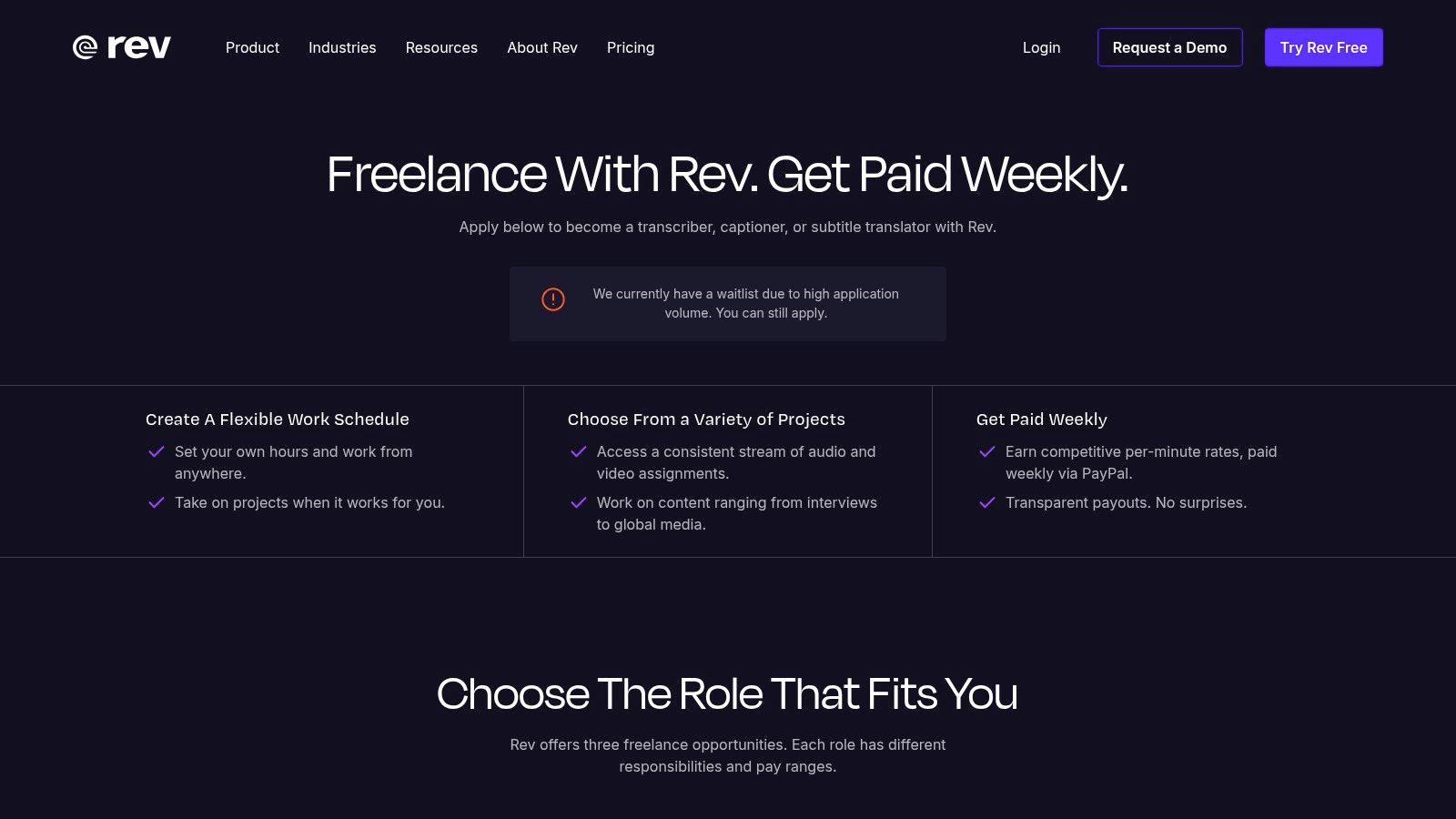
Platforms like Rev are a common starting point because the workflow is clear and the jobs are already packaged for freelancers. The bigger lesson is not the platform itself. It is the business model. Entry-level transcription pays best when you stop treating it like raw typing labor and start treating it like audio editing plus quality control.
That shift matters. A freelancer who uses Whisper or another speech-to-text tool for a first draft can finish more work in less time than someone typing from scratch. The money comes from correcting names, punctuation, speaker labels, timestamps, and garbled sections that AI still gets wrong. Clients pay for usable transcripts, not for the number of keystrokes it took to produce them.
What actually improves earnings
Fast typists do not automatically earn more in this category. Efficient editors usually do.
A practical workflow looks like this:
- Generate a first draft with AI: Start with speech-to-text so you are editing text instead of building it line by line.
- Clean the transcript carefully: Fix speaker changes, punctuation, terminology, filler-word handling, and unclear passages.
- Match the client’s format: Deliver the file the way they asked for it, whether that means verbatim transcription, clean read, captions, or timestamped notes.
If you want to price work properly, study how transcription services are priced and what drives client costs. It helps explain why some buyers accept higher rates from freelancers whose files need very little cleanup.
Practical rule: Compete on accuracy, formatting, and turnaround. Those are easier to charge for than typing speed.
Which jobs are worth taking
General transcription works best when the audio and expectations are predictable. Recurring podcast episodes, weekly team meetings, lecture series, and creator content with a consistent format are usually more profitable over time because you learn the speakers, the vocabulary, and the preferred layout.
Avoid these types of jobs, as they do not scale well:
- Low-paid audio with obvious problems: Crosstalk, background noise, strong accents, and poor recording quality can turn a simple file into a time sink.
- Rush jobs without rush pricing: Tight deadlines are fine when the rate reflects the pressure.
- Projects without a sample file or clear instructions: If you cannot inspect the audio first, you are guessing on difficulty and profit.
General transcription still makes sense as a starting lane. The freelancers who do well in it use AI for the first pass, reserve their time for judgment-heavy edits, and protect their hourly rate by choosing cleaner files.
2. Specialized & Niche Transcription
A freelancer takes two one-hour files. The first is a general podcast interview with clean audio. The second is a medical consultation full of drug names, shorthand, and specialist vocabulary. The second file usually pays better, but only if the transcriber can turn AI output into a reliable final document without introducing expensive mistakes.
That is the shift that raises your hourly rate. Specialized transcription moves you away from pure typing and toward review, correction, formatting, and terminology control. Clients in legal, medical, academic, insurance, and bilingual work are paying for judgment as much as speed.
Daily Transcription is a useful example because it focuses on subtitles, translation support, and multilingual work rather than generic beginner jobs. That kind of positioning matters. Niche buyers usually care about subject familiarity, confidentiality, and consistent formatting more than raw words per minute.
Where specialization pays off
The best niches have three traits. They produce repeat audio, they use recurring terminology, and the client loses time or money when the transcript is sloppy.
Strong specialization lanes include:
- Legal proceedings: Depositions, hearings, witness interviews, and attorney dictation.
- Medical documentation: Clinical notes, consultations, and dictated summaries.
- Research interviews: Academic projects, qualitative studies, and grant-related work.
- Bilingual transcription: Audio in one language, transcript or subtitle in another.
Formatting matters more here than many beginners expect. A law office may want speaker labels handled one way every time. A researcher may need timestamps at fixed intervals. A clinic may care about abbreviation rules and clean document structure because staff will reuse the transcript in reports.
A personal term bank helps a lot. So does a saved prompt and workflow for Whisper or another speech-to-text tool. The fastest specialists do not type every line from scratch. They generate a first pass, compare it against the audio, fix domain terms, and deliver a polished file.
Understanding the trade-offs
This lane has a higher ceiling, but it asks for more preparation. Domain language is not forgiving. If you guess at a medication, statute, or technical phrase, the client notices.
Start narrower than you think. Pick one field, study its common documents, and learn the vocabulary that appears every week. Read sample reports. Build a glossary. Save approved formatting templates. That prep work cuts editing time on future jobs and makes AI transcripts much more usable.
The practical advantage is simple. Once you know the subject, AI stops being a threat to your income and becomes a speed tool. Your value comes from catching the terms the software misses, correcting context errors, and delivering a file the client can trust.
Specialized transcription also rewards better positioning. If you plan to pitch administrative or documentation-heavy roles alongside this work, a strong application matters. This guide to writing an effective cover letter for data entry jobs is useful because the same principle applies here. Clients respond to proof of accuracy, process, and reliability, not generic claims about being hardworking.
Freelancers who last in niche transcription treat themselves like editors with subject knowledge. That is usually the point where typing work starts paying like skilled remote work instead of piecework.
3. Data Entry
You open a project that looks simple. A few hundred records, a spreadsheet, and a client who says it should be quick. Twenty minutes later, you are fixing broken date formats, guessing where copied fields belong, and trying to read text from a blurry PDF export. That is data entry in professional settings. The typing is easy. The cleanup is what decides your hourly rate.

Data entry is accessible work, but it usually pays for accuracy and speed, not judgment alone. That puts a ceiling on pure manual entry. The better play is to treat it as process work. Use tools that reduce keystrokes, catch inconsistencies early, and turn you from a typist into the person who cleans and validates information before it reaches the client’s system.
Freelancer is one place to find this kind of work, especially for spreadsheet updates, CRM cleanup, and document conversion. The jobs are easy to understand, but the strongest gigs are rarely “just typing.” They involve checking duplicates, standardizing formatting, flagging missing fields, and delivering a file that can be used without another round of repairs.
When data entry is worth it
Data entry makes sense when the workflow is structured and the client knows what good output looks like. It is also a practical entry point for freelancers who want paid remote work while building reliability, turnaround discipline, and client communication.
The jobs with the best staying power usually look like this:
- CRM updates: cleaning contact records, fixing field mapping, and removing duplicates before sales teams import data
- Spreadsheet normalization: standardizing names, dates, categories, and labels across inconsistent files
- Document-to-digital conversion: turning scanned forms or handwritten notes into usable text, then checking the result for obvious OCR errors
- Database verification: comparing records against a source file and flagging mismatches instead of guessing
If you are applying directly, a strong effective cover letter for data entry jobs helps clients trust your process. That matters because one wrong column shift can create hours of downstream cleanup.
What raises your hourly rate
Manual typing alone is slow. Smart operators use autofill, text expanders, spreadsheet formulas, OCR, and AI-assisted extraction where the project allows it. The same work-smarter rule that helps in transcription applies here too. If a PDF can be converted, reviewed, and corrected faster than retyped from scratch, do that. If meeting records need to be cleaned before entry into a CRM, a workflow built around AI meeting summaries and structured notes can cut admin time before the actual input work starts.
That shift matters. You earn more when you spend less time on raw keystrokes and more time on validation.
Field rule: Ask for a sample batch before accepting a large project. Five messy records reveal more than a polished job post.
Bad data entry projects share the same warning signs. Vague instructions, inconsistent source files, no sample output, and pricing based only on volume. Good clients define the fields, the format, the error tolerance, and the handoff. That makes quoting easier and protects your time.
I would also avoid large piece-rate projects unless the workflow is stable. A file full of unreadable screenshots or half-complete records can destroy your effective rate. Data entry works best as a disciplined side hustle, or as the foundation for broader admin services like research, reporting, inbox support, and database maintenance. That is where simple typing work starts to become dependable freelance income.
4. Content Summarization & Note-Taking
This is one of the most underrated typing services because it solves a better problem than plain transcription. Many clients don’t want every word. They want the decisions, action items, highlights, themes, and next steps from a meeting, webinar, podcast, or interview.
That makes summarization more valuable than verbatim typing in many cases. A founder doesn’t want to reread a long internal meeting transcript. A content team wants episode notes. A researcher wants key takeaways. A course creator wants module summaries. Those are deliverables clients use immediately.
Fiverr is a strong marketplace for packaging this as a productized service because buyers often search for outcomes instead of labor categories. “Podcast show notes,” “meeting summary,” and “webinar recap” are easier to sell than “I will type your audio.”
Why this beats raw transcription for many freelancers
Summarization pays off when your comprehension is strong. You’re no longer charging only for keystrokes. You’re charging for judgment.
A smart workflow is:
- generate transcript
- skim for topic shifts and speaker intent
- pull action items
- organize by theme
- deliver in a clean format the client can share
If you want to build this kind of offer, study what makes a useful meeting summary. The strongest summaries don’t just condense words. They separate decisions from discussion.
What buyers actually want
Most clients asking for summaries want one of three outputs:
- Executive recap: A short, high-level overview for busy stakeholders.
- Structured notes: Main points organized by topic, speaker, or segment.
- Action log: Tasks, owners, blockers, and follow-up items.
That means your formatting is part of the service. Headings matter. Bullet logic matters. Ordering matters. If your summary makes the client think less, it’s doing its job.
Most people can type what was said. Fewer people can tell a client what mattered.
This lane also protects you somewhat from low-end competition. Cheap transcription is everywhere. Clear thinking is not. If you can turn a messy discussion into a concise deliverable, you can build recurring work with agencies, consultants, coaches, podcasters, and internal business teams.
For freelancers who want to earn money by typing without staying stuck in commodity gigs, this is one of the strongest upgrades available.
5. Closed Captioning & Subtitling for Creators
A creator uploads a 20-minute interview at 6 p.m. and wants captions live before the morning newsletter goes out. The raw auto-caption file is messy, two speaker names are wrong, the pacing feels off, and the final cut includes jargon the software missed. That is the actual work. Fast cleanup under deadline.
Closed captioning for creators pays better than generic typing when you treat it as post-production support, not just transcript work. You are helping a channel publish on time, hold viewer attention, and avoid embarrassing errors. Speed matters, but judgment matters more.
The smartest workflow starts with AI, not the keyboard. Use a speech-to-text tool such as Whisper to generate the first pass, then spend your time fixing names, tightening punctuation, cleaning line breaks, and correcting timing. That shift changes your role from manual typist to caption editor. It also gives you a better shot at raising your hourly rate because you can finish more minutes of content in less time.
Creators judge caption work by how it feels on screen, not by whether every spoken filler word survived the edit.
Strong creator captions usually include:
- Clean line breaks: Each caption reads naturally at a glance.
- Accurate timing: Text appears and disappears in sync with speech and cuts.
- Speaker labeling where needed: Interviews, reaction videos, and podcasts often need it.
- Platform fit: One client needs an SRT. Another wants burned-in captions with style notes.
- Smart editing choices: Remove clutter when readability improves and meaning stays intact.
This is also a good category for bundling. A creator who trusts you with subtitles may also need transcript cleanup, quote pulls for social posts, episode descriptions, chapter markers, or repurposed clips. If you want examples of adjacent online task work clients already pay for, this guide on how to get paid to complete tasks online gives useful context.
There is a trade-off here. Creator work can be recurring and higher value, but deadlines are tighter and revision requests come fast. The freelancers who do well in this lane build templates, save style preferences by client, and standardize export settings. Small systems protect your margin.
Creators pay for reliable publishing support. Captions are one part of that service.
Treat subtitling as a workflow business. Use AI for the rough draft. Charge for cleanup, timing, readability, and fast turnaround. That is how typing work turns into a stronger service offer.
6. Micro-Tasking & Human Intelligence Tasks (HITs)
You open a task platform for 30 minutes between other commitments, clear a batch of text labeling jobs, and earn a little cash. That is the primary use case for micro-tasking. It fits spare pockets of time, gives beginners a low-risk way to learn remote work systems, and teaches discipline around instructions, quality checks, and payout rules.
Amazon Mechanical Turk is the classic example. The work is broken into tiny assignments such as text cleanup, categorization, moderation review, data labeling, validation, or short transcription clips. Pay is usually thin, and the platform keeps control of rates, approvals, and access to better tasks. I treat it as training ground income, not a business model.
That distinction matters. If you stay in pure micro-tasks too long, your ceiling stays low because speed alone does not create much pricing power. The better play is to use these platforms to figure out what kind of text work you complete accurately and quickly, then move toward services where clients pay for judgment, cleanup, and reliability.
Where micro-tasking helps
Micro-tasking works best for three groups. Beginners who need a first paid online job. Freelancers filling dead time between larger projects. People testing whether they prefer structured data work, short audio cleanup, moderation queues, or content classification.
Useful upsides:
- Low barrier to entry: You can start without a polished portfolio or outbound pitch.
- Fast feedback: You find out quickly which task types waste time and which ones suit you.
- Short work blocks: Good fit for fragmented schedules.
- Operational practice: You learn how to read instructions closely, hit quality thresholds, and avoid rejected work.
If you want a broader look at platforms in this category, this guide on how to get paid to complete tasks online is a useful comparison point.
How to make the numbers less bad
"Work smarter, not harder" is a key consideration. The worst approach is doing every task manually at the same pace. The better approach is screening for tasks where your typing skill combines with light editing or verification.
For example, if a platform offers short transcription fragments, run the audio through Whisper or another speech-to-text tool first, then spend your time correcting names, punctuation, and unclear phrases. Your role shifts from raw typing to quality control. That usually improves hourly earnings because editing a decent draft is faster than producing every word from scratch. The same logic applies if you later move into content repurposing workflows for creators and businesses, where the higher-value work is shaping output, not hammering keys.
What does not work here
Trying to scale micro-tasking into a premium freelance business usually fails for a simple reason. You do not own the client relationship. The platform decides who sees the work, what it pays, and whether your submission gets approved.
A smarter use of HITs is as a testing lab. Track which jobs you finish fastest, which ones get accepted without revisions, and which ones feel less draining after an hour. While many people can type what they hear, fewer can clean messy text, spot inconsistencies, and deliver accurate work at speed. That difference points you toward better-paid lanes.
Treat micro-tasking as paid practice. Build skill, build speed, and move up as soon as you can.
7. Freelance Writing & Content Repurposing
A creator records a 45-minute podcast on Tuesday and wants a blog post, newsletter, and five social posts by Thursday. A business owner finishes a webinar and needs clean takeaways for LinkedIn before the topic goes stale. In these situations, typing stops being low-paid input work and becomes editorial production.
The money is better because clients are buying usable content, not keystrokes. Raw transcription is only the first step. Primary value comes from turning messy spoken material into assets that can publish, rank, or sell.
This lane fits the "work smarter" approach better than almost any other typing service. Instead of typing every word from scratch, use AI transcription to get a solid draft fast, then spend your time on the parts clients notice: structure, clarity, hooks, subheads, and pull quotes. That shift usually raises your effective hourly rate because editing and reshaping a transcript is faster than creating the same material manually.
Typical deliverables include:
- Cleaned transcripts
- Blog post drafts
- Email newsletters
- LinkedIn posts and thread drafts
- Show notes
- Quote selections and headline options
Clients also understand these outputs more easily than generic typing work. A founder may hesitate to pay much for "typing up audio," but will often pay for a blog draft that can go live this week. The offer is easier to position because the business use is obvious.
The trade-off is skill. Repurposing pays more, but it also expects more judgment. You need to cut filler, reorganize rambling speech, preserve the speaker's meaning, and shape the final piece for a platform. Good freelancers in this category are part editor, part writer, and part production assistant.
A practical workflow looks like this. Run the source audio or video through Whisper or another speech-to-text tool. Clean the transcript. Pull the strongest ideas into a rough outline. Draft the primary asset first, usually a blog post or newsletter, then break that into smaller pieces like social posts or quote cards. If you want a model for packaging that process, study these content repurposing strategies for creators and businesses.
This work also holds up better than basic typing gigs because AI changed the economics of manual word-for-word entry. Clients still need a human to decide what matters, what should be cut, and how one piece of source material becomes three or four useful outputs. That is the part worth charging for.
If you want to grow past commodity typing rates, this is one of the clearest paths. Use transcription tools for speed. Charge for judgment.
7 Typing Income Options Compared
| Service | 🔄 Implementation Complexity | ⚡ Resource Requirements & Speed | 📊 Expected Outcomes | Ideal Use Cases | ⭐ Key Advantages / 💡 Tip |
|---|---|---|---|---|---|
| Transcription & Captioning (General) | Moderate, AI edit-and-review workflow | Requires AI transcription (e.g., Whisper), good audio gear; 3–5x faster than manual | Accurate transcripts/captions; ~$15–$25+ per audio hour | Interviews, podcasts, lectures, general captioning | Scales earnings with AI; build portfolio of hard clips |
| Specialized & Niche Transcription | High, domain knowledge and strict formatting | Domain courses, custom glossaries, secure workflows; AI speeds editing | Precision transcripts; premium rates ~$20–$45+/audio hr | Legal, medical, technical transcription | Less competition and higher pay; market as a specialist |
| Data Entry | Low, repetitive, accuracy-focused | Spreadsheet tools, ergonomic setup; macros can boost throughput | Piece-rate or hourly income; ~$10–$20/hr (speed-dependent) | Digitization, list updates, verification tasks | Steady volume work; improve WPM and use macros |
| Content Summarization & Note-Taking | Moderate–High, requires comprehension + editing | AI that transcribes and summarizes; editorial time for polishing | High-value deliverables; ~$25–$50+ per project/hr | Webinars, podcasts, board meetings needing takeaways | Sell insights not words; package services for clients |
| Closed Captioning & Subtitling for Creators | Moderate, timing and accuracy required | AI timestamped transcripts + subtitle editors (Aegisub/Kapwing); efficient workflow (10‑min ≈ 20–30 min) | Time-coded SRTs; ~$3–$7 per video minute; better engagement/accessibility | YouTube, TikTok, educational video creators | High demand from creators; pitch samples to mid-sized channels |
| Micro-Tasking & HITs | Low, many tiny tasks, qualification gates | MTurk/Clickworker accounts, browser scripts; rapid task completion | Variable, often low hourly rate ~$6–$12/hr | Short bursts of work, filler time between tasks | Flexible and immediate work; be selective and build qualifications |
| Freelance Writing & Content Repurposing | High, writing skill + client acquisition | AI for transcripts and drafting, portfolio site; editorial time | Higher project fees $50–$300+ per article/project | Repurposing podcasts/webinars into blog posts and social media | High margins and recurring clients; showcase repurposed samples |
Your Next Step From Typist to Tech-Savvy Pro
You finish a 45 minute interview, open the audio file, and face the old choice. Type every word yourself for the next few hours, or let software create the rough draft and spend your time fixing what clients care about. That decision usually determines whether typing work stays stuck at low rates or turns into solid freelance income.
The market still pays for typing. It pays better for judgment.
Clients rarely care how many keystrokes you made. They care that the transcript is clean, the summary is useful, the captions are accurate, and the final file is ready to publish, share, or archive. That shift matters because it changes what you sell. Your service is not manual typing. Your service is producing text assets people can use immediately.
That is why AI transcription tools matter. Used carelessly, they create messy drafts that waste time. Used well, they cut out the slowest part of the job and leave you with the higher-value work: correcting names, fixing jargon, cleaning formatting, adding speaker labels, pulling action items, and turning raw audio into something polished.
I have found that earnings improve fastest when the workflow gets tighter, not when the hours get longer. A basic setup is enough. Take in the file, run a draft through a tool such as Whisper, edit for accuracy, run a final quality check, and deliver in the format the client needs. The freelancer who can do that consistently will usually outperform the person still typing from scratch.
A practical path looks like this:
- Start with entry-level work: data entry, basic transcript cleanup, simple caption edits.
- Build a fast workflow: intake, draft creation, editing, QA, delivery.
- Add higher-value offers: summaries, meeting notes, creator captions, specialized transcription, repurposed content.
- Raise project value: sell a transcript plus summary, or captions plus social copy, instead of one isolated task.
Demand still exists on freelance platforms, but quality varies. Some clients shop for the cheapest possible labor. Better clients want dependable turnaround, clean formatting, and fewer corrections on their end. Those are the buyers worth keeping because they lead to repeat work, referrals, and less time spent chasing one-off gigs.
If you want a rough pay benchmark for the broader market, one source cites Indeed figures of $19.73 per hour for data entry, $20.34 per hour for general typists, and $25.35 per hour for transcriptionists. The pattern is the useful part. The more judgment, editing, and subject knowledge a job requires, the more room there is to charge better rates.
That also explains why content repurposing and AI-assisted editing are strong moves. A raw transcript is a commodity. A cleaned transcript, meeting recap, caption file, article draft, and list of action items is a business asset.
If I were starting today, I would choose one lane and build around it. Structured, repetitive work fits data entry. Audio-heavy work fits transcription. Analytical work fits summaries and notes. Creator-focused work fits captions and repurposing. Then I would build three strong samples, tighten turnaround time, and start pitching for repeat work instead of chasing every small task posted online. You can also find remote jobs outside the usual freelance marketplaces once you know which service you want to sell.
Typing still matters. The people making better money from it are editors, operators, and freelancers who use tools well enough to turn speed into margin.
If you want to work smarter instead of typing every word by hand, Whisper AI is a practical place to start. It can turn audio, video, and social clips into searchable transcripts, summaries, timestamps, and speaker-labeled notes, which makes it easier to sell transcript editing, meeting recaps, captions, and content repurposing.


























































































