
Closed Caption vs Subtitle: Key Differences Revealed
You upload a video, fill in the title, write the description, and hit the settings panel where text options appear. Suddenly the easy part is over. Do you need closed captions, subtitles, both, or something burned into the video itself?
That choice looks small, but it affects who can follow your content, where your videos travel, and how searchable they become. In practice, closed caption vs subtitle is less about terminology and more about intent. One option supports accessibility in a deeper way. The other helps you cross language boundaries. If you pick the wrong one, you can limit comprehension, international reach, or discoverability without realizing it.
Why This Choice Defines Your Content's Success
Most creators still treat text on video like a final export step. That mindset costs reach.
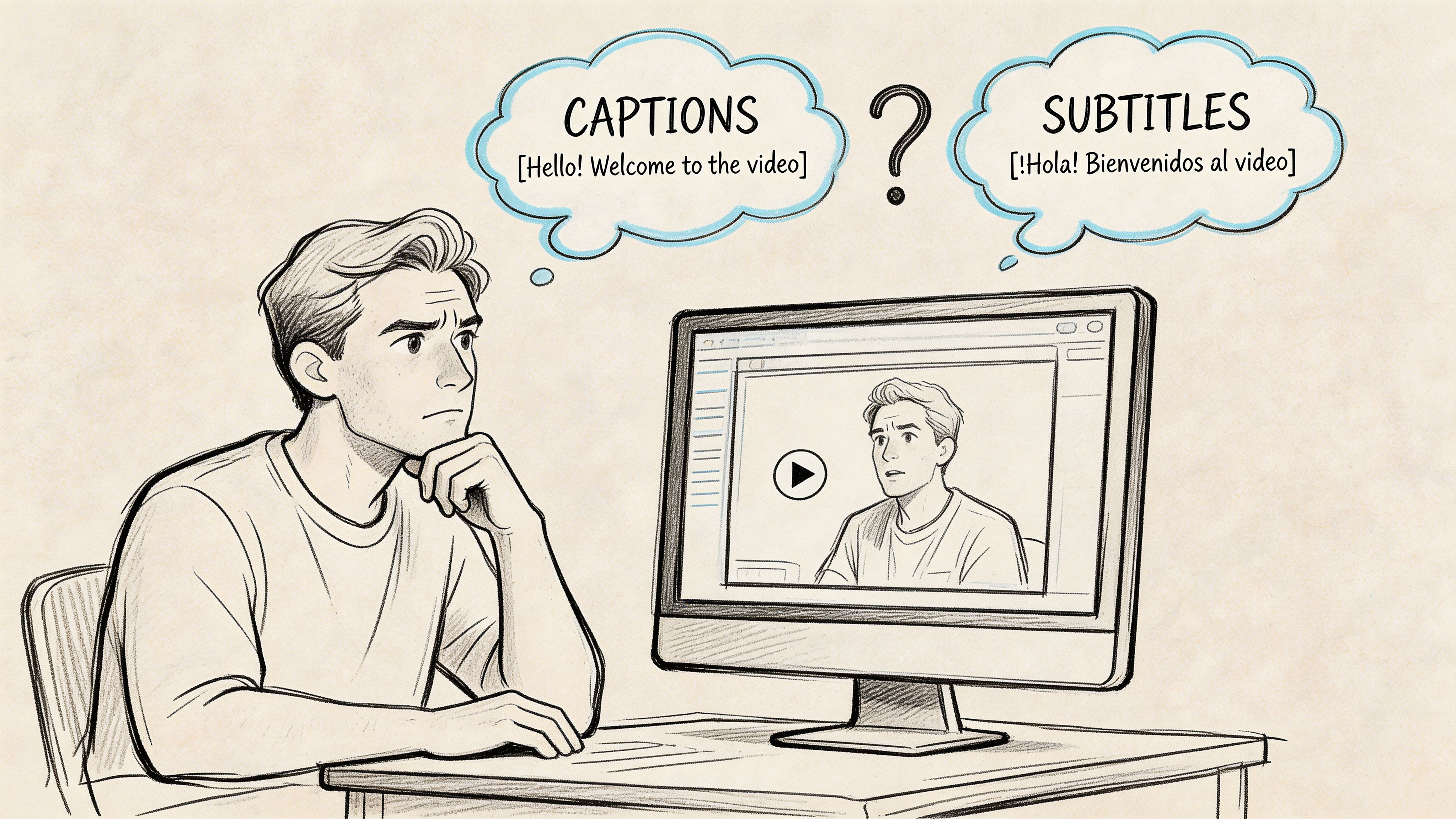
If you're publishing on YouTube, clipping interviews for social, repurposing podcasts, or shipping training content, the text layer does more than help people read along. It shapes accessibility, watch behavior, and search visibility. That means this isn't a cosmetic decision. It's a distribution decision.
Early on, I saw many teams ask the wrong question. They asked, "Which one should we upload?" The better question is, "What job does this text need to do?" Sometimes the answer is accessibility. Sometimes it's translation. Often it's both, but in different formats for different platforms.
The three business outcomes that matter
| Outcome | Why it matters | Best-fit format |
|---|---|---|
| Accessibility | Helps deaf and hard-of-hearing viewers access the full audio experience | Closed captions |
| Discoverability | Gives platforms and search systems more usable text to work with | Closed captions |
| International growth | Helps viewers understand content across language barriers | Subtitles |
Creators who get this right usually make stronger decisions upstream. They know whether to prepare speaker labels, whether to include sound cues, whether to export an SRT or web-ready caption file, and whether to burn text directly into short-form clips.
Practical rule: If the viewer needs a full text version of the audio experience, use captions. If the viewer can hear the audio but needs language support, use subtitles.
There's also a brand signal here. Text choices show whether you built content for actual audiences or only for your default audience. A channel that consistently publishes accessible, searchable, translatable media doesn't just look polished. It becomes easier to consume in more contexts, from quiet offices to noisy commutes to cross-border campaigns.
What Are Captions and Subtitles Really
The cleanest way to understand closed caption vs subtitle is to stop looking at appearance and start looking at purpose. On screen, they may look similar. Functionally, they are not the same thing.
Captions are a text version of the audio experience
Closed captions are built for viewers who can't fully hear the soundtrack. They include spoken dialogue, but also speaker identification and non-speech information such as music cues or sound effects. If a door slams, a phone rings, or someone speaks off-screen, captions can carry that context.
That purpose is rooted in history. A major split between captions and subtitles became visible in 1972, when PBS aired The French Chef with Julia Child as the first closed-captioned program in the United States, while subtitles had already been used since the 1920s and 1930s to translate foreign-language films. The same source notes that 80% of viewers are more likely to finish videos with text and 85% of Facebook videos are watched muted (Kapwing subtitle statistics).
If you want a more detailed primer on captioning terminology, this guide on https://whisperbot.ai/blog/what-is-closed-captioning is a useful reference.
Subtitles are primarily for language comprehension
Subtitles assume the viewer can hear the audio. What they need is help understanding the spoken language. Standard subtitles usually focus on dialogue and leave out most non-speech sound information.
That original role still matters. A translated subtitle track helps someone enjoy the original performance while reading the meaning in another language. It does not try to recreate the full soundtrack in text.
Why creators confuse them
The confusion comes from interface labels. Many platforms group text tracks together, and many viewers casually call all on-screen text "subtitles." Production teams then carry that imprecision into publishing.
That creates real problems:
- Accessibility problems: Standard subtitles don't give deaf and hard-of-hearing viewers the full context of the soundtrack.
- Strategy problems: Teams may upload only subtitles when their real need is searchable same-language text.
- Localization problems: Teams may think captions alone solve international distribution when they still need translated subtitle tracks.
The fastest way to choose correctly is to define the audience need before you define the file type.
In day-to-day publishing, that one distinction saves a lot of cleanup later.
A Technical Comparison of Caption and Subtitle Formats
The practical differences show up fast once you export files, upload to platforms, or try to meet accessibility requirements.
Here is the simplest side-by-side view.
| Attribute | Closed Captions (CC) | Subtitles |
|---|---|---|
| Primary purpose | Accessibility for full audio understanding | Dialogue translation or text support for hearing viewers |
| Content included | Dialogue, speaker IDs, sound effects, music cues | Mostly spoken dialogue |
| Typical use | Same-language accessibility and searchable text | Multilingual viewing |
| Viewer control | Often toggleable when delivered as closed captions | Usually selectable as language tracks |
| Common formats | Broadcast caption standards, web caption files | SRT, WebVTT, and other subtitle formats |
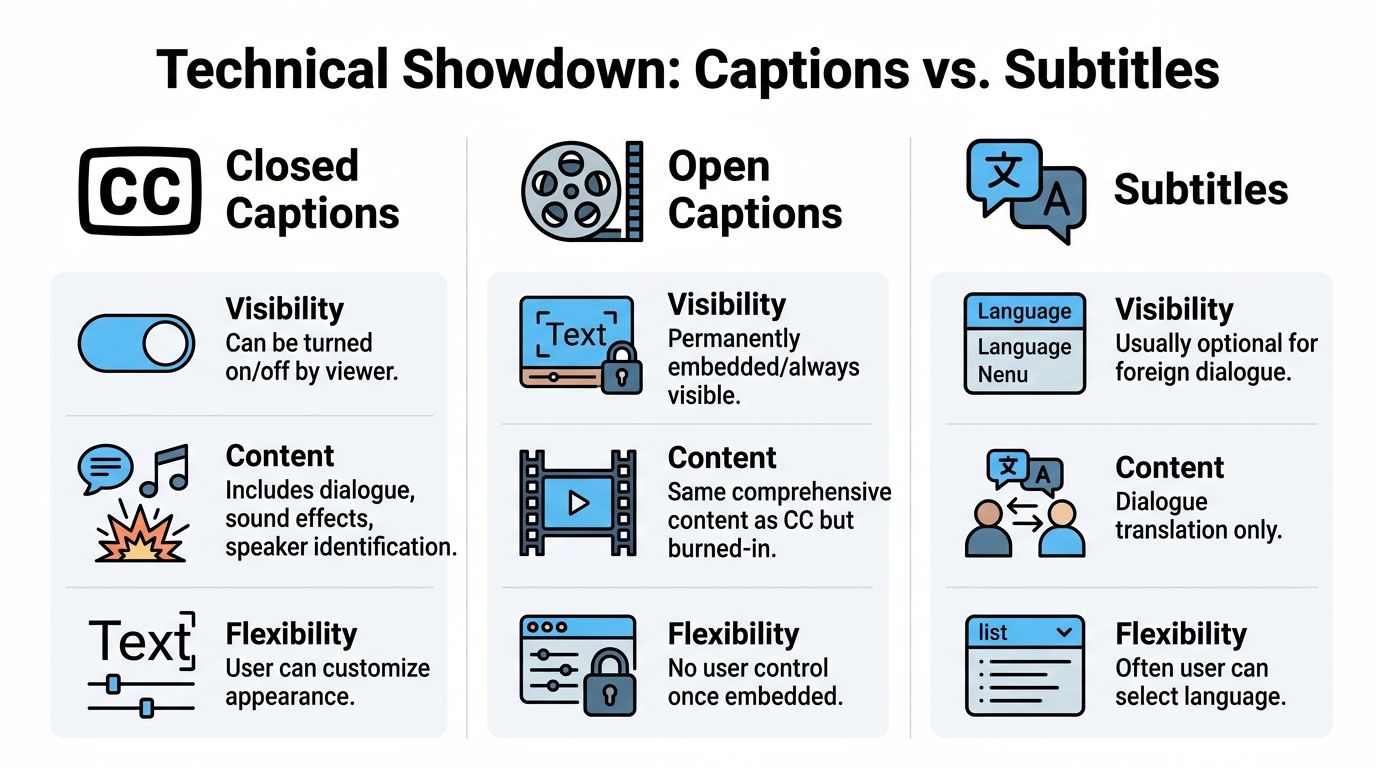
Closed, open, and burned-in are not the same thing
A lot of creators use these labels interchangeably. They shouldn't.
- Closed captions can be turned on or off by the viewer.
- Open captions are always visible because the text is burned into the video image.
- Subtitles are typically optional language tracks, though they can also be burned in for social clips.
That matters because each format behaves differently after upload. Burned-in text is reliable for autoplay social environments because the platform can't strip it away. Closed files are better when you want viewer control, cleaner design, or multiple language tracks.
This visual makes the distinctions easier to scan.
File formats and standards you will encounter
At the production level, teams usually work with a few recurring formats:
- SRT files are the everyday workhorse for subtitles and many platform uploads.
- WebVTT is common for web video and browser-based playback.
- SCC shows up in broadcast-oriented workflows.
- EIA-608 and EIA-708 are established caption standards tied to traditional and digital television workflows.
If you need a plain-English explanation of the most common subtitle file, this breakdown of https://whisperbot.ai/blog/srt-stand-for is worth bookmarking.
Why captions are more complete
According to 3Play Media's explanation of closed captioning vs subtitles, closed captions include all audio elements, including sound effects and speaker changes, while subtitles typically omit 20% to 40% of contextual audio. The same source says this fuller representation helps captions reach 95% to 99% accuracy in comprehension tests for DHH audiences.
That difference isn't academic. It affects whether the viewer can follow a joke, catch a scene change, or understand who's talking when the speaker isn't on screen.
Legal and workflow implications
If you're publishing training videos, internal communications, educational content, or public-facing media for broad audiences, captions are the safer baseline when accessibility is the requirement. Standard subtitles don't replace accessible captions.
A good workflow also treats the caption file as an asset, not an export byproduct. Once your text exists in structured form, you can review timing, correct names, add speaker labels, and adapt the same transcript into subtitle tracks.
If the project needs compliance, don't assume "text on screen" is enough. The content of the text matters as much as the presence of the text.
When to Use Captions Versus Subtitles
A creator publishes a strong video, sees decent watch time in the home market, then hits two preventable ceilings. Some viewers drop because they watch on mute or need full audio context. Others never find the video at all because there is no text asset the platform can read well. Choosing between captions and subtitles affects both problems, and the wrong choice limits reach.
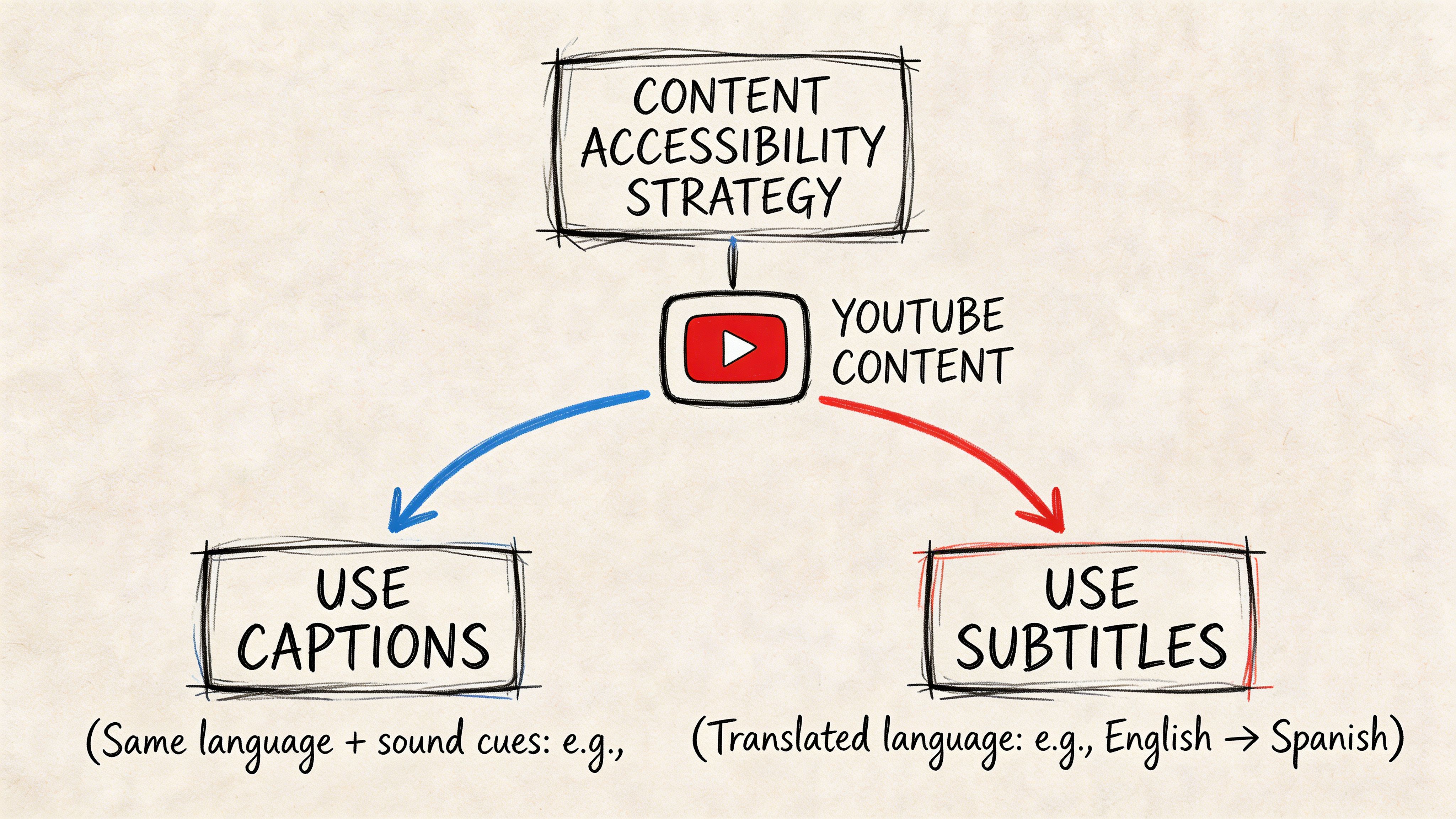
Use captions when the source language needs to perform harder
Captions are the default choice when the goal is accessibility, search visibility, and stronger comprehension in the original language. For YouTube videos, webinars, tutorials, interviews, lectures, and video podcasts, they do more than add text on screen. They create a structured version of the spoken content that can support indexing, repurposing, and quality control.
That matters for business outcomes.
A well-made caption track helps viewers follow technical terms, speaker changes, and off-screen context. It also gives your team a reusable text asset for transcripts, clips, articles, and metadata. If the content drives leads, supports customer education, or builds topical authority, captions usually deliver more value first than subtitles.
Use captions first for:
- Educational videos where exact wording affects understanding
- Corporate training where accessibility requirements are part of delivery
- Podcast videos where multiple speakers need clear attribution
- Interviews and documentaries where non-dialogue audio affects meaning
- Search-driven YouTube content where text can support discoverability
If you are setting up production from scratch, a workflow built around an AI caption generator for video teams makes this easier because the transcript becomes the base asset for every later format.
Use subtitles when the source content already works and you want market expansion
Subtitles are the right move when the original video has proven demand and the next goal is international reach. They are a distribution tool. They help you adapt winning content for new language audiences without re-recording every asset.
This is the key trade-off. Subtitles expand market access, but they do not replace captions when accessibility in the source language is required. Teams that skip source-language captions and publish only translated subtitles usually create a gap at home while trying to grow abroad.
The better strategy is layered. Get the original-language caption file right first. Then create subtitle tracks for the markets that justify translation effort.
Platform-by-platform guidance
YouTube
Start with same-language captions if the video is meant to rank in search, earn recommendations, or support long-term library traffic. Add translated subtitle tracks once analytics show consistent demand from other regions. This approach protects accessibility and gives the video a clearer path to international growth.
Instagram, TikTok, and LinkedIn clips
Use open captions on short-form clips because many views happen with sound off. If you are running campaigns by region, create separate subtitle versions for each language rather than squeezing multiple languages into one frame. Readability drops fast on mobile.
Podcasts and video podcasts
Captions should come first because speaker identification and timing affect comprehension. Subtitles make sense for standout episodes that already attract viewers outside the primary language. For teams comparing production options, this list of AI tools for subtitles and captions is a practical starting point.
Courses, demos, and internal communications
Use captions as the standard delivery format. Add subtitles for multilingual customers, employees, or partner teams when there is a clear operational need. In training and product education, accuracy usually matters more than speed, so review terminology carefully before publishing.
The strongest setup for most brands is simple. Publish captions for the source language. Add subtitles where there is proven audience demand, revenue potential, or regional expansion goals.
A Modern Workflow for Creating Accurate Text
The old workflow was manual transcription, line-by-line timing, and lots of cleanup. It worked, but it was slow. A modern workflow starts with AI, then adds human review where it matters.
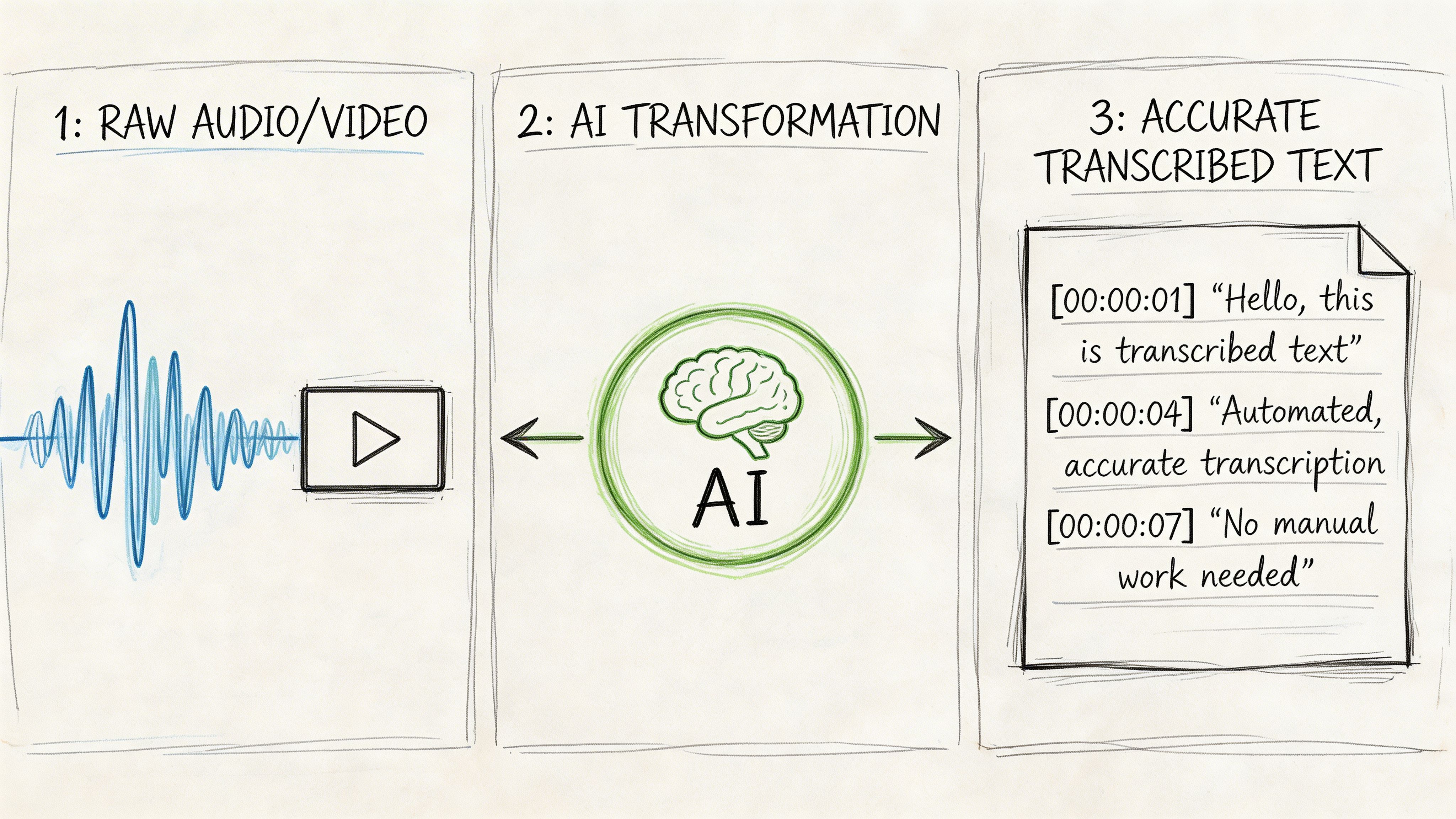
Start with a transcript, not a subtitle file
A clean transcript is the foundation for both captions and subtitles. Upload the source video or audio, generate the transcript, then edit from there.
AI saves the most time at this stage. Instead of typing from scratch, you review and refine. If you're comparing options, this roundup of AI tools for subtitles and captions is useful because it shows the range of tools available for different creators and workflows.
For teams exploring automated generation, https://whisperbot.ai/blog/ai-caption-generator gives a clear view of how AI caption tools fit into production.
Then decide which text product you’re making
Once the transcript is ready, branch based on purpose.
- For captions, add speaker labels, relevant sound cues, and any missing context from the soundtrack.
- For subtitles, remove non-essential audio descriptions and focus on readable dialogue or translation.
- For open-caption social clips, shorten aggressively so text stays readable in fast-scrolling feeds.
Review what automation gets wrong
AI is fast, but review is still necessary. Most errors cluster around names, acronyms, industry jargon, speaker switches, and overlapping speech.
A strong QA pass usually focuses on:
- Proper nouns: Brand names, guest names, product labels
- Timing: Text appearing too early, too late, or lingering after speech ends
- Line breaks: Sentences split awkwardly across frames
- Sound cues: Added only when they help understanding
Automation should create your first draft. It shouldn't be your final publish button.
Export for the destination, not for convenience
Workflows often break at this point. Teams export one file and force it everywhere.
Instead, match the file to the platform:
- SRT works well for many subtitle uploads
- WebVTT fits many web video environments
- Broadcast-oriented workflows may require caption-specific formats
Then test on the target device. Desktop playback can hide problems that become obvious on mobile, TV apps, or embedded players.
The most efficient teams keep one approved transcript, one caption master, and separate subtitle exports by language. That keeps revisions manageable when the source video changes.
Best Practices for Quality and Global Reach
A strong caption or subtitle file affects more than readability. It influences watch time, search visibility, translation costs, and how easily a content team can reuse the asset across platforms.
Poor text handling creates business drag. Viewers drop off when text is hard to follow. Search engines get less usable context when transcripts are sloppy. Translation vendors spend more time fixing source material before they can translate it. All three problems are avoidable.
Protect readability so viewers keep watching
Readable text keeps attention on the video instead of the formatting. The practical standard is simple. Keep captions and subtitles to one or two lines, break lines at natural phrase boundaries, and time each cue so it appears with the spoken phrase instead of chasing it.
Consistency matters too. If one episode uses speaker labels, full punctuation, and selective sound cues, the rest of the series should follow the same rules. That consistency improves comprehension and makes the brand feel more disciplined.
Treat caption files as search assets
Caption files can support discoverability when platforms and search systems can access the text. That matters for webinars, podcasts, interviews, product demos, and any video built around spoken information.
Reverie's analysis of closed captions vs subtitles highlights the indexing value of captioned content. In practice, that means text accuracy has a direct effect on how well your content surfaces for brand terms, topic queries, and long-tail searches.
For audio-led content, this guide to AI transcripts for SEO is useful because it connects transcript quality to broader search performance and repurposing strategy.
Build multilingual quality before translation starts
Global reach usually breaks at the source transcript, not in the final subtitle export.
If names are misspelled, terminology shifts between episodes, or sentence boundaries are unclear, every translated version inherits those mistakes. Review the source language first. Approve product names, brand terms, and recurring phrases before translation begins. Then create subtitle tracks by language and review them in the actual viewing context, especially on mobile where line breaks and reading speed issues show up fast.
This order saves time and money. It also produces better international viewer retention because translated subtitles read like finished content instead of a rushed add-on.
Better source text improves accessibility, search performance, and international distribution at the same time.
Frequently Asked Questions
What is SDH
SDH stands for subtitles for the deaf and hard of hearing. It sits between standard subtitles and closed captions in practical use. It often includes some non-speech information, unlike standard subtitles, but its implementation depends on the platform and workflow. If the goal is full same-language accessibility, closed captions are still the clearest standard to target.
Can you use both captions and subtitles on one video
Yes, and many creators should. A common setup is same-language captions for accessibility plus separate translated subtitle tracks for international viewers. That gives the source audience a complete text version of the audio and gives new markets a readable translation.
Are open captions better for social media
Often, yes. On short-form social, burned-in text works because it stays visible in autoplay feeds and doesn't rely on the viewer to activate anything. For longer videos on platforms that support text tracks well, closed files are usually more flexible.
Are captions required for live streams
Requirements depend on platform, organization type, and use case. For public-facing, educational, or compliance-sensitive content, live accessibility should be planned up front rather than treated as optional. The safe approach is to assume live content needs an accessibility strategy if it serves a broad audience.
Should podcasters care about captions if they already publish transcripts
Yes. A transcript and a timed caption file solve different problems. Transcripts are great for repurposing and on-page reading. Captions improve the viewing experience inside the player itself.
Which is better for SEO
For same-language discoverability, captions usually have the stronger strategic role because they provide fuller text tied directly to the media experience. Subtitles matter more when your growth target is multilingual distribution.
If you're ready to turn audio and video into accurate, searchable text without bogging down your workflow, Whisper AI is built for that job. It helps creators and teams generate transcripts fast, clean them up, export the right formats, and turn long-form media into usable content for captions, summaries, and repurposing.


























































































