
Social Media Video Production: A Complete 2026 Workflow
You've probably felt this already. Recording the video isn't the hard part anymore. Friction starts after the shoot, when clips are scattered across drives, nobody can find the right quote, captions still aren't done, and a video that should have turned into five assets becomes one post and a forgotten folder.
That's where most social media video production breaks down.
The teams that publish consistently don't just film better. They build a system that starts before the camera comes out and keeps working after the post goes live. They plan for platform fit, script with editing in mind, capture usable footage fast, turn speech into searchable text, and repurpose the same raw material into multiple formats without rebuilding everything from scratch.
That operational layer matters more than most creators admit. 89% of businesses use video marketing in 2025, according to VideoScribe's video marketing statistics. With that much competition, one-off production habits don't hold up for long.
Strategic Planning for Each Social Platform
Bad video strategy usually sounds like this: “Let's make one strong video and post it everywhere.”
That approach wastes time because platform behavior isn't uniform. A practical social media video production workflow starts with the business goal, then picks the platform and format. That order matters because audience behavior changes by channel. Network Solutions' social video marketing guidance notes that TikTok and Instagram Reels generally perform best under 30 seconds, while Facebook videos often see stronger engagement around 60 to 90 seconds.

Start with the outcome, not the content idea
A lot of teams reverse this. They begin with “we should make a behind-the-scenes clip” or “we need more Reels.” That's content-first planning, and it usually leads to mismatched distribution.
Instead, map the video to one primary job:
- Awareness: short, easy-to-share clips with one clear takeaway
- Lead generation: educational videos with a next step
- Trust building: founder explainers, testimonials, process breakdowns
- Community engagement: recurring formats, Q&A clips, reaction content
If you need a stronger planning foundation, this guide to developing a content plan for brands is useful because it forces you to connect publishing decisions to brand goals instead of chasing whatever format is trending that week.
Match the platform to audience behavior
The same subject can work across several channels, but the angle should change.
| Platform | What usually works | What usually fails |
|---|---|---|
| TikTok | Fast hook, native pacing, one clear point | Corporate intro, slow setup, over-produced feel |
| Instagram Reels | Visually clean vertical edits, creator-style delivery | Dense talking-head segments with no motion |
| YouTube | Searchable tutorials, explainers, deeper context | Short clips with no substance or payoff |
| Professional insights, lessons learned, concise expertise | Trend-chasing formats with no business relevance |
A product tutorial might become a quick pain-point hook for Reels, a deeper walkthrough for YouTube, and a practical lesson clip for LinkedIn. That's still one topic. It's not one asset.
Practical rule: If you can't explain why a video belongs on a specific platform, you're not ready to shoot it.
For a useful breakdown of format fit, publishing styles, and audience expectations by channel, this overview of social media video platforms is worth reviewing before production starts.
Build a simple platform brief
Before any recording day, lock these five decisions:
Business goal
What should this video help move: awareness, clicks, replies, leads, or retention?Primary platform
Pick the main destination first. Cross-posting is secondary.Format
Vertical, square, or horizontal. Talking head, demo, montage, interview, or screen recording.Core message
One idea per video. Two ideas is usually one too many.Call to action
Follow, comment, save, visit link in bio, subscribe, or message the team.
The point of planning isn't to slow production down. It's to remove avoidable waste. Most reshoots happen because nobody decided the format, length, or CTA before filming.
Scripting and Storyboarding for Engagement
A lot of weak videos die before the first sentence finishes. The opening is vague, the speaker circles the point, and the viewer scrolls.
That's usually a scripting problem, not a charisma problem.

Use Hook, Body, CTA
You don't need a formal screenplay for social media video production. You need structure.
The simplest structure that keeps working is:
Hook
Give the viewer a reason to stop. Lead with a pain point, a strong opinion, a surprising contrast, or a direct promise.Body
Deliver one core idea fast. Cut anything that delays understanding.CTA
End with one action. Don't ask for five things.
A short-form script might sound like this:
“Most teams waste time editing the wrong clips. Start by scripting the first sentence before you film. Then record three versions of the opening so you have options in the edit. Save this if you batch content.”
A longer educational video uses the same frame, just with more room in the middle.
Adapt the structure to the runtime
For a 30-second video, your hook has to carry more weight than the body. Get to the point immediately. If the setup takes too long, the edit is already losing.
For a 3-minute video, the hook still matters, but the body needs progression. Break the middle into clear beats so the viewer feels movement instead of one long explanation.
A simple way to storyboard that progression:
- Opening line on camera
- B-roll or screen recording to support the claim
- Second proof point or example
- Visual reset, such as a tighter crop or text overlay
- CTA
That's enough to keep most educational clips from feeling flat.
For teams creating ads or branded social campaigns, resources on mastering ad storyboard creation can help tighten shot planning before production starts.
Storyboards don't need to look polished. They need to answer one question: what should the editor have on the timeline?
Storyboards save time in the edit
A storyboard can be ugly and still be useful. Stick figures are fine. A shot list in Notion is fine. Thumbnail sketches on paper are fine.
What matters is that you decide these details before filming:
- Camera framing: wide, medium, close-up
- B-roll needs: hands, product, workspace, reaction shots
- On-screen text: headline, bullet, CTA
- Cut points: where you'll switch angle or add visual support
That pre-production step reduces reshoots because the team isn't guessing what footage the edit will need.
A quick walkthrough on pacing and visual rhythm helps here:
The biggest scripting mistake is trying to sound polished instead of clear. Social audiences forgive imperfect delivery. They rarely forgive a slow opening.
Filming Best Practices with Any Equipment
Expensive gear can help, but it doesn't fix the three things viewers notice first. If the audio is rough, the lighting is bad, or the framing feels unstable, the video looks amateur even when the idea is solid.
That's why practical social media video production comes down to a few essentials.
Get the audio right first
People will tolerate average visuals longer than bad sound. Muffled speech, echo, and background noise make a video feel disposable.
The easiest fixes are low-cost and boring:
- Move closer to the speaker: distance ruins clarity surprisingly quickly.
- Choose a quiet room: turn off fans, AC noise, and buzzing lights when possible.
- Use an external mic if you have one: even a basic lav or compact shotgun mic helps.
- Monitor one test clip: record a few seconds and listen back before the full take.
Clean audio makes a simple phone video feel intentional. Bad audio makes even a good camera look cheap.
Use light that flatters, not light that exists
Teams often overcomplicate lighting and underuse the easiest option available: a window.
If you're filming a talking-head clip, put the subject facing the window, not with the window behind them. Backlighting turns a usable shot into a silhouette. Side lighting can work, but front-facing natural light is usually the fastest path to a clean result.
A basic lighting checklist:
| Situation | Better choice | Avoid |
|---|---|---|
| Indoor talking head | Face a window | Overhead office lighting only |
| Desk setup | Add a small lamp for separation | Mixed color temperatures everywhere |
| Night shoot | Use one consistent light source | Dark room with bright screen glow |
Stabilize the frame
Shaky footage reads as unplanned. That can work for some casual formats, but not for most branded or educational content.
You don't need a full rig. You need control.
Try these fixes:
- Tripod for phone: the cheapest upgrade that improves consistency
- Stable surface: shelf, desk, stacked books
- Locked framing: set the shot and leave it alone for talking-head segments
- Grid lines on camera: helps keep the eye line and horizon straight
There's also a practical choice between “native” and “clean.” Native means handheld, quick, and informal. Clean means stable, repeatable, and easier to edit into a polished feed. Neither is universally right. The right one depends on brand voice and platform expectations.
What doesn't work is accidental inconsistency. If one clip looks deliberate and the next looks thrown together, the whole sequence feels weaker.
Editing and Repurposing with AI-Powered Tools
Filming creates raw material. Editing turns it into an asset. Repurposing turns it into a system.
This is the part many social media video production guides barely address. They explain hooks, transitions, and platform specs, then stop right where the workload starts piling up. The bottleneck for many isn't shooting. It's what happens after. Captions, transcripts, clip selection, searchable archives, approvals, and reuse.
HubSpot's video marketing statistics point to that shift clearly. Auto-generating captions and transcripts is the dominant AI video use case at 59%, and 54% of marketers use AI tools to improve efficiency and reduce production costs.
Editing isn't just visual anymore
A modern edit has to do more than look good. It has to be accessible, skimmable, reusable, and easy to mine for future content.
That changes how strong teams handle post-production:
- They cut for clarity first. Fancy transitions come later.
- They caption everything. Not as a nice extra, but as a standard production step.
- They keep transcripts. Because searchable speech is operationally useful.
- They edit once, then split output by channel. One source, multiple versions.
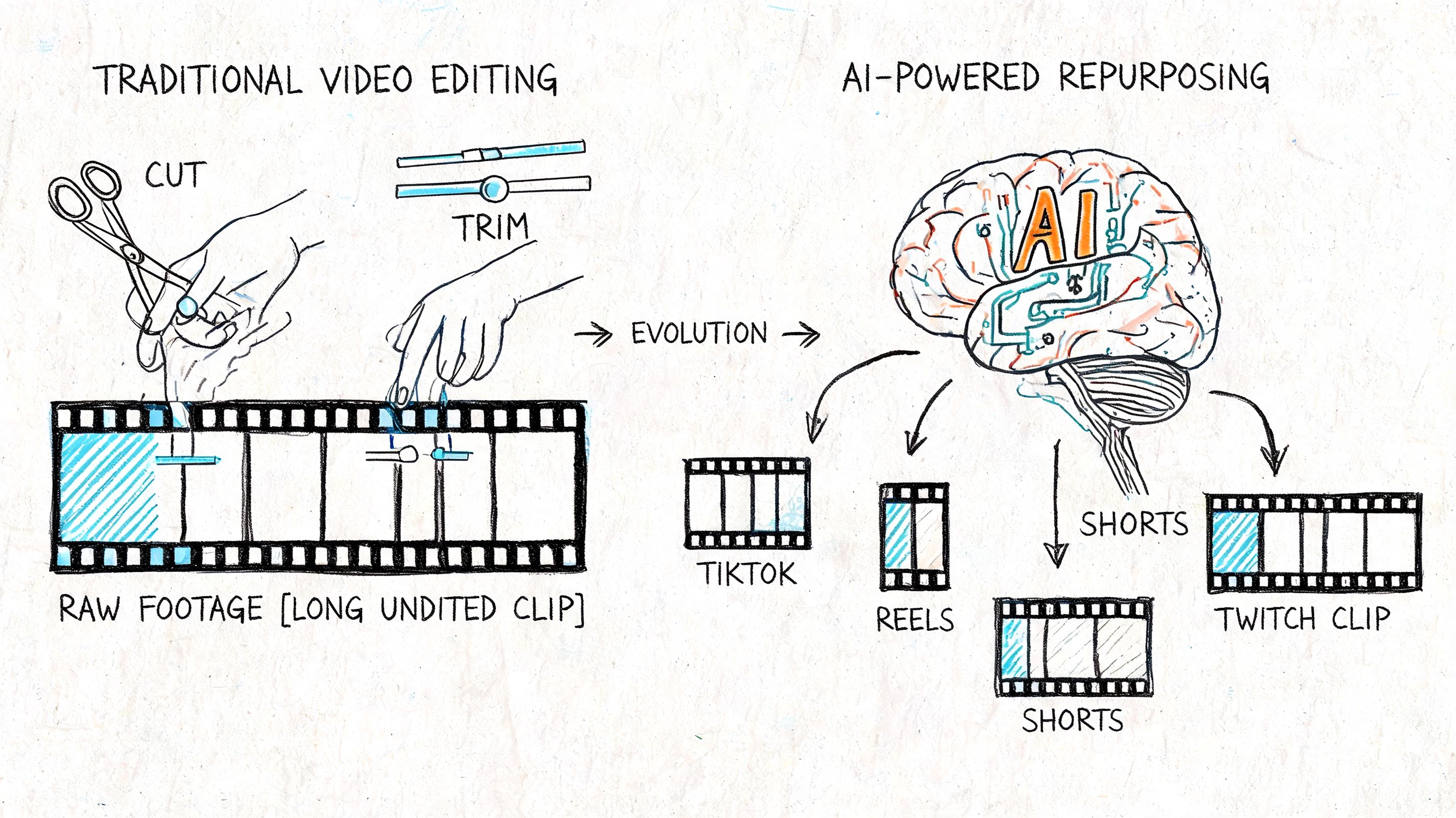
That last point is where scaling usually happens. Once you have the spoken content in text form, you can find the strongest lines without scrubbing through the timeline manually.
Captions are a workflow tool, not just a finishing touch
A lot of people still treat captions as the final export task. That's too late.
Captions help in at least three ways:
Accessibility
Many users watch on mute, and captions make the video understandable without sound.Editing speed
When speech is transcribed, editors can locate phrases and cut sections faster.Repurposing
Once the transcript exists, it becomes source material for quote graphics, threads, blog drafts, summaries, and short clips.
This is the missing workflow layer in most production setups. Raw footage without transcription becomes hard to search, hard to collaborate on, and hard to reuse. Raw footage with transcription becomes an indexed content library.
Workflow shift: The transcript shouldn't be the byproduct of the video. It should become one of the core assets.
If you're building a post-production process around reuse, these content repurposing strategies are a practical next step because they connect transcripts to actual distribution outputs.
Where AI tools save the most time
There are plenty of editing tools for cutting video. Significant time savings usually come from removing repetitive manual tasks.
Common AI-assisted jobs in post-production include:
- Caption generation: faster subtitle creation and cleanup
- Transcript search: jump to exact phrases without scrubbing
- Speaker separation: helpful for interviews, podcasts, and roundtables
- Summaries and highlights: useful for clip selection and internal review
Within that mix, Whisper AI fits the workflow gap that many teams struggle with. It converts audio and video into searchable text, adds timestamps and speaker detection, and exports transcripts in formats teams can effectively use. That's useful when a single interview needs to become captioned social clips, a written recap, and internal notes instead of just one upload.
The important trade-off is accuracy versus speed. Fully manual transcription is slow. Fully automated output still needs review. The practical middle ground is simple: let AI generate the first pass, then have a human clean names, jargon, and brand terms before publishing.
Repurpose from the transcript, not from memory
A lot of teams finish the edit and then ask, “What else can we make from this?”
That question comes too late.
A better workflow looks like this:
| After the transcript is ready | Repurposed asset |
|---|---|
| Strong one-line opinion | LinkedIn post or quote card |
| Clear teaching segment | Short-form clip |
| Step-by-step explanation | Blog section or newsletter block |
| Repeated audience question | FAQ content |
| Interview takeaway | Carousel or thread |
Post-production becomes a growth function here, rather than just a cleanup phase. The teams that scale content don't rely on remembering good moments. They turn spoken content into structured text, then reuse that text deliberately.
Smart Distribution and Performance Measurement
Publishing is not the finish line. It's the first test.
A strong edit can still underperform if the post lands at the wrong time, the packaging is weak, or the CTA doesn't match the platform. Social media video production only pays off when distribution is treated as part of production.
The first response window matters
Socialinsider's social media video statistics note that engagement in the first 90 minutes after posting can materially affect reach. That changes how you should think about launch timing.
This isn't just about “post in the morning.” It's about giving the video a better chance to collect early signals when your audience is active and likely to respond.
A practical distribution checklist:
- Publish when your audience can react
- Use a description that makes the click worth it
- Choose a thumbnail or first frame with a clear payoff
- Reply to early comments quickly
- Share into owned channels if they fit the content
Socialinsider also cites a benchmark that video generates 1,200% more shares than text and image content combined in its video statistics roundup, which is why clarity and shareability matter so much in the edit itself. People share videos that are easy to understand and easy to pass along with context.
Track signals that improve the next video
Views are useful for reach, but they don't tell you much on their own. Likes feel good, but they rarely explain why a video worked.
The metrics that usually lead to better decisions are more diagnostic:
- Watch time: did people stay?
- Audience retention: where did they leave?
- Saves and shares: was the content useful enough to keep or pass on?
- Click behavior: did the CTA drive action?
- Comment quality: are people asking for more, confused, or responding with intent?
A high-view video with weak retention often has a strong hook and a weak body. A low-view video with strong retention often has a packaging problem.
That distinction matters. One needs better scripting. The other needs better distribution.
Build recurring formats, not isolated posts
One-off videos are harder to optimize because there's no pattern to compare. Recurring formats make analytics more useful.
Try repeatable structures such as:
- Weekly answer series
- Part 1 and Part 2 educational clips
- Recurring product walkthroughs
- Founder commentary on industry changes
When the structure repeats, you can isolate what changed. Was it the hook, topic, CTA, or posting time? That's how social teams get better faster.
If your videos need to drive traffic off-platform, the path after the click matters too. Practical advice on how to add video links that convert can help tighten the handoff between social view and destination page.
Building a Sustainable Video Production System
The goal isn't to make one impressive video. It's to make good videos consistently without rebuilding the process every week.
That matters even more now because video is no longer an experimental channel. 89% of businesses use video marketing in 2025, and only 5% are cutting video budgets while over half are increasing them, according to VideoScribe's 2025 video marketing statistics. Teams are committing to video for the long haul, which means the winning advantage is operational consistency.
Treat the workflow like a production loop
Sustainable social media video production usually comes from a repeatable loop:
- Plan by platform
- Script for retention
- Film with simple quality standards
- Edit for clarity and accessibility
- Repurpose from transcripts and clips
- Distribute with intent
- Review performance and adjust
That loop gets faster when you standardize the boring parts.
Use templates for intros, caption styles, end screens, shot lists, file naming, approval steps, and repurposing outputs. Batch tasks where possible. Film multiple videos in one session. Edit similar content together. Keep a searchable library of b-roll, hooks, and proven CTAs. For teams refining their stack, this list of social media content creation tools is a useful place to compare what belongs in the workflow and what just adds clutter.
The system is the strategy. If the process is fragile, content consistency won't survive a busy month.
Teams burn out when every video feels custom from scratch. Teams scale when the process handles repetition well and leaves human energy for ideas, judgment, and creative improvement.
If your biggest bottleneck is everything that happens after filming, Whisper AI can help turn raw video into searchable transcripts, captions, summaries, and repurposing-ready text so your team spends less time on manual cleanup and more time publishing useful content.
























































































