
Video Recording Release Form A Simple Guide (2026)
You finish filming a great interview. The guest was relaxed, candid, funny, and far better on camera than you expected. On the drive home, you're already thinking about the edit, the transcript, the clips, the short-form teasers, maybe even turning the conversation into a newsletter and a podcast excerpt.
Then the problem hits you.
You never got a signature.
That moment is where a lot of creators first understand what a video recording release form really is. It isn't paperwork for paperwork's sake. It's the document that helps turn footage into something you can safely publish, repurpose, monetize, distribute, and archive without wondering whether the subject will later object to their face, voice, or words being used.
I've seen creators treat release forms like umbrellas. They only think about them once it's already raining. By then, the best outcome is often delay. The worst outcome is much harsher. You may have to cut a key scene, pull a video, fight a complaint, or explain to a platform, sponsor, client, or festival why your rights to the footage are unclear.
This gets more complicated in a modern workflow. You aren't just posting a full video anymore. You may transcribe it, generate captions, pull quotes, create audiograms, post vertical clips, and feed the file into AI tools. Each one of those uses depends on the same basic question. Did the person agree to this use?
A good release form works like an insurance policy for the content itself. It doesn't guarantee you'll never have a dispute, but it gives you something solid to point to when rights, permissions, and scope of use come into question.
If you create YouTube videos, podcasts, interviews, livestreams, courses, testimonials, brand content, or documentary footage, this document belongs in your regular process. Not tucked away in a legal folder you never open. Right next to your shot list, call sheet, upload folder, and transcription workflow.
Introduction That Perfect Shot Could Cost You Everything
A creator records a street interview that takes off online. A company films customer testimonials at an event. A podcaster captures a moving story in a private office, then wants to publish clips, captions, and a full transcript. In all three situations, the footage may be excellent. The legal position may still be weak.
The problem usually isn't bad intent. It's momentum. Filming moves fast, people are waiting, batteries are draining, and nobody wants to kill the mood by sliding a form across the table. So creators delay the awkward part and tell themselves they'll fix it later.
Later is often too late.
A person may be perfectly happy during recording and later resent when the content is edited, reposted, monetized, or quoted out of context. They may object to their image in an ad, their voice in a transcript, or their interview clip appearing on a different platform from the one they expected. If you don't have written permission, you're left arguing from memory instead of paper.
A release form matters most when the relationship changes. When the subject cools off, the project grows, money enters the picture, or the footage gets reused.
That is why experienced producers treat the video recording release form as part of capture, not post-production. The form isn't an afterthought attached to the finished project. It's one of the conditions that makes the project usable.
People often think this only matters for big-budget shoots. It doesn't. The smaller the team, the more one missing document can derail the entire project. A large production may have counsel, insurers, and administrators. A solo creator usually has a laptop, a cloud folder, and a headache.
If you're legally inexperienced, here's the simplest way to think about it. Your camera records the footage. The release form gives you permission to use it. Without both, your project may be incomplete in a way that isn't obvious until someone challenges it.
Why You Absolutely Need a Video Release Form
A person's face, voice, and likeness aren't free raw materials just because your camera captured them. The law has long treated personal identity as something that can't be taken at will for commercial use because a creator happened to hit record.
The roots of that idea go back a long way. The legal foundation of the video release form traces to early privacy and publicity law, including the 1903 New York case Roberson v. Rochester Folding Box Co., which helped shape the rule against unauthorized commercial use of someone's likeness. Over time, that principle became standard production practice. According to Rev's discussion of video consent and release forms, SAG-AFTRA has mandated releases in 99% of union contracts since 1981 and processes over 500,000 forms annually in Hollywood alone.
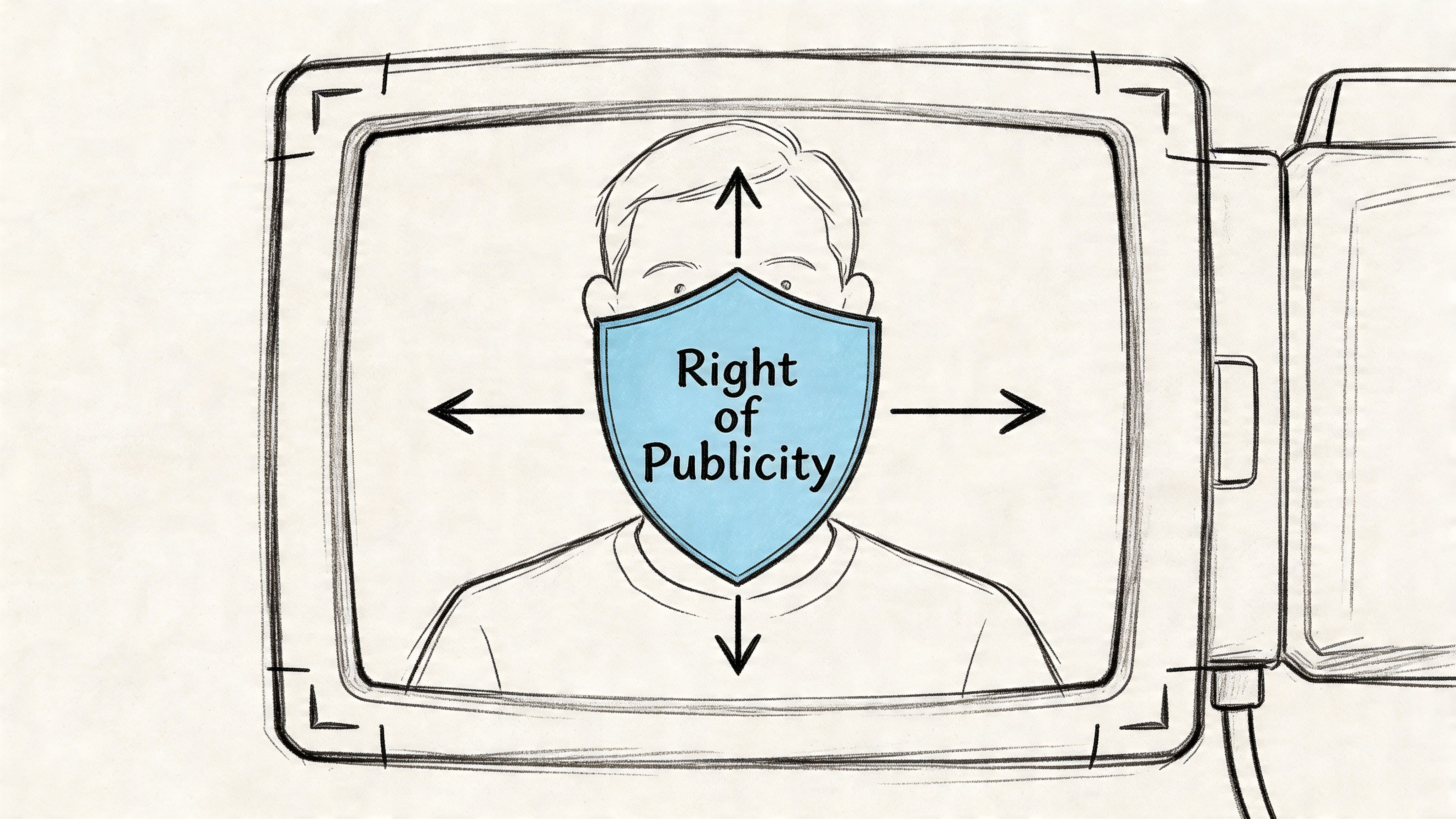
Think of it as permission to use identity
A simple analogy helps. If copyright is about who owns the movie, publicity and privacy rights are about who controls the use of the person in the movie.
You may own the camera card. You may have edited the project yourself. You may even have recorded the interview in good faith. None of that automatically gives you a broad right to use another person's image or voice however you want.
That confusion is common with creators who are careful about music licenses and stock footage but casual about human subjects. They understand they can't drop copyrighted music into a YouTube video without permission. They don't always realize that using a recognizable person's identity can raise a different kind of rights issue.
The risk isn't only lawsuits
Creators often hear "release form" and think only of catastrophic litigation. That's too narrow. The day-to-day problems are often more immediate:
- Distribution trouble: A distributor, festival, publisher, or client may ask you to prove you have the right to use the footage.
- Monetization trouble: A platform or sponsor may not want to touch content with unclear permissions.
- Editing delays: You may need to blur faces, cut audio, or remove your best quote.
- Workflow damage: Once a release problem appears, it affects transcripts, captions, clips, thumbnails, and repurposed assets too.
If your work includes recorded conversations, related legal issues around consent can overlap with recording laws themselves. This guide on whether it's legal to record calls is useful because recording legality and usage rights are connected, but they aren't the same thing.
Practical rule: Getting permission to record isn't always the same as getting permission to publish, promote, edit, or reuse.
Why experienced producers don't skip this
Veteran producers don't collect forms because they're paranoid. They collect forms because ambiguity is expensive. A signed release creates a paper trail that answers basic questions before anyone else asks them.
It tells a platform reviewer, client, lawyer, insurer, or future business partner that this footage wasn't captured and published on a handshake. It was handled professionally.
For a creator, that's the essential shift in mindset. A video recording release form isn't red tape. It's part of ownership hygiene. If you want content that can travel across platforms, formats, and time without constant legal second-guessing, the form is part of the asset.
Deconstructing the Video Release Form Essential Clauses
A release form looks intimidating because legal documents compress a lot of meaning into a small amount of text. But most forms are built from a handful of core clauses. Once you know what each clause does, the document stops feeling mysterious.
The easiest way to read a video recording release form is to ask five questions: Who is signing, what rights are granted, how broad is the use, how long does the permission last, and what happens if there's a dispute.
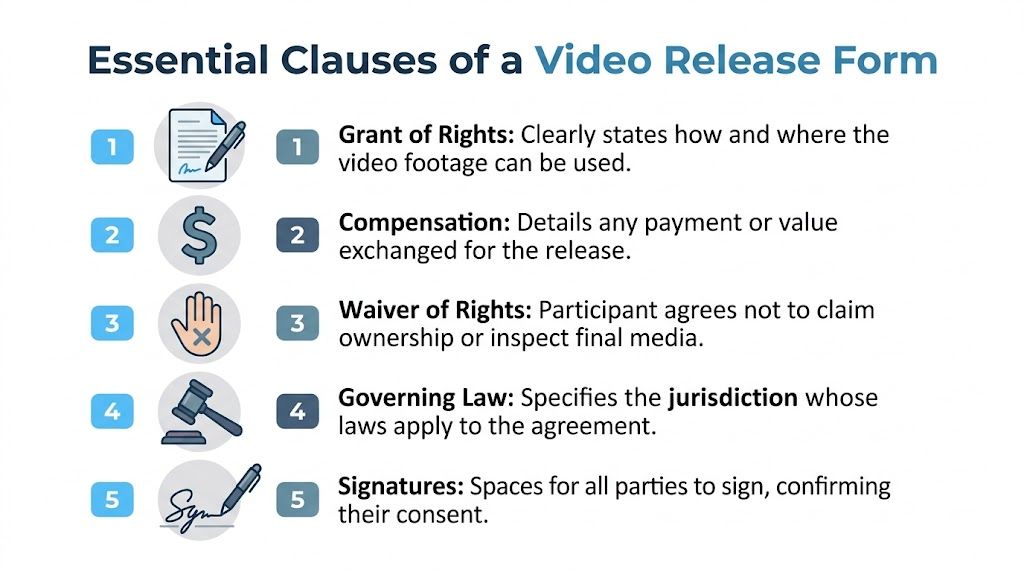
The clauses that carry the weight
According to GoTranscript's guide to making a video release form, effective forms should specifically cover editing rights, media types such as video, audio transcripts, and stills, and perpetuity clauses. The same source notes that distributors such as Sundance require this kind of clarity to avoid chain-of-title problems, and that attaching digitized forms to media files helps compliance in AI transcription workflows. It also states that this practice reduces dispute rates by over 90% in professional workflows, and that unauthorized commercial use can lead to damages of up to $750 per violation under California's Civil Code §3344.
Here are the clauses that deserve your full attention.
| Clause | Purpose | Why It's Critical |
|---|---|---|
| Grant of rights | Gives you permission to record and use the person's likeness, voice, and performance | Without it, you may have footage but no clear right to publish or repurpose it |
| Scope of use | Defines where and how the material may appear | Prevents arguments like "I agreed to the interview, not the ad campaign" |
| Editing and modification | Allows cutting, excerpting, captioning, transcribing, and altering format | Protects routine post-production decisions from later objection |
| Duration or perpetuity | States whether the permission ends or continues indefinitely | Avoids future disputes when old footage is reused years later |
| Signatures and date | Confirms informed consent by the correct parties | An unsigned or poorly documented form is often close to useless |
Plain-English examples of what these clauses mean
Grant of rights is the engine of the form, allowing the participant to explicitly state: "Yes, you may use my image, voice, and recorded statements."
Scope of use answers where the content can travel. If your project starts as a podcast interview but later becomes a YouTube video, social clip, ad creative, course material, or blog post with quotes, the scope needs to be broad enough to cover that.
Editing rights matter more than many creators realize. If the form doesn't clearly allow editing, a participant may object to cuts, captions, subtitles, transcript excerpts, or highlight clips. Those are routine creator activities, but they still involve modifying how a person's appearance or words are presented.
Perpetuity sounds harsh, but it's usually practical. If you don't secure ongoing rights, you can end up with footage that's legally fragile every time you revisit your archive.
A simple working template
This isn't a substitute for legal advice, but it shows the bones of a usable form:
I, [Participant Name], consent to being photographed and recorded in audio and video by [Producer/Company Name]. I grant permission to use my name, likeness, image, voice, and statements in connection with the recorded material.
I authorize use of the material in any media now known or later developed, including video, audio, still images, transcripts, captions, promotional excerpts, and edited versions, for commercial and non-commercial purposes.
I understand that the material may be edited, excerpted, combined with other material, and published without further approval from me.
I acknowledge that this permission is granted on a perpetual basis unless otherwise stated in writing.
I sign this release voluntarily on [Date].
Participant signature: __________
That baseline often needs tailoring. An interview form may need explicit quote rights. A branded testimonial may need language about advertising use. A documentary form may need broader festival and distributor language. If you want a practical example to compare against your own paperwork, this video release form breakdown is a useful reference point for spotting common clauses.
What creators leave out most often
The dangerous omissions are usually boring ones:
- Missing transcript rights: Especially relevant if you create captions, articles, summaries, or searchable text from recordings.
- No reference to still images: That can become a problem when you pull thumbnails or promotional screenshots.
- No third-party use language: Important when a client, sponsor, publisher, or distributor may use the content.
- No governing law clause: If a dispute appears, you want some clarity about which jurisdiction applies.
- No minor signature structure: A form signed by the wrong person won't save you.
A strong form isn't long because lawyers like long forms. It's detailed because modern content use is detailed. If your workflow includes recording once and publishing in six formats, your release needs to reflect that reality.
Model Property and Other Release Form Variations
Not every permission problem involves a person. Sometimes the risk sits in the background of the frame.
Creators often use video recording release form as a catch-all label, but there are different release types for different subjects. If you use the wrong one, you may think you're covered when you aren't.
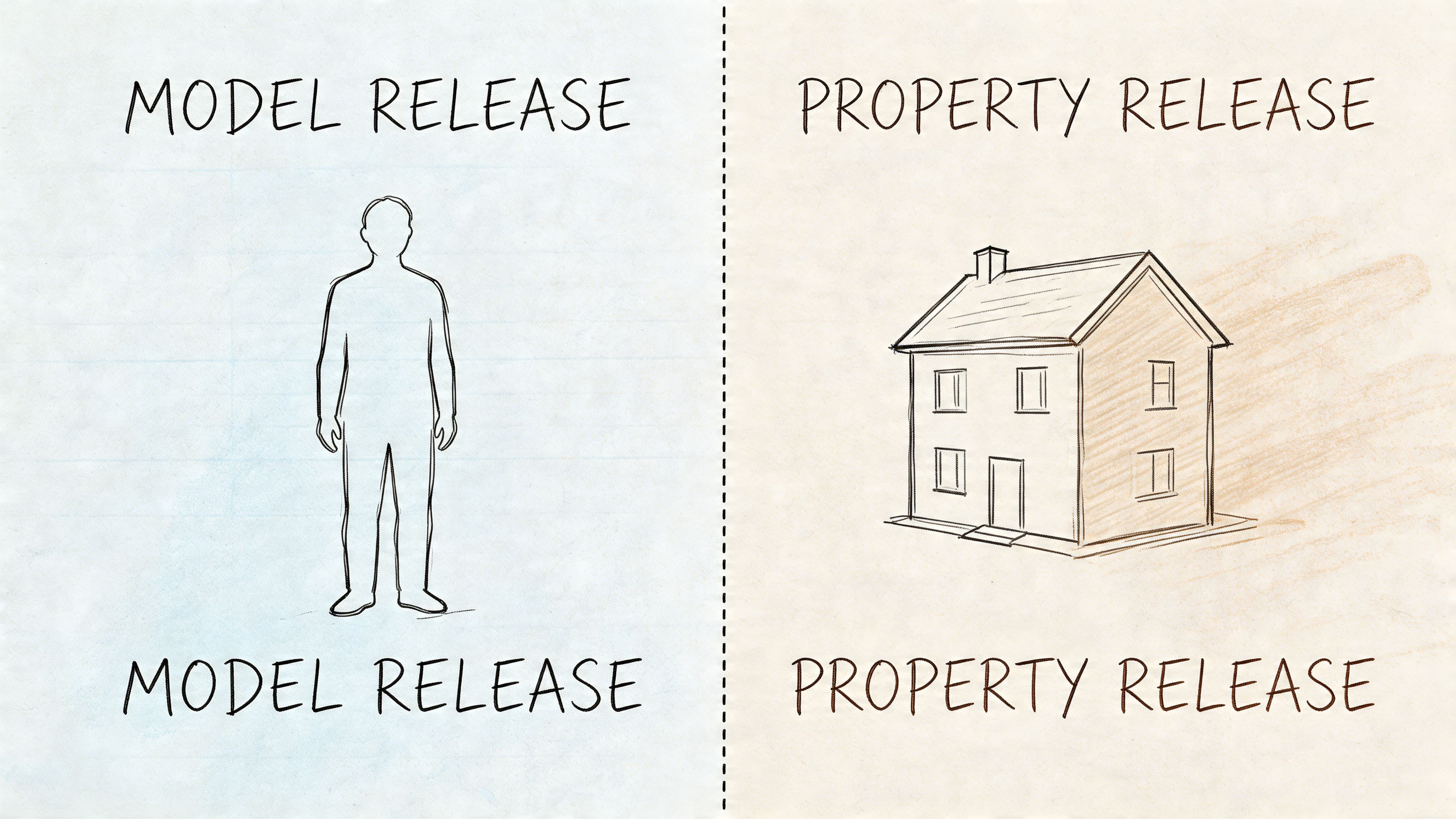
Model release versus property release
A model release is for people. It covers use of a person's face, voice, likeness, and on-camera contribution.
A property release is for private property or identifiable protected visual elements. That can include a private venue, distinctive interior design, artwork, murals, or branded spaces where permission matters.
Here is the easiest way to separate them:
- Interviewing a founder in their office: You may need a model release from the founder.
- Filming inside a private coffee shop with logos, artwork, and recognizable décor: You may need a property release from the shop owner or operator, in addition to any person-related releases.
- Shooting a house tour: The owner or authorized representative may need to approve property use.
- Recording in a rented studio: The studio contract may address use of the premises, but don't assume it replaces a specific release if your intended use is broad.
A side-by-side view
| Situation | Main release type | Why |
|---|---|---|
| Testimonial from a customer | Model release | The person is the subject |
| Branded shoot inside a boutique hotel | Property release, and possibly model releases | The location itself may need permission |
| Street interview with a visible mural in a public setting | Depends on use and prominence | The person and the artwork may raise separate questions |
| Classroom promo featuring students | Model release, plus special care for minors | People are identifiable and may be under age |
Special cases that confuse people
Minors need extra care. If the subject is under the age required by applicable law, a parent or legal guardian generally needs to sign. A minor's own agreement usually isn't enough by itself for a serious production workflow.
Crowds are different. If people are incidental, far in the background, and not the focus, creators often rely on context rather than individual releases. But once someone becomes featured, isolated, interviewed, or used in a promotional way, the analysis changes.
If one person in the frame could reasonably say, "That's about me," don't treat them like background atmosphere.
Logos and artwork create a separate issue from human consent. A person can sign away rights to their likeness. They can't grant you rights they don't own in a mural behind them or a copyrighted artwork hanging over their shoulder.
The practical lesson is simple. Ask yourself two separate questions before you shoot. Who is in the frame, and what else is in the frame that someone controls? Those answers tell you which release form variation you need.
Best Practices for Getting Valid Consent
A release form only helps if the consent is real, informed, and documented well enough to hold up later. A rushed signature on the hood of a car can still be valid. It can also invite arguments about whether the signer understood anything.
Good process matters.
Get the form signed before recording
This is the cleanest rule in the entire subject. Handle permission before the camera rolls.
If you wait until after a strong interview or emotional moment, you create negotiation challenges. The participant may feel pressured. You may feel dependent on the footage. If the person hesitates, everyone is now negotiating under stress.
A simple introduction works better than legal theater. Tell the person what the project is, where it may appear, whether it may be edited into clips or transcripts, and that the form confirms those uses in writing.
Explain the practical uses in ordinary language
Don't slide over the key words. Explain them.
Say things like:
- "We'll edit this for length."
- "We may pull short clips for social."
- "We may create captions and a transcript."
- "We may use still frames as thumbnails or promo images."
When creators avoid plain-language explanation, they increase the chance of future resentment. Most disputes start less from legal misunderstanding than from expectation mismatch.
What people hate most is surprise. Clear explanation before signing does more preventive work than fancy wording after the fact.
Digital signatures work best when your system is organized
For many teams, e-signature tools are easier than paper. Tools like DocuSign, PandaDoc, Adobe Acrobat Sign, and simple PDF workflows can all work if the process is consistent.
The actual issue isn't whether the signature is digital or wet ink. It's whether you can later prove who signed, when they signed, what document they saw, and which project it covered.
A reliable process usually includes:
- One project-specific form version so you're not recycling a random template with the wrong company name.
- Clear file naming that ties the release to the shoot and participant.
- A signed PDF stored with the media rather than in a separate forgotten folder.
- Backup storage in case a client or platform asks for proof years later.
If you already collect user-generated media in event settings, systems used to collect wedding photos from guests offer a useful reminder: intake works best when the permission and upload process are simple enough that people complete them.
Build a repeatable consent routine
Here is a practical field checklist:
- Before the shoot: Send the form in advance when possible.
- At check-in: Confirm the participant's legal name and contact details.
- Before recording starts: Answer questions without rushing them.
- At signing: Make sure the signer has authority, especially for minors or company representatives.
- After signing: Save the file immediately in the project folder.
- Before publishing: Confirm the final use still fits the signed scope.
If your project involves recorded conversations, this companion guide on how to record a phone conversation is useful because valid production workflow starts with lawful capture and then moves to lawful use.
A short walkthrough can help teams standardize the process:
What makes consent vulnerable
The common weak spots are easy to avoid once you know them:
- Ambush signing: Handing over a form after filming and asking for a quick favor.
- Mismatch between explanation and document: Saying "just for YouTube" when the form allows broad commercial use.
- Missing guardian authority: Accepting a signature from an adult who isn't legally authorized for the minor.
- Bad storage: Having a valid release that nobody can find when challenged.
The goal isn't to intimidate people into signing. It's to create consent that a reasonable outsider would recognize as voluntary, informed, and documented.
Integrating Releases Into Your Content Workflow
The biggest mistake creators make is treating release forms as isolated paperwork instead of operational data. In a modern pipeline, permissions should move with the media.
That means the release isn't just "signed and done." It should connect to the raw footage, final edit, transcript, caption file, clip set, and archive folder. When that connection doesn't exist, teams lose time chasing basic answers about what they can publish.
Make the release part of pre-production
The easiest place to solve rights problems is before the shoot.
Add the release check to the same pre-production system you already use for batteries, shot lists, guest confirmations, and location approval. If your team works in Notion, Airtable, Asana, Trello, ClickUp, or Google Drive, create a field or checkbox for release status and don't mark a subject as production-ready until it's complete.
A simple project record can include:
- Subject name and role
- Type of release needed
- Date signed
- Storage location of signed form
- Any limits on usage
- Link to associated media files
This turns permissions into searchable project information rather than tribal knowledge.
Link the release to every downstream asset
This matters most once the content leaves the editing timeline.
A single interview can become a full video, transcript, article, quote graphic, social clips, short captions, and internal knowledge material. According to Wistia's guide on video release forms, a 2023 survey of 1,200 video producers found that 87% faced potential likeness disputes without forms, while those using them reported 0% lawsuits. The same source says 76% of social media managers cite release forms as essential for creating clips, preventing an estimated 30% of platform takedowns. It also notes that Whisper AI has processed over 500,000 files across 92+ languages, which shows why release management matters once media is transcribed, summarized, and repurposed at scale.
That point is easy to miss. A release isn't only about the original upload. It's about every derivative use that follows.
The safest workflow is one where nobody has to ask, "Are we allowed to make this clip?" because the answer is already attached to the source asset.
A practical digital workflow
Use a chain that looks like this:
Intake
Collect the signed form before or at recording.Storage
Save it in the same cloud project as the raw media, not in a separate legal archive nobody checks.Metadata
Add a note or tag showing release status, signer name, and any exceptions.Transcription and repurposing
Only send media into downstream workflows after confirming rights for transcript, caption, and excerpt use.Publishing review
Verify that the intended platform use still fits the signed permission.
For teams transcribing interviews, meetings, or social video, a workflow guide on how to transcribe a video fits naturally into this permission-first model. The point isn't the transcription tool itself. The point is that transcript creation is a use of the recorded material, and your documentation should reflect that.
Treat rights like version control
Editors understand version control instinctively. You don't want random unnamed files and no source of truth. Rights management works the same way.
If someone on your team can find the footage but not the release, your workflow is incomplete. If they can find a transcript but don't know whether transcript publication was authorized, your workflow is incomplete. If a client asks for proof of consent and you're searching old email threads, your workflow is incomplete.
The more formats you publish in, the more valuable this discipline becomes. Release management isn't glamorous. Neither is naming files properly. But both are what let good content survive contact with the world.
Frequently Asked Questions About Video Releases
Do I need a release for a non-monetized YouTube video
Often, yes. Monetization isn't the only trigger for risk.
The key issue is whether you're using an identifiable person's likeness, voice, or statements in a way that could create a privacy, publicity, or consent problem. A video can be non-monetized and still create trouble if the subject objects, the platform receives a complaint, or you later decide to repurpose the content commercially.
If you think the footage may ever be reused, clipped, quoted, captioned, or distributed more broadly, get the release up front.
What if someone is only in the background
If a person is incidental and not the focus, the risk is often lower. But "background" is not a magic word.
Ask whether the person is recognizable, featured, or used in a way that draws attention to them. If the camera, edit, thumbnail, or narrative turns them into part of the subject matter, you should stop thinking of them as background.
Can someone revoke consent after signing
Sometimes creators think a signed release means the conversation is over forever. Real life is messier.
A well-drafted release can make your position much stronger, especially if it grants broad and ongoing usage rights. But disputes can still happen over fraud, coercion, scope, minors, privacy expectations, or uses that go beyond what was described. That's one reason clarity at the beginning matters so much.
If someone asks to withdraw, don't argue by instinct. Check the wording, the context, the planned use, and the governing law. In a sensitive case, get legal advice before publishing further.
How should I handle minors in livestreams or social clips
At this stage, many creators are underprepared.
According to eSign's discussion of video releases for minors, a major unresolved issue is live content involving minors. The source notes that standard parental-signature advice often doesn't fit real-time streaming, that Georgia's 2025 law update imposes $10K fines for unpermitted minor filming, and that 30% of YouTube demonetizations in Q1 2025 were tied to unverified minor releases. It also reports that blockchain-verified digital consents are showing 99% compliance rates as an emerging solution.
The practical lesson is simple. Don't rely on improvised in-stream consent for minors. If your workflow may ingest social clips, livestream recordings, or reposted interview segments involving children or teens, use a parental or guardian consent process that can be documented and retrieved later.
Can I rely on verbal consent on camera
Sometimes verbal consent helps. It may support your factual story about what happened.
But for anything important, I wouldn't treat it as a substitute for a written release. Verbal consent can be incomplete, ambiguous, or disputed later. Written consent is much easier to search, store, and present when a platform, client, insurer, or lawyer asks for proof.
What if I already filmed and forgot the form
Get the release as soon as possible, before editing and certainly before publishing. Be honest about intended uses.
If the person hesitates, don't assume you can pressure them because the footage is already recorded. You may need to narrow the use, offer edits for sensitivity review if appropriate, or decide not to use the material. That outcome is painful, but it's still better than building a whole campaign on footage with shaky rights.
Does a release form cover transcripts and AI summaries automatically
Not always. It depends on the wording.
If your form clearly includes rights to create and use transcripts, captions, stills, edits, and derivative content, you're in a much better position. If it only references a vague "video use," you may have room for argument, especially when the content is transformed into articles, quote cards, searchable transcripts, or AI-generated summaries.
That's why specificity matters. Modern content workflows do more than publish a single file. Your paperwork should match that reality.
If your workflow includes interviews, podcasts, meetings, or social clips, Whisper AI can help you turn recorded media into searchable transcripts, summaries, and export-ready text. The smart move is to pair that speed with disciplined release management so every transcript and clip rests on clear permission, not guesswork.


























































































