
A Practical Guide to Turning Your Video Into Text
Turning your video into text is more than just getting a written copy of what was said; it’s about unlocking the valuable information trapped inside your video content. By using modern AI-powered tools, you can transform spoken words into a searchable, editable, and incredibly versatile asset that can supercharge your content strategy.
From my experience, this simple act is the key to making your video's insights discoverable by search engines, accessible to a wider audience, and ready for repurposing into countless other formats. Let's walk through how it's done and why it's a genuine game-changer.
Why Converting Video Into Text Is a Content Game Changer
In a world drowning in video, a simple text transcript has become a secret weapon for smart marketers, creators, and researchers. Forget just saving time on note-taking; turning your video into text has a massive, tangible impact on your work. It's the key to making all those spoken insights discoverable by search engines and available to a much wider audience.
This isn't just about having a record. It's about unlocking raw potential. For instance, based on my own work, generating accurate captions from a transcript can give your YouTube SEO a serious boost because search algorithms can finally "read" what your video is actually about.
Supercharge Your Content Strategy
Think about a single, hour-long webinar. As a video, it’s a self-contained piece with a limited shelf life. The moment you convert that video into text, it becomes a goldmine.
- Effortless Repurposing: You can instantly pull powerful quotes from a customer interview to sprinkle into case studies or design eye-catching social media graphics.
- Content Multiplication: That one webinar can now be spun into a detailed blog post, a summary for your email newsletter, a dozen tweets, and even a downloadable PDF guide. To see just how far you can take this, check out our guide on what content repurposing is.
- Enhanced Accessibility: A transcript immediately makes your content accessible to viewers who are deaf or hard of hearing, not to mention those who simply prefer reading to watching.
This shift from slow, manual transcription to automated AI tools is more than a trend. It’s a fundamental change in how we manage multimedia, making every piece of content more valuable and versatile than ever before.
The Growing Demand for Transcription
This strategic value is fueling explosive growth for the tools that make it happen. The global AI transcription market hit $4.5 billion in 2024 and is on track to reach an incredible $19.2 billion by 2034, growing at a compound annual rate of 15.6%.
This boom shows just how quickly businesses and creators are ditching tedious manual methods for automated solutions. You can find more details on these automated transcription market trends. This guide is here to help you tap into that power, get past the frustration of inaccessible video, and unlock its full potential.
How to Transcribe a Video Using AI: A Practical Walkthrough
It's one thing to talk about AI transcription in theory, but seeing it in action is what really builds confidence. So, let’s get practical and walk through a typical workflow for turning your video into text, highlighting the key decisions you'll need to make. The goal here isn't just to get a transcript—it's to get a great one right from the start.
Most modern tools, like Whisper AI, make getting started incredibly straightforward. You'll usually find a clean dashboard where you can drag and drop your video file or just paste a link from YouTube. This flexibility is a huge time-saver; you don’t have to download a massive video file just to get it transcribed.
This simple flow shows just how fast your raw video can become useful, searchable text.
The AI is the magic bridge here, connecting your multimedia file to all the content you can create from it.
Getting Your Video File Uploaded
Once your video is selected, the platform gets to work. You’ll be able to see all your uploads in one place, track their progress, and jump into any completed transcripts. A good tool will handle pretty much any format you throw at it, from common MP4 and MOV files to audio-only formats like MP3.
My biggest piece of advice at this stage? Check your audio quality before you upload. From my experience, clear sound with minimal background noise is the single most important factor for hitting over 95% accuracy on the first try. A little prep goes a long way.
Before the AI does its thing, you’ll see a few settings. I know it's tempting to just hit the big "Transcribe" button, but spending ten seconds here can genuinely save you an hour of tedious editing later.
Choosing the Right Transcription Settings
This is where you give the AI its instructions. A few small choices make a massive difference, turning a generic wall of text into a document you can actually use. After transcribing hundreds of hours of interviews and webinars, I’ve learned these are the settings that really matter.
- Language Selection: Always tell the AI what language is being spoken. Yes, many tools can auto-detect it, but manually selecting the language improves accuracy, especially if the video includes regional accents or specific dialects.
- Speaker Diarization: Often called "Speaker Labels" or "Separate Speakers," this feature is a must-have for any video with more than one person talking. It automatically figures out who said what (e.g., "Speaker 1," "Speaker 2"), which is critical for interviews, panel discussions, or meeting notes.
- Timestamps: Turn these on. Seriously. Timestamps are your best friend for repurposing content because they sync the text directly to the video's timeline. Need to find a specific quote or pull a short clip for a social media reel? Timestamps make it effortless.
Once you’ve locked in these settings, you can kick off the transcription. The AI then gets to work analyzing the audio, converting speech to text, and applying your instructions for speakers and timestamps. The whole thing, from upload to a finished draft, usually takes just a few minutes—transforming what used to be a full day's work into a quick, automated task.
How to Refine Your Transcript for Flawless Accuracy
An AI-generated transcript is an incredible head start, but let's be honest—it’s rarely perfect right out of the box. Think of it as a 95% accurate rough draft. The real value comes from that final human touch, turning that draft into a 100% reliable document you can confidently use for anything. The good news? This final polish takes a fraction of the time it would to transcribe from scratch.
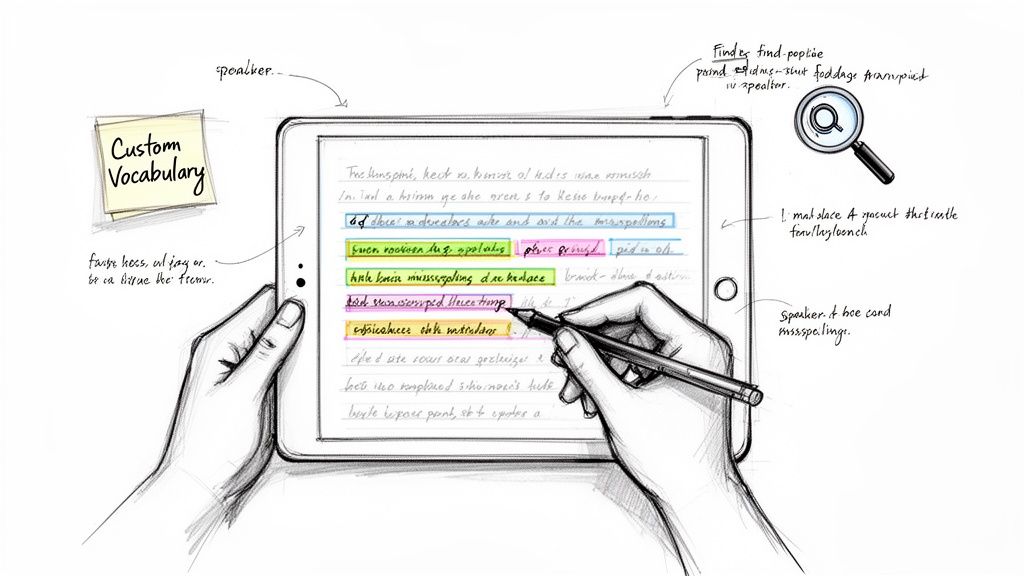
After spending countless hours editing transcripts, I’ve found that a few simple techniques make a massive difference. Your first mission is to hunt down the common mistakes AI tends to make, which usually pop up with proper nouns, industry-specific jargon, or moments where the audio wasn't crystal clear.
Speed Up Editing with Smart Tools
The key to the first editing pass is efficiency. Don't get bogged down correcting mistakes one by one. Instead, look for patterns and use your software’s built-in tools to make bulk fixes. You'll be amazed at how much time this saves.
- Find and Replace: Is there a unique company name or technical term the AI just couldn't grasp? Use the "Find and Replace" feature. For instance, if your brand "Zenith AI" was transcribed as "Zeneth A I" throughout, one quick search-and-replace command cleans up the entire document in a snap.
- Speaker Label Cleanup: If you used speaker detection, you probably have a bunch of "Speaker 1" and "Speaker 2" labels. Take a minute to replace those generic tags with the actual speakers' names. It's a small change that immediately makes the transcript much easier to follow.
Think of these as your go-to editing hacks for making big improvements, fast.
Common AI Transcription Errors and How to Fix Them Fast
When you're editing, you'll start to notice the same types of errors again and again. Here’s a quick guide to spotting and fixing the most frequent culprits.
This table covers the low-hanging fruit. Once you’ve tackled these, you can move on to the finer details.
Fine-Tuning for Perfect Clarity
With the major recurring mistakes out of the way, it’s time to focus on the nuances. This is where you ensure the final text doesn’t just capture the words, but the intent behind them. For a transcript to be truly professional, applying solid proofreading and editing best practices is non-negotiable.
One of the most powerful features for long-term accuracy is creating a custom vocabulary. If your content revolves around specific products, people, or niche terms, adding them to a custom dictionary trains the AI to get them right every single time in the future. It's a game-changer. For a deeper look at getting this final polish just right, I’d recommend exploring the essentials of proofreading in transcription.
Pro Tip: Play the video back at 1.5x or 2x speed while you scan the transcript. Your eyes and ears can easily keep pace, making it much faster to catch any differences between what was said and what was written. This simple trick has personally cut my final review time in half.
Squeezing Every Drop of Value from Your Transcript
Okay, so you have a polished, accurate transcript. Now what? The real magic isn't just having the text; it's what you do with it next. Think of your transcript as raw material, a block of marble ready to be carved into a dozen different masterpieces.
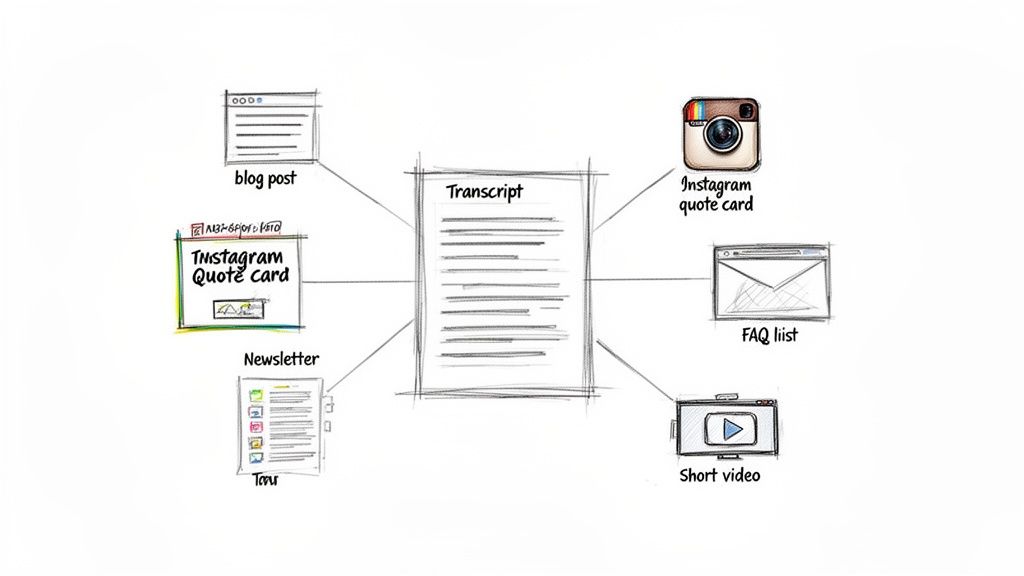
This is where you stop thinking about content creation as a series of one-off projects. Instead, you start building a content ecosystem. That single one-hour webinar you just transcribed? It doesn't have to live and die as just a webinar. With the text in hand, it can become a pillar blog post, a series of ten punchy quote graphics for Instagram, a detailed FAQ for your help center, or the meat of your next three email newsletters.
You’re essentially multiplying the return on your initial time investment.
Let AI Do the Heavy Lifting: Instant Summaries and Key Takeaways
Many modern transcription tools now include AI-powered summarization, and honestly, it’s a game-changer. Instead of painstakingly re-reading an hour-long interview to pull out the best bits, you can get a summary in seconds. For busy marketers and creators, this isn't just a convenience—it's a massive competitive advantage.
Imagine you just finished transcribing a long product demo. With one click, you can generate a bulleted list of the top features and user benefits. That list is instantly ready to become a LinkedIn post, an update for your internal sales team, or the talking points for your next pitch. If you want to dive deeper into how this works, we've covered the best AI video summarizer tools and how to get the most out of them.
One Source, Many Formats
The real beauty of having your video in text form is its incredible flexibility. You can slice and dice the same transcript to create content tailored for different platforms and audiences.
- Blog Posts and Articles: Your transcript is the perfect skeleton for a long-form article. Just clean up the conversational bits, add some headings, and flesh out the key points. Boom—you have a comprehensive written piece that search engines will love.
- Social Media Snippets: Pull out those short, impactful quotes, surprising statistics, or aha-moments from your transcript. These are golden for creating shareable image quotes on Instagram, starting conversations on LinkedIn, or building a thread on X (formerly Twitter).
- Email Newsletters: Use the AI-generated summary or a few key highlights from your video to write an engaging newsletter. You can give your audience a taste of the value and then link them back to the full video or the new blog post you created from it.
The goal here is to work smarter, not harder. By repurposing your video transcript, you’re maximizing your reach and getting your message in front of more people without having to constantly reinvent the wheel.
This strategy is particularly powerful for anyone in the audio space. For those exploring audio-first content, learning how to start a podcast and make money involves more than just recording; it's about extending the life of every single episode through smart repurposing.
And this isn't just a niche tactic; it's part of a massive professional trend. The market for AI meeting transcription is expected to explode from $3.86 billion in 2025 to an incredible $29.45 billion by 2034. That 25.62% compound annual growth rate is being driven by the shift to remote and hybrid work, creating a huge demand for searchable, accessible records. By adopting these transcription and repurposing methods now, you’re not just saving time—you’re getting ahead of a major shift in how we all manage information.
Navigating Privacy and Security When You Transcribe
When you turn a sensitive video into text, it’s only natural to wonder: where exactly is my data going? We live in an age where data privacy is paramount, so the security of your content simply can't be an afterthought. The good news is that any reputable transcription service is built with this concern at its core.
Most professional platforms are designed to process your files in a completely secure and encrypted environment. Think of it like a sealed digital pathway: your video is uploaded, the AI does its work, and the text is delivered back to you, often without any long-term storage or human eyes ever seeing it. This automated process is actually a huge privacy advantage over traditional manual transcription, where a person has to watch and listen to every word.
The bottom line for any secure AI transcription service should be simple: your data is yours and yours alone. The platform is just the tool you're using to get a job done; it shouldn’t claim any ownership or use your content for anything else.
Understanding Compliance and Data Handling
If you work in a field like journalism, healthcare, or law, you know that handling sensitive information comes with strict rules. Choosing a tool that meets those compliance standards is non-negotiable. Always look for services that are open about their adherence to regulations like the General Data Protection Regulation (GDPR), which ensures your data is handled according to some of the world's tightest privacy laws.
These standards are particularly important in industries that generate massive amounts of documentation. To give you some perspective, the U.S. transcription market was valued at an incredible $30.42 billion in 2024, and the medical field made up over 43% of that. This massive growth is fueled by regulatory requirements and the need for secure documentation, which is where reliable AI tools come in. You can dig deeper into these trends by reading the full research on the U.S. transcription market.
In the end, a trustworthy service will be completely transparent about its security measures. Before you upload anything, take a few minutes to read the provider's privacy policy. A company that values your security will be upfront about how it protects your data, giving you the peace of mind to transcribe without worry.
Got Questions About Turning Video Into Text? We've Got Answers.
When you're first looking into how to turn a video into text, some practical questions always pop up. I've heard these from just about everyone—creators, marketers, researchers—so let's get you some clear, straightforward answers so you can get started.
Just How Accurate is AI Transcription Anyway?
Honestly, it's gotten incredibly good. Modern AI tools regularly hit 95-99% accuracy, but that's in ideal conditions. Think clear audio, not a lot of background noise, and people taking turns speaking.
Of course, things like thick accents, people talking over each other, or just plain bad audio quality will knock that number down a bit. But the tech has come so far that for most videos, you'll get a transcript that's nearly perfect right out of the gate. Plus, any good tool will have an easy-to-use editor, so you can quickly fix those last few mistakes and get a flawless final text.
The real win here is that AI gives you a fantastic first draft in just a few minutes. The time you'll spend on tiny edits is nothing compared to the hours it would take to transcribe from scratch. It’s a massive time-saver.
What About Videos with Multiple Speakers?
Yep, AI can handle that. In fact, that's one of its best features. Good transcription services are built to tell different speakers apart. The software will automatically tag the dialogue with labels like "Speaker 1" and "Speaker 2" and match them up with exact timestamps.
This feature is often called speaker diarization, and it's a lifesaver for transcribing interviews, podcasts, panel discussions, or even just a recorded team meeting. After the AI does its thing, you can just hop into the editor and swap out "Speaker 1" with "John Smith" to create a clean, organized script that’s easy to read.
What Kind of Video Files Can I Use?
Flexibility is key, and most platforms are designed to handle just about any common file type you can throw at them. You can usually upload all the standard video formats you'd expect, including:
- MP4: The go-to for pretty much all web videos.
- MOV: A popular choice for higher-quality footage, often straight from a camera.
- WMV: Common if you're working in a Windows ecosystem.
- AVI: An old-school but still widely used container for audio and video.
It doesn't stop at video, either. You can also upload audio-only files like MP3s and WAVs. Even better, many of the top services let you skip the download step entirely and just paste a link from YouTube or Vimeo. This makes the whole process so much faster. Once you have your text, you can export it into useful formats like DOCX, PDF, TXT, or an SRT file for your next video's captions.
Ready to see how easy it is to turn your video content into valuable, searchable text? Whisper AI delivers fast, accurate, and secure transcriptions for any project. Give it a try for free!


























































































