
How to Properly Transcribe an Interview: A Practical Guide
Turning a spoken interview into a polished, usable transcript isn't just about typing out words. It's a four-part craft that, once you nail it, can transform your raw audio into an incredible asset. It all starts with getting clean audio, then letting a smart AI tool do the heavy lifting for a first draft. After that, a quick but focused human review is key, and finally, you format the text for whatever you plan to do with it.
Why a Perfect Transcript Is Your Secret Weapon
Most people see transcription as a tedious chore to get through at the end of a project. I've learned from experience to see it as a strategic first step. Ever tried to pinpoint that one killer quote buried somewhere in a two-hour podcast? A good transcript makes that a 30-second search instead of a two-hour headache.
This guide is about more than just the basics. We're going to walk through how to master each stage of the process, because getting it right unlocks benefits that go way beyond just having the words on a page.
More Than Just Words on a Page
A truly accurate transcript is a workhorse. It's a multi-purpose tool that multiplies the value of your original interview, and I can tell you from experience that the time you put into getting it right pays you back tenfold down the road.
Here’s why it’s such a game-changer:
- Endless Content Repurposing: One solid interview transcript can become the raw material for a dozen other pieces of content. Think blog posts, social media soundbites, detailed case studies, and even email newsletters.
- Opening Up Accessibility: Transcripts are essential for making your content available to people who are deaf or hard of hearing. And it doesn't stop there; knowing how to add captions to videos based on that transcript is crucial for making your visual content just as accessible.
- A Major SEO Boost: Search engines can't listen to your audio, but they can crawl every single word of your text. A detailed transcript, packed with the natural keywords and phrases from the conversation, helps your content show up in search results and pulls in organic traffic.
The real power here is turning spoken ideas into discoverable assets. Every transcribed word becomes another doorway for your audience to find you, whether it’s through a Google search or a quote shared on social media.
Before we dive into the "how," it's helpful to have a clear mental map of the entire process. I like to think of it in four distinct stages, each with its own purpose.
The Four Pillars of a Perfect Interview Transcript
Each of these pillars builds on the last, leading to a final product you can rely on for any project.
The Big Shift: From Manual Drudgery to AI-Powered Workflows
The days of sitting with headphones on, manually typing out every single word, are thankfully coming to an end. The global market for interview transcription software was valued at around $2.5 billion in 2024 and is expected to skyrocket to $6 billion by 2033.
This explosion is all thanks to AI tools that can produce a transcript with over 95% accuracy in just a few minutes. Compare that to the old way, where it could take a professional up to 6 hours to transcribe just one hour of audio.
Modern tools like Whisper AI handle the time-consuming part, which frees you up to focus on what really matters: the ideas and stories inside your content, not just the mechanics of typing them out. This workflow makes high-quality transcription genuinely accessible to everyone. If you're new to this, our guide on what is audio transcription is a great place to start.
Capturing Audio That Guarantees a Great Transcript
The final quality of your transcript is decided long before you ever click a "transcribe" button. It really all comes down to the quality of your audio. Garbage in, garbage out isn't just a saying; it's a fundamental truth in transcription, and I've learned this lesson the hard way more times than I care to admit.
Think of it this way: asking an AI to transcribe messy audio is like asking a chef to cook a gourmet meal with spoiled ingredients. No matter how skilled they are, the result will be disappointing. Your goal is to hand the AI a clean, crisp audio file that makes its job almost effortless.
Your Pre-Flight Audio Checklist
Before you hit record, running through a quick mental checklist can save you hours of frustrating editing later. These aren't just suggestions; they are proven steps to avoid the common pitfalls that ruin otherwise great interviews.
A few years ago, I spent an entire afternoon trying to fix a transcript where the AI consistently mistook the word "data" for "beta." What was the culprit? A low, humming air conditioner in the background that I hadn't even noticed during the recording.
Here are the essentials to check every single time:
- Find a Quiet Space: This seems obvious, but background noise is the number one enemy of accurate transcription. Choose a room with soft surfaces like carpets, curtains, or even a closet full of clothes to absorb echo. Hardwood floors and bare walls will make voices bounce around, creating reverb that confuses transcription algorithms.
- Run a Test Recording: Always, always record a 30-second test clip. Listen back with headphones. Is there a buzz from a light fixture? A fan whirring? Your dog barking down the hall? It’s much easier to fix these issues before the interview starts than to try and edit them out later.
- Use the Right Microphone: Your laptop's built-in microphone is designed for convenience, not quality. It will pick up keyboard clicks, mouse movements, and every echo in the room. A dedicated external microphone is non-negotiable for anyone serious about getting a clean transcript.
From my experience, the single biggest leap in transcription accuracy comes from upgrading from a built-in laptop mic to a decent external USB microphone. It’s a small investment that pays for itself in saved editing time after just one or two interviews.
Remote vs In-Person Recording Setups
The ideal setup really changes depending on where your interviewee is. A remote call on Zoom has different challenges than a face-to-face conversation.
For remote interviews, internet stability is your biggest risk. A dropped connection can create garbled, robotic-sounding audio that is completely untranscribable. To combat this, I always use platforms like Riverside.fm or SquadCast that offer local recording. This means the software records each person's audio directly on their own computer, so the final file is pristine, regardless of any Wi-Fi hiccups.
When recording in person, microphone placement is everything.
- Lavalier (Lapel) Mics: These are fantastic for consistency. Clipped to the speaker's chest, they maintain a constant distance from their mouth, ensuring their volume level never wavers, even if they turn their head.
- Condenser Mics: These are great for capturing rich, detailed sound in a controlled studio environment. However, they are also highly sensitive and can easily pick up unwanted room noise or echo if you're not in an acoustically treated space.
Once you have that perfect audio file, understanding the next steps is crucial. For a deeper look into turning that audio into a polished document, check out our detailed guide on creating a transcript from scratch. Proper preparation at this stage makes the entire process smoother.
Ultimately, capturing high-quality audio is the most important step in learning how to properly transcribe an interview. It’s the foundation upon which everything else is built. By treating the recording process with the same care you'll give the final edit, you set yourself up for a fast, accurate, and stress-free transcription workflow.
Choosing Your Transcription Method: Human vs. AI
You’ve got a clean audio file ready to go. Now comes the real decision: how do you turn that audio into text? This choice between transcribing it yourself, hiring a human, or using an AI tool will shape your project’s timeline, budget, and accuracy. It’s less of a technical step and more of a strategic one.
Honestly, there’s a place for every method. If you’re dealing with a legal deposition or sensitive medical notes where 100% accuracy from the get-go is an absolute must, a certified human transcriber is still the gold standard. You can't beat their expertise with tricky jargon and subtle conversational cues.
But for almost everything else? The game has completely changed. If you're a podcaster pulling show notes, a journalist chasing a deadline, or a marketer sifting through customer feedback, AI transcription is no longer a novelty—it's an essential part of the toolkit.
When AI Transcription Is the Smart Move
The biggest wins with AI are speed and cost. A task that once took hours, or even days, can now be done in minutes. This shift turns transcription from a dreaded chore into a simple, routine step in your workflow.
But it’s about more than just getting the text fast. Modern AI tools, especially those built on sophisticated models like Whisper, come packed with features that solve old-school transcription problems and open up new doors for creators.
- Speaker Diarization: This is a lifesaver for any interview with more than one person. The AI automatically figures out who is speaking and labels the dialogue accordingly. No more manually guessing who said what.
- Precise Timestamping: Good AI services add timestamps right down to the word level. This makes it incredibly easy to find that perfect soundbite for a social media clip or to jump to a specific moment when you're editing.
- Automated Summaries: Many platforms can instantly pull out key takeaways, bullet-point highlights, and a concise summary from the entire conversation. It's a fantastic way to get the gist of a long interview without reading every single line.
If you want to dig deeper into how this technology is reshaping workflows, this guide on AI-powered content creation is a great resource.
Comparing Your Options Head-to-Head
So, how do you decide what's right for you? It really comes down to weighing the trade-offs. To help you see it clearly, here’s a look at how the different methods stack up against each other.
Transcription Methods Compared: Speed, Accuracy, and Cost
Ultimately, the smartest workflow today isn't a rigid choice between human or machine—it's a hybrid.
The most effective method I've found is to use AI for a rapid first draft, which gets you about 98% of the way there. Then, a quick human review to polish names, acronyms, or industry-specific jargon brings it to perfection. You get the speed of a machine with the nuance of a human.
This approach is already making a huge impact. In the marketing transcription space, interviews account for 21.3% of the work, powering a global industry expected to hit $5.64 billion by 2035. AI is a key driver here, shown to reduce human error by 85% and slash analysis time by up to 60% for marketers pulling insights from customer calls.
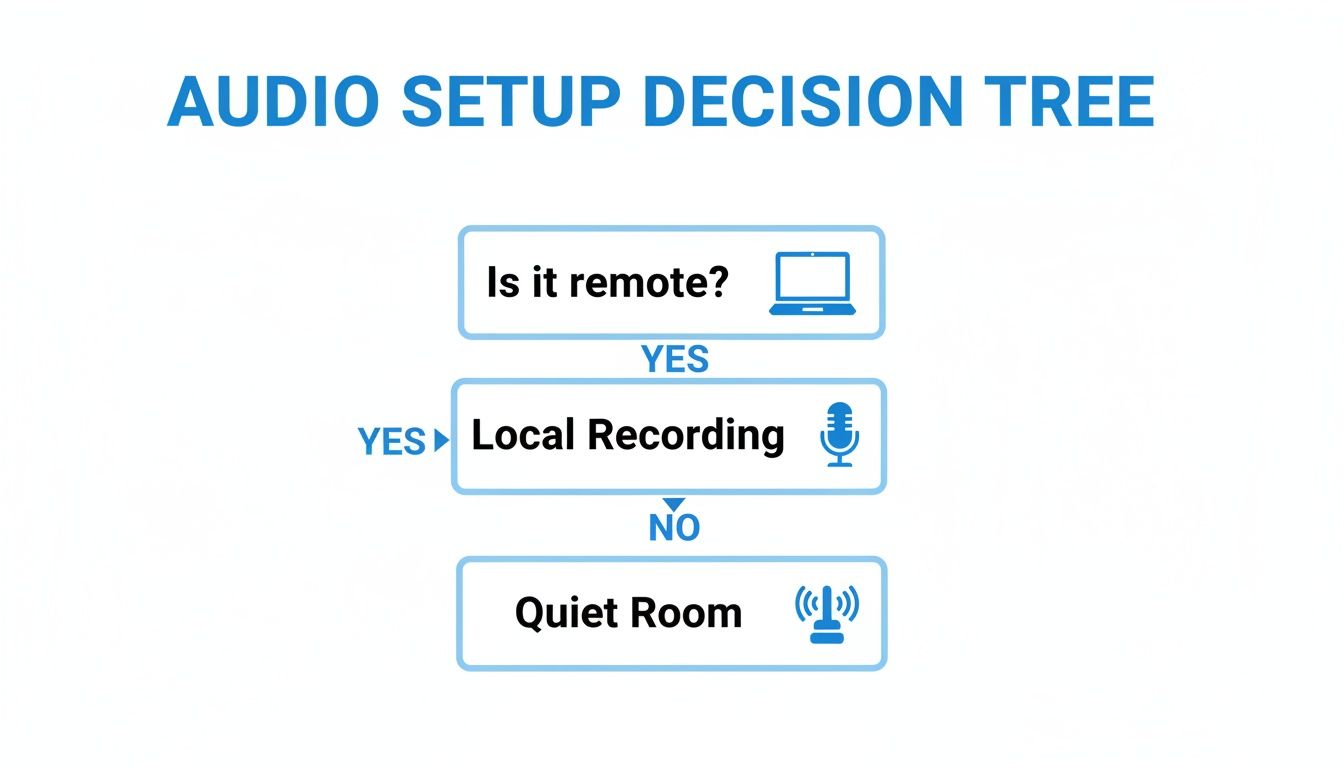
As the diagram shows, it all starts with good audio. Whether you're recording locally for a remote chat or finding a quiet space for an in-person meeting, clean sound is the foundation for any successful transcription.
For most creators, researchers, and professionals, the blend of speed, low cost, and powerful features makes AI the clear starting point. It turns transcription from a bottleneck into an accelerator, freeing you up to focus on the work that really matters.
How to Edit Your AI Transcript Like a Pro

An AI transcript gives you an incredible head start, often getting you 95-98% of the way there. But that final bit of polish? That’s where you come in. This isn’t just about fixing typos; it’s about transforming a raw data dump into a professional, reliable document that’s ready for prime time.
Think of the human review as the essential quality assurance step. It’s your chance to catch the nuance, context, and specific terminology that algorithms can easily miss. This final pass ensures your transcript is genuinely useful, whether it's for a published article or internal research.
Setting Up an Efficient Review Workflow
Before you jump in, a little prep work can make the editing process much less of a slog. Your goal is to create a seamless environment where you can listen and edit without constantly switching gears. Over the years, I've found a few simple tricks make all the difference.
First, always use a tool that syncs the audio playback with the text. The ability to click a word and have the audio instantly jump to that spot is a game-changer. It completely eliminates the frustrating hunt of scrubbing back and forth through a recording just to find one questionable phrase.
Next, get comfortable with the playback speed controls. I usually set the speed to 1.25x or 1.5x because most of us read much faster than people speak. This lets me scan the text while the audio keeps pace. When I hit a tricky or mumbled section, I can immediately slow it down to 0.75x speed to catch every single word.
Pro Tip: Don't sleep on keyboard shortcuts. Learning just two or three—like Tab for play/pause or a key to jump back a few seconds—will dramatically speed up your workflow. It keeps your hands on the keyboard and your mind focused on the edit.
Choosing Your Transcription Style: Verbatim vs. Clean Verbatim
One of the first big decisions you'll make is what style of transcript you need. This isn't just about aesthetics; it dictates the final document's readability and purpose.
There are two main approaches:
- Verbatim Transcription: This style captures everything—every "um," "ah," stutter, and false start. It's a literal, word-for-word record of the conversation. This is crucial for legal depositions, psychological analysis, or any scenario where a speaker's hesitation is as meaningful as their words.
- Clean Verbatim (or Intelligent Verbatim): This is what most people need for content creation. It strips out all the filler words, stutters, and verbal tics that don't add meaning. The result is a clean, readable transcript that honors the speaker's intent without the natural messiness of conversation.
Here’s a quick comparison:
- Verbatim: "So, I, uh, I think... you know, I believe that the, the new data, like, it really shows that we should, um, move forward."
- Clean Verbatim: "I believe that the new data really shows that we should move forward."
For most podcasts, interviews, and articles, clean verbatim is the way to go. It makes the content far more professional and easier for your audience to digest.
The Human Touch: Correcting Names and Jargon
This is where your brain truly outperforms the machine. AI is phenomenal with general vocabulary, but it often stumbles over proper nouns, niche jargon, or unique company names. As you review, keep a sharp eye out for these.
The business transcription market is projected to hit $9.51 billion by 2034, and that growth is powered by AI's ability to boost transcription speed by 400% compared to manual methods. And with multiple speakers, modern AI can hit 98% accuracy in speaker detection—a huge leap from the 20% error rate common in manual labeling.
Even with that incredible accuracy, you are the final checkpoint. Be ready to correct:
- Proper Nouns: Double-check the spelling of every person's name, company, and product. Don't assume the AI got it right.
- Technical Terms: Make sure industry-specific acronyms and terminology are spot-on.
- Speaker Labels: While AI is great at telling speakers apart, it can sometimes misattribute a short interjection in a fast-paced chat. Confirm that every line is assigned to the right person.
This is the meticulous work that builds trust. For a deeper dive into these final checks, check out this guide on the importance of proofreading in transcription. Your careful review is what elevates an automated transcript from a simple text file to a trustworthy source of information.
Formatting and Exporting Your Transcript for Any Situation
You've done the hard part—the recording is clean, the AI did its job, and you've polished the text until it's perfect. But a flawless transcript in the wrong file format is basically useless. The final piece of learning how to properly transcribe an interview is getting that text ready for its final destination.
This isn’t just about clicking "export." It’s about thinking one step ahead to make your transcript as helpful and easy to use as possible. A little forethought here turns a simple text file into a versatile asset you can use for anything.
Match the File Format to Your Next Step
Different projects need different file types, so a one-size-fits-all approach just won't cut it. Before you export, always ask yourself: "What am I actually going to do with this next?"
Your answer will immediately tell you which format you need. Any good transcription platform, like those using Whisper AI, understands this and gives you multiple options so you're never stuck with a file you can't work with.
Here’s a breakdown of what I use and when:
- For Video Captions (.SRT): If this interview is going on YouTube or social media, you need captions. An .SRT (SubRip Subtitle) file is the industry standard. It’s a simple text file that includes not just the dialogue but also the precise timestamps needed to sync the words perfectly with your video.
- For Collaboration (Google Docs or .DOCX): When the transcript is just the starting point for a blog post, case study, or research paper, you need to collaborate. Exporting directly to Google Docs or a .DOCX file lets your team jump right in, leave comments, track changes, and work together seamlessly.
- For Secure Sharing (.PDF): Need to send the final transcript to a client, a legal team, or just archive it for your records? A .PDF is your best bet. It locks in all your formatting, is easy for anyone to open, and can't be accidentally edited. It's the digital version of a finalized, signed document.
Choosing the right export format is the bridge between finishing the transcript and finishing the project. It's a small choice that saves you from major headaches later on.
Simple Formatting Makes a World of Difference
Nobody wants to read a giant, intimidating wall of text. A few simple formatting tweaks can make your transcript incredibly easy to scan and understand, guiding the reader's eye right where it needs to go.
This isn't about being fancy; it's about being functional. After years of producing transcripts, these are the three rules I never, ever break:
- Bold Speaker Names. The easiest way to show who is speaking is to put their name in bold followed by a colon or a paragraph break. This makes following the back-and-forth of a conversation completely effortless.
- Use Frequent Paragraph Breaks. Every time the speaker changes, start a new paragraph. No exceptions. If one person goes on a long monologue, break their speech into smaller, more digestible chunks of 2-4 sentences.
- Use Italics for Emphasis. If someone stressed a specific word or phrase, use italics to capture that. It’s a subtle touch that preserves some of the original tone and nuance of the conversation.
A Quick Word on Security and Privacy
Finally, especially when dealing with sensitive interviews for journalism or internal business research, security is non-negotiable. It's so important to use a transcription service that takes data privacy seriously.
Top-tier AI platforms are built to process your files securely, often without any human from their team ever accessing your content. Critically, they don't store your audio files or transcripts on their servers long-term after the job is complete. This gives you confidence that your confidential conversations stay that way.
Before uploading anything, always take a minute to review the service's privacy policy. Make sure your data is in good hands.
Got Questions? Let's Talk Transcription.
Even with the best tools at your fingertips, you're bound to have some questions as you start transcribing interviews. I certainly did. Getting these sorted out early on can save you a ton of headaches down the road. Think of this as the FAQ I wish I had when I first started.
We'll cover the big ones: how much time this really takes, what to do with the finished product, and how to navigate the legal side of things.
How Long Does It Really Take to Transcribe a 1-Hour Interview?
This is the classic "it depends" question, but the difference between methods is massive.
If you’re typing it all out by hand, even a fast, experienced transcriber is looking at four to six hours of work for a single hour of clear audio. If the recording is messy, has multiple speakers talking over each other, or is full of niche jargon, that time can easily balloon.
This is where AI transcription completely changes the game. A tool like Whisper AI can process that same one-hour file in just a few minutes. What you get back is a nearly perfect draft. From there, your job is just to proofread it against the audio, which usually takes well under an hour. It’s the difference between a full day's work and a quick coffee break task.
What's the Best Format for an Interview Transcript?
There’s no magic bullet here—the best format is dictated by what you need to do with the transcript. Your end goal is everything.
I find it helps to think about the final product first and work backward.
- Subtitles for Video (.SRT or .VTT): If your interview is going on YouTube or social media, you need a time-coded file. SRT and VTT formats are built for this, syncing your text perfectly with the video.
- Content Creation (.DOCX or Google Docs): Turning your interview into a blog post, case study, or article? A standard document format is your best friend. It’s easy to edit, comment on, and collaborate with a team.
- Archiving or Secure Sharing (.PDF): When you need a final, un-editable version to send to a client or store for your records, PDF is the way to go. It’s clean, professional, and secure.
- Maximum Flexibility (.TXT): Don't underestimate the power of a simple plain text file. It's universally compatible and a great, lightweight starting point if you're not sure where the content will end up.
How Can I Get My Transcript as Accurate as Possible?
Chasing that 100% accuracy mark is a three-step dance between good preparation, smart tech, and a human touch.
First things first: garbage in, garbage out. High-quality audio is non-negotiable and the single biggest factor in transcription accuracy. Get decent microphones, find a quiet space, and make sure everyone is speaking clearly and close to their mic. This gives the AI the cleanest possible signal to work with.
Next, you need a powerful AI engine. Modern transcription models are incredibly sophisticated, but they still rely on that clean audio to do their best work.
Finally, you are the last line of defense. No AI is perfect. Always do a final proofread where you listen to the audio and read the transcript simultaneously. This is where you'll catch the subtle stuff—a misspelled name, a niche company term, or a misattributed speaker. It’s this final pass that takes an AI's 98% accuracy to a human-verified 100%.
Is It Legal and Ethical to Record and Transcribe an Interview?
This is a big one, and it all boils down to a single word: consent.
The laws around recording conversations vary wildly depending on where you and your interviewees are located. Many places, including several U.S. states, have "two-party consent" laws. This means you need explicit permission from everyone on the call before you can legally hit record.
My rule of thumb is simple: always assume you need to get consent. Start every single interview by clearly stating that the conversation will be recorded and transcribed. It's also good practice to briefly explain what you'll be using the recording for.
Failing to get permission isn't just bad form; it can land you in serious legal trouble. For sensitive topics, I strongly recommend getting that consent in writing (an email confirmation is usually fine). A quick search for the recording laws in your specific region is always a smart move. Being transparent builds trust and keeps you protected.
Ready to see how fast you can turn your conversations into clean, usable text? Whisper AI handles the heavy lifting with automatic speaker labeling, one-click summaries, and all the export formats you need. Over 50,000 creators and journalists already use it. Give it a try and get your first transcript on the house.


























































































