
How to Write Meeting Minutes: A Practical Guide to Actionable Notes
Learning how to write meeting minutes isn't just about record-keeping; it's about creating a powerful tool that drives accountability and keeps your team aligned. From my experience, when minutes are done right, follow-through improves, critical decisions don't get lost, and every meeting genuinely moves work forward.
Why Great Meeting Minutes Are Your Secret Weapon
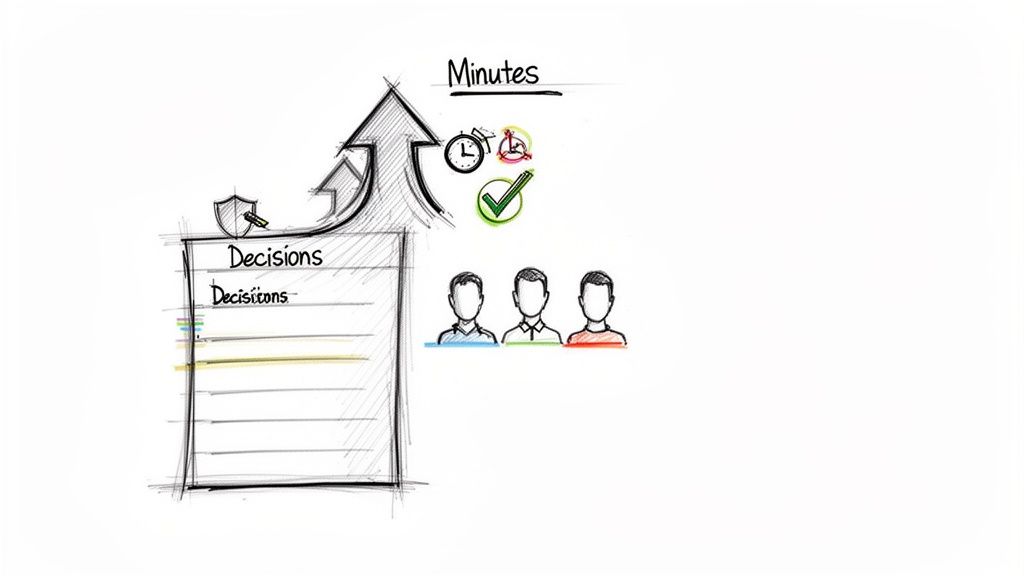
Let’s be honest. Most meeting minutes are a total drag. They're a chore to write and an even bigger chore to read. More often than not, they end up as a dense wall of text buried in a forgotten folder.
But what if they didn't have to be? What if they could be the secret weapon that stops your team from running in circles and actually pushes projects forward?
The High Cost of Ineffective Meetings
Bad meetings aren't just annoying; they're incredibly expensive. Here's a quick look at the staggering impact of unproductive meetings on businesses and individuals.
These numbers tell a clear story: without a solid record of what happened, key decisions vanish and accountability goes out the window. This problem is only getting worse in a remote-first world, where you can't just catch someone in the hallway to clarify a decision.
The True Purpose of Meeting Minutes
Effective minutes do much more than just keep a record. They're not about writing down every single word someone says. Instead, they're about capturing what was decided and clarifying what happens next.
Here’s what truly great minutes accomplish:
- Creates a Single Source of Truth: No more "I thought we agreed to..." debates. It's all there in black and white.
- Drives Accountability: When you assign an action item to a specific person with a clear deadline, things get done.
- Keeps Absentees in the Loop: Anyone who missed the meeting can get up to speed in five minutes without needing a full debrief.
- Informs Future Decisions: They create a historical log that helps your team learn from the past and build on previous work.
The goal isn't a word-for-word transcript. It's a concise, scannable summary that highlights decisions and tells your team exactly what they need to do.
Think of it like this: a meeting without minutes is just a conversation. A meeting with great minutes is a catalyst for action. It’s a foundational skill in any effective leadership toolset because it turns passive listening into active progress.
In the rest of this guide, I'll walk you through my process for making this happen, from setting yourself up for success before the meeting to using modern tools to make the whole process a lot less painful.
Preparing Before the Meeting Starts
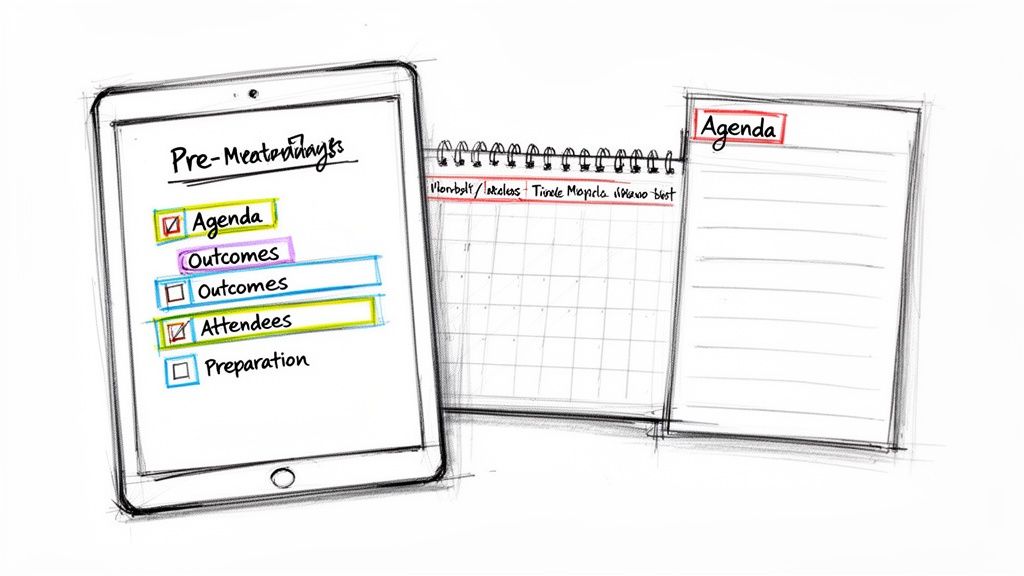
Here’s a secret that might surprise you: taking great meeting minutes has almost nothing to do with how fast you can type. The real magic happens before anyone even joins the call. A bit of prep work turns a chaotic scramble into a calm, focused process of capturing what actually matters.
Instead of just showing up and hoping for the best, I always connect with the meeting organizer beforehand. Even a five-minute chat can give you the clarity needed to cut through the noise and focus on the important stuff. This single step is the difference between simply transcribing a conversation and documenting meaningful outcomes.
Your Pre-Meeting Checklist
Before the meeting kicks off, your main job is to understand the "why" behind it. I use a simple checklist to make sure I have all the context I need.
- Get the Agenda: Grab the final agenda. Don't just glance at the topics; figure out the goal for each one. Are we brainstorming ideas, making a final decision, or just getting a status update?
- Define the Win: I always ask the organizer, "What does a successful outcome for this meeting look like?" Knowing the end goal helps you listen for the most critical information and decisions.
- Know Who's Who: Get a list of attendees. This makes it so much easier to attribute comments and assign action items correctly without guessing names later.
My personal rule is simple: no agenda, no minutes. If a meeting doesn't have a clear purpose laid out, it's not ready to happen—and your minutes will be just as chaotic.
A well-made effective meeting agenda template is the perfect starting point. It provides the backbone for your notes and sets the meeting up for success from the get-go.
Building Your Minutes Template
With the agenda in hand, the next step is to build a skeleton for your notes. I do this in whatever tool I'm using—Google Docs, Notion, it doesn't matter. The key is to keep it simple. You’re just creating a structure you can fill in as the meeting happens.
Here’s the straightforward layout I’ve relied on for years:
- Meeting Title: Q4 Marketing Strategy Review
- Date & Time:
- Attendees: (I list the names here as people join)
- (I copy and paste each topic from the agenda as its own heading)
- (A simple bulleted list for final agreements)
- (I use a simple table: Task, Owner, Due Date)
- Final Decisions: What did the group officially agree to? Get this down clearly and concisely. Instead of rehashing a 15-minute debate, just write: “Decision: The Q4 product launch will be postponed to January 15th to allow for more user testing.”
- Key Action Items: This is the most important part. Who is doing what, and by when? An action item isn’t complete without three pieces: the specific task, a designated owner, and a firm due date.
- Core Rationale: Why was a decision made? Briefly jot down the main reasons. This context is gold for anyone who missed the meeting or needs to remember the logic behind a decision weeks from now.
- Record the Meeting: First, get everyone’s consent. Then, just record the audio of your meeting, whether it's virtual or in person.
- Let the AI Transcribe: After the meeting, upload the recording. The AI handles the grunt work, generating a full transcript with speaker labels and timestamps.
- Focus on Strategic Summary: Now, with the raw text taken care of, your job gets much easier—and more valuable. You can focus on what humans do best: understanding the context, pulling out the key takeaways, and shaping the transcript into clear decisions and action items.
- Clean up the language. First, fix any typos or grammatical errors. Rewrite clunky sentences and make sure the tone is objective. This is also the time to cut out any side commentary or conversational fluff that doesn't add real value to the record.
- Wipe out ambiguity. Read through every decision and action item. Is it crystal clear what needs to happen next? If a note says, "Alex to handle marketing," that's too vague. A much better version is: "Alex will draft the Q4 launch email and send it to the team for review by EOD Friday."
- Structure for scannability. No one wants to read a wall of text. Use headings, bold text, and bullet points to break up your minutes. The goal is for a busy manager to skim the document in 60 seconds and understand the key outcomes and next steps.
- For action items: "List all action items from this meeting, including who owns them and any deadlines mentioned."
- For key decisions: "Summarize the final decisions made about the Q4 budget."
- For specific details: "What were the marketing team's next steps we talked about in the last 15 minutes?"
- Decisions Made: What did the team actually agree on? State it clearly, with no room for interpretation.
- Action Items: This is crucial. Who is doing what, and by when? This is what keeps the project moving.
- Key Discussion Points: You don't need to capture the entire debate. Just jot down the core reason why a decision was made.
- Meeting Basics: The meeting title, date, time, and a list of attendees (I find it helpful to note who was absent, too).
- Agenda Topics: Simply use the agenda as your set of headings. This keeps everything logical.
- Decisions and Outcomes: Under each topic, clearly state what was decided.
- Action Items Table: I’m a big fan of a simple table with three columns: the task, the owner, and the due date.
This little bit of prep does 80% of the work for you. When the meeting starts, you’re not staring at a blank page; you’re just filling in the blanks.
Capturing What Matters During the Meeting
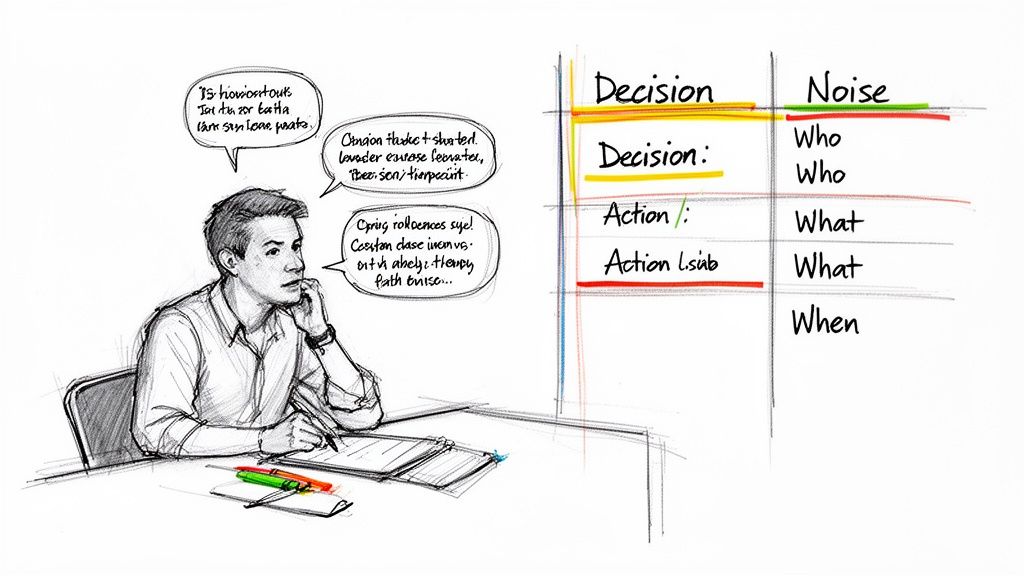
Alright, the meeting has started. Your role now shifts from planner to filter. A classic mistake I see all the time is people trying to transcribe every single word. It’s not only exhausting, but it also creates a document that's so dense nobody will ever read it.
Your actual job is to capture value, not volume. Think of yourself as a journalist hunting for the headline, not a court reporter recording a deposition. You have to actively listen for the moments that matter and separate them from the conversational fluff that naturally fills most discussions.
Getting this right is a bigger deal than you might think. Poorly documented meetings have a real financial cost—US businesses lose an estimated $37 billion every year to unproductive meetings. Each wasted hour can cost a company $100-$300, and when minutes fail, 67% of employees admit they forget what was discussed. This leads to more meetings, which already eat up 15-20% of the average workweek. The data from recent collaboration statistics really paints a stark picture.
Focusing on Outcomes, Not Conversations
To avoid creating those useless, wall-of-text minutes, you need to train your ear to listen for specific things. It’s less about who said what and more about what the team actually decided to do.
I’ve found it helps to zero in on three key signals:
A simple rule of thumb I live by is the "Absent Colleague Test." Could someone who missed this meeting read my minutes and, in under five minutes, understand exactly what we decided and what they need to do next? If not, my notes aren't clear enough.
If you find yourself struggling to keep everything organized in the moment, a solid meeting action items template can be a lifesaver. It gives you a framework to plug things into on the fly.
Leveraging AI as Your Co-Pilot
Let’s be honest: trying to actively participate in a discussion while also taking perfect notes is nearly impossible. This is where modern tools can completely change your workflow. Instead of shouldering the entire burden, you can use an AI transcription service like Whisper AI as your co-pilot.
Here’s what that looks like in practice:
This approach frees you up to be fully present and engaged during the actual conversation. You can contribute ideas and ask good questions, all while knowing you have a perfect record to reference later. It turns the task from frantic typing into thoughtful analysis, and the result is a much more effective and actionable set of meeting minutes.
Writing and Distributing Minutes After the Meeting
The meeting’s wrapped up, but your most important task is just beginning. Now you have to turn those messy, real-time notes into a clean, official record that actually gets things done. This is your moment to bring clarity to the conversation and create a single source of truth for the entire team.
My best advice? Tackle this immediately after the meeting. Don't let it sit in your drafts overnight. The context is still fresh, which makes the editing process way faster and the details much more accurate. I always try to get the minutes reviewed and sent out within a few hours.
From Raw Notes to a Polished Document
Let's be honest, the notes you took during the meeting are probably a bit of a disaster. That’s totally fine. The goal then was to capture everything, not to win a writing award. Now it’s time to refine that raw material into something professional and easy to scan.
Think of it as an editing pass, not a complete rewrite. You're just making the record easier to digest.
The most effective meeting minutes are productivity powerhouses. Teams using structured records complete 42% more action items on time. With many professionals spending up to two hours in a single meeting, turning that time into clear, actionable outputs is essential. Learn more about the latest research on meeting productivity.
The Art of Smart Distribution
Once your minutes are polished, it's time to get them into the right hands. How and when you send them is just as important as the content itself.
You should always aim to send the minutes within 24 hours. This keeps the momentum going and shows that you respect everyone's time. If you wait too long, people start to forget the details, and those crucial action items lose their urgency. A prompt follow-up signals a well-run process.
And please, don't just attach the file to a blank email and hit send. Use the email to frame the document, encourage people to review it, and ask for corrections. Your goal here is to get everyone to implicitly agree that your record is accurate. If you need some ideas, check out our guide on writing a great meeting recap email template for some practical examples.
To make sure nothing slips through the cracks, I use a simple checklist every time I send out minutes.
Meeting Minutes Distribution Checklist
Here’s a quick rundown of the final steps to make sure your minutes are polished, accurate, and effectively communicated to the team.
Following these steps closes the loop on the meeting. It gets rid of any "I thought we decided..." confusion and makes sure the entire team is aligned and moving forward together.
Using AI to Automate Your Note Taking
Let's be honest: trying to capture detailed meeting minutes while actively participating in the discussion is a recipe for stress. You can either be a great note-taker or a great contributor, but it’s nearly impossible to be both at the same time.
This is exactly where AI can become your new secret weapon, turning a tedious chore into a simple review process.
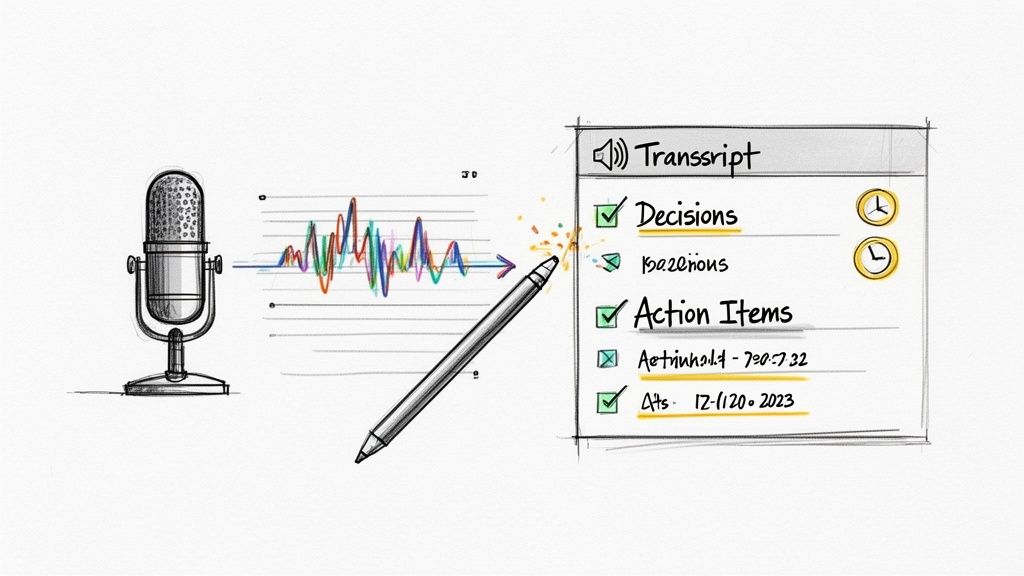
Instead of frantically typing to keep up, you can now hand off the grunt work to a tool like Whisper AI. The whole process is incredibly simple. Just record your meeting's audio, upload the file, and let the technology take it from there.
In just a few minutes, the AI generates a complete, accurate transcript. This isn't just a wall of text, either. You get an organized document with speaker labels and precise timestamps, making it easy to track who said what and when. This transcript serves as your single source of truth for the entire conversation.
The Real Magic Is in the AI Summary
A raw transcript is great, but the real game-changer is the summarization. Being able to instantly boil down a long conversation into actionable intelligence is what saves you hours. This is where you can move beyond simple transcription and start directing the AI to pull out exactly what you need.
For example, you can use simple prompts to get straight to the point:
The AI is smart enough to understand context and pull out the nuanced details you’re looking for.
From Scribe to Strategist
This completely flips your role on its head. Instead of being the designated scribe, you become the editor and reviewer. The AI handles 90% of the manual labor involved in capturing the conversation. Your job is now to focus on the high-level stuff: ensuring the summary is clear, the action items are correct, and the minutes are ready to send.
By letting an AI agent handle the minutes, every single person in the meeting is free to be 100% present and engaged. It levels the playing field, ensuring great ideas aren't lost just because the best contributor was stuck taking notes.
This automated approach not only slashes manual effort but also boosts the accuracy of your records. What was once a time-consuming task becomes a quick, final review. To explore this further, our guide on how to summarize a meeting offers even more advanced tips and tricks.
Common Questions About Writing Meeting Minutes
Even with a great system, you're going to run into tricky situations when you're tasked with taking meeting minutes. It's totally normal. Let's walk through some of the most common questions I get and how to handle them.
These aren't textbook answers; they're practical tips from years of doing this myself.
How Much Detail Is Too Much?
This is the big one, right? The classic struggle is between creating a word-for-word transcript and a summary so brief it's useless. You need to find that sweet spot: concise but complete.
Here’s where you should focus your energy:
For example, instead of transcribing a 10-minute back-and-forth on a deadline, you’d write something like: "After reviewing the Q4 holiday schedule and current engineering workload, the team decided to move the beta launch to January 15th." It’s objective, factual, and gets right to the point.
What Is the Best Format for Minutes?
There's no single "best" format, but the most effective ones are always clean, organized, and easy to scan. Your goal is to create a predictable structure so people can find what they need in seconds.
A solid, reliable format usually includes these key pieces:
A consistent template is a game-changer. When everyone on the team knows exactly where to look for decisions or action items, it removes a ton of friction and confusion.
How Can I Take Notes and Still Participate?
Ah, the classic dilemma. How are you supposed to contribute your own ideas when you're frantically trying to type everything everyone else is saying? The honest answer? You can't do both well at the same time.
At a minimum, you must have your template ready to go before the meeting starts. That saves you from scrambling. During the meeting, try to be disciplined and capture only the absolute essentials—decisions and action items.
But the real secret here is to use technology to your advantage. An AI transcription tool lets you stop being a scribe and start being a participant again. You can actually listen, ask insightful questions, and add your expertise, all while knowing a perfect record is being created for you. Then, after the meeting, you just clean up the AI-generated summary and you're done. It saves a massive amount of time and mental energy.
Stop wasting time on manual transcription and start focusing on what matters. With Whisper AI, you can automatically transcribe, summarize, and generate action items from any meeting. Join 50,000 users who are making their meetings more productive. Try it now and transform your workflow.


























































































