
Summarize a Meeting with AI: A Practical Guide for Clear Notes
Let's be honest: a great meeting summary is the difference between a project moving forward and it grinding to a halt. The goal is simple: capture the key decisions, who's responsible for what, and the main takeaways in a format that's quick to read and easy to act on. From my experience, this is the essential link between talk and action.
Why Manual Meeting Summaries Just Don't Cut It Anymore
Have you ever left a big planning meeting feeling energized, only to realize a week later that nobody remembers who agreed to do what? That initial momentum vanishes, projects lose direction, and the whole point of the meeting fades. This isn't just frustrating; it's a massive productivity killer.
Trying to jot down notes while also contributing to the conversation is a recipe for failure. You're constantly switching gears, forced to choose between participating and documenting. Inevitably, important details get lost. A specific deadline, a subtle but critical point, or a key decision can easily be missed.
The Hidden Costs of Bad Summaries
The fallout from this old-school method is bigger than most people think. Ineffective meetings cost U.S. businesses an incredible $37 billion every year, mostly because they don't lead to clear results. When you learn that executives can spend up to 23 hours a week in meetings, you start to see how much productivity is on the line. Poorly documented conversations are a direct cause of team misalignment and delayed projects.
The real danger of manual notes isn't just what you miss—it's the false confidence they create. A notebook full of scribbles feels like progress, but it rarely becomes a shared, actionable source of truth for the team.
Without a solid record to refer back to, teams find themselves re-hashing the same discussions over and over again. It’s a waste of time and energy. This is exactly why it's time for a better way.
Let's look at a direct comparison of the time, accuracy, and outcomes between the old way and using an AI tool.
Manual Note-Taking vs AI Summarization
The difference is night and day. One method keeps you stuck in the past, while the other gives you the tools to accelerate your workflow.
Moving From Scattered Notes to a Single Source of Truth
The solution is to stop thinking about "taking notes" and start thinking about creating a verifiable record. Instead of depending on one person's interpretation, we can now use technology to capture the entire conversation accurately. This isn't just about having a long transcript; it's about laying the groundwork for a perfect summary.
Automated tools turn meeting audio into structured, readable text, often complete with who said what and when. This detailed transcript becomes the undisputed source material for generating a concise, accurate summary. You can learn more about how advanced AI speech to text technology achieves this in our guide.
The whole point is to get rid of the guesswork and make sure everyone is working from the same information, turning hours of discussion into clear insights that actually push work forward.
How to Prepare Your Meeting for a Perfect AI Summary
Want a great AI-generated summary? It all starts before you hit record. A solid, detailed agenda is the single most important thing you can do to guide the AI and ensure you get a summary that’s actually useful. Think of it as giving the AI a roadmap—without it, the summary can easily get lost in casual chatter.
When you take the time to map out the topics, you're essentially telling the AI what's important. This is how you get a summary focused on decisions and action items, not random tangents.
Build an Agenda That Works for Everyone (Including the AI)
A truly effective agenda does more than just list topics. It sets the stage for a productive conversation and gives the AI clear signposts to follow.
Here’s what I’ve found makes the biggest difference:
- Outcome-Oriented Topics: Instead of "Discuss Q3 Marketing," try "Decide on Q3 Marketing Budget Allocation." This frames the conversation around a specific goal.
- Timeboxing: Assigning a time limit to each agenda item keeps the discussion on track and respects everyone's time.
- Assigning Roles: If you know who is leading which part of the discussion, note it in the agenda. This helps the AI correctly attribute key points and decisions.
- Keyword Tagging: Add tags like #Decision, #ActionItem, or #Brainstorm to agenda items. This helps the AI categorize the conversation logically in the final summary.
Getting participants to review documents beforehand is another game-changer. It cuts down on time spent bringing people up to speed and lets you dive right into the important stuff.
Shockingly, only 37% of meetings even have an agenda, and just 37% actually result in a decision. It’s a powerful reminder that a little prep work goes a long way.
This lack of preparation is a huge problem. Flowtrace analyzed 1.3 million meetings and found that without an agenda, conversations drift and decisions get lost. It’s a massive waste of time and resources.
Define Objectives That Drive Action
A good agenda is a start, but clear objectives are what make the summary actionable. The goal is to walk away with a recap that tells you exactly what needs to happen next, who’s responsible, and when it’s due.
Your objectives should be the foundation of your summary. To make them count, try this:
- Start each objective with an action verb, like “Finalize,” “Approve,” or “Plan.”
- Connect every objective to a concrete deliverable. What will exist once this is done?
- Assign an owner to each objective right in the agenda to build in accountability from the start.
- Use highlights or tags to visually separate the high-priority objectives.
This entire preparation workflow is designed to feed high-quality, structured information into the AI, which then produces a clean, actionable summary.
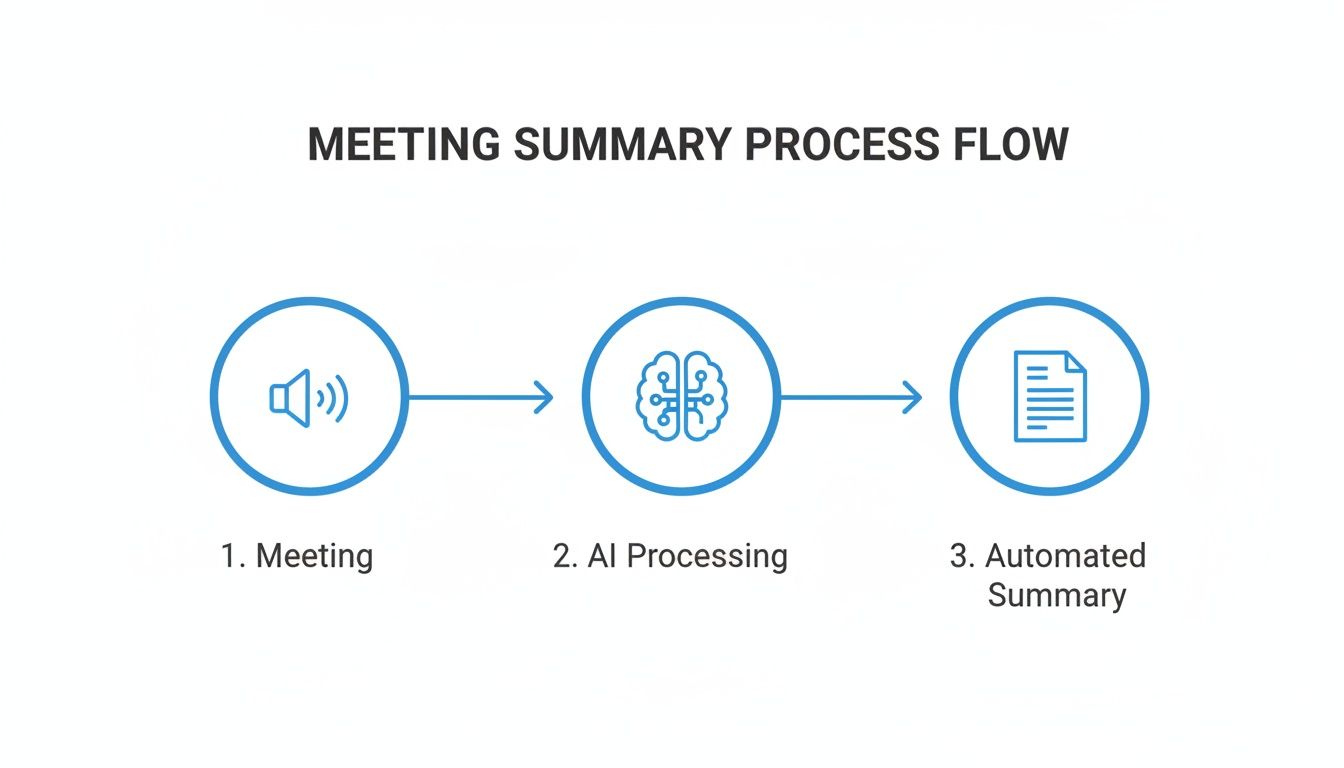
As you can see, what you do before the meeting directly impacts the quality of the transcript and the final recap. Ultimately, the secret to a perfect AI summary is just better preparation for meetings.
Don't Sabotage Your Summary with Bad Audio
You can have the best agenda in the world, but if the audio is terrible, the AI transcript will be a mess. Muffled voices, background noise, or echo can completely derail the process. GIGO—garbage in, garbage out.
Taking a few minutes to get the sound right will save you hours of pain later. It’s also critical for helping the AI distinguish between different speakers.
Here are a few non-negotiable best practices:
- Get Close to the Mic: A good unidirectional microphone positioned 6–12 inches from the speaker is ideal.
- Kill Background Noise: Close the door, shut the window, and silence your phone notifications. Every little bit helps.
- Use a Pop Filter: This cheap little accessory makes a huge difference in reducing those harsh "p" and "b" sounds that can muddy the audio.
- Do a Quick Sound Check: Record a 10-second test clip before the meeting officially starts to make sure your levels are good and you sound clear.
And one last thing: always get explicit consent from everyone before you hit record. It’s not just polite; it’s essential for meeting privacy standards and avoiding legal headaches.
Nail the Logistics for Hybrid and Remote Meetings
In today's world, not everyone is in the same room. Planning for remote and hybrid attendees is crucial for a smooth experience and a clean recording. A technical glitch at the start can throw the whole meeting off.
Make sure your remote folks have clear instructions and can connect without issue. A quick pre-meeting tech check can prevent that awkward "Can you hear me now?" dance.
Here’s a quick checklist for hybrid meetings:
- Send calendar invites that automatically adjust to each person's local time zone.
- Strongly recommend that all participants use a headset with a noise-canceling mic.
- Set up a shared digital whiteboard for real-time collaboration.
- Have a backup plan. Recording locally on the host's machine can be a lifesaver if a cloud service fails.
With your agenda set, objectives defined, and audio and logistics locked in, you’re ready for a productive meeting and a perfect summary. A pro tip: send the final agenda to everyone 24 hours in advance. This gives them time to prepare and leads to a much richer discussion.
Turning Raw Meeting Audio into an Accurate Transcript
Alright, so the meeting’s wrapped up and you have the recording. Now for the important part: turning that raw audio file into a clean, accurate transcript. This isn't just a technical step; it's the foundation for your entire summary. Remember, garbage in, garbage out. A messy, inaccurate transcript will only lead to a confusing and unreliable summary.
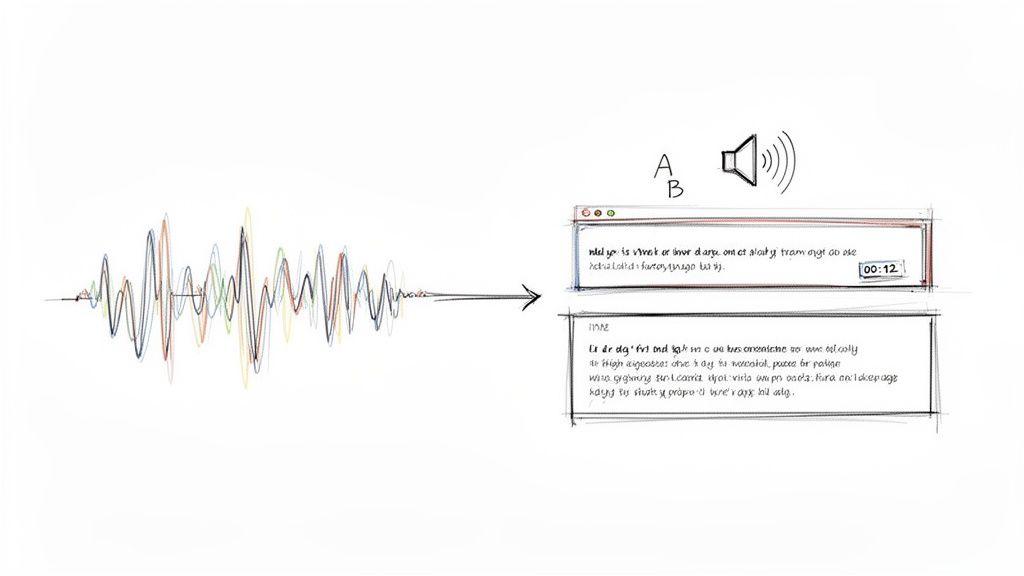
Getting your audio into a tool like Whisper AI is usually a simple drag-and-drop affair. Whether you've got an MP3 from a voice recorder or an MP4 from a Zoom call, the platform handles it and starts the transcription process right away. This is where the AI gets to work, meticulously converting every spoken word into text.
Speaker Detection and Timestamps Are Your Best Friends
One of the most powerful features you'll see in modern transcription tools is automatic speaker detection. Instead of getting a giant, intimidating block of text, the AI figures out who is speaking and neatly separates their dialogue. This alone is a massive time-saver and brings instant clarity to the flow of conversation.
Then you have timestamps. The AI adds a timestamp to each phrase, marking the exact moment it was said in the recording. This is incredibly useful. If a specific comment seems unclear or you want to hear the original tone, you can jump right to that spot in the audio. Ever tried to find one key decision buried in a 60-minute recording without timestamps? It's a nightmare.
These two features work hand-in-hand to create a document that's actually usable.
- Speaker Labels: You know exactly who said what, which is non-negotiable for assigning action items and tracking accountability.
- Timestamps: You can pinpoint key moments for quick review, fact-checking, or quoting someone directly.
- Contextual Clarity: It becomes easy to follow the back-and-forth, seeing how one person's idea builds on another's.
Without this structure, you’re just left with a wall of words that makes it nearly impossible to summarize a meeting effectively. It’s the difference between having a coherent record and just a jumbled collection of sentences.
The Human Touch: A Quick Review Makes All the Difference
As good as today's AI transcription is, it’s not infallible. Before you let the AI generate a summary, a quick human review is essential to catch any little mistakes. This quality check ensures your source material is rock-solid, which directly translates to a much better summary.
From my experience, the AI gets you about 95% of the way there. That last 5% is where a few minutes of human review polishes it to perfection. I’ve learned to focus on a few key areas where AI tends to trip up.
The goal isn't to re-transcribe the meeting yourself. It's about making small, high-impact corrections that the AI might have missed. This ensures your summary is built on a foundation of pure accuracy.
Here’s my go-to checklist when I'm reviewing an AI-generated transcript:
- Proper Nouns: AI often stumbles on unique names of people, companies, or internal projects. A quick scan to fix "Carlthick" to "Karthik" or "Project Chimaira" to "Project Chimera" is crucial.
- Industry Jargon: If your team uses specific acronyms or technical lingo, the AI might mishear it. For instance, it might write "ess ee oh" instead of "SEO."
- Ambiguous Words: Homophones—words that sound alike but have different meanings—are a common trap. I always do a quick check for things like "their" vs. "there" or "to" vs. "too."
This editing pass typically takes me just a few minutes, but the payoff is huge. It’s a tiny time investment that guarantees the AI has the cleanest possible data to work with. If you want to dive deeper, you can explore more about the essentials of creating a transcript to really dial in your process.
Generating an Actionable Summary with AI Prompts
https://www.youtube.com/embed/NrwQeZqg
With a clean transcript ready to go, this is where the real fun starts. We're moving beyond simple documentation and into the realm of extracting genuine intelligence from the conversation. The goal here is to use AI to quickly distill a long, often rambling transcript into a few different, concise formats that are actually useful.
Think of your raw transcript as a block of marble. Your prompts are the chisel. Instead of just creating one generic summary, you can carve out multiple, targeted recaps from the same source material. This ensures every stakeholder gets exactly what they need, without the fluff.
Crafting Prompts for Different Audiences
Let’s be honest, not everyone needs the same level of detail. An executive just wants the thirty-second rundown. A project manager needs the specific tasks. A team member might need the surrounding context. This is where learning to write good prompts becomes your secret weapon.
Here are a few practical examples of prompts I use all the time to slice and dice a transcript for different needs:
- For the High-Level Executive Summary: "Generate a three-sentence executive summary highlighting the final decisions and their business impact."
- For Detailed Bullet Points: "Create a bulleted list of the main topics discussed, with 2-3 key takeaways under each topic."
- For Actionable Task Lists: "Extract all action items from this transcript. List each one with the assigned owner and any mentioned deadlines."
This approach lets you summarize a meeting in multiple ways in just a few minutes, saving what used to take me hours of manual work. You can create a single source of truth that serves everyone without forcing them to hunt for the parts relevant to them.
The art of the prompt is all about being specific. A vague request like "summarize this" gets you a generic, often useless, result. But a precise prompt like "List all unanswered questions raised by the marketing team" delivers pure, actionable insight.
This kind of efficiency isn't just a nice-to-have anymore. Since February 2020, Microsoft users have seen a staggering 192% jump in Teams meetings, and the average meeting has gotten longer, too. With that sheer volume of talk, we need rapid, targeted recaps—which is exactly why a tool like Whisper AI has grown to 50,000 users so quickly. You can read more about these trends in the full meeting statistics report on myhours.com.
Refining and Iterating with Follow-Up Questions
The first summary you generate is rarely the final one. The real power of using an AI assistant is being able to have a conversation with your transcript. You can ask follow-up questions to dig deeper, clarify confusing points, or pull out specific details that the first summary might have missed.
This back-and-forth turns a static document into a dynamic source of information. It lets you probe the conversation for hidden gems without having to re-read the whole thing every time.
Real-World Prompt Examples in Action
Let's walk through a real-world scenario. Imagine you just finished a big project kickoff meeting. The transcript is 5,000 words long. No one wants to read that. Instead, you can use a series of prompts to get everything you need in under five minutes.
Scenario: A project kickoff for a new website redesign.
Initial Prompt:
Summarize the key decisions made during this meeting.- AI Output: "The team decided to use a WordPress CMS, set the target launch date for Q4, and approved the proposed budget of $50,000. The design phase will be led by Sarah."
Follow-Up Prompt:
List all tasks assigned to the design team.- Create initial wireframes for the homepage (Owner: Sarah, Due: Next Friday).
- Develop two different mood boards for stakeholder review (Owner: David, Due: End of month).
- Schedule a follow-up design review (Owner: Sarah).
Deeper Dive Prompt:
What were the main risks or concerns mentioned?- AI Output: "Concerns were raised about the tight timeline for the Q4 launch and potential scope creep from the marketing department's feature requests."
- Google Docs or Word: This is my go-to for collaborative review. It lets stakeholders jump right in to add comments or ask for clarification on specific points.
- PDF: The best option when you need a clean, unchangeable final record. It’s perfect for formal minutes or when sharing information with clients and external partners.
- Markdown or TXT: These simple text formats are surprisingly powerful. They’re fantastic for pasting summaries directly into your project management tools or a Confluence page without any weird formatting issues.
- [Decision 1]
- [Decision 2]
- [Task 1]: Assigned to [@Name] - Due [Date]
- [Task 2]: Assigned to [@Name] - Due [Date]
- End-to-End Encryption: This is non-negotiable. It means your files are locked down and secure from the moment you hit "upload" until they're processed and stored.
- Strict Data Handling Policies: Look for a clear statement that your data is yours. The best tools will explicitly promise not to use your private conversations to train their AI models.
- Compliance with Standards: Platforms that adhere to major privacy regulations show they take responsible data handling seriously.
- The TL;DR: Kick things off with a 2-3 sentence executive summary right at the top. This gives busy leaders the core takeaway in seconds.
- Key Decisions: Next, use a simple bulleted list to outline the main decisions made during the meeting. It's a quick, scannable look at the concrete results.
- Action Items: Finally, list out every task that was assigned. Make sure each item clearly states who is responsible and when it's due. This is all about accountability.
This conversational process gives you a layered, truly comprehensive understanding of what happened and what needs to happen next. If you want to get better at this, it's worth checking out a guide on how to write effective prompts for AI. Mastering this skill is what really transforms your meeting transcripts from simple records into strategic assets.
What to Do With Your AI-Generated Notes: Sharing and Taking Action
You’ve done it. You have a crisp, accurate, AI-generated summary of your meeting. But let’s be honest, a summary that just sits in a folder is about as useful as the scribbled notes you were trying to avoid in the first place. The real magic happens when you get that summary into the hands of your team and use it to kickstart actual work.
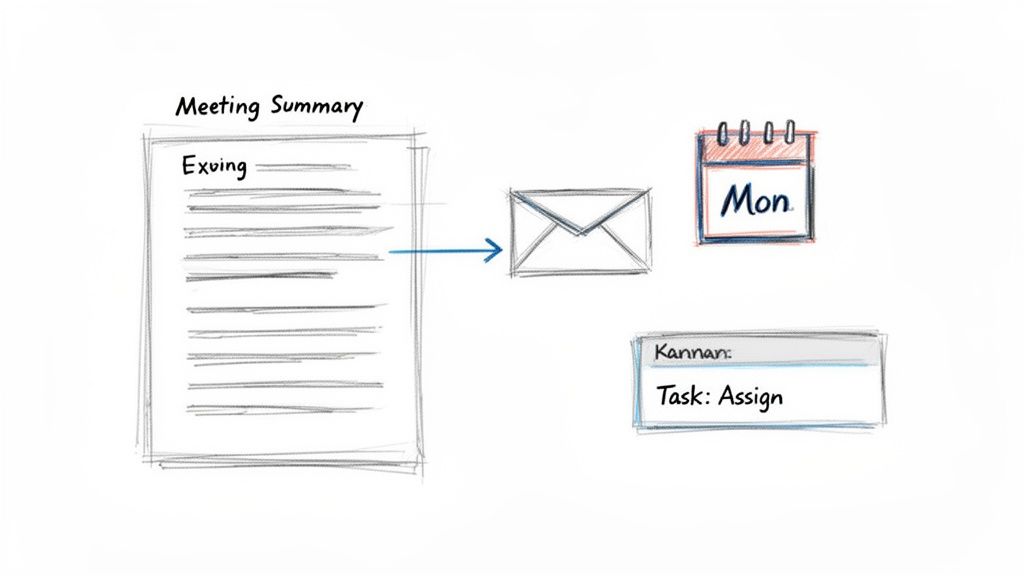
The whole point is to bridge the gap between talking about something and actually doing it. Your AI-powered notes are the perfect tool for this, creating a single source of truth that keeps everyone on the same page and accountable, whether they’re in the office or working from across the globe.
Getting the Summary Out There
First things first, you need to share it. Modern teams live in a dozen different apps, so you need flexibility. Thankfully, tools like Whisper AI make it easy to export your summary and transcript into whatever format makes the most sense.
Think about your audience and where they do their work:
With 86% of workers now in meetings with remote colleagues and nearly a third of all meetings spanning multiple time zones, a shareable summary isn't just nice to have—it's essential. It's how you keep a distributed team feeling connected and moving together. For more on this, check out this deep dive into meeting statistics.
From Action Items to Actual Action
This is where your summary goes from a recap to a roadmap. That list of action items from the AI isn't just for reference; it's your team's to-do list. The biggest mistake you can make is letting it languish in a document.
We've all been there—manually copying and pasting tasks from a summary into Asana, Trello, or Jira. It’s a tedious, error-prone process. Instead, use the clean text export to move these items over in a batch.
Your AI summary isn't just a record of the past; it's a blueprint for the future. By moving action items directly into your workflow tools, you transform conversation into tangible progress.
For instance, you can grab the bulleted list of tasks from your summary and paste it directly into a new project board. From there, it’s just a matter of assigning owners and setting deadlines. This simple habit connects what was decided in the meeting to the team’s daily work, ensuring nothing gets forgotten. We have more tips on this in our guide to creating effective meeting action items.
Writing the Perfect Follow-Up Email
The last step is sending out a follow-up email. This message closes the loop, serves as the official record, and gives everyone a little nudge to get started on their tasks. Keep it short, sweet, and focused on what's next.
A good follow-up email doesn't need to be an essay. Just thank everyone for their time, link to the full summary, and call out the key next steps.
Here’s a simple, effective template I use all the time:
Subject: Recap & Next Steps: [Meeting Name] - [Date]
Hi Team,
Great discussion today about [Meeting Topic].
For anyone who needs it, the full AI-generated summary and transcript are here:
[Link to Google Doc, PDF, etc.]
Key Decisions:
Action Items:
Please take a look at your assigned tasks and let me know if you have any questions. Let’s keep things moving!
Best,
[Your Name]
This kind of clear, simple communication makes sure everyone—attendee or not—is on the same page and knows exactly what they need to do. It’s what turns a 30-minute meeting into a real step forward.
Your Top Questions About AI Meeting Summaries, Answered
Let's be honest—adopting any new tool, especially one that handles important conversations, brings up some valid questions. When you start using AI to summarize a meeting, it's smart to be a little skeptical. How accurate is it, really? And what happens to my data?
I've heard these questions countless times from teams just getting started. Let's walk through them, because getting these answers sorted out is the first step to building trust and getting everyone on board.
How Accurate Are These AI Summaries, Anyway?
The accuracy of an AI-generated summary all comes down to two things: the quality of your meeting audio and the smarts of the transcription engine. If you've got a clean recording without a ton of background chatter, a powerful tool like Whisper AI can be stunningly accurate, even with multiple people talking over each other about complex stuff.
But let's set realistic expectations. No AI is flawless. I like to think of it as an incredibly efficient assistant that gets you 95% of the way there. That last 5% is where a quick once-over from a human makes all the difference.
Your job isn't to start from scratch; it's to add the final polish. Spending two minutes to fix a misspelled company name or clarify a piece of industry jargon is what elevates the summary from "good enough" to truly reliable.
That final human touch is what ensures the critical details and subtle nuances are captured perfectly before the summary goes out to the team.
Is It Safe to Upload Our Meeting Recordings?
This is the big one, and it should be. Uploading a recording of a sensitive planning session or a confidential client call requires a huge amount of trust. Thankfully, any reputable platform worth its salt has built its entire system around security.
Here’s what you should look for from top-tier services:
Before you commit, spend five minutes reading the service’s privacy policy. It’s a small time investment that ensures their security practices line up with your company’s standards and gives you complete peace of mind.
What's the Best Way to Format a Meeting Summary?
There’s no single "best" format, but there’s definitely a worst one: a giant wall of text. A truly effective summary serves everyone, from the executive who only has 30 seconds to the project manager who needs the nitty-gritty details.
Over the years, I've found that a layered structure works wonders. It lets people grab exactly what they need without getting bogged down.
A Winning Summary Structure:
This tiered approach makes your summary instantly useful for everyone, no matter how much time they have.
Can AI Really Understand Technical Jargon and Different Accents?
You'd be surprised. Modern transcription models have been trained on an incredible amount of diverse audio data—think thousands upon thousands of hours from speakers all over the world. As a result, they've gotten really good at parsing different accents.
The same goes for technical terms. Whether your team is nerding out over marketing KPIs, software development sprints, or quarterly financial models, the AI can usually keep up and get the industry-specific language right.
Of course, it might stumble on a brand-new internal project code name or a very niche acronym. These are the little things you'll catch in your final review. But for the most part, the AI handles the heavy lifting, saving you from the tedious work of transcribing it all by hand.
Ready to turn your meeting notes from a chore into a strategic asset? Whisper AI gives you instant, accurate transcriptions and AI-powered summaries, so you can stay focused on the conversation, not on taking notes. Try Whisper AI for free and see how much time you can save.


























































































