
Your Complete Guide to Spotify Podcast Transcripts
Getting a Spotify podcast transcript is a bigger deal than you might think, for both the person behind the mic and the person tuning in. For creators, it’s about turning your audio into a searchable, indexable asset. For listeners, it’s a shortcut to finding that one specific quote, improving accessibility, and just generally getting more out of the content.
Why Podcast Transcripts Are Essential for Growth
In a world overflowing with audio, just turning your spoken words into text creates a surprising amount of value. It takes a podcast from something people just listen to and transforms it into a resource they can actively use, search, and repurpose.
For creators, this is an SEO goldmine. Every word you say suddenly becomes indexable by Google. Think about it: a marketer can instantly pull a key quote from a two-hour interview, or a student can cite a specific point without scrubbing through the entire episode. That's the real power of transcription.
It also throws the doors wide open for accessibility, making your content available to audiences with hearing impairments or even just people who prefer to read. If you're new to the concept, you can get the basics down with our guide on what is audio transcription.
Key Benefits for Creators and Listeners
The advantages here really do work for everyone involved—the folks making the content and the people enjoying it.
- Boosts Discoverability: Search engines can't listen to your audio, but they absolutely crawl text. A full transcript lets your podcast show up for all the long-tail keywords and niche topics you cover in an episode.
- Enhances Accessibility: This is a big one. Transcripts make your content available to the deaf and hard-of-hearing community, which can grow your audience in a meaningful way.
- Unlocks Content Repurposing: A single podcast episode can become a dozen different pieces of content. We're talking blog posts, social media snippets, email newsletters, and super-detailed show notes, all with minimal extra effort.
This flowchart lays out the main reasons you'd want a transcript, whether your goal is better SEO, improved accessibility, or just making your content work harder for you.
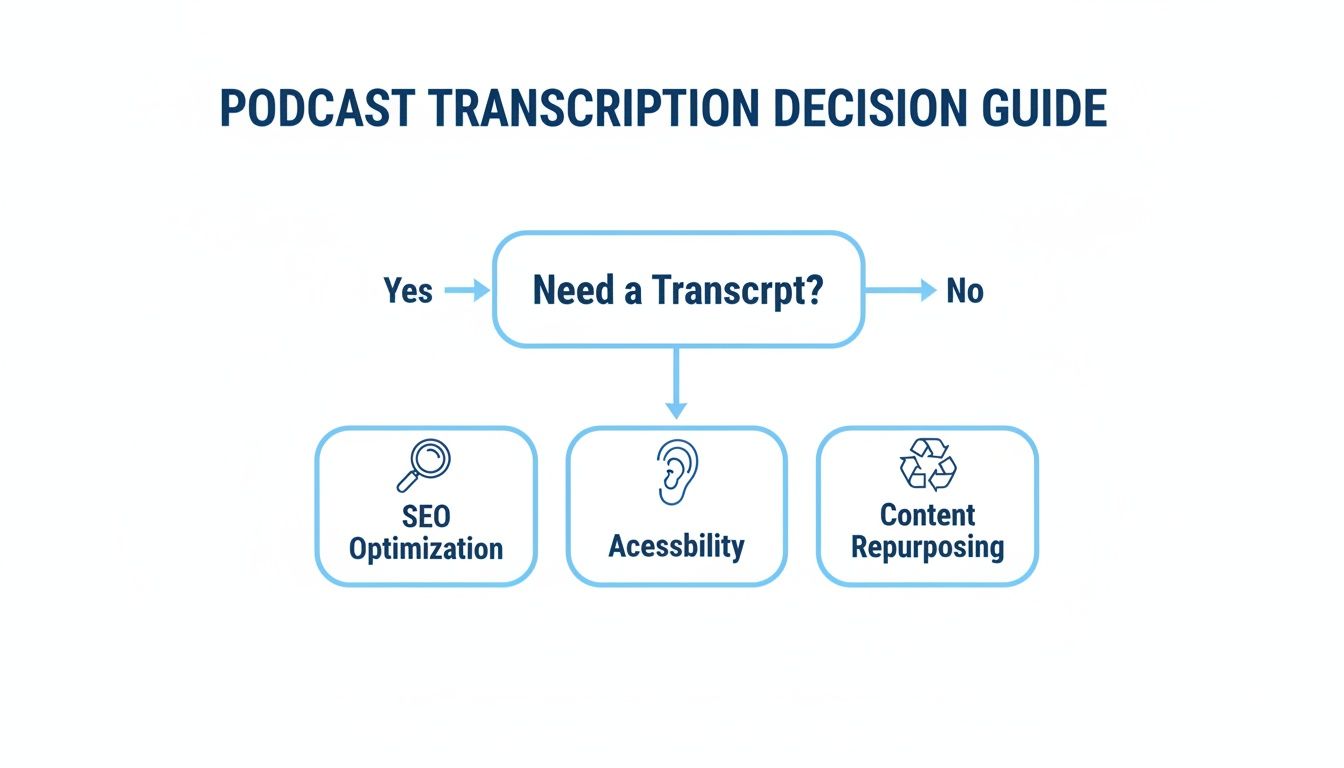
As you can see, whatever your content goals are, transcription often provides a direct path to achieving them.
Podcast Transcription Methods at a Glance
When you're ready to get a transcript, you'll find there are a few different paths you can take. Here's a quick look at the main options so you can pick the one that fits your needs best.
Each method has its place. AI tools offer a fantastic sweet spot for most creators, but if every single word needs to be perfect, you might lean toward a human-powered service or even manual transcription.
The Growing Need in a Massive Ecosystem
The sheer scale of Spotify's podcasting world really drives home why discoverability matters so much. As of 2024, the platform hosts over 5 million podcast titles, with more than 100 million people listening regularly. That's a huge audience, but it's also a ton of competition. Things like transcripts are what help you get noticed.
By making audio content searchable and accessible, transcripts ensure that valuable conversations don't just disappear after they are heard. They become a permanent, valuable asset for everyone.
And it's not just about accessibility. Transcripts are also fantastic learning aids. For a closer look at this, check out these practical tips to improve listening comprehension. They give listeners a way to reinforce what they've heard and engage more deeply with the material you're creating.
How to Get Spotify's Built-In Transcripts
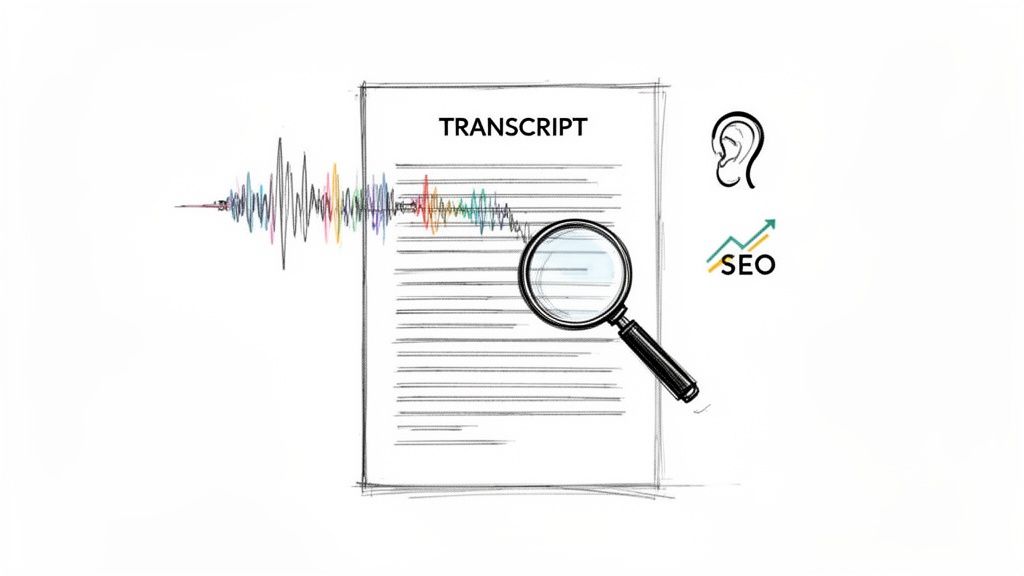
Before you fire up any special software or start a complicated transcription process, your first move should always be the simplest one: check what Spotify itself is offering. The platform has been slowly but surely adding its own auto-generated transcripts to podcasts, and when it’s there, it's easily the fastest way to get the text you need.
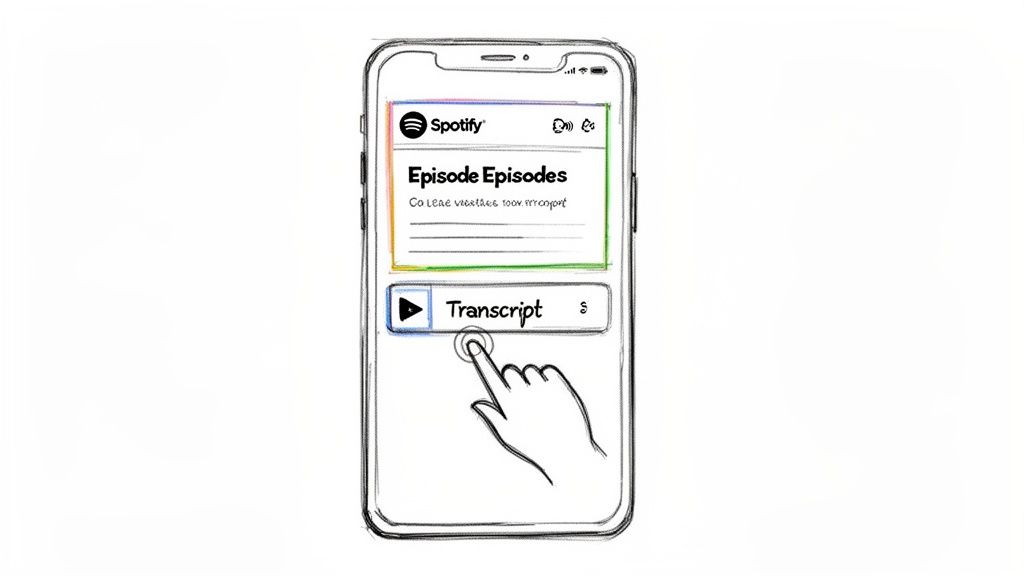
Finding it is straightforward. Just open the episode you want on the Spotify mobile or desktop app. Look right below the episode description and the main show notes. If a transcript is available, you'll see a distinct section, usually with a header like "Read along" or just "Transcript." Tap that, and the full text will expand.
Using the Built-In Reader
Spotify’s transcript feature is built for an interactive experience. As you listen to the episode, the text syncs up, highlighting the exact words as they're spoken. It’s a slick little feature that’s perfect for a few common situations.
- Jumping to a specific spot: Need to find that one quote you loved? You can skim the text, find the line, and tap it to instantly skip the audio to that exact moment.
- Catching unclear words: When a guest mumbles or there's a bit of background noise, the on-screen text can save you from hitting the rewind button over and over.
- Boosting comprehension: It's also a huge help for anyone listening to a podcast in a language they're still learning. Seeing the words can make all the difference.
For quick, casual needs—like a student pulling a few quotes for an essay or a fan just wanting to confirm a name they heard—Spotify's own transcript is usually good enough. It’s right there, it’s free, and it doesn’t require any extra steps.
But there’s a catch. The convenience comes with some real limitations. Think of these spotify podcast transcripts as a rough first draft. They often struggle with technical jargon, misidentify speakers, or get tripped up by less-than-perfect audio. More importantly, they don't have speaker labels and—this is the real deal-breaker for creators—there's no way to export the text. That means you can't easily copy it into a blog post, use it for social media clips, or turn it into detailed show notes.
Using AI for Near-Perfect Podcast Transcription
When Spotify's built-in text isn't available—or just doesn't cut it—turning to a dedicated AI transcription platform is your best bet for accuracy, speed, and flexibility. For creators, marketers, and researchers, this is how you transform a simple audio file into a powerful, multi-purpose asset.
The process itself is surprisingly straightforward. Most modern AI tools, like Whisper AI, don't even make you download the audio file first. You just grab the public URL of the Spotify podcast episode, paste it directly into the tool, and the AI takes over from there. This link-based workflow is a huge time-saver and gets you from audio to text in minutes.
From Audio Link to Searchable Text
Once you’ve handed over the episode link, the AI gets to work. It crunches the audio through advanced speech recognition models, converting spoken words into text with an impressive accuracy that often tops 95-98% for clear recordings.
That level of precision is absolutely critical for any professional use case. If you're a marketer pulling quotes for a campaign or a journalist citing a source, the errors common in basic auto-captions are a non-starter. What you get back is a clean, readable document that faithfully represents the original conversation, ready for deeper analysis or content repurposing.
The real magic of AI transcription isn't just the accuracy; it's the ability to add structure and context. Features like speaker detection and timestamping solve major headaches and make the final transcript infinitely more useful.
The global podcast listener base is ballooning, projected to hit 619.2 million people by 2026. And with 83% of active listeners tuning in for over nine hours a week, creators need efficient ways to make their content more accessible and searchable. AI transcription directly meets this demand, turning hours of audio into valuable assets for this massive, engaged audience. You can dive deeper into this trend with these podcast statistics from Riverside.fm.
Unlocking Advanced Features for Better Workflows
Beyond just spitting out words, the best AI tools offer features that add immense value and solve common frustrations. These are the capabilities that separate a professional-grade transcript from a basic text file.
- Automatic Speaker Detection: Ever tried to read a transcript from a three-person interview without knowing who’s talking? It’s a confusing mess. Speaker detection, also called diarization, automatically identifies and labels each speaker (e.g., "Speaker 1," "Speaker 2"), making multi-person conversations a breeze to follow.
- Precise Timestamps: Good AI tools will insert timestamps at regular intervals or at the start of each speaker's turn. This lets you instantly find a specific moment in the audio just by clicking the corresponding text—a total game-changer for editing, fact-checking, or pulling video clips.
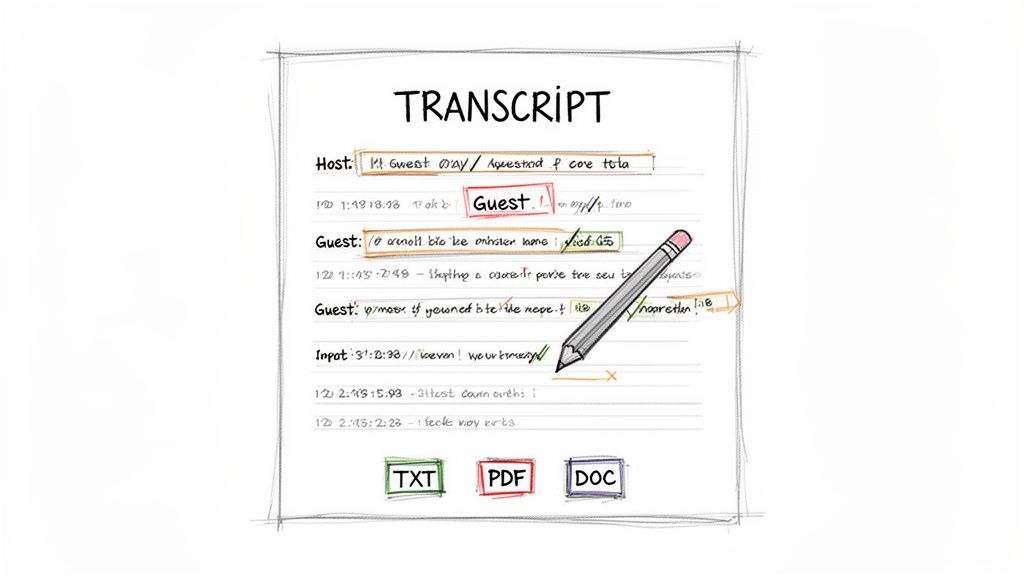
- Multiple Export Options: A transcript is only useful if you can actually use it. Look for tools that let you export the text in various formats—like TXT, PDF, Word, or even Markdown—so you can drop it right into your blog, show notes, or video editing software without a fuss.
These features work together to turn a wall of text into a dynamic, navigable document. If you're curious about the fundamentals behind this, our guide on creating a transcript from scratch is a great starting point.
A Real-World Example in Action
Let’s make this practical. Imagine you're a content marketer for a tech startup, and your CEO was just a guest on a popular industry podcast. Your goal is to create a blog post, a handful of social media quotes, and a short video clip from their 45-minute appearance.
Instead of spending hours manually transcribing, you paste the Spotify URL into an AI tool. Within minutes, you get a full transcript with the CEO and host clearly labeled as separate speakers, complete with timestamps. You can quickly scan the text, pinpoint a powerful quote about the future of your industry, and use the timestamp to find that exact audio segment for your video clip. From there, you export the whole thing as a Word document to serve as the foundation for your blog post.
What could have easily taken hours is now done in under 15 minutes.
Other Third-Party Tools and RSS Workflows Worth Exploring
While dedicated AI platforms like Whisper offer a fantastic blend of power and precision, they aren't the only game in town. The world of transcription tools is incredibly diverse. Depending on what you’re trying to accomplish, a different service or a clever workflow might actually suit you better, especially if you need specialized features or just a quick, one-off solution.
When you start digging in, you'll find everything from simple online audio converters to feature-packed podcast players that handle transcription on their own. Some are built for speed and simplicity, while others provide a much more integrated experience for dedicated podcast listeners.
Finding the Right Transcription Service for You
The best tool really boils down to your specific goal. Are you just a listener who wants to grab the text from a single fascinating episode? Or are you a creator who needs reliable transcripts for your entire back catalog? Your answer will lead you down very different paths.
Let's look at a few of the common options you'll encounter:
- Simple Online Converters: Think of these as the quick and dirty solution. You upload an audio file (like an MP3) and get a text file in return. They’re perfect for one-time jobs but usually don't offer advanced features like speaker labels or top-tier accuracy.
- Specialized Podcast Players: Apps like Snipd are designed for what they call "active listening." They use AI to transcribe episodes in the background, allowing you to highlight, save, and share text snippets as you listen. They're a favorite among researchers, students, and anyone who treats podcasts as a learning tool.
- All-in-One Content Platforms: Services like Descript have taken this a step further. They merge the transcript directly with an audio/video editor, meaning you can edit your recording just by deleting words in the text. This is a game-changer for podcasters who want to streamline their entire production process.
Ultimately, choosing the right tool is a balancing act between convenience, features, and cost. A basic online converter might be free, but a polished platform like Descript often justifies its subscription fee with a workflow that saves creators countless hours.
Put Your Transcripts on Autopilot with an RSS Feed
If you're a podcaster who regularly releases new content, transcribing each episode manually is a huge time sink you just don't need. This is where a more automated workflow using your show's RSS feed can be a lifesaver. Your RSS feed is just a standardized link that updates automatically every time a new episode goes live.
Some transcription platforms are smart enough to connect directly to that feed. Once you’ve linked it, the service monitors your podcast for new episodes. The moment one is published, it automatically grabs the audio, runs the transcription, and delivers the Spotify podcast transcript without you having to do a thing.
This "set it and forget it" strategy is the key to making sure every episode is accessible and searchable from day one. It's how you build a consistent, valuable, and SEO-friendly archive of your work over time.
Polishing Your Transcript: From Raw Text to a Valuable Asset
Getting that initial AI transcript is a fantastic starting point, but the job isn't done yet. A raw transcript is just a block of text; the real magic happens when you refine it, turning it into something that boosts accessibility, fuels your marketing, and makes your podcast far more engaging for your audience.
Think of the AI output as a solid first draft. It’s usually quite accurate, but it’s not infallible. It might trip over unique spellings, industry jargon, or specific brand names. A quick manual pass to clean up these small mistakes is the first step toward a professional, polished final product.
Fine-Tuning for Readability and Impact
With the obvious errors corrected, it's time to add structure. An unformatted transcript, especially for a multi-guest interview, can be a nightmare to read.
Here’s where you can make a huge difference with a little effort:
- Assign Speaker Names: Most AI tools can tell different voices apart, but they’ll label them generically as "Speaker 1" or "Speaker 2." Swapping these out for the actual names of the host and guests immediately makes the conversation easy to follow.
- Use Timestamps Strategically: Many tools add timestamps automatically, which is great. But you can go a step further by manually inserting timestamps at the beginning of key sections or for particularly powerful quotes. This lets readers jump right to the moments that matter most to them.
- Improve the Flow: AI doesn't always capture the natural cadence of human speech. You'll often find run-on sentences or giant paragraphs. Take a minute to break up these text walls and add proper punctuation to mirror the natural pauses in the conversation. It makes the whole thing much easier on the eyes.
Turning Your Transcript into a Content Goldmine
A clean, well-formatted transcript isn't just a record of your episode—it's raw material for a ton of other content. This is how you get a massive return on your effort to get Spotify podcast transcripts.
Your transcript is a treasure trove of quotes, insights, and talking points. By breaking it down and reusing it, you can multiply the reach and lifespan of a single podcast episode, keeping it relevant for weeks or even months.
One of the easiest wins here is generating an AI summary. Most modern transcription platforms have a summarization feature that can instantly boil down an hour-long discussion into the most important takeaways or a short abstract.
This summary can be immediately repurposed into:
- In-Depth Show Notes: Give your audience a comprehensive overview that goes way beyond a simple one-sentence description.
- Catchy Social Media Content: Pull out the best quotes, surprising stats, or actionable tips to create posts for X, LinkedIn, or Instagram.
- Email Newsletter Snippets: Tease the episode's highlights in your newsletter to drive your subscribers back to listen to the full episode.
As you transform your podcast text into blog posts, articles, and social updates, keep concepts like Answer Engine Optimization (AEO) in mind. This helps ensure your content shows up not just in Google, but in AI-powered search results, too. For more ideas on getting the most out of every episode, check out these powerful content repurposing strategies.
Understanding Copyright and Fair Use for Transcripts
Before you jump in and start transcribing your entire podcast library, we need to talk about the legal and ethical rules of the road. It's easy to forget, but spoken words are a form of intellectual property. Transcribing a podcast you don't own without permission can step on the creator's copyright. Think of it this way: you wouldn't republish someone else's book, and the same principle applies to their audio show.
That said, there's a major exception called "fair use." This legal doctrine is what allows for the limited use of copyrighted material without getting permission first, but only for specific purposes like criticism, commentary, news reporting, teaching, or research. It's the whole reason a journalist can quote a politician or a critic can dissect song lyrics in a review.
Navigating Fair Use Guidelines
Figuring out what actually counts as fair use is a bit of a balancing act. There's no single hard-and-fast rule, but it generally boils down to why you're using the material and how much of it you're using.
For instance, if you transcribe a compelling two-minute clip from an hour-long interview to analyze it in a blog post, that's very likely to be considered fair use. But publishing the full Spotify podcast transcript of an entire episode on your website? That's almost certainly crossing the line into copyright infringement.
Here are a few practical rules of thumb I always stick to:
- Go for excerpts, not full transcripts. Only transcribe the specific segments you actually need for your commentary, research, or quotation.
- Add your own transformative value. This is key. Don't just copy and paste. The goal is to use the transcript to support your own original ideas, analysis, or critique.
- Never use transcripts for direct commercial gain. Selling someone else's transcript or using it to directly market your own product is a definite no-go.
The heart of fair use is transformation. Ask yourself: Am I adding new meaning or context, or am I just republishing what someone else made? Always aim to create something new with the material.
Best Practices for Ethical Transcription
Beyond the strict legal stuff, following a few ethical best practices builds good will and shows respect for the creators you admire. The most important one? Always give proper credit.
Anytime you use a transcript, even a tiny piece, make sure you attribute it to the original podcast and its creator. The easiest and most effective way to do this is to include a clear link back to the original episode on Spotify. This not only acknowledges your source but also sends traffic back to them—a gesture most podcasters really appreciate.
Finally, think about the privacy of your tools. If you’re using a third-party transcription service, check out its privacy policy. Audio files can contain sensitive information, so you want to be sure you're using a platform that processes data securely and doesn’t hang onto it longer than necessary. Following these guidelines helps you use transcripts responsibly while respecting everyone's hard work.
Ready to create accurate, secure transcripts for your own content? Whisper AI offers a fast, private, and feature-rich platform to turn your audio and video into valuable text assets. Get your first transcript today.


























































































