
Mastering Transcription Audio to Text: A Practical Guide from Experience
You've put in the hard work to create great audio or video. So, what if you could get more mileage out of every single file? That's exactly where transcription audio to text comes in. From my experience, it's a strategic move that boosts your SEO, makes your work accessible to a wider audience, and lets you spin one recording into blog posts, social media updates, and so much more.
Why Transcription Is Your Content Superpower
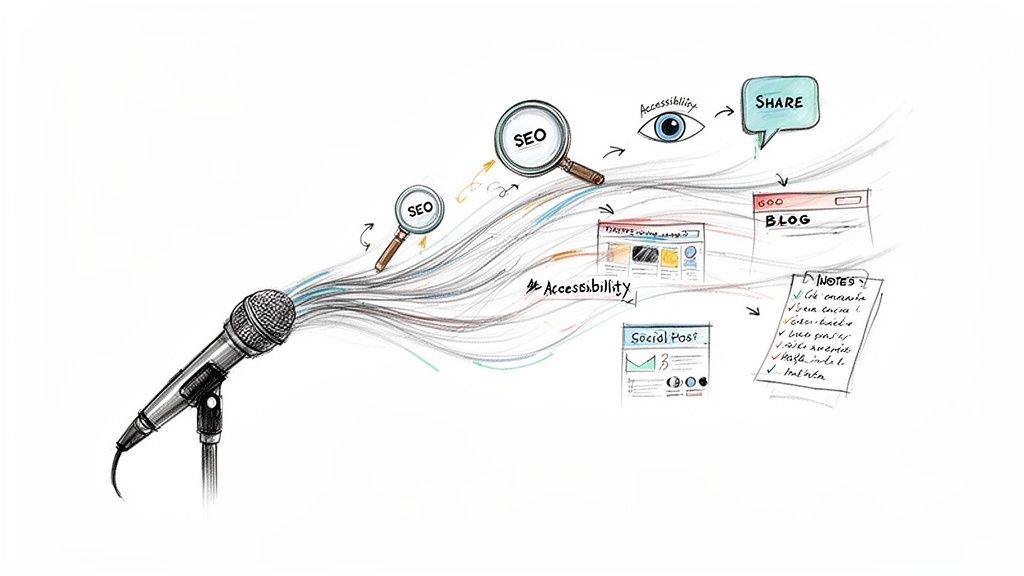
Turning spoken words into text isn't just a nice-to-have anymore; it's a core piece of any solid content strategy. Not long ago, this was a tedious and costly process, involving hours of someone manually typing everything out. Thankfully, modern AI solutions have completely changed the game. Now, high-quality transcription is fast, affordable, and available to anyone.
This shift has opened up huge opportunities for creators, researchers, and businesses alike. A single audio file can now be the starting point for all kinds of content, pushing its reach and impact far beyond the original recording.
Tap Into Your Content’s Full Potential
The most immediate win from transcription is making your content discoverable. Search engines can’t listen to your podcast or watch your video, but they are incredibly good at reading and indexing text. When you add a transcript, you’re essentially handing Google a detailed map to your content, which is a massive boost for visibility and SEO.
But the benefits don't stop there.
- Make Your Content Accessible: Transcripts open your work up to people with hearing impairments or anyone in a noisy environment where they can't listen. It's a simple way to be more inclusive.
- Give People Options: Let's be honest, many people prefer to skim an article rather than sit through a long video. In fact, one study found that 25% of people read a transcript without even watching the video, often just to see if the content is what they're looking for.
- Repurpose Like a Pro: A transcript is a content goldmine. You can easily pull out key quotes for social media, expand on a topic for a detailed blog post, or summarize the main points for a newsletter. You might be interested in our guide on audio to text transcription tools to learn more.
By turning your spoken words into text, you're not just creating a script. You're building a flexible asset that can be tweaked and shared across dozens of platforms, maximizing your creative output with minimal extra effort.
The Rise of AI-Powered Transcription
You don't just have to take my word for it—the numbers speak for themselves. The global AI transcription market was valued at $4.5 billion in 2024 and is expected to balloon to $19.2 billion by 2034. This boom is fueled by the growth of remote work and the relentless demand for multimedia content from podcasters, marketers, and educators.
This trend is especially visible on major platforms. A deep dive into YouTube closed captioning shows just how vital transcription is for both accessibility and SEO, making it a must-have for any video creator looking to grow their audience.
Choosing Your Path: Manual vs. AI Transcription
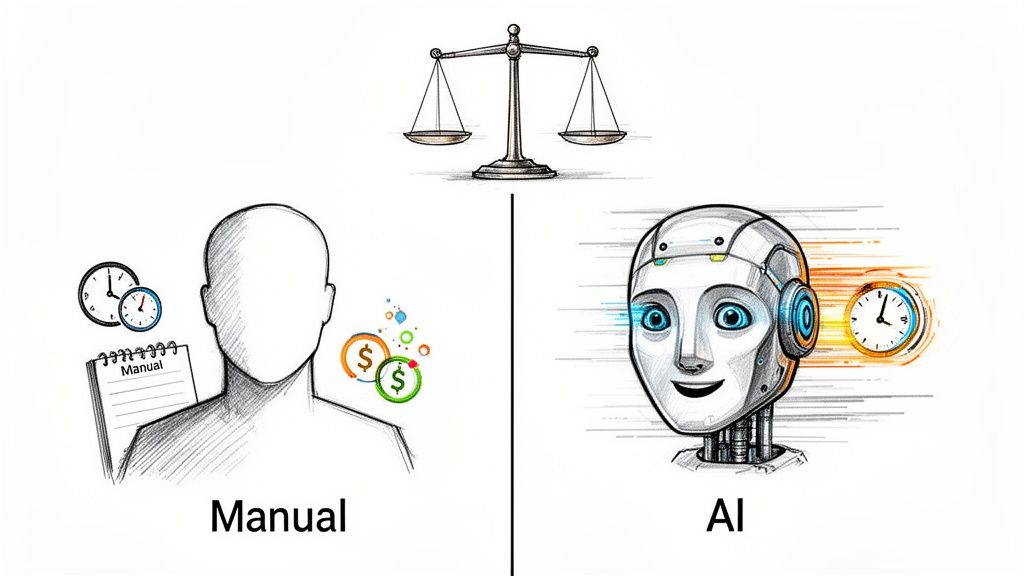
When you need to get your audio into text, you're faced with a fundamental choice: stick with the tried-and-true human transcriber, or embrace the raw speed of an AI service? The path you pick will directly affect your timeline, budget, and even the final quality of your transcript.
For years, manual transcription was the undisputed champion of accuracy. A seasoned human can pick apart tricky accents, untangle overlapping conversations, and understand specialized jargon in a way machines simply couldn't. But that level of precision comes with a hefty price tag in both time and money.
The Human Touch: Strengths and Limits
Hiring a professional to handle your transcription audio to text delivers exceptional quality, which is non-negotiable for things like legal depositions or critical research interviews. People understand context, catch sarcasm, and can format a document with an intuitive polish that’s ready for immediate use.
The reality, though, is that for most creators and businesses, the downsides are hard to ignore. Manual services can be painfully slow, often needing 24 to 48 hours to turn around just one hour of audio. The cost, usually calculated per minute, adds up fast and can make transcribing content in bulk a non-starter.
The Rise of AI: Where Speed Meets Affordability
This is where AI transcription flips the script. Tools like Whisper AI can churn through hours of audio and deliver a full transcript in minutes, not days. The cost savings are just as dramatic—we're often talking a reduction of over 70% compared to traditional services.
But modern AI isn't just about being fast and cheap. The technology has gotten remarkably good, and features that once required a human touch are now built right in.
- Speaker Detection: The AI can automatically figure out who's talking and label them, making meeting notes and interview transcripts a breeze to read.
- Precise Timestamping: Every single word is tagged with its exact timing in the audio. For video editors or researchers who need to find specific moments, this is a game-changer.
- Broad Language Support: Today's models handle dozens of languages with impressive accuracy, which is huge for anyone creating content for a global audience.
The decision is no longer a simple trade-off between accuracy and speed. Modern AI transcription brings high accuracy and incredible speed to the table, making it the most practical choice for the vast majority of projects.
For a clearer picture, here’s a side-by-side comparison.
Manual vs. AI Transcription at a Glance
This table breaks down the key differences to help you decide which approach is the right fit for your specific needs, budget, and deadlines.
Ultimately, while manual transcription still holds a small niche for hyper-critical tasks, AI has become the go-to solution for almost everyone else.
It's also worth noting that transcription is just one piece of a much larger puzzle. Understanding the full scope of AI-powered content creation shows how these tools are improving workflows from start to finish.
The numbers don't lie. In 2024, the U.S. transcription market hit a massive $30.42 billion, but the real growth is happening in the AI sector. By delivering turnarounds 5 to 10 times faster than human services, AI is rapidly becoming the standard. In fact, 85% of organizations using automated tools report better accessibility compliance—a critical benefit for everyone from educators to streamers. With 62% of professionals saying cost savings is their top reason for making the switch, the trend is clear.
Your Transcription Workflow With Whisper AI: A Step-by-Step Guide
Alright, let's move from theory to practice. This is where you get to see how powerful turning transcription audio to text really is. A tool like Whisper AI is designed to be straightforward—the goal is to get you creating, not wrestling with technology. You can go from a raw audio file to a polished, usable document in just a few minutes.
Whether you're starting with a video file on your desktop or an interview link from YouTube, the first step is always the same: get your content into the system so the AI can do its thing.
Step 1: Upload or Link Your Content
First things first, you need to feed the AI your source material. Modern transcription platforms are built for flexibility, so you’re not stuck with just one file type or a rigid process.
You can directly upload almost any audio or video file you have—common formats like MP3, MP4, M4A, and WAV are all good to go. I find this works best for my private recordings, like internal team meetings or one-on-one interviews that aren't hosted anywhere online.
The real time-saver, though, is transcribing directly from a web link. Instead of downloading a massive video file from YouTube or Instagram, you just paste the URL. This is my go-to method for any public content like podcasts or webinars. It keeps my hard drive from filling up and gets the whole process started much faster.
My Personal Tip: I use the URL feature constantly for podcast interviews. Before I even think about writing show notes, I'll drop the YouTube link into Whisper AI. By the time I’ve made a cup of coffee, the full transcript is waiting for me, often with the speakers already labeled.
Step 2: Fine-Tune Your Transcription Settings
Once your file is uploaded or the link is processed, you'll see a few simple but crucial settings. Nailing these ensures the AI is properly calibrated for your specific audio, which is the key to getting an accurate transcript right out of the gate.
The most important setting here is selecting the source language. Whisper AI supports over 92 languages, so it doesn't matter if your content is in English, Spanish, or Japanese—the model is ready. Just pick the right one from the dropdown menu before you hit go.
Next, you’ll want to look for an option called speaker detection, or diarization. For any audio with more than one person, this feature is an absolute lifesaver. When you turn it on, the AI automatically identifies and labels each speaker (e.g., "Speaker 1," "Speaker 2"). This saves an incredible amount of time you’d otherwise spend trying to figure out who said what.
For a deeper look into all the features, you can learn more about how to use Whisper AI in our detailed guide. It's packed with extra tips to help you master the tool.
Step 3: Edit and Refine Your Transcript
After a few minutes, you’ll get a notification that your transcription is ready. The output isn't just a wall of text; it's a smart, interactive document you can actually work with.
The first thing you’ll see is the text, neatly laid out with timestamps and speaker labels. You can click any word, and it will jump you to that exact moment in the audio or video. This is amazing for quickly checking accuracy or clarifying a word that sounds a bit muffled.
Even the best AI transcripts sometimes need a little polish, especially with proper nouns, industry acronyms, or unique names. The editing interface is simple—just click into the text and type, exactly like you would in any word processor.
We've found that about 23% of users rely on transcripts specifically to copy and paste key information. A clean transcript makes grabbing quotes for social media or pulling data for a report a completely seamless process.
Beyond the raw text, you'll also get an AI-generated summary. This gives you a quick, digestible overview of the entire conversation, often with bullet points highlighting the main topics. I find this summary invaluable for grasping the core message of a long meeting without having to read every single word.
Step 4: Export and Repurpose Your Content
A transcript is more than just a record—it’s a launchpad for all sorts of new content and analysis. Once you're happy with the text, the final step is to put it to work.
You’ve got several options for exporting. You can download it as a DOCX for Microsoft Word or Google Docs, a PDF for easy sharing, or a simple TXT file. This flexibility means your transcript can slide right into whatever workflow you’re already using.
But the real magic happens when you start asking questions about your transcript. Think of it as having a direct conversation with your content.
Here are a few prompts I use all the time:
- "Create a list of all the key takeaways from this conversation."
- "What were the main questions asked by Speaker 2?"
- "Generate five potential titles for a blog post based on this transcript."
- "Extract all action items mentioned during the meeting."
This turns a static document into an interactive knowledge base. You can pull out insights, spark new ideas, and create summaries for different audiences, all from one audio file. This final step is what really elevates a simple transcription audio to text service into an essential creative partner.
Pro Tips for Getting the Most Accurate Transcripts
Even the smartest AI is at the mercy of the audio you feed it. I've seen it a thousand times: a poor-quality recording leads to a messy transcript, and what should have been a time-saver turns into a major editing headache. The old saying "garbage in, garbage out" has never been more true.
But the good news is you don't need a professional studio to get fantastic results. A few simple habits before you even hit record can make a world of difference.
This flowchart lays out the basic journey from your audio file to a finished text document.
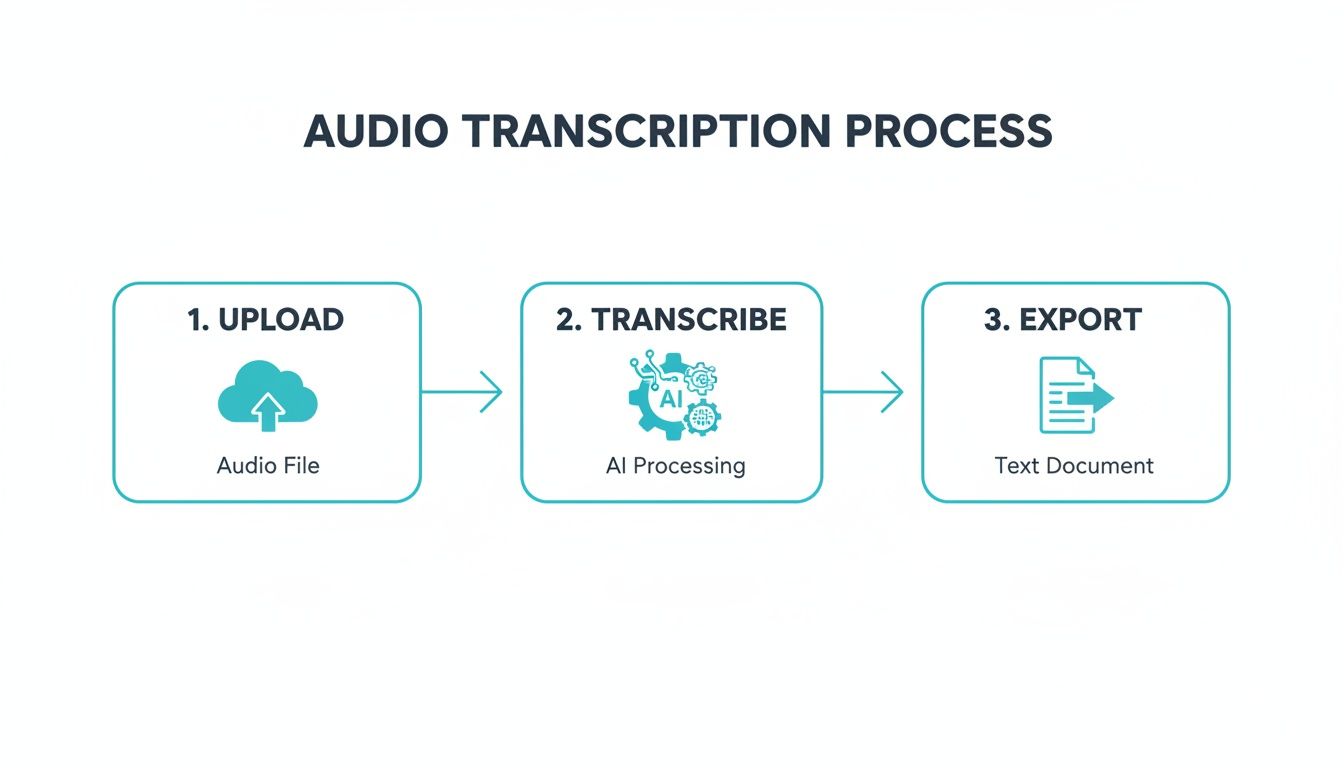
As you can see, it all starts with the upload. Getting that first step right sets you up for success.
Master Your Pre-Upload Checklist
Think of this as your pre-flight check. Running through these points before uploading your file will prevent most of the common, frustrating errors I see people make.
First, tackle background noise. An air conditioner humming, a dog barking, or even just distant traffic can muddy the waters for the AI. If you can, always try to record in a quiet, enclosed space. A closet full of clothes is a classic, surprisingly effective sound booth in a pinch!
Next, ditch your laptop's built-in mic. Seriously. Even a basic external microphone—like a simple USB mic or the one on your earbuds—will capture your voice with much more clarity and less echo. This single change can dramatically boost your transcript's accuracy.
Handling Tricky Audio Scenarios
Of course, real-world audio is messy. You're often dealing with multiple people talking over each other, guests with strong accents, or conversations loaded with industry jargon.
If you’re recording a group discussion or interview, try to encourage people to speak one at a time. Overlapping dialogue is probably the single biggest challenge for any transcription AI. A little bit of moderation during the recording itself will save you a ton of cleanup work.
Know your audio is full of niche terminology or acronyms? Just be ready to do a quick find-and-replace pass afterward. The AI might hear "SaaS" and write "sass." These are predictable slip-ups that you can fix in seconds once the transcript is done.
Even with a 95% accurate transcript, that last 5% is where you add the human polish. This is usually just fixing proper nouns, brand names, or specific jargon the AI hasn’t learned yet. A quick five-minute review takes a good transcript and makes it great.
The Power of a Quick Post-Transcription Review
Once the AI has delivered its draft, your job shifts from creator to editor. But this doesn't mean you have to re-listen to the entire recording. A smart, targeted review is all you need.
Start by just reading through the text. Your eyes will naturally catch things that look off. Pay special attention to the names of people, companies, and places, as these are common tripping points for any automated system.
This is where timestamps are your best friend. If a sentence feels clunky or just doesn't make sense, click on it. You’ll jump right to that moment in the audio, allowing you to quickly verify what was said and make the correction without hunting for it.
Finally, give the speaker labels a quick scan for consistency. The AI is usually spot-on, but it can sometimes misattribute a short sentence. Ensuring the right person is credited with each line keeps the conversation easy to follow.
For a deeper dive into making your final text flawless, check out our guide on proofreading in transcription. Taking these simple steps ensures your transcript isn't just a raw data dump—it's a polished, professional document ready for whatever you need.
How Real People Are Using Audio to Text Transcription
Theory is one thing, but seeing how audio-to-text transcription actually works in the wild is what really makes its value clear. For creators, entrepreneurs, and even students, it's not just a handy tool—it's become a core engine for getting more done and multiplying the impact of their content.
Let's dive into a few real-world scenarios. These aren't just hypotheticals; they’re grounded in how people are putting these tools to work every single day, turning a simple background task into a central part of their workflow.
The YouTuber Who Needs to Expand Their Reach
Imagine a YouTuber who just wrapped up a 20-minute deep dive on a new gadget. The video edit is done, but the work is far from over. By running that final video file through a transcription service, they can instantly unlock a whole new set of assets.
- Flawless Subtitles, Instantly: Instead of wrestling with YouTube's clunky auto-captions or spending hours typing them out, they get a perfectly timestamped SRT file. This immediately makes their video accessible to viewers with hearing impairments and the 42% of people who watch with the sound off.
- A Blog Post, Ready to Go: That full transcript is the perfect foundation for a companion blog post. A quick cleanup, a few headings, and embedding the video gives them a new piece of content that search engines can actually read and index.
- Social Media Goldmine: The creator can scan the transcript for punchy, shareable quotes. Those become text graphics for Instagram, key takeaways for a LinkedIn post, or a thread on Twitter—all driving traffic right back to the original video.
Suddenly, that one video has become four distinct pieces of content: the video itself, subtitles, a blog post, and a week's worth of social media updates. All from a single transcript.
The Podcaster Building a Stronger Community
Now, think about a podcaster with a weekly interview show. Their main goal isn't just to publish audio; it's to build a community and give listeners value that goes beyond the episode itself. This is where transcription becomes their secret weapon.
Once the episode is recorded, they upload the audio file. Within minutes, they have the entire conversation in text.
I’ve found that the best podcasters treat their transcripts as a primary asset, not an afterthought. It's the source material for show notes, newsletters, and audiograms that keep their audience engaged long after an episode airs.
With the transcript in hand, the podcaster can effortlessly:
- Create Detailed Show Notes: They use the timestamps to build out comprehensive notes, linking to every book, tool, or resource mentioned in the interview. This gives listeners an easy way to explore topics they found interesting.
- Draft a Newsletter in Seconds: An AI-generated summary gives them a perfect, concise overview for their weekly newsletter, teasing the episode's highlights to drive more downloads.
- Produce Shareable Audiograms: They can find a powerful 30-second clip and use the transcript to generate animated, on-screen captions—perfect for a shareable audiogram on social media.
The Student Trying to Ace Their Exams
Transcription isn't just for content creators. Think about a university student recording a two-hour lecture on a really dense topic. Instead of having to re-listen to the entire thing to find one specific point, they transcribe it.
Now, they have a completely searchable document. Before an exam, they can just hit Ctrl+F to find every mention of a key concept, saving hours of tedious study time. They can even prompt an AI to summarize the main themes or pull out a list of key definitions, effectively turning a long recording into a custom study guide.
The growth here is no surprise. The market for online transcription services was recently valued at $4 billion and is projected to hit $8 billion by 2025. This boom is driven by huge demand from media, education, and business, with 75% of enterprises now using AI to help process their content. If you're curious, you can learn more about these trends in online transcription services. For most, it’s simply a powerful way to save time and make information more useful.
The Team Lead Who Needs to Capture Action Items
Finally, picture a team lead running a weekly project meeting on Zoom. Ideas are flying, decisions are being made, and tasks are being assigned. It’s a lot to keep track of, even for the most organized person.
By transcribing the meeting recording, the team lead gets a perfect record of the discussion. Speaker detection makes it crystal clear who said what. Even better, they can use a follow-up prompt like, "Extract all action items from this transcript and assign them to the correct person."
What used to be a 30-minute administrative task of re-listening and typing up notes now takes about 30 seconds. The result is a clear, actionable to-do list ready to be shared with the entire team.
Frequently Asked Questions About Transcription
As you start turning audio into text, you're bound to have a few questions. The technology has moved so fast, and getting a handle on the specifics can make a huge difference in your results. I’ve put together some of the most common questions I hear to give you clear, straightforward answers.
Think of this as the final piece of the puzzle to help you use these tools with confidence.
How Does AI Transcription Stack Up Against a Human?
Today’s best AI models can hit an incredible 98% accuracy rate on clean audio. That puts them squarely in the same ballpark as professional human transcribers for most everyday tasks, whether you're transcribing a podcast or just need meeting notes.
Of course, the quality of your audio is everything. Things like background noise, thick accents, or people talking over each other will naturally bring that percentage down. A human might still have a slight advantage when it comes to deciphering really messy audio, but AI delivers a near-perfect draft in minutes. For speed and cost, you just can't beat it.
My go-to workflow is to let the AI do the heavy lifting first. Then, I spend a few minutes on a quick human review to catch any niche industry terms or proper names. You get a flawless document that truly gives you the best of both worlds.
What Kind of Files Can I Actually Transcribe?
Good news here: flexibility is the name of the game. You're not stuck with just one or two file types. Most modern transcription platforms are designed to handle pretty much any common audio or video format you can think of.
You can usually expect support for:
- Audio Files: MP3, WAV, M4A, AAC
- Video Files: MP4, MOV, AVI, WEBM
But the real game-changer is being able to transcribe directly from a link. Instead of downloading a huge file from YouTube or Instagram just to re-upload it, you can just paste the URL. The service pulls the audio right from the source, which saves a ton of time and hassle.
Is My Data Safe with These Online Tools?
That’s a great question, especially if you're working with confidential meetings or sensitive company information. Any reputable service puts security at the top of its list.
Look for tools that process your files over encrypted connections. Your content should only be used to generate the transcript, nothing else. Typically, the source audio and video files aren't stored long-term, and data access is tightly restricted. Before you upload anything, always give their privacy policy a quick read to make sure you're comfortable.
How Does the AI Handle Multiple Speakers or Different Languages?
This is where the tech gets really impressive. High-end AI is trained on enormous amounts of data, which lets it tell different voices apart in the same recording. This feature is called speaker detection or diarization. The tool automatically identifies and labels who is talking (like "Speaker 1," "Speaker 2"), which makes reading through interviews or group discussions so much easier.
On top of that, the best tools support a massive list of languages—often over 90. All you have to do is select the correct language from a menu before you start. The AI then uses the right model for the job, making it a must-have for global teams or anyone creating content for an international audience.
Ready to turn your audio and video content into accurate, actionable text? At Whisper AI, we make it simple to get started. Transcribe, summarize, and repurpose your content in minutes. Try Whisper AI for free and see how easy it is to get started.


























































































