
A Practical Guide: How to AI Transcribe Video to Text
Using an AI to transcribe a video to text means you can turn all the spoken words from that video into a searchable, editable document almost instantly. Instead of spending hours manually typing everything out, AI handles the heavy lifting—recognizing speech, figuring out who's talking, and giving you a written record in just a few minutes. It's the simplest way to get to the valuable information locked away in your video files.
Why AI Transcription Is a Game-Changer for Modern Content
Let's be honest: manually transcribing video has always been a drag. It’s tedious, eats up a massive amount of time, and is a major roadblock for anyone trying to get content out the door. The good news is that we're moving away from that painstaking process and into a world where smart AI tools are completely changing the game.
This isn't just about getting your time back; it's about opening up new possibilities. Think about a marketing team with a brand-new customer testimonial video. Instead of a poor soul having to scrub through the entire file looking for good quotes, they can just run it through an AI transcriber. In moments, they can search the text for that perfect soundbite to use in their next social media campaign.
Get Your Content Out Faster
The most obvious win here is the massive cut in production time. A podcaster can take a one-hour interview and have a perfectly formatted, SEO-friendly blog post ready to go in a fraction of the time it would take to type it all out by hand. This kind of speed lets you create way more content from a single video, turning it into multiple assets without the extra work.
The real magic of AI transcription is that it makes your video content as searchable and easy to use as a regular text document. Suddenly, every word someone says becomes a piece of data you can find, analyze, and repurpose.
Make Your Content Accessible to Everyone
Beyond just being fast, AI transcription opens up your content to a much broader audience.
- Viewers with hearing impairments: Accurate captions and transcripts are an absolute must for them to be able to engage with what you've created.
- Non-native speakers: A written version of your audio can be a huge help, making it easier for them to follow along and grasp more complex ideas.
- The "sound-off" crowd: Let's face it, a lot of us watch videos in places where we can't turn the sound on, like on the bus or in a quiet office. Captions mean people can still watch and understand your content, no matter where they are.
This shift isn't just a passing trend; it’s a fundamental change in how we work. The global AI transcription market is currently valued at $4.5 billion and is expected to rocket to $19.2 billion by 2034. That explosive growth shows just how vital these tools have become. If you want to learn more, you can explore our guide on the fundamentals of audio transcription for a deeper look.
Getting a Flawless Video-to-Text Transcription: A Practical Workflow
Alright, we've covered the why. Now let's get into the how. Getting a high-quality transcript from a video isn't just about clicking a button and hoping for the best. There's a tried-and-true process that dramatically improves the final result.
Using a powerful tool like Whisper AI as our example, I'll walk you through the exact steps I use to get the most accurate and useful text from any video file.
Think of it as the difference between the old, painstaking manual method and today's smarter, AI-driven approach.
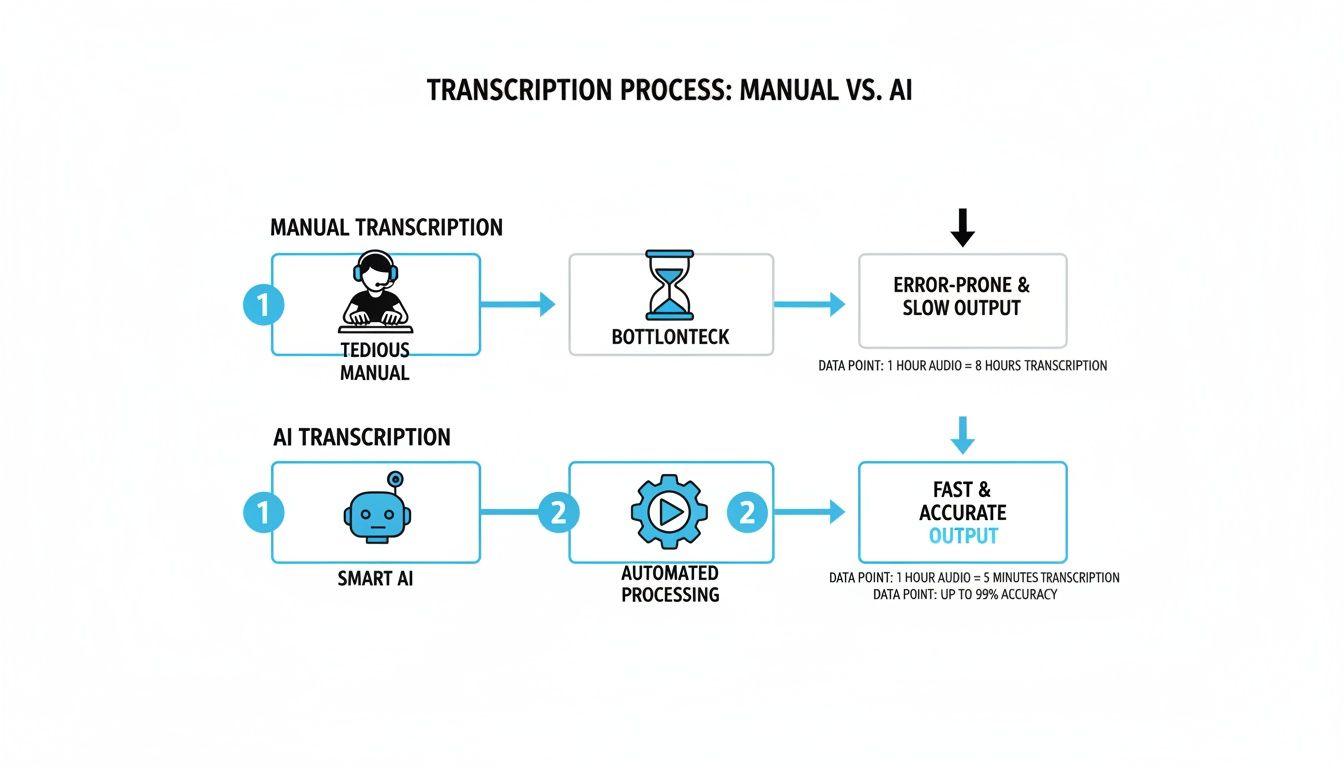
As the diagram shows, AI completely removes the manual typing bottleneck. What used to take hours of focused work now becomes a quick, automated process.
Step 1: Prep Your Video for Success
You’ve probably heard the old saying, "garbage in, garbage out." It has never been more relevant than in AI transcription. The single most important factor for an accurate result is the quality of your audio.
Before you upload anything, take a minute to listen to your source file. Is the audio crisp and clear? Or is it competing with background noise, music, or people talking over each other? Even the most sophisticated AI will stumble with muffled, chaotic audio.
If you have any say in the recording process, always aim for:
- Minimal background noise: A quiet room makes a world of difference.
- Clear speaker audio: Get those microphones as close to the speakers as possible.
- Lossless audio formats: Whenever you can, use formats like WAV or high-bitrate MP4s. They hold much more audio data for the AI to analyze, leading to better accuracy.
Spending just a few minutes cleaning up a noisy track in a basic audio editor can save you a mountain of editing time later. Think of this prep work as a small investment that pays huge dividends in the form of a cleaner first draft from the AI.
Step 2: Upload Your File or Paste a Link
Modern transcription tools give you a couple of ways to get your content in, and the best choice really depends on where your video lives.
- Uploading a File Directly: This is my go-to when I have the original, high-quality video on my computer. It gives the AI direct access to the cleanest possible audio, which almost always yields the most accurate transcript. It's perfect for meeting recordings, raw interview footage, or podcast episodes.
- Pasting a Link: This is incredibly handy when your video is already online on a platform like YouTube or Vimeo. Just paste the URL, and the AI handles the rest. The only thing to keep in mind is that the audio on these platforms is often compressed, which can sometimes slightly reduce accuracy compared to the original source file.
Step 3: Fine-Tune the AI for a Perfect Transcript
Once your video is ready, a few crucial settings will guide the AI to produce a transcript that's not just accurate, but also well-organized and easy to use. If you really want to master this part of the process, our deep-dive guide on creating an effective transcript is a great resource.
Language Selection
This seems obvious, but it’s critical. Always specify the main language spoken in the video. While advanced models like Whisper AI are fantastic at auto-detecting language, telling it upfront removes any guesswork. This is especially important for shorter clips or videos where multiple languages might be present.
Speaker Detection (Diarization)
For any video with more than one person speaking, this feature is an absolute must. When you enable it, the AI automatically figures out who is talking and labels their dialogue (e.g., Speaker 1, Speaker 2).
A quick pro-tip: Without speaker detection, a transcript of an interview or a panel discussion is just a wall of text. It's nearly impossible to follow. Turning on this feature makes the conversation immediately scannable and saves you the mind-numbing task of manually figuring out who said what.
By taking care of these simple setup steps, you're not just feeding a video to an AI. You're setting it up for success and ensuring you get the most accurate and usable text possible.
Refining and Polishing Your AI-Generated Transcript
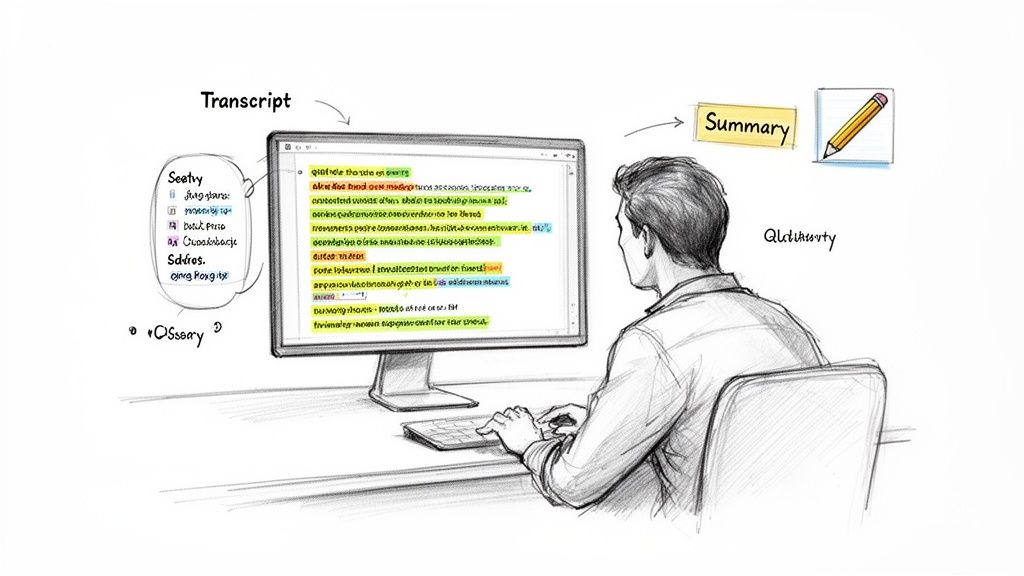
Let's be realistic: the text you get from an AI transcribe video to text tool is a fantastic first draft. It’s not the final product. While today's AI is shockingly good, it doesn't have the context or specific knowledge you do. A quick human review is what turns a decent transcript into a polished, professional document you can actually use.
This is where you catch the little things that matter. Even the best models can get tripped up on industry jargon, unique product names, or the spelling of a guest's last name. Your role is to be that final quality check, making sure the meaning is spot-on.
I've found this isn't about tediously re-reading every single word. It’s about a quick, smart cleanup. You’re just scanning for the spots where the AI might have guessed wrong or missed a bit of nuance.
Common Hiccups to Look For
When I dive into an edit, I have a mental checklist of areas where transcription AI tends to stumble. Having a focused approach like this saves me a ton of time.
Here’s what I always look for first:
- Proper Nouns and Names: This is a big one. An AI might hear "Whisper AI" but spit out "Whisper Ay I." Or it might misspell a guest's name, which is a bad look.
- Industry-Specific Jargon: If you're talking about niche topics like "SaaS MRR" or a "GTM strategy," you need to confirm the AI didn't hear those acronyms as something else entirely.
- Homophones: You know these—words that sound the same but mean different things. It’s easy for a machine to mix up "their," "there," and "they're."
- Punctuation and Flow: Sometimes the AI creates a giant wall of text. I go in and add paragraph breaks and fix any awkward sentence structures to make the whole thing more readable.
This final pass isn't just about fixing mistakes. It's about making the text feel natural and easy to digest for whoever is reading it.
The goal of editing an AI transcript isn't to rewrite it. It's to add that final 5% of human polish that makes it 100% reliable. This small effort builds trust and ensures your message is crystal clear.
Going Beyond the Transcript with AI-Powered Summaries
Once your transcript is clean and accurate, the real fun begins. Many of the best tools, including those built on Whisper AI, don't just stop at transcription. They can create concise summaries, pull out the most important highlights, or even generate bullet-point lists of the key topics discussed.
This is a complete game-changer for long-form content. Say you've got a two-hour webinar recording. Instead of forcing someone to read thousands of words, you can give them a summary that covers the core arguments in a few short paragraphs.
I find this feature incredibly useful for a few specific tasks:
- Getting the Gist, Fast: You can understand the main points of a long video without having to watch or read the whole thing.
- Creating Content Previews: That AI-generated summary makes a perfect description for a YouTube video or an intro for a blog post based on the recording.
- Finding Shareable Gold: It’s so much easier to spot powerful quotes and key takeaways when the AI has already flagged them for you. Hello, social media content!
By using these features, you turn that raw transcript into several different assets. The polished text is your foundation, but the summaries and highlights become the building blocks for your entire content strategy, helping you get way more mileage out of every single video.
Putting Your Transcript to Work with Content Repurposing
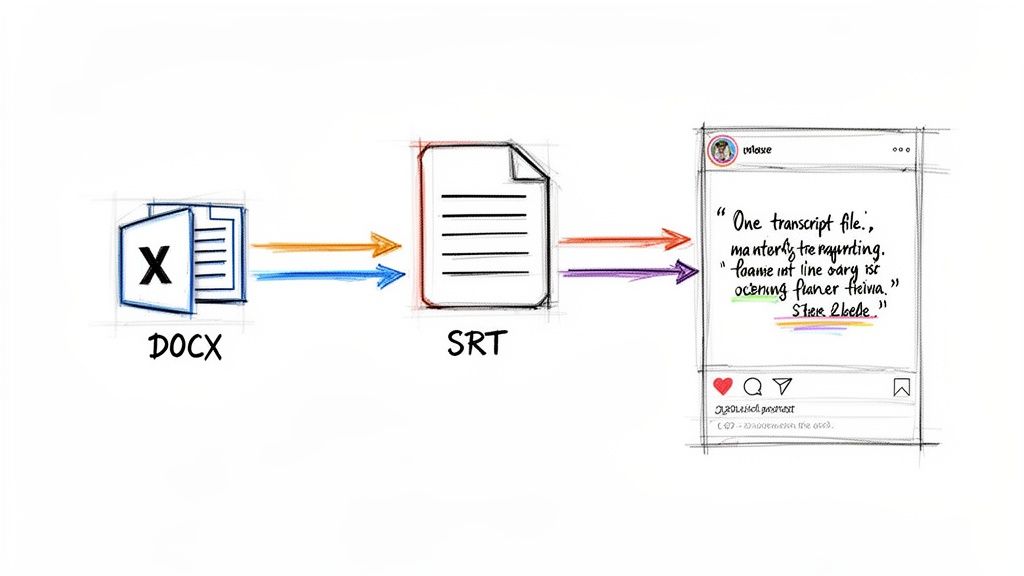
Once you've polished up your transcript, the real fun begins. Think of it less as a final document and more as a block of raw marble, ready to be carved into all sorts of new content. When you ai transcribe video to text, you’re not just creating a record of what was said; you're creating a launchpad for your entire content strategy.
This is how smart creators work. They don't constantly reinvent the wheel. They extract maximum value from a single piece of core content, and the transcript is the key that unlocks it all.
Choosing the Right Export Format
Before you can start repurposing, you need to get the transcript out of the tool in the right format. This might seem like a minor detail, but choosing the wrong file type can bring your creative workflow to a screeching halt. I always think about my end goal before I hit the export button.
Different formats are built for different jobs. To get you started, here’s a quick table breaking down the most common options and how I typically use them.
Best Export Format for Your Content Needs
Ultimately, the format you choose is all about function. If you need captions, SRT or VTT is your only real choice. If you're writing an article, DOCX is a lifesaver. And when in doubt, a simple TXT file is a safe bet.
The real power move is to see your transcript not as the end of a process, but as the beginning of many. One hour of video can fuel your content calendar for weeks if you repurpose it correctly.
Real-World Repurposing Examples
To show you what this looks like in practice, let me walk you through how I recently turned a single webinar into a mountain of content.
I hosted a 60-minute webinar a few months back. I took the recording, ran it through Whisper AI, and got back a clean transcript with all the speakers labeled. From that one file, I was able to create:
- A Four-Part Blog Series: I pulled out the four biggest themes from the discussion and gave each one its own in-depth, SEO-friendly blog post. Just like that, one webinar became a full month of pillar content.
- Social Media Quote Graphics: I scanned the text for memorable one-liners and powerful stats. My designer then turned those into more than a dozen shareable graphics for LinkedIn and Instagram, all driving traffic back to the original video.
- Detailed Podcast Show Notes: When we released the audio as a podcast episode, I used the transcript to create a comprehensive set of show notes. This included key takeaways, links to resources, and the full transcript, which really helped its search ranking.
Using AI transcripts this way can give your content a serious visibility boost, a strategy that pairs well with focused Wix SEO services. For a deeper dive into this topic, check out our guide on effective content repurposing strategies.
Troubleshooting Common Transcription Challenges
Even the best AI transcription tools aren't magic, and sometimes the text they spit out needs a bit of a tune-up. I've found that knowing what to look for ahead of time is the key to quickly fixing those inevitable little errors and getting a transcript you can actually use.
Let's be honest, the biggest reason for a wonky transcript is almost always poor audio quality. Think about it from the AI's perspective—if there's background noise, multiple people talking over each other, or music drowning out the speaker, it's just trying to make sense of a wall of sound. This is where you get those garbled words or phrases that make no sense.
A Little Audio Prep Goes a Long Way
Before you even think about uploading your file, do yourself a favor and listen to a minute of the audio. If you hear a constant buzz, a fan humming, or distant chatter, a quick cleanup can save you a ton of editing headaches later.
Here's what I do:
- Noise Reduction: I'll often run the audio through a free tool like Audacity. Its "Noise Reduction" effect is brilliant for getting rid of consistent background sounds. It makes a massive difference.
- Leveling Out the Volume: If you have one person who's practically shouting and another who's whispering, the AI can get confused. Normalizing the audio brings everyone to a consistent volume, which the AI can process much more reliably.
This tiny bit of prep work is my go-to trick for hitting over 99% accuracy on the first try, even when the original recording is far from perfect.
Dealing with Accents and Industry Jargon
Another classic hurdle is handling strong regional accents or super-specific terminology. An AI trained on a general dataset might stumble over a thick Scottish accent or misinterpret a complex medical term it's never heard before. For instance, it might transcribe "SaaS" as "sass" or get a company name consistently wrong.
My best advice here is to use the find-and-replace function during your review. Once you see the AI has made the same mistake a few times—like misspelling a brand name—you can fix every instance in one click. It's way faster than hunting them down one by one.
What About Privacy?
It's completely normal to worry about uploading sensitive content. What if it's a confidential client interview or a private internal meeting?
Reputable platforms, including those that use Whisper AI, take this seriously. They should be using secure, encrypted connections for all uploads and have clear policies explaining that your files are not kept long-term or used to train their models. Before uploading anything, I always recommend giving a service's privacy policy a quick scan to make sure they're compliant with standards like GDPR. It’s a simple step that provides some much-needed peace of mind.
Common Questions About AI Video Transcription
Even with a solid workflow, you're bound to have some questions when you first dive into using AI to transcribe video to text. Getting a few straight answers upfront can make all the difference in using these tools effectively and with confidence.
Just How Accurate Is AI Transcription for Video?
In a perfect world—say, a crystal-clear studio recording with one person speaking and zero background noise—the accuracy can be phenomenal, often hitting over 99%. But we don't live in a perfect world. Real-life audio is messy. Things like strong accents, people talking over each other, or highly specialized jargon will inevitably bring that percentage down.
My biggest piece of advice? Feed the AI the cleanest audio you possibly can. From my own experience, high-quality audio is the single most important factor for getting a great transcript right out of the gate. It makes the final review and edit a breeze.
Can These Tools Actually Handle Multiple Speakers?
Absolutely, and this is where AI transcription really shines. The best services use a technology called speaker diarization. It’s a fancy term for a simple, powerful function: automatically figuring out who is speaking and when. The AI then labels the dialogue (e.g., "Speaker 1," "Speaker 2"), transforming a chaotic conversation into an organized script.
Trust me on this one: without speaker diarization, a group discussion or interview transcript is just a confusing wall of text. Toggling this feature on is essential for making sense of any recording with more than one person. It saves an incredible amount of time.
Is It Safe to Upload Confidential Videos for Transcription?
This is a totally fair question, especially if you're working with sensitive material. Reputable platforms take security seriously. They use secure, encrypted connections for uploads and have clear policies stating they won't hang onto your files or use your data to train their models.
Before I upload anything sensitive, I always do a quick scan of the service's privacy policy. I look for specific commitments to data encryption and compliance with standards like GDPR. That little bit of due diligence gives me peace of mind.
What’s the Best File Format for Video Transcription?
Most tools are pretty flexible and will happily accept common video formats like MP4, MOV, or AVI. The truth is, the video container itself doesn't matter nearly as much as the quality of the audio track baked inside it. If you have the option, always choose a file with uncompressed or high-bitrate audio. The AI will thank you with a more accurate transcript.
The growing demand for this kind of accuracy, particularly for documenting meetings, is driving massive growth. The AI meeting transcription market is expected to jump from $3.86 billion to $29.45 billion by 2034, fueled by our shift to remote and hybrid work. You can find more data on the rise of AI transcription on brasstranscripts.com.
Ready to see how fast you can turn your video content into accurate, usable text? With Whisper AI, you can transcribe, summarize, and get more value from your videos in just a few clicks. Join over 50,000 others who are already saving time. Try Whisper AI for free today.


























































































