
Mastering the Timestamp for Video: A Guide to SEO and UX Wins
A video timestamp is a digital bookmark for your content. It breaks your video into chapters, letting viewers click on a specific time—like 03:15—and jump right to the part they're most interested in. It’s a simple feature, but one that makes longer videos incredibly easy for your audience to navigate.
What Is a Timestamp for Video and Why Does It Matter?
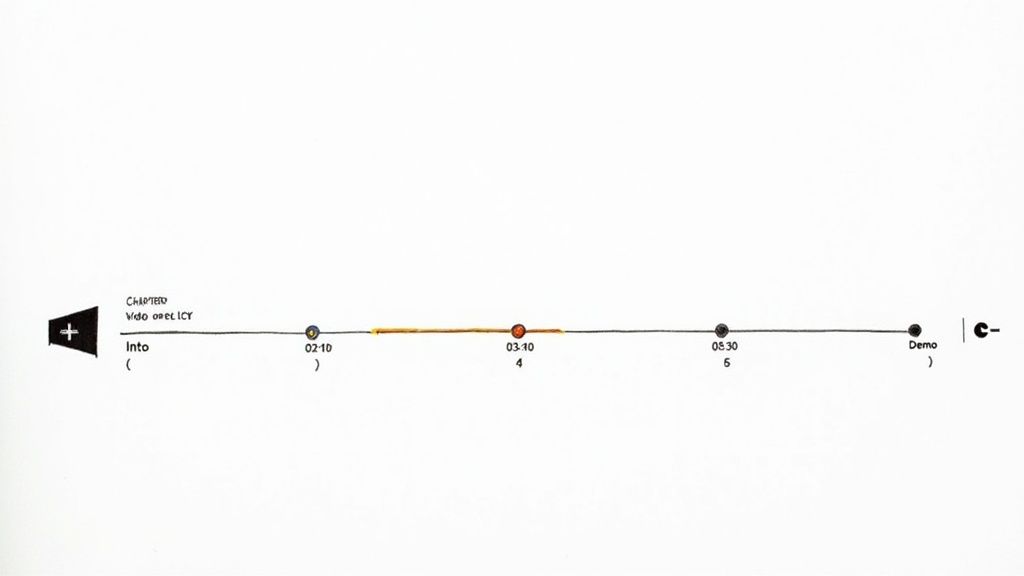
Have you ever tried to find one specific section in a massive textbook with no index or table of contents? You end up flipping through page after page, growing more frustrated by the second. That’s exactly what your audience feels like when they’re aimlessly scrubbing through a long video, trying to find the one piece of information they actually need.
Timestamps solve this by creating an interactive, clickable guide. They transform the viewing experience from a passive, linear path into an interactive map where the viewer is in control. They can see the video's entire structure at a glance and jump straight to the relevant parts, which shows you value their time.
The Dual Benefits for Creators and Viewers
Here's the key takeaway: this isn't just about making viewers happy. Adding timestamps offers serious perks for content creators, too. When you make your content easy to navigate, you encourage people to stick around longer. A viewer who finds a quick answer is far less likely to abandon your video in frustration.
Plus, timestamps feed valuable information to search engines like Google and YouTube. This metadata helps them understand your video's content on a much deeper level, which can lead to your video appearing in search results with special "Key Moments." This feature drives highly targeted traffic directly to the most relevant parts of your video.
By breaking a longer video into smaller, digestible chunks, timestamps make complex information much easier to process. This is a game-changer for educational content, tutorials, or product demos where people often need to re-watch specific steps. To get a better sense of their full impact, you can explore the benefits of time-stamped video in corporate learning.
A Quick Overview of Key Advantages
The positive effects of adding timestamps touch everything from your video's discoverability to the overall user experience. Understanding how they help both you and your audience is the first step toward using them effectively.
The table below breaks down the main advantages.
Key Benefits of Using Video Timestamps
As you can see, it’s a win-win situation. You get better SEO and happier viewers, while your audience gets the information they need without the hassle.
From Analog Counters to Digital Precision
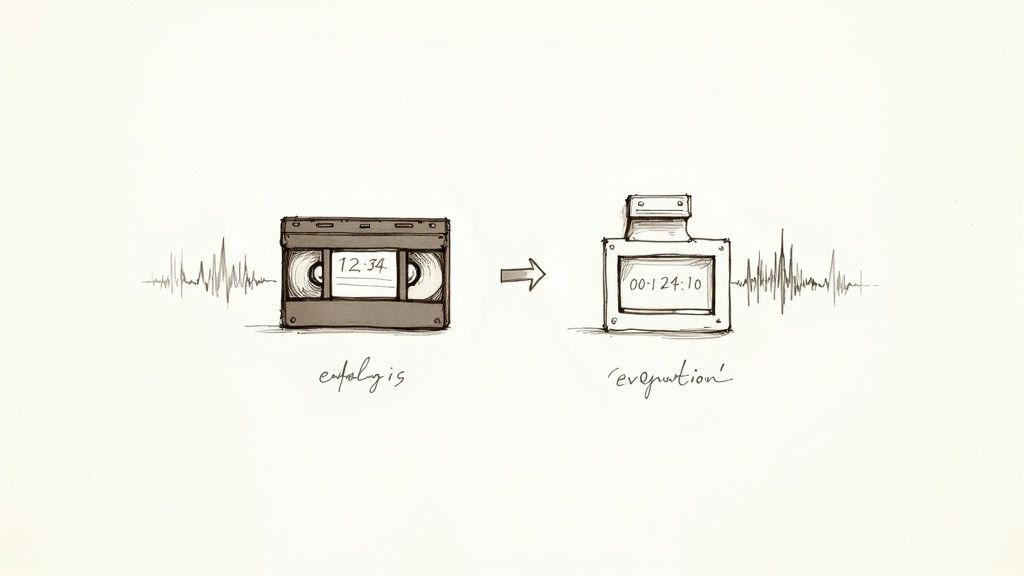
The clickable timestamp we take for granted today has a surprisingly long history that begins with the clunky world of analog tape. If you ever used a VCR, you’ll remember the mechanical counter—that little rolling number display that was supposed to help you find your spot on a VHS or Betamax tape.
The problem was, those counters were notoriously unreliable. They didn’t actually measure time; they measured how many times the tape spools turned, meaning the number you jotted down was more of a hopeful guess than a precise location.
At its core, the issue was a lack of a standardized, frame-accurate reference point. Without one, editing was a messy art of guessing, rewinding, fast-forwarding, and hoping you landed somewhere near the right moment.
The Shift From Guesswork to Frame Accuracy
Everything changed when video went digital. This wasn’t just about a clearer picture; it was about embedding a clock directly into the recording itself. Suddenly, every single frame of video had its own unique, unchangeable address.
This was a massive leap. The real turning point came with formats like Sony’s MiniDV in 1995, which wrote precise timecode data directly into the video stream. Before that, analog tape counters could be off by as much as 10-15% depending on tape wear. MiniDV, however, was accurate to 1/30th of a second, bringing professional-level editing to the masses. You can dive deeper into this journey in this detailed overview of video's evolution.
This new digital precision completely changed content creation. It opened up filmmaking and video production, giving independent creators access to editing quality once reserved for high-end broadcast studios.
The ability to pinpoint an exact frame was the bedrock upon which modern video editing was built. It replaced the analog era's guesswork with digital certainty, making complex edits, special effects, and clean cuts possible for everyone.
This foundational technology is what makes all of today's interactive video features work. The journey from a whirring tape counter to an embedded digital clock is the origin story of the modern timestamp.
How Digital Precision Powers Online Video
When video made its way online, this frame-accurate timecode became even more critical. Platforms like YouTube built their entire navigation systems around it. The familiar scrub bar, thumbnail previews, and, of course, clickable chapters all depend on this underlying time data.
Without it, watching a video would feel like a throwback to the VHS days. Can you imagine trying to find one specific comment in a two-hour podcast recording without any visual guide? It would be a nightmare of random clicking and guessing.
This is why a timestamp for video is more than a simple convenience; it's the functional backbone of how we watch videos today. It gives creators and platforms the structure they need to build useful navigation tools on top of a raw video file.
- For Platforms: Timecode allows services like YouTube to index content, generate preview thumbnails, and offer features like auto-generated chapters.
- For Creators: It gives you the power to guide your audience, highlight the most important sections, and improve the overall structure of your content.
- For Viewers: It provides the freedom to jump around, saving time and making it easy to find and re-watch the good parts.
Ultimately, the humble timestamp is the result of decades of progress. It marks the final shift from imprecise mechanical systems to the reliable, frame-perfect digital world we now live in, forever changing how we watch and interact with video.
Unlocking Your Video's SEO Potential with Timestamps
A simple list of timestamps in your video description does way more than just help viewers skip ahead. From my experience, it’s one of the most powerful—and underutilized—tools for video SEO, giving search engines like Google and YouTube a detailed roadmap of your content.
Instead of seeing your video as one long file, search engines can now view it as a collection of mini-articles. Each timestamped chapter becomes its own piece of content with a specific topic.
From a Single Keyword to Dozens
Without timestamps, your video is likely competing to rank for one or two general keywords from its title. But once you add well-structured chapters, that same video can suddenly show up for dozens of specific, long-tail search queries.
This is because search engines can pull out these individual chapters and feature them as "Key Moments" directly on the search results page. Someone searching for a very specific question might get a link that drops them right at the 3-minute mark of your 45-minute video—exactly where you answer their question.
Take a look at how Google presents these "Key Moments." It makes your video stand out and gives users a direct path to the information they need.
See how those timestamps create direct entry points? You're answering the user's question before they even click, which makes your video look incredibly valuable and relevant right from the start.
Why Keyword-Rich Chapter Titles Matter
The words you use for your chapter titles are just as important as the timestamps themselves. Vague labels like "Part 1" or "Next Step" are a huge missed opportunity. You need to think like your audience and use the keywords they're actually searching for.
Let's say you have a video on home gardening. Instead of generic titles, get specific to capture that search traffic:
Weak Title:
02:15 - Soil TipsStrong Title:
02:15 - How to Test Soil pH Balance at HomeWeak Title:
08:40 - Planting SeedsStrong Title:
08:40 - The Best Depth for Planting Tomato Seeds
These stronger, descriptive titles line up perfectly with what people are typing into Google and YouTube. This makes it far more likely your video will be featured as a rich result. This strategy is a cornerstone of modern video SEO, and you can learn even more in our guide on YouTube SEO best practices.
By treating each timestamped chapter like its own piece of micro-content, you multiply your chances to rank. You're not just optimizing a single video anymore; you're optimizing every key moment inside it.
This doesn't just drive more traffic—it drives the right traffic. Viewers who land on a specific chapter are there because you're solving their exact problem, which means they're more likely to be engaged and satisfied.
Timestamps and the Rise of AI in Search
As search engines get smarter, they rely more and more on structured data like timestamps to deliver precise answers fast. Today's algorithms are all about giving users the most accurate answer in the shortest amount of time, and your timestamps hand them that information on a silver platter.
For any creator who wants to stay ahead, a solid grasp of AI Search Optimization is becoming essential. By breaking down your video's structure and topics, you're speaking the language these advanced systems understand.
This makes your content easier for them to analyze, index, and recommend to new audiences. Adding a timestamp for video isn't just a nice-to-have feature for viewers anymore; it's a critical tactic for anyone serious about growing their audience through search.
How to Add Timestamps to Your Videos Step by Step
Alright, you understand why timestamps are a big deal for SEO and user experience. Now, let’s get practical and actually add them to your videos. It's a straightforward process, but the details are crucial. Get them right, and you'll unlock those clickable chapters. Get them wrong, and you'll just have a list of numbers in your description.
This all happens in your video’s description box within YouTube Studio. The platform is smart enough to detect a correctly formatted list of times and automatically convert them into interactive chapters that appear on the video player's timeline.
The Golden Rules of Timestamp Formatting
Before you start typing, you need to know these three non-negotiable rules. Seriously, if you miss even one of these, YouTube won't create chapters for you.
- Always Start at Zero: Your very first timestamp must be
00:00. This is the signal that tells YouTube, "Hey, a chapter list starts here!" Most people label this something simple like "Intro" or "Start." - Keep Them in Order: Every timestamp after the first one must be listed chronologically. You can't jump from
03:20back to01:50. The list has to flow from beginning to end. - A Minimum of Three: You need at least three timestamps in your list (including the
00:00marker) for the chapter feature to kick in. If you only have one or two, YouTube will ignore them.
So many creators get tripped up by forgetting the
00:00timestamp. Just think of it as the "on" switch for the whole feature. Without it, YouTube’s system won’t even bother reading your list, no matter how perfectly you’ve formatted the rest of it.
This simple act of adding chapters is what gets the SEO ball rolling, helping your video get noticed in a big way.
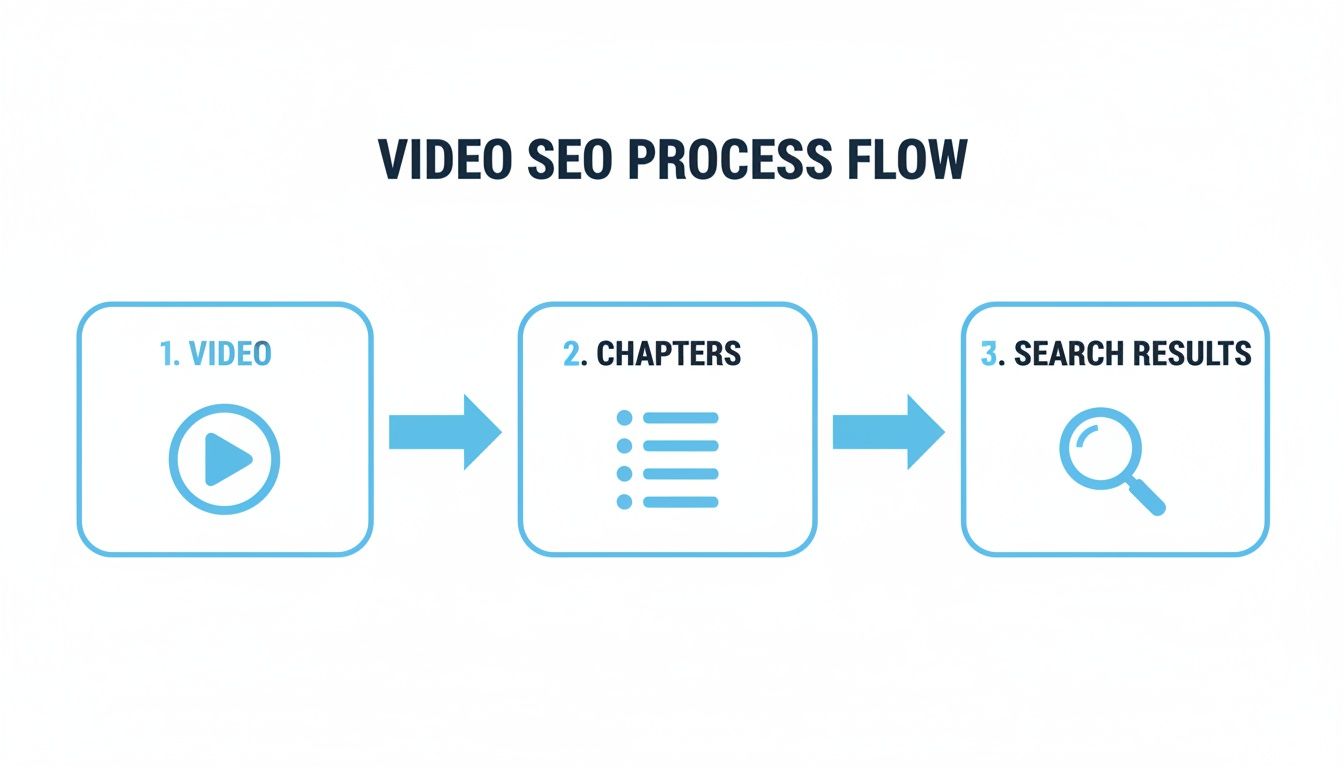
As this flowchart shows, adding this structure is a direct line to improving how your video appears in search engine results.
A Quick Step-by-Step Guide
Ready to give it a try? Just follow these steps in your YouTube Studio.
- Head to YouTube Studio: Go to your channel’s dashboard, select the video you want to edit, and click "Details."
- Find the Description Box: Scroll down to the description box—the same place you put your links and video summary.
- Type Out Your Timestamp List: Start creating your list, making sure each timestamp gets its own line. For most videos (under an hour), use the MM:SS (minutes:seconds) format. If your video is longer, switch to HH:MM:SS (hours:minutes:seconds).
Here’s a basic template you can copy and paste to get started:
00:00 - Introduction to the Topic
01:25 - Key Point 1 Explained
04:10 - Common Mistakes to Avoid
07:55 - Practical Demonstration
12:30 - Final Summary and Call to Action
- Hit Save: Once your list looks good, click the "Save" button in the top right. Then, go check out your video's public page. You may need to refresh, but you should see the new chapters appear on the progress bar.
Generate an AI Transcript: First, upload your video file or paste a link into an AI transcription tool like Whisper AI. The platform will analyze the audio and generate a complete transcript with timecodes for every single word.
Scan and Identify Key Topics: Next, just skim the text. You already know what your video is about, so you can use your browser’s search function (Ctrl+F or Cmd+F) to instantly jump to the keywords that signal the start of a new section.
Copy and Format Your Timestamps: Once you find a key topic in the transcript, just copy the timecode next to it. Paste it into your YouTube description, write a clear title for the chapter, and you're ready to find the next one.
- You search the transcript for the phrase "exporting your final project."
- The text instantly shows this phrase begins at 15:42.
- You create your chapter:
15:42 - How to Export Your Final Project - For shorter videos (under 10 minutes): You're probably fine with 3-5 distinct chapters. That’s usually enough to cover the main points without overwhelming the description.
- For longer videos (over 20 minutes): Don't be shy about adding 10-15 chapters, or even more. If you're publishing a podcast or a detailed tutorial, breaking it down into smaller, bite-sized pieces every few minutes is a huge help for your audience.
- Vague Titles: We've covered this, but it’s worth repeating. Titles like "Next Steps" or "Conclusion" are wasted SEO opportunities. Always be specific.
- Inconsistent Spacing: A 15-minute chapter followed by a 20-second one can feel jarring and unplanned. Try to keep the chapter lengths relatively consistent.
- Keyword Stuffing: Yes, you want to include keywords, but don't just cram them in. The title needs to read naturally for humans.
- Forgetting the Intro: Always, always start with a
00:00 - Introtimestamp. It acts as the anchor that makes the whole feature work correctly. - Did you start at
00:00? This is the number one reason chapters fail to appear. Your list must begin with a timestamp for the very start of the video. - Do you have at least three entries? YouTube won't create chapters unless you provide a minimum of three timestamps (including the
00:00one). - Are they in the right order? Double-check that your list is in chronological order, from earliest to latest. No jumping around.
- Is the format perfect? Each timestamp needs its own line. Make sure it follows the
MM:SSorHH:MM:SSformat, followed by a space, then the title.
From Manual Drudgery to Automation
Let's be honest: scrubbing through a long video to find the exact moment a new topic starts is tedious. This is where getting a transcript with timecodes first can be a lifesaver. When you have an accurate text version of your video, you can simply scan it for topic changes and copy the precise time for each section.
This idea of precise timing isn't new. Timestamps became a core part of online video back in October 1998 with the debut of the MPEG-4 format, which finally made synchronized audio and video possible. This innovation solved a ton of early streaming problems and paved the way for platforms like YouTube, which now handles over 5.9 billion timestamp-indexed views every single day.
When you add a timestamp to your video, you're tapping into a long history of making media easier to navigate. You can streamline this whole process by checking out our guide on transcription with timecode, which shows you exactly how to automate the workflow.
Automating Your Workflow with AI Timestamp Tools
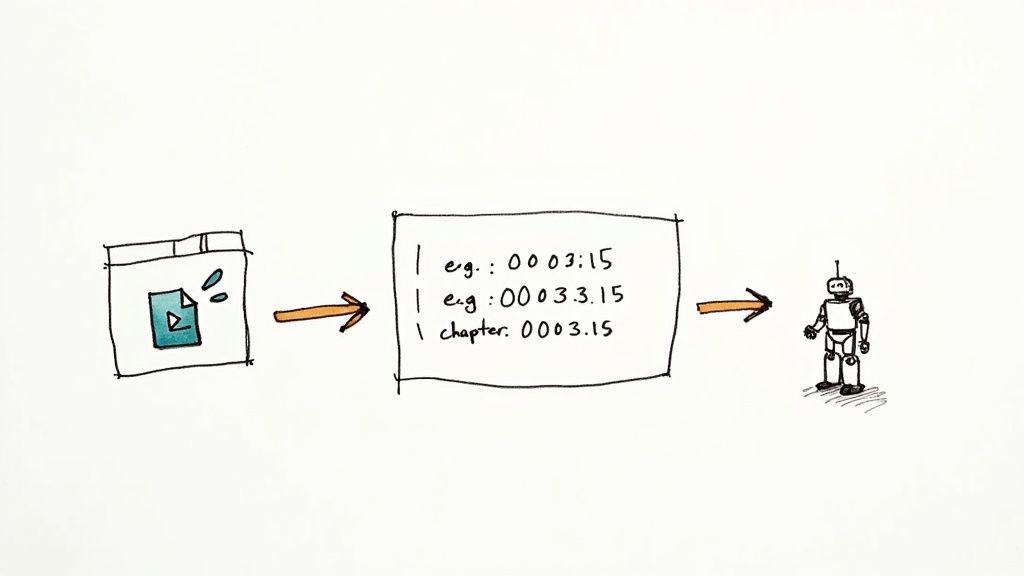
Manually adding a timestamp for video content works, but it's a slow and painstaking process. If you’ve ever created timestamps for a long-form video like a podcast or an in-depth tutorial, you know the drill. You spend ages scrubbing back and forth through the timeline, trying to pinpoint the exact moment a new topic starts.
This old-school method isn't just slow; it's also surprisingly easy to get wrong. A simple typo or a slight misjudgment can throw off your chapters, creating a frustrating experience for viewers. Thankfully, there’s a much better way to handle this now.
The Power of AI Transcription
AI-powered transcription tools have completely changed the game. Instead of manually listening and noting times, you can now generate a full, word-for-word transcript of your video in just a few minutes. The real magic is that these transcripts come with precise, word-level timecodes.
This gives you a fully searchable document that’s perfectly synced with your video. No more hunting and pecking on the timeline. You just read the text, find where a new topic begins, and grab the exact timecode right there.
This approach flips the entire process on its head. Instead of watching the video to create a text outline, you start with a complete text document and use it to build your video’s structure. It’s a massive time-saver that also boosts accuracy.
This shift from manual labor to smart automation frees you up to focus on what you do best: creating great content. To see just how powerful this tech is, check out our deep dive into video transcription AI.
A Modern Workflow for Creating Timestamps
So, what does this automated workflow actually look like? It boils down to a simple, three-step process that gets you from a raw video file to a perfectly chaptered final product, and it's worlds faster than doing it by hand.
It’s a workflow that’s not just faster, but smarter. By working from the text, you guarantee your chapter titles line up perfectly with what's actually being said in the video.
An Example in Action
Imagine you've just finished a 20-minute software tutorial. Finding each specific feature you covered manually would be a pain. With an AI transcript, it's a breeze.
You can repeat this for every single topic you covered. A task that could have easily taken 30-40 minutes of tedious manual work is now done in less than 10 minutes. This level of efficiency means you can consistently add a valuable timestamp for video content without ever feeling like it's a chore.
Best Practices for Crafting Effective Timestamps
Simply dropping a list of times into your video description is one thing, but crafting them thoughtfully is what truly makes a difference. When done well, timestamps become a powerful tool to keep people watching and help them discover your content. It's all about finding that sweet spot between helpful navigation and a compelling narrative.
Think of your timestamps less as a rigid table of contents and more as a logical journey for your viewer. Each chapter title you write is a signpost, telling them exactly what's coming up next. That clarity builds trust and makes them more likely to stick around and explore other parts of your video.
Strike the Right Balance with Chapter Length
So, how many timestamps should you add? There's no single right answer—it really depends on the video itself. The goal is to find a natural rhythm that matches the flow of your content.
Here’s a good rule of thumb: each chapter should focus on a single, clear idea. If a chapter is very short (e.g., under 30 seconds), consider combining it with the one before or after it. Conversely, if a single chapter is trying to cover too much ground, it’s a good sign that you should break it into two.
Write Compelling and SEO-Friendly Titles
Your chapter titles are working two jobs at once: guiding your audience and signaling to search engines what your video is about. This is why you must avoid vague labels like "Tip #2"—they don't help anyone.
A great chapter title is both descriptive for the user and optimized for search. It should clearly state the topic of the segment while naturally including keywords someone might use to find that specific information.
For instance, instead of "Tip #2," you could write "How to Adjust White Balance in Low Light." This is far more powerful. It tells viewers exactly what they'll learn, and it helps Google understand that this specific part of your video directly answers that question. This idea of precisely labeling content isn't new; it has roots in early digital media. When DVRs first appeared back in 1999 from companies like TiVo, they introduced absolute timestamps that enabled features like the 30-second skip, forever changing how we navigate video. You can read more about how video consumption has evolved to see how these fundamental principles hold up today.
Common Mistakes to Avoid
It’s easy to make small mistakes that can render your timestamps ineffective. Keep an eye out for these common pitfalls:
Still Have Questions About Video Timestamps?
Let's wrap things up by tackling some of the most common questions creators have when they start using timestamps. Answering these will help you avoid common frustrations and use them like a pro from day one.
What’s the Difference Between Timestamps and Chapters?
This one trips people up all the time, but the answer is simple. Think of it this way: timestamps are the list of time codes (like 01:35 - Topic Name) that you type into your video's description.
YouTube then takes that list and automatically creates Chapters, which are the visual segments a viewer sees and can click on in the video's progress bar. So, timestamps are the input you provide, and Chapters are the user-friendly feature that YouTube creates from that input.
Will Timestamps Kill My Audience Retention?
This is a valid concern. Won't people just skip to the good parts and ruin my watch time? In practice, the data and common sense suggest the opposite.
While some viewers will absolutely jump ahead, the vastly improved user experience often keeps them engaged for longer overall.
It's far better for a viewer to watch the five minutes they actually care about than to get frustrated after 30 seconds of aimless scrubbing and leave your video entirely.
A happy viewer who found exactly what they needed is far more likely to subscribe and return for future content. You're building trust by respecting their time.
Help! Why Aren’t My Timestamps Working?
If your chapters aren't showing up on the video, it's almost always a minor formatting mistake. It's an easy fix once you know what to look for. Just run through this quick checklist:
Nine times out of ten, fixing one of these small details will make your chapters appear instantly.
Stop wasting time on manual transcription. Whisper AI automatically generates accurate transcripts with precise timestamps, making it effortless to create video chapters that boost your SEO and user experience. Try Whisper AI today and turn your content into a perfectly structured, easy-to-navigate resource.


























































































