
The Top 12 Social media management tools for small business in 2026
As a small business owner, you wear multiple hats, and social media manager is often one of the most time-consuming. Juggling posts, engaging with followers, and trying to measure what works across different platforms can feel like a full-time job. The good news? You don't have to do it all manually. The right social media management tools for small business can automate scheduling, unify your inbox, and provide the data you need to make smarter decisions, freeing you up to focus on running your business.
This guide moves beyond marketing fluff to give you an experience-based look at the top options available today. We'll break down who each tool is really for, what it excels at, and how much it costs. Our goal is to provide a clear answer to the question: 'Which social media tool is the best fit for my specific needs?'
From established platforms like Hootsuite to agile contenders like Metricool, each review includes screenshots and honest assessments. We even cover how to integrate transcription tools like Whisper AI to repurpose your video and audio content into captions, summaries, and text-based posts, maximizing your content's reach. Remember, these platforms are most effective when paired with a strong strategy for generating engaging content. For fresh inspiration, consider these fresh content ideas for social media.
This article will help you find the platform that saves you the most time, provides the best insights, and ultimately helps you grow your business online. Let's find your perfect match.
1. Buffer
Buffer is one of the most established and user-friendly social media management tools for small business, ideal for companies prioritizing straightforward scheduling and a clean interface over complex, enterprise-grade features. Its core strength lies in its simplicity. You can quickly connect social channels, create a posting schedule, and fill a content queue that automatically publishes posts for you. This "set it and forget it" approach is perfect for teams that need consistency without a steep learning curve.
The platform supports scheduling for major networks including Instagram, Facebook, X (formerly Twitter), LinkedIn, Threads, and even Bluesky, a notable addition. Its AI Assistant helps generate post ideas and refine copy, which is a practical benefit for busy entrepreneurs. While it offers basic analytics and engagement tools to reply to comments, its reporting features are not as deep as some competitors. This makes Buffer less suitable for agencies needing advanced social listening or in-depth client reports.
Key Details & Recommendation
- Best For: Solo entrepreneurs, small teams, and content creators needing an intuitive, reliable scheduler.
- Pricing: Offers a generous free plan for up to 3 channels. Paid plans start at $6 per channel per month, making it affordable and scalable.
- Pros: Very easy to learn, clear pricing, and a long-standing free tier.
- Cons: Limited advanced analytics and team collaboration features.
Practical Tip: Use Buffer's browser extension to quickly add articles and links to your queue as you browse the web. For video content, you can pair Buffer with transcription services to repurpose your audio into engaging text posts, a key strategy covered in many social media content creation tools. This workflow turns one video into multiple assets for your Buffer queue.
2. Hootsuite
Hootsuite is a veteran in the social media space, offering a powerful, all-in-one suite that goes far beyond basic scheduling. It stands out as one of the most feature-rich social media management tools for small business, especially for teams that require collaboration, robust analytics, and integrated advertising capabilities. Its classic dashboard, built around customizable streams, allows you to monitor multiple feeds, keywords, and mentions in one place, making it excellent for active engagement and social listening.

The platform supports an extensive list of social networks and offers a marketplace of integrations to connect with other business tools. Features like OwlyWriter AI help generate captions and ideas, while the unified inbox gathers messages and comments for a streamlined response workflow. Its strong suit is its team functionality, including post-approval queues and permission levels, which are critical as a small business grows. While its pricing is on the higher end and its once-popular free plan has been discontinued, the depth of its features justifies the cost for businesses needing a single, central hub for all social media activities.
Key Details & Recommendation
- Best For: Growing SMBs, agencies, and teams needing a single platform for scheduling, monitoring, analytics, and team approvals.
- Pricing: Paid plans begin at $99 per month. Pricing can vary by region and checkout options, so a direct quote is recommended.
- Pros: Extensive feature set with strong analytics, a massive app marketplace, and excellent team collaboration workflows.
- Cons: Higher price point than simpler tools and the interface can feel complex for new users.
Practical Tip: Use Hootsuite’s streams to monitor brand mentions and industry keywords. When you find a relevant video or audio clip, use a transcription tool to turn it into a detailed text post or a summary for your channels. This not only creates fresh content but also helps you join timely conversations, a key factor in learning how to increase social media engagement.
3. Sprout Social
Sprout Social is a premium platform and one of the more powerful social media management tools for small business, designed for teams that are serious about data, customer care, and growth. It moves beyond simple scheduling to offer a full suite of tools for social listening, in-depth analytics, and streamlined customer engagement. Its main appeal is for businesses that view social media not just as a marketing channel, but as a core pillar for customer service and brand health monitoring.

The platform’s Smart Inbox unifies all incoming messages into a single stream, making it easy for teams to collaborate on responses and ensure no customer query is missed. Sprout Social also provides market-leading analytics and listening tools, allowing you to track keywords, analyze trends, and generate professional-grade reports. However, its robust feature set comes with a higher price point, which may be excessive for small businesses that only require basic scheduling and posting capabilities. It's built for those ready to invest in advanced insights.
Key Details & Recommendation
- Best For: Growing small to mid-sized businesses, agencies, and teams that need advanced reporting, social listening, and customer service tools.
- Pricing: Plans start at $249 per month for one user. A 30-day free trial is available to test the features.
- Pros: Exceptional analytics and reporting, powerful social listening, and excellent tools for team-based customer care.
- Cons: Significantly more expensive than many competitors, and can be overkill for solo operators or teams with simple needs.
Practical Tip: Use Sprout Social's listening tools to monitor brand mentions and industry keywords. When you find relevant discussions, especially in audio or video formats like podcasts or webinars, use a transcription tool to get a written record. You can then pull key quotes and data points from that transcript to create insightful response posts directly within Sprout, demonstrating that your brand is actively listening and engaged.
4. Later
Later has carved out a niche as a top-tier social media management tool for small business, especially for brands where visuals are the main event. It is built from the ground up for Instagram-first marketing, making it a favorite among e-commerce stores, lifestyle influencers, and product-based businesses. Its standout feature is the drag-and-drop Visual Planner, which lets you see exactly how your Instagram grid will look before you publish, ensuring brand consistency and aesthetic appeal.

The platform has expanded its focus to support short-form video scheduling for TikTok, Reels, and YouTube Shorts, acknowledging the shift in content consumption. Later also includes a powerful Linkin.bio tool, which creates a clickable, shoppable landing page from your Instagram bio link, directly converting followers into website visitors or customers. While it supports other networks like Facebook and Pinterest, its core strength and most developed features remain centered on visual-heavy platforms. Its analytics are sufficient for most small businesses but lack the deep listening capabilities found in enterprise-level software.
Key Details & Recommendation
- Best For: E-commerce brands, creators, and businesses that rely heavily on Instagram and TikTok.
- Pricing: A free plan is available for one social set. Paid plans begin at $25 per month, with pricing tiers based on the number of "social sets" and users.
- Pros: Excellent visual planner for Instagram, strong short-form video scheduling, and an integrated link-in-bio tool.
- Cons: Analytics are less robust than competitors, and the "social set" pricing can be confusing.
Practical Tip: Use Later’s Visual Planner to map out your Instagram grid a month in advance. For video content, you can easily repurpose a single YouTube video by using transcription tools to pull out key quotes and insights. These text snippets can then be turned into graphics or captions for your Later schedule, filling your content calendar with multiple posts from one primary video asset.
5. Sendible
Sendible is a powerful social media management tool for small business, particularly those with agency-style workflows or multiple clients. It is built from the ground up to support collaboration, with dedicated client workspaces, content approval flows, and shared content libraries. This structure allows freelancers and small agencies to manage multiple brands efficiently from one dashboard, providing a professional and organized experience for their clients. It’s an ideal step-up for teams outgrowing simpler schedulers.

The platform offers broad network support, including Facebook, Instagram, X (formerly Twitter), LinkedIn, TikTok, and importantly, Google Business Profile. This last one is a key differentiator, allowing businesses to schedule updates directly to their local listings. Sendible also features a unified Smart Inbox for managing engagement across all connected profiles. While its reporting is functional, it may not offer the same depth as top-tier enterprise suites, making it a pragmatic choice focused on management over deep analytics.
Key Details & Recommendation
- Best For: Freelancers, small agencies, and marketing teams managing multiple client accounts.
- Pricing: Paid plans start at $29 per month for 1 user and 6 profiles. Tiers scale up with more users and profiles, offering annual discounts.
- Pros: Excellent for client management with approval workflows, broad platform support including Google Business Profile, and pragmatic pricing for agency features.
- Cons: The cost can increase significantly as you add users and profiles, and its analytics are less advanced than some enterprise-focused competitors.
Practical Tip: Use Sendible’s content library to store evergreen posts, approved brand assets, and key hashtags. For video content, you can use a service to transcribe your audio, then save those transcripts and key quotes directly in the content library. This makes it easy for your whole team to quickly find and repurpose approved video-related copy for future posts across different client accounts.
6. Agorapulse
Agorapulse is a full-stack social media management tool for small business that excels at community management and ROI reporting. It's built for teams that need to go beyond simple scheduling to actively engage with their audience and prove the value of their social efforts. The platform’s standout feature is its unified Social Inbox, which gathers all incoming comments, direct messages, and brand mentions into a single, manageable stream.

This powerful inbox comes with automation rules that can automatically label, assign, or archive incoming messages, saving significant time for community managers. Agorapulse also offers robust, exportable reports that can be white-labeled, making it an excellent choice for agencies or businesses that need to present clear, client-ready analytics. With features like a built-in link-in-bio tool (PulseLink) and Google Analytics integration, it provides a well-rounded suite for managing, engaging, and reporting.
Key Details & Recommendation
- Best For: Agencies and small businesses focused on community engagement and proving social media ROI.
- Pricing: Starts at $49 per user per month (billed annually) for 10 social profiles. A 30-day free trial is available without a credit card.
- Pros: Outstanding unified inbox with automation, excellent reporting features, and unlimited post scheduling on all plans.
- Cons: Per-user pricing model can become costly for larger teams, and advanced social listening is restricted to higher-tier plans.
Practical Tip: Use Agorapulse's inbox automation rules to instantly tag incoming questions or support requests and assign them to the right team member. If you're repurposing video content, use a transcription tool to create a text summary. You can then paste that summary into your Agorapulse content calendar to schedule a detailed text post that complements the original video, giving you more assets from one piece of content.
7. Metricool
Metricool is an affordable, analytics-first platform that stands out as one of the best social media management tools for small business owners who are data-driven. It effectively combines content planning and scheduling with powerful reporting, competitor tracking, and even advertising analytics. This makes it a great all-in-one solution for teams that want to see how their organic and paid efforts work together without juggling multiple dashboards.

The platform supports all major networks and includes features like a "best times to post" visualizer and a SmartLinks tool for creating a link-in-bio page. Its real strength, however, lies in its analytics. Metricool provides deep insights with unlimited data history on paid plans and offers dashboards for Google, Facebook, and TikTok ads. While the interface is functional, it can feel less polished than some competitors, and certain features like advanced team workflows are reserved for higher-tier plans.
Key Details & Recommendation
- Best For: Data-minded small businesses, freelancers, and agencies needing integrated organic and paid analytics.
- Pricing: A free plan is available for one brand (up to 50 posts/month). Paid plans start at $22 per month for one brand, with affordable scaling for multiple brands.
- Pros: Generous free plan, cost-effective for managing multiple brands, and strong analytics integrations.
- Cons: X/Twitter API access requires an extra fee, and the user interface can be less intuitive than simpler tools.
Practical Tip: Connect your ad accounts (Google, Facebook, TikTok) to Metricool even if you only use it for scheduling. The unified dashboard gives you a clear picture of how your paid campaigns are influencing your organic social media performance, helping you make smarter budget decisions. This data-first approach complements a content-rich strategy, especially if you repurpose videos into blog posts or ad copy with tools like Whisper AI.
8. Zoho Social
Zoho Social is one of the most practical social media management tools for small business, especially for companies already invested in the Zoho ecosystem. Its main advantage is its deep integration with other Zoho products like Zoho CRM and Zoho Desk. This connection allows teams to turn social media conversations into support tickets or capture leads directly from their engagement dashboard, a powerful capability for businesses focused on sales and customer service.
The platform provides a solid set of features including a publishing calendar with SmartQ for optimal post timing, a unified inbox for managing interactions across networks, and robust monitoring tools. It also supports engagement on WhatsApp and Telegram, which is a significant plus for businesses communicating in those channels. While the interface is clean and functional, it can feel a bit less modern compared to some competitors. However, its value proposition for Zoho users is undeniable, centralizing social media efforts within their existing business operations hub.
Key Details & Recommendation
- Best For: Small to medium-sized businesses that use Zoho CRM or Zoho Desk and need an affordable, all-in-one social tool.
- Pricing: Offers a limited free plan. Paid plans are highly competitive, starting at $10 per month for one brand.
- Pros: Excellent integration with the Zoho suite, very affordable pricing, and a perpetual free tier is available after the trial.
- Cons: Interface feels slightly dated; features and pricing can differ depending on your account's regional data center.
Practical Tip: Use the Zoho Social and Zoho CRM integration to its fullest. When you repurpose video content into blog posts or text snippets, share them on social media via Zoho Social. As leads engage with these posts, you can add them directly to your CRM with a single click, creating a seamless content-to-customer pipeline. This is a great way to measure the direct ROI of your content marketing.
9. SocialBee
SocialBee is a powerful social media management tool for small business owners who want to automate their content strategy without sacrificing quality. Its standout feature is its category-based evergreen content recycling. This system allows you to sort posts into categories (like "Blog Posts," "Promotions," or "Tips") and set them to re-publish at specific intervals, ensuring your social media feeds are never empty. This approach is excellent for maintaining a consistent online presence, especially for businesses with a large library of timeless content.
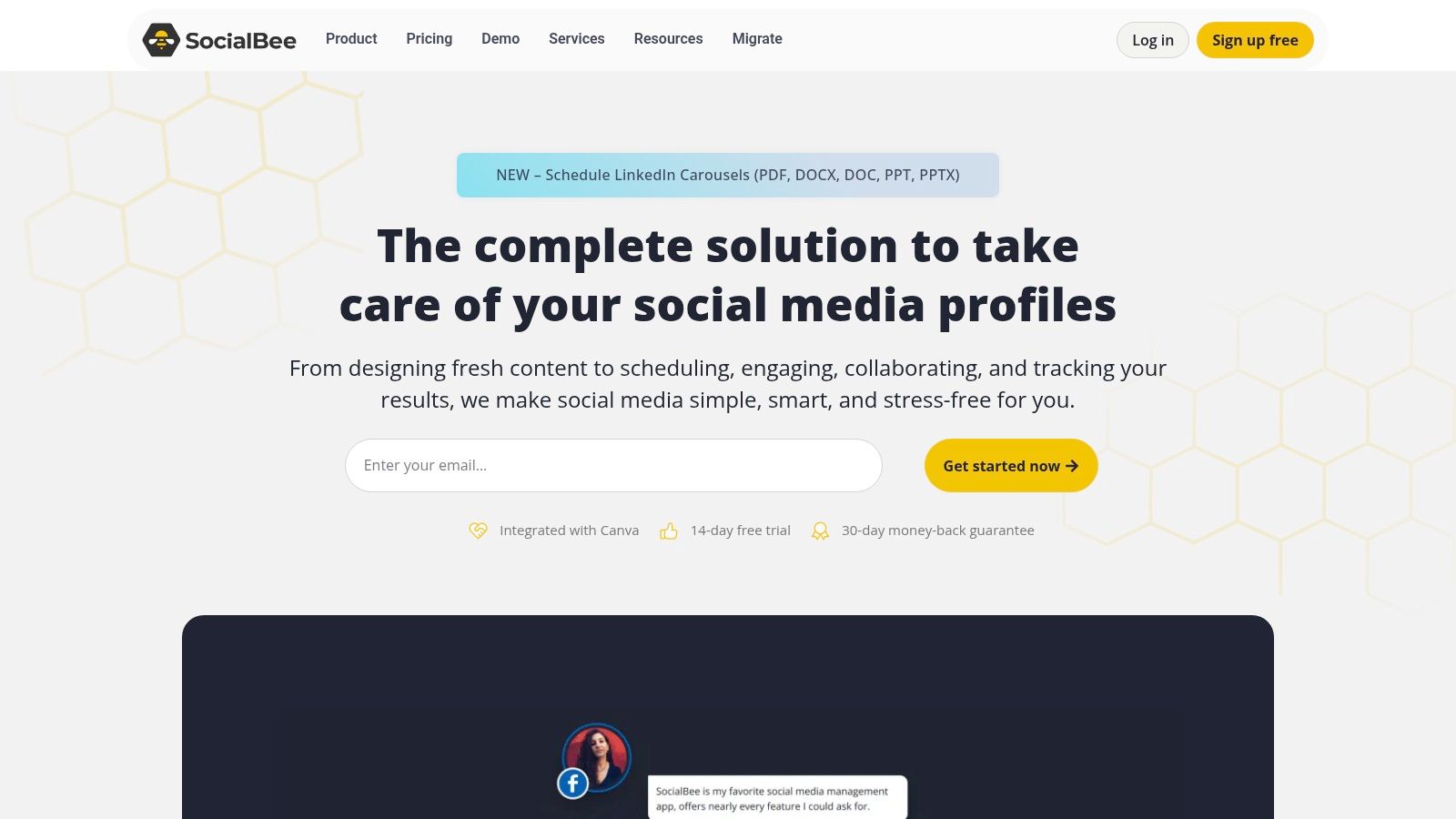
The platform supports an impressive range of networks, including Instagram, Facebook, X, LinkedIn, Threads, YouTube, and Google Business Profile. It integrates with design tools like Canva and media libraries like Unsplash and GIPHY, making content creation a more unified process. SocialBee’s AI co-pilot also assists with generating post variations and refining captions, which saves significant time. While its analytics are solid for tracking post performance over a long period, it lacks the deep social listening and competitor analysis found in more enterprise-focused platforms.
Key Details & Recommendation
- Best For: Service-based businesses, bloggers, and consultants who need to automate posting and get the most out of their existing content.
- Pricing: SocialBee offers straightforward, flat-rate plans starting at $29/month, with no per-user fees.
- Pros: Exceptional evergreen content recycling features, clear pricing structure, and broad network support.
- Cons: Reporting and social listening are not as advanced as some competitors; add-ons are needed for multiple workspaces.
Practical Tip: Pair SocialBee’s content categories with a transcription service. After transcribing a podcast or video, you can create dozens of text-based assets like quotes, key takeaways, and summaries. Add these assets to different evergreen categories in SocialBee to create a diverse and automated content calendar that continuously promotes your core audio/video material.
10. Publer
Publer stands out as one of the most flexible and budget-conscious social media management tools for small business, particularly for freelancers and micro-agencies managing multiple brands. Its main differentiator is an ultra-granular pricing model that lets you pay per social account and per team member. This a la carte approach avoids forcing small businesses into expensive, feature-packed tiers they don't need, making it incredibly predictable to scale.
The platform offers unlimited workspaces, which is a significant benefit for organizing different clients or projects. Core features include post-recycling to automatically re-share evergreen content, hashtag suggestions, and a link-in-bio tool. While it supports a wide range of networks, its analytics and social listening tools are more basic compared to enterprise-level suites. It's built for efficient scheduling and organization, not deep data analysis.

Key Details & Recommendation
- Best For: Freelance social media managers, solo entrepreneurs, and small agencies needing predictable costs and separate client workspaces.
- Pricing: Publer has a forever-free plan for up to 3 accounts. Paid plans allow you to add social accounts (starting around $4/month) and team members (starting around $3/month) individually.
- Pros: Very low entry price with a granular, predictable pricing model. The forever-free plan is practical for getting started.
- Cons: X/Twitter posting is not included in the free plan. Analytics are not as robust as more expensive competitors.
Practical Tip: Use Publer’s "Recycling" feature for your top-performing blog posts and evergreen video content. To get more mileage, take a long video, use a transcription tool to create a summary and key quotes, and then schedule these different text-based assets as separate posts in your Publer recycling queue. This automates content rotation without extra manual work.
11. SocialPilot
SocialPilot positions itself as a powerful, cost-effective alternative for growing teams and agencies that need more than a basic scheduler. It stands out as one of the best social media management tools for small business when you require team collaboration and client management features without the enterprise-level price tag. The platform is designed for efficiency, offering bulk scheduling with a simple CSV upload, a unified social inbox, and content curation features to help you discover relevant articles to share.
Its agency-friendly features are a major draw. You can manage client accounts without needing their login credentials, set up approval workflows to ensure content is on-brand before it goes live, and generate white-label reports to demonstrate ROI. This makes it an ideal step-up for consultancies or small agencies that have outgrown simpler tools like Buffer but are not yet ready for a complex suite like Sprout Social.

Key Details & Recommendation
- Best For: Small agencies, marketing consultants, and growing businesses needing affordable team and client management features.
- Pricing: Paid plans start at $25.50 per month (billed annually) for 10 social accounts and one user. Higher tiers add more users, accounts, and white-labeling.
- Pros: Strong value for the price, excellent agency-focused features, and predictable plan structure.
- Cons: Fewer native social listening capabilities and some advanced analytics are only available on higher-priced plans.
Practical Tip: Use SocialPilot’s bulk scheduling to plan a month of content at once. To generate that content efficiently, record a long-form video discussing your industry, then use a transcription service to turn that audio into a full transcript. From that single document, you can pull dozens of quotes, tips, and summaries to populate your SocialPilot CSV file for a full month’s worth of posts.
12. Whisper AI
While not a scheduler, Whisper AI is a crucial social media management tool for small business focused on content repurposing. Its expertise lies in transcribing audio and video content with high accuracy, turning spoken words into text that can be used across all your marketing channels. For businesses creating podcasts, webinars, or video tutorials, this is a game-changer for content multiplication.
The tool provides accurate transcriptions, speaker identification, and timestamped text, making it easy to find key moments. You can then use this text to create blog posts, social media captions, email newsletters, and even scripts for shorter video clips. By turning a single video or audio file into dozens of text-based assets, Whisper AI solves the "what to post" problem and maximizes the ROI of your content creation efforts. It integrates into your workflow before scheduling, generating the raw material you need to fill your content calendar.
Key Details & Recommendation
- Best For: Content creators, podcasters, and businesses that use video or audio as a primary marketing tool.
- Pricing: Whisper AI offers a free starting tier, with paid plans available for higher volume needs.
- Pros: High-accuracy transcription, speaker detection, and excellent for multiplying content from a single source.
- Cons: It's a specialized tool for content creation, not an all-in-one management platform with scheduling or analytics.
Practical Tip: After recording a customer testimonial video, run it through Whisper AI to get a full transcript. You can then pull the most powerful quotes and use them in text posts, on your website, or in your email marketing. This gives you authentic social proof in multiple formats, all from one original video.
Making Your Final Choice: How to Pick the Right Tool for Your Business
We've explored a dozen of the best social media management tools for small business, from all-in-one powerhouses like Sprout Social to budget-friendly schedulers like Buffer. The sheer volume of options can feel overwhelming, but the goal isn't to find a "perfect" tool. The objective is to find the right tool for your specific business reality right now. Chasing the platform with the longest feature list is a common mistake; instead, focus on the one that solves your most significant problems.
The key to making a smart decision is self-assessment. Begin by identifying your biggest operational bottlenecks and strategic goals.
- If you're overwhelmed by manual posting: Your primary need is scheduling and automation. Look at tools like SocialBee for its evergreen content queues or Later for its visual, drag-and-drop calendar.
- If you need to prove ROI and make data-driven decisions: Your focus should be on analytics. A tool like Metricool provides comprehensive reports, while Sprout Social offers deep listening features.
- If you're an agency or freelancer managing multiple clients: You need collaboration, client management, and white-label reporting. Sendible and Agorapulse are built for this exact use case, offering dedicated workspaces and approval workflows.
Beyond Scheduling: A Workflow-First Approach
Remember, a social media management platform is just one part of your content workflow. For many small businesses, the biggest challenge is content creation itself. This is where integrating a tool like Whisper AI can dramatically multiply your output.
Imagine you record a single 10-minute video. By running it through a transcription tool, you can instantly generate a foundation for:
- Accurate Captions: Make your videos accessible and engaging for viewers watching with the sound off.
- Blog Post Drafts: A full transcription can be edited into a detailed article.
- Key Takeaway Summaries: Pull out the most important points for a LinkedIn post or email newsletter.
- Quote Graphics: Identify powerful sentences and turn them into shareable images for Instagram or X (formerly Twitter).
- Short-Form Video Scripts: Repurpose segments of your long-form content for Reels, Shorts, and TikTok.
By pairing a transcription and repurposing tool with your chosen social media scheduler, you create a powerful content engine. You’re not just managing your social media; you’re maximizing the value of every piece of content you produce.
Taking the Final Step: Test and Implement
Before committing to a yearly subscription, it's critical to get hands-on experience. Shortlist two or three contenders from this article that align with your budget and core needs. Sign up for their free trials and perform the same set of tasks on each one. Can you easily schedule a post? Is the analytics dashboard intuitive? Does it connect to all the social profiles you need?
Finally, consider your internal resources. If your team is already stretched thin, adding another complex software tool might not be the answer. Before settling on a tool, consider whether social media outsourcing for small business might be a more suitable strategy. Sometimes, the right "tool" is a dedicated expert or agency.
Your final choice should feel less like a chore and more like a relief. The best social media management tools for small business save you time, provide clear insights, and empower you to connect with your audience more effectively. Take the time to test your options, and you'll build a social media workflow that supports your business growth.
Ready to stop wasting hours creating social media content from scratch? Whisper AI can transcribe your videos and audio in minutes, giving you accurate text you can repurpose into dozens of posts, articles, and summaries. Start maximizing your content's value and reclaim your time by visiting Whisper AI to see how it works.


























































































