
How to Choose a Podcast Transcript Generator in 2026
A podcast transcript generator is simply a tool, powered by AI, that turns your audio episodes into a written script. Think of it as the key to making your podcast searchable, accessible, and incredibly easy to repurpose. It transforms your spoken words into a valuable asset you can use over and over again.
Why Podcast Transcription Is No Longer Optional
Imagine pouring your heart and soul into an amazing podcast episode, only for it to be completely invisible to search engines and inaccessible to a huge chunk of your potential audience. From my experience, that’s the reality for any podcast without a transcript. Your great audio content is essentially trapped, and a podcast transcript generator is the only tool that can set it free.
Your podcast is like a treasure chest, but the transcript is the map that leads everyone straight to it. It’s the foundation for discoverability, accessibility, and a powerful content strategy.
Unlocking Your Podcast's Full Potential
Without a transcript, your audio is a black box to search engines like Google. By converting your episodes to text, you’re creating an entirely new surface for SEO. Suddenly, your content can rank for relevant keywords and start pulling in organic traffic, expanding your reach far beyond the usual podcast apps.
Even more importantly, transcription is a cornerstone of accessibility. It immediately opens your show up to:
- Listeners who are deaf or hard of hearing.
- Non-native speakers who can follow along with the text to better understand your message.
- People who simply prefer to read, or find themselves in a noisy place where listening isn’t an option.
Beyond just having the text, you start to understand the hidden power of captions for accessibility, SEO, and engagement. Taking this one step can dramatically increase your show's impact.
Riding the Wave of Podcasting Growth
The global podcasting boom has created an incredible demand for these tools. The number of listeners is projected to hit a staggering 584.1 million in 2025, with the market growing at a steady clip of 6-7% annually. Podcasters are racing to make their content more visible, and that's where a reliable transcript generator like Whisper AI really shines.
You can see for yourself how easy it is to transcribe a podcast to text and get a feel for the process. To really grasp the scale of this growth, you can find more on the latest podcasting statistics from industry experts like Sonix.ai.
A transcript isn't just a byproduct of your podcast; it's the raw material for a content engine. It allows you to effortlessly create blog posts, social media quotes, detailed show notes, and email newsletters, multiplying the value of every single episode you produce.
Ultimately, using a podcast transcript generator isn’t a "nice-to-have" feature anymore. It's a fundamental part of any modern podcaster's strategy, ensuring all your hard work gets the visibility and reach it deserves.
How an AI Transcript Generator Actually Works
Ever wondered what’s happening under the hood when you upload a podcast episode and a full-text transcript pops out just minutes later? It’s not magic, but it’s pretty close. Think of it less like a simple recording and more like hiring a team of incredibly fast, multilingual stenographers who can listen, type, and format your conversation almost instantly.
The core technology making this all possible is called Automatic Speech Recognition, or ASR. At its heart, an ASR model is an AI that has been trained on a colossal library of human speech—we're talking thousands upon thousands of hours covering different accents, languages, and speaking styles. This massive exposure allows it to recognize the subtle patterns and rhythms of how people actually talk.
From Sound Waves to Text
So, what happens when you hit "upload"? The AI gets to work, breaking your audio file down into tiny, manageable chunks. It converts the sound waves from your voice into a digital format it can process, then dissects those chunks to identify phonemes—the smallest units of sound that make up words (like the "p," "o," and "d" sounds in "pod").
But it doesn't just match sounds to letters in a vacuum. The real intelligence comes from its ability to consider context. Using complex probability models, the AI strings phonemes together into likely words and then pieces those words into coherent sentences. This is how it can figure out you said "to the moon" instead of "two the moon," based on what came before and after.
This image really captures the essence of it: a transcript generator is the key that unlocks the text hidden within your audio.
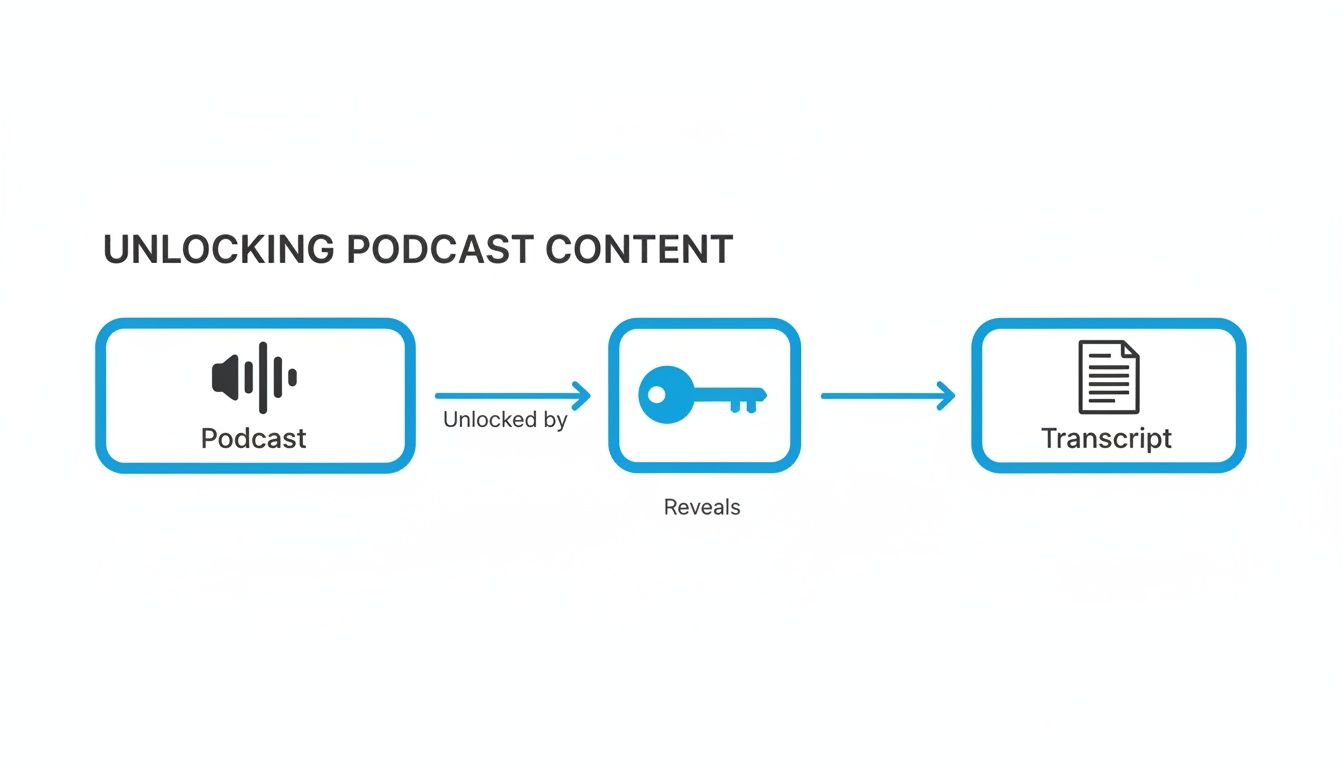
Without that key, your spoken words are locked away. With it, you get a versatile document you can use for anything.
Beyond Basic Transcription
Top-tier tools, like those powered by OpenAI's Whisper AI, do much more than just convert speech to a wall of text. They add layers of refinement that make the final transcript genuinely useful right out of the box.
Here are a few of the critical features you'll see:
- Speaker Diarization: This is a fancy term for figuring out who is speaking. The AI analyzes the unique vocal signature of each person—their pitch, tone, and cadence—and neatly labels the dialogue (e.g., "Speaker 1," "Speaker 2"). It’s a game-changer for interviews and multi-host shows.
- Punctuation and Capitalization: Instead of a single block of lowercase words, a good AI will listen for pauses and vocal inflections to intelligently add periods, commas, and question marks. It also capitalizes names and the start of new sentences, making the text instantly readable.
- Timestamping: The generator anchors the text to your audio by adding timestamps at regular intervals. This is incredibly helpful for pulling audio clips, creating video captions, or jumping straight to a specific moment to check the original recording.
A high-quality podcast transcript generator isn’t just converting audio to text; it’s structuring that text for human readability and practical use. The goal is to produce a document that is immediately ready for editing, repurposing, or publishing.
In the end, what was once a highly technical and out-of-reach technology is now a straightforward part of a modern podcaster's workflow. The AI listens, analyzes, and formats your audio into a polished, structured document, turning what used to be hours of painful manual work into a simple, automated step.
What to Look for in a Great Transcript Generator
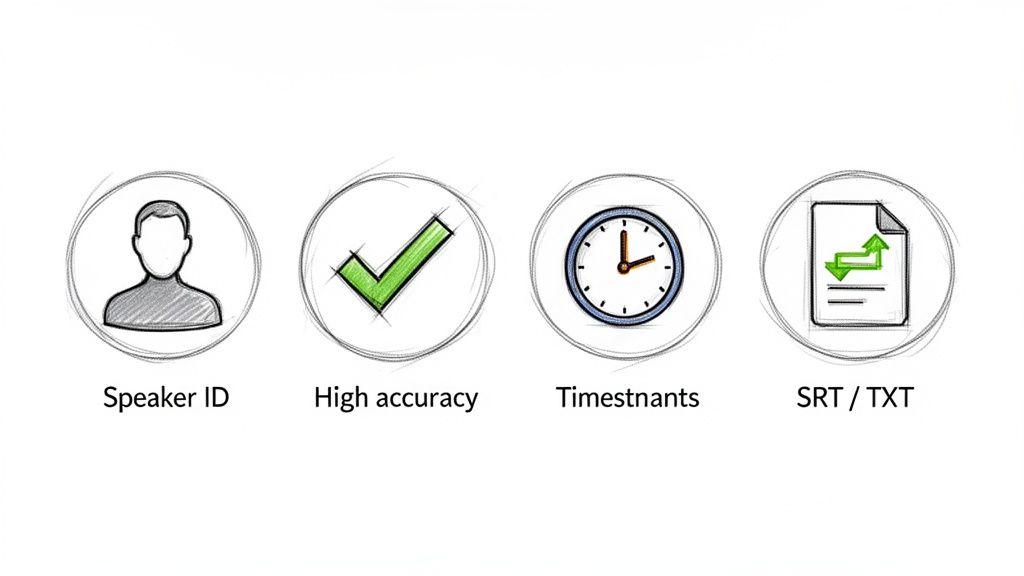
When you start shopping for a transcript generator, it's easy to get lost in a sea of features. But based on my experience testing dozens of these tools, only a handful of them truly make a difference in your day-to-day workflow.
Think of it this way: a basic tool gives you a rough text file, but a great tool becomes a core part of your content creation engine. Let’s break down the features that separate the time-savers from the time-wasters.
How Accurate Is It, Really?
This is the big one. The whole point of using an AI tool is to avoid manual transcription, so if it spits out a document riddled with errors, you’ve just traded one tedious task for another. Look for tools that openly talk about their accuracy rates. The best ones, often powered by models like Whisper AI, can hit over 90% accuracy right out of the gate, even with tricky accents or a bit of background noise.
But no AI is perfect. That's why the second half of this feature is a great interactive editor. You need the ability to play the audio and see the words highlight as they’re spoken. This makes fixing that last 10% a breeze—you just click the incorrect word, type the fix, and move on. It turns a frustrating editing session into a quick five-minute polish.
A truly great podcast transcript generator doesn't just give you raw text; it provides a high-quality draft that is 90% of the way there, coupled with intuitive tools to help you perfect the final 10% in minutes, not hours.
Can It Tell Who Is Speaking?
If you run an interview show or have a co-host, this is non-negotiable. Without speaker identification (sometimes called "diarization"), you get a massive, confusing block of text. Trying to figure out who said what is a nightmare and makes the transcript almost useless for pulling quotes or writing show notes.
A solid generator automatically detects and separates each speaker, labeling them as "Speaker 1," "Speaker 2," and so on. The top-tier tools go one step further, letting you assign real names to those labels. With one click, every instance of "Speaker 1" becomes "Sarah," instantly making your transcript clean, organized, and ready to use.
Are the Timestamps Actually Useful?
Timestamps are the bridge between your text and your audio. Some tools just drop a timestamp every minute, which is better than nothing, but not by much. What you really want is word-level timestamping.
This means every single word is synced to its exact moment in the audio. Why does this matter so much?
- Fact-Checking Is Instant: Hear something that sounds a bit off in the text? Just click the word, and you'll hear the original audio snippet to verify it. No more scrubbing back and forth.
- Perfect Video Captions: This is the secret to creating perfectly synchronized SRT files for your YouTube videos and social clips. The timing is already done for you.
- Finding Gold Becomes Easy: You can quickly find that perfect soundbite for an audiogram or a promotional clip just by finding it in the text.
This granular detail is a game-changer and a clear sign of a professional-grade tool.
What Languages Does It Support?
If your podcast has a global reach or you produce content in languages other than English, this is a crucial consideration. The best platforms can handle dozens of languages, from Spanish and French to Mandarin and Hindi, with high accuracy. This is your ticket to making your content accessible to a much wider audience.
When you're comparing options, check out the quality of their language support. A service like Klap's podcast transcription tool not only lists languages but has models trained to understand various dialects and accents within them.
What Can You Do With the Transcript? (Export Formats)
A transcript stuck inside a tool is worthless. You need to be able to get it out in formats that work for you. A flexible generator should offer several export options without making you jump through hoops.
Look for these key formats:
- TXT & DOCX: The workhorses for content repurposing. Turn your episode into a blog post, detailed show notes, or an email newsletter in minutes.
- PDF: Great for creating downloadable resources, lead magnets for your email list, or simply archiving your episodes in a clean format.
- SRT & VTT: These are subtitle files. They are absolutely essential for adding closed captions to your videos, which boosts accessibility and watch time on platforms like YouTube and LinkedIn.
Having these built-in means you can go straight from transcription to creation without fumbling with clunky file converters.
A Step-by-Step Transcription Workflow
Alright, enough with the theory. Let's get our hands dirty and see what this actually looks like in practice. Using a podcast transcript generator shouldn't feel like a technical chore; it should slot right into your production process without adding a bunch of extra work.
We'll walk through a simple, four-step workflow that I use all the time. Think of it as going from a raw audio recording to a finished, ready-to-use asset in just a few minutes. We'll use a tool like Whisper AI to show how it's done.
Step 1: Upload Your Audio
First things first, you need to feed the machine your audio. The good news is that modern transcription tools are built for convenience. You can usually just drag and drop your final MP3 or WAV file straight from your desktop into the tool. No fussing with converters or specific formats.
Even better, a lot of us are putting video versions of our podcasts on YouTube. The best tools, including Whisper AI, let you skip the download step entirely. Just paste the link from YouTube, Vimeo, or another video host, and the AI will pull the audio for you.
Your only job is to get the source material into the system. After that, the AI takes over.
Step 2: Let the AI Get to Work
Once you've uploaded your file or pasted your link, the magic happens. The AI transcription engine fires up and gets to work. This isn't just basic speech-to-text; a powerful AI is analyzing the audio to figure out who is talking, adding punctuation where it belongs, and turning the entire conversation into a structured document.
This part is completely hands-off. You can go grab a coffee or start prepping your next episode. For a typical hour-long podcast, the whole process is often done in just a couple of minutes.
The real game-changer with a modern podcast transcript generator is the speed. It takes what used to be a mind-numbing, multi-hour job and turns it into a quick background task. That’s time you get back for creative work.
Step 3: Review and Polish the Text
Let's be real: no AI is perfect. You'll want to give the transcript a quick once-over to get it to 100% accuracy. This is where a good interactive editor is worth its weight in gold. It syncs the text with the audio, so you can click on any word and instantly hear the corresponding audio clip.
This is your chance to fix any weirdly spelled names of guests, industry-specific jargon, or unique terms the AI might not have encountered before.
The screenshot here shows exactly what I mean. You can see the text, identify the different speakers, and click around to listen as you read. This makes the final review a quick proofread instead of a painful editing session.
Step 4: Export and Repurpose Your Transcript
Once you’re happy with the polished text, it's time to put it to work. Any solid transcription tool will give you a variety of export options, because you're going to use this text in a few different ways.
Typically, you'll have these choices:
- Plain Text (TXT) or Word (DOCX): These are perfect for quickly converting your episode into a full blog post for your website, which is a massive SEO win.
- SRT/VTT Files: These are subtitle files. They come with all the timestamps baked in, so you can upload them directly to YouTube or your video player to add closed captions instantly.
- PDF: A clean, easy-to-read format that’s great for creating downloadable show notes for your audience or just for keeping a clean archive of your episodes.
And just like that, you're done. Your spoken-word audio is now a flexible text asset you can use to boost accessibility, improve your search rankings, and create dozens of pieces of marketing content. If you want more ideas on what to do next, check out our guide on creating a transcript and what to do with it.
Turn Your Transcript Into a Content Goldmine
Most podcasters see a transcript and think 'archive file' or 'accessibility checkbox.' That’s a huge missed opportunity. A clean transcript from a podcast transcript generator isn't just a record of your conversation; it's the raw material for a content creation engine. It's a goldmine, and I'm going to show you how to start digging.
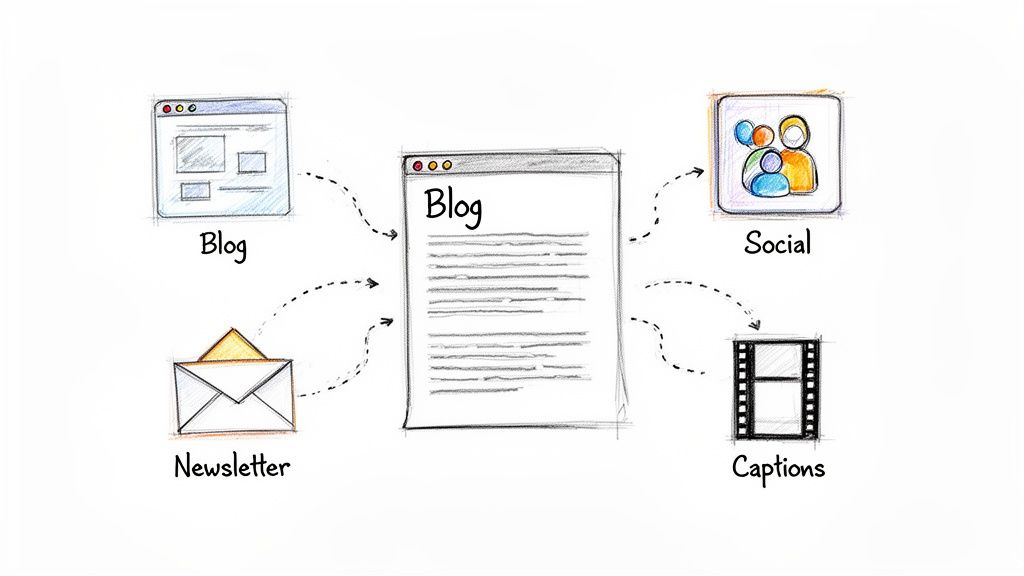
Let's stop thinking about transcripts as a chore and start treating them as a strategic asset. With a repeatable system, you can squeeze every last drop of value out of each episode you produce.
Convert Your Transcript Into a Full Blog Post
This is the fastest and most effective way to repurpose your audio. Your transcript is the skeleton of a comprehensive, search-engine-friendly blog post that can pull in organic traffic for years. It's no wonder marketers who prioritize blogging are 13x more likely to get a positive return on their work—and you've already done the hard part.
Here’s a simple workflow I use:
- Start with the Raw Text: Export the cleaned-up transcript.
- Give it Structure: Use H2 and H3 headings to break up the text. Follow the natural conversation flow to create logical sections.
- Embed Your Player: Drop your podcast's audio player right at the top. This lets people read, listen, or both.
- Polish and Publish: Write a quick intro and conclusion. Weave in some relevant keywords, bold the key ideas, and you're good to go.
What you're left with is a powerhouse piece of content that serves readers, listeners, and search engines all at once.
A single hour-long podcast episode can easily become a 2,000-word article. This isn't just another blog post; it's a long-term SEO asset that works 24/7 to bring in new people who are searching for the exact topics you cover.
Create Highly Sharable Social Media Graphics
Your transcript is packed with insightful, punchy quotes—from you and your guests. These are pure gold for creating graphics that stop the scroll on Instagram, X (formerly Twitter), LinkedIn, and Facebook.
Instead of just posting a generic "new episode is live" announcement, you can pull enough quotes to create a week's worth of posts from one episode. Fire up a tool like Canva, drop your best quotes onto a branded template, and you're done. This promotes your episode while giving your followers something genuinely interesting to read and share.
Build Detailed, Timestamped Show Notes
Basic show notes are fine, but great show notes are a game-changer for your audience. Detailed, timestamped notes let people find exactly what they're looking for without scrubbing through the audio. A good podcast transcript generator makes this ridiculously easy by providing word-level timestamps.
Just scan your transcript and pull out the main topics, questions, and aha-moments. List them out with the matching timestamp. This simple act of respecting your listener's time makes your show incredibly user-friendly and keeps them coming back.
Craft an Engaging Email Newsletter
Your email list is your direct line to your biggest fans. Use your transcript to create a "key takeaways" summary for your newsletter subscribers. Don't just paste the whole thing—distill it down to the absolute best bits.
A format that always works well for me is:
- Start with a quick personal intro about the episode and your guest.
- Share 3-5 main bullet points or surprising insights from the chat.
- Pull one or two of the best quotes to get them hooked.
- Finish with a clear call-to-action to listen to the full episode.
This gives your subscribers instant value in their inbox and drives dedicated listeners back to your latest episode. Your transcript goes from being a static file to an active tool for growing your audience.
Advanced Considerations for Professionals
When your podcast shifts from a side project to a serious business, the way you think about a podcast transcript generator has to change, too. For a solo creator just starting out, speed and basic accuracy might be all that matters. But once you're managing a professional team, a growing network, or a branded show, the checklist gets a lot longer.
Suddenly, you're not just looking for a simple utility you might outgrow in six months. You're looking for a real partner that can handle more responsibility. Let’s get into the features that truly separate the pro-level tools from the rest.
Data Security and Privacy
Once you're dealing with unreleased episodes, sensitive interviews, or company-confidential content, security isn't just a feature—it's everything. You simply can't risk a leak. This is where you have to dig deeper than the marketing slogans and really examine a service's privacy policy and security credentials.
A trustworthy service will be upfront about how they handle your data. Here’s what to look for:
- GDPR and SOC 2 Compliance: These aren't just fancy acronyms. They’re proof that a company has passed demanding third-party audits on its data protection practices.
- Data Encryption: Your audio and text files should be encrypted both while you’re uploading them (in transit) and while they’re on the company’s servers (at rest).
- Clear Data Retention Policies: The service should explicitly state they don't keep your files longer than necessary to run the transcription. A tool like Whisper AI, for instance, is built to process your files securely without ever accessing them or storing them long-term.
For a professional creator, a podcast transcript generator is more than a content tool—it's a data processor. Choosing one with solid, transparent security is fundamental to protecting your intellectual property and keeping the trust of your guests and partners.
Scalability and Team Collaboration
What works for one episode a week can completely fall apart when you’re trying to manage an entire network of shows. This is where scalability really shows its importance. A tool designed for a single user quickly becomes a roadblock for a growing team, so you need features built for high-volume, collaborative work.
One of the most important ones is batch processing. Instead of feeding the AI episodes one by one, you should be able to drop in a whole season's worth of audio and let it work its magic. It sounds simple, but this feature alone can give your team back dozens of hours.
You also need to think about team collaboration tools. Can you create a shared workspace where your editors, producers, and marketing folks can all access, edit, and export transcripts? A great platform lets you invite collaborators with specific permissions, making sure everyone is working from the same up-to-date document. It’s the only sane way to stay organized. As you scale, budgeting becomes key, and our guide on the cost of transcription services can help you plan your expenses effectively.
Robust Multi-Language Support
Finally, as your podcast finds an audience around the world, your need for multi-language support will grow right along with it. This is about more than just a dropdown menu with a list of languages.
A truly professional-grade podcast transcript generator uses AI models that have been specifically trained to pick up on the nuances of different dialects and accents. This is what gives you a high-quality transcript whether your guest is speaking Spanish from Madrid, Mexico City, or Buenos Aires. That level of accuracy is what allows you to connect with a global audience authentically and make your content truly accessible.
Frequently Asked Questions About Transcription AI
Even if you’re sold on the benefits, it’s smart to have some questions before diving into a new tool. Let’s tackle the most common concerns we hear from podcasters so you can decide with confidence if an AI podcast transcript generator is right for you.
How Accurate Are AI Generators Compared to Humans?
This is always the first question, and it's a fair one. A professional human transcriptionist can deliver incredible 99% accuracy, but that level of quality comes at a high price in both time and money.
Top-tier AI tools, especially those built on models like Whisper AI, are now hitting 90-95% accuracy right out of the gate. The best way to think about it is that the AI does the grunt work. It gives you a fantastic first draft in minutes, leaving you with just a quick proofread to fix any specific names or industry jargon it might have missed.
Can These Tools Handle Multiple Speakers and Accents?
Absolutely. This used to be a major weakness of older tools, but modern AI has gotten incredibly good at it. The key feature here is called speaker diarization.
In simple terms, the AI listens to the audio, identifies each unique voice, and neatly separates the dialogue. It will assign labels like "Speaker 1" and "Speaker 2," which you can then easily go in and rename. Most advanced models are also trained on a huge library of global accents, so while very thick accents or loud background noise can sometimes trip them up, the results are still remarkably good.
What Is the Real Time-Saving Benefit?
The time you get back is a game-changer. A professional can take 4-6 hours to manually transcribe just one hour of audio. An AI podcast transcript generator can turn that same file into a highly accurate draft in less than 10 minutes.
The goal isn't just to get a transcript; it's to reclaim your time. For a weekly podcast, this can mean saving over 20 hours per month—time you can reinvest into creating better content and growing your audience.
How Difficult Is It to Edit AI Transcripts?
It's surprisingly simple. The best platforms don't just give you a wall of text; they include an interactive editor that syncs the transcript with your audio.
If you spot a word that looks off, you just click on it. The tool instantly plays back that specific audio snippet, and you can type the correction right there. What used to be a tedious editing chore now becomes a quick five-minute review.
Ready to see how fast and accurate an AI transcript can be for your show? Whisper AI turns your audio into polished, ready-to-use text in minutes. Start transcribing for free today at Whisper AI.


























































































