
Convert Speech To Text Online: A 2026 Guide
Manually transcribing audio is a soul-crushing task. If you’ve ever had to type out an interview or a meeting recording, you know the grind. It's not just tedious; it's a massive time sink.
Fortunately, the best way to convert speech to text online is to let a modern AI service do the heavy lifting for you. In my experience, these tools can process hours of audio and deliver an accurate, ready-to-edit document in minutes, not hours.
Why Should You Automate Speech to Text?
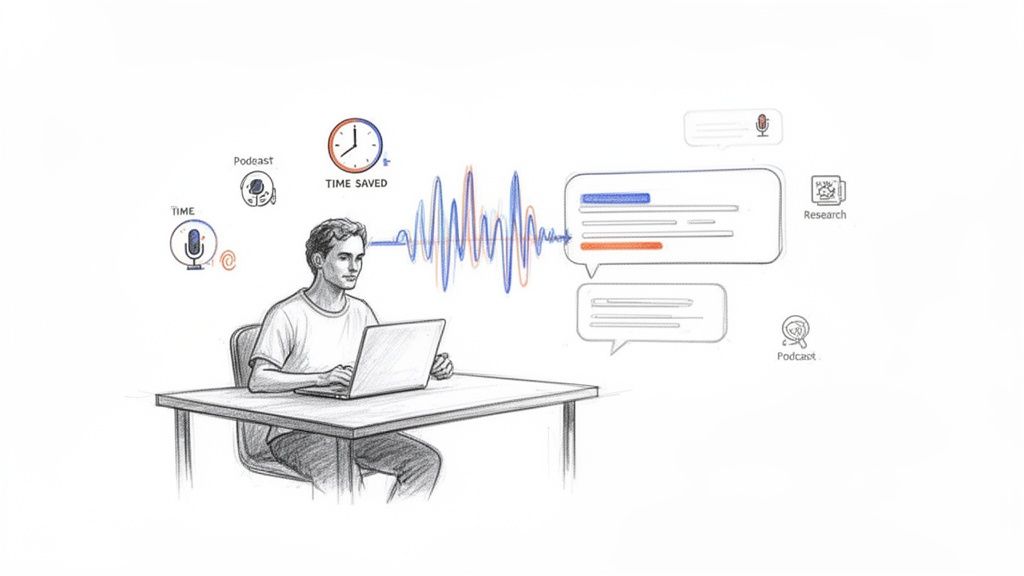
For anyone working with audio or video—podcasters, journalists, researchers, marketers—the pain of manual transcription is a familiar bottleneck. A one-hour interview can easily take 4-5 hours to type out by hand. That's half a workday gone, time you could have spent analyzing your findings, writing your next article, or actually creating something new.
This is where an automated workflow changes everything. AI tools, especially powerful ones like OpenAI's Whisper, have completely flipped the script. Instead of chaining yourself to your keyboard for hours, you just upload a file and get a nearly perfect transcript back in minutes.
Reclaim Your Most Valuable Asset: Time
The biggest win here is simple: you get your time back. I've personally seen content creators save anywhere from 10-20 hours per week just by automating this one part of their process. That’s not a small productivity hack; it's a fundamental shift in how they work. This guide will walk you through the world of audio to text services and show you how to make them work for you.
Think about what a podcaster can do with that extra time:
- Publish content faster. Show notes and full transcripts can be live on their site almost as soon as an episode is finished.
- Boost their SEO. Making an entire audio archive searchable means new listeners can find episodes through Google searches.
- Create more content. They can easily pull quotes and key insights from the transcript to create social media posts, blog articles, or email newsletters.
As one user told me after trying an automated tool for the first time, "The process was much faster and easier than I expected. About 80% of the words remained. So, it’s not a bad conversion rate." Even with a few minutes of cleanup, the time savings are enormous.
Go Beyond Simple Transcription
The best platforms in 2026 do a lot more than just convert your words to text. They’re becoming smart assistants. A tool like Whisper AI can, for instance, automatically tell you who is speaking and when, add timestamps to every paragraph, and even create a clean summary with bullet-point highlights.
This elevates transcription from a necessary evil to a strategic tool. You’re no longer just getting a wall of text. You’re getting a structured, searchable, and intelligent document that unlocks all the value trapped inside your audio and video files. For anyone producing content today, moving to a modern transcription workflow isn’t just a nice-to-have—it's essential for staying productive and competitive.
How to Choose the Right Online Transcription Tool
Trying to convert speech to text online can feel overwhelming. There are dozens of tools out there, all promising the world. But instead of getting bogged down by marketing jargon and endless feature lists, let's cut through the noise and focus on what actually makes a transcription tool worth your time and money.
From my experience, the "best" tool is entirely personal. A podcaster juggling multiple guests has very different needs than a student trying to capture a lecture. It all comes down to a few key factors that will either make your life easier or create a ton of extra work.
How Well Does It Actually Hear? Accuracy and Language Support
First and foremost, you need accuracy. A tool that constantly bungles names, trips over accents, or churns out gibberish is worse than useless—it just creates a bigger editing headache. Look for platforms that are upfront about their technology. Many of the best services today are built on powerful AI models, like Whisper AI, which can hit accuracy rates over 95% on clean audio because they've been trained on a massive amount of real-world speech.
Don't forget to check its language and accent support. The speech-to-text technology market has exploded, with some platforms recognizing over 125 languages and others capable of capturing live audio in less than 150 milliseconds. This is a game-changer if you work with international clients or speakers with diverse accents. A solid tool should handle these variations gracefully.
Pro Tip: Don't just take their word for it. Find a challenging audio clip you have—maybe one with some background noise or a tricky accent—and run it through the tool's free trial. A real-world test is the fastest way to see if a service can handle your specific needs.
To help you narrow down your search, here’s a quick breakdown of the different types of tools you’ll find.
Comparing Online Speech-to-Text Tool Types
| Tool Type | Best For | Key Features | Example |
|---|---|---|---|
| Basic Free Tools | Quick, non-critical tasks; one-off transcriptions of clear audio. | - Simple interface - No cost - Often browser-based | Browser-based dictation features, some free mobile apps |
| Pay-As-You-Go Services | Occasional users with varying monthly needs; project-based work. | - Pay per minute/hour - Good accuracy - Basic features like timestamps | Many online transcription service providers |
| Subscription AI Platforms | Professionals with regular needs (podcasters, journalists, researchers). | - High accuracy (AI-driven) - Speaker detection - Advanced export options - Collaboration features | Whisper AI |
| Human Transcription Services | Legal, medical, or highly nuanced content requiring near-perfect accuracy. | - 99%+ accuracy - Human editors - Slower turnaround - Higher cost | Services like Rev or Scribie |
Each category serves a different purpose. For most professional and creative work, an AI-powered platform offers the best balance of speed, accuracy, and powerful features without the high cost of manual transcription.
Do You Need Speaker Labels and Timestamps?
If you're transcribing anything with more than one person—think interviews, meetings, or panel discussions—then automatic speaker identification (sometimes called "diarization") is a must-have. Manually figuring out who said what is painfully slow. A good tool will automatically tag "Speaker 1" and "Speaker 2," letting you quickly rename them. It’s a simple feature that saves hours.
Timestamps are just as essential. They sync the text with the audio, so you can click on any word and instantly jump to that exact moment in the recording. This makes reviewing and editing the transcript incredibly fast and intuitive.
Don't Skip the Fine Print: Pricing and Privacy
Pricing models for transcription tools are all over the map. You'll find pay-as-you-go plans, monthly subscriptions with a fixed number of hours, and everything in between. The best way to choose is to honestly estimate how much audio you'll need to transcribe each month. For a more detailed breakdown of what to expect, check out this guide on AI-powered transcription services.
Finally, and this is a big one, always read the privacy policy. You're uploading your audio to a third-party server, so you need to know how your data is being handled. Reputable services are transparent about their security measures. They should make it clear that your files are processed securely and aren't stored indefinitely. This is especially critical if you're transcribing sensitive or confidential material. A clear, straightforward privacy policy isn't just legalese—it's a sign you can trust the service.
Getting Your Audio Ready for a Flawless Transcript
The old saying "garbage in, garbage out" couldn't be more true for AI transcription. The quality of your final transcript is almost entirely dependent on the quality of the audio you feed the machine. A few minutes of prep work upfront can save you hours of painful editing on the back end.
The biggest enemy of accurate transcription? Background noise. I've seen it all—the hum of an air conditioner, distant street traffic, or just the cavernous echo of an empty room. These sounds can easily throw off the AI.
If you can, always record in a quiet, controlled space. When that's not an option, a good external microphone makes a world of difference by zeroing in on the speaker. Even a simple lapel mic will capture your voice with much more clarity than your laptop's built-in mic ever could.
Nail Your Audio Levels
Beyond just background chatter, you have to watch out for inconsistent volume. If you have one person booming into the mic and another speaking softly, the AI will struggle. It might drop the quieter person’s words entirely or get confused by sudden loud noises.
Pro Tip: You don’t need a fancy audio engineering degree to fix this. Free software like Audacity has a simple "Normalize" effect that evens out the volume across the entire file. This one click ensures the AI can hear every word clearly, dramatically improving your results.
Pick the Right File Format
Finally, let's talk file formats. Most online transcription services are flexible, but for the best results, you'll want to stick with one of two main options.
- WAV (Waveform Audio File Format): This is your top-tier, uncompressed option. It keeps every bit of the original audio data, giving you the highest possible quality. If accuracy is everything and file size is no object, WAV is the way to go.
- MP3 (MPEG-1 Audio Layer 3): This is a compressed format, which means the files are much smaller and easier to upload. A high-quality MP3—encoded at 192 kbps or higher—delivers fantastic clarity that’s perfect for most transcription jobs, including those on platforms like Whisper AI.
For most people, a high-bitrate MP3 is the sweet spot, balancing great quality with a manageable file size. If you're looking to upgrade your recording setup, our guide on choosing an audio recorder device can point you in the right direction. Taking these few steps to prep your audio file gives the AI the clean source material it needs to shine.
A Walkthrough of My Transcription Process
Alright, you've got your audio file prepped and sounding great. Now comes the fun part: turning that recording into a clean, usable text document. Let's walk through the exact workflow I use to convert speech to text online, from upload to final export. We'll use a tool like Whisper AI as our example, since its process is typical of modern, high-quality transcription platforms.
It’s no secret that pros have jumped on AI transcription in a big way. I've seen it transform workflows for everyone from content teams to researchers. To give you a sense of scale, a platform like Whisper AI has already crunched over 500,000 files, which adds up to more than 60,000 hours of audio and video. For many, this automates a task that used to eat up 10-20 hours a week. It’s a genuine game-changer. You can see more on how AI speech-to-text is changing workflows for professionals.
From Upload to First Draft
Getting started is usually as simple as dragging your file right into the web browser. With Whisper AI, you just drop the audio or video onto the uploader. Before the magic happens, you'll be prompted to set a couple of crucial options.
This is where you make decisions that will save you a ton of editing time down the road.
- Speaker Detection: If you're transcribing a meeting or an interview with multiple people, this is a must. The AI will automatically tag each new speaker (e.g., "Speaker 1," "Speaker 2"), and you can easily rename them later. It's so much faster than trying to figure it out by ear.
- Timestamps: I always turn this on. It links every word in the transcript back to its exact moment in the audio. If a phrase sounds off, you can just click on the word and instantly hear the original recording to verify it.
Once you’ve made your selections, you hit "Transcribe," and the AI takes over. The text often starts appearing on your screen in real time, which is still impressive to watch. What could have been hours of painful manual typing is now just a few minutes of waiting.
Remember, though, that the process really starts with your recording quality.
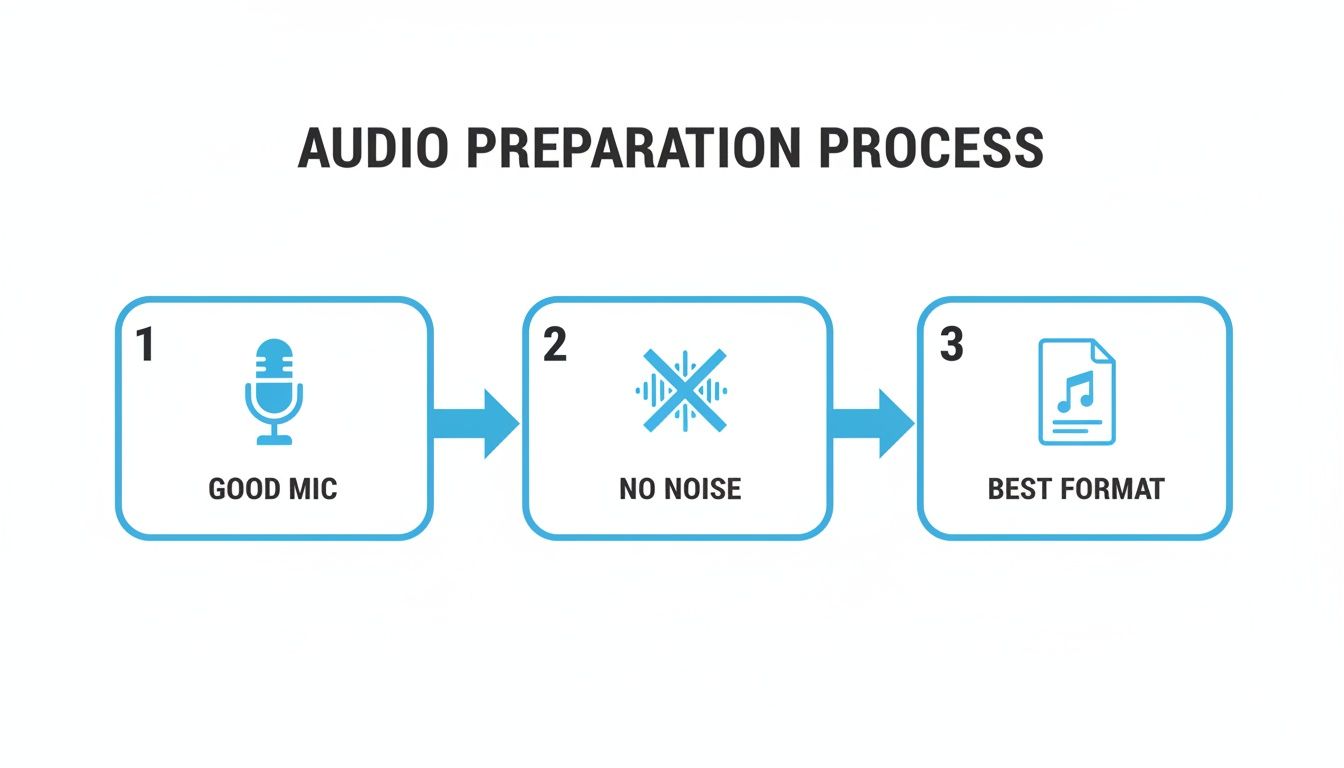
This little guide is a great reminder: a top-notch transcript always starts with a top-notch recording.
Polishing Your Transcript: The Human Touch
No matter how good the AI gets, you'll always need to do a final human review. Even with 95% accuracy, you'll find small mistakes. The AI might stumble on brand names, industry jargon, or an unusual last name. The good news? The editing process is incredibly fast with the right tools.
Modern transcription platforms have built-in interactive editors. You'll see your text right alongside the audio player, letting you listen and correct errors on the fly. This is a world away from the old method of toggling between a media player and a Word document.
A personal tip: learn the keyboard shortcuts for the editor. Most platforms let you play, pause, rewind, and slow down the audio without ever touching your mouse. Mastering these shortcuts has seriously cut my editing time in half.
Once you’ve cleaned up the text and assigned the correct speaker names, you're ready to export. Any decent tool will offer a range of formats. You can download your work as a simple TXT file, a DOCX for reports, an SRT file for video captions, or even a PDF. Your transcript is now polished and ready for whatever you need it for.
Using Advanced Features to Repurpose Your Content
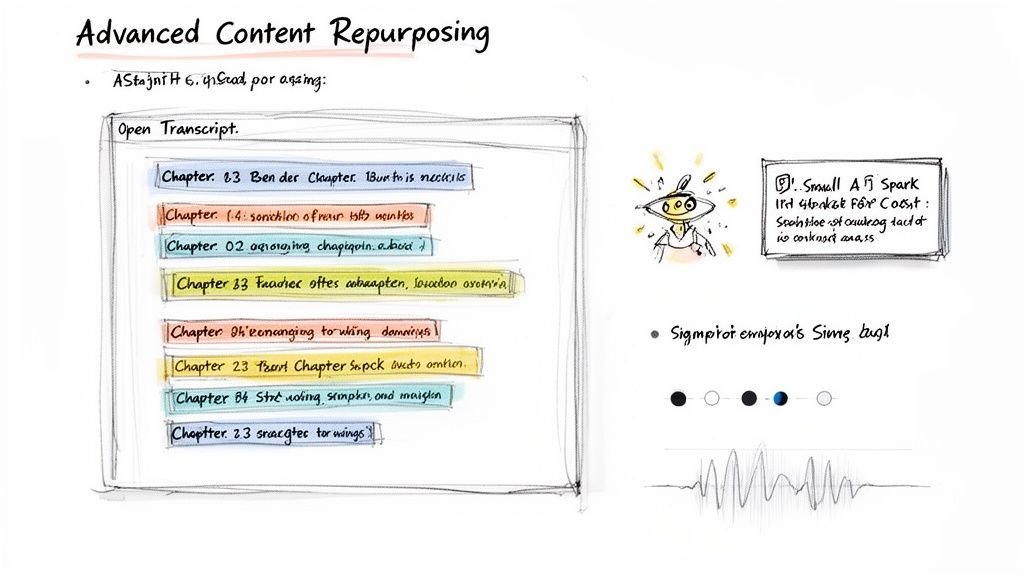
Getting a transcript used to be the end goal. Now, it’s just the beginning. The text file you get after you convert speech to text online is so much more than a simple record of what was said. It's the raw material for a whole new world of content, and modern tools are built to help you mine it effectively.
Think of it less like a static document and more like an interactive knowledge base. This is where you can really start to see a return on your investment, especially with features like AI-powered summaries and automatic chapter creation.
Unlock Your Content with AI Summaries and Chapters
Let’s get practical. Say you've just wrapped up a one-hour podcast interview. In the past, you'd have to sift through the entire transcript—thousands of words—just to find the best quotes or key takeaways. It’s a tedious process.
Today, a tool like Whisper AI can do the heavy lifting. With a single click, the platform analyzes the entire conversation and generates a short, digestible summary along with a list of the main topics or "chapters."
This gives you immediate, ready-to-use content for:
- Show Notes: Instantly create a clean summary for your podcast episode page.
- Social Media Snippets: Pull out a few key highlights to craft compelling posts for LinkedIn or X (formerly Twitter).
- Email Newsletters: Share the top three insights from your interview to give your subscribers a quick, valuable update.
What used to take an hour of manual work now takes seconds. This is the core of a smart content repurposing strategy—turning one piece of audio into a dozen different assets without the extra manual labor.
Interact Directly with Your Transcript
The best transcription platforms now offer something called an interactive transcript. It’s a game-changer. Every word in the text is perfectly synced with the original audio or video. When you click on a word, the media player jumps to that exact spot. This alone makes reviewing your content for accuracy incredibly fast.
But it gets even better. Some tools include an AI chat feature, allowing you to literally "talk" to your transcript. You can ask it direct questions, such as:
- "Pull all direct quotes from Speaker 2."
- "What were the main action items discussed in the last 15 minutes?"
- "Summarize the section where they talked about marketing budgets."
It’s a complete mindset shift. You're no longer just passively reading a document; you're actively querying your content for specific information. Your transcript becomes a searchable, dynamic database of knowledge.
These aren't niche features anymore. Thanks to huge leaps in AI, today's platforms are incredibly sophisticated. With near-human accuracy, speaker identification, and support for over 125 languages, these tools are becoming central to any content creator's workflow.
By getting comfortable with these advanced features, you can multiply the impact of your original audio or video. To dive deeper, check out this guide on how to create a solid content repurposing workflow and start maximizing your output.
Common Questions About Speech to Text Services
Once you've run a few files through an online transcription tool, you'll probably have some new questions. It's totally normal. Let's tackle some of the most common ones we hear from people who are just getting started.
How Accurate Are These AI Transcription Tools, Really?
Modern AI transcription has gotten impressively good, often hitting 95% accuracy or even higher. But that percentage comes with a big asterisk: audio quality is everything. Think of it as "garbage in, garbage out."
A clean podcast recording captured on a quality microphone will get you near-perfect results. A chaotic meeting recorded on a phone in the middle of a table? That's where you'll see accuracy drop. Heavy accents, background noise, people talking over each other, and industry-specific jargon can also trip up the AI.
This is exactly why any serious platform, including Whisper AI, has an interactive editor. It lets you play the audio and clean up that last 5% yourself, turning a good draft into a perfect final document without a lot of fuss.
Is It Actually Safe to Upload My Files?
This is a huge and valid concern. When you upload an audio or video file, you're handing your data over to a third party, and that content could be confidential. Any trustworthy service knows this and puts security at the core of its operations.
The key is to do a quick check of the service's privacy policy before you upload anything sensitive. For instance, Whisper AI is built for secure processing and is completely transparent about how it handles your data.
A good privacy policy isn't just legal fluff. Look for specific promises like end-to-end encryption and a clear statement that your files aren't kept indefinitely or used for anything other than your transcription. This is a huge sign of a platform you can trust.
Can These Tools Handle Multiple Speakers and Different Languages?
Absolutely. In fact, this is where modern AI tools really shine and save you a ton of manual work.
Most advanced platforms can perform speaker diarization automatically. That's the technical term for identifying who is speaking and when. Instead of getting a giant, undifferentiated block of text, the AI will neatly label the dialogue with "Speaker 1," "Speaker 2," and so on. You can then go in and replace those generic labels with actual names.
Language support has also come a long way. It’s no longer just for English. Many tools are now global-ready. Whisper AI, for example, can process over 92 languages, making it a fantastic option if you're working with international teams or creating content for a global audience.
What's the Best Way to Use Transcripts for SEO?
This is one of the biggest missed opportunities I see. Your transcript is an SEO goldmine. When you publish the full text of your podcast or video on your website, you're giving search engines like Google a massive amount of keyword-rich content to index.
Suddenly, you can rank for all the specific, long-tail phrases that were spoken naturally in your recording. But don't stop there. Go through the transcript and pull out key quotes, stats, or powerful soundbites. You can spin those into blog posts, social media graphics, and email newsletters—all driving traffic back to your original content. It’s the most efficient content-recycling strategy out there.
Ready to stop typing and start creating? Whisper AI provides fast, accurate, and secure transcriptions to help you reclaim your time and repurpose your content with ease. Try it for free today at https://whisperbot.ai.


























































































