
Master Preparation of Meetings with AI Tools
You’re probably reading this because a meeting is coming up and you already know the warning signs. The calendar invite is vague. Half the people invited don’t need to be there. Nobody has shared context. Someone will talk too long, someone else will ask a question that should’ve been answered before the meeting, and the group will leave with a loose sense that “we discussed it” instead of deciding anything.
That isn’t a meeting problem. It’s a preparation problem.
Good meetings rarely feel dramatic. They start on time, move through the right topics, surface the key decision, and end with clear next steps. The preparation of meetings is what makes that possible. The best teams treat prep as part of the meeting, not as optional admin work before it.
Why Most Meetings Fail Before They Even Start
A bad meeting usually looks chaotic in the room, but the failure happened earlier. It happened when nobody defined the outcome. It happened when the invite went out with no agenda. It happened when people arrived cold and had to spend the first chunk of the meeting catching up.
That pattern is expensive. Employees spend an average of 11.3 hours per week in meetings, 71% of meetings are deemed unproductive, and that costs US professionals $259 billion annually. One of the clearest preparation gaps is that only 37% of meetings include a pre-shared agenda, according to meeting statistics compiled by Archie.
Those numbers match what most team leads already feel in practice. Meetings become expensive status theater when the organizer expects real-time clarity to replace advance thinking. It rarely works. People speak in circles, revisit old points, or defer decisions because the right context wasn’t in the room.
Practical rule: If the first ten minutes of your meeting are spent explaining why everyone is there, the meeting was already underprepared.
Preparation is leadership. It tells people their time matters. It also changes the emotional tone of the room. When attendees know the goal, the decision needed, and what to review beforehand, they arrive ready to contribute instead of defend, guess, or improvise.
Three things usually sink a meeting before it begins:
- No clear outcome: The organizer wants “a discussion” when what is needed is a decision, alignment, or feedback.
- No shared context: Key documents, prior notes, or open questions live in scattered threads, not in one pre-read.
- No discipline in the invite list: People get invited because they might be useful, not because they’re necessary.
The preparation of meetings isn’t glamorous, but it’s the most impactful work in the whole process. Do it well and the meeting feels easy. Skip it and the meeting turns into recovery work.
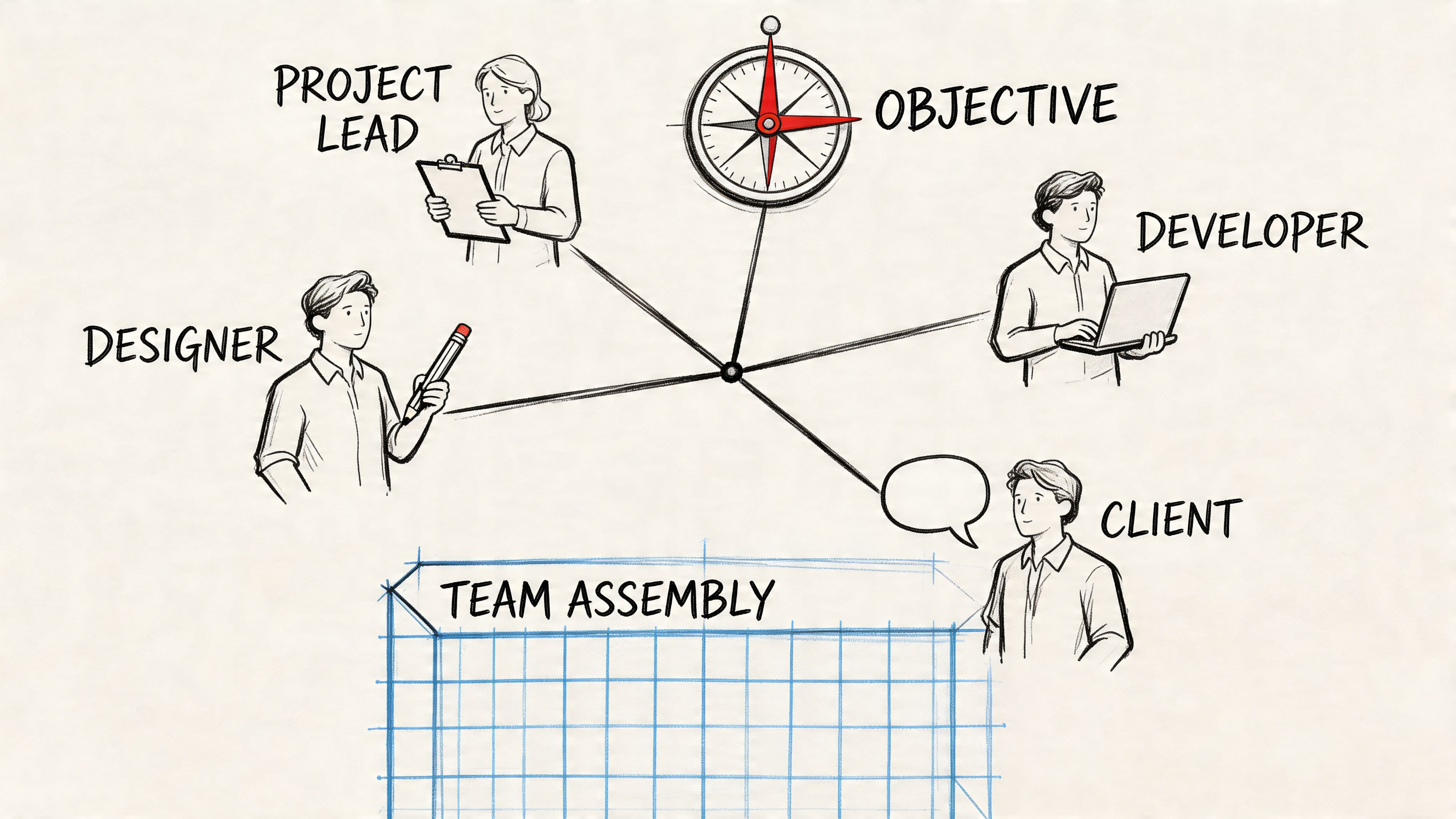
Define Your Objective and Assemble the Right Team
Beginning with the calendar is common. That’s backwards.
Start with a sentence. If you can’t state the purpose of the meeting in one line, you’re not ready to schedule it. A strong purpose sounds like this: decide which launch date to commit to, choose between two creative directions, approve the budget change, align on the next production milestone.
Weak purposes create drift. “Catch up.” “Talk through ideas.” “Review progress.” Those phrases don’t tell participants what they’re responsible for doing in the room.
Pick one meeting type
Before building anything else, classify the meeting.
- Decision meeting: The group must choose, approve, reject, or prioritize something.
- Working session: The group needs to solve a problem together in real time.
- Alignment meeting: Leaders need shared understanding before work moves forward.
- Information meeting: One person or team needs to brief others on material they must know.
If the meeting seems to fit all four, split it. Mixed-purpose meetings drag because the room keeps switching gears. People who came prepared to decide get stuck listening to background. People who came to brainstorm get forced into premature agreement.
Build the attendee list with discipline
Once the objective is clear, decide who is essential to achieving it. Don’t ask who might want visibility. Ask who has one of these roles:
- Decision-maker who can approve the outcome.
- Owner who will do the work after the meeting.
- Subject expert who holds necessary knowledge.
- Key dependency whose input changes the decision.
Anyone outside those categories is usually optional, async, or unnecessary.
This is where meeting quality often collapses. Inviting the wrong participants can halve a meeting's outcome, and pre-surveying invitees to check for knowledge gaps matters because having more than 20% of attendees lacking context reduces decision efficacy, according to Atlassian’s guidance on effective meetings.
A smaller, sharper meeting beats a larger, safer-looking one. Big invite lists often hide weak ownership.
A quick filter that works
Use this simple decision test before sending the invite:
| Person | Why are they needed | Must attend live | Can review async |
|---|---|---|---|
| Budget owner | Final approval | Yes | No |
| Designer | Feasibility input | Yes | No |
| Sales lead | Customer impact input | Maybe | Yes |
| Broader team | Awareness only | No | Yes |
That last column matters. Not everyone needs synchronous time. Sometimes the most respectful move is to send the summary later.
A practical habit that works well is to message borderline attendees before inviting them. Ask one question: “Do you need to shape this decision live, or would a summary be enough?” That single step cuts passive attendance and exposes who actually has context.
How to Build a Purpose-Driven Agenda and Pre-Read
An agenda shouldn’t be a list of topics. It should be a sequence of decisions, questions, and outputs. If the agenda says “Marketing update” or “Product discussion,” expect rambling. If it says “Which launch message are we choosing?” people know what they need to prepare for.
The best agendas are built backwards from the outcome. Start with what must be true by the end of the meeting, then define the minimum conversation needed to get there.
Turn topics into questions
Use questions because they force clarity. Compare these two versions:
- “Timeline”
- “What date can we commit to without creating delivery risk?”
The second version tells people what kind of thinking is needed. It also makes timeboxing easier because the group knows when a question has been answered well enough to move on.
A practical agenda usually includes:
- Opening context: Why this meeting exists and what success looks like.
- Decision questions: The few issues that need live discussion.
- Constraints or risks: What could block the decision.
- Action close: Owners, deadlines, and unresolved items.
Keep the shape tight
A useful rule is to cap the agenda at a handful of meaningful items, assign an owner to each one, and make the desired outcome explicit. If an item doesn’t need discussion, remove it from the meeting and place it in the pre-read.
Here’s a template you can reuse.
| Topic (Framed as a Question) | Owner | Time Allotted | Desired Outcome |
|---|---|---|---|
| What decision do we need to leave with today? | Meeting lead | 5 min | Shared understanding of purpose |
| Which option best fits the current goal and constraints? | Project owner | 15 min | Decision on preferred option |
| What risks or dependencies could change that choice? | Functional leads | 10 min | Risks surfaced and logged |
| What must happen next, and who owns it? | Meeting lead | 10 min | Clear action items and owners |
Send the pre-read early enough to matter
A pre-read sent an hour before the meeting is not a pre-read. It’s an attachment.
Distributing an agenda 48 hours in advance alongside pre-reads is a proven tactic, and sending materials 24+ hours ahead can improve decision quality by 30% to 50%, according to guidance on planning successful meetings.
That lead time changes behavior. People can review the context, flag missing information, and come with real questions instead of first reactions.
Send only what people need to think, not everything you happen to have.
What belongs in the pre-read
Keep it concise and decision-oriented. A strong pre-read usually contains:
- The one-line purpose: What the meeting must accomplish.
- The decision or outcome needed: What attendees should be ready to do.
- Relevant background: Prior notes, current status, and any unresolved issues.
- Supporting material: A doc, transcript excerpt, brief deck, or comparison sheet.
- Questions to consider beforehand: Two or three prompts that improve the live conversation.
If you want a simple way to sharpen the objective before writing the agenda, this guide on goals of a meeting is a useful framing tool.
What doesn’t work
Several habits make agendas look organized while still failing in practice:
- Too many items: The group rushes and defers the hard topic.
- No owner per topic: Everyone assumes someone else will lead.
- No expected outcome: Discussion continues because nobody knows when to stop.
- Pre-reads with no summary: Busy people won’t dig through a long file to find the point.
One habit I’ve seen work repeatedly is placing the hardest item first, not last. Early energy is better. Attention is better. The room hasn’t drifted yet. If the meeting matters, don’t bury the main issue under updates.
Using AI to Automate Prep and Nail the Logistics
The issue isn't typically a meeting problem, but rather a context problem. The information exists, but it’s buried across recordings, Slack threads, email chains, prior notes, and scattered documents. People walk into the room partially informed because gathering the background manually takes too long.
That’s where AI helps. Not by replacing judgment, but by doing the tedious retrieval and synthesis work humans are bad at maintaining consistently.

Lack of participant preparation is the leading meeting problem at 28%, and 72% of leaders see AI as a key to improving productivity. Tools that generate summaries and action items from prior discussions directly address that gap, based on meeting data gathered by Better Meetings.
Use AI before the meeting, not just during it
AI meeting tools are often viewed as note-takers. That’s useful, but it’s the least interesting use case. The greatest value starts before the meeting.
A few practical examples:
- A new stakeholder joins late: Instead of forwarding five old threads and two recordings, upload prior calls and generate a summary of decisions, open questions, and owners.
- You had a messy planning call: Transcribe it, pull recurring themes, and turn those themes into draft agenda items.
- A recurring issue keeps resurfacing: Ask the tool to extract every mention of that issue from earlier meetings so you can enter the next one with a clean history.
- You need a pre-read fast: Use summaries from prior discussions to produce a short briefing document instead of writing one from scratch.
That approach changes the preparation of meetings from manual reconstruction into a repeatable workflow.
A practical AI workflow
Here’s a simple sequence that works well for content teams, ops leads, and client-facing groups:
Collect source material
Pull the last relevant recording, existing notes, and any recent written updates.Generate a working summary
Extract key decisions, unresolved questions, and references to deadlines or blockers.Draft the agenda from the summary
Convert those unresolved questions into the live discussion plan.Prepare logistics from the same source
Update the invite description, add links, attach the pre-read, and confirm who owns each topic.Use the transcript after the meeting
Turn the recording into searchable notes, action items, and follow-up messages.
For teams comparing tools, this review of Fathom AI Note Taker is worth reading because it helps clarify what different note-taking products handle well versus where you still need a stronger prep workflow.
A deeper look at AI for meeting notes is also useful if you want to tighten the handoff between meeting prep and post-meeting documentation.
Don’t ignore the logistics
AI can help with context, but logistics still break meetings. A solid prep routine covers both.
Before the meeting, confirm the basics:
- Calendar clarity: The invite title should say what the meeting is for, not just the project name.
- Links and files: Add the video link, working doc, and pre-read in one place.
- Room fit: For in-person sessions, make sure the room matches the purpose. Brainstorms need space. Decision meetings need visibility and minimal friction.
- Tech owner: One person should be responsible for the call link, screen share, and backup access.
- Time-zone sanity: If people are distributed, spell out the meeting time clearly and avoid making someone do calendar math.
Good logistics are invisible when they work. That’s the point.
What AI should and shouldn’t do
Use AI to gather context, summarize past discussions, identify recurring themes, and draft artifacts. Don’t use it to pretend a vague meeting is now well prepared. If the objective is fuzzy, automation only creates a cleaner version of the same confusion.
The best results come when a human lead still does three things personally: defines the decision, chooses the attendees, and reviews the draft agenda before it goes out.
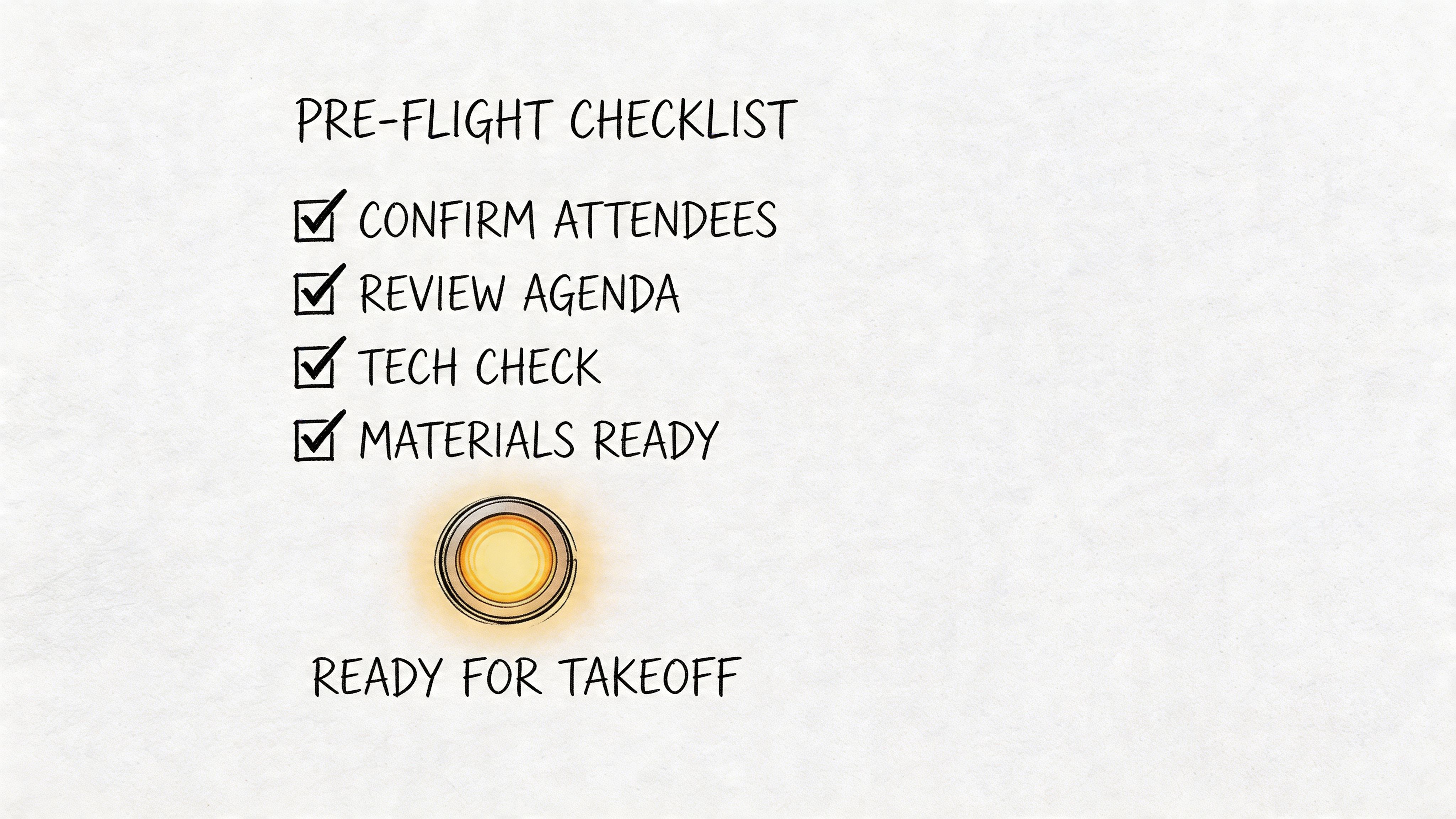
Your Final Pre-Flight Checklist for a Flawless Meeting
The day before a meeting is where solid planning either locks in or falls apart. This is the moment to stop assuming people are aligned and start confirming it.
While 73% of professionals multitask during meetings due to low engagement, reinforcing roles and the agenda helps maintain focus. That matters because 52% of attendees lose attention within the first 30 minutes of a poorly prepared meeting, as noted earlier in the Archie data.
Assign the roles before the room fills up
Don’t leave roles implied. Name them.
- Facilitator: Keeps the discussion tied to the objective and makes sure every topic lands on a decision, next step, or explicit deferral.
- Timekeeper: Protects the agenda and calls out when a topic is overrunning.
- Note owner: Captures decisions, action items, and unresolved issues in a usable format.
- Tech lead: Handles link access, recording, audio, and screen-sharing issues if they appear.
If you run larger sessions, borrowing structure from an operational event planning checklist template can help. The format works well for meetings too, especially when logistics, roles, and timing all need tight coordination.
Send one clean reminder
A final reminder should do more than say “see you tomorrow.” It should remove excuses for arriving unprepared.
Use a short message that includes:
- The purpose of the meeting
- The final agenda
- Links to the pre-read and call
- Any specific prep expected from attendees
- The decision or output needed by the end
This works because it resets attention. People miss things. A concise reminder gives everyone a final chance to review the material and arrive ready.
If attendees need to hunt through old emails to find the agenda, they won’t prepare well.
Run the last checks
Use a quick personal checklist in the final 24 hours:
| Check | What to confirm |
|---|---|
| Objective | Is the outcome still the same, or did the meeting drift? |
| Attendees | Are the right people still on the invite? |
| Materials | Are the latest files attached and readable? |
| Roles | Does everyone know who is facilitating, timing, and documenting? |
| Tech | Do the link, room, and backup plan all work? |
This last pass doesn’t take long. It prevents the familiar scramble where the first few minutes disappear into avoidable confusion.
Make Every Meeting Matter
The preparation of meetings isn’t paperwork. It’s operational discipline.
When you define a single purpose, invite only the people who matter, frame agenda items as questions, send pre-reads early, use AI to gather context, and confirm the last details before the meeting, you stop wasting live time on things that should’ve happened beforehand. That’s what effective meeting culture looks like. Not more meetings. Better prepared ones.
Many teams don’t need a dramatic overhaul. They need one or two habits they can repeat. Start with one of these: write the objective before opening the calendar invite, require a pre-read for every decision meeting, or turn prior recordings into searchable summaries so nobody enters cold.
If you want the easiest place to begin, fix the handoff after each meeting. Clear action items improve the next meeting before it even gets scheduled. A simple meeting action items template can help standardize that follow-through.
The standard for a good meeting is simple. People know why they’re there, what they need to decide, and what happens next. If your meetings don’t consistently do that, the answer usually isn’t better facilitation in the room. It’s better preparation before the room.
Whisper AI helps teams turn recordings, calls, interviews, and planning discussions into searchable transcripts, summaries, and action items without manual cleanup. If you want a faster way to prepare for meetings and leave each one with usable follow-up, try Whisper AI.


























































































