
Unlock Efficiency with the Right Automatic Summarization Tool: A 2026 Guide
Imagine trying to get the key takeaways from a two-hour podcast or a 50-page report, but you only have a few minutes. That's the exact problem an automatic summarization tool is built to solve. This guide is based on our hands-on experience using these tools daily. We'll show you how they work, who they're for, and how to choose one that genuinely saves you time.
An automatic summarization tool is a smart application that uses artificial intelligence to scan text, audio, or video and deliver the most important points in a fraction of the time it would take to go through the source material manually.
What is an Automatic Summarization Tool and How Does It Work?
We’re all swimming in a sea of information—endless meeting recordings, long articles, podcasts, and video tutorials. An automatic summarization tool acts as your intelligent filter, letting you grab the critical information without having to consume the entire piece of content.
Think of it this way: you can either read a whole textbook cover to cover, or you can review a well-written study guide that pulls out all the key concepts. An AI summarizer is your digital study guide. It doesn’t just randomly clip sentences together; it relies on a sophisticated field of AI called Natural Language Processing (NLP) to truly understand the content. It figures out the context, identifies major themes, and then decides what matters most to create a summary that’s both accurate and makes sense.
How Does It Give You Your Time Back?
The biggest win here is efficiency. For a student, this means quickly getting the main arguments from a stack of dense academic papers. For a busy professional, it’s about absorbing the highlights of a long webinar in just five minutes. You stop being a passive consumer of content and start actively gathering knowledge.
This shift has been a game-changer for anyone creating content or managing information. It's no surprise that 79% of IT leaders point to operational efficiency as the number one benefit of generative AI technologies like these. By automating the task of condensing information, teams are turning hours of manual work into a job that takes just a few minutes.
An automatic summarization tool doesn't just save you time—it focuses your attention. It cuts through the noise so you can act on information instead of just drowning in it.
Who Are These Tools For?
Based on our experience, the uses for this technology are incredibly wide-ranging, helping just about anyone who deals with large amounts of information. It’s for people who want to work smarter, not harder.
Here are a few examples of who benefits most:
- Content Creators and Marketers: They can take a single long-form video and quickly repurpose it into a blog post, social media clips, and an email newsletter.
- Students and Researchers: They can process heavy reading lists much faster and pinpoint core ideas for their own work.
- Business Professionals: It’s perfect for generating meeting minutes, pulling action items from sales calls, and keeping up with industry reports.
- Journalists: They can sift through hours of interview audio to find the most powerful quotes and flesh out their story angles.
Ultimately, using an automatic summarization tool is a practical way to manage the modern firehose of information. It helps you learn faster, create more, and make better decisions. And if you want to improve your own summarization skills, our guide on how to write an objective summary is a great place to start.
Extractive vs. Abstractive: Understanding the Two Types of Summarization
When you use an automatic summarization tool, it's essentially taking one of two distinct paths to get the job done. Think of it like this: you can either grab a highlighter to mark the most important lines in a book, or you can read a chapter and then explain it to a friend in your own words.
Understanding the difference between these two approaches—extractive and abstractive summarization—is key to picking the right tool and getting the results you actually want.
Extractive Summarization: The Highlighter Method
The first and most straightforward method is extractive summarization. This approach is the digital equivalent of a meticulous researcher with a highlighter. The AI scans the entire text, identifies the sentences it deems most important, and then simply lifts them word-for-word.
These key sentences are then stitched together to form the summary. It's not creating anything new; it's curating the best of what's already there. The huge advantage here is fidelity. Since the summary uses the original text, you don't have to worry about the AI misinterpreting the meaning or losing crucial nuances. It’s all about precision.
This method is perfect when you can't afford any change in wording:
- Legal work: Pulling specific clauses from a contract or critical statements from a deposition where every single word matters.
- Scientific research: Extracting the exact hypothesis or findings from a dense academic paper.
- Finding quotes: Sifting through hours of interview transcripts to find that perfect, impactful quote.
Abstractive Summarization: The Paraphraser Method
The second, more sophisticated method is abstractive summarization. This is where things get really interesting. Instead of just highlighting and copying, this type of AI actually reads and understands the content, much like a human would. It processes the information, grasps the core concepts, and then generates a completely new summary in its own words.
This is a major step up. The AI isn't just a copy-paste machine; it's a cognitive partner. It mimics our own ability to learn something and then explain it, resulting in summaries that are fluid, coherent, and often much easier to read.
This is why modern summarization tools can handle so many different types of content—from text and audio to complex video—and produce a genuinely useful output.
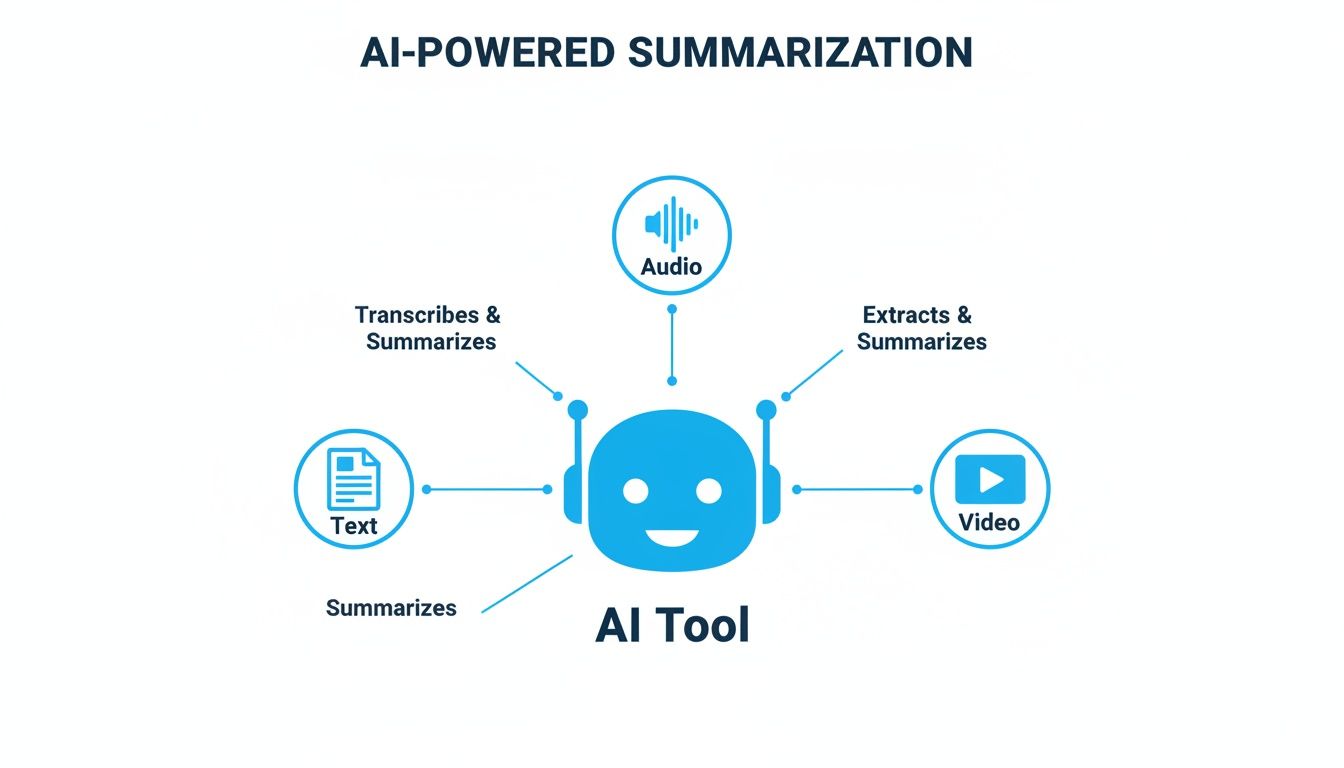
Abstractive summarization really shines when you need a fresh, concise, and readable version of the original material.
- Content creation: Turning a lengthy webinar or podcast into a snappy blog post or a series of social media updates. A good video summarizer is a game-changer for this.
- Meeting notes: Getting a quick, digestible recap of a long meeting without having to read the entire transcript.
- Learning aids: Creating simplified study guides from complex textbook chapters to make them more approachable for students.
The incredible progress in this area is a big part of the larger boom in AI automation. In fact, the market for these tools is growing at a staggering rate, projected to jump from $1.2 billion in 2023 to an estimated $4.5 billion by 2028. It’s clear that businesses and individuals are quickly catching on to how much time these tools can save.
Extractive vs. Abstractive Summarization Compared
So, how do you decide which one is for you? It really boils down to your specific goal. This table lays out the fundamental differences between our "Highlighter" and "Paraphraser" methods.
| Attribute | Extractive Summarization (The Highlighter) | Abstractive Summarization (The Paraphraser) |
|---|---|---|
| Process | Selects and copies key sentences directly from the source text. | Generates new, original sentences to convey the core ideas. |
| Output Style | A collection of sentences pulled directly from the source. | A unique, fluid summary that reads like it was written by a human. |
| Accuracy | Extremely high factual accuracy, as it uses the original wording. | Generally high but carries a small risk of subtle misinterpretation. |
| Coherence | Can sometimes feel disjointed, like a list of important points. | Typically very smooth and coherent, with natural transitions. |
| Best For | Legal review, academic research, fact-checking, and quote extraction. | Content repurposing, meeting recaps, social media, and general understanding. |
Ultimately, there’s no single "best" method—it's all about context. The most capable summarization platforms today, including those built on models like Whisper AI, often give you the flexibility to choose between an extractive or abstractive summary, putting you in control of the final output.
How Professionals Actually Use Summarization Tools in 2026
The theory behind summarization is interesting, but the real magic happens when these tools solve everyday problems. This isn't just fancy tech; it's becoming a fundamental part of getting work done, saving time, and uncovering insights that were previously buried. From creating content to running a business, automatic summarization tools are changing the game.
Nowhere is this shift more apparent than in the world of media. For podcasters, YouTubers, and other creators, these tools are like having a tireless assistant on call 24/7. They close the gap between recording great long-form content and actually getting it out into the world—a process that used to be a massive time-drain.
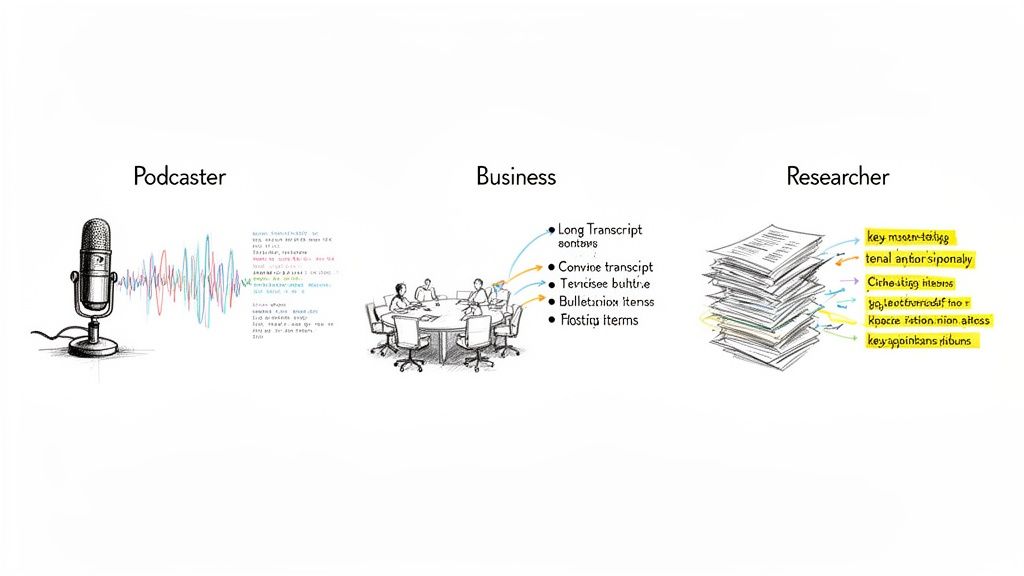
Use Case 1: For Podcasters and Content Creators
Let's say you just finished recording a fantastic 90-minute interview. It’s packed with value. Before AI, you were looking at hours of tedious work: transcribing, re-listening to find the best clips, and then slowly chipping away at writing show notes and social posts.
Today, that whole workflow looks completely different based on our experience:
- Instant Transcription and Summary: You upload your audio. In a few minutes, you get back a clean, speaker-labeled transcript and a neat summary of the key topics.
- Blog Post Creation: With the AI-generated summary as your outline, you can draft a blog post in a fraction of the time. The main themes are already identified, giving you a perfect structure to build on.
- Social Media Content: Next, you can ask the tool to pull five killer quotes or takeaways directly from the transcript. Boom—that’s a week’s worth of social media content ready to go.
- Email Newsletter: A quick, bulleted summary of the episode’s best moments is ideal for your newsletter, giving subscribers a compelling reason to click and listen.
What used to burn an entire day is now done in less than an hour. This lets creators get back to doing what they love—making great content in the first place.
Use Case 2: For Busy Business Teams
The explosion of remote and hybrid work has led to an avalanche of virtual meetings. They're essential, but they also leave behind hours of recordings that nobody has the time to watch. Since 2020, research shows the number of virtual meetings has jumped by a staggering 77%, burying important decisions and action items in video archives.
Automatic summarization tools are turning this mountain of "meeting debt" into a searchable, actionable knowledge base. They ensure that what was discussed actually leads to what gets done.
Think about a typical project kickoff meeting. An automatic summarization tool completely overhauls what happens after everyone clicks "Leave Meeting."
- Actionable Meeting Minutes: Instead of someone being forced to take notes, the tool produces a clean summary of decisions and action items, often assigning them to the correct person. This alone has been shown to boost action item completion by as much as 25%.
- Faster Follow-ups: With a summary in hand almost immediately, the meeting host can send out a follow-up email while the conversation is still fresh. Teams using these tools report sending follow-ups up to 40% faster.
- Onboarding and Alignment: When a new person joins a project, they can get up to speed by reading the meeting summaries instead of watching hours of old recordings. It's a much faster way to understand the project's history and key decisions.
- Searchable Knowledge: Ever tried to remember a specific budget number or deadline that was mentioned weeks ago? Now you can just search the transcripts. This creates a permanent, easily accessible record of team knowledge.
Use Case 3: For Researchers and Academics
Academic work means swimming in a sea of information. A single literature review can involve sifting through hundreds of dense, technical papers. It's a necessary part of the process, but it’s also incredibly slow and demanding.
Here, summarization tools act like a powerful research assistant. They dramatically speed up the discovery phase. For example, a researcher can screen hundreds of articles for relevance in a single afternoon by using a tool that generates on-demand summaries.
This is how it often plays out:
- Rapid Literature Screening: Instead of just reading abstracts, a researcher gets a more detailed summary covering the methodology, findings, and conclusions. This makes it far easier to decide which papers deserve a full read.
- Identifying Key Themes: By feeding a collection of papers into a summarizer, a researcher can quickly spot the dominant themes, ongoing debates, and crucial gaps in the current literature.
- Concept Clarification: When a complex theory comes up, the tool can break it down into a simpler explanation. It’s like having a personal tutor on call to clarify tricky concepts without derailing your focus.
Across all these fields, the underlying benefit is the same. These tools help people reclaim their time and mental energy from tedious tasks, allowing them to focus on the creative, strategic, and high-impact work that truly matters.
How to Choose the Right Summarization Tool for You
Trying to find the right automatic summarization tool can feel overwhelming. Every option on the market promises to transform your productivity, but how do you know which one will actually deliver? From our experience testing and using these tools, it comes down to knowing what to look for.
Instead of getting lost in marketing hype, let's focus on the five criteria that truly matter. Think of this as your practical checklist for cutting through the noise and finding the perfect tool for your work.
1. Accuracy and Reliability
Let's be honest: if a summary is inaccurate or confusing, the tool isn't saving you time—it's creating more work. The absolute most important quality of any summarizer is the quality of its output. You need summaries that are clear, coherent, and factually on point.
When you're evaluating a tool, look for ones built on sophisticated, modern AI models. The best platforms often blend several different models to maintain high accuracy. It’s also a great sign if the tool gives you control over the output format, letting you choose between a quick paragraph, a set of bullet points, or direct quotes.
2. Supported Content Formats
Your work probably involves more than just plain text, so your summarizer should be able to keep up. The most valuable tools act as a central hub for all kinds of information. Before signing up, make sure the tool can handle the formats you use every day.
A genuinely useful automatic summarization tool should handle:
- Audio and Video Files: This is non-negotiable for anyone who works with recorded meetings, podcasts, or interviews.
- Web Links: The ability to drop in a link to an article, blog post, or YouTube video and get a summary back is a massive time-saver.
- Plain Text and Documents: Of course, it still needs to handle the basics like reports, emails, and research papers you copy and paste.
3. Language Support
In a globally connected world, your content isn't always going to be in English. If you work with international teams or follow media from other countries, multilingual support is a must-have. Many basic summarizers fall short here, sticking only to English.
For example, a platform like Whisper AI shines by supporting over 92 languages. This kind of capability is essential for global businesses and creators who need to understand information no matter its source language. Always double-check the tool's language list to make sure your needs are covered.
4. Integration Capabilities
A great tool shouldn't hold your content hostage. Once you’ve generated a summary, you need to be able to do something with it. A tool that plays nicely with the other apps in your workflow is what separates a decent gadget from an essential part of your toolkit.
Look for flexible export options. Can you easily push your summary and transcript to Google Docs for a report? Or send it to Notion for your knowledge base? Even simple exports to plain text (TXT) or Markdown (MD) make a huge difference. These connections remove the friction of endless copy-pasting. To see how this works in practice, check out our guide on using an AI meeting summary tool to its full potential.
5. Security and Privacy Protocols
When you upload a file or share a link, you're placing trust in that service, especially with sensitive information like confidential meeting notes. Security can't be an afterthought.
A trustworthy provider will be completely transparent about how they handle your data. Your information should be processed securely, never used to train their models without your explicit consent, and deleted promptly.
Look for tools that are compliant with standards like GDPR and have a clear, easy-to-understand privacy policy. This is your assurance that your information will stay private. While many tools focus on audio, text-focused summarizers like QuillBot have also become popular for their strong paraphrasing and writing features. By keeping these five key areas in mind, you can confidently choose a tool that not only works well but truly works for you.
A Step-by-Step Guide to Integrating Summarization Into Your Workflow
Knowing what a tool can do is one thing. Actually weaving it into your daily work is another. The real power of an automatic summarization tool kicks in when it becomes a core part of your process—a habit that automates the tedious stuff and frees you up for strategic and creative thinking.
This isn’t about saving a few minutes here and there. It’s about building a system that can save you hours. Let's walk through a real-world content repurposing workflow to show you what this looks like in action.
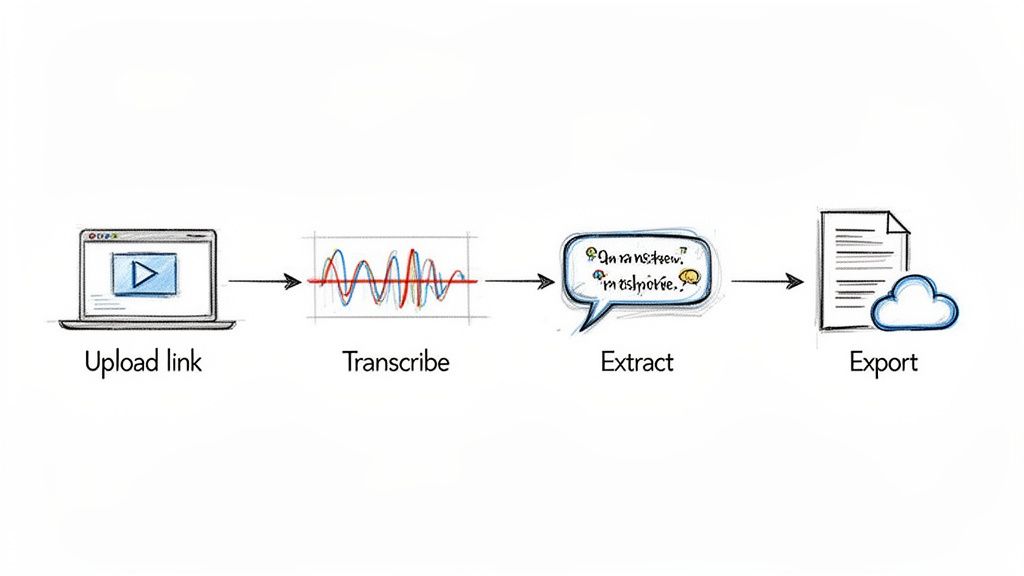
Step 1: Upload Your Source Content
Everything starts with your original piece of content. Modern tools like those built on Whisper AI often just need a link. Let's say you just dropped a one-hour YouTube interview with an industry expert.
Your first move is to copy that YouTube link and paste it straight into your summarization tool. That’s it. The platform immediately starts pulling in the content and getting it ready. This simple copy-paste action completely replaces the old, clunky method of downloading huge video files and waiting for them to upload.
Step 2: Transcribe and Summarize
With the link provided, the AI gets down to business. In just a few minutes, it automatically generates two incredibly valuable assets for you:
- A Full Transcription: You'll get a highly accurate, word-for-word transcript of the entire video. The best platforms also handle speaker diarization, meaning they can automatically tell who is speaking and label them (e.g., "Speaker 1," "Speaker 2"). This makes following the conversation a breeze.
- An Initial Summary: Right alongside the transcript, the AI delivers a clean, concise summary of the whole discussion. This gives you a bird's-eye view of the key topics, major points, and final takeaways almost instantly.
This one step completely eliminates the hours you might have spent transcribing by hand or the cost of paying for a manual service.
Step 3: Interact and Refine with AI Chat
This is where the magic really happens. You have the full transcript and a general summary, but now you can use an interactive AI chat to start digging for gold. Instead of rereading an hour's worth of text to find that one perfect quote, you just ask for it.
Think of it like having a conversation directly with your content. You can make specific requests to pull out exactly what you need for different marketing channels.
For instance, you could fire off prompts like:
- "List the top 3 recommendations the expert mentioned for small businesses."
- "Pull out five impactful quotes from the guest."
- "Identify all the action items discussed in the last 10 minutes of the video."
- "Create a bullet-point list of the main challenges highlighted in the interview."
With every question, you get a new, perfectly tailored piece of content. The AI scans the entire transcript in seconds and hands you exactly what you asked for.
This interactive step transforms you from a passive content reviewer into an active director. You are guiding the AI to extract precise value, turning a single piece of long-form content into dozens of smaller, targeted assets.
Step 4: Export and Repurpose
The final step is putting all this great new content to work. A truly powerful automatic summarization tool will have flexible export options that plug right into the other tools you already use.
Let's stick with our YouTube interview example. Here’s what you could do next:
- Export the Summary as a Blog Draft: Take the refined summary you built with the AI chat and export it straight to Google Docs. You now have a solid outline for a full-length blog post.
- Export the Quotes for Social Media: That list of powerful quotes can be exported as a simple text file. Just like that, you have a week's worth of high-quality posts for Twitter, LinkedIn, and Instagram.
- Export the Full Transcript for Records: Save the complete transcript as a PDF or TXT file for your archives. This not only creates a searchable database of your content but can also be used to generate subtitles for your video.
By making these steps a habit, you’ve successfully turned a single one-hour video into a whole suite of high-quality content—all in a fraction of the time. This is more than just being efficient; it's about maximizing the value of every single thing you create.
Your Questions About Automatic Summarization Tools, Answered
Jumping into any new tech brings up some practical questions. We've compiled answers to the most common questions we hear from users, based on our direct experience.
How accurate are these summaries, really?
This is the big one, and the honest answer is: it depends on the quality of the AI model and the source material. A top-tier tool working with clear audio or a well-written document can produce results that are genuinely impressive.
Think of it less as a perfect, hands-off replacement for a human and more as an incredibly competent assistant that gets the first draft 95% of the way there. Extractive summaries are factually spot-on because they pull sentences directly from the source. Abstractive summaries, which rewrite ideas, get the context right. You'll still want to give the output a quick once-over for mission-critical tasks, but the days of tedious manual work are over.
No AI is flawless, but a good summarization tool is more than accurate enough to give you a massive productivity boost. The goal is efficiency, not eliminating human oversight entirely.
Ultimately, a great summary starts with a great transcript. That's why any tool worth its salt must have a world-class transcription engine at its core.
Is my data safe when I upload it?
This is a non-negotiable, and you're right to be cautious. Any trustworthy service will be upfront about its security and privacy policies, often holding certifications like GDPR compliance. When you upload a file, it should be handled in a secure, encrypted environment from start to finish.
The key things to look for are simple: your files should never be seen by human eyes, and they shouldn't be stored any longer than needed to generate your summary. Most importantly, your data should never be used to train the provider's AI models without your explicit permission. Always read the fine print on data protection.
Can these tools tell different speakers apart in a meeting?
Yes, and this is a game-changing feature. The best tools do this using something called speaker diarization, which automatically detects and labels who is speaking and when.
This is absolutely essential for summarizing:
- Team Meetings: The summary will clearly attribute action items and decisions, so you know exactly who said what.
- Interviews: You can instantly separate the interviewer’s questions from the guest’s answers—perfect for pulling quotes.
- Panel Discussions: It keeps track of the back-and-forth, making even the most complex conversations easy to follow.
Without this, a meeting transcript is just a wall of text. With it, the conversation is organized, clear, and immediately useful.
Do they work in languages other than English?
Absolutely. While some basic tools are English-only, the leading platforms have strong multilingual support. This is a must-have for global teams, researchers using international sources, and creators trying to reach a worldwide audience.
For instance, the most capable platforms can now accurately process and summarize content in over 90 different languages. This technology is breaking down language barriers, allowing you to pull insights from a much wider pool of audio and text. Before you sign up for any service, just double-check their list of supported languages to make sure it covers your needs.
Ready to stop wasting time on manual notes and start unlocking the value hidden in your content? Whisper AI combines state-of-the-art transcription and summarization to turn your audio and video into clear, actionable insights in minutes. Experience the future of productivity with Whisper AI today!


























































































