
12 Best Content Marketing Automation Tools (An Experience-Based Review)
What's the right balance between automation and human insight in content marketing? This is one of the biggest questions facing marketers today. The right tools can save you hundreds of hours, but choosing the wrong one can lead to generic, low-impact content. So, how do you pick the right one for your specific needs? Having tested and reviewed dozens of platforms, I've compiled this list of the 12 best content marketing automation tools that genuinely enhance, not just replace, your workflow.
From my experience, finding this balance often means ensuring your AI-generated drafts still feel authentic and perform well in search engines. Understanding how a specialized guide on using an AI humanizer for SEO can transform robotic text into content that ranks is a critical skill for modern marketers. The goal is to make automation work for you, amplifying your unique voice rather than silencing it.
This resource is designed to cut through the noise and give you clear answers based on hands-on experience. I'll show you exactly how to use these platforms, what to watch out for, and which one fits your specific role, whether you're a podcaster, social media manager, or part of a large business team. Each review includes:
- Concise Summaries: Get the main idea at a glance.
- Key Features & Pricing: Understand what you get and what it costs.
- Honest Pros & Cons: Real insights from hands-on testing.
- Specific Use-Cases: See how a tool fits your exact job.
- Screenshots & Links: Visualize the interface and access the tool directly.
We'll even explore how to integrate tools like Whisper AI for transcription and repurposing content, turning a single video or podcast into dozens of assets. Let's find the tool that will help you create better content, faster.
1. Whisper AI
From my experience, Whisper AI is an essential foundational tool for any content marketing automation strategy, focusing on the critical first step: transforming raw audio and video into structured, usable assets. It's an AI-driven transcription and summarization platform engineered to convert spoken content from virtually any source into highly accurate text, complete with automatic speaker detection and timestamps. This functionality is the bedrock of content repurposing, allowing teams to quickly extract value from podcasts, webinars, interviews, and social media clips without hours of manual labor.
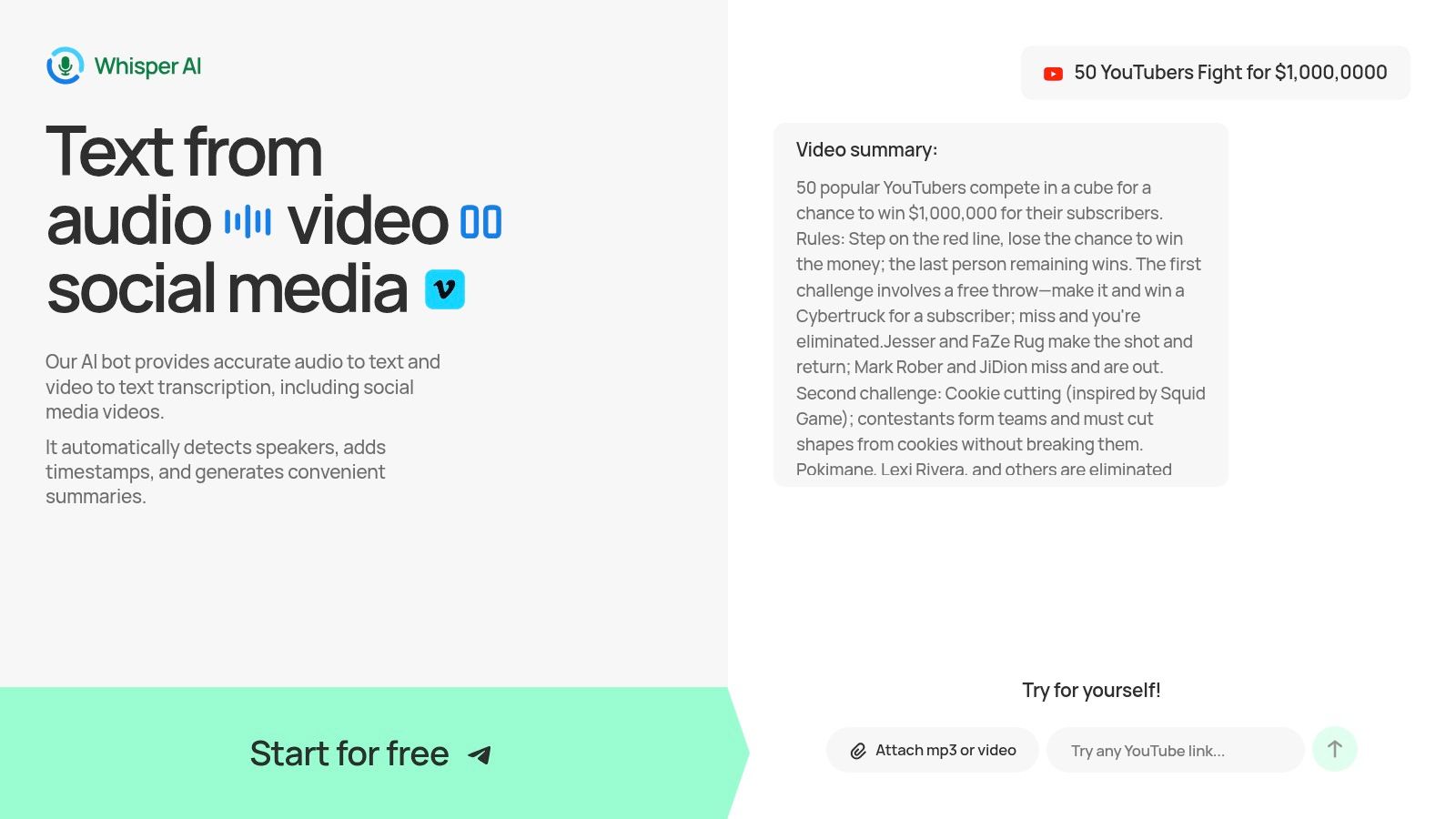
The platform’s real strength lies in its ability to not just transcribe but to understand content. After processing a file, Whisper AI generates concise summaries and bullet-point highlights, giving marketers an immediate overview of the key takeaways. I've found this feature accelerates the ideation process for creating blog posts, social media updates, and email newsletters. Users can also interact directly with the transcript by asking follow-up questions to pinpoint specific data, generate action items, or refine insights, turning a passive recording into an active work session.
Core Features & Use Cases
- Multi-Format Ingestion: Accepts a wide range of audio/video file uploads and direct links from platforms like YouTube and TikTok. This is ideal for social media managers who need to quickly repurpose a viral video or for researchers analyzing video interviews.
- High-Accuracy Transcription & Summarization: Its multi-model backend provides remarkably accurate transcripts in over 92 languages. The automated summaries and highlights are a significant time-saver for podcasters wanting to generate show notes or for business teams needing to create meeting minutes.
- Interactive Transcript Analysis: The ability to ask questions directly to the transcript ("What were the main three recommendations?") helps content creators quickly find quotes, stats, or key arguments for their next article or video script.
- Versatile Export Options: Transcripts and summaries can be exported to Google Docs, Word, PDF, TXT, or Markdown, fitting seamlessly into existing content creation workflows.
Pricing
Whisper AI offers a free starter option that allows users to test its core transcription and summarization capabilities. For detailed pricing on paid plans, which unlock more advanced features and higher usage limits, you will need to sign up or contact their sales team directly.
Pros & Cons
For any marketer whose strategy relies on video or audio, Whisper AI is a must-have tool. It effectively automates the most time-consuming part of content repurposing and provides a solid foundation for scaling your output.
Website: https://whisperbot.ai
2. HubSpot Marketing Hub
HubSpot Marketing Hub stands out as an all-in-one platform that deeply connects your content marketing efforts directly to its powerful CRM. This integration is its key differentiator; instead of managing separate tools for your customer data, email campaigns, and landing pages, HubSpot centralizes everything. This makes it one of the most effective content marketing automation tools for teams aiming to align marketing actions with sales outcomes.
The platform allows you to build complex, multi-step workflows based on user behavior. For instance, a YouTuber could create a workflow that automatically emails a specific resource guide to viewers who sign up via a landing page linked in their video description. Similarly, a podcaster can segment their audience based on which episode pages they visited and send targeted follow-up content.
Key Features & Considerations
- Visual Workflow Automation: Create automated sequences triggered by form fills, page views, email opens, and other contact interactions.
- Integrated CRM: Every action is tied to a contact record, providing a complete view of the customer journey for superior personalization and lead scoring.
- AI Assistants (Breeze): HubSpot's AI tools help generate content ideas, draft emails, and even build automation workflows, accelerating campaign creation.
- Built-in Content Tools: It includes native landing pages, forms, and email builders with A/B testing capabilities.
Pricing: HubSpot offers a free tier with basic tools. Paid plans (Starter, Professional, Enterprise) scale significantly in price based on features, contact list size, and paid user seats. The complexity of its pricing is a common criticism, so careful planning is advised.
Pros:
- Excellent CRM and marketing automation integration.
- Scales well, supporting businesses from startup to enterprise.
Cons:
- Pricing can become expensive and complex.
- Requires a dedicated onboarding process to use its full potential.
Website: HubSpot Marketing Hub
3. Adobe Marketo Engage
Adobe Marketo Engage is an enterprise-grade platform designed for complex B2B marketing and deep lead management. Its core strength lies in its ability to orchestrate highly detailed customer journeys and account-based marketing (ABM) programs. Where simpler tools focus on linear sequences, Marketo empowers teams to build multi-dimensional nurturing campaigns that adapt to sophisticated lead scoring and behavioral triggers, making it one of the most powerful content marketing automation tools for large organizations.
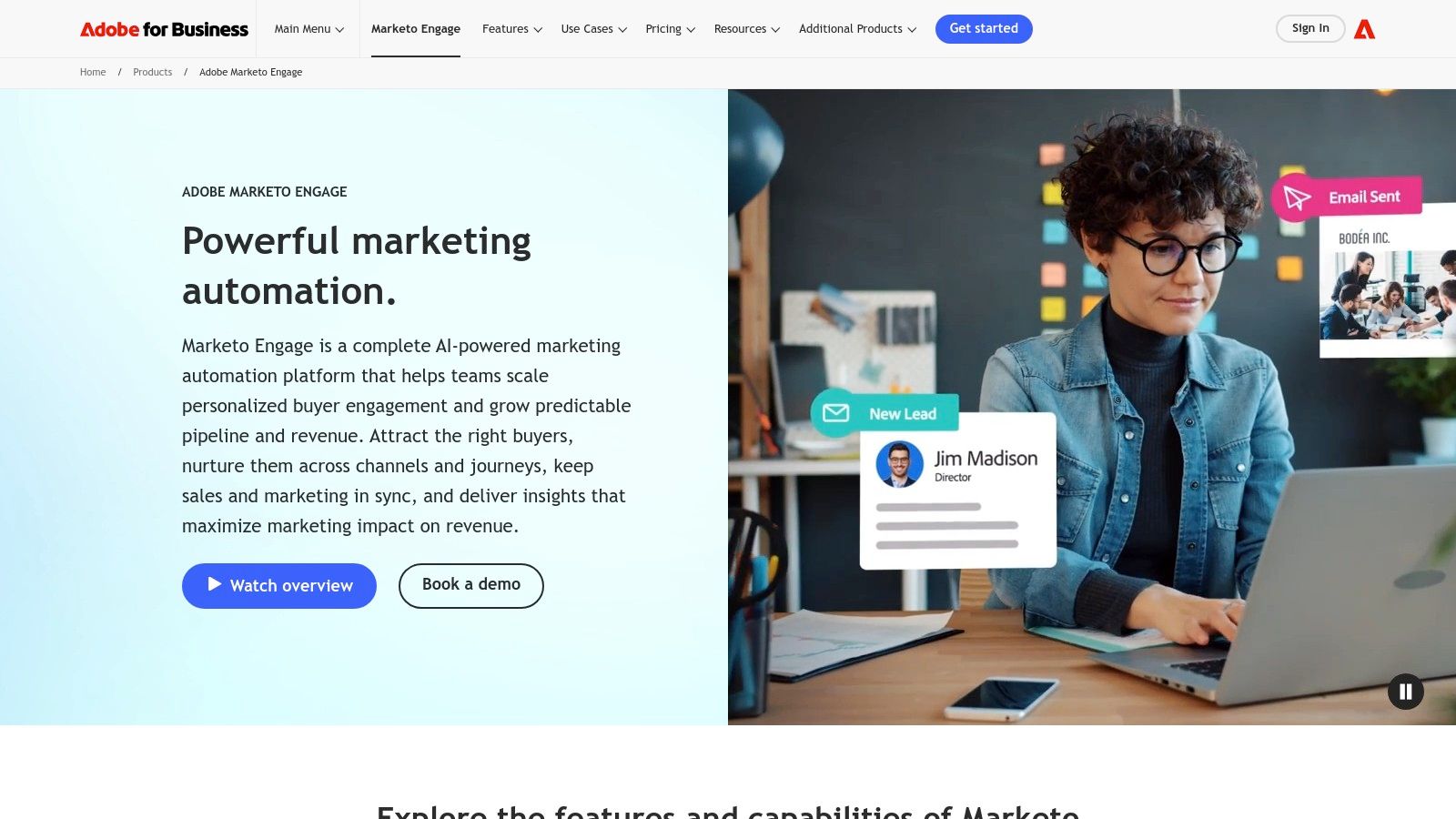
This depth allows for very specific automation scenarios. For example, a B2B SaaS company could use it to track an entire buying committee's engagement across whitepapers, webinars, and pricing page visits. The system could then automate a mix of personalized emails to individual stakeholders and trigger internal sales alerts when an account's score reaches a critical threshold, ensuring perfect alignment between marketing content and sales action.
Key Features & Considerations
- Advanced Lead & Account Nurturing: Provides robust scoring, personalization, and segmentation to manage intricate B2B sales cycles.
- Complex Workflow Automation: Supports detailed logic for account-based marketing, triggering actions based on both individual and company-level engagement.
- Adobe Ecosystem Alignment: Offers strong integrations with other Adobe Experience Cloud products, creating a connected solution for analytics, advertising, and content management.
- AI-Assisted Capabilities: Newer packages include conversation automation and AI tools to help predict the best content or channel for engagement.
Pricing: Marketo Engage does not publish its pricing publicly. Access requires contacting their sales team for a custom quote based on database size and feature tiers. This enterprise focus means it is a significant investment compared to SMB-oriented tools.
Pros:
- Highly flexible for complex B2B journeys and revenue-team workflows.
- Scales well for large databases and multi-brand enterprise setups.
Cons:
- Steeper learning curve and greater implementation effort than SMB tools.
- Pricing is not transparent and is aimed at large-scale budgets.
Website: Adobe Marketo Engage
4. Semrush (Content Marketing Platform / Semrush One)
Semrush positions itself as an SEO-first platform, making its content marketing tools distinctly powerful for anyone whose strategy is tied to search performance. Its key differentiator is the deep integration of SEO data into the entire content workflow, from ideation to auditing. This approach transforms content creation from a creative exercise into a data-driven process, making it one of the best content marketing automation tools for teams focused on discoverability.
The platform excels at connecting the dots between what you write and how it performs in search results. For example, a blogger could use the Topic Research tool to find high-demand, low-competition keywords, then generate a content brief with the SEO Content Template. As they write in the integrated editor, the SEO Writing Assistant provides real-time feedback on readability, keyword usage, and tone of voice, automating the optimization process before the content is even published.
Key Features & Considerations
- Content Marketing Toolkit: Provides tools for topic ideation, creating detailed SEO briefs, and tracking content performance.
- SEO Writing Assistant: An integrated editor that gives real-time suggestions to optimize content for search engines and user experience as you write.
- Content Audit: Automatically analyzes existing website content, suggesting which articles to update, merge, or remove based on performance metrics like traffic and backlinks.
- Integrated Competitive Research: Allows you to analyze competitor content strategies to find gaps and opportunities for your own campaigns.
Pricing: Semrush’s content marketing tools are primarily available in its Guru and Business plans. Pricing is based on the plan tier, number of user seats, and any additional toolkits or add-ons. This structure can become costly for teams needing multiple features.
Pros:
- Mature, SEO-driven approach to content planning and optimization.
- Consolidates multiple research and optimization tasks into one platform.
Cons:
- Full content tools are locked behind mid-tier plans or higher.
- Pricing can increase significantly with extra users and add-ons.
Website: Semrush
5. Jasper
Jasper is an AI content platform focused on generating on-brand copy at a significant scale, making it a powerful ally in your content marketing automation stack. While it doesn't automate distribution like an email service provider, it automates the most time-consuming part of the process: content creation. Its standout feature is its ability to learn and enforce a specific brand voice, ensuring consistency across blog posts, ads, and social media captions, even with multiple writers.
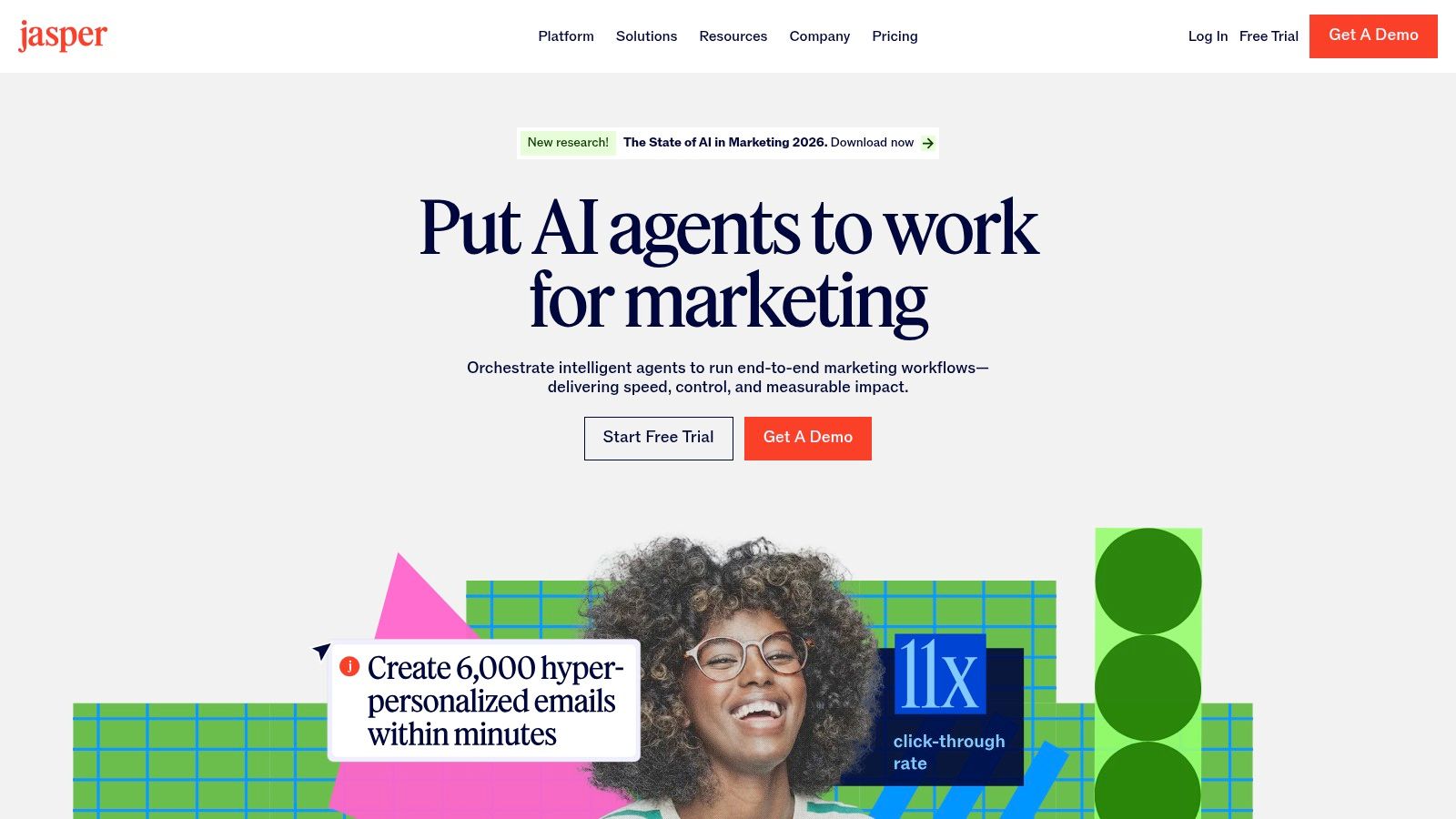
This tool is especially useful for content teams needing to produce high volumes of material quickly. For instance, a social media manager could use Jasper to generate ten different ad copy variations for a single campaign in minutes. Similarly, a blogger can create a detailed article outline and then have Jasper draft each section, drastically reducing writing time. When evaluating AI-powered solutions like Jasper, exploring a broader list of the best AI content writing tools can provide additional insights.
Key Features & Considerations
- Brand Voice & Knowledge: Train the AI on your style guides, product information, and existing content to generate outputs that are consistently on-brand.
- Templates & Workflows: Use pre-built templates for specific formats (e.g., AIDA framework, blog post intro) or create multi-step workflows to standardize content creation tasks.
- Enterprise Integrations: Connects with other business systems, including a Salesforce AppExchange integration, to fit into larger company processes.
- Speed of Generation: Optimized for fast output, making it ideal for scaling content production for blogs, social media, and ad campaigns.
Pricing: Jasper offers plans for individuals (Creator), teams (Pro), and enterprises (Business). Pricing is based on user seats and features. The Pro and Business tiers include the core Brand Voice and collaboration features.
Pros:
- Excellent for producing on-brand content quickly and at scale.
- Strong guardrails (Brand Voice) help maintain consistency across large teams.
Cons:
- Outputs require human review for accuracy and SEO optimization.
- It is a content creation tool, not a full marketing automation platform.
Website: Jasper
6. Copy.ai (Workflows)
Copy.ai positions itself as a specialized AI automation platform, moving beyond simple text generation to focus on building reusable, no-code content workflows. Its core strength lies in its ability to chain together multiple actions like web scraping, research, drafting, and formatting into a single, repeatable process. This makes it one of the most practical content marketing automation tools for teams looking to standardize repetitive research-to-draft tasks.
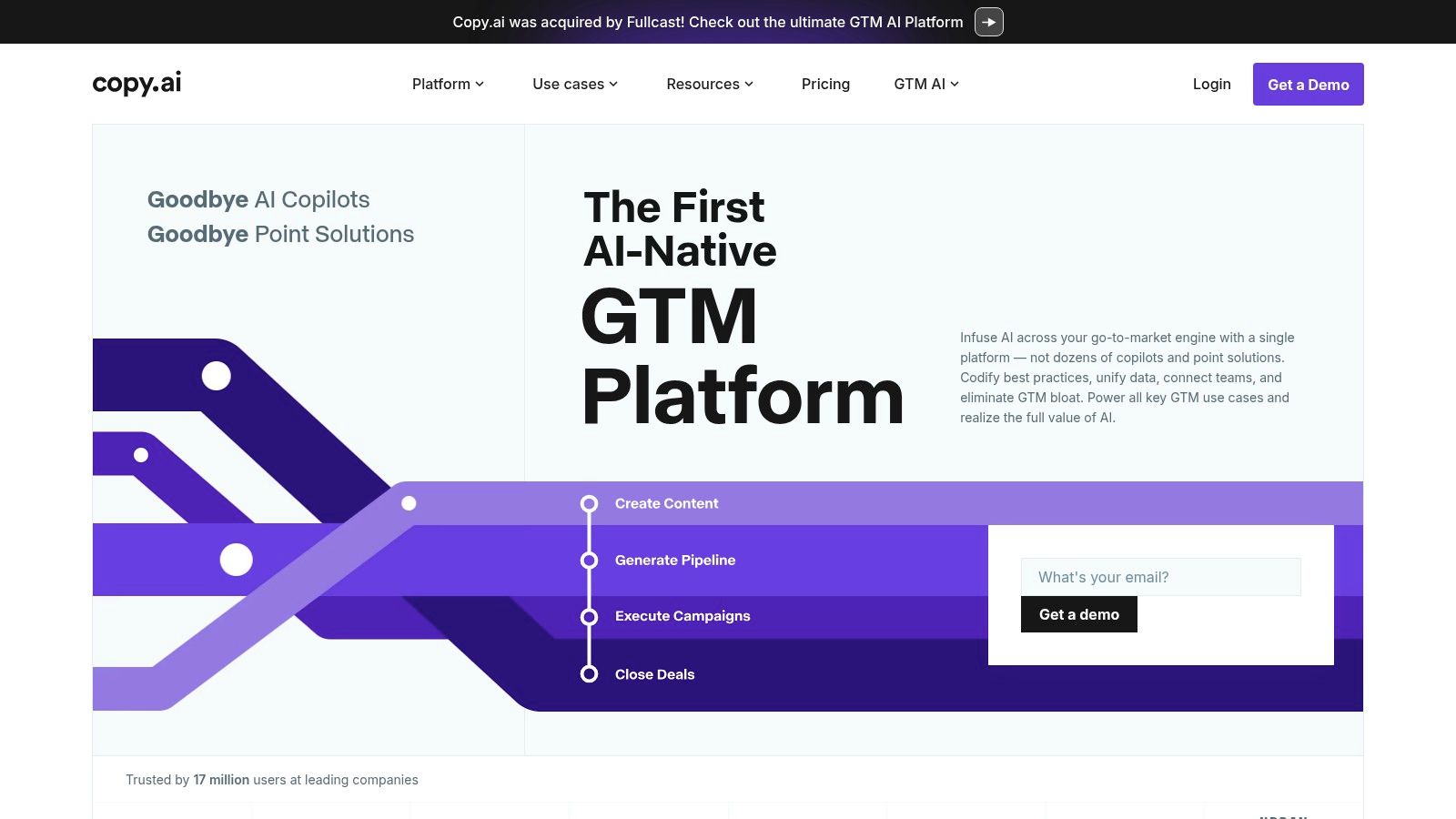
For instance, a content marketer could build a workflow that scrapes a list of competitor blog posts on a topic, analyzes the key points, and then drafts an original brief or first draft incorporating those insights. A social media manager can automate the creation of a week's worth of posts from a single long-form article, with each post tailored to a different platform. This approach systematizes content creation and reduces manual tool-switching.
Key Features & Considerations
- No-Code Workflow Builder: Design end-to-end content production tasks by connecting different actions in a visual editor.
- Brand Voice & Infobase: Upload brand guidelines, product details, and other key information to a centralized knowledge base to ensure all generated content is accurate and on-brand.
- Data Integrations: Connect to data tables or use APIs and platforms like Make to feed information directly into your workflows, automating content creation at scale.
- Reusable Templates: Start with pre-built workflow templates for common tasks like blog post generation or social media content creation to accelerate setup.
Pricing: Copy.ai offers a free plan with a word credit limit and basic features. Paid plans (Pro, Team, Enterprise) are priced per user and offer more workflow runs, features, and collaboration tools.
Pros:
- Excellent for standardizing and automating repetitive research-to-draft processes.
- Can consolidate the functions of several single-point AI and research tools.
Cons:
- All outputs require human review, especially for SEO and factual accuracy.
- Advanced automations demand a significant time investment for proper setup and configuration.
Website: Copy.ai
7. StoryChief
StoryChief excels at unifying the entire content lifecycle, from initial idea to multi-channel distribution and analytics. Its core strength lies in providing a central workspace where teams can plan, write, get approvals, and publish everywhere at once. This makes it a standout among content marketing automation tools for agencies and marketing teams tired of juggling separate documents, social media schedulers, and CMS backends.
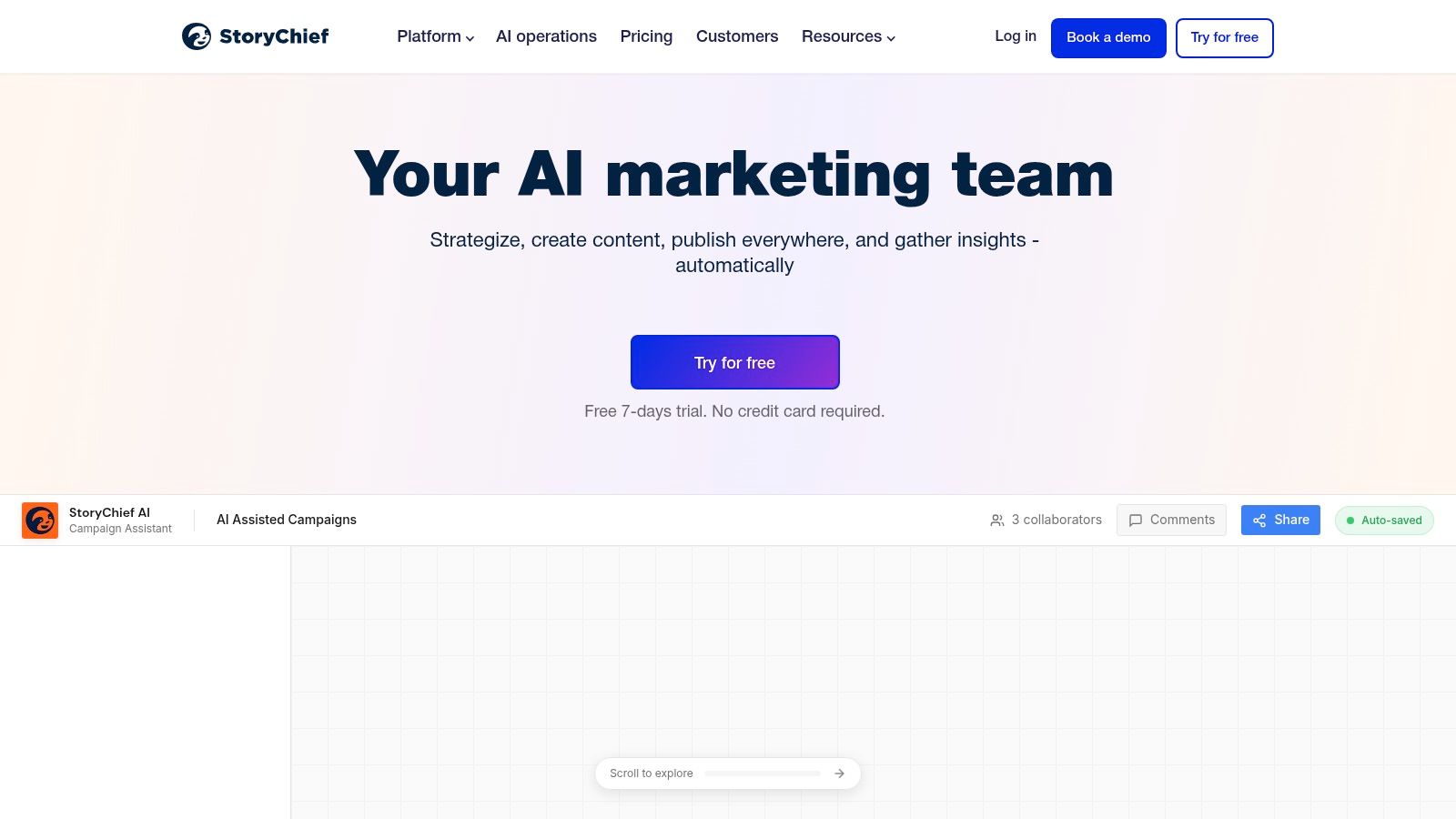
The platform is designed for collaborative efficiency. For example, a content team can use the shared calendar to plan a campaign, draft an article together in the editor with live SEO feedback, send it for client approval, and then instantly publish it to their WordPress blog, Medium, LinkedIn, and a Mailchimp newsletter with a single click. This consolidation of tasks dramatically reduces manual copy-pasting and potential errors.
Key Features & Considerations
- Multi-Channel Publishing: Connects to over 100 channels including CMSs (WordPress, Webflow), social media platforms, email marketing services, and content hubs.
- Collaborative Workflow: Features include a content calendar, collaborative drafting with comments, and formal approval flows to keep projects moving.
- AI Content Assistant: Provides an AI agent for brainstorming, drafting, and an SEO editor for real-time optimization suggestions and content audits.
- Unified Analytics: Tracks content performance across all published channels, providing a single dashboard to measure reach and engagement.
Pricing: StoryChief operates on a tiered subscription model (Team, Agency, Enterprise). Pricing is based on the number of users, articles published per month, and the number of social media accounts connected. AI and advanced features often consume credits, which can increase costs.
Pros:
- Excellent for centralizing a fragmented content creation and distribution process.
- Strong collaborative features from briefing to final publication.
Cons:
- High-volume publishing and extensive AI use can become costly.
- Larger teams will need the more expensive upper-tier plans.
Website: StoryChief
8. CoSchedule Marketing Suite
CoSchedule Marketing Suite excels as a work management platform focused on organizing and unifying complex content marketing operations. Its strength lies in providing a single source of truth for your entire marketing calendar, from initial blog post ideas to multi-channel promotional campaigns. This makes it one of the better content marketing automation tools for teams needing to coordinate many moving parts and maintain complete visibility over their content pipeline.
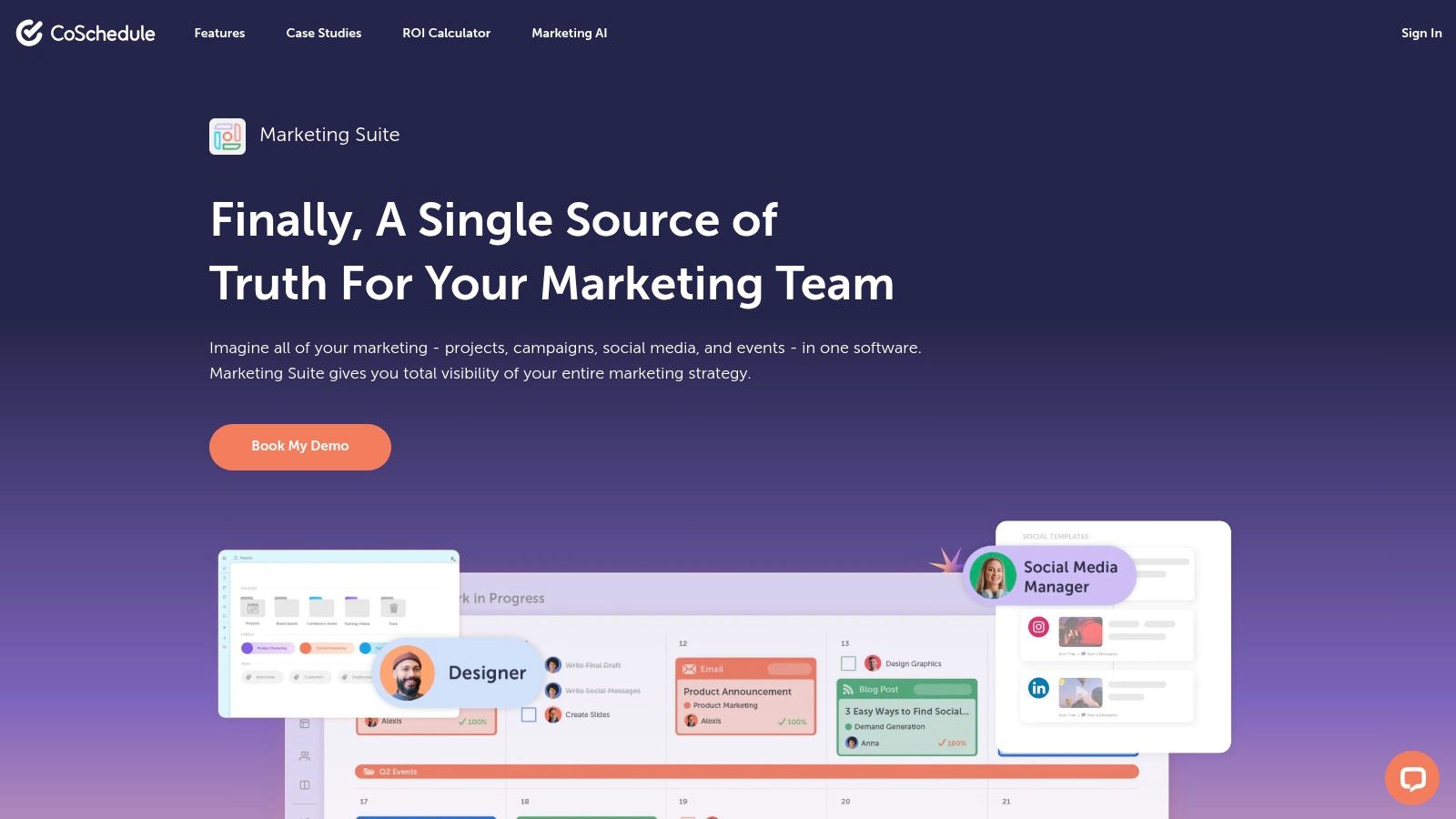
The platform shines in its ability to schedule and automate social media posts directly from the same calendar where you plan your core content. For instance, a social media manager can plan a series of promotional posts for a new podcast episode, schedule them across different networks, and see how they align with the publication of related blog articles and email newsletters, all in one view.
Key Features & Considerations
- Cross-Channel Marketing Calendar: Provides a unified view of all marketing activities, including content, social media, emails, and projects.
- Social Publishing: Automate the scheduling and publishing of social media content to promote your core marketing assets.
- Task Assignments and Approval Workflows: Create and assign tasks to team members for content creation, review, and approval directly within the calendar.
- Asset & Campaign Organization: Group all related content, tasks, and social promotions into a single campaign for better coordination and reporting.
Pricing: CoSchedule offers a free plan with a basic marketing calendar and social publishing. The paid Marketing Suite is custom-quoted based on team size and needs, which includes onboarding and training to ensure quick adoption.
Pros:
- Strong visibility and coordination across content and promotional channels.
- Well-suited for larger teams managing many deadlines and projects.
Cons:
- More advanced automation is locked behind the custom-quoted Suite.
- Full feature access may require a significant investment in a higher-tier plan.
Website: CoSchedule Marketing Suite
9. ContentStudio
ContentStudio is a social-media-first platform built for agencies and brands that need to manage a high volume of social content. Its core strength lies in its ability to discover, plan, and automate content distribution across numerous channels from a single dashboard. Unlike broader marketing suites, ContentStudio focuses on the specific workflow of social media management, from finding trending topics to scheduling posts and reporting on performance.

For a podcaster or YouTuber, this tool automates the tedious work of promoting new episodes. You can set up "evergreen" campaigns that automatically recycle your best-performing posts, ensuring a steady stream of traffic to older content. The AI assistant can generate captions for different platforms, saving hours of creative effort. This makes it one of the better content marketing automation tools for teams whose strategy is heavily dependent on social media engagement.
Key Features & Considerations
- AI Studio: Generate social media captions, images, and even entire blog post drafts directly within the platform.
- Smart & Evergreen Scheduling: Automate post publishing with bulk scheduling and create recurring campaigns that perpetually share your best content.
- Approval Workflows: A crucial feature for agencies and teams, allowing managers to review and approve content before it goes live.
- Competitor Analytics & Reporting: Track competitor performance and generate white-label reports for clients, complete with your own branding.
Pricing: ContentStudio offers several tiers, typically starting with a Starter plan for small businesses and scaling up to Agency plans. Pricing is based on the number of users, social accounts, and workspaces.
Pros:
- Saves significant time with content curation and scheduling automation.
- Excellent agency-ready features like client workspaces and white-label reports.
Cons:
- Primarily focused on social media; not a full content management system (CMS).
- Some advanced automation and analytics features are reserved for higher-tier plans.
Website: ContentStudio
10. Sprout Social
Sprout Social is a social media management platform designed for brands that require structure, governance, and deep analytics. While not a traditional content marketing platform, its strength lies in automating the entire lifecycle of social content, from planning and publishing to engagement and reporting. Its key differentiator is its focus on enterprise-grade collaboration and approval workflows, making it one of the most effective content marketing automation tools for teams that need to maintain brand consistency across multiple social channels.

The platform helps organizations manage high-volume social media operations with precision. For example, a marketing team can use the shared content calendar to schedule posts across platforms, automatically route them to a legal department for approval, and then publish them at optimal times. This level of control, combined with social listening tools, allows teams to react to trends and engage with their audience methodically. For a deeper dive into this area, explore these social media content creation tools that pair well with Sprout's management capabilities.
Key Features & Considerations
- Shared Content Calendar: Plan, schedule, and visualize your entire social media strategy with automated publishing and approval queues.
- Engagement & Listening Tools: Monitor keywords, hashtags, and brand mentions to engage with conversations and gather audience insights.
- Workflow Automation: Create custom rules and approval paths to support cross-team collaboration and ensure content meets brand standards before going live.
- Robust Reporting: Access detailed analytics on post-performance, audience growth, and team productivity, with add-ons available for deeper competitive analysis.
Pricing: Sprout Social’s pricing is per user, per month, with plans like Standard, Professional, and Advanced. It also offers add-ons for premium analytics and listening. This model can become costly for larger teams.
Pros:
- Enterprise-grade collaboration and reporting depth.
- Clear packaging and extensive support resources.
Cons:
- Per-user pricing can get expensive for large teams.
- Advanced listening and analytics require higher tiers or add-ons.
Website: Sprout Social
11. Buffer
Buffer offers a refreshingly straightforward approach to social media automation, making it a go-to choice for creators and small businesses who need efficiency without complexity. Its core strength lies in its simplicity; instead of a deep, all-in-one marketing suite, Buffer focuses on doing one thing exceptionally well: scheduling social media content predictably and affordably. This makes it an ideal starting point for those new to content marketing automation tools.
The platform is designed around a queue-based system. A podcaster, for instance, could create several posts promoting a new episode and add them to their Buffer queue. Buffer then automatically publishes them at pre-set times across linked channels like X (Twitter), Instagram, and LinkedIn. This "set it and forget it" workflow frees up creators to focus on producing content rather than manually posting it, ensuring a consistent social media presence with minimal effort.
Key Features & Considerations
- Queue-Based Scheduling: Load your content queue and let Buffer handle the publishing on a schedule you define for each social profile.
- AI Assistant: Helps generate post ideas, rephrase text for different platforms, and brainstorm content, speeding up the creation process.
- Planning Calendar: Provides a clear visual overview of all scheduled content, making it easy to spot gaps and manage your publishing cadence.
- Basic Analytics & Engagement: Track post performance and respond to comments from within the Buffer dashboard for a more streamlined workflow.
Pricing: Buffer is known for its transparent and affordable pricing. It offers a generous free plan for beginners, with paid plans (Essentials, Team, Agency) scaling based on the number of channels and scheduled posts. A free trial is available for paid tiers.
Pros:
- Extremely low-friction setup and a user-friendly interface.
- Budget-friendly pricing that is a great fit for solo creators and small teams.
Cons:
- Analytics and collaboration features are lighter compared to enterprise-level suites.
- Not built for complex, multi-user governance or approval workflows.
Website: Buffer
12. Repurpose.io
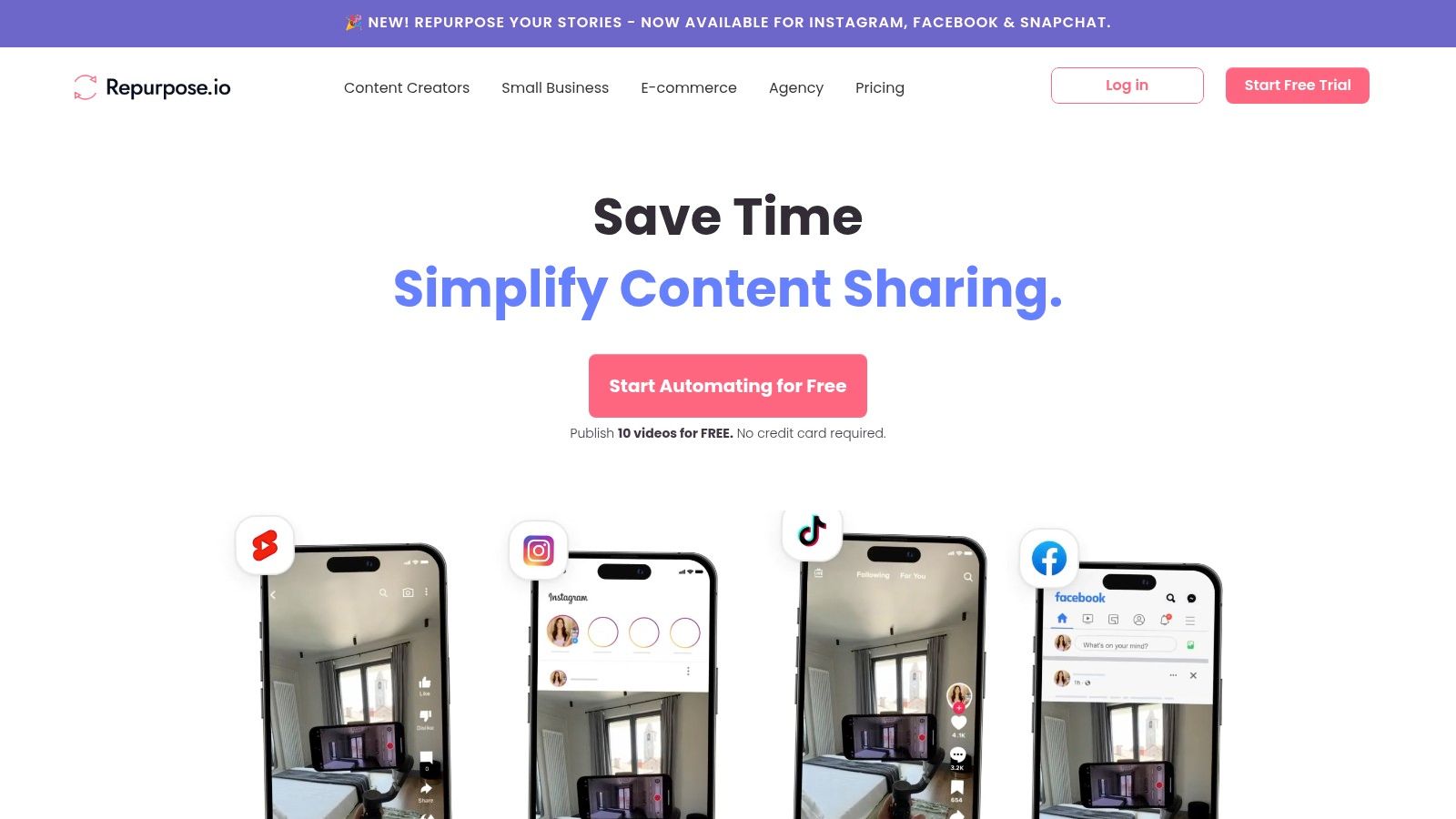
Repurpose.io is a specialized tool built to automate the distribution and repackaging of video and audio content. Its primary strength lies in taking a single long-form asset, like a podcast or YouTube video, and automatically turning it into dozens of smaller, platform-native clips for distribution. This makes it one of the most powerful content marketing automation tools for creators and social media managers focused on maximizing the reach of their core content.
Instead of manually downloading, editing, and re-uploading content for each social network, you can set up rules-based workflows. For example, a podcaster can connect their audio source and have Repurpose.io automatically generate audiograms with branded templates and publish them to Instagram Reels, TikTok, and YouTube Shorts. It is a massive time-saver for anyone following modern content repurposing strategies.
Key Features & Considerations
- Rules-Based Workflows: Create automated "set and forget" rules to clip, resize, and publish content across different channels.
- Template Library: Maintain brand consistency with pre-made templates for audiograms and video clips that include your logos and colors.
- Multi-Platform Publishing: Directly integrates with YouTube, TikTok, Facebook, Instagram, LinkedIn, and more for seamless distribution.
- Full Episode Publishing: In addition to clips, it can also publish full-length episodes to various platforms like YouTube or Facebook.
Pricing: Repurpose.io offers a 14-day free trial. Paid plans (Podcaster, Content Marketer, Agency) are based on the number of connections and workflows. Pricing is straightforward and focused on creator-level budgets.
Pros:
- Saves a significant amount of time in manual editing and uploading cycles.
- Excellent for creators who want to turn one primary piece of content into many smaller assets.
Cons:
- Highly specialized; it does not offer broader marketing features like email or SEO.
- It's a distribution and repurposing tool, not a full-fledged content management system.
Website: Repurpose.io
Top 12 Content Marketing Automation Tools — Feature Comparison
How to Choose the Right Automation Tool for You
The biggest mistake I see people make is buying an expensive tool they never fully use. Start by identifying your single biggest bottleneck. Is it repurposing video content? Managing a complex editorial calendar? Or simply writing enough social posts? Your goal isn't to automate everything; it's to automate the right things. Use this guide to create a shortlist, sign up for free trials, and see which tool actually saves you time in the real world. Many teams find that a combination of a specialized tool like Whisper AI for transcription and a broader platform like HubSpot or StoryChief for distribution offers the best of both worlds. The key is to build a stack that serves your strategy, not the other way around.
Navigating the world of content marketing automation tools can feel overwhelming. With so many platforms promising to solve all your problems, it’s easy to get lost in feature lists and pricing tiers. As we've explored, the "best" tool doesn't exist; the right tool is the one that directly addresses your most significant workflow friction. Your primary objective is not to acquire the most powerful or most expensive software, but to find a solution that genuinely gives you back time and improves your output quality.
Throughout this guide, we've dissected a dozen different platforms, from comprehensive enterprise solutions like Adobe Marketo Engage to specialized repurposing engines like Repurpose.io. We saw how platforms like HubSpot and Semrush offer an all-in-one approach, aiming to be the central nervous system for your marketing operations. In contrast, tools like CoSchedule and ContentStudio focus intensely on the editorial calendar and social media management, providing a clear command center for content distribution.
Building Your Custom Automation Stack
The most effective content automation strategies often don't rely on a single, monolithic platform. Instead, they involve creating a "stack" of interconnected tools that work in concert. A common and highly effective approach is to pair a foundational tool with one or more specialized ones.
- For Content Creators (YouTubers, Podcasters): Your stack might start with a transcription and repurposing foundation like Whisper AI. From there, you could feed that text content into a social scheduler like Buffer or a distribution-focused platform like StoryChief to atomize your core message across multiple channels.
- For Marketing Teams: A central hub like HubSpot or Semrush is often the starting point. You can then augment its capabilities by integrating a generative AI writer like Jasper for first drafts or using Whisper AI to quickly process and summarize all your internal meeting recordings and external webinar content.
- For Social Media Managers: Your world revolves around the calendar. A tool like Sprout Social or ContentStudio is your base. Layering in a tool like Repurpose.io or Whisper AI allows you to constantly feed your queue with fresh clips and quotes derived from longer video or audio assets, solving the "what to post" problem.
Actionable Steps to Making the Right Choice
Before you enter a credit card for an annual subscription, pause and follow this simple process. This discipline will save you from the common pitfall of "shelfware," software that you pay for but rarely use.
- Identify Your #1 Bottleneck: Be brutally honest. Is it writing? Is it scheduling? Is it turning your podcast into a blog post? Name the single biggest time-sink in your content process.
- Create a Shortlist: Based on that bottleneck, select 2-3 tools from this list that specialize in solving that exact problem. Don't get distracted by shiny features you don't need right now.
- Run a Real-World Test: Sign up for free trials for your shortlisted tools. Don't just click around the interface. Take one piece of content, like a recent video or blog post, and run it through the exact workflow you envision for each tool.
- Measure the Outcome: Did the tool actually save you time? Was the output quality high? Was it easy to use, or did you need to constantly consult help docs? The tool that wins this head-to-head, real-world test is your best choice.
Ultimately, content marketing automation tools are just that: tools. They are amplifiers, not replacements, for good strategy. They can't invent a compelling message or build an audience for you. But when applied to a smart workflow, they can give you the leverage to scale your efforts, stay consistent, and free up your creative energy to focus on what matters most: creating content that connects with your audience.
Ready to eliminate your biggest content bottleneck? If your challenge is turning video and audio into text-based assets like blog posts, social captions, and summaries, start with Whisper AI. It provides the foundational layer for any modern repurposing workflow, giving you fast, accurate transcriptions you can feed into any other tool in your stack. Try Whisper AI today and see how quickly you can multiply the value of every piece of content you create.


























































































