
Finding the Best Video Transcription Service in 2024: A Hands-On Review
Manually transcribing video content is a tedious, time-consuming process that drains resources better spent on creating. Whether you're a YouTuber aiming for better accessibility, a journalist needing accurate quotes, or a business team documenting meetings, the hours spent typing and re-listening add up quickly. This manual effort not only slows down your workflow but also introduces a high risk of error, potentially misrepresenting your content and undermining its credibility. The opportunity cost is significant; while you're transcribing, your competitors are already publishing and promoting their next piece.
This resource is designed to help you find the best video transcription service for your specific needs, moving you from manual grunt work to automated efficiency. We've personally tested and analyzed the top platforms on the market, from powerful AI-driven tools like Whisper AI and Otter.ai to human-powered services like Rev and Scribie. Forget generic marketing claims; this guide cuts straight to what matters.
Inside, you will find a detailed breakdown of each service, including:
- Feature-by-feature comparisons with screenshots for clarity.
- Honest pros and cons based on real-world use.
- Specific use-case recommendations for podcasters, marketers, researchers, and more.
- Clear pricing structures to help you budget effectively.
- Accuracy ratings and supported language details.
Our goal is straightforward: to provide a clear, practical roadmap so you can confidently select the right tool, save countless hours, and focus on what you do best. Let's find the perfect transcription solution for you.
1. Whisper AI
Whisper AI distinguishes itself as a premier, all-in-one platform that moves far beyond simple transcription. It’s engineered for creators and teams who need not just text from video, but actionable insights and ready-to-use content. The service is exceptionally fast, processing media and delivering a complete package: a precise transcript, automatic speaker identification, timestamps, a concise summary, and bullet-point highlights. This end-to-end automation makes it a top choice for the best video transcription service for users who want to eliminate manual work entirely.
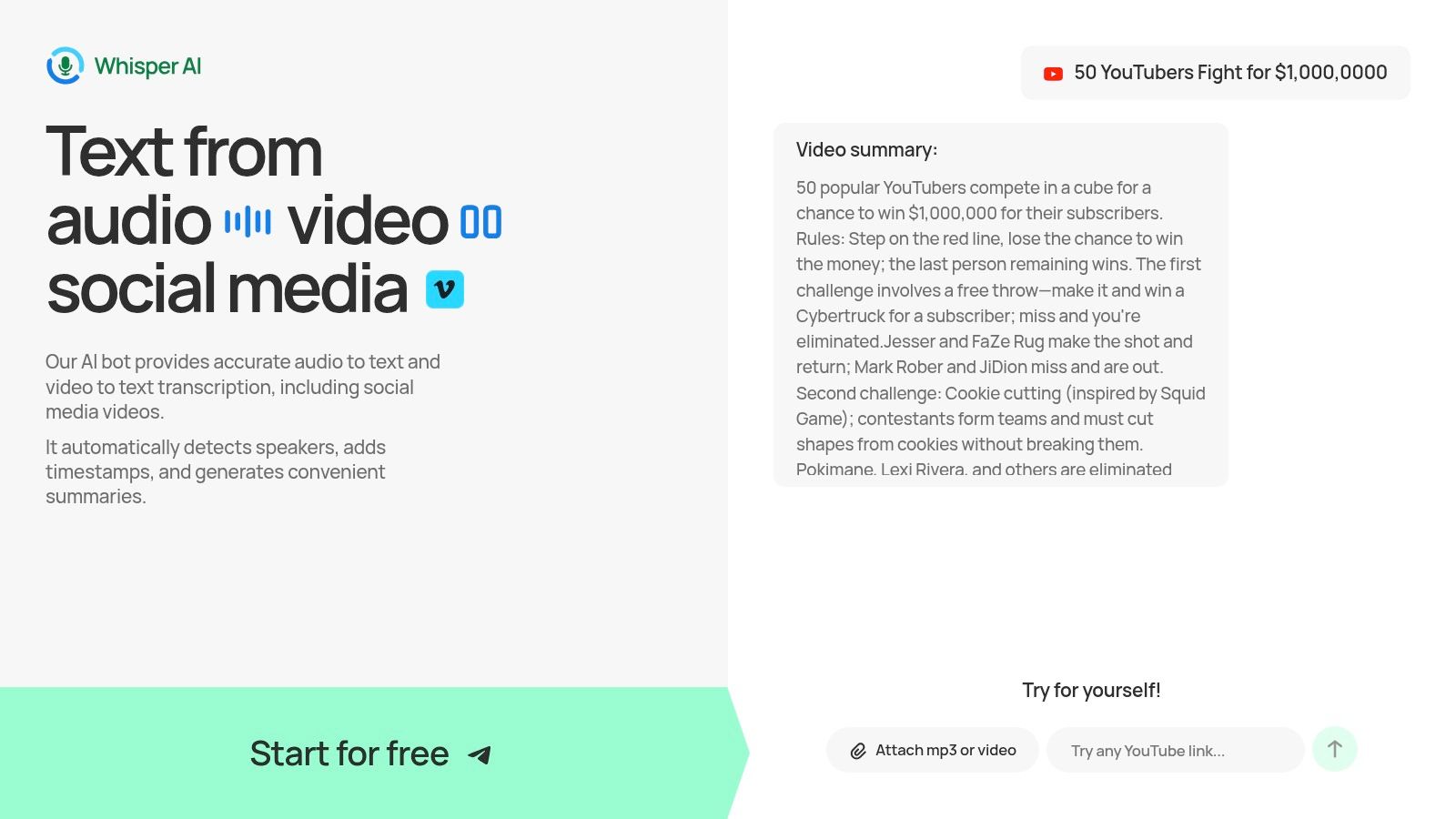
One of its most practical features is the ability to ingest content directly from public links on social platforms like YouTube. This is a significant time-saver for social media managers, journalists, and researchers who need to analyze third-party content without downloading files first. For those working with their own media, the platform accepts virtually any audio or video format. You can get a transcript of a YouTube video in minutes, turning long-form interviews or tutorials into searchable, easy-to-digest assets.
Standout Features & Performance
The platform combines multiple AI models to deliver high accuracy across more than 92 languages, making it a valuable tool for global teams and content creators with diverse audiences. Beyond transcription, its interactive "Ask a question" feature lets you query the transcript directly, helping you find specific information, generate action items for meetings, or brainstorm new content angles without rereading the entire text.
Privacy is a core component; files are processed securely and are not stored after the job is complete, providing peace of mind for users handling sensitive information. While pricing isn't detailed on the main landing pages beyond a "Start for free" offer, the presence of tens of thousands of users and several thousand paying customers indicates a trusted and proven service at scale.
Best For:
- YouTubers & Podcasters: Quickly generate captions, show notes, and summaries.
- Content Teams & Marketers: Repurpose video content for blogs, social media, and newsletters.
- Journalists & Researchers: Analyze interviews and source material efficiently.
- Business Professionals: Create searchable notes and action items from meeting recordings.
| Feature | Details |
|---|---|
| Input Methods | File upload (most audio/video formats), public link ingestion (YouTube, etc.). |
| Core Outputs | Full transcript, speaker labels, timestamps, AI-generated summary, bullet points. |
| Language Support | 92+ languages with high accuracy. |
| Export Formats | Google Docs, Word, PDF, TXT, Markdown. |
| Interactive Feature | "Ask a question" functionality to query the transcript for specific insights. |
| Privacy | Files are not stored post-processing; stated adherence to compliance standards. |
| Pricing Model | Freemium ("Start for free"); detailed tiers are likely shown after signup or by contacting sales. |
Pros:
- Fast, complete workflow provides summaries and highlights automatically.
- Flexible input options, including direct social media links.
- Privacy-first approach ensures data is not retained.
- Proven scale with a large, active user base.
Cons:
- Full pricing details are not transparent on the public website.
- Accuracy can be reduced with poor audio quality or heavy accents.
Website: whisperbot.ai
2. Rev
Rev has established itself as a reliable and professional choice in the transcription market, especially for users who need a blend of speed and guaranteed accuracy. It stands out by offering both AI-powered and human-powered services under one roof, providing a flexible solution for different needs and budgets. This makes it an excellent option when you need an AI transcript for a quick draft and then want to easily upgrade to a 99% accurate human transcript for a final, publish-ready version without switching platforms.

The platform is a solid choice for professional content creators, media companies, and legal or academic professionals who cannot compromise on accuracy. Rev’s human transcription service is its flagship offering, promising 99% accuracy with clear turnaround time service-level agreements (SLAs). You always know when to expect your file. Beyond simple transcription, Rev provides video captions, subtitles for a global audience, and even integrates a "Rev Notetaker" directly into Zoom, Google Meet, and Microsoft Teams for automated meeting minutes.
Key Features & Pricing
- Human Transcription: $1.50 per audio minute.
- AI Transcription: $0.25 per audio minute.
- Captions & Subtitles: Human-generated captions start at $1.50/min, while global subtitles are priced per language.
- Add-ons: Costs increase for rush delivery, verbatim transcription (including "uhms" and "ahs"), and timestamping every paragraph.
Pros & Cons
- Pro: A single, trusted provider for AI, human, captions, and subtitles, which simplifies workflow management.
- Pro: Guaranteed turnaround times and accuracy provide peace of mind for deadline-driven projects.
- Con: Human services are significantly more expensive than pure-AI competitors.
- Con: The cost can add up quickly with necessary add-ons like verbatim or rushed delivery.
Website: https://www.rev.com
3. Otter.ai
Otter.ai has carved out a niche as the go-to tool for real-time meeting transcription and automated note-taking. While many services focus on post-production transcription, Otter excels at capturing conversations as they happen, making it a powerful productivity tool for business teams, students, and podcasters who conduct remote interviews. It integrates directly with Zoom, Google Meet, and Microsoft Teams to provide live transcripts, speaker identification, and even generates automated summaries with key takeaways and action items.

The platform is designed around collaboration and accessibility. After a meeting, the transcript becomes a searchable, shareable document where team members can add comments, highlight key points, and assign tasks. This turns a simple video transcript into an interactive workspace, which is a key differentiator from services that just deliver a static text file. For anyone who regularly attends video meetings and struggles with manual note-taking, Otter offers a practical and automated solution.
Key Features & Pricing
- Free Plan: Includes real-time transcription for meetings up to 30 minutes long, with a cap of 300 monthly transcription minutes.
- Pro Plan: Starts at $16.99/month per user for longer meetings, more monthly minutes, and advanced features.
- Business Plan: Custom pricing for teams, adding features like centralized billing, analytics, and enhanced security.
- Core Features: Live transcription, speaker recognition, automated summaries, keyword extraction, and deep integrations with conferencing apps.
Pros & Cons
- Pro: Excellent for capturing live meetings and turning them into actionable, searchable notes.
- Pro: Strong mobile apps and an intuitive interface make it easy to get started quickly.
- Con: Less suited for high-fidelity post-production video transcription where precise editing control is needed.
- Con: The free and lower-tier plans have strict minute and duration limits, often requiring an upgrade for heavy users.
Website: https://otter.ai
4. Descript
Descript approaches transcription from a unique angle, positioning it not as a final product but as the core of the video and audio editing process. This all-in-one platform is built for creators who want to "edit video like a doc," where the automatically generated transcript serves as a fully interactive timeline. Any text you delete, copy, or move in the transcript directly edits the corresponding video or audio clips, making it a standout choice for podcasters, YouTubers, and anyone producing narrative content.
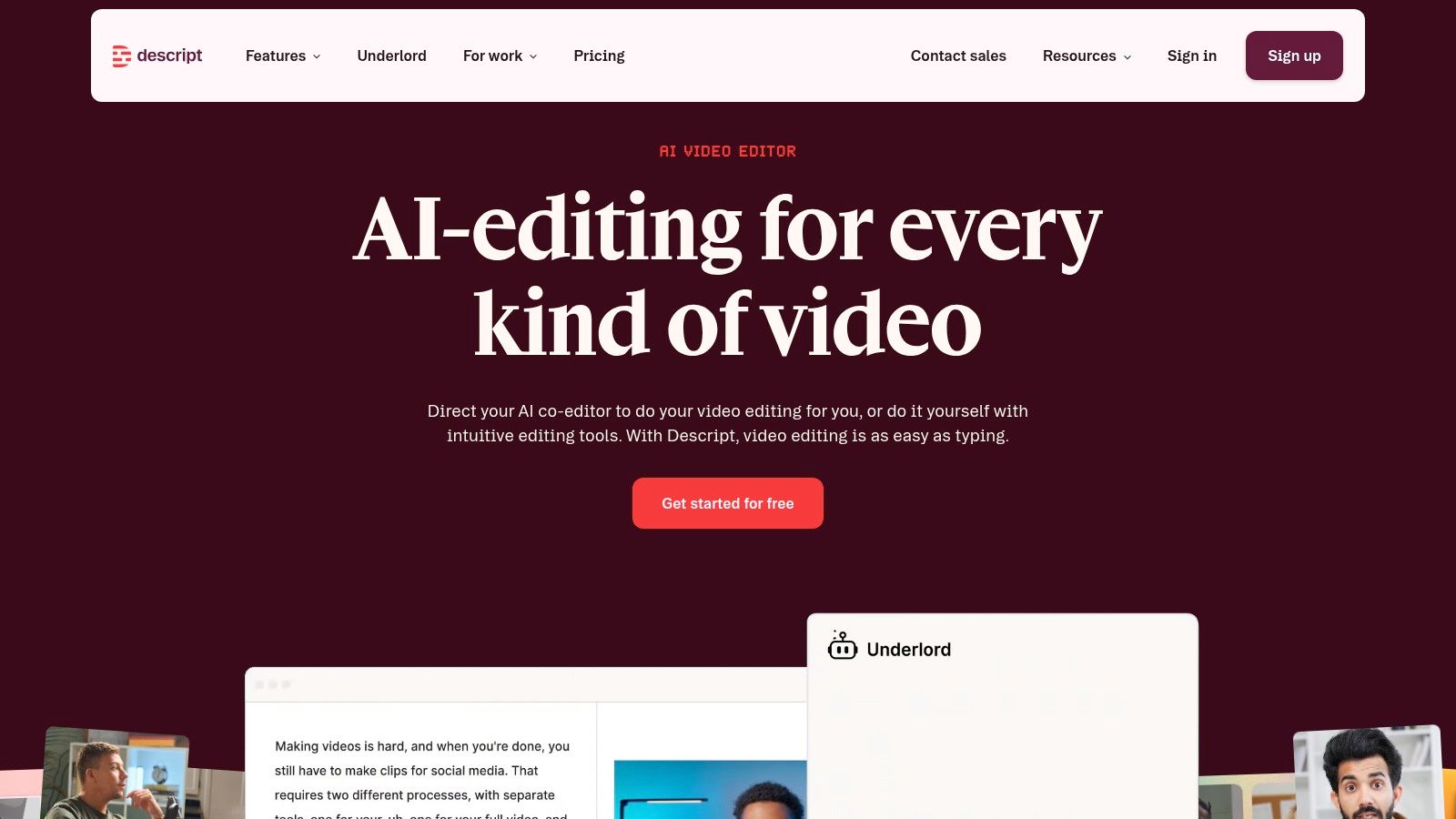
The platform is much more than just a video transcription service; it's a complete production suite. Beyond its highly accurate multi-language transcription, Descript offers powerful features like one-click filler word removal ("um," "uh"), screen recording, AI-powered voice cloning, and direct publishing to various platforms. This integrated workflow is ideal for content creators who need to move quickly from raw recording to a polished final product without juggling multiple applications.
Key Features & Pricing
- Transcription: Included in all plans, with a free tier offering one hour of transcription. Paid plans start at $12/editor/month (billed annually) for 10 hours of transcription per month.
- Text-Based Editing: Edit your video and audio by simply editing the text transcript.
- AI Tools: Includes "Studio Sound" for audio cleanup, filler word removal, and an "Overdub" feature for creating an AI voice clone to correct mistakes.
- Collaboration: Team-based projects with commenting and shared workspaces are available on higher-tier plans.
Pros & Cons
- Pro: An ideal all-in-one solution for creators, combining transcription, editing, and post-production in one app.
- Pro: The text-based editing workflow can dramatically speed up the content creation process, especially for interview-heavy or narrative content.
- Con: Can be overkill and unnecessarily complex if you only need straightforward, batch transcription without any editing features.
- Con: The pricing model, based on monthly transcription hours and AI credits, can be confusing for new users to navigate.
Website: https://www.descript.com
5. Trint
Trint is built for teams that need to go beyond simple transcription and create finished content directly from their audio and video files. It is best understood as a content-creation platform powered by transcription, making it a favorite among newsrooms, marketing teams, and documentary producers. The platform’s strength lies in its collaborative features, allowing multiple users to highlight key moments, comment, and assemble rough cuts or scripts within the same interface.
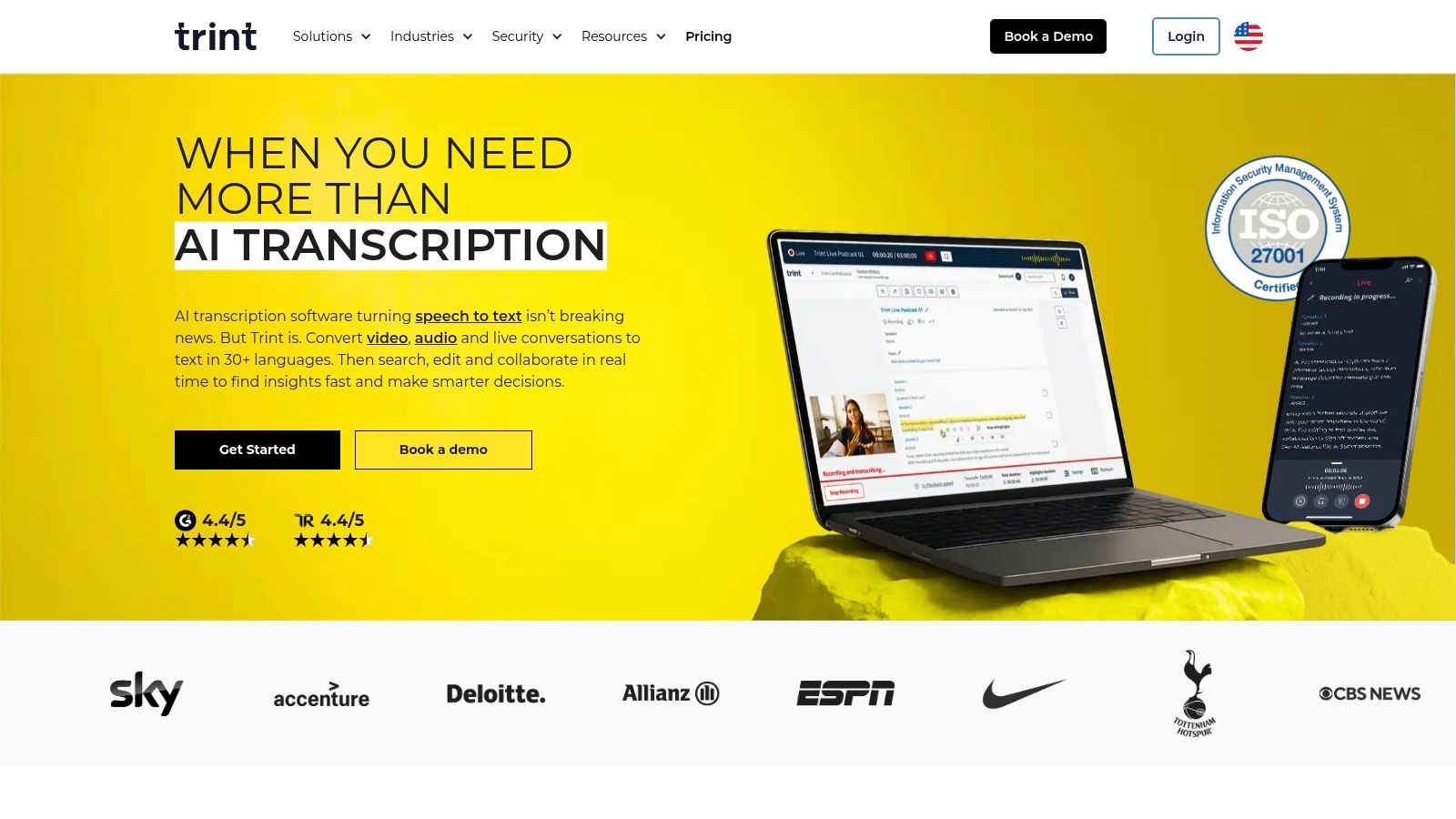
Unlike services focused solely on delivering a text file, Trint provides a full workflow. After its AI generates a searchable transcript, teams can immediately begin verifying text, assigning speaker names, and using the "Storybuilder" to drag and drop transcribed quotes into a new narrative sequence. This makes it an exceptional tool for anyone turning long-form interviews or raw footage into a polished story, script, or article. Its API access also allows for integration into larger enterprise content systems.
Key Features & Pricing
- AI Transcription: The core of the platform, available in over 40 languages.
- Collaborative Editor: Allows teams to review, edit, and comment on transcripts in real-time.
- Storybuilder: A unique feature for pulling highlights and arranging them into a new document or script.
- Pricing: Plans are subscription-based, often starting around $80/month for an individual "Advanced" plan. Team and Enterprise plans require contacting sales for a custom quote.
Pros & Cons
- Pro: Excellent for team collaboration, with review and edit workflows designed for content production.
- Pro: A generous 7-day free trial of the Advanced plan lets you fully test its capabilities.
- Con: Public pricing details can be vague, with costs varying by plan and region.
- Con: It's more of a complete workflow tool than a simple, cheap transcription service, so it may be overkill for solo users.
Website: https://www.trint.com
6. Sonix
Sonix positions itself as a fast and highly accurate AI-powered platform designed for content creators and teams who need more than just a raw transcript. It excels in producing transcripts, translations, and subtitles across more than 50 languages, making it a strong contender for those with a global audience. The platform is particularly useful for users who need to quickly create and style subtitles for their videos without using separate, complex video editing software.
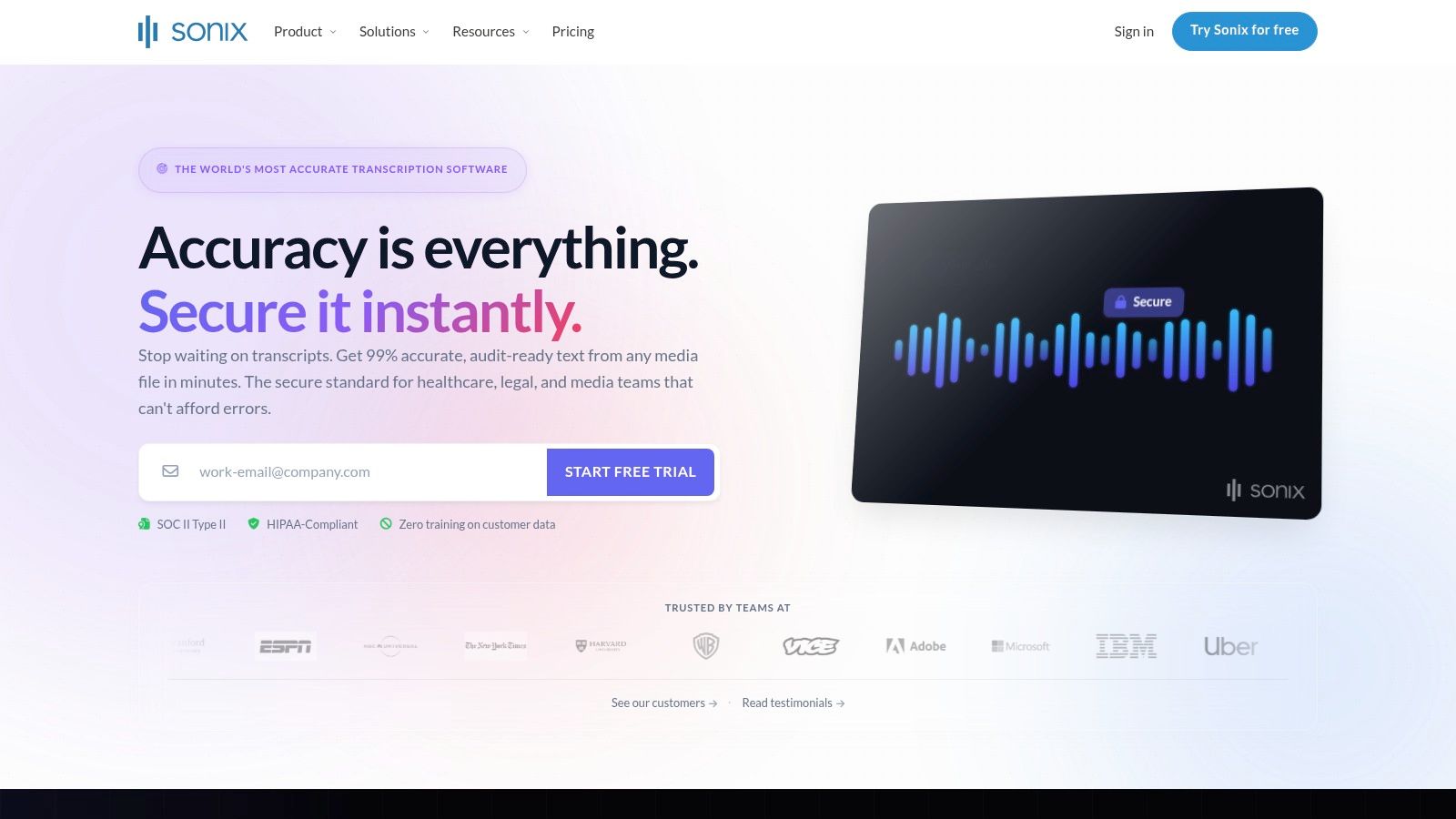
The user experience is built around a powerful in-browser editor that automatically aligns text to the audio, allowing for quick corrections. You can highlight text to create shareable video clips or burn subtitles directly onto your video, which is a standout feature. Sonix’s transparent pricing, offering both pay-as-you-go and subscription models, provides flexibility for sporadic users and high-volume creators alike. This makes it one of the best video transcription service options for those who value both accuracy and post-transcription editing tools.
Key Features & Pricing
- Standard (Pay-as-you-go): $10 per hour.
- Premium Subscription: $5 per hour plus a $22 per user/month fee, offering lower per-hour rates for frequent users.
- Multi-language Support: AI-driven transcription and translation available in over 50 languages.
- Subtitle Tools: Features include subtitle alignment, customization, and the ability to burn captions directly into the video file.
- Team Features: Includes centralized billing, user management, and shared folders for collaborative projects.
Pros & Cons
- Pro: Clear pay-per-hour pricing is simple to understand for individual projects.
- Pro: Excellent subtitle creation and editing tools are integrated directly into the workflow.
- Con: The full pricing grid can become complex when factoring in different subscription tiers, languages, and add-on features.
- Con: It is a pure-AI service, so it lacks a human review option for projects that demand near-perfect accuracy.
Website: https://sonix.ai
7. Happy Scribe
Happy Scribe presents a well-rounded solution for content creators who need both automated transcription and the option for human refinement. It is particularly effective for YouTubers, educators, and global teams, balancing speed, extensive language support, and collaborative features. The platform shines with its flexible approach, allowing users to start with a fast AI-generated transcript and then, if needed, send it for human proofreading without leaving the editor.
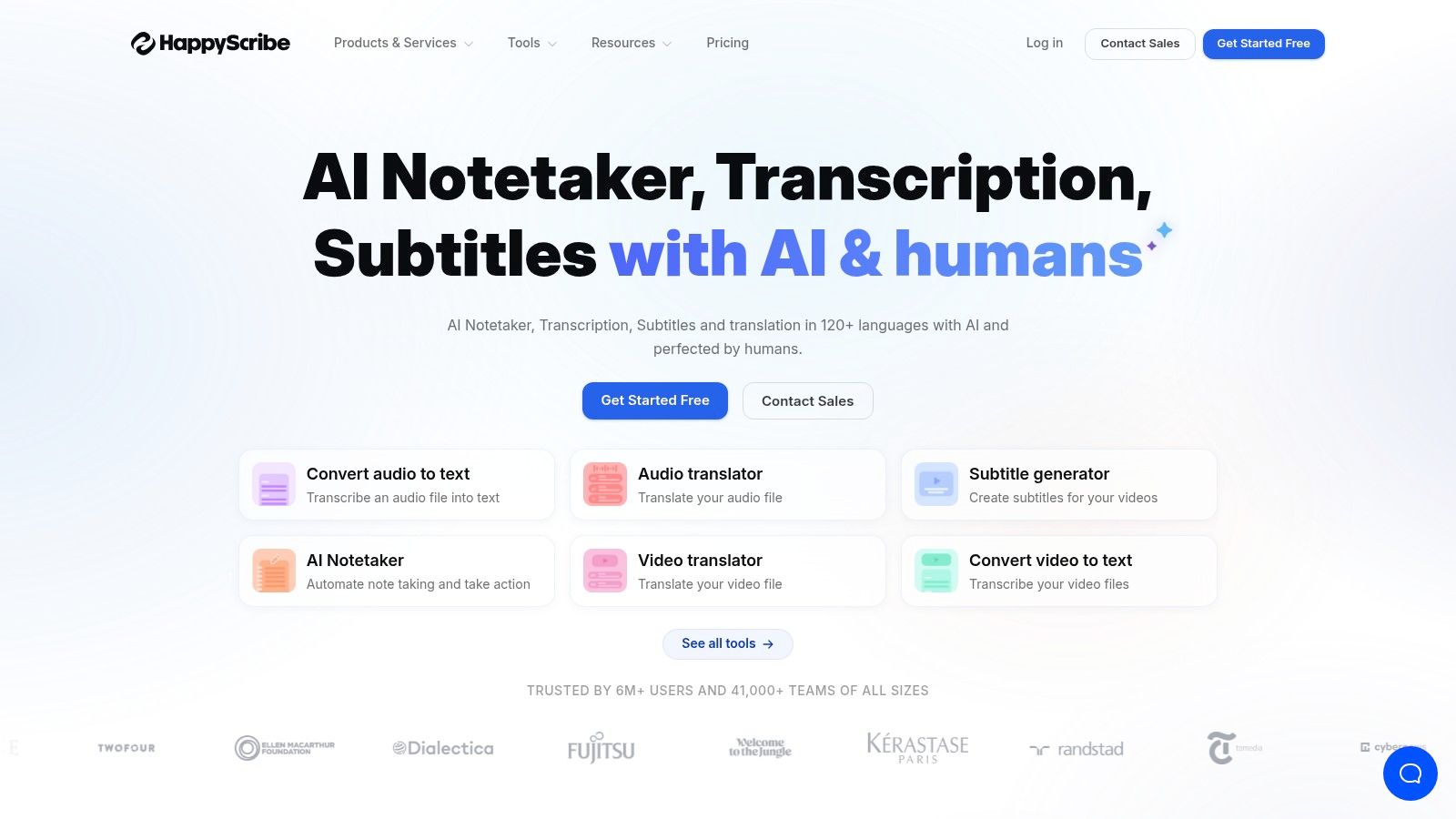
This service is a strong contender for the title of best video transcription service due to its focus on workflow efficiency. Its editor is designed for collaboration, allowing teams to work on a transcript simultaneously, leave comments, and manage versions. Integrations with platforms like YouTube, Vimeo, and cloud storage providers such as Dropbox and Google Drive make file management straightforward. This combination of automated tools, human-powered services, and collaborative functions makes it a dependable choice for producing accurate subtitles and transcripts at scale.
Key Features & Pricing
- AI Transcription: Billed via a subscription starting at around $10/month for 120 minutes, with pay-as-you-go options also available.
- Human-made Transcription: Starts at approximately $1.75 per minute for 99% accuracy.
- AI Translation: Translates transcripts and subtitles into dozens of languages.
- Integrations: Connects directly with Zoom, YouTube, Vimeo, Google Drive, and more to automate uploads.
- Exports: Provides a wide range of export formats, including DOCX, TXT, PDF, SRT, and even MP4 with burned-in captions.
Pros & Cons
- Pro: Strong balance between AI speed and optional human accuracy, all within one platform.
- Pro: Excellent integration and export options streamline content creation workflows for video producers.
- Con: Human services are billed separately from the AI subscription, which can be confusing for budgeting.
- Con: The free trial or lower-tier plans may place a watermark on certain exported files until you upgrade.
Website: https://www.happyscribe.com
8. Temi
Temi offers a straightforward, no-frills approach to AI transcription, making it an excellent choice for users who need a fast, low-cost transcript without complexity. Backed by the same company as Rev, it focuses solely on automated service, providing a simple drag-and-drop interface for quick uploads and rapid results. This makes it ideal for content creators, students, or marketers who need a "good enough" transcript for drafting articles, creating show notes, or generating basic video captions.
The platform shines in its simplicity and pay-as-you-go pricing, removing the barrier of a monthly subscription. Users can upload an audio or video file and get a machine-generated transcript back in minutes. The built-in editor allows for easy corrections with interactive timestamps that let you click on a word and jump to that exact spot in the audio. Because of its directness, Temi is a great tool for anyone needing a quick, budget-friendly AI transcript without the need for 99% accuracy or advanced features.
Key Features & Pricing
- AI Transcription: $0.25 per audio minute.
- Simple Editor: An interactive editor to clean up transcripts with playback controls and timestamps.
- Multiple Export Formats: Download files as Word, PDF, TXT, SRT, and VTT for flexible use.
- First File Free: Offers a free trial for the first file (up to 45 minutes) to test the service quality.
Pros & Cons
- Pro: Extremely simple to use with a clear, pay-as-you-go pricing model.
- Pro: The first file is free, allowing users to test accuracy with their own content risk-free.
- Con: It is an AI-only service, so there is no built-in option to upgrade to human review for higher accuracy.
- Con: Accuracy can be inconsistent, especially with background noise, multiple speakers, or strong accents.
Website: https://www.temi.com
9. Notta
Notta positions itself as an AI-powered note-taker first and a transcription service second, making it an excellent fit for users who need to capture, organize, and summarize spoken content from meetings and live events. Its strength lies in its cross-platform availability and real-time integration, allowing you to automatically transcribe conversations from Zoom, Google Meet, and Microsoft Teams as they happen. This makes it a powerful productivity tool for teams, students, and journalists who need instant records of discussions without manual note-taking.
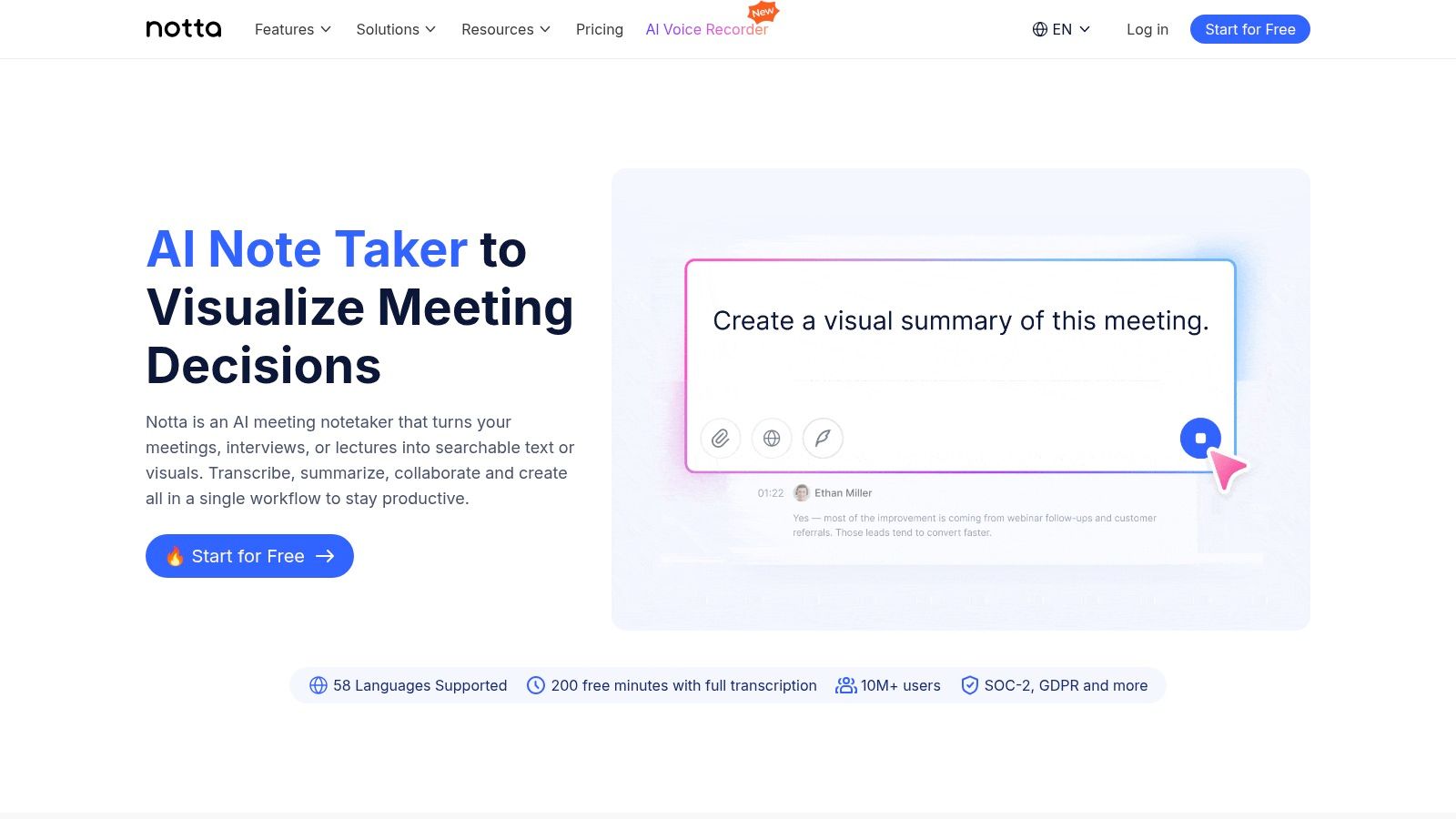
While its primary focus is on meetings, Notta also capably handles uploaded video files, making it a viable option for content creators who want one tool for both their production workflow and internal meetings. The platform shines with features like speaker identification and AI-generated summaries, which can quickly turn a long video interview or team debrief into scannable action items and key takeaways. Its robust organization and export tools are also a major plus for anyone managing a large volume of transcribed content.
Key Features & Pricing
- Free Plan: Includes limited real-time and file transcription minutes per month.
- Pro Plan: Starting at $8.25/month for 1,800 minutes, real-time transcription, AI summaries, and expanded export options.
- Business & Enterprise Plans: Custom pricing for team features, more minutes, and advanced integrations with platforms like Salesforce.
- Core Features: Real-time transcription, speaker ID, AI summaries, and translation in over 40 languages.
Pros & Cons
- Pro: The Pro plan offers a generous amount of monthly minutes, making it highly cost-effective for individuals.
- Pro: Strong combination of live capture, post-upload transcription, and AI summary features in one app.
- Con: It is primarily designed for meetings, so it lacks the deep post-production tools (like advanced caption editors) found in video-centric services.
- Con: Accessing team collaboration and advanced business integrations requires upgrading to more expensive plans.
Website: https://www.notta.ai
10. Maestra
Maestra positions itself as more than just a transcription tool; it's a browser-based localization hub designed for creators who want to repurpose their video content for a global audience. Its strength lies in combining AI transcription with powerful AI dubbing and subtitle generation, all within a single, cloud-based platform. This makes it an ideal choice for YouTubers or marketing teams looking to translate and distribute a single video across multiple languages without juggling different services.
The platform is especially useful for those who need a complete video localization workflow. You can upload a video, get an AI-generated transcript, and then instantly translate it into over 100 languages to create subtitles or even an entirely new voice-over track using AI voices. Maestra serves as a strong candidate for the best video transcription service for users whose end goal is multi-language content delivery, not just a simple text file.
Key Features & Pricing
- Pay-As-You-Go: Starts at $10 per hour of transcription.
- Subscription Plans: Monthly plans start at $29/month for 5 hours of transcription/subtitling, with higher tiers offering more hours and advanced features.
- AI Dubbing: Translate and generate AI voice-overs in multiple languages.
- Team Collaboration: Includes features for teams to work on projects simultaneously within a shared workspace.
- Online Editor: A cloud-based editor lets you correct transcripts, customize subtitle styles, and export files in various formats.
Pros & Cons
- Pro: Combines transcription, subtitling, and AI dubbing into one seamless, online workflow.
- Pro: Fully browser-based platform is easy to test and use without any software installation.
- Con: Less cost-effective if your only requirement is a basic transcript without the need for translation or dubbing.
- Con: Access to the full suite of advanced localization and team features requires a more expensive subscription plan.
Website: https://maestra.ai
11. Verbit
Verbit offers an enterprise-grade transcription and captioning solution designed specifically for institutions where accuracy, accessibility, and compliance are non-negotiable. It targets higher-education, corporate, and legal sectors by blending advanced AI with a network of human professionals. This hybrid model ensures high-quality results that meet strict standards like ADA and WCAG, making it a premier choice for universities implementing campus-wide lecture capture or companies needing compliant video content.
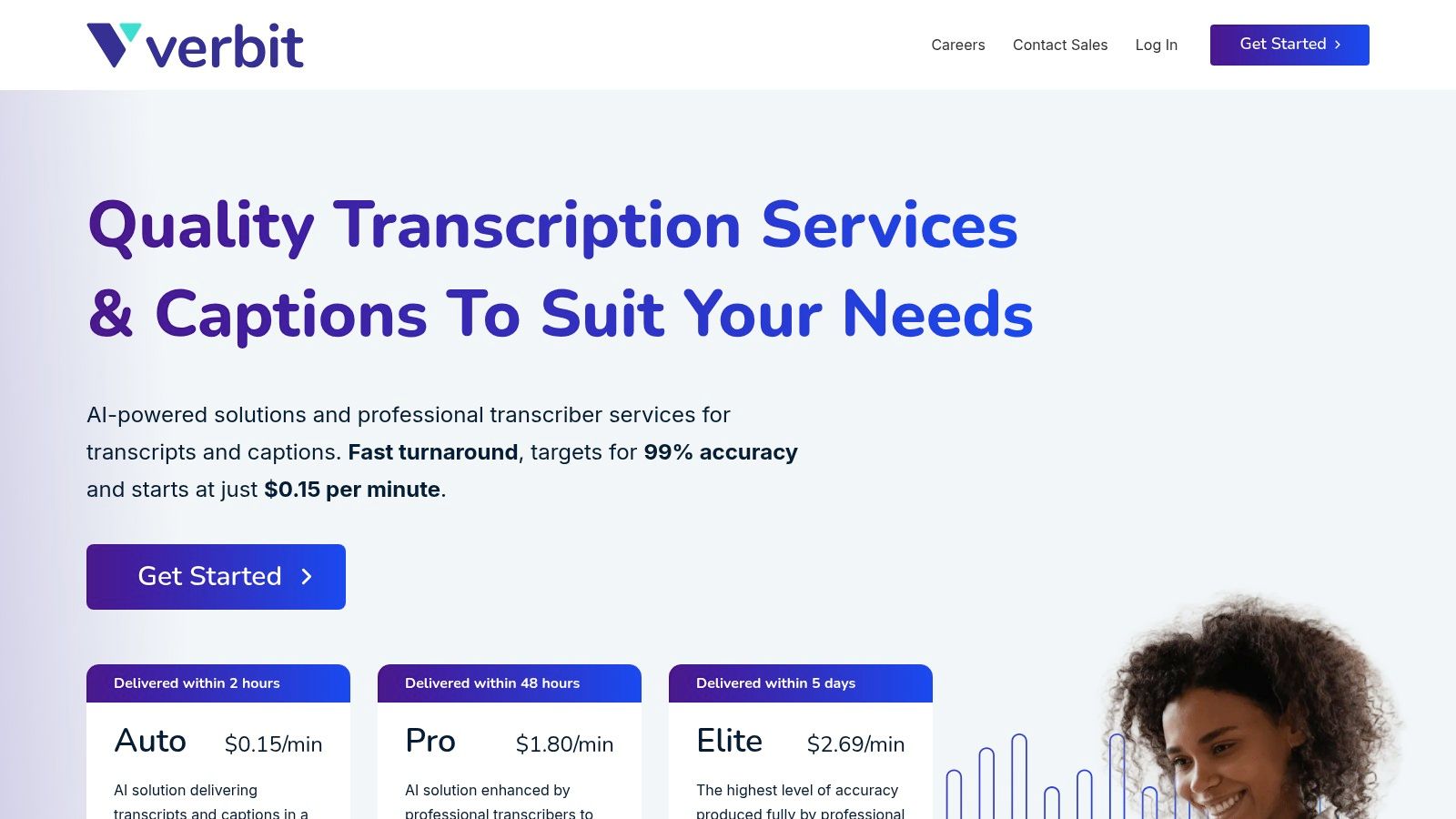
This platform excels at large-scale projects, offering both self-service portals and fully managed services. For organizations, Verbit provides critical security features, including single sign-on (SSO/SAML) and dedicated account management, which are often missing from creator-focused tools. Its ability to integrate directly with educational and corporate systems makes it a strong contender for the title of best video transcription service for institutional use, where reliability and support at scale are key requirements.
Key Features & Pricing
- AI-Assisted Human Workflows: Combines automation for speed with human review for broadcast-level accuracy and accessibility compliance.
- Large-Scale Captioning: Built to handle high volumes of content for lecture capture, corporate training, and media libraries.
- Enterprise Security: Includes SSO/SAML, robust data protection policies, and dedicated account support for organizational needs.
- Custom Pricing: Pricing is typically based on custom quotes tailored to volume, turnaround time, and specific service needs.
Pros & Cons
- Pro: A perfect fit for universities and enterprises with accessibility and compliance mandates (ADA/WCAG).
- Pro: The mix of automation and human quality assurance delivers highly accurate, professional-level results.
- Con: Pricing is custom and often higher than pure-AI tools, making it less accessible for individual creators.
- Con: The procurement and onboarding process is more involved, suiting large organizations better than small teams or individuals.
Website: https://verbit.co
12. Scribie
Scribie offers a straightforward, human-powered transcription service that prioritizes accuracy and simplicity. It is an excellent choice for users who prefer the reliability of manual transcription over automated results and want clear, predictable pricing without navigating complex service tiers. The platform’s approach is built around a simple four-step process: upload, pay, review, and download, making it one of the most user-friendly options for getting a high-quality transcript.
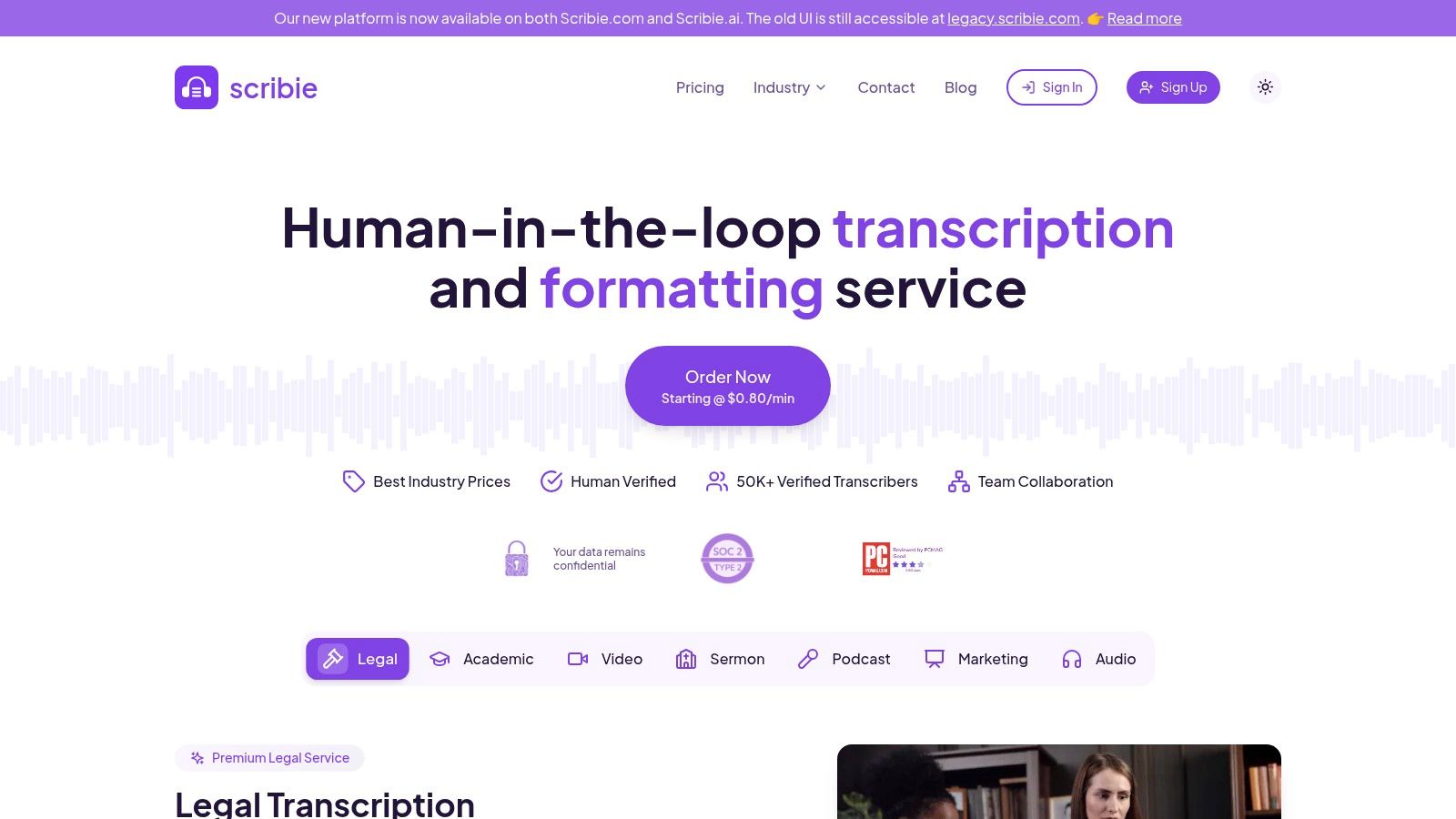
This service is a solid pick for academics, podcasters, and interviewers who need accurate text with clear speaker labels and timestamps but don't require the instant turnaround of AI. Scribie's transparent model shows you a sample of your transcript for free, allowing you to check the quality before committing to the full file. This unique review process provides an extra layer of confidence, ensuring the final product meets your standards for one of the best video transcription service experiences focused on human touch.
Key Features & Pricing
- Manual Transcription: Starts at $1.25 per audio minute with a 24-hour turnaround.
- Automated Transcription: A free automated service is available, with the option to order a manual transcript afterward.
- Audio Quality: Pricing can increase for files with background noise, heavy accents, or poor audio quality.
- Included Options: Free speaker tracking and timestamping are included, which are often paid add-ons elsewhere.
Pros & Cons
- Pro: Straightforward human transcription at a very competitive starting rate.
- Pro: The free online editor and initial transcript preview offer great quality control.
- Con: Slower than AI services, and turnaround times can extend for difficult audio files.
- Con: The final price isn't locked until after the file is analyzed, which can lead to unexpected cost increases.
Website: https://scribie.com
Top 12 Video Transcription Services Comparison
| Product | Core features | Quality & speed | Price & value | Target audience | Standout ✨ |
|---|---|---|---|---|---|
| Whisper AI 🏆 | Auto speaker detection, timestamps, concise summaries, 92+ languages, social link ingestion | ★★★★☆ Fast, scalable; privacy‑first processing | 💰 Freemium (Start free); team-friendly | 👥 Creators, podcasters, journalists, teams | ✨ Follow‑up Q&A, multi‑model stack, secure/no‑retention |
| Rev | AI + human transcription, captions, global subtitles, Rev Notetaker | ★★★★★ Human 99% SLA; AI fast | 💰 Per‑minute; human higher but SLA clarity | 👥 Media, legal, pros needing accuracy | ✨ Human+AI blend; reliable SLAs |
| Otter.ai | Live meeting transcription, speaker ID, summaries, integrations | ★★★★☆ Real‑time focused; smooth UX | 💰 Freemium; seat/minute limits on plans | 👥 Teams, educators, meeting-centric creators | ✨ Deep conferencing integrations; action items |
| Descript | Text‑based video editor, captions, filler removal, collaboration | ★★★★☆ Editor‑integrated; creator workflow | 💰 Subscription + AI credits; can be complex | 👥 Creators, podcasters, video editors | ✨ Edit‑video‑like‑doc; studio tools |
| Trint | Collaborative editing, workflows, searchable transcripts, API | ★★★★☆ Team/ newsroom grade; reliable | 💰 Tiered plans; trial available | 👥 Newsrooms, teams, enterprises | ✨ Story assembly workflows & API |
| Sonix | AI transcription, translation, subtitles, PAYG & Premium plans | ★★★★☆ Fast multi‑language support | 💰 Transparent per‑minute/hour pricing (PAYG) | 👥 Creators, localization teams | ✨ Subtitle tooling; clear pricing |
| Happy Scribe | AI + human proofreading, integrations, broad exports | ★★★★☆ Flexible accuracy (AI or human) | 💰 AI credits + human add‑ons; some free limits | 👥 YouTubers, educators, localizers | ✨ Choice of human proofreading; many exports |
| Temi | Quick AI transcripts, simple editor, multiple export formats | ★★★☆☆ Very fast; AI‑only accuracy varies | 💰 Low‑cost PAYG; first file free | 👥 Individuals needing cheap, fast transcripts | ✨ No‑subs PAYG; very simple workflow |
| Notta | Real‑time meetings, speaker ID, summaries, translation | ★★★★☆ Strong meeting capture; generous minutes | 💰 Freemium/Pro minutes; business add‑ons | 👥 Meeting‑driven teams and individuals | ✨ Cross‑platform note‑taking + summaries |
| Maestra | Transcription, subtitles, AI dubbing/voiceover, cloud editor | ★★★★☆ Localization‑focused; online editor | 💰 Trial + tiered plans for advanced features | 👥 Creators repurposing content across languages | ✨ AI dubbing + localization pipeline |
| Verbit | AI‑assisted human workflows, enterprise captioning, SSO | ★★★★★ Broadcast/enterprise accuracy & compliance | 💰 Custom enterprise pricing (higher) | 👥 Higher‑ed, corporate, compliance teams | ✨ Accessibility compliance & enterprise controls |
| Scribie | Human transcription, timestamps, speaker tracking, simple orders | ★★★☆☆ Human accuracy; slower turnaround | 💰 Competitive per‑minute human rates; quotes | 👥 Users preferring manual accuracy | ✨ Straightforward human service; sample transcripts |
From Tedious Task to Strategic Asset
We've journeyed through a detailed lineup of the top video transcription services available today, from the AI-powered speed of Whisper AI to the human precision of Rev and the collaborative prowess of tools like Descript and Otter.ai. The central takeaway is clear: video transcription has evolved far beyond a simple administrative chore. It is now a strategic asset that can amplify your content's reach, accessibility, and overall impact.
Choosing the best video transcription service is not about finding a single "perfect" solution. Instead, it's about identifying the tool that aligns most closely with your specific workflow, budget, and quality requirements. What works for a journalist on a tight deadline (like Trint or Sonix) might be overkill for a student transcribing lecture notes (where Notta or a free Otter.ai plan could suffice).
How to Choose the Right Transcription Service
As you reflect on the options presented, from the enterprise-grade compliance of Verbit to the budget-friendly automation of Temi, keep these core principles in mind:
- Accuracy vs. Speed: Human transcription services like Rev and Scribie will almost always deliver the highest accuracy, especially with challenging audio. However, AI-driven tools offer near-instantaneous results that are often more than sufficient for many use cases.
- Workflow Integration: The true power of modern transcription comes from integration. Tools like Descript, which blend transcription directly into the video editing process, or Otter.ai, which syncs with your calendar for live meeting notes, save significant time by fitting into your existing habits.
- Cost Structure: Your budget will be a primary filter. Evaluate whether a per-minute rate (Rev, Temi), a subscription model (Otter.ai, Trint), or a freemium model (Whisper AI) makes the most financial sense for your volume and frequency of use.
A Practical Framework for Making Your Decision
To make your final decision, consider this simple, action-oriented approach. Ask yourself three critical questions:
- What is my primary goal? Am I aiming for perfect, publish-ready closed captions for a major YouTube channel, or do I just need a rough, searchable text of a long interview? The answer will steer you toward either human-powered precision or AI-driven speed.
- How much time can I invest in editing? An automated service that delivers 95% accuracy sounds great, but that remaining 5% still requires manual review. If your time is more valuable than the cost difference, a human service that delivers a 99%+ accurate file from the start is the better investment.
- What is my technical comfort level? Are you comfortable with a streamlined, click-and-go web interface? Most services like Whisper AI, Happy Scribe, or Maestra provide a very user-friendly experience. If you need enterprise-level integrations, a platform like Verbit might be the answer.
Ultimately, the goal is to transform your spoken content into a versatile, multi-format asset. A transcript can become a blog post, social media snippets, an email newsletter, or an accessible resource for your audience. By selecting the right tool for the job, you stop spending time on the tedious task of typing and start focusing on the strategic work of creating and sharing valuable content.
Ready to experience transcription with exceptional accuracy and automated insights? Explore Whisper AI to see how its powerful model can become your go-to solution for turning audio and video into precise, actionable text. Get started at Whisper AI today.


























































































