
Transcription Services Spanish: A Complete 2026 Guide
You’ve got the audio. That’s not the problem.
The problem is that the Spanish interview, podcast episode, webinar, focus group, or testimonial is still trapped inside a media file. You can’t search it, quote it cleanly, turn it into captions, hand it to an editor, or mine it for themes without first turning speech into text. For a lot of teams, that’s where momentum dies. The raw material is valuable, but the workflow breaks.
I’ve seen this happen with creator teams sitting on weeks of Spanish video footage, researchers with long interview recordings, and marketers trying to repurpose customer calls into articles and clips. The content exists, but it isn’t usable yet. If you need a quick refresher on the basics, this primer on what audio transcription is gives the simple definition. The hard part is choosing the right method for Spanish, where accent variation and mixed-language speech can ruin an otherwise decent transcript.
That demand isn’t niche anymore. The multilingual transcription service market, which includes Spanish transcription services, was valued at USD 2.62 billion in 2024 and is projected to grow from USD 2.82 billion in 2025 to USD 6 billion by 2035, at a 7.8% CAGR, according to Wise Guy Reports on the multilingual transcription service market. More buyers are treating transcripts as working assets, not admin work.
Your Spanish Audio Needs a Voice
A Spanish transcript does more than “write down what was said.” It turns spoken material into something your team can effectively use.
Think of raw audio like ore pulled out of the ground. There’s value in it, but it’s locked up. Spanish transcription services do the refining. Once the speech becomes text, you can review lines fast, search for names and themes, create subtitles, publish supporting articles, and hand off excerpts without forcing everyone to scrub through an hour of waveform.
What teams usually need from a transcript
Most buyers come in with one of four jobs:
- Searchability: A producer needs to find the moment where the guest mentioned a sponsor, a location, or a controversial quote.
- Accessibility: A video editor needs captions or a clean transcript for viewers who watch with sound off or rely on text access.
- Repurposing: A marketing team wants to turn one Spanish interview into posts, summaries, quote graphics, and newsletter copy.
- Analysis: A researcher needs to compare themes across multiple conversations without replaying every file.

The two basic service types
The market still breaks into two practical buckets.
Automated transcription uses AI to generate a first-pass transcript quickly. This is usually the right fit for content teams, social clips, internal notes, and fast-turn publishing. If your work includes short-form video, this guide on how to transcribe TikToks is useful because the workflow issues are similar. You need speed, subtitle-ready text, and a way to clean up the rough edges.
Human transcription relies on a trained transcriber or editor. It is ideal when wording matters, speakers overlap, the recording is messy, or regional phrasing carries real meaning.
A Spanish transcript isn’t finished when the words are on the page. It’s finished when another person can use it without replaying the whole file.
That’s the ultimate test. If the transcript saves time downstream, it worked. If everyone still has to go back to the audio for every important moment, the service only solved half the problem.
What Are Spanish Transcription Services
The usual AI versus human debate gets framed too loosely. For Spanish, the decision comes down to accuracy, speed, cost pressure, and nuance handling. Different projects land in different places on that matrix.
Spanish transcription benchmarks show that automated AI systems reach 85-99% accuracy depending on audio quality, while human transcription services consistently deliver 99-100% accuracy. That 1-15 percentage point gap matters most in legal, medical, and other high-stakes work, as noted by Sonix’s Spanish transcription benchmark page.
AI vs human Spanish transcription at a glance
| Criterion | AI Transcription (e.g., Whisper AI) | Human Transcription |
|---|---|---|
| Accuracy | Strong on clean audio, weaker on overlap, names, and regional phrasing | Best when wording must be exact |
| Speed | Fast turnaround, useful for drafts and production workflows | Slower, especially for long files |
| Cost | Usually easier to scale for volume | Better reserved for important or difficult material |
| Nuance | Can miss slang, code-switching, sarcasm, and speaker intent | Better at context, dialect, and ambiguous speech |
| Best use cases | Podcasts, meetings, internal notes, content repurposing | Legal files, medical interviews, publish-ready quotes, sensitive research |
Where AI works well
If you’re transcribing a clean podcast interview, webinar, lesson, or creator video, AI is usually the practical starting point. You get a searchable draft quickly, and your editor can spend time fixing meaning instead of typing from scratch.
That speed changes the economics of media work. The benchmark above also notes a 10x real-time speed advantage, with 1-hour files ready in 5-6 minutes on automated systems in favorable conditions, from the same Sonix Spanish transcription resource. For production teams, that’s the difference between same-day repurposing and backlog.
If your workload is repetitive, some teams also pair AI transcripts with support staff who clean formatting, titles, and excerpts. In practice, that can look a lot like working with Spanish-speaking Virtual Assistants who handle transcript cleanup, clipping notes, or content packaging after the machine pass.
Where human transcription still wins
Human transcribers earn their keep when the recording fights back.
Messy panel audio, soft speakers, legal testimony, medical dictation, interviews with slang-heavy regional speech, and multi-speaker documentary footage all push beyond what “good enough” AI can safely handle. The final output isn’t just about catching words. It’s about deciding what was meant when a phrase is clipped, mumbled, or culturally loaded.
Practical rule: Use AI when errors are fixable. Use humans when errors become liabilities.
There’s also a hidden cost issue. Cheap AI output isn’t cheap if your producer spends hours repairing names, speaker breaks, and mistranscribed terms. If you’re comparing methods, this breakdown of the cost of transcription services helps frame the trade-off in real workflow terms, not just invoice terms.
The strongest setup for many Spanish projects isn’t AI alone or human alone. It’s AI first, then selective human review where the stakes justify it.
Navigating Spanish Dialects and Accents
Spanish isn’t one operating mode. A transcript that looks “accurate” at first glance can still fail because it flattens regional speech, strips local meaning, or normalizes words into a version of Spanish the speaker never used.
A service that handles Madrid radio cleanly may stumble on Caribbean pacing. A transcript trained mostly on neutral Latin American speech may misread Rioplatense phrasing or regional filler words. Then there’s slang, clipped pronunciation, names, and references that only make sense inside a specific community.

The problem most providers still miss
A lot of transcription services spanish buyers run into the same issue. The provider says they support Spanish, but what they really support is a generic category called Spanish. That’s not enough when the speaker uses local shorthand, borrowed English, informal contractions, or creator-style delivery.
Many providers also miss code-switching, which is the mix of Spanish and English common in Latino creator communities. That gap matters for YouTube and Twitch creators who need transcripts for SEO and engagement, as discussed by Interpreters.com on Spanish transcription services and code-switching.
What code-switching breaks in real transcripts
A mixed-language recording tends to fail in predictable ways:
- Speaker intent gets flattened: The transcript “corrects” the speaker into one language and loses tone.
- Search value drops: Key phrases people use online disappear because the transcript normalized them.
- Captions feel wrong: Viewers hear one thing and read another.
- Editing takes longer: Producers have to relisten to restore what the transcript ironed out.
A Spanglish interview is a good example. The speaker may switch languages mid-thought for emphasis, identity, or audience fit. If the service treats that as an error, the transcript becomes technically tidy but editorially bad.
If your audience speaks in mixed registers, your transcript should preserve that reality instead of cleaning it away.
What to ask for before you order
Don’t just ask whether a provider supports Spanish. Ask narrower questions.
- Regional fit: Can they handle Spain, Mexico, Argentina, Caribbean Spanish, or U.S. Latino speech patterns?
- Code-switch handling: Will they preserve mixed-language segments instead of forcing everything into one language?
- Speaker labeling: Can they separate fast exchanges cleanly in conversational content?
- Style decisions: Will they keep fillers, slang, and informal phrasing when that voice matters?
That last point matters most for creators and documentary teams. In Spanish transcription, “readable” and “faithful” are not always the same thing.
How to Choose the Right Spanish Transcription Provider
Most provider pages promise the same things. Fast, accurate, secure, affordable. Those words don’t help much. You need better screening questions.
One useful signal comes from healthcare. The medical transcription software segment, which increasingly supports Spanish, is projected to grow at a 16.3% CAGR and reach USD 8.41 billion by 2032, according to Reanin’s transcription market analysis. That market grows because documentation quality, privacy, and compliance matter. Those standards shouldn’t stop at healthcare.
Questions worth asking before you upload anything
Start with the basics, but ask them in a way that forces a real answer.
Accuracy means what, exactly
If a provider says “high accuracy,” ask how they handle these conditions:
- Overlapping speakers: Do they separate voices or collapse them into one block?
- Proper nouns: Can you upload a glossary of people, brands, and locations?
- Dialect variation: Have they worked with the regional form of Spanish in your recordings?
- Mixed audio quality: What happens when one speaker is loud and another is buried?
A serious provider will answer with process, not slogans.
Turnaround for your actual workload
Fast turnaround on a homepage doesn’t tell you much. Ask whether they can handle your file type, your batch size, and your revision needs.
For example, a podcaster may need same-day text for show notes. A researcher may care less about speed and more about consistency across interviews. A documentary team may want timestamps and speaker labels more than anything else.
Pricing that doesn’t create cleanup debt
The cheapest option often pushes labor onto your team. That’s fine if the transcript is only for internal search. It’s a bad deal if an editor has to spend half a day fixing it before publication.
Buyer check: Price the correction time, not just the transcript itself.
Security and professionalism show up in small details
Even outside regulated industries, you should expect a provider to take file handling seriously.
Look for signs such as:
- Clear retention policy: They should explain what happens to uploaded files after processing.
- Permission controls: Team access shouldn’t be vague or improvised.
- Export options: Useful transcripts move cleanly into editing, captioning, and documentation workflows.
- Defined support: You should know who fixes formatting or speaker-label issues if the output is messy.
The best provider for your project may not be the “best” overall. It’s the one that matches the risk level of the material, the messiness of the audio, and the amount of cleanup your team can realistically absorb.
A Modern Workflow From Audio to Insight with Whisper AI
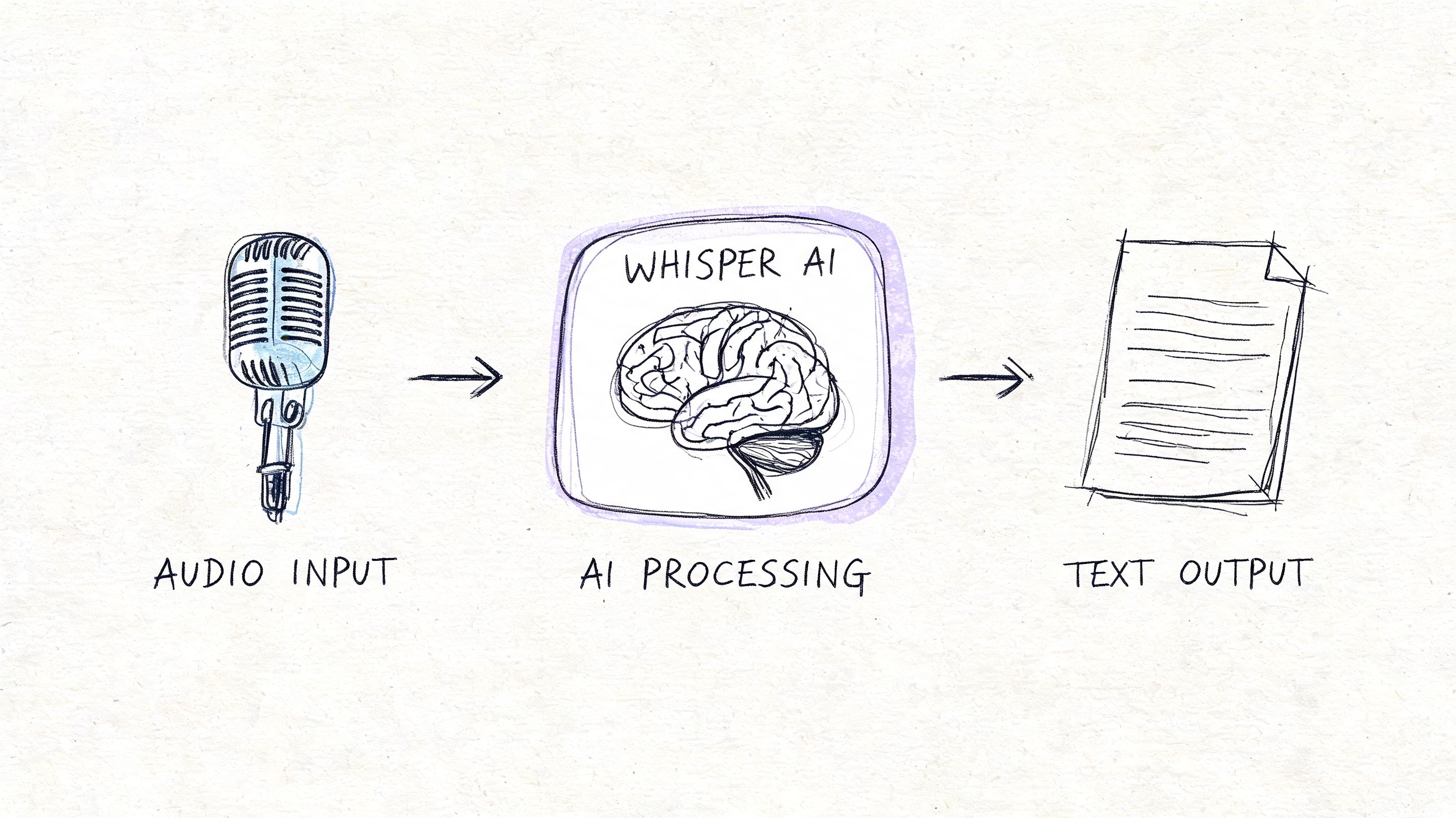
The most efficient workflow I’ve used for Spanish content starts with AI, not because AI is perfect, but because it gets the file into a workable state fast. Once the transcript exists, the rest of the production chain can move.
A practical flow that saves time
A modern setup usually looks like this:
Upload the source file or paste a media link.
This works well for interviews, podcasts, webinars, and social video. If your team handles a lot of creator content, guides on how to automate video to text conversion are useful because they mirror the same production pressure. You need speed first, then selective cleanup.Generate the first transcript with speaker labels and timestamps.
That gives producers immediate structure. They can scan, jump to moments, and mark sections that need verification.Review for Spanish-specific trouble spots.
In this step, you check names, region-specific slang, code-switched lines, and any phrase that feels “too clean” compared with the audio.Create derivative outputs.
Pull show notes, quote selects, article drafts, caption text, summaries, or research tags from the transcript.Do human review only where it matters.
Instead of paying for full manual transcription on every file, reserve human attention for the parts you’ll publish, cite, or subtitle.
Why this workflow works
It separates transcription into two jobs. First, make the recording usable. Then make the critical parts polished.
That sounds obvious, but a lot of teams still treat every audio file like it deserves courtroom-grade treatment from the first minute. Most don’t. A creator interview may only have five quotes that need exact review. A market research call may have a few sections worth deeper correction. Everything else just needs to be searchable and organized.
If you want a product-specific walkthrough, this guide on how to use Whisper AI shows the mechanics of that kind of workflow in more detail.
Here’s a quick visual example of the kind of AI-assisted process many teams now use:
What usually fails
The broken version of this workflow is easy to spot.
- Publishing the raw AI transcript: It often leaves obvious errors in names and mixed-language lines.
- Skipping transcript prep: If the audio has no speaker separation or context notes, cleanup takes longer.
- Using one style for every project: Clean-read transcripts work for blog repurposing, but not for legal review or quote verification.
The win isn’t replacing humans. It’s using humans where judgment matters most.
Frequently Asked Questions About Spanish Transcription
How much does Spanish transcription usually cost per minute
Pricing varies by provider, service model, turnaround speed, and whether the work is AI-generated, human-made, or hybrid. The useful comparison isn’t just the quoted rate. It’s how much editing time your team will spend after delivery.
How can I improve transcript accuracy before uploading audio
Do the boring prep work. Use a decent microphone, reduce background noise, avoid people talking over each other, and provide a list of names, brands, and technical terms. For Spanish, it also helps to note the dialect or region and warn the provider if the recording includes code-switching.
Can transcription services handle Spanish and English in the same file
Some can, some can’t handle it well. Mixed-language audio is common, but many services still treat Spanish as monolingual. If your speakers switch between languages naturally, ask the provider how they preserve those transitions and whether they can label them consistently.
Should I choose verbatim or clean read
Choose verbatim when the exact wording matters, such as research interviews, disputes, or sensitive documentation. Choose clean read when you’re repurposing content for articles, summaries, or internal notes.
When should I skip AI and pay for human transcription
Use human transcription when errors would create legal, medical, editorial, or reputational problems. Also choose it when the audio is rough enough that fixing the AI draft will take longer than starting with a professional transcript.
If you want a faster way to turn Spanish audio, video, and social clips into searchable text, summaries, and editable transcripts, try Whisper AI. It’s a practical fit for creators, researchers, and teams who need speaker labels, timestamps, exports, and quick insight without getting buried in manual transcription.


























































































