
7 Essential Conversation Transcription Example Formats to Use
Have you ever finished a brilliant interview, a productive meeting, or an engaging podcast and wondered, "How do I turn this into something useful?" The answer lies in transcription, but not all transcripts are created equal. A simple wall of text is often unhelpful, but the right format can transform raw audio into a powerful asset for research, content creation, or team collaboration. The difference between a jumbled transcript and a clear, actionable document often comes down to the initial setup. Learning how to properly configure speech-to-text (configure speech-to-text) capabilities is the first step toward getting the high-quality output you need.
In this guide, I'll walk you through seven distinct conversation transcription example formats based on my experience, showing you exactly how each one works, where it excels, and how to replicate it for your own projects. I'll provide real-world examples, actionable tips, and show how a tool like Whisper AI can automate the heavy lifting, turning hours of audio into perfectly formatted, insightful text in minutes. Whether you're a content creator, researcher, or business professional, understanding these formats is the key to unlocking the full value of your spoken content. This article moves beyond theory to give you practical, replicable strategies for creating transcripts that serve a specific purpose.
1. Timestamped Dialogue Format
The timestamped dialogue format is a foundational structure for transcribing conversations, providing a clear, chronological record of who said what and exactly when. This format labels each segment of speech with the speaker's name (or identifier) and a precise time code, typically in an HH:MM:SS format. It's the go-to choice for detailed analysis, content repurposing, and easy navigation within audio or video files.
This method's power lies in its precision. Instead of a solid block of text, you get an interactive-like script that connects every word back to a specific moment. This is a prime example of a functional conversation transcription example, widely adopted by platforms like YouTube for captions, podcast networks for show notes, and services like Rev and Otter.ai.
Why This Format is Essential
The primary benefit is navigability. Listeners or readers can instantly jump to a specific part of a discussion without scrubbing through the entire file. For content creators, this format is a goldmine for pulling quotes, creating social media clips, and referencing key points during the editing process. It also significantly boosts accessibility for audiences who are deaf or hard of hearing.
Actionable Tips for Implementation
- Add Speaker Roles: Clearly label speakers beyond just their names, such as "Host:", "Guest:", or "Interviewer:", to provide immediate context for the reader.
- Create Chapter Markers: Use the timestamps from your transcript to create clickable chapter markers on platforms like YouTube, improving user experience and watch time.
- Enhance with Clarifications: For any unclear audio or non-verbal sounds, use brackets to add context, like
[laughs]or[phone rings], without disrupting the flow of the dialogue. - Optimize for SEO: Search engines can index timestamped transcripts, allowing your video or audio content to rank for spoken keywords. Linking directly to a timestamped moment from a blog post can drive targeted traffic.
2. Speaker-Separated Paragraph Format
The speaker-separated paragraph format streamlines conversations by grouping each person's continuous dialogue into distinct paragraphs. Instead of repeating the speaker's name for every line, their identifier appears just once at the start of their speaking turn. This approach significantly boosts readability, especially for interviews, Q&A sessions, or any scenario involving longer monologues.
This method transforms a choppy, back-and-forth script into a more narrative, story-like flow. It's an excellent conversation transcription example for when the overall message and narrative arc are more important than second-by-second tracking. This style is heavily favored in journalistic articles, case studies, and published interviews where a clean, polished look is paramount.
Why This Format is Essential
The core benefit of this format is enhanced readability. By consolidating a speaker's entire turn into a single block, it makes long-form content less intimidating and easier to follow for the reader. This is crucial for publications like Forbes or The New York Times, where the focus is on the substance of the quotes, not the mechanics of the conversation. It helps the reader engage with the speaker's complete thought process without visual interruption.
Actionable Tips for Implementation
- Add Timestamps at Breaks: For a hybrid approach, place a single timestamp at the beginning of each speaker's paragraph. This provides a reference point for fact-checking or pulling audio clips without cluttering the text.
- Emphasize Speaker Names: Use bold or italics for speaker names (e.g., "Interviewer:") to create a strong visual hierarchy, allowing readers to easily scan the conversation and identify who is speaking.
- Break Up Long Monologues: If a speaker talks for an extended period, manually break their dialogue into smaller paragraphs at natural pauses or topic shifts. This prevents overwhelming "walls of text" while maintaining the format's clean aesthetic.
- Export for Easy Editing: This format is ideal for exporting directly into Google Docs or Microsoft Word. It requires minimal cleanup and is ready for further editing, formatting, and integration into a larger article or report.
3. Annotated/Edited Transcript with Notes Format
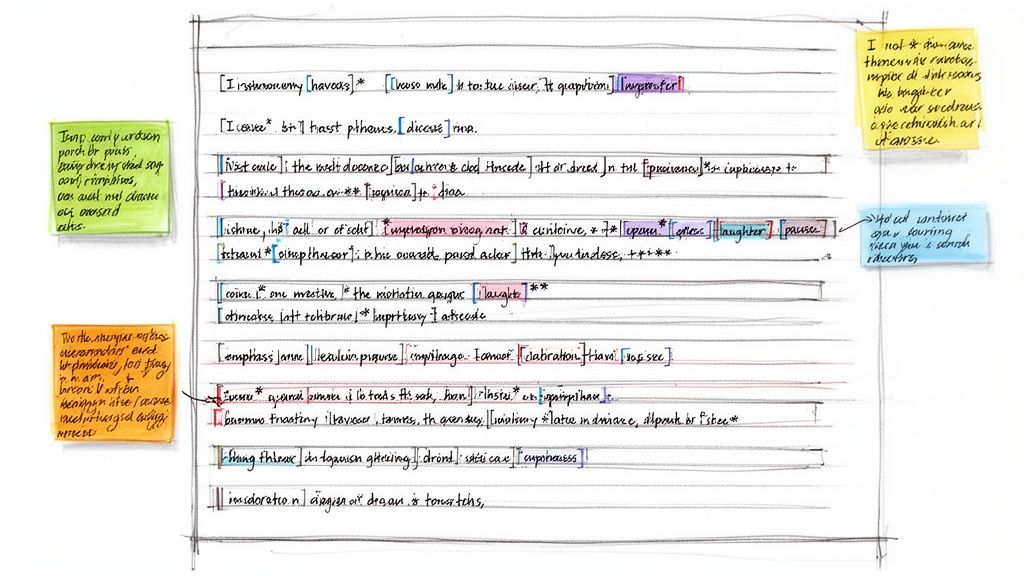
The annotated transcript format goes beyond simply capturing spoken words; it enriches the dialogue with essential context, editorial notes, and non-verbal cues. This method combines a standard transcript with annotations in brackets to describe actions, emotions, background noises, or to clarify ambiguous phrases. It transforms a flat text document into a vivid, multi-layered script.
This approach is a powerful conversation transcription example for projects where understanding the full scene is critical. It's heavily used by documentary filmmakers, podcast production teams like The Joe Rogan Experience for detailed show notes, and authors transcribing interviews for memoirs. The added notes provide a director's-eye view of the conversation.
Why This Format is Essential
The core benefit of an annotated transcript is its rich contextual detail. It captures the subtext and atmosphere of a conversation that words alone cannot convey. For creative projects, these annotations guide video editors, sound designers, and writers, ensuring the final product aligns with the original moment's intent. It also makes the content more accessible and understandable for audiences who rely on descriptive text.
Actionable Tips for Implementation
- Establish a Legend: Create a clear key at the beginning of your document to define your notation system (e.g.,
[laughs],[inaudible 00:15:32],[tone: sarcastic]). This ensures consistency for anyone working with the transcript. - Use Consistent Bracketing: Standardize your use of brackets for different types of notes. For example, use square brackets for actions
[points to screen]and italics for vocal emphasis like this to differentiate annotations. - Synchronize with Timestamps: Place timestamps directly next to crucial annotations. This allows editors to instantly locate the corresponding moment in the audio or video file, speeding up the post-production workflow.
- Proofread for Accuracy: The added complexity of annotations makes careful review essential. Check that your notes accurately reflect the audio and are consistently applied.
4. Summarized/Condensed Bullet-Point Format
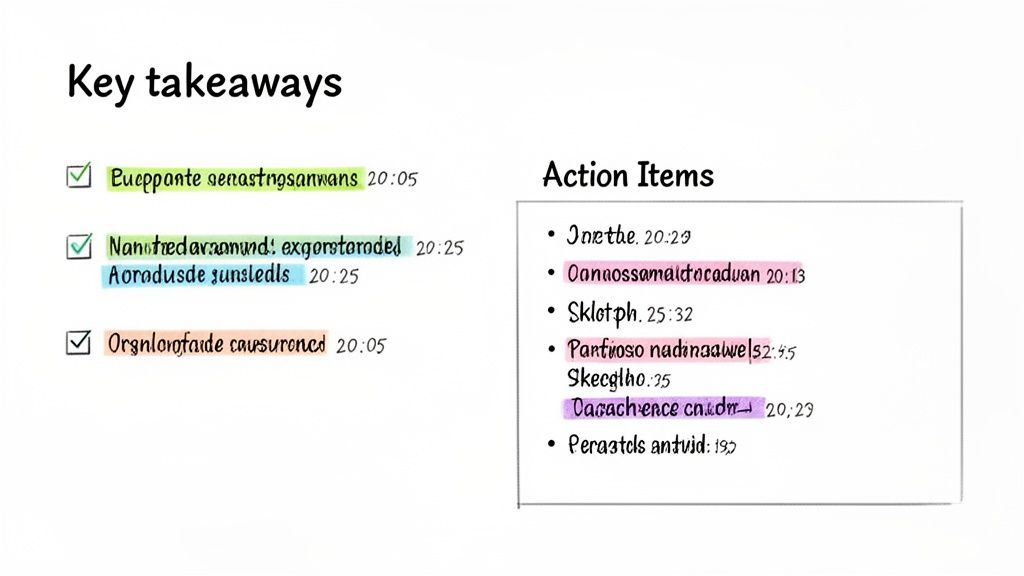
The summarized bullet-point format transforms a lengthy, verbatim transcript into a scannable and digestible summary. Instead of raw dialogue, this method distills the conversation into its core ideas, key decisions, and actionable takeaways, presenting them as concise bullet points. It's designed for efficiency, allowing readers to grasp the essence of a discussion in seconds rather than minutes.
This approach is a powerful conversation transcription example for professional settings where time is critical. It is commonly used by meeting software like Zoom and Microsoft Teams to generate automated notes, and by project management tools such as Asana and Notion to track progress and assign tasks. The goal is to provide high-level insights without the need to read every single word.
Why This Format is Essential
The primary benefit is clarity and actionability. By cutting through conversational filler, this format highlights what truly matters: conclusions, action items, and key metrics discussed. It is perfect for executive briefings, team meeting recaps, and sales call summaries where stakeholders need to understand the outcome quickly. It ensures that no critical task or decision gets lost in a sea of text.
Actionable Tips for Implementation
- Group by Theme: Organize bullet points under thematic headings like "Key Decisions," "Action Items," or "Next Steps" to create a logical and intuitive structure.
- Assign Ownership: For action items, explicitly name the person responsible (e.g., "Action: Alex to finalize the Q4 budget report."). This creates accountability and ensures tasks are completed.
- Include Reference Timestamps: Add optional timestamps
(HH:MM:SS)next to critical points. This allows team members to quickly jump back to the original audio or full transcript for more context if needed. - Automate the First Draft: Use AI transcription tools with built-in summarization features to generate an initial set of bullet points. You can then manually refine and organize them for greater accuracy and clarity. This saves significant time compared to creating a summary from scratch.
5. Speaker-Labeled Line-by-Line Format
The speaker-labeled line-by-line format breaks a conversation down into its most granular components, assigning each distinct utterance its own numbered line. This method focuses on capturing the precise sequence of conversational turns, making it invaluable for contexts where the flow and interplay of dialogue are as important as the content itself. Every speaker switch, no matter how brief, is documented.
This structure provides an exceptionally detailed record of an interaction, creating a clear and unambiguous script of who said what and in what order. It is an ideal conversation transcription example for formal documentation and deep analysis, commonly used in legal proceedings, academic research, and accessibility services where clarity and precision are non-negotiable.
Why This Format is Essential
The primary benefit is clarity and accountability. By separating each speaker's contribution, it eliminates any confusion about who is speaking. This is crucial for legal depositions, HR investigations, and research interviews where attributing statements correctly is paramount. It also aids in linguistic discourse analysis, allowing researchers to study conversational patterns, interruptions, and turn-taking dynamics with exacting detail.
Actionable Tips for Implementation
- Add Line Numbers: Incorporate line numbers for each turn. This makes it incredibly simple to reference and cite specific parts of the conversation, a standard practice in legal and academic documents.
- Use a Speaker Key: At the beginning of your transcript, include a key that defines each speaker's identifier (e.g., "INT: Interviewer, John Doe," "RES: Respondent, Jane Smith"). This provides immediate context for the reader.
- Include Optional Timestamps: While the focus is on turns, adding timestamps at the start of each line can merge the benefits of this format with the navigability of a timestamped dialogue, especially when synchronizing with audio or video evidence.
- Ensure Accessibility: Export transcripts in formats like tagged PDFs or plain text (.TXT) to ensure they are compatible with screen readers and other assistive technologies, making the content accessible to all users.
6. Timestamped Clips with Transcript Excerpts Format
The timestamped clips format is a dynamic, hybrid approach that combines short video or audio snippets with their corresponding transcript excerpts. This creates highly engaging, shareable content blocks where users can see a key moment, read the dialogue, and click to explore the full source material. Each clip is typically presented with a topic label, a timestamp, and a brief summary, making long-form content instantly digestible and navigable.
This method transforms a standard transcript into a powerful content discovery tool. Instead of just reading a conversation, the audience interacts with its most impactful moments, making it a prime conversation transcription example for social media and content marketing. This format is widely used by podcast networks like Gimlet Media to create promotional assets and by YouTubers to drive traffic from platforms like TikTok and LinkedIn back to their main channels.
Why This Format is Essential
The core benefit is discoverability and engagement. This format caters to short attention spans by delivering immediate value through bite-sized, context-rich clips. It allows content creators to repurpose a single long-form recording into dozens of shareable assets, maximizing reach and audience interaction. For users, it provides a "try before you buy" experience, letting them sample key insights before committing to the full video or podcast.
Actionable Tips for Implementation
- Create Compelling Topic Labels: Write concise, hook-driven headlines for each clip that highlight the core value or question being answered to encourage clicks.
- Establish Clip Length Guidelines: Standardize your clip lengths for different platforms, such as 15-30 seconds for TikTok and Instagram Reels or up to 60 seconds for LinkedIn, to optimize for each algorithm.
- Include Speaker Credentials: Add the speaker's name and a brief, relevant credential (e.g., "CEO of Acme Inc.") in the clip's header or description to establish authority and provide context.
- Add Clear Calls-to-Action: Every clip should guide the audience on what to do next, whether it's "Watch the full interview" or "Listen to the complete episode," with a direct link.
7. Context-Rich Searchable Index Format
The context-rich searchable index format transforms a simple transcript into a powerful, queryable database. This advanced method organizes transcription data with searchable keywords, topics, timestamps, and contextual snippets, functioning like a mini search engine for your audio and video library. Instead of just reading a transcript, users can actively search for specific moments, speakers, or subjects and instantly find the relevant dialogue.
This approach takes the raw text and enriches it with metadata, creating a highly functional knowledge base. It's an excellent conversation transcription example for organizations with large volumes of content, such as academic archives, news media databases, or enterprise knowledge management systems. Companies like Salesforce and major universities use this format to make vast repositories of meetings and lectures instantly accessible and useful.
Why This Format is Essential
The core benefit is discoverability. For institutions with hundreds or thousands of hours of recorded content, a searchable index is the only practical way to retrieve specific information. It unlocks the value hidden within spoken content, allowing researchers, students, or employees to pinpoint precise data without manually reviewing entire files. This format turns a passive archive into an active, strategic asset.
Actionable Tips for Implementation
- Standardize Your Taxonomy: Before you begin, create a standardized list of keywords, topics, and categories. This ensures consistency across all indexed transcripts and makes searching more reliable.
- Include Context Snippets: For each search result, display the key phrase along with the surrounding 3-5 sentences. This provides immediate context, helping users determine relevance without clicking through to the full transcript.
- Leverage Topic Detection: Use a tool like Whisper AI to automatically generate initial topics and keywords for each transcript, significantly speeding up the indexing process.
- Start Simple: You don't need a complex database from day one. Begin by organizing your indexed transcripts in a structured spreadsheet (like Google Sheets or Excel) with columns for keywords, topics, timestamps, and speakers.
- Update Indices Regularly: Make indexing a standard part of your content workflow. As new audio or video is transcribed, ensure it is promptly added to the index to keep your knowledge base current.
7 Conversation Transcription Formats Compared
Choosing the Right Format for Your Goal
As we've explored, a conversation transcription example is not a one-size-fits-all document. The true power of a transcript lies in its purpose-driven format. The way you structure your text directly determines its utility, transforming raw dialogue into a valuable, actionable asset.
The journey from a messy, undifferentiated block of text to a powerful tool begins with a clear understanding of your end goal. Simply converting audio to text is only the first step; the strategic formatting that follows is where you unlock its full potential.
From Raw Data to Strategic Insight
We have seen how different formats serve distinct needs. Your choice is the bridge between the raw conversation and its final application.
- For Content Creators: A combination of the Timestamped Dialogue Format and Timestamped Clips with Transcript Excerpts is a content repurposing goldmine. These formats make it effortless to identify shareable soundbites, create social media video clips, and write detailed show notes that drive engagement.
- For Business Teams: The Summarized/Condensed Bullet-Point Format is the ultimate productivity hack. It distills an hour-long meeting into key decisions, action items, and responsibilities, ensuring alignment and accountability without forcing team members to sift through irrelevant chatter.
- For Researchers and Journalists: The Annotated/Edited Transcript and Context-Rich Searchable Index formats are indispensable. They allow you to add layers of analysis, tag critical themes, and cross-reference information, turning a simple interview into a rich, searchable database for your project.
The key takeaway is to be intentional. Before you even begin transcription, ask yourself: What do I need this transcript to do for me? Do you need to prove a point, create a tutorial, assign tasks, or find a single memorable quote? The answer will guide you to the perfect format.
Your Next Steps to Mastering Transcription
Mastering the art of transcription formatting empowers you to work smarter, not harder. It saves time, amplifies your content's reach, and ensures no critical detail gets lost. By seeing a clear conversation transcription example for each use case, you now have a blueprint to follow.
The good news is that you don't have to handle the most time-consuming parts of this process manually. Modern AI tools can generate the foundational elements like speaker labels, timestamps, and an accurate initial draft. This frees you to focus on the high-value strategic work: choosing the right format, refining the text for clarity, and extracting the insights that truly matter. By embracing this technology, you can consistently produce professional, useful, and perfectly formatted transcripts for any project you tackle.
Ready to stop manually transcribing and start creating powerful, formatted transcripts in minutes? Whisper AI leverages cutting-edge AI to provide fast, incredibly accurate transcriptions with automatic speaker detection and timestamps. See for yourself how easy it is to generate the perfect conversation transcription example for your own audio by trying it today at Whisper AI.


























































































