
How to Get a Transcript of a YouTube Video (The Right Way)
Looking to get a transcript of a YouTube video? The simplest method is using YouTube's built-in feature—just click the three-dot menu under the video and select "Show transcript." However, if you need better accuracy and formatting, dedicated AI transcription tools can generate a much cleaner transcript using only the video's URL.
Why YouTube Transcripts Are a Non-Negotiable Asset
Before we dive into the "how," let's cover the "why." A high-quality transcript is far more than just a text file of your video's audio. From my experience, it's a strategic tool that unlocks your content’s true potential, opening doors to better search rankings, a wider audience, and a more efficient way to create content.
Without a transcript, all the valuable words spoken in your video are essentially invisible to search engines like Google. By adding that text, every single word becomes searchable. This helps your content appear for numerous long-tail keywords you might not have considered, which is a fundamental part of any solid video SEO plan. To learn more, check out our guide on YouTube SEO best practices.
Boosting Accessibility and Viewer Engagement
Making your content accessible is about genuinely connecting with more people. Transcripts are the foundation of accurate closed captions, which are essential for viewers with hearing impairments. This isn't a small group—more than 1.5 billion people globally live with some degree of hearing loss.
Additionally, consider how many people watch videos on mute, whether they're on a crowded bus, in a quiet office, or just prefer to read along. Research from the U.S. indicates that a staggering 80% of viewers are more likely to watch a video to completion if it has captions.
But here’s the catch: you can’t simply rely on YouTube’s auto-captions. They only achieve about 61.92% accuracy on average, which can lead to confusing or embarrassing errors. You can learn more about these YouTube transcription accuracy findings from DittoTranscripts.com.
A great video is only as effective as its ability to be understood. An accurate transcript ensures every viewer, regardless of their hearing ability or viewing environment, can engage with your message.
Having a text version of your video is incredibly valuable, as it opens up a world of new opportunities for your content and your channel's growth. The table below breaks down the biggest advantages.
Table: Key Benefits of Transcribing YouTube Videos
As you can see, the benefits go far beyond just having a text file. It's a strategic move that pays off in multiple ways.
Multiplying Your Content's Value
One of the most powerful, yet often overlooked, benefits of getting a transcript of a YouTube video is how easily you can repurpose your content. That one text file is a goldmine.
With a transcript in hand, you can instantly turn your video into:
- A keyword-rich blog post to attract organic search traffic.
- Snappy quotes and key takeaways for posts on X, LinkedIn, or Instagram.
- A detailed guide or a downloadable PDF to use as a lead magnet.
- The script for a new podcast episode or a weekly email newsletter.
This is all about working smarter, not harder. You can multiply your content's reach and impact without having to start from scratch every single time, making your entire workflow more efficient.
Picking the Right YouTube Transcription Method
There’s no single "best" way to get a transcript from a YouTube video. The right approach really boils down to your specific needs. It's a classic trade-off between accuracy, speed, and cost, and figuring out your priorities is the first step.
Sometimes you just need a rough draft to find a specific quote. Other times, you need a flawless document for a legal case. Having spent countless hours using all of these methods, I can walk you through the three main options and where each one truly excels.
Option 1: YouTube's Built-In Transcript Feature
The quickest and easiest place to start is right on YouTube itself. The platform's built-in transcription tool is free, instant, and readily available, making it the fastest way to get a basic text version of a video. If you're working with a video that has crystal-clear audio and simple language, this can be a decent starting point.
But let's be realistic—I've found its limitations become apparent quickly. While it has improved over the years, it still struggles, especially with:
- Multiple speakers: It often mashes different people's dialogue into one confusing block of text.
- Accents and slang: Regional accents or casual language can completely throw it off, leading to some wild and inaccurate phrases.
- Technical jargon: If your video dives into niche topics like engineering or finance, expect many misinterpreted terms.
My Take: YouTube's tool is perfect for grabbing a quick quote or getting a general sense of a video's content. But if you plan to turn that transcript into a polished blog post or accurate subtitles, be prepared for some serious editing.
Option 2: Third-Party AI Transcription Services
This is where the real magic happens for most creators and professionals. Dedicated AI services, like our own Whisper AI, are built specifically for turning audio into text with impressive precision. These tools use powerful models that deliver accuracy light-years ahead of what you'll find built into YouTube.
From my own experience, these services are non-negotiable for transcribing interviews or podcasts. Many can automatically identify and label different speakers, a feature that honestly saves an unbelievable amount of editing time. You can drop a link to an hour-long video and have a fully formatted transcript ready by the time you've finished a cup of coffee. Yes, most are paid services, but the time you save more than justifies the cost if you're regularly producing content.
Option 3: Manual Transcription by a Professional
Finally, there's the gold standard for accuracy: hiring a human to do it. A professional transcriptionist will listen to every word and nuance, delivering a transcript that's as close to perfect as you can get. This is the path you take when there's absolutely no room for error.
So, when is it worth the investment? I typically see it in high-stakes situations like:
- Legal proceedings: Creating official records for depositions or court evidence.
- Academic research: Capturing every "um," pause, and inflection in detailed qualitative interviews.
- Medical dictation: Ensuring every detail of a patient's diagnosis is recorded perfectly.
This level of detail comes with a higher price tag and a slower turnaround, as it can take a person several hours to transcribe just one hour of audio. It's definitely overkill for most YouTubers, but for certain professional fields, it’s the only way to guarantee near-perfect accuracy. The key is simply to match the tool to the task at hand.
When YouTube's built-in tools just don't cut it, it's time to bring in the specialists: dedicated AI transcription services. Honestly, this is my go-to method for almost every project. These platforms are built from the ground up to do one thing exceptionally well: turn spoken audio into clean, accurate text with as little fuss as possible.
The demand for this technology is skyrocketing. The global market for AI transcription—the engine that powers our ability to transcript YouTube video content—is already worth around $4.5 billion USD. And it's not slowing down. Projections show it could swell to nearly $19.2 billion USD by 2034, all thanks to the insatiable global appetite for accessible video.
This simple diagram shows how these services fit into a smart workflow, taking a video and turning it into a polished, ready-to-use document.

As you can see, the AI does the heavy lifting, automating what used to be a grueling manual process. All that's left is a final human review to catch any nuances the machine missed. It’s a game-changer for efficiency.
Pasting a Link vs. Uploading a File
Most transcription tools give you two main ways to get your video into their system. Knowing which one to use in different situations will make your life a lot easier.
Pasting a YouTube URL: This is the quickest and most common method. Just grab the video’s web address, paste it in, and the service gets to work. It pulls the audio straight from YouTube's servers. Perfect for any public video you need transcribed in a hurry.
Uploading a Video/Audio File: This option is your best friend when you’re dealing with private videos, unlisted content, or a local file on your computer. I always use this when transcribing a video before it goes live. It gives you total control over the process.
If you want to see how this works in practice, our guide on https://whisperbot.ai/blog/how-to-use-whisper-ai breaks it down step-by-step.
Features That Genuinely Save You Time
Today's AI tools are so much more than just text generators. They come packed with features that can save you hours of tedious editing work, separating the truly great services from the basic ones.
My absolute favorite feature is automatic speaker labeling. For any interview, podcast, or panel discussion with multiple speakers, the AI can actually tell who is talking and label them (e.g., Speaker 1, Speaker 2). Trying to do this by hand is a nightmare, so having it automated is a huge win.
Another non-negotiable for me is precise timestamps. The best tools can generate timestamps right down to the individual word, which is critical if you're creating professional-grade captions. That level of precision is what allows you to sync text perfectly with the on-screen audio.
Comparing AI Transcription Features
To help you sift through the options, here’s a quick-look table comparing some of the most common features you'll find in leading AI transcription services.
This table should give you a good starting point for figuring out which features are must-haves for your specific needs.
Getting Your Transcript Out: Choosing the Right Format
Once the AI has done its thing, you need to export the transcript. The format you pick really depends on what you plan to do next.
Here’s a simple breakdown of the most common file types and when I recommend using them:
- .TXT (Plain Text): The most basic option. It’s just the words, nothing else. Perfect for when you need to quickly copy the text into an email, a social media post, or just a simple document.
- .DOCX (Word Document): Grab this format if you’re planning to edit the text heavily, format it into a report, or turn it directly into an article or blog post.
- .SRT (SubRip Subtitle File): This is the one you need for closed captions. An SRT file contains the text broken into lines, each with a precise start and end timestamp. Video players read this file to display subtitles in sync with your video.
For more advanced strategies and to stay on top of what's new in this space, I often check out resources like vidfarm's blog for AI transcription insights. They frequently share great tips.
How to Edit Your Transcript for Maximum Impact
An AI-generated transcript is a fantastic starting point, often getting you over 95% of the way there. But that last 5% is where the real value is added. A little human polish is what turns a decent draft into a professional, reliable document.
My process always starts with a simple side-by-side review. I play the video and read along with the transcript, catching errors as I go.
You're not just looking for typos. AI, for all its strengths, consistently fumbles certain things that are obvious to the human ear.
- Proper Nouns: Names of people, brands, or specific locations are common culprits for weird misspellings.
- Technical Jargon: If you're deep in a specific niche, the AI will often mangle industry terms or acronyms it hasn't been trained on.
- Homonyms: AI still struggles with words that sound the same but have different meanings—think "their," "there," and "they're."
Fixing these is your first pass, and it’s non-negotiable for making the transcript accurate and professional.
Formatting for Readability
With the words themselves corrected, it's time to make the whole thing readable. A raw transcript can look like a giant, intimidating wall of text. The goal here is to break it up and make it inviting.
I always start by chopping long paragraphs into shorter, bite-sized chunks—usually just two or three sentences. This simple change adds white space and makes the content feel way more approachable. Then, I'll add headings and subheadings to create a clear structure, guiding the reader through the flow of the conversation.
A well-formatted transcript isn't just easier to read; it's more likely to be read in the first place. Good structure invites people in, while a dense block of text pushes them away.
This is also when you need to decide on your transcription style. Are you going for verbatim, which captures every single "um," "uh," and stutter? Or do you want a clean verbatim transcript, where you edit out the filler words and fix minor grammar mistakes for a smoother read?
Personally, if I'm turning a transcript of a YouTube video into a blog post, I almost always go with clean verbatim. It just reads better.
Handling Privacy and Sensitive Information
One final, critical step before you hit publish is a privacy check. If your video features personal stories, customer testimonials, or confidential company info, you need to decide what should and shouldn't be in the public transcript.
This might mean you need to:
- Anonymize names by using initials (e.g., "Jane D." instead of "Jane Doe").
- Scrub any specific contact information like phone numbers, addresses, or emails.
- Generalize sensitive project details or financial data.
This last look-over ensures your content is not only polished but also safe and compliant. Taking these extra few minutes is what elevates a raw automated file into a valuable asset you can share with confidence.
Turning Your Transcript into a Content Engine
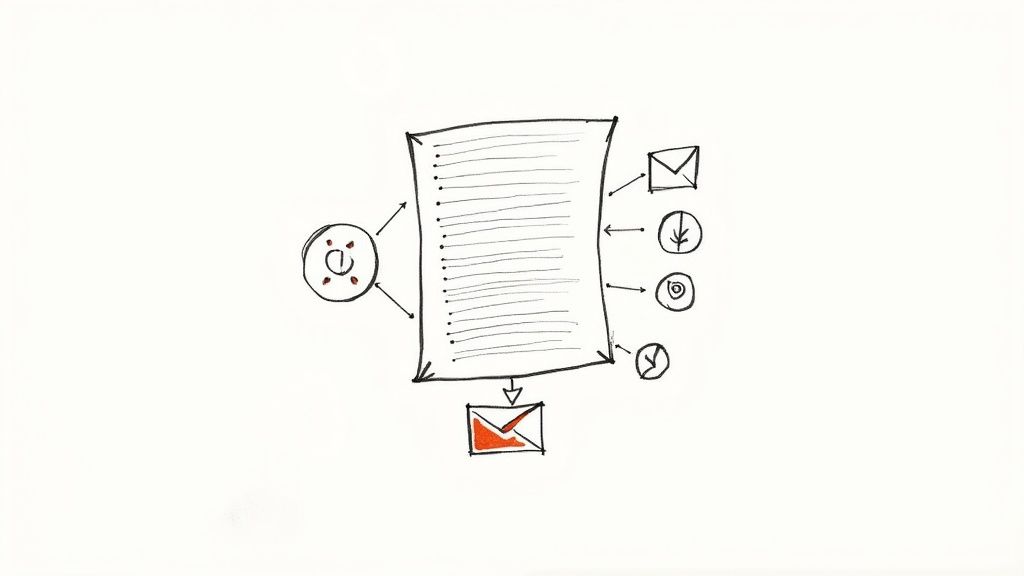
A polished transcript is so much more than a word-for-word record of your video. Think of it as the raw material for a content creation machine. With a clean text version of your video in hand, you have the foundation to make that single piece of content work ten times harder for you.
The most obvious move? Turning that transcript of a YouTube video into a keyword-rich blog post. Since search engines can't watch videos, a text-based article makes your insights fully discoverable. This is one of the most reliable strategies to increase organic traffic because it opens you up to a whole new audience that prefers to read rather than watch.
From Transcript to Blog Post
So, how do you make the leap from raw text to a compelling article? Start by treating the transcript as your detailed outline. You'll want to write a proper introduction to set the stage and a conclusion that wraps up the key takeaways. Then, go through the main body and add descriptive subheadings based on the core topics you discussed.
Next, bring it to life with visuals. Pull screenshots from the video or find relevant stock photos and infographics to break up the text. It's also a great idea to weave in links to other related content on your site, which is great for SEO and keeps people reading. This entire process is a cornerstone of smart content marketing. For a deeper dive, check out our guide on powerful content repurposing strategies.
A video transcript isn't the final product; it's the blueprint. By adding structure, visuals, and context, you build an entirely new asset that can attract a different segment of your audience through search engines.
Mine Your Transcript for Social Media Gold
That transcript is also a goldmine for your social media channels. Just scan through the text and pull out compelling quotes, surprising statistics, or quick, actionable tips. These little nuggets are perfect for platforms like X (formerly Twitter), LinkedIn, and Instagram.
It's surprisingly easy to get a week's worth of social media content from a single 10-minute video.
- Quote Graphics: Take your most powerful statements and turn them into shareable images using a simple tool like Canva.
- Key Takeaways: Summarize the main points into a quick, scannable bulleted list for a LinkedIn post.
- Short Clips: Use the timestamps in your transcript to find the exact moment you dropped a great tip, then clip that segment for a Reel or Short.
Build Larger Content Assets
Don't just stop with blog posts and social media updates. Your transcript can be the building block for much bigger, more valuable assets that grow your email list and establish your authority.
For example, you could easily expand on the main themes in the transcript to create a comprehensive PDF guide or a multi-day email course. If you have a few videos on a related topic, you can stitch their transcripts together to form the chapters of an entire e-book.
Modern tools can even automate a lot of this. Using natural language processing (NLP), AI can analyze hours of video in seconds to pinpoint key topics, keywords, and even viewer sentiment. This helps you instantly spot the most valuable content to repurpose. By treating your transcript as a strategic asset, you unlock a nearly endless list of possibilities for creating new content.
Your Top Questions About YouTube Transcripts, Answered
Once you start working with YouTube video transcripts, you'll find a few common questions pop up again and again. I get asked these all the time by creators and researchers, so let's clear up some of the most frequent hurdles.
What’s the Most Accurate Way to Get a YouTube Transcript?
If you need absolute precision, nothing beats a professional human transcriptionist. For legal depositions, medical content, or anything where a single wrong word is a big deal, a person will deliver over 99% accuracy.
But for most of us, that's overkill. A top-tier AI transcription service hits the sweet spot, consistently reaching 95-98% accuracy at a fraction of the cost and time. YouTube's built-in auto-captions are a decent free starting point, but be prepared for a lot of editing to fix errors and punctuation.
Does Adding a Transcript Actually Help with SEO?
Yes, and it's a bigger deal than you might think. Search engines are brilliant at reading text, but they can't "watch" a video to understand its content. When you provide a full transcript, you're essentially handing Google a detailed, keyword-rich document that explains exactly what your video is about.
This helps your video show up for a much wider variety of search terms. Plus, the captions you create from that transcript improve accessibility and can boost watch time—both are strong positive signals to YouTube's algorithm.
Think of it this way: a video without a transcript is like a book with a cover but no pages for Google to read. Adding the text unlocks its full SEO potential.
Can I Get a Transcript for a YouTube Video That Isn’t Mine?
You sure can. First, check the easy way: click the three-dot menu below the video player and look for 'Show transcript'. If the creator enabled it, you can grab it right there.
If that option is missing, your best bet is an AI transcription tool that works with URLs. You just paste the video's link, and the service processes the audio for you, generating a brand-new transcript without you ever having to download the video itself.
How Long Does It Take to Transcribe a YouTube Video?
This really depends on the path you choose. The difference is massive.
- AI Transcription: A service like Whisper AI is blazing fast. It can often process a full hour of video in just a few minutes.
- Manual Transcription: This is a human-powered process. A skilled professional usually needs about 3-4 hours to meticulously transcribe one hour of clear audio.
- YouTube's Auto-Transcript: This is fairly quick, but not instant. It typically shows up within a couple of hours after a video is uploaded.
For day-to-day work where speed matters, AI is the undeniable winner.
Ready to get fast, accurate transcripts without the hassle? Whisper AI transforms any YouTube video into clean, readable text in minutes. Paste a link and let our AI handle the rest, so you can focus on creating great content. Try it for free at whisperbot.ai.


























































































