
How to Transcribe Video to Text Online: A Step-by-Step Guide
If you've ever needed to transcribe video to text online, you know the goal is simple: turn your video’s spoken words into a searchable, editable document. But the real power isn't just in the conversion; it's what this process unlocks. From my own experience creating and marketing content, I've learned that a good transcript transforms a single video into a versatile asset for SEO, content creation, and accessibility.
This guide will walk you through the entire process I use, from choosing the right method to repurposing the final text for maximum impact.
Why Transcribing Your Videos Is a Modern Content Superpower
Video is a dominant force in digital media, but much of its value is trapped within the file itself. Search engines can’t "listen" to your keywords, and individuals with hearing impairments or those who prefer reading can't access your message. When you convert video to text online, you're not just adding captions—you're building a bridge between your content and a much wider audience.
Suddenly, one video becomes a content engine. I've personally taken a one-hour webinar and spun it into a detailed blog post, a dozen social media snippets, and even a downloadable guide. It’s also a game-changer for YouTubers who can paste a full transcript into their video description and start ranking for long-tail keywords they mentioned on camera.
Unlocking Searchability and Reach
Let's be direct: Google can't watch your video. But it excels at crawling text. Providing a transcript is like handing Google a word-for-word script to index, which can significantly improve how easily your content is discovered. To fully appreciate this, it helps to understand why video is so important in SEO in the first place; transcripts are what make those benefits tangible. This one step can be the difference between a video that gets buried and one that your ideal audience finds.
The market reflects this growing need. The global AI transcription market reached $4.5 billion in 2024 and is projected to hit $19.2 billion by 2034. That's a 15.6% compound annual growth rate, driven by creators and businesses needing fast, accurate text from their media for everything from captions to content strategies. You can discover more insights about AI transcription growth if you're interested in the data.
By converting your spoken content into text, you're creating a permanent, searchable record of your ideas. This not only enhances SEO but also provides a foundation for all future content creation efforts, maximizing the ROI of every video you produce.
The Benefits Beyond SEO
Better search visibility is a huge win, but the advantages don't stop there. Transcription is fundamental to digital accessibility, opening your content to the deaf and hard-of-hearing community. It also meets people where they are—many of us scroll through social feeds with our phones on mute, relying entirely on captions to understand what's happening.
Ultimately, transcribing your videos is a strategic move that delivers on multiple fronts:
- Improved User Experience: Viewers can quickly scan a transcript to find the exact moment they’re looking for instead of scrubbing through the whole video.
- Content Repurposing: A transcript is the perfect raw material for blog posts, email newsletters, and social media updates. No need to start from scratch.
- Enhanced Accessibility: You make your content truly inclusive, ensuring everyone can access your message.
Choosing Your Transcription Path: AI vs. Human
When you need to transcribe video to text online, you’ll face a key decision: should you use an AI service or hire a human? There’s no single "best" answer. The right choice depends on your specific needs—the audio quality, your deadline, and your budget. This decision will shape the cost, turnaround time, and final accuracy of your transcript.
Let's look at the traditional route first: manual transcription.
The Case for Human Expertise
A human professional brings a level of nuance that AI can't always match. If your video has muffled audio, significant background noise, or speakers with thick accents, a person can often decipher words that would confuse an algorithm. Humans are excellent at understanding context, industry jargon, and overlapping conversations. This is crucial for legal depositions or detailed medical interviews where every word is critical.
However, this level of detail comes at a price. Professional transcribers typically charge by the audio minute, and you might wait anywhere from a few hours to several days for the final product. For a one-hour interview, the cost can be substantial, making it a difficult choice for creators on a tight budget or schedule.
The Speed and Scale of AI Transcription
This is where AI transcription changes the game. Tools built on models like OpenAI's Whisper operate incredibly fast, converting an hour-long video into text in just a few minutes. For content creators, marketers, or researchers on a deadline, that speed is invaluable. You could upload a new podcast episode and have a full transcript ready for show notes before you finish your morning coffee.
It’s not just about speed. AI offers features that are difficult for humans to match at scale. Automatic speaker detection, for instance, can label who said what in a multi-person meeting, saving you from a tedious formatting task. This automation is a key reason the business transcription market is expected to grow from $3.4 billion in 2026 to $8.6 billion by 2033. Businesses need tools to instantly pull insights from their video archives, a trend detailed in this market research report.
Your transcription goals—whether it's boosting SEO, improving accessibility, or creating new content—should guide your decision.
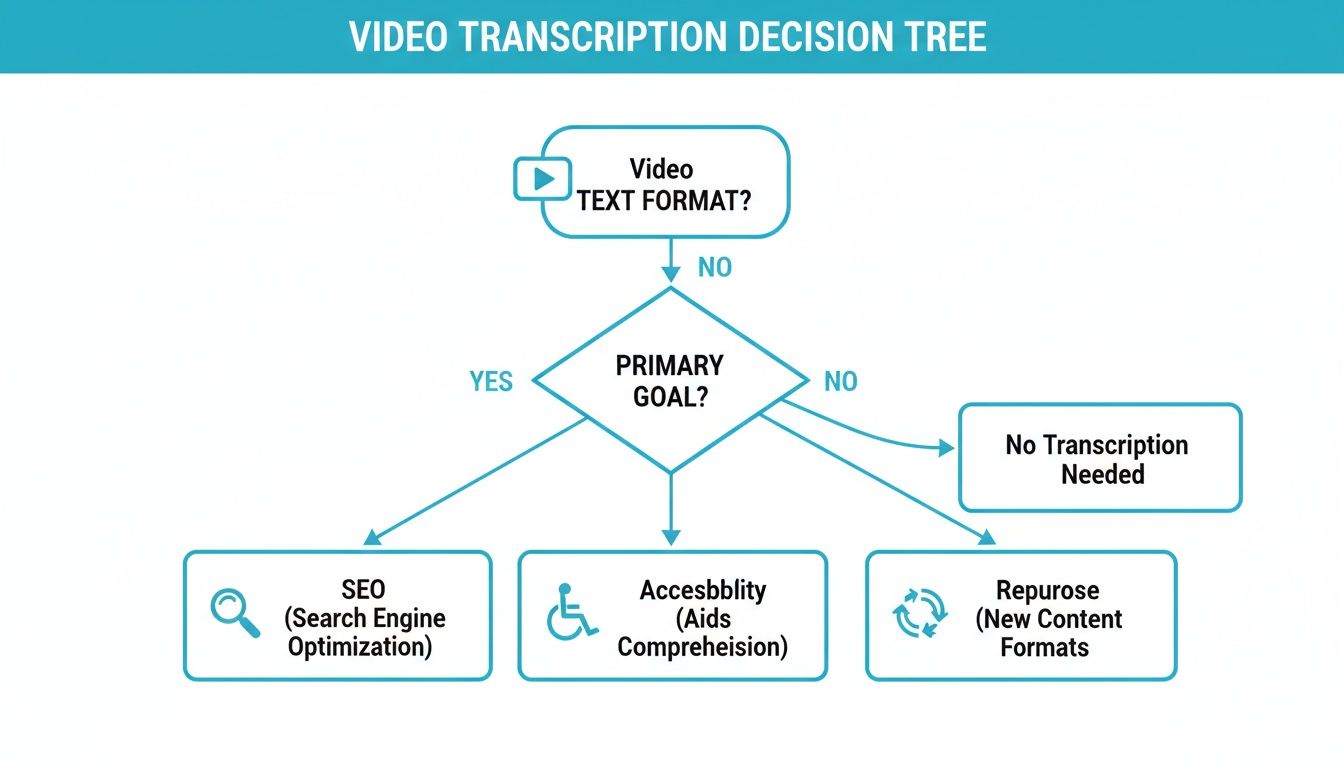
This workflow shows how your end goal should directly influence the method you choose.
Manual Transcription vs AI Services: A Practical Comparison
To make the choice clearer, here is a quick comparison based on the factors that usually matter most to professionals and content creators.
This table shows the clear trade-offs. Neither method is perfect for every situation, but one is almost always a better fit for a specific job.
Making the Right Call for Your Project
So, what's the verdict? It comes down to a simple cost-benefit analysis based on your project's needs.
Go with a human if you need a transcript for high-stakes situations like legal evidence or medical records. When every single word must be perfect, the higher cost is justified. A human-verified AI transcript is also a great middle-ground here.
Choose AI for most content creation tasks, like turning a YouTube video into a blog post, drafting podcast show notes, or documenting internal meetings. For these use cases, the incredible speed and low cost are ideal, and the accuracy is more than sufficient.
Pro Tip: The best workflow is often a hybrid one. Use an AI tool to get a 95-98% accurate draft in minutes. Then, do a quick human proofread to polish it up, correcting any names or specific terms the AI might have missed. You get the best of both worlds: the speed of a machine and the polish of a human expert.
My Go-To Workflow for Transcribing Video with Whisper AI
Let’s move from theory to practice. Here is the exact process I use to transcribe video to text online with Whisper AI. This is a real, over-the-shoulder look at my workflow, from a raw video file to a polished transcript ready for any use case.
Following these steps will help you avoid common mistakes and achieve accurate results from the start.
First Things First: Prepping Your Video for Maximum Accuracy
Before you upload anything, take a moment to assess your video file. The most overlooked step is audio preparation. AI is powerful, but it's not magic—the clearer the audio you provide, the better the transcript you'll receive. A few minutes of prep can save you significant editing time later.
Ask yourself: is there a lot of background noise, like a humming air conditioner or coffee shop chatter? Are people talking over each other?
A few simple fixes can make a huge difference:
- Normalize Your Audio: If one person is loud while another is quiet, use a basic video or audio editor to even out the volume levels. This simple adjustment prevents the AI from missing the quieter voices.
- Reduce Noise: Most editors have a one-click noise reduction feature. Even a light pass can clean up the audio enough for the AI to hear the dialogue more clearly.
- Export as Audio-Only: If you only need the words, you don't need the video. Exporting an MP3 or WAV file results in a smaller file size and a faster upload.
Think of it this way: spending five minutes on prep can easily save you thirty minutes of corrections. It’s a worthwhile trade-off every time.
Uploading and Dialing in the Settings
Once your file is ready, it's time to upload it. Most transcription platforms offer a few ways to do this. You can upload a file directly from your computer, which is what I usually do. Alternatively, if your video is already online, you can often just paste a link from YouTube or Vimeo.
After uploading, you'll see a few settings. Don't just click "transcribe" yet. These options are your control panel for getting the exact output you need.
Pro Tip: The most critical setting is the source language. While auto-detection is generally reliable, I always manually select the language spoken in the video. It eliminates any chance of error and provides a noticeable accuracy boost, especially with regional accents or less common languages.
You’ll also see an option for speaker labeling (sometimes called "diarization"). If your video has more than one speaker, enable this feature. It will automatically tag who's speaking (e.g., "Speaker 1," "Speaker 2"), which is a lifesaver for interviews, meetings, or panel discussions. It's the difference between a confusing wall of text and a clean, readable script.
To get a better handle on all these features, you can learn more about how to use Whisper AI in our more detailed guide.
Once you’ve configured your settings, the AI takes over. An hour-long video typically takes only a few minutes to process. You'll get a notification when it's done, and then it's on to the final—and equally important—step: the review. This entire workflow makes it incredibly simple to transcribe video to text online efficiently.
From Raw Text to Polished Transcript
An AI-generated transcript is a fantastic starting point when you transcribe video to text online, but it's rarely the finished product. I see it as a solid first draft. With a bit of strategic polishing, you can turn that raw text into a professional, ready-to-use document that accurately reflects your original video.
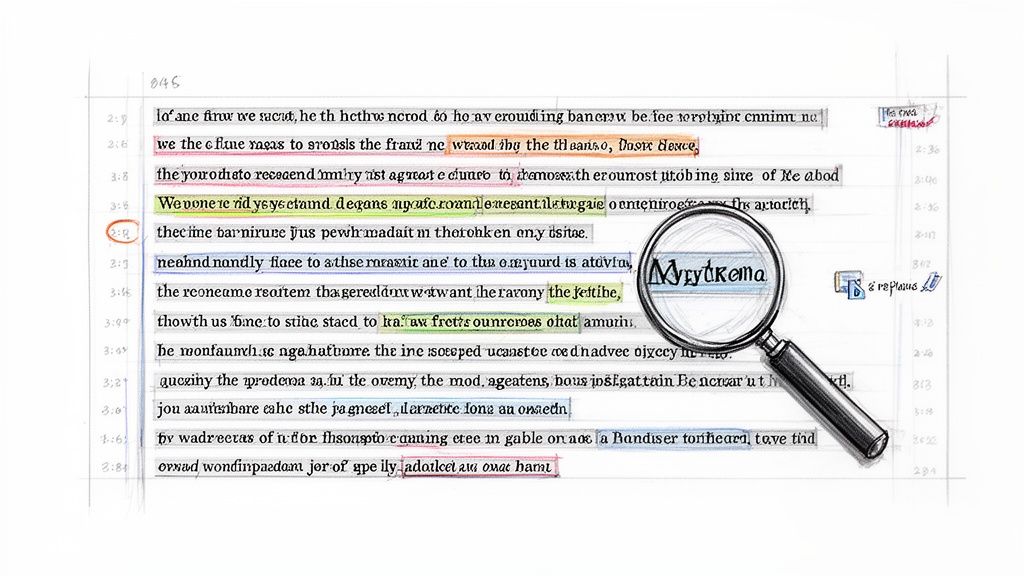
This editing phase isn't about rewriting; it's about making small, impactful fixes that improve readability and accuracy. Once you develop a rhythm, you can complete this step in a fraction of the time it took to create the video.
The Essential Review and Editing Workflow
My go-to editing method is a simple side-by-side review. I play the video on one half of my screen and have the transcript open on the other. This setup lets me read along as I listen, making it easy to catch any discrepancies between what was said and what was written.
The goal here isn't to capture every "um" and "ah"—unless you need a strict verbatim record. The main focus is on clarity and accuracy.
Here’s my checklist for the first pass:
- Correcting Proper Nouns: AI often stumbles on unique names of people, companies, or products. It might hear "Jen Psaki" but write "Jen Saki." These are usually quick fixes.
- Fixing Industry Jargon: Niche terminology is another common weak spot. An AI might interpret "SaaS platform" as "sass platform," completely changing the meaning.
- Tidying Timestamps: When preparing subtitles, I double-check that the timestamps align with the dialogue. A slight adjustment can ensure the text appears on screen at the right moment.
For most of my videos, this initial review catches about 90% of the mistakes and only takes a few minutes.
Using Smart Tools for Faster Fixes
Correcting every error by hand is inefficient. That’s why I rely on simple but powerful tools built into nearly every text editor. The "Find and Replace" function is my secret weapon.
For instance, if the AI consistently misspells a speaker's name, I don't fix it ten different times. I use Find and Replace (Ctrl+H or Cmd+Shift+H) to correct every instance in one go. It’s a huge time-saver for any recurring mistake.
I encounter this all the time. An AI might hear "Whisper AI" but write it as "Whisperay." Instead of hunting down each one, I run a single "Find and Replace." A five-minute task becomes a ten-second fix.
Another effective technique is to use AI for post-processing as well. Many transcription services, including those built on Whisper AI, can generate summaries or highlight key moments automatically. I use these features to quickly identify the core themes of a long interview without re-reading everything. This helps me pull out great quotes for social media or pinpoint the best sections for a blog post. It's a smart way to let AI do the heavy lifting twice—once for the initial transcription, and again for analysis.
Putting Your Transcript to Work with Content Repurposing
You have a clean, polished transcript. Now for the creative part. That text file isn't just a record of what was said; it's a goldmine of raw material for your entire content strategy. This is where you move from documenting to creating, maximizing the value of your original video.
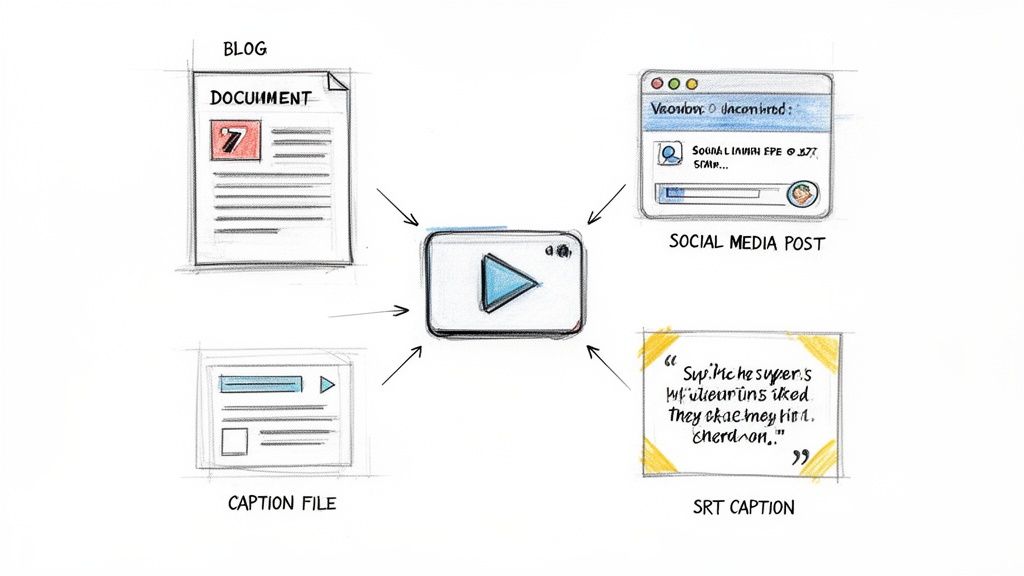
First, you need to export your transcript in the right format for the job. This simple step can save a lot of headaches later.
Choosing the Right Export Format
Most solid transcription services offer several export options. Knowing which one to use for each purpose is key to a smooth workflow. For instance, if I'm turning a video interview into an article, I’ll immediately export it as a Google Doc or Word file.
Here’s a quick rundown of the most common formats and their uses:
- .SRT (SubRip Subtitle): This is the universal standard for video captions. It’s a plain text file with precise timestamps that tell a video player exactly when to display each line of text. This is what you’ll use for YouTube, Vimeo, and most social platforms.
- .TXT (Plain Text): A simple .txt file is incredibly useful. It’s clean, lightweight, and perfect when you just need the raw dialogue for your notes or to quickly copy and paste it into another application without formatting issues.
- .DOCX/PDF: These are your best friends for creating polished, shareable documents. I often export to DOCX to turn a long transcript into a detailed case study because it’s so easy to edit, format, and add comments.
Pro Tip: Having multiple export options is about efficiency. An SRT file can go straight to your video editor, while the DOCX version lands in your writer's inbox to become a blog post. No time is wasted trying to convert files.
A Playbook for Repurposing Your Transcript
With your text exported and ready, you can start spinning that single video into a whole suite of content assets. This is how you make one piece of content work 10x harder, reaching your audience on different platforms with formats they prefer.
For a deeper dive, you can explore more content repurposing strategies to get the most out of every video you create.
Here are a few practical ideas I use regularly:
- Create SEO-Optimized Blog Posts: A transcript is essentially a first draft of an article. Clean it up, add clear headings, and expand on the key ideas. You’ll have a search-friendly blog post that can attract a new audience through Google.
- Pull Quotes for Social Media: Scan the transcript and pull out the most powerful, insightful, or even controversial one-liners. Turn those into graphics for Instagram or LinkedIn. It’s an easy way to boost engagement.
- Develop Email Newsletters: Don't have time to write a newsletter from scratch? Use the key takeaways from your transcript to give your subscribers the core message without requiring them to watch a 20-minute video.
- Build a Knowledge Base: If you’re transcribing product tutorials or demos, that text is perfect for building a searchable FAQ or a step-by-step guide for your help center.
Ultimately, the content you create from these transcripts can become foundational assets for bigger initiatives, like a full public relations campaign. By breaking down your video into smaller, targeted pieces, you amplify its reach and impact across the board.
Common Questions About Transcribing Videos Online
Even with a solid workflow, a few questions always come up when people first start turning videos into text. Answering these early on will help you move forward with confidence and get the most out of your transcription efforts.
Here are the questions I hear most often.
How Accurate Are Online Video Transcription Tools?
This is the big one. Top AI services can achieve up to 98% accuracy under ideal conditions—think crystal-clear audio with no background noise.
In the real world, factors like overlapping conversations, strong accents, or specialized jargon can reduce that number. The single best thing you can do to improve accuracy is to start with the highest quality audio possible.
A quick human review is always a smart final step. It's your chance to catch subtle things an AI might miss, like the correct spelling of a guest's name or a new company acronym. This gives you the best of both worlds: AI speed and human precision.
What's the Best Way to Handle Videos with Multiple Speakers?
This is where modern AI tools excel. Many platforms can automatically detect when a new person is speaking and label them accordingly (e.g., "Speaker 1," "Speaker 2"). This feature is called diarization, and it's a lifesaver for transcribing interviews, podcasts, and team meetings.
After the AI has done its work, you just need to go in and replace the generic labels with the actual speakers' names. It's a simple edit that makes the final transcript clean and professional.
Is My Video Secure When I Upload It to an Online Service?
Security is non-negotiable, especially with sensitive content. Reputable platforms are built with data privacy in mind, ensuring your files are handled securely and not retained for longer than necessary. Before committing to a service, it's wise to check their policies to see how how transcription service costs align with their security features.
Always look for a provider that is transparent about its data practices and complies with standards like GDPR. This gives you peace of mind that your content remains confidential from start to finish.
Ready to turn your videos into valuable text assets? Whisper AI offers fast, accurate, and secure transcription with automatic speaker detection, summaries, and easy exporting. Get started for free at whisperbot.ai and see how simple it is to put your content to work.


























































































