
A Guide to Automated Transcription Software
Picture this: you've just finished a one-hour podcast interview or an important team meeting, and you need a written record. Manually typing it out would take hours. Instead, you upload the audio file, and within minutes, you get a full, editable text document. That's the power of automated transcription software in action. It's a tool that uses artificial intelligence to convert spoken words from audio or video into searchable, usable text, acting like a digital stenographer that works at lightning speed.
What is Automated Transcription Software For?
At its core, automated transcription software solves a fundamental problem: spoken words are difficult to search, share, and repurpose. An hour-long podcast interview or a 30-minute team meeting is packed with valuable insights, but finding a specific quote or action item means listening to the whole thing all over again. This is where automation completely changes the game.
Imagine your audio file is a locked treasure chest. You know there are gems inside—brilliant ideas, critical feedback, or the perfect soundbite for a marketing campaign. Transcribing it by hand is like trying to pick that lock with a hairpin; it’s slow, tedious, and demands intense focus. Automated transcription software is the key that opens the chest in seconds.
Turning Spoken Words into Usable Data
Once your audio is processed, you get more than just a wall of text; you get a structured, usable document. This opens up possibilities that were once too expensive or time-consuming for most creators and businesses who relied on manual transcription services.
Here’s how it transforms your content:
- Searchability: Instead of scrubbing through a recording, you can simply use
Ctrl+Fto find keywords, names, or topics instantly. This is a huge time-saver for journalists, researchers, and students trying to locate specific information. - Accessibility: Transcripts make your content accessible to people who are deaf or hard of hearing. They also help non-native speakers follow along, which can significantly broaden your audience.
- Repurposing: A single audio or video file can be spun into multiple pieces of content. For example, a podcast episode can easily become a blog post, social media clips, an email newsletter, or detailed show notes.
The real value isn't just getting words on a page. It’s about turning fleeting spoken moments into permanent, actionable assets you can analyze, share, and build on.
Who Benefits from This Technology?
The use cases for automated transcription are incredibly diverse, touching nearly every industry where people communicate. It’s no longer a niche tool for big media companies; it's a productivity booster for anyone who works with audio or video.
A content marketer can use it to create captions for a YouTube video in minutes. A researcher with dozens of interview recordings can quickly analyze qualitative data. A project manager can use it to document action items from a Zoom call. In every scenario, the software removes the manual labor of typing, freeing up valuable time for more strategic tasks.
Here's a quick look at how different people benefit.
Automated Transcription at a Glance
Ultimately, this technology empowers anyone who creates or consumes spoken content to do more with it, faster and more efficiently than ever before.
How Does Automated Transcription Software Work?
Have you ever wondered how an app can listen to a human voice and produce a near-perfect text transcript? It’s a sophisticated process driven by a blend of artificial intelligence technologies. To understand what these tools can do, it helps to peek under the hood at the underlying AI technology making it all possible.
At the heart of any automated transcription software, you'll find two main components: Automatic Speech Recognition (ASR) and Natural Language Processing (NLP). Think of ASR as the system’s digital ears—its job is to listen and convert the sound waves of speech into raw text. Then, NLP steps in as the brain, taking that raw text and making sense of it by figuring out context, grammar, and who said what.
The Ears of the Operation: Automatic Speech Recognition
First, the software must hear what's being said. That's the job of Automatic Speech Recognition, or ASR. This foundational tech does the initial heavy lifting of converting spoken audio into written words. It works by breaking down sounds into the smallest units of speech (called phonemes) and then piecing them together to form words and sentences.
This is an incredibly complex process. These ASR models are trained on thousands upon thousands of hours of audio from countless speakers with different accents, languages, and speaking styles. This extensive training helps the system recognize patterns and predict what’s being said with high accuracy, even when the audio isn't perfect.
This quick map shows the basic flow from a spoken word to a finished text document.
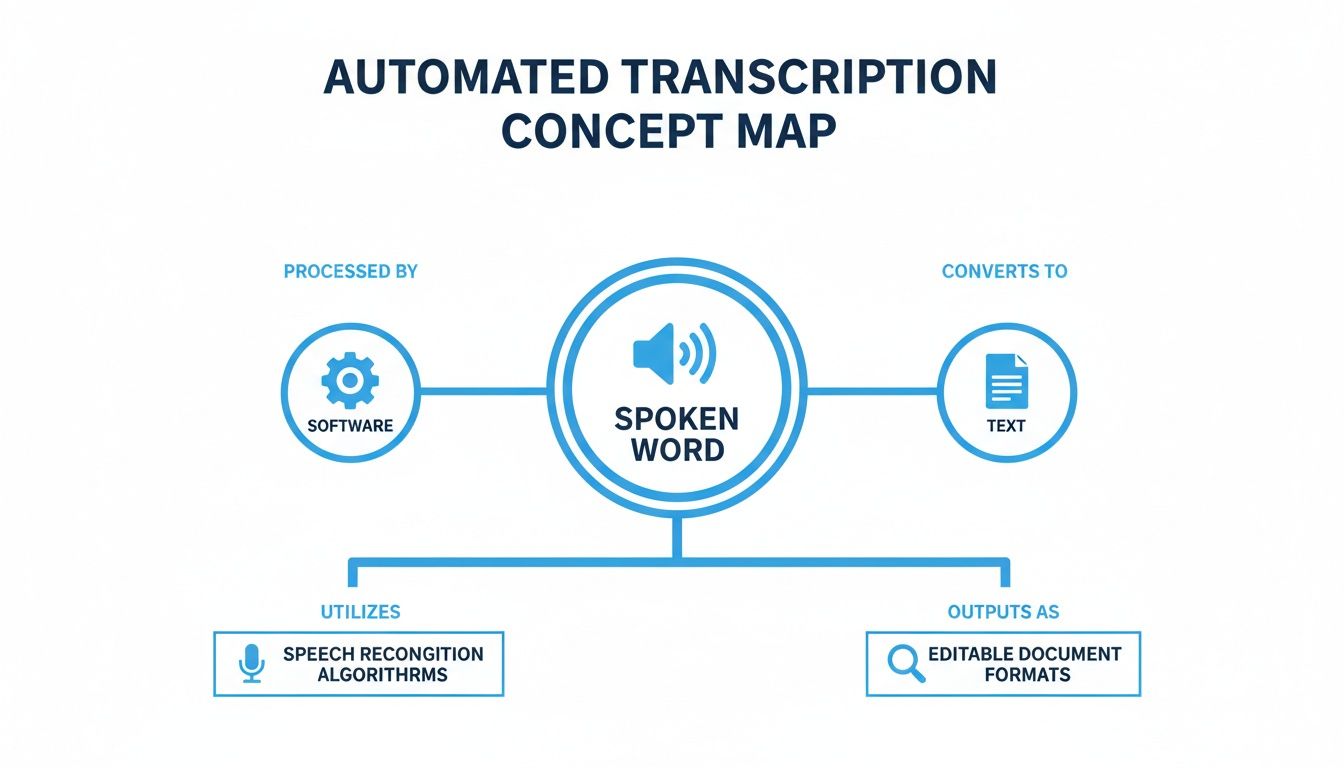
As you can see, the software is the crucial middleman, processing the raw audio and turning it into something you can actually use, edit, and share.
The Brain of the System: Natural Language Processing
Once ASR has generated a block of raw text, Natural Language Processing (NLP) takes over. This is where the real intelligence comes in, giving the software a human-like grasp of language. It’s not just about recognizing words; it's about understanding what they mean in context. If you want to dive deeper into this conversion process, our guide on turning audio to text is a great place to start.
NLP handles several key tasks that dramatically improve the final transcript:
- Punctuation and Grammar: It intelligently adds periods, commas, and question marks where they belong, making the text readable and coherent.
- Contextual Understanding: This is how the software knows the difference between "their," "there," and "they're"—by looking at the surrounding words for clues.
- Speaker Diarization: NLP can also identify and label different speakers, so you know exactly who said what in a multi-person conversation.
You really can't overstate how important NLP is. It's what turns a clunky, word-for-word data dump into a polished, coherent document you can use right away.
There's a reason Natural Language Processing (NLP) technology accounts for 32.7% of the market; its ability to grasp the nuances of human language is what makes automated transcripts reliable enough for professionals.
Key Factors That Influence Transcription Accuracy
Even with the smartest AI, the old rule of "garbage in, garbage out" still applies. The quality of your final transcript is hugely dependent on the quality of the audio you provide. Knowing what affects accuracy can help you get the best possible results every time.
While top-tier software is built to handle less-than-ideal conditions, a little preparation on your end can make a world of difference.
Here are the main variables that come into play:
- Audio Quality: This is the most important factor. Clear, crisp audio without static or distortion is king. Using a decent microphone and recording in a quiet room will always yield the cleanest transcript.
- Background Noise: Any sound that isn't speech—office chatter, sirens, or music—forces the AI to work harder to isolate voices, which can introduce errors.
- Speaker Accents and Pacing: Modern AI is trained on a massive range of accents, but very thick or uncommon dialects can still be challenging. The same goes for people who speak extremely fast or mumble.
- Overlapping Speech: When people talk over each other, it's tough for even a human to catch every word. It’s just as hard for software to untangle and transcribe each voice correctly.
By pairing powerful ASR with sophisticated NLP, today's transcription tools can navigate many of these challenges. They don't just convert speech to text; they analyze, interpret, and structure it to produce transcripts that are accurate, readable, and ready for use.
What Are the Most Important Features in Transcription Software?
Not all automated transcription software is created equal. While the core promise—turning your audio into text—is the same, the features built around it make all the difference. Think of it like buying a car: any model will get you from A to B, but features like GPS and cruise control are what make the drive smooth and effortless.
This section provides a practical checklist for evaluating any transcription service. These are the make-or-break capabilities that separate a basic app from a truly professional platform that genuinely lightens your workload.
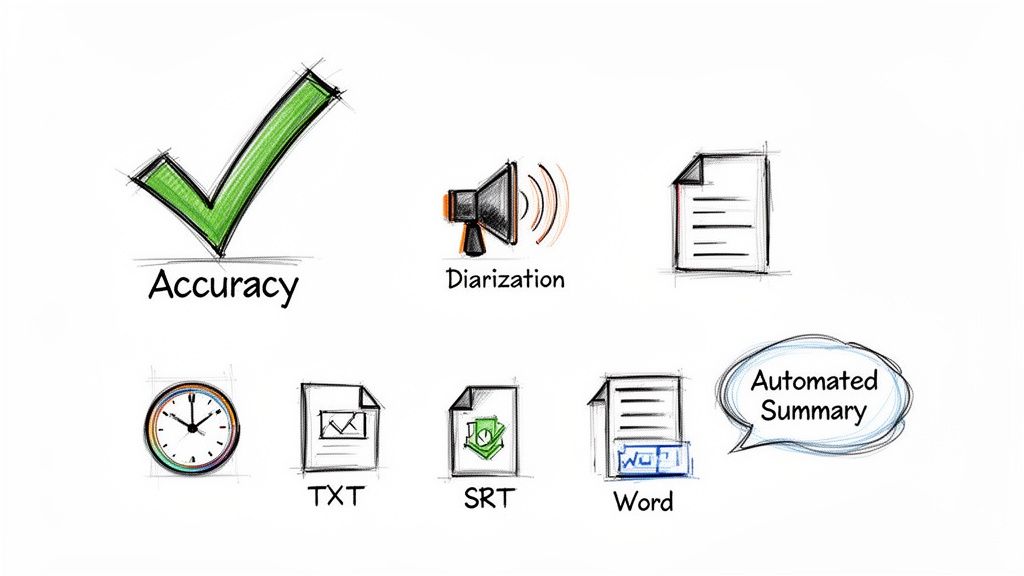
Core Capabilities You Cannot Ignore
Before you get dazzled by flashy extras, make sure the fundamentals are rock-solid. These are the absolute non-negotiables. If a service can't nail these basics, it will create more headaches than it solves.
Think of these three features as the foundation of any reliable transcription experience:
- High Accuracy: This is the most important feature. A transcript must be correct, accurately capturing niche jargon, brand names, and subtle nuances. A tool that delivers 95% or higher accuracy means you’ll spend minutes proofreading, not hours fixing mistakes.
- Speaker Identification (Diarization): If you're transcribing anything with more than one speaker, this is a must-have. The software must be smart enough to identify who is talking and label their lines accordingly. Without it, you’re left with a confusing wall of text, making it impossible to follow a conversation.
- Precise Timestamping: Great software doesn’t just give you words; it connects them to the exact moment they were spoken. This lets you click on any word in the transcript and instantly jump to that spot in the audio, which is a lifesaver for editing, pulling quotes, or fact-checking.
Without these core features, a transcription tool is little more than a novelty. They are the essential building blocks that enable all other advanced functionalities and ensure the final transcript is genuinely useful.
Advanced Features That Save You Time
Once you've confirmed the basics are covered, look for the advanced features that separate good tools from great ones. These capabilities are designed to help you extract value from your raw transcript with minimal effort, moving beyond simple word-for-word text into genuine content analysis.
Think of these as productivity multipliers that automate the tedious tasks that used to consume hours of your day.
Smart Summaries and Content Extraction
The best automated transcription software uses AI to do more than just listen—it understands. Modern platforms can analyze a lengthy transcript and generate a concise summary of the key topics in seconds. This is a game-changer for anyone who needs to get the gist of a long recording without listening to the whole thing.
Some tools can even go a step further, automatically identifying and extracting things like:
- Action Items: Instantly creates a to-do list from your team meeting.
- Key Highlights: Generates a bullet-point list of the most important takeaways.
- Memorable Quotes: Finds the perfect soundbites for your social media clips or marketing copy.
Versatile Export and Integration Options
A transcript shouldn't be trapped inside the software. A top-tier tool makes it simple to export your content in whatever format you need, supporting a wide range of workflows.
Here’s a quick look at common formats and why they matter:
Beyond just exporting files, look for integrations with the tools you already use daily, like Google Docs or your project management app. This allows you to push transcripts and summaries directly into your workspace, creating a seamless path from conversation to action.
By focusing on both these essential and advanced features, you can confidently pick a tool that will become an indispensable part of your work.
How Automated Transcription Transforms Workflows
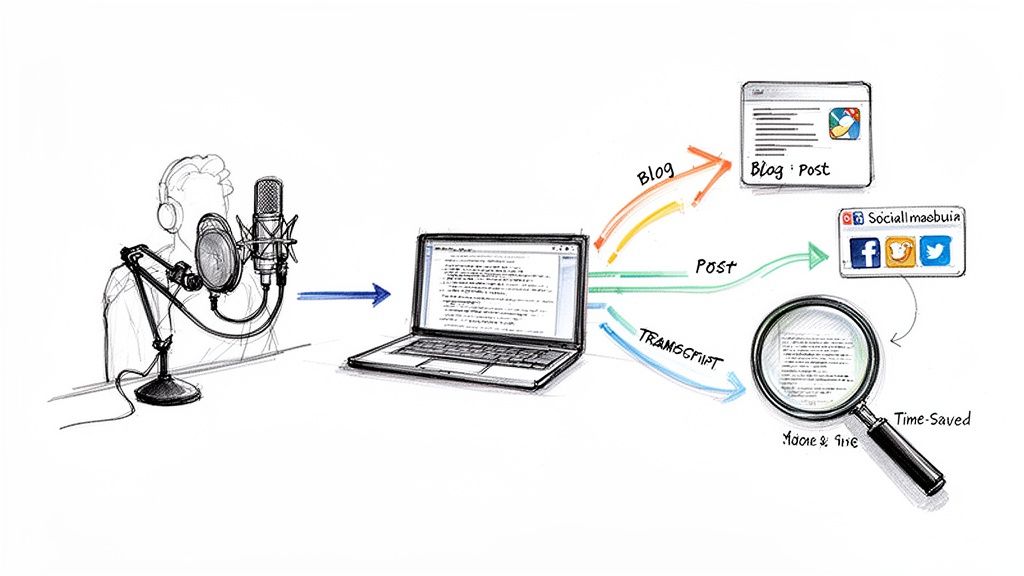
Understanding the features of automated transcription software is one thing, but seeing how it revolutionizes real-world tasks is another. This technology isn't just about converting audio to text; it's about fundamentally changing how professionals create content, conduct research, and collaborate. By eliminating the manual transcription bottleneck, these tools unlock new levels of speed and creativity.
Let's step away from theory and look at how people in different roles have integrated this technology into their daily routines, turning a tedious chore into a strategic advantage.
The Podcaster Turning One Interview into a Content Goldmine
Meet Sarah, a podcaster with a weekly interview show. Before, a single one-hour episode meant a mountain of work. Her old process involved painstakingly transcribing the conversation by hand, which took four to five hours, just to create show notes and a blog post. It was the part of the job she dreaded most.
Now, her workflow is completely different. Right after an interview, she uploads the audio file to her transcription software. In about ten minutes, she gets back a surprisingly accurate transcript, already labeled with who said what.
This is where the magic really starts. She stopped seeing a transcript as just a script and started seeing it as a goldmine.
- Instant Blog Post: Sarah glances at the AI-generated summary for the key takeaways. Then, she uses the full transcript as the backbone for a detailed blog post, easily pulling direct quotes.
- Social Media Snippets: She quickly scans the text for punchy one-liners and compelling stories. In minutes, she can copy and paste a dozen engaging posts into her social media scheduler.
- Email Newsletter: The AI-powered highlights from the transcript become the perfect bullet points for her weekly newsletter, teasing the new episode for her subscribers.
What used to eat up an entire afternoon now takes less than 30 minutes. The software has let her shift from boring admin work to focusing on creative strategy, helping her promote the show and grow her audience way faster.
The YouTuber Boosting SEO and Accessibility
Next up is Alex, a YouTuber who creates educational tutorials. He knew that adding accurate captions was critical for two reasons: making his videos accessible to viewers who are deaf or hard of hearing, and boosting his channel’s search engine optimization (SEO).
But manually captioning a 15-minute video was a slow, painful process of listening, typing, and syncing everything up. The platform’s own auto-captions were usually so full of errors they looked unprofessional.
By adding automated transcription software to his process, Alex fixed both problems at once. He now uploads his final video edit and gets a perfectly timestamped SRT caption file back in minutes. After a quick proofread, he uploads it straight to his channel.
This one simple change has delivered some serious results:
- Wider Audience Reach: His videos are now totally accessible, earning him praise from viewers who need captions and helping him connect with a global audience who might be watching with English as a second language.
- Improved Search Rankings: Search engines can crawl the full text of his videos, helping them rank higher for the specific terms and techniques he covers.
- Easy Repurposing: Just like Sarah, Alex uses the text transcript to quickly write his video descriptions and create bonus materials like downloadable guides for his viewers.
His content is now more discoverable and inclusive, all without adding hours of extra work. Our deep dive into the world of speech-to-text AI explores how this technology powers such transformative results for creators.
The Journalist Pinpointing the Perfect Quote
Finally, think about Mark, an investigative journalist. He often deals with hours of recorded interviews for a single story. His biggest headache was always trying to find that one killer quote buried somewhere in a dozen audio files. He used to waste entire days just re-listening to recordings, scrubbing back and forth to find the right moments.
Today, his research process is built on search. He uploads all his interview recordings, and the software instantly creates a searchable database of every single conversation.
When he’s writing about a company merger and needs a specific comment, he just types "merger" into the search bar. The tool immediately shows him every time that word was said, across all his interviews, complete with timestamps. He can click a result and instantly listen to the original audio to check the context and tone. This has cut his research time by an estimated 80%, giving him far more time to focus on what really matters: crafting a powerful story.
How to Choose the Right Automated Transcription Software
With so many options on the market, picking the right automated transcription software can feel overwhelming. The key is to look past the marketing hype and focus on what your specific projects demand. A great tool doesn't just provide accurate text—it fits your budget and integrates seamlessly into your existing workflow.
The best place to start is with a clear understanding of your own needs. Are you transcribing crystal-clear, single-speaker audio from a podcast, or are you trying to untangle a chaotic meeting with multiple people talking over each other? The answer helps determine how much you need to prioritize raw accuracy versus features like speaker identification. Likewise, how often you’ll be transcribing will help you decide between a pay-as-you-go plan and a monthly subscription.
Evaluating Key Decision Factors
Before you commit, it’s wise to weigh a few key criteria. These factors are the difference between a tool that’s just "good enough" and one that becomes an essential part of your toolkit. Think of it as a simple checklist to guide your decision.
First up is the pricing model. Different services are built for different types of users.
- Per-Minute/Per-Hour: This model is perfect if your transcription needs are infrequent or unpredictable. You only pay for what you use, which makes it great for one-off projects or the occasional interview.
- Subscription Plans: If you’re transcribing audio regularly, a monthly or yearly plan almost always offers better value. These packages typically include a block of transcription hours for a much lower per-minute rate.
Next, consider how the software will interact with your other tools. The most helpful transcription services don't exist in a vacuum; they connect with the apps you already use. Look for integrations with platforms like Google Docs, your favorite project management software, or video editors to maintain a smooth workflow. Our detailed guide on how to auto transcribe software can give you more tips on finding a solution that connects well with your setup.
Prioritizing Security and Privacy
When you upload a file to be transcribed, you’re entrusting a third party with your data. That file could contain a sensitive client discussion, a confidential research interview, or your next big creative project. Because of this, security and privacy aren't just nice-to-haves; they are absolute deal-breakers.
A powerful transcription tool is useless if it’s not trustworthy. Always verify a provider’s security protocols before uploading any sensitive material. Your data's confidentiality is paramount.
Stick with services that are transparent about how they handle your data. A trustworthy provider will use strong encryption to protect your files while they're being uploaded and processed. They should also have a clear privacy policy that explains your data won't be snooped on or stored longer than necessary. This is especially critical for anyone working in fields like journalism, law, or healthcare, where confidentiality is an ethical and legal duty.
By carefully considering your accuracy needs, pricing, integrations, and security measures, you can confidently select an automated transcription software that's powerful, reliable, and perfectly suited to your needs. A little evaluation upfront ensures you get a tool that saves you time without compromising on quality or safety.
Why Is AI Transcription Suddenly Everywhere?
If you've noticed more and more talk about automated transcription software, you're not imagining things. This technology has quickly gone from a niche tool to a must-have for countless professionals and businesses. This industry shift is happening for a few clear reasons tied directly to how we work and create today.
A massive driver has been the shift to remote and hybrid work. When teams are spread across different locations and time zones, keeping everyone on the same page is a challenge. Automated transcripts of meetings provide a perfect, searchable record of discussions, creating a single source of truth so no one misses a key decision.
The Content Creation Explosion
At the same time, we're living through an explosion of audio and video content. Podcasters, YouTubers, and marketing teams are churning out new material daily. For them, AI transcription is a game-changer. It allows them to take one recording and effortlessly turn it into a dozen different assets—blog posts, social media clips, email newsletters, and more. It's all about getting the most mileage out of every piece of content.
This "content boom" has created the perfect conditions for the transcription industry to take off.
The numbers tell the same story. The global AI transcription market is already valued at $4.5 billion and is projected to rocket to $19.2 billion by 2034. That’s a compound annual growth rate of 15.6%. You can learn more about this explosive market growth and see just how big this trend has become.
It’s Not Just for Meetings and Marketing
Beyond the corporate and creative worlds, the need for accessible information is pushing AI transcription into other critical fields.
- In education: Transcripts make lectures and online courses accessible for students who are deaf or hard of hearing, or for those who simply learn better by reading.
- In healthcare: Doctors and clinicians can transcribe patient visits to ensure medical records are precise, although handling this sensitive data requires serious security measures.
This widespread adoption makes one thing clear: turning speech into text is no longer a "nice-to-have." Investing in good automated transcription software is now a smart, strategic move for staying competitive. It's about turning spoken words into valuable, structured data that helps organizations find insights, improve accessibility, and just plain work smarter.
Common Questions About Transcription Software
Dipping your toes into the world of automated transcription can feel a little overwhelming. You're probably wondering what you can realistically expect from the tech. Let's clear up a few of the most common questions people ask about accuracy, speakers, and privacy.
Think of this as your quick-reference guide to the essentials. It’ll help you lock in the key takeaways and feel confident about choosing the right tool for the job.
How does AI transcription accuracy compare to a human?
This is the big question. Under ideal conditions—like clear audio with a single speaker—the best AI software can achieve up to 99% accuracy, which is remarkably close to human performance.
While a seasoned human transcriber might still have a slight edge with very messy audio full of jargon or heavy background noise, AI is vastly superior in speed and cost. For most business meetings, podcasts, and research interviews, today's AI is more than accurate enough for professional use.
Can this software identify different speakers and understand accents?
Yes, and this is where modern tools really shine. The technology responsible is called speaker diarization, a fancy term for the software's ability to automatically detect who is speaking and when. It then labels each person in the transcript, making conversations easy to follow.
Additionally, the best AI models are trained on massive, diverse datasets from around the world. This gives them a powerful ability to understand and accurately transcribe a wide range of accents and dialects.
It's always smart to double-check if a specific service supports the languages or accents you work with most, but you'll find that the top platforms are incredibly adaptable.
Is my data safe when I upload it to a transcription service?
Security is non-negotiable, and any reputable service will make it a top priority. Look for providers that use strong encryption to protect your files at every stage—when you upload them, while they're being processed, and as they're stored.
A transparent privacy policy is also a must. It should clearly state that your data is yours and won't be used for anything else. Before you upload anything sensitive, take a few minutes to review a provider's security and privacy commitments. It’s peace of mind you can’t put a price on.
Ready to stop typing and start creating? Whisper AI transforms your audio and video into accurate, searchable text in minutes, complete with summaries and speaker labels. Experience the future of transcription by visiting https://whisperbot.ai today.


























































































