
A Complete Guide on How to Transcribe YouTube Videos to Text
If you need to turn a YouTube video into text, you have three main options: using YouTube's built-in transcript feature, typing it out yourself, or using a powerful AI tool like Whisper AI for the best mix of speed and accuracy.
This process converts all the spoken words in a video into a text document you can read, search, and repurpose. While it might seem like a small technical step, it unlocks significant benefits for both video creators and their audiences.
Why Should You Transcribe a YouTube Video?
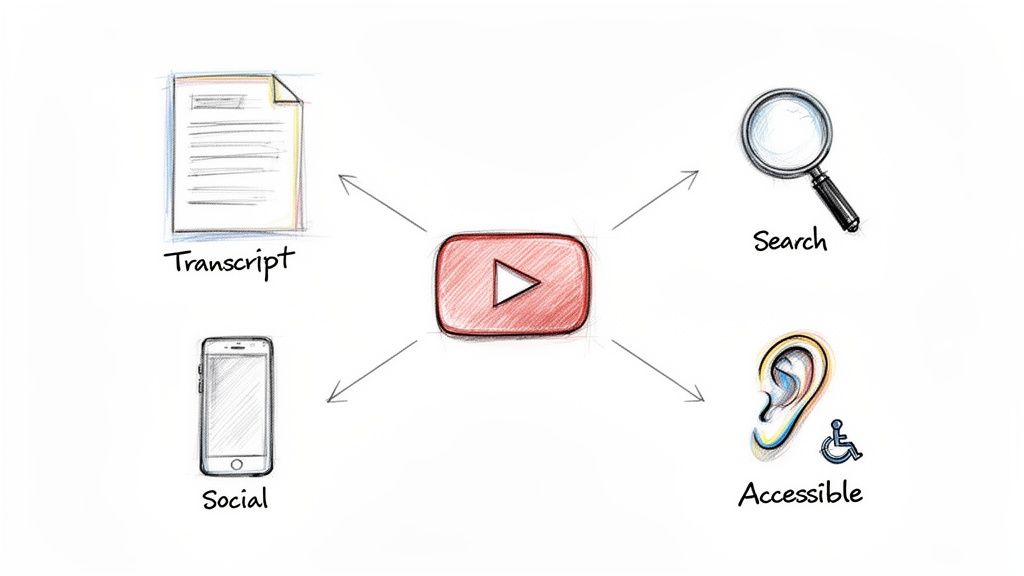
Before diving into the "how," it's important to understand the "why." This isn't just about creating captions. Turning your video's audio into text is a strategic move that can significantly boost your content's reach and impact. From my experience, it's a step many creators overlook, leaving a lot of potential on the table.
Think of a transcript as a key that transforms a passive viewing experience into an active, flexible resource. It makes everything you said in your video accessible, discoverable, and incredibly easy to repurpose. Let’s break down the main advantages.
Supercharge Your Video SEO
Search engines like Google are excellent at reading text, but they can't "watch" your video to understand its content. When you transcribe a YouTube video to text and include it in your video description or a companion blog post, you're giving search engines a detailed, keyword-rich script to crawl and index.
For example, imagine you've created a detailed tutorial on "how to build a custom PC." Without a transcript, Google primarily sees your title and a brief description. With the full text, it now understands every specific, long-tail phrase you used, such as "installing a Ryzen 9 CPU" or "cable management tips for a mid-tower case."
This allows your video to appear in search results for hundreds of specific queries you weren't intentionally targeting, leading to more organic traffic. Videos with accurate captions and transcripts often see a noticeable increase in views and watch time.
A transcript gives your video a voice that search engines can finally hear and understand. It's the key to unlocking its full SEO potential.
Break Down Accessibility Barriers
This is a major benefit. Making your content inclusive is one of the best reasons to create a transcript. Millions of people are deaf or hard of hearing, and for them, a transcript isn't just a helpful extra; it's the only way they can access your content.
But accessibility extends beyond hearing impairments. Consider these common scenarios:
- Noisy Environments: Someone on a crowded train or in a busy coffee shop without headphones.
- Quiet Spaces: A viewer in a library or an open-plan office who cannot play audio.
- Language Learners: Individuals learning the language who can read along to improve their comprehension.
By providing the text, you are accommodating all these viewers. It shows that you respect their time and are committed to making your message accessible, no matter their circumstances.
Unlock Effortless Content Repurposing
Creating a high-quality video requires significant effort. A transcript is an invaluable tool for maximizing the value of that work. It allows you to transform one video into a variety of content pieces without starting from scratch.
Once you have the text file, the possibilities are endless:
- Blog Posts: Edit the transcript, add headings, and you have a ready-made, SEO-friendly article.
- Social Media: Extract key quotes, statistics, or tips to create numerous tweets, LinkedIn updates, or Instagram graphics.
- Email Newsletters: Draft a quick summary of the video's main points for your email list, with a link back to the full video.
- Lead Magnets: Convert a how-to video into a downloadable PDF guide, checklist, or printable cheat sheet for your audience.
This strategy helps you maintain a consistent presence across multiple platforms, all powered by a single video. Your video becomes the foundation of an entire content campaign.
From Manual to AI: Comparing Your Transcription Options
When it's time to turn a YouTube video into text, you have three main paths to consider. Each offers a different balance of speed, accuracy, and effort. The best choice depends on your project's requirements, your budget, and how much time you're willing to invest.
Let's explore YouTube's built-in tool, the traditional manual method, and modern AI services to help you establish a workflow that truly meets your needs.
YouTube's Built-In Auto-Captions
YouTube provides a free, built-in tool that automatically generates captions for videos. It's fast, convenient, and can seem like a simple one-click solution. You can access it through the "Subtitles" section in your YouTube Studio, where the platform handles the rest.
However, this convenience comes at the cost of accuracy. While the technology has improved, it still struggles with accents, technical jargon, background noise, and conversations involving multiple speakers. The result is often a transcript with errors that can confuse your audience and potentially damage your credibility.
Consider this: over 1.5 billion people worldwide live with some form of hearing loss, and 80% of Americans are more likely to watch a video with captions. Yet, YouTube's auto-transcripts often have an accuracy rate of only around 61.92%. In contrast, advanced tools that achieve 99% accuracy are transforming the landscape.
The Manual Transcription Method
The second option is the classic, hands-on approach: typing everything out yourself. This method gives you complete control, ensuring the highest possible accuracy by capturing every nuance. The process involves listening, typing, rewinding, and adding timestamps and speaker labels.
This meticulous approach is ideal for projects where every word matters, such as legal proceedings, academic research, or complex technical guides. The obvious drawback is the immense time commitment. A professional might spend four to six hours transcribing just one hour of audio. If you're facing a tight deadline or have numerous videos, this is not a practical solution.
Manual transcription provides absolute precision but at a significant cost in time and effort. It's the gold standard for accuracy but a major bottleneck for productivity.
AI-Powered Transcription Services
The third option is where technology truly shines: dedicated AI-powered transcription services. These tools offer a powerful middle ground, combining the speed of automation with accuracy that rivals manual work. They are specifically designed to handle challenging audio and produce a polished transcript in a fraction of the time.
For anyone considering their options, a review of a tool like Descript for video and audio transcription can demonstrate the capabilities of these specialized platforms.
Platforms like Whisper AI use sophisticated speech recognition models to achieve near-human accuracy, often reaching 99% or higher. They automate the heavy lifting by:
- Detecting different speakers and labeling their dialogue.
- Generating precise timestamps for every word or phrase.
- Filtering out filler words like "um" and "uh" for a cleaner text.
- Handling dozens of languages and accents with impressive proficiency.
This approach transforms a multi-hour task into a process that takes just a few minutes, freeing you to focus on creating and promoting your content. To learn more about how this technology works, check out our guide on AI-powered transcription services. For most creators today, it's the most efficient way to transcribe a YouTube video to text without sacrificing quality.
Transcription Method Comparison
To help you decide, let's compare these three methods side-by-side. Each has its own strengths, and this comparison will help you identify the best fit for your needs.
Ultimately, while YouTube's tool is a good starting point and manual work has its niche, AI services offer a powerful combination of speed, accuracy, and advanced features that is hard to beat for most modern video projects.
Using Whisper AI to Transcribe a YouTube Video
Let's walk through the practical steps of using a powerful AI tool to turn a YouTube video into a text document. This process is surprisingly simple and can reduce a task that used to take hours to just a few minutes. We’ll use Whisper AI as an example to demonstrate how smooth the workflow can be.
It all begins with a simple action: copying a URL.
Start With the YouTube Link
First, locate the YouTube video you want to transcribe. Whether it's a two-hour podcast, a dense academic lecture, or a quick DIY tutorial, the initial step is always the same. Copy the video’s URL from your browser's address bar.
With the link copied, navigate to the Whisper AI platform. You will find an input field where you can paste the YouTube URL directly. That’s all there is to it. You don't need to download anything or convert files.
While a URL is sufficient for most public videos, you might sometimes work with private content or prefer to process files offline. In such cases, you can use a tool to download YouTube videos before beginning.
Let the AI Take It From Here
Once you've pasted the link, the AI begins its work. Whisper AI automatically extracts the audio from the video and starts the transcription process. You don't have to adjust any settings or manually identify different speakers.
The system handles everything for you:
- Speaker Detection: The AI identifies when different people are speaking and labels them (e.g., Speaker 1, Speaker 2).
- Accurate Timestamps: Every phrase is timestamped, allowing you to jump to that exact moment in the video by clicking the text.
- Punctuation and Formatting: The transcript is generated with proper punctuation and paragraphs, making it easy to read immediately.
This is a massive time-saver. Consider that over 500 hours of new video are uploaded to YouTube every minute. A professional transcriber needs 4-6 hours to manually transcribe just one hour of audio. In contrast, an AI like Whisper can process content in 92+ languages in a fraction of that time.
The choice of method really depends on your needs. This visual guide provides a clear summary.
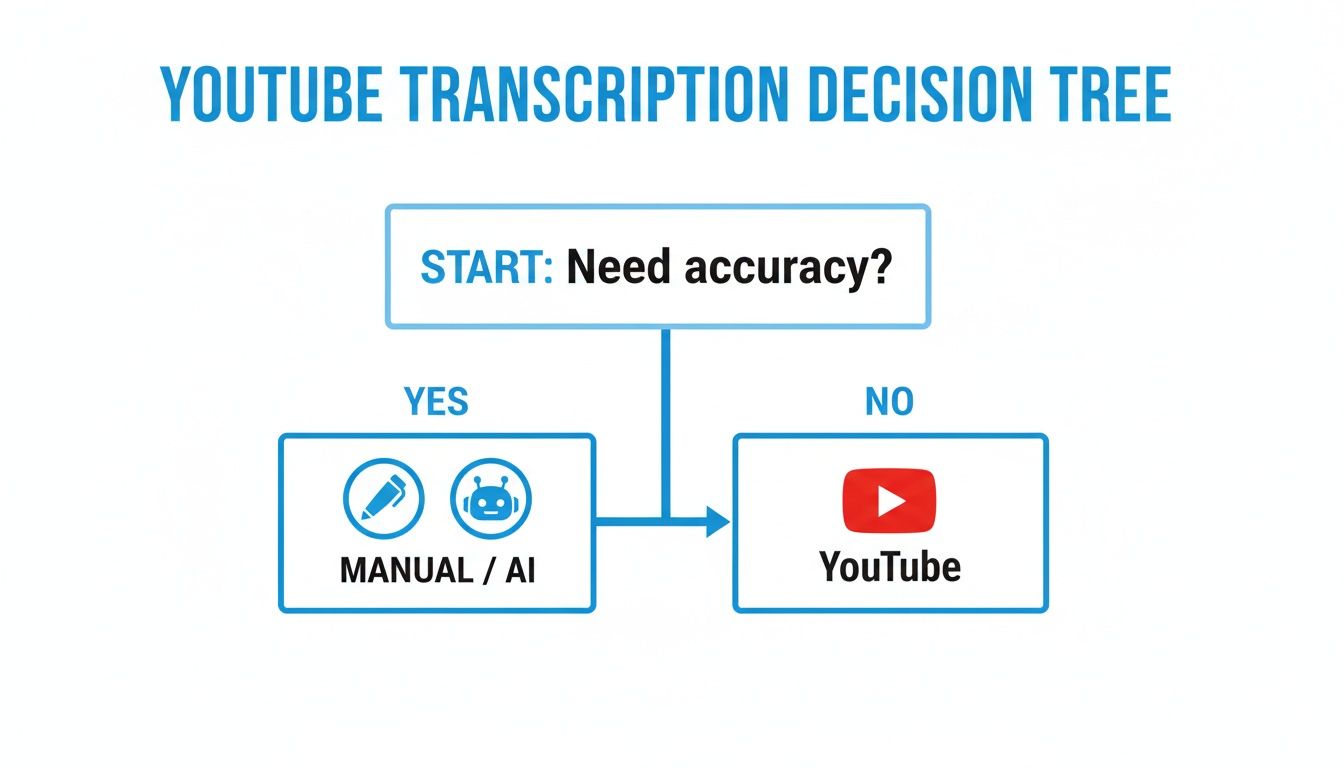
As you can see, if accuracy is your main priority, AI and manual transcription are your best options. For quick, less critical tasks, YouTube's built-in tool can suffice.
More Than Just a Transcript
Modern AI tools offer more than just a block of text. Once the initial transcript is generated—usually in just a minute or two—you can use other features to extract the most valuable information.
For example, Whisper AI can create a concise summary of the entire video. This is extremely useful for writing social media descriptions, creating podcast show notes, or quickly understanding the main points of a video.
The real power isn't just getting the words right; it's about making the content instantly useful. Summaries and highlights turn a long video into actionable insights in seconds.
You can also ask the AI to generate a bullet-point list of the video's key takeaways. This is perfect for repurposing the video into a blog post, a slide presentation, or an email newsletter. The tool effectively becomes your research assistant. For a more detailed look at using the tool, you can check out this guide on how to use Whisper AI.
Exporting Your Final Text
Once the transcript, summary, and highlights are ready, the final step is to export the text into your workflow. Any reputable transcription service will provide several export options.
You can typically download your work in a few common formats:
- TXT: A simple, plain text file that is universally compatible.
- DOCX: Ideal for opening and editing in Microsoft Word.
- PDF: A good choice for sharing a final, non-editable version.
- SRT: The standard file format for video captions and subtitles.
With a few clicks, you have a polished, accurate transcript ready for use. You’ve transformed a YouTube link into a finished document for SEO, accessibility, or content creation in less time than it takes to drink a cup of coffee.
What to Do With Your New Transcript
Now that you have a freshly transcribed YouTube video, don't just let it sit on your hard drive. You have a powerful asset that can become the cornerstone of your content strategy. The real value is unlocked after the transcription is complete—it's time to put that text to work.
Think of your transcript as the raw material for a dozen new pieces of content. This is how you maximize your return on investment, turning a single video into a multi-channel campaign that reaches a much wider audience.
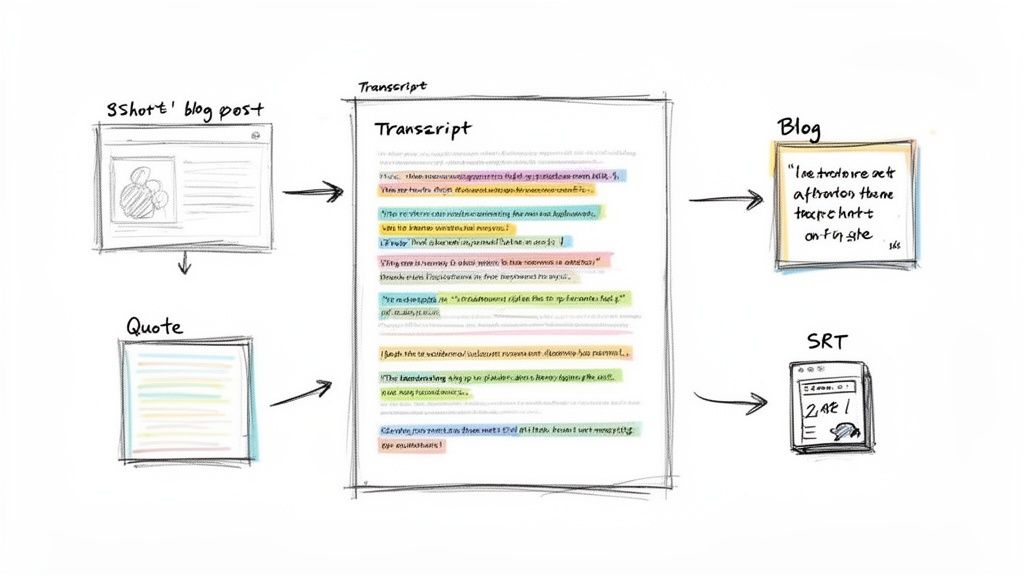
Turn Your Video into an SEO-Boosting Blog Post
One of the most effective ways to use a transcript is to convert it into a detailed, SEO-friendly blog post. Search engines excel at reading text but cannot "watch" videos. A blog post provides them with the text they need to understand your content, index it, and show it to people searching for your topic.
The process is straightforward: clean up the raw text, add clear headings and subheadings, and embed the original YouTube video directly into the article. This creates a new asset that can attract people who prefer reading to watching, effectively doubling your potential reach.
Mine It for Engaging Social Media Content
Your transcript is a goldmine for quick, shareable social media updates. Instead of brainstorming new ideas, simply scan the text and extract the most interesting parts.
Here are a few ways to repurpose your transcript for social media:
- Quote Graphics: Find powerful sentences and place them on a branded template for Instagram, LinkedIn, or Facebook.
- Actionable Tips: Extract a numbered list or a series of quick tips from a how-to video and turn it into a Twitter thread or an Instagram carousel.
- Discussion Starters: Use a thought-provoking question or a surprising statistic from your video to start a conversation in the comments.
This approach keeps your social media channels fresh with high-value content that aligns with your core message.
A transcript isn’t just a record of what was said; it's a creative springboard. Every line is a potential tweet, every paragraph a potential blog section, and every key idea a potential infographic.
Standing out on YouTube is more challenging than ever. With Shorts reaching 70 billion daily views and the number of U.S. channels with over 100,000 subscribers growing by 15% year-over-year in late 2022, creators need every advantage. Using a transcript to fuel your SEO and content repurposing is a game-changer.
Create Flawless Closed Captions for Accessibility
For any serious YouTuber, a high-quality transcript is essential for creating perfect closed captions. While YouTube's auto-captions have improved, they are still often inaccurate. A polished transcript allows you to generate a flawless SRT file.
An SRT (SubRip Subtitle) file is a simple text file containing your captions along with their start and end times. Uploading a custom SRT file to your video ensures that viewers who are deaf, hard of hearing, or watching with the sound off receive the full experience. This not only improves accessibility but also signals to YouTube that you are creating high-quality content, which can boost your video's visibility. Our guide to content repurposing strategies offers more ideas for getting more mileage out of your videos.
Make Your Content a Resource for Researchers and Students
Beyond marketing, transcripts are incredibly valuable for research and study. For a student reviewing a two-hour lecture or a researcher analyzing an in-depth interview, a searchable text document is far more efficient than scrubbing through video footage.
With a transcript, they can use Ctrl+F (or Cmd+F) to instantly find specific keywords, names, or data points. This simple step transforms a passive video into an active, searchable database, saving hours of tedious work and making your content much more useful for educational and professional audiences.
Tackling Common Transcription Headaches
Even with the best tools, you will encounter challenges with some YouTube videos. Poor audio quality, overlapping speakers, or heavy background noise can make transcription difficult. However, a few proven techniques can help you navigate these common issues and produce a clean transcript.
A great transcript often starts before you even begin the transcription process. Taking a few proactive steps can dramatically improve the final quality and save you from editing headaches later on. It’s all about providing the technology with the best possible source material.
Dealing with Poor Audio Quality
The most common obstacle is poor audio quality. A distant microphone, a humming air conditioner, cafe chatter, or a speaker with a thick accent can all lead to transcription errors. An AI is only as good as the audio it receives, so a muffled voice is just as challenging for software as it is for a human listener.
Before transcribing, try to clean up the audio. If you have the original audio file, you can use a free tool like Audacity to apply a noise reduction filter. This can often eliminate persistent hums or background noise, giving the AI a cleaner track to analyze.
If you are working with the audio directly from YouTube, a good pair of headphones is essential. They will help you catch subtle errors made by the AI during your review. Don't hesitate to use an [inaudible] tag; it's better to acknowledge an unclear word than to guess incorrectly.
Handling Multiple Overlapping Speakers
Group interviews, podcasts with multiple guests, and panel discussions are notoriously difficult to transcribe. When people talk over each other, even sophisticated AI tools can get confused, merging sentences or assigning dialogue to the wrong person. This is where a human touch is crucial.
After the AI generates the initial transcript, it's your job to review and correct it. Listen carefully to the sections where speakers interrupt each other and manually untangle the conversation.
Here are a few tips that I've found helpful:
- Slow it down. Playing the video at 0.75x speed can make a huge difference. It gives you time to process who is saying what and in what order.
- Focus on one speaker at a time. On your first editing pass, correct everything Speaker 1 said. Then, do a pass for Speaker 2, and so on. This is less confusing than trying to fix everything at once.
- Check speaker labels. AI is good at distinguishing voices, but it can still make mistakes. Ensure that "Speaker 1" consistently refers to the same person. I typically check the beginning, middle, and end of the transcript for consistency.
The goal isn't just to get the words down; it's to accurately reflect the flow of the conversation. A few extra minutes spent correctly attributing the dialogue makes the transcript infinitely more useful.
Managing Niche Terminology and Accents
What about videos filled with industry jargon, complex scientific terms, or numerous acronyms? AI models are trained on vast amounts of data, but they can still struggle with highly specialized language. Similarly, strong or unfamiliar accents can sometimes confuse the software.
Your best approach is to perform a final proofread specifically for these unique terms. Before you start, create a list of key jargon, names, or acronyms you expect to find. Then, use your editor’s find-and-replace function (Ctrl+F or Cmd+F) to locate and correct any errors.
This step is essential for technical or educational content. A transcript of a medical lecture or a software tutorial is only valuable if the terminology is 100% accurate. This final, detail-oriented pass is what distinguishes a decent transcript from a truly reliable one.
Frequently Asked Questions
When you start transcribing YouTube videos, a few common questions often arise. Whether you're a creator looking to expand your video's reach, a student reviewing a lecture, or a researcher analyzing an interview, clear answers are helpful. Here are some of the most frequently asked questions.
Let's discuss how long the process takes, the rules for using others' content, and how to ensure your transcript is accurate.
How Long Does It Take to Transcribe a YouTube Video?
The time it takes depends heavily on your chosen method.
The manual approach is time-consuming. A professional typist will spend 4 to 6 hours transcribing a one-hour video. The result will be perfect, but it requires a significant time investment.
YouTube's built-in auto-caption feature is very fast, generating a full transcript in minutes. However, the accuracy can be inconsistent, so you'll likely need to spend time editing the output.
AI transcription services offer the best of both worlds. A modern tool like Whisper AI can process an hour of video in just a few minutes, delivering a highly accurate transcript with timestamps and speaker labels. For anyone who needs both speed and quality, this is the ideal solution.
What used to be a multi-hour chore is now a task that takes just a few minutes. That efficiency means you can spend your time using the transcript, not just making it.
Can I Transcribe a Private YouTube Video?
Yes, you can. The process varies slightly depending on the tools you use. If it's your own private video, you can access YouTube's automatic transcript directly from your YouTube Studio dashboard.
However, most third-party AI tools require a public link to access the video. The workaround is simple: download the video file to your computer. Once you have the file, you can upload it directly to the transcription service. This keeps your video private while still allowing you to use powerful AI for a high-quality transcript.
Is It Legal to Transcribe Someone Else's YouTube Video?
This is an important question, and the answer typically depends on why you are transcribing it. If you're transcribing a video for personal use—such as for studying, research notes, or better understanding—it generally falls under "fair use."
The situation becomes more complex if you plan to republish the transcript, share it widely, or use it for commercial purposes. Doing so without permission could lead to copyright infringement. Always credit the original creator. If you intend to use the text commercially, the safest approach is to ask the video's owner for permission first.
How Do I Ensure the Best Accuracy for My Transcription?
High accuracy begins with the source material. A YouTube video with clear audio, minimal background noise, and speakers who do not talk over each other will always yield a better transcript. It's the classic "garbage in, garbage out" principle.
While YouTube's auto-captions can provide a starting point, they are rarely accurate enough for professional use. For reliable results, a sophisticated AI transcription service is your best option. These tools are trained on massive datasets and can achieve accuracy very close to human-level.
Even with the best AI, it's a good practice to give the final text a quick proofread. A human eye is still the best way to catch misspelled names or industry-specific jargon that an AI might miss.
Ready to turn your YouTube videos into accurate, searchable text in minutes? Whisper AI uses advanced AI to automatically detect speakers, add timestamps, and even create summaries and highlights. Stop typing and start creating. Try Whisper AI for free and see how easy transcription can be.


























































































