
7 Best Meeting Recap Email Template Generators for 2025
The dreaded post-meeting silence. Everyone leaves, but who owns what action items, and what were the key decisions? A well-crafted meeting recap email is the difference between momentum and confusion. It’s not just a record of meeting minutes; it’s a powerful tool for driving alignment, ensuring accountability, and clarifying next steps. But writing them from scratch for every single discussion is a significant drain on your most valuable resource: time.
This guide eliminates that repetitive work. We’ve curated the best resources and platforms for creating the perfect meeting recap email template, from simple copy-and-paste solutions to AI-powered tools that can automate the entire process for you. You will find actionable templates for five distinct business scenarios, including internal team check-ins, crucial client follow-ups, and project kickoffs.
Ultimately, the goal of any meeting recap is to drive action and ensure understanding. You can learn more about how to craft emails for optimal response to achieve those desired outcomes. We’ll also demonstrate how to use tools like Whisper AI to generate your recaps almost instantly, transforming raw meeting audio into structured, actionable emails. Get ready to find the perfect template that saves you time and makes your meetings more effective.
1. Whisper AI
Whisper AI stands out as a powerful engine for creating the raw materials needed for any high-quality meeting recap email template. Instead of manually typing notes and hoping you captured every detail, this platform uses advanced AI to automatically transcribe and summarize your recorded meetings. It transforms audio and video files into accurate, searchable text, complete with speaker detection and timestamps, forming a reliable foundation for your follow-up communications.
This tool is designed for efficiency. You can upload virtually any media format or simply paste a link from a social media platform, and Whisper AI processes the content to deliver a concise summary and bullet-point highlights. This feature is invaluable for quickly identifying key decisions, open questions, and action items without needing to re-watch an entire hour-long recording.
Why It’s a Top Choice for Meeting Recaps
Whisper AI excels because it handles the entire pre-writing workflow. Its multi-model transcription engine supports over 92 languages, making it ideal for global teams. The platform’s ability to generate action items and summaries on command means you can populate a meeting recap email template in seconds. The outputs are easily exportable to Google Docs, Word, or PDF, fitting seamlessly into your existing processes.
With a user base of over 50,000 and hundreds of thousands of files processed, it has proven its reliability and scale. Furthermore, its privacy-first approach ensures that your sensitive meeting data is processed securely and not retained beyond the task.
Key Features and Benefits:
- Automated Summarization: Instantly generates concise summaries and bullet-point highlights to capture the meeting’s essence.
- Action Item Generation: Use the Q&A feature to ask the AI to pull out all assigned tasks and deadlines.
- Multi-Format & Link Ingestion: Accepts a wide range of audio/video files and can process links directly from social platforms.
- High Accuracy & Speaker Detection: Delivers precise transcriptions with automatic speaker labels and timestamps for clarity.
While tools like Whisper AI are excellent for transcription, you can further enhance efficiency by exploring the broader scope of AI-powered workflow automation to manage other post-meeting tasks. If you'd like a deeper dive into its capabilities, you can learn more about how to use Whisper AI to its full potential.
Pros:
- End-to-end workflow from upload to actionable summary.
- Supports 92+ languages, ideal for international teams.
- Privacy-focused processing keeps your data secure.
- Free starter option available to test the service.
Cons:
- Detailed pricing is not publicly listed beyond the free tier.
- Accuracy may vary with extremely poor audio quality or niche jargon.
Website: https://whisperbot.ai
2. HubSpot
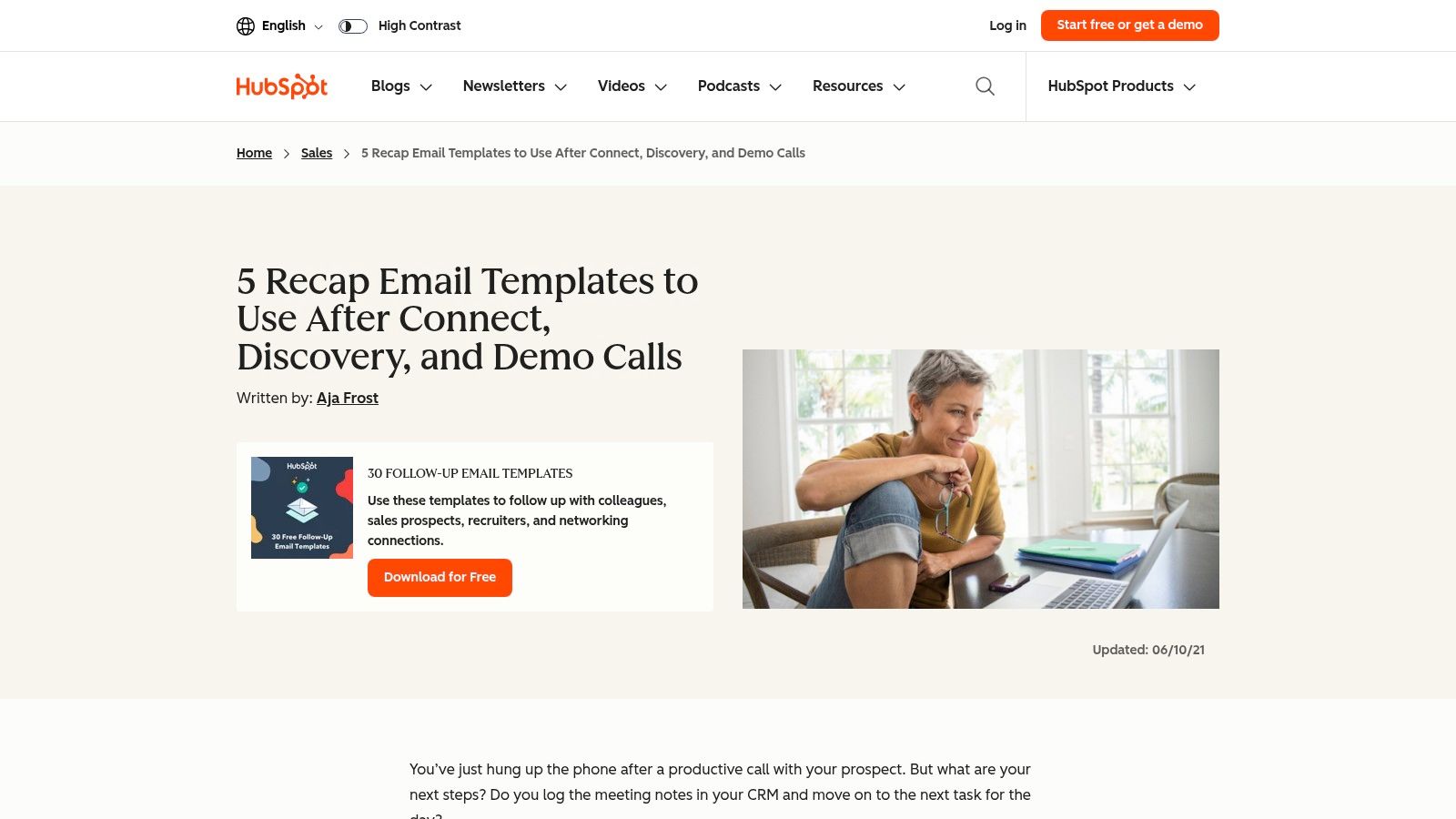
HubSpot stands out as a go-to resource, particularly for sales and marketing professionals seeking polished, effective communication tools. Its extensive library of free templates provides a solid foundation for standardizing meeting follow-ups, ensuring no critical detail or next step is missed. Unlike platforms that offer only basic outlines, HubSpot delivers complete, copy-and-paste-ready email scripts tailored for specific scenarios like post-demo calls, discovery meetings, and general sales follow-ups.
This focus on practical application makes HubSpot an invaluable asset for teams looking to streamline their communication workflows. The templates are designed not just to summarize but to drive action, with clear structures that prioritize key takeaways and next steps.
What HubSpot Offers
Beyond simple email copy, HubSpot provides a holistic solution by pairing its email templates with downloadable meeting minutes documents. This allows you to maintain a detailed internal record in a Word or Google Doc while sending a concise, professional recap via email. This dual-template approach is a key differentiator, catering to both internal documentation and external communication needs.
- Ready-to-Use Scripts: Get immediate access to multiple meeting recap email template options that you can adapt in seconds.
- Downloadable Documents: Access meeting minutes templates in Word, Google Docs, and PDF formats for comprehensive note-taking.
- Structure Guidance: The templates emphasize clarity with sections for bulleted highlights, action items, and clear deadlines to improve response rates.
Pros and Cons
HubSpot's content is widely respected and regularly updated, so you can trust you're using current best practices. Most resources are free, making it accessible to individuals and teams of any size. The primary drawback is that some of the more comprehensive template bundles are gated, requiring an email submission to download. While its library is vast, this can sometimes make it a bit time-consuming to find the exact template you need.
Website: HubSpot Sales Recap Email Templates
3. Template.net
Template.net positions itself as a massive digital marketplace for business documents, offering a wide array of editable templates for nearly any professional scenario. For those needing a meeting recap email template, it provides a different experience than a blog-style resource. Instead of copy-paste text, it delivers fully formatted documents in familiar formats like Word and Google Docs that can be adapted into polished email communications.
This platform is ideal if you prefer starting with a structured document layout rather than a plain text script. It excels at providing visually organized templates for meeting summaries, follow-ups, and official minutes, which you can quickly fill in and then copy into an email or attach as a formal record.

What Template.net Offers
Template.net’s strength lies in its sheer volume and variety. The platform provides dozens of templates related to meeting recaps, including specific outlines for summaries, follow-up actions, and thank-you notes. Each template is available in multiple file formats and standard paper sizes, making them highly versatile for both digital and print use.
The platform also includes an online editor and AI-assisted tools to help you customize documents on the fly before downloading. This feature streamlines the process of tailoring a template to fit your specific meeting’s context and branding.
- Vast Template Library: Find dozens of meeting-adjacent templates, including summaries, follow-ups, and minutes.
- Multiple File Formats: Download files in Word, Google Docs, and Apple Pages, with both A4 and US Letter sizing options.
- Built-in Editing Tools: Use the online editor to make quick tweaks or leverage AI suggestions to refine your text before you download.
- Structured Layouts: The templates provide a strong visual structure, which is a great starting point for creating clear and effective meeting action item templates.
Pros and Cons
The huge variety on Template.net makes it easy to find a design that closely matches your needs, saving you time on creation. However, the best selection is reserved for paying members, and the quality can vary between templates. It is always a good idea to preview items before committing to a download.
Website: Template.net Pricing Information
4. ClickUp
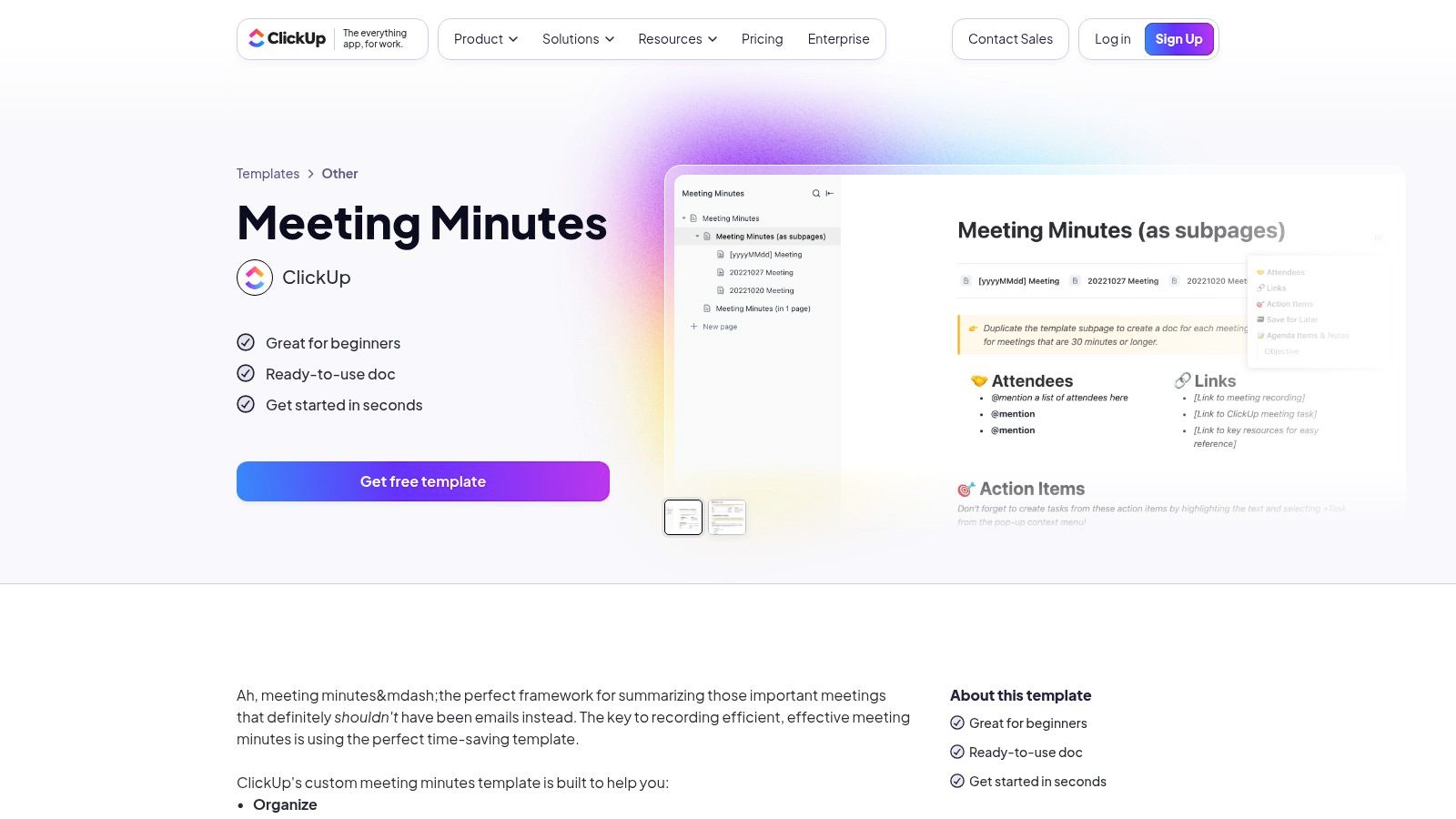
ClickUp excels as an all-in-one productivity platform where meeting notes, tasks, and communications live together. It’s an ideal choice for teams that want to consolidate their entire workflow, from initial meeting agenda to final email recap, within a single system. Instead of just offering standalone documents, ClickUp integrates meeting templates directly into its project management framework, turning discussions into actionable tasks seamlessly.
This integrated approach ensures that meeting outcomes don't get lost in separate documents or email threads. By connecting your meeting minutes directly to your project boards and tasks, ClickUp helps maintain momentum and accountability, making it a powerful tool for teams focused on execution and productivity.
What ClickUp Offers
ClickUp provides free, comprehensive meeting minutes templates that structure your note-taking around key decisions and action items. For teams on its Business plan or higher, the platform unlocks the ability to save and reuse emails directly from tasks, allowing you to create a standardized meeting recap email template library for consistent follow-ups. The optional AI Notetaker add-on can even transcribe your meetings, making the summary process faster.
- Integrated Workflow: Connect meeting notes directly to tasks, projects, and documents within a unified workspace.
- Reusable Email Templates: On paid plans, save and send standardized recap emails from within ClickUp, ensuring consistency.
- Calendar and App Integrations: Syncs with Google and Outlook calendars, as well as video conferencing tools like Zoom, Meet, and Teams.
- AI-Powered Assistance: An optional AI Notetaker add-on can record, transcribe, and summarize meetings to streamline the recap process.
Pros and Cons
ClickUp’s greatest strength is its ability to keep all meeting-related assets in one place, from notes to tasks and the final recap email. This integration is fantastic for teams already using the platform for project management. However, its powerful features come with a learning curve, which might be overwhelming for users who just need a simple, one-off template. Access to the email template feature also requires a paid subscription.
Website: ClickUp Meeting Minutes Template
5. Fireflies.ai
Fireflies.ai takes a fundamentally different approach, shifting the focus from manual templates to automated, AI-driven summaries. It acts as an AI meeting assistant that joins your calls, records them, and then automatically generates and sends a recap email. This makes it an ideal solution for teams looking to eliminate the repetitive task of writing follow-ups, especially for recurring meetings.
Instead of providing a static meeting recap email template to copy and paste, Fireflies.ai creates one for you based on the actual conversation. This ensures that the summary, key takeaways, and action items are directly pulled from the meeting's content, offering a level of accuracy and convenience that manual templates cannot match.
What Fireflies.ai Offers
The core strength of Fireflies.ai is its end-to-end automation. The platform integrates with major conferencing tools like Zoom, Google Meet, and Microsoft Teams to handle everything from transcription to distribution. By leveraging this technology, it transforms a manual process into a "set-and-forget" workflow, saving significant time after each call. This kind of automation is a key benefit of modern AI-powered transcription services.
- Automatic Transcription and Summaries: Records and transcribes your entire meeting, then uses AI to distill it into a concise, readable summary.
- AI-Identified Action Items: Intelligently detects and lists action items and next steps discussed during the conversation.
- Automated Email Distribution: Automatically sends the generated recap email to all attendees or specified recipients right after the meeting concludes.
Pros and Cons
Fireflies.ai excels at automating the post-meeting workflow, making it a powerful tool for busy professionals. The free tier is generous enough to test its core functionality before committing to a paid plan. However, the AI-generated summaries, while impressive, can sometimes require a quick human review for context or nuance. The most robust features are naturally reserved for the paid tiers.
Website: Fireflies.ai Blog: How to Write a Meeting Recap
6. Canva
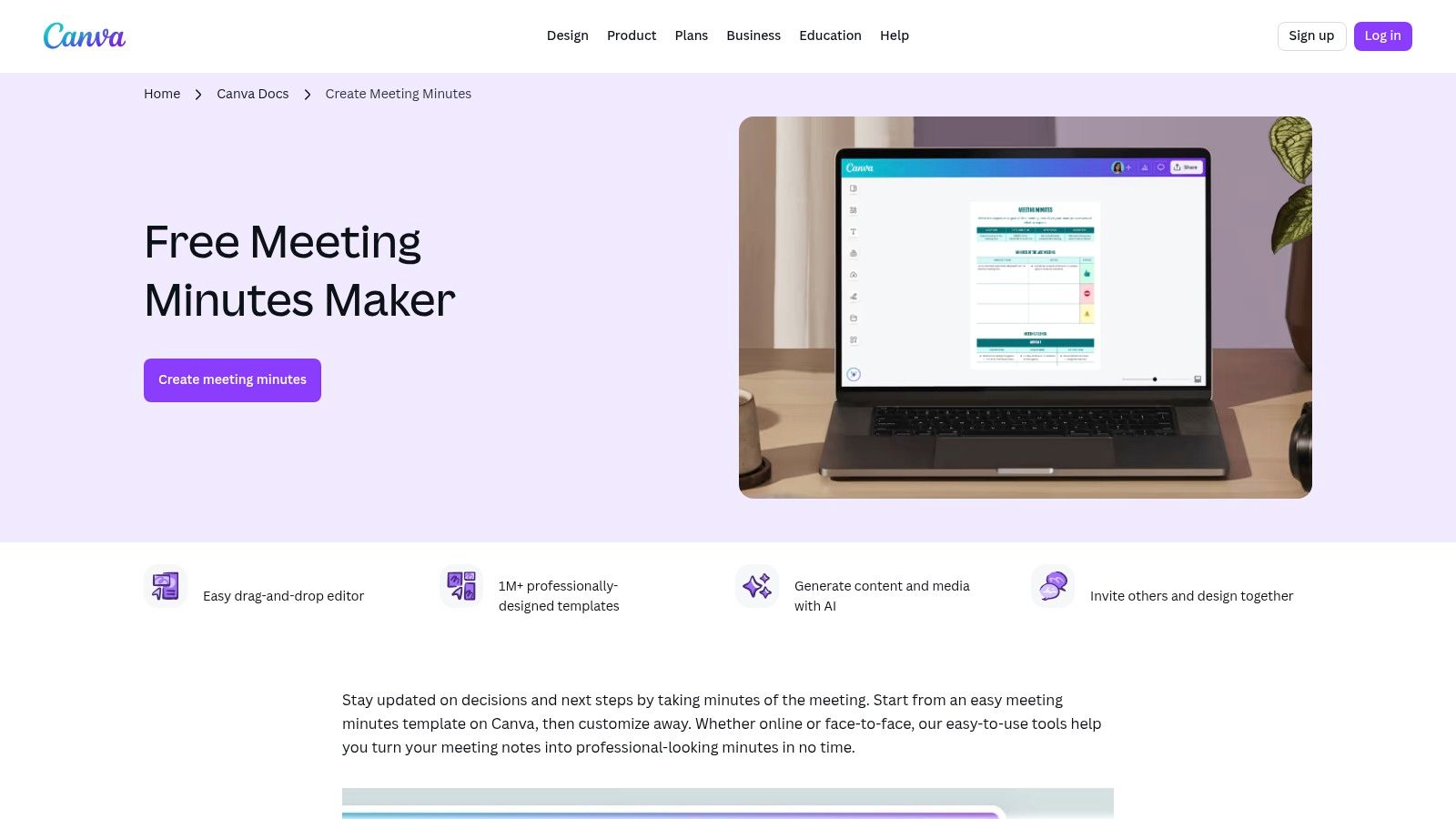
Canva excels in transforming standard meeting notes into visually appealing, brand-aligned documents that can be easily repurposed for email. While not a direct email template provider, it offers an extensive library of meeting minutes and agenda templates that serve as an excellent foundation for a professional recap. This approach is ideal for those who value polished design and brand consistency in their communications.
Users can quickly select a template, customize it with their company's colors and logo, and fill in the key details during or after a meeting. The finished document can then be copied and pasted directly into an email body or attached as a clean, professional PDF. This makes Canva a powerful tool for creating a meeting recap email template that is both informative and visually impressive.
What Canva Offers
Canva's strength lies in its design-centric platform, which makes creating professional documents effortless. Its templates are not just blank pages but thoughtfully structured layouts that guide you to include all necessary information, such as attendees, agenda items, key decisions, and action items. The platform's real-time collaboration features also allow teams to work on meeting notes together.
- Customizable Templates: Access dozens of pre-designed meeting minutes templates that you can tailor to your brand in minutes.
- Easy Export and Sharing: Download your recap as a PDF for a formal attachment or simply copy the formatted content into your email client.
- Brand Consistency: Use Canva's Brand Kit (available on Pro plans) to ensure every meeting recap perfectly matches your company's visual identity.
- Collaborative Editing: Work with teammates in real-time to draft and finalize meeting notes within a shared Canva Doc.
Pros and Cons
Canva is incredibly user-friendly and offers a generous free plan, making it accessible for individuals and small teams. It’s an excellent choice for producing well-formatted, branded documents quickly. The main limitation is that Canva is a design tool, not an email platform, so it requires the extra step of transferring the content into your email service provider. Additionally, the best templates and brand features are reserved for paid subscribers.
Website: Canva Meeting Minutes Templates
7. Etsy
For those seeking a more creative and personalized touch, Etsy emerges as an unexpected but powerful resource. The platform isn't just for handmade crafts; it's a bustling digital marketplace where independent creators offer instant-download, prewritten meeting follow-up and recap email template packs. This makes Etsy an ideal choice for freelancers, small business owners, and solo professionals who want affordable, stylish, and ready-to-personalize communication tools without a subscription.
Unlike corporate resource hubs, Etsy provides a vast array of designs and tones, from minimalist and professional to more vibrant and industry-specific. Sellers often bundle multiple scripts, sequencing guidance, and even matching invoice or proposal templates, offering a complete client communication toolkit in a single, low-cost purchase.
What Etsy Offers
Etsy's value lies in its direct-to-consumer model, providing immediate access to editable documents designed by other professionals. These templates are typically created for popular platforms like Google Docs, Microsoft Word, and Canva, ensuring they are easy to customize with your own branding and specific meeting details. You get a finished product that only requires minor tweaks, saving significant time.
- Affordable Bundles: Find comprehensive packs containing multiple meeting recap email template variations for different scenarios, often for a one-time fee of under $10.
- Instant Editable Downloads: Gain immediate access to files in common formats (Docs, Word, Canva), allowing for quick personalization.
- Stylistic Variety: Choose from thousands of designs and writing styles to find a template that perfectly matches your brand's voice and aesthetic.
- Niche-Specific Options: Discover templates tailored for specific industries, such as photography, coaching, or creative services.
Pros and Cons
The primary advantage of Etsy is its affordability and the one-time-purchase model, which is perfect for users who don't need a full-blown CRM or marketing suite. You can find high-quality, professionally designed templates without committing to a monthly fee. The main drawback is the variability in quality; since anyone can become a seller, it's crucial to check reviews and preview images carefully before purchasing. Additionally, finding the exact template may require some creative searching, using terms like "client follow up" or "business email scripts."
Website: Etsy Email Follow Up Template
Meeting Recap Email Template: 7-Tool Comparison
Choose the Right Template and Turn Talk Into Action
Navigating the world of post-meeting communication doesn't have to be a chore. As we've explored, the right meeting recap email template is a powerful tool for transforming conversations into measurable progress. From the straightforward, copy-and-paste formats offered by HubSpot and Template.net to the dynamic, AI-powered summaries generated by Fireflies.ai and Whisper AI, there is a solution perfectly suited to your workflow and communication style.
The core takeaway is this: consistency is the key to effective follow-up. A standardized recap process eliminates ambiguity, ensures every stakeholder is aligned on key decisions, and clearly assigns ownership for action items. By moving away from haphazard, last-minute notes and adopting a structured template, you create a reliable system that builds momentum and drives projects forward. No more wondering who agreed to what or when the deadline is; it’s all documented.
Finding Your Perfect Fit
Selecting the best tool from this list depends entirely on your specific needs and priorities. Your choice will ultimately shape how you capture and communicate meeting outcomes.
Consider these factors when making your decision:
- For Maximum Efficiency: If your primary goal is to save time and automate the note-taking process entirely, AI-driven tools like Whisper AI or Fireflies.ai are your best bet. They handle transcription, summarization, and action item extraction, letting you focus on the conversation itself.
- For Visual Impact: When your recap needs to do more than just inform, perhaps for a client presentation or a high-stakes project kickoff, tools like Canva or even certain Etsy templates provide visually engaging layouts that reinforce your brand's professionalism.
- For Seamless Integration: If you operate within a specific ecosystem, a tool that integrates directly with your existing software is ideal. ClickUp’s templates are built into its project management platform, while HubSpot’s resources are perfect for teams already using its CRM.
- For Simple and Direct Communication: Sometimes, you just need a reliable, no-frills script. For internal team updates or one-on-one check-ins, the basic templates from sources like Template.net or HubSpot offer a solid foundation you can quickly customize and send.
Ultimately, the most effective meeting recap email template is the one you and your team will use consistently. Experiment with a few options. Try a simple text-based template for your next internal sync and test an AI-powered summary for a longer, more complex discussion. Pay attention to which method not only saves you time but also generates the clearest, most actionable follow-up. By making a deliberate choice, you empower your team to turn valuable talk into decisive action.
Ready to automate your meeting summaries and create flawless recap emails in minutes? Whisper AI transcribes your meetings with incredible accuracy and instantly generates concise summaries and action items, giving you the perfect content for any recap template. Try Whisper AI today and stop spending time on manual note-taking.


























































































