
How to Transcribe an Audio File From Start to Finish
If you need to transcribe an audio file, your best bet is to use an AI-powered service. From my experience, these tools automatically convert speech into text within minutes, and the result is a full transcript—complete with speaker labels and timestamps—that you can quickly edit and share. This approach is dramatically faster and more accurate than trying to type it all out by hand.
Moving Beyond Manual Audio Transcription
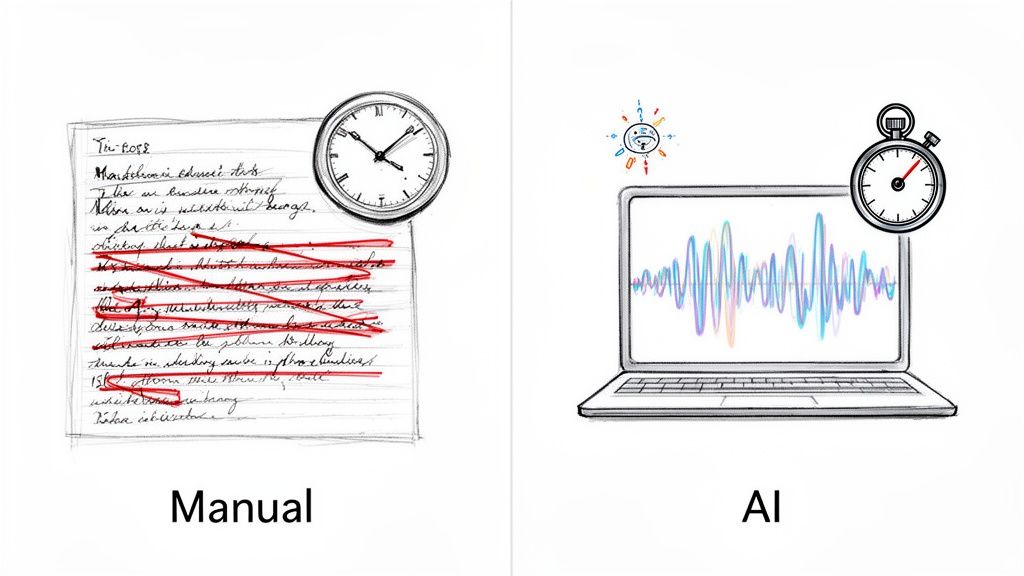
Anyone who's attempted to transcribe audio manually knows the pain. It's a slow, meticulous process of pausing, rewinding, and typing, all while trying to maintain focus. For a long time, that was just the way it was done. Thankfully, today's technology has made that entire approach obsolete.
The modern workflow is a total game-changer. Instead of spending hours hunched over a keyboard, you can get a nearly perfect transcript in just a few minutes. This isn't just a niche tool anymore; it's being driven by massive demand from podcasters, journalists, marketers, and researchers who need reliable text from their audio, fast.
The numbers don't lie. The AI transcription market, currently valued at $4.5 billion, is expected to skyrocket to $19.2 billion by 2034. It's clear that automated tools are the new standard.
The Modern Transcription Workflow
So, what does this new process actually look like in practice? It boils down to a few straightforward stages designed for speed and accuracy.
To give you a clearer picture, here's a quick breakdown of how it all comes together based on a workflow I've perfected over time.
The Modern Audio Transcription Workflow at a Glance
This streamlined approach makes a real difference. Podcasters can get show notes ready almost instantly, and journalists can pull accurate quotes to meet tight deadlines.
Even in specialized fields, the shift is happening. For instance, many are moving away from manual methods by adopting a dedicated sermon transcription service to save countless hours. You can get more details on how to convert https://whisperbot.ai/blog/audio-to-text here. Ultimately, this efficient process helps unlock your audio content, making it searchable, accessible, and much easier to repurpose.
Prepping Your Audio for Flawless Transcription

The secret to a great transcript isn't just the AI you use; it's the quality of the audio you feed it. We have a saying for this: "garbage in, garbage out." A clean, well-prepared audio file is the single biggest factor in getting an accurate transcript, and I've seen countless people get frustrated with jumbled results simply because they skipped this step.
Trust me, spending just a few minutes on audio prep upfront will save you hours of tedious editing on the back end. These aren't complex technical hurdles, just a few simple checks to give the AI the best possible source material to work with. Before you even think about hitting the "transcribe" button, run through this quick quality checklist.
Choose a High-Quality Audio Format
The file format you use directly impacts the data available for transcription. MP3s are everywhere because they're small, but they use "lossy" compression. This means some of the original audio data is permanently thrown away to save space, which can trip up an AI trying to distinguish between similar-sounding words or faint speech.
For the best results, you really want to stick with a lossless format.
- WAV or FLAC: These are the gold standard. They preserve the original, uncompressed audio, giving the AI the maximum amount of information to analyze. This dramatically boosts accuracy, especially with complex audio like multi-speaker interviews or recordings with technical jargon.
- MP3: Use this format only when storage or bandwidth is a serious limitation. Modern AI handles MP3s reasonably well, but you'll almost always see a slight dip in performance compared to lossless alternatives.
When accuracy is non-negotiable—think legal depositions, academic research, or client-facing content—the extra file size of a WAV is a tiny price to pay for a much cleaner initial transcript.
Clean Up Background Noise and Set Levels
Even in a room that feels quiet, your microphone is picking up all sorts of distracting sounds: the hum of an air conditioner, the whir of a computer fan, or even distant traffic. This background noise can easily confuse a transcription algorithm, leading to bizarre word choices or dropped phrases.
The good news is you don't need a fancy recording studio to fix this. Free tools like Audacity have powerful features built right in.
Using its "Noise Reduction" effect, you can quickly sample a piece of the hiss and remove it from the entire track. Also, check your audio levels to make sure nothing is "clipping"—that distorted, crunchy sound when the volume is too high. Clipped audio is nearly impossible for an AI to decipher correctly.
For more advanced control, especially if you're recording interviews or podcasts, an audio mixer for PC can be a game-changer. It lets you manage and optimize sound levels from multiple microphones before the audio is even recorded.
Finally, a quick technical tip: stick to a sampling rate of 44.1 kHz. It's the standard for high-quality audio and provides more than enough detail for transcription. Keeping your specs consistent helps ensure the AI gets a clear, predictable signal to work its magic on.
Choosing the Right AI Transcription Tool and Settings
Now that your audio is clean and ready, it's time to pick your tool. This is where the magic really happens, but not all transcription services are created equal. The choices you make right here—from the service you use to the settings you select—will be the difference between a clean, useful transcript and a jumbled mess that needs hours of fixing.
The demand for this technology is exploding for a good reason. We’ve gone from transcription being a painstaking manual chore to a simple, AI-powered task. The market for these services is already worth around $4 billion and is on track to hit $8 billion by 2025. Just think about the efficiency gains: what used to take hours and cost $1-3 per audio minute now takes a fraction of the time and costs just cents. For a deeper look at the numbers, check out the market analysis on online audio and video transcription services at Archive Market Research.
Mastering Key Transcription Settings
Just uploading a file and clicking "transcribe" is a rookie mistake. The real power comes from tweaking a few simple settings before the AI gets to work. I’ve found that focusing on these three features is non-negotiable if you want professional results.
- Language Selection: Most tools have an "auto-detect" option, but I always recommend manually setting the language. I've seen auto-detect get tripped up by background music, accents, or short audio clips, resulting in a completely useless transcript. Taking a second to specify the language eliminates that risk entirely.
- Speaker Diarization: If your audio has more than one person speaking, this is an absolute must. Diarization is how the AI figures out who is talking and when, labeling each person as "Speaker 1," "Speaker 2," and so on. Without it, you’ll just get a giant, confusing wall of text.
- Timestamps: Timestamps are your best friend for referencing the original audio. They line up the text with specific points in the recording, which is crucial for creating video subtitles, checking quotes, or just finding a specific moment quickly. Good services will offer timestamps at the word or paragraph level.
By enabling speaker diarization and timestamps from the start, you transform a simple text file into a functional, interactive document. This is the difference between a rough draft and a professional transcript ready for editing and analysis.
Why Advanced AI Services Make a Difference
As you shop around, you'll see a clear divide between basic transcription tools and more advanced AI services. The top-tier platforms, often built on powerful models like Whisper AI, just give you a much higher level of accuracy right out of the box. They've been trained on massive, diverse audio datasets, which makes them far better at handling different accents, industry jargon, and even less-than-perfect audio quality. You can learn more about what sets these platforms apart in our guide to AI-powered transcription services.
Choosing the right type of service can save you a ton of time on the back end. Here's a quick look at how the different methods stack up.
Comparing Audio Transcription Methods
At the end of the day, picking a tool that gives you control over these critical settings is what makes the difference. It's how you get a transcript that's ready to use with minimal cleanup.
The Transcription Journey: From Upload to Export
Alright, you've prepped your audio and picked your tool. Now for the main event: actually getting the transcription done. This is where you let the AI do the heavy lifting before you swoop in to add the final human polish. My workflow is pretty simple here—I let the machine create the draft, then I use the editor to perfect it.
Most services today give you a couple of straightforward ways to get your audio in. You can usually just drag and drop your file right into the browser. Or, if you're transcribing something already online like a YouTube video, you can often just paste the link.
Before you hit that "Transcribe" button, do one final check of your settings. Is the correct language selected? Is speaker diarization (or "speaker detection") turned on? Nailing these details now saves a ton of frustration later. I've learned the hard way that rushing this part can mean reprocessing a long file, which burns both time and credits. Those five extra seconds are always worth it.
Here’s a quick visual of what those first few clicks look like inside most modern transcription tools.
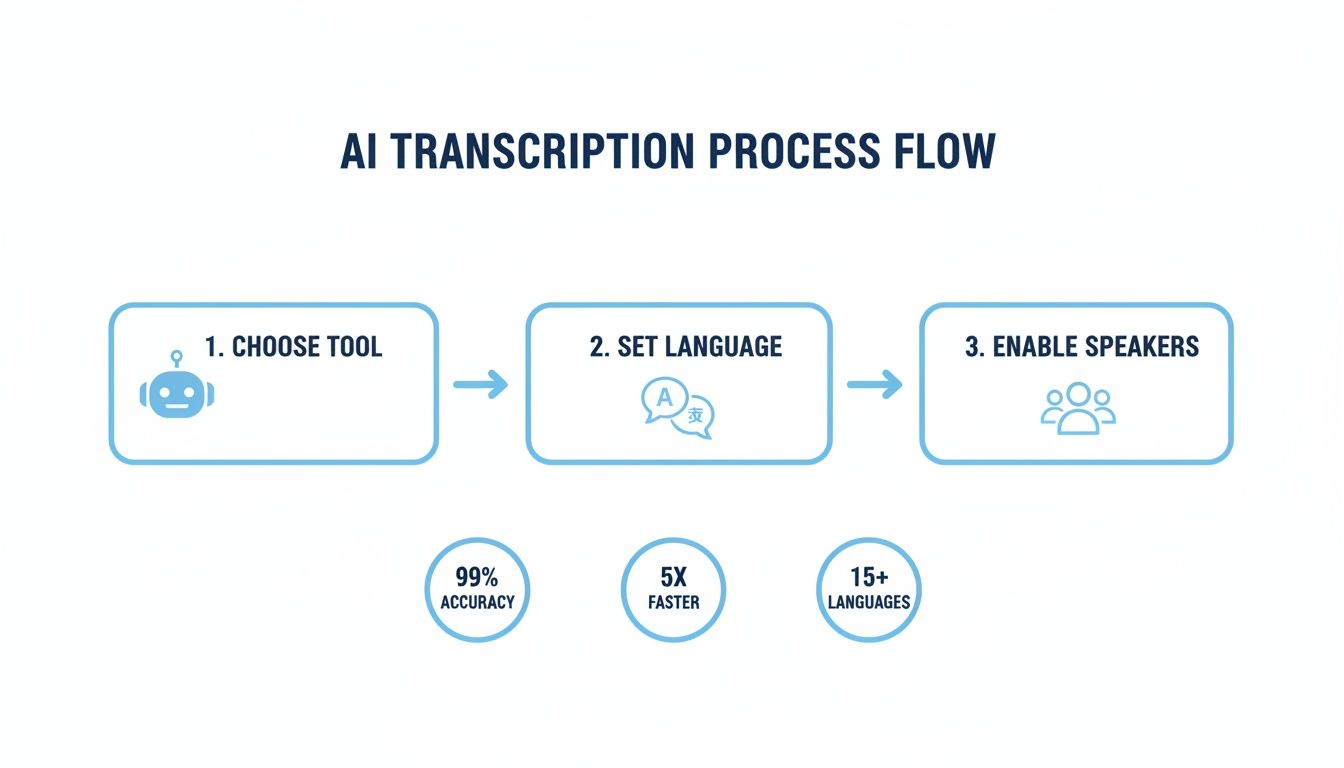
As you can see, getting the fundamentals right—tool, language, and speaker ID—is what sets you up for an accurate result from the get-go.
Refining the AI-Generated Draft
After a few minutes, the AI will serve up a full draft. This is where you see the magic happen, but your work isn't quite done. No AI is flawless. It’s going to stumble on specific names, niche industry jargon, or company acronyms. This is where you step in to make that transcript 100% accurate.
My approach here is pretty systematic. I start by playing the audio back while reading the text, usually at a slightly faster speed like 1.25x or 1.5x, which most editors support. This helps me catch awkward phrasing or obvious mistakes without dragging out the process.
Next, I fix the speaker labels. The AI will typically assign generic tags like "Speaker 1" and "Speaker 2." I go through and replace those with the actual speakers' names. It's a small change, but it makes the final document infinitely more professional and easy to follow, especially for interviews or meeting minutes.
Think of the AI transcript as a high-quality first draft, not a finished product. Your job is to add the context, nuance, and specific knowledge that only a human can provide.
Using the Interactive Editor
The interactive editor is your command center for this part of the job. A good one is designed to be intuitive and make editing feel less like a chore.
Here are a few features I find indispensable:
- Click-to-Play Timestamps: This is easily the most useful feature. If a sentence looks off, I just click on it, and the editor plays that exact snippet of audio. No more tedious scrubbing back and forth to find the right spot.
- Find and Replace: An absolute lifesaver for correcting recurring errors. If the AI consistently botches a name or a technical term (like transcribing "Outrank" as "Out Rank"), I can fix every single instance in one go.
- Speaker Label Management: Beyond just renaming labels, a good editor lets you merge them. Sometimes, the AI might mistakenly create a "Speaker 3" for a few seconds when it was really still Speaker 2 talking. A quick merge fixes that instantly.
This editing phase is what turns a good transcript into a great one. It’s less about re-typing everything and more about making surgical fixes to a solid foundation.
Choosing Your Export Format
Once your transcript is polished and perfect, the last step is to get it out of the tool. The format you choose really depends on what you need the text for. Don't just default to a plain .txt file—picking the right format can save you a ton of downstream work.
Here are the most common options and what they're best for:
- TXT or DOCX: These are your go-to formats for general use. Perfect for turning the transcript into an article, creating show notes, or writing up meeting summaries. They're universally compatible and easy to edit in any word processor.
- PDF: Ideal when you need a final, non-editable version for sharing or archiving. It locks in the formatting and gives it a professional look.
- SRT (SubRip Subtitle): This is the one you absolutely need for video captions. It’s a special format that packages the text with precise start and end timestamps, ready for a direct upload to video platforms like YouTube or Vimeo.
By choosing the right export format, you ensure your transcript is immediately ready for whatever you have planned, neatly wrapping up your journey from a raw audio file to a finished, valuable document.
Advanced Tips for Handling Complex Audio
Sooner or later, you're going to get an audio file that's a complete mess. It’s inevitable. No matter how much you prepare, you’ll be faced with heavy accents, a constant background hum, or multiple people talking over each other. This is where you really earn your stripes.
When I hit these roadblocks, the first thing I do is manage expectations—both for myself and for the client. The goal is to produce a reliable, usable document, even if the source material is far from perfect. It’s less about a magic button and more about applying a few specific techniques.
Thankfully, transcription technology has come a long way. AI accuracy has shot up from around 80% a decade ago to 95% or more today. That means we can get a solid first draft from even the trickiest audio. If you're interested in the data behind these advancements, you can discover more insights about AI transcription statistics on brasstranscripts.com.
Taming Jargon with a Custom Vocabulary
One of the most powerful, and frankly underused, features in modern transcription tools is the custom vocabulary. This is my secret weapon for anything technical, legal, or medical. It’s essentially a cheat sheet you give the AI.
Think about it: if you're transcribing a lecture on "pharmacokinetics," the AI might hear that as "farmer co-kinetics." By adding "pharmacokinetics" to a custom dictionary beforehand, you're priming the model to get it right. This simple step can save you hours of post-transcription cleanup.
Untangling Cross-Talk and Overlapping Speakers
When people talk over each other, you get "cross-talk," which is a nightmare for any AI. The software hears a jumble of sounds and does its best, but the output is often nonsensical. The real trick here is to get hands-on with the interactive editor.
Instead of trying to decipher the garbled text, use the timestamps as your guide. Click on a specific text segment to hear exactly what was said at that moment. This lets you manually pull apart the overlapping sentences and assign them to the correct people.
This isn't about finding a better AI setting; it's about meticulous editing. It takes some patience, but it's the only way to turn a chaotic conversation into a clean transcript. A solid proofreading habit is non-negotiable for this level of detail. To sharpen your skills, check out our guide on proofreading in transcription.
Prioritizing Privacy with Secure Services
Finally, let’s talk about privacy—because it matters. A lot. If you're transcribing a sensitive business meeting, a legal deposition, or a confidential interview, you can't afford to be careless with that data.
Always, and I mean always, pick a service with a rock-solid privacy policy. Look for platforms that follow a "process-and-delete" model. This means they transcribe your file and then get rid of it permanently. They don't keep your audio on their servers or use it for model training. For any professional workflow, this isn't just a nice-to-have; it's a deal-breaker.
Got Questions About Audio Transcription? We've Got Answers
Even with the best guide, a few questions always pop up. It’s only natural. Let's tackle some of the most common ones I hear from people just getting started with AI transcription, so you can move forward with total confidence.
How Long Does It Really Take to Transcribe a One-Hour Audio File?
This is where the magic happens. A seasoned human transcriber typically needs 4 to 6 hours to get through a one-hour recording. It's painstaking work.
But with a modern AI service? You’re looking at under 10 minutes. Seriously. The exact time might fluctuate a bit depending on how busy the servers are or the quality of your audio, but the bottom line is you get a draft back almost immediately. It’s a massive time-saver.
What's the Best Audio Format for Crystal-Clear Accuracy?
For the absolute best results, go with a lossless format like WAV or FLAC. No question. These formats keep every bit of the original audio data intact, giving the AI the cleanest possible signal to work with.
MP3s are common and convenient, of course, but the compression process can create tiny audio artifacts. It's like a slightly pixelated image—usually fine, but those little imperfections can sometimes trip up the AI, especially if there's background noise.
Here’s how I think about it: handing the AI a lossless file is like giving it a crystal-clear, high-resolution photo to analyze. A compressed file is more like a fuzzy, low-res version. The clearer your input, the sharper the output.
Can AI Really Handle Multiple Speakers and Different Accents?
Oh, absolutely. This is one of the areas where the technology has made incredible leaps. Modern AI tools are built from the ground up to handle these exact challenges.
They tackle this in a couple of clever ways:
- Speaker Diarization: This is the feature that automatically figures out who is talking and when. It’ll tag the text with labels like "Speaker 1" and "Speaker 2," which saves you a huge amount of manual sorting later.
- Accent Training: The best AI models are trained on massive, diverse datasets from all over the world. This exposure to countless accents and dialects means they can understand and transcribe non-native speakers with surprising accuracy.
A quick tip from my own experience: the clearer you can get the audio for each individual speaker, the easier it is for the AI to tell them apart.
Is It Safe to Upload My Confidential Audio Files?
This is a big one, and a completely valid concern. Reputable AI transcription services take security and privacy very seriously. Before you upload anything, take a minute to read the platform's privacy policy. It should be transparent about how your data is used.
The most trustworthy services process your files only to generate the transcript. They won't store your audio long-term or use it to train their models without your explicit consent. This is key for keeping your sensitive meetings, private interviews, or personal recordings secure.
Ready to get fast, accurate transcripts without all the manual effort? Whisper AI turns your audio and video into polished text in just minutes. It handles 92+ languages, detects speakers automatically, and keeps your data secure. It's the go-to tool for creators, researchers, and busy teams. Try Whisper AI for free today!


























































































