
Your Ultimate Guide to Transcribing Podcasts to Text
Turning your podcast audio into text is one of the smartest moves you can make as a creator. It’s not just about having a written record of your show; it's about transforming your audio into a powerful, searchable asset that unlocks a world of new possibilities. From my own experience, this one step can make your episodes accessible to a much wider audience, give your search engine rankings a serious boost, and provide a wealth of material for creating new content without extra effort.
Why Podcast Transcription Is a Game-Changer for Growth
In the crowded world of podcasting, transcription has shifted from a "nice-to-have" to a must-have for any serious growth strategy. A transcript isn't just a text file—it unlocks the valuable content trapped inside your audio, making it discoverable, accessible, and incredibly versatile. It's your ticket to reaching people who can't listen or simply prefer to read.
And let's be real, the podcasting space is exploding. The market is projected to hit a staggering $131.13 billion by 2030, which means standing out takes more than just good audio quality. Transcribing your episodes is a huge win for accessibility, making your content available to the hearing-impaired and helping you meet standards like the ADA. Plus, it can directly impact your bottom line—adding subtitles to video versions on YouTube can increase watch time by an average of 12%.
Unlocking SEO and Content Opportunities
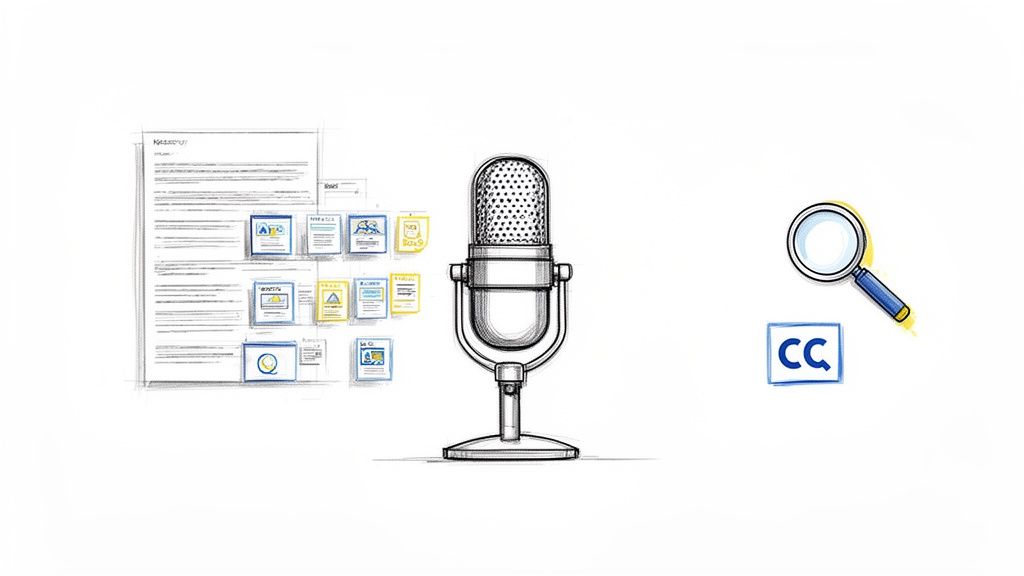
One of the biggest reasons to transcribe your podcast is for Podcast SEO. Think about it: search engines can't "listen" to your audio files, but they can crawl and index every single word in a text transcript. This means someone searching for a niche topic you covered in an episode can land right on your website through a simple Google search.
Beyond that, a transcript is an absolute goldmine for creating more content. Instead of constantly trying to come up with new ideas from scratch, you can slice and dice the text from one episode into a dozen different assets.
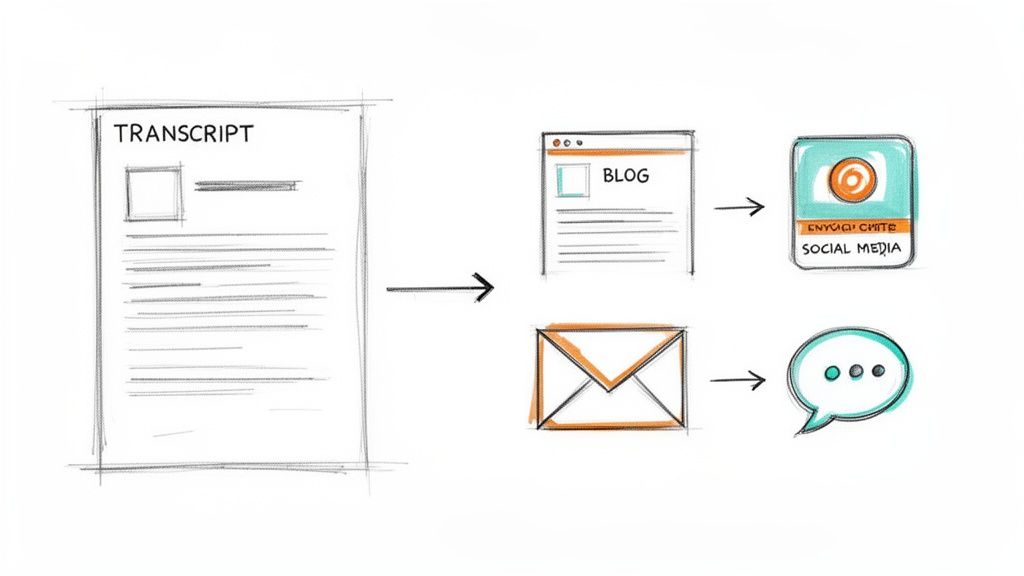
Key Takeaway: A single podcast transcript can be repurposed into blog posts, social media snippets, email newsletters, and detailed show notes, multiplying your content output from a single recording session.
This strategy is a massive time-saver and keeps your brand messaging consistent across all your channels. Every piece of repurposed content acts as a new doorway for listeners to find your show, building a web of assets that all point back to your podcast.
How to Prep Your Audio for Accurate Transcription
The secret to a great transcript starts long before you ever click 'transcribe.' I can't stress this enough: the old saying "garbage in, garbage out" is the golden rule here. The cleaner your audio file, the more accurate your final text will be.
Taking the time to prep your audio isn't just a fussy extra step—it's the single best thing you can do to get a usable result when you transcribe a podcast to text. Trust me, this initial work saves hours of tedious editing down the line.
It all begins with your recording space. You don't need a professional, sound-proofed studio, but you absolutely have to minimize background noise. Transcription tools are smart, but they still struggle to tell the difference between your guest's brilliant insight and the sound of a barking dog, a humming air conditioner, or passing traffic.
Invest in Quality Microphones
Your microphone is your first and best line of defense against bad audio. That built-in mic on your laptop? It’s designed for convenience, not quality, and it will pick up every single echo and ambient sound in the room.
Even a decent entry-level USB microphone will make a world of difference in clarity. Clear, crisp vocals are just so much easier for any transcription service to process correctly. If you're looking for guidance, there are great resources on improving audio quality with the right equipment.
Record Each Speaker on a Separate Track
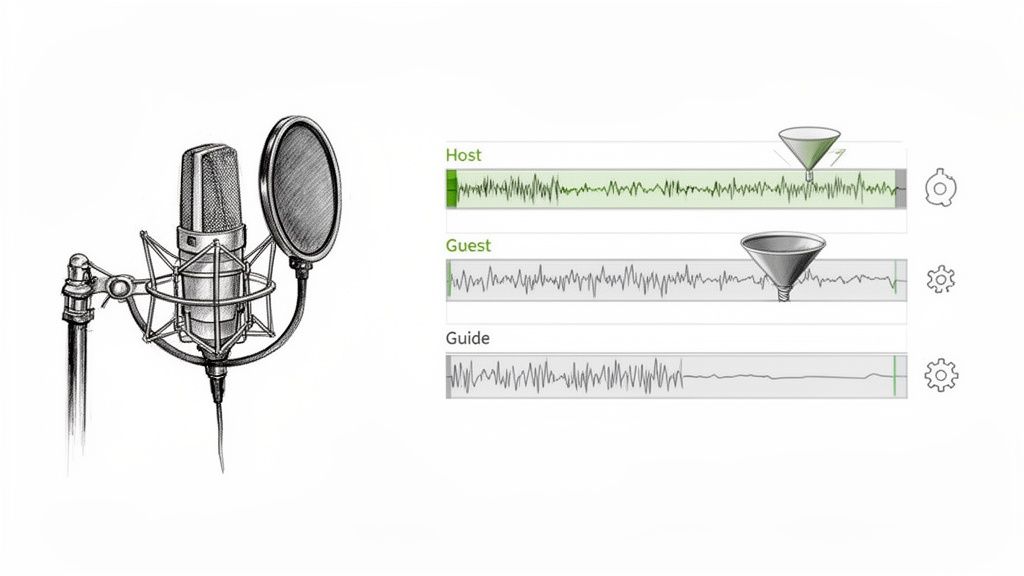
This is a game-changer. Seriously. It’s a tip I picked up from seasoned producers, and it makes everything easier. When people talk over each other (and they always do), it creates a muddy, confusing audio file that transcription algorithms can't make sense of.
Recording each speaker on their own isolated audio track—a standard feature in most recording software—solves this problem beautifully.
This simple technique gives you two massive wins:
- Cleaner Editing: You can easily boost the volume of a quiet speaker or snip out a cough without messing with anyone else's audio.
- Improved Speaker Detection: AI tools can pinpoint who is speaking and when with far greater accuracy, which means your transcript will have the right speaker labels from the start.
Pro Tip: For any interview-style podcast, recording on multiple tracks is the most impactful technical change you can make for transcription accuracy. It makes both automated and manual cleanup so much faster.
Perform Simple Post-Production Cleanup
Once you’ve finished recording, a few quick edits can polish your audio to perfection. You don’t need to be an audio engineer to do this, and free software like Audacity has everything you need.
First, run a noise reduction filter. This is a simple one-click process that can instantly remove any consistent background hum, like the hiss from your equipment or the room's ambient tone. It makes the dialogue pop.
Next, normalize the audio. This just means adjusting the overall volume to a consistent, standard level. It gets rid of any moments that are too quiet for the AI to hear or too loud and distorted for it to understand. These small efforts truly pay off in a big way.
Choosing Your Transcription Method
Alright, you've cleaned up your audio and it sounds fantastic. Now comes the big decision: how are you actually going to get this podcast into written form? There are a few ways to tackle this, and the best path for you really boils down to three things: your budget, your deadline, and how much of your own time you're willing to invest.
This isn't just a small logistical choice; it's a decision that will fundamentally shape your content workflow. You can either roll up your sleeves and do it yourself, hire a seasoned pro, or let an AI do the heavy lifting. Each route has its own set of perks and pitfalls.
The Manual DIY Approach
Let’s start with the classic do-it-yourself method. This is you, a pair of headphones, an audio player, and a blank document. The appeal is obvious: it's completely free. You're in total control, which means you can achieve 100% accuracy because you know your content inside and out.
The flip side? The time commitment is massive. From my experience, it takes a solid four to six hours to manually transcribe just one hour of audio. If you're running a weekly show, that commitment can quickly become a full-blown part-time job, stealing precious hours you could be spending on creating your next episode.
Hiring a Human Transcription Service
If you've got some room in your budget, bringing in a professional human transcriptionist is a game-changer. These services are the gold standard for accuracy, typically guaranteeing 99% or higher. They're brilliant at navigating tricky audio with multiple speakers, thick accents, or niche-specific terminology.
The process is simple: you upload your file, and a polished transcript lands in your inbox, often within 24 to 48 hours. The catch, as you might guess, is the price. You're generally looking at $1.25 to $2.50 per audio minute. For a 60-minute episode, that could easily run you over $150, a cost that's just not feasible for every creator.
For podcasters producing legal, academic, or other high-stakes content where every word counts, a human service is often the only way to go. It’s an investment, but it delivers a publication-ready document you can trust completely.
Using an AI-Powered Transcription Tool
This is where the magic happens for most podcasters today. AI-powered tools, like the technology behind OpenAI's Whisper, have completely reshaped the landscape. They offer an incredible sweet spot between speed, cost, and quality.
Instead of waiting days or spending hours typing, an AI can churn through an hour-long episode in just a few minutes. And don't think you're sacrificing much on quality—modern AI often hits 95% accuracy or better on clear audio. The transcript you get back is almost ready to go, usually just needing a quick proofread to iron out any small quirks.
Podcast Transcription Methods Compared
Still on the fence? Seeing the options side-by-side can make the decision much clearer. Here's a breakdown of how the three main methods stack up against each other.
Ultimately, for most podcasters, AI-powered transcription offers the best bang for your buck. The blend of lightning-fast speed, low cost, and surprisingly high accuracy is a winning combination. It’s the most practical and scalable way to turn your audio into a whole new world of valuable text-based content.
Using an AI Tool to Transcribe Your Podcast
Alright, you've prepped your audio file, and now it’s time for the magic. This is where you get to see modern AI turn hours of conversation into a clean, searchable text document in just a few minutes. It’s a game-changer for content creation and management.
AI-powered transcription has quickly become the standard for most creators because it hits that sweet spot between speed, affordability, and accuracy. The market for AI in podcasting is exploding, projected to jump from $3.62 billion in 2025 to a massive $26.6 billion by 2033. That growth is happening for a good reason—tools built on models like OpenAI's Whisper can now reach 95%+ accuracy on clear audio. You can find more stats like these over at podcastatistics.com.
When you're deciding on a transcription method, this chart lays out the options pretty clearly.
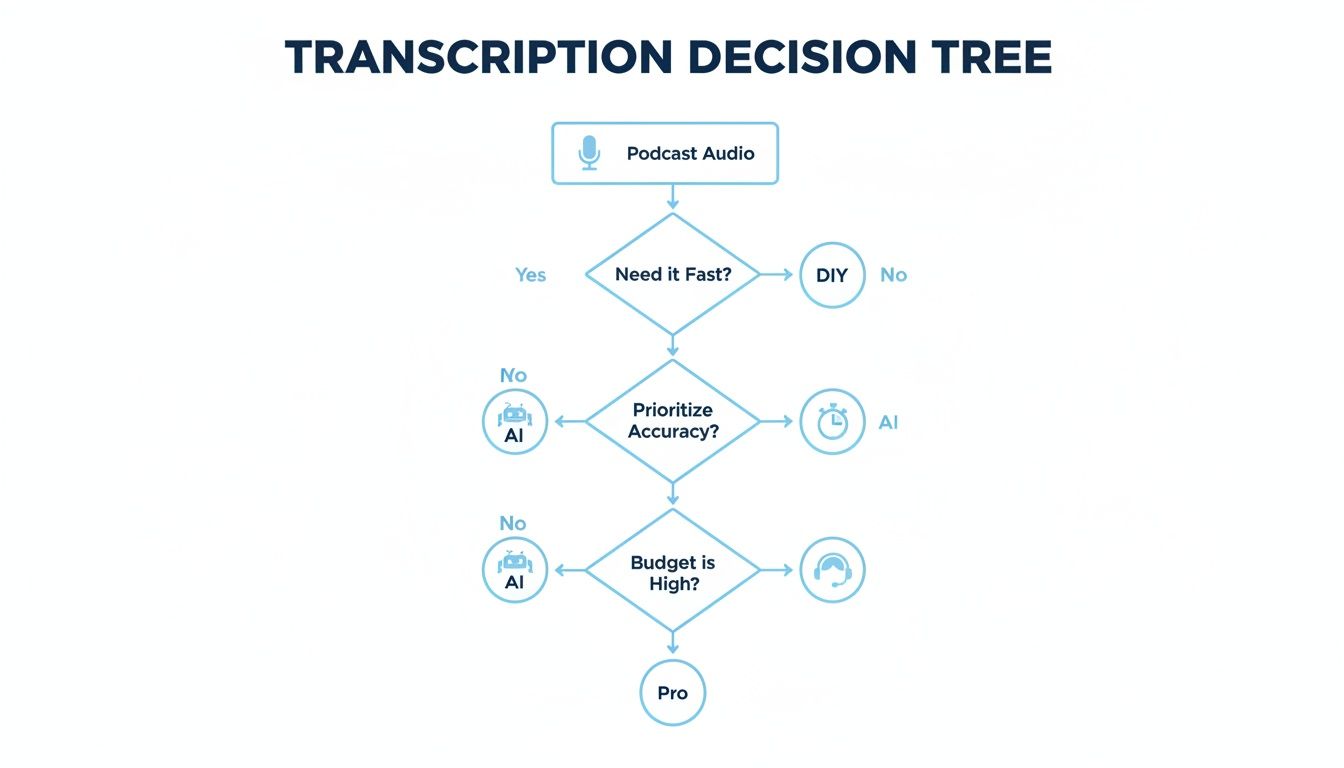
As you can see, for that ideal mix of speed, cost, and quality, AI tools are the most practical choice for the vast majority of podcasters today.
Dialing in Your Transcription Settings
Getting your audio into the system is usually straightforward—just drag and drop the file or paste a link from a platform like YouTube. Before you hit "transcribe," you'll see a few settings that can make a huge difference in the final output.
Language Selection: Don't rely on auto-detection, even if it's available. Manually selecting the language (e.g., distinguishing between English - US and English - UK) helps the AI lock onto the right accents and vocabulary from the start.
Speaker Detection (Diarization): This is a must-have feature. Toggling this on tells the AI to identify who is speaking and when. It will automatically label the dialogue with "Speaker 1," "Speaker 2," etc., which saves an incredible amount of manual work later.
Timestamping: Most tools automatically add timestamps, and you definitely want them. This feature links the written words to the audio, so you can click anywhere in the transcript and instantly hear that exact moment. It makes editing a breeze.
Pro Tip: Got a podcast with lots of industry jargon, unique company names, or tricky spellings? Before you start, jot them down. Some of the more advanced AI tools let you upload a custom vocabulary list, which is a fantastic way to teach the AI those specific terms and boost accuracy.
The All-Important Edit and Polish
Let's be real: no AI is perfect. You'll always need a quick human review to catch any lingering mistakes. The idea isn't to re-do the work but to do a quick "cleanup pass" that makes the transcript accurate and easy to read. The best way to do this is to listen to the audio while you scan the text.
Here are the usual suspects to look out for:
- Misspelled Names: Proper nouns are a classic weak spot for AI. Double-check the spelling of every guest's name, company, or specific place mentioned.
- Homophones: Be on the lookout for words that sound the same but mean different things. Think "their" vs. "there" or "to" vs. "too."
- Punctuation: AI-generated punctuation can feel a little clunky. You’ll probably want to add a few commas for flow, break up run-on sentences, and fix any misplaced question marks.
For a more detailed look at the technology behind this, our guide on how to use Whisper AI covers more advanced techniques.
Once you’re happy with the transcript, it’s time to export. Most services give you plenty of options, like plain text (TXT), a Word document (DOCX), or SRT files for creating video captions. Just pick the format that works for what you're doing next, whether that's writing show notes, crafting a blog post, or adding subtitles to a YouTube video.
Putting Your Transcript to Work: How to Get Maximum Impact
Once you’ve got that polished transcript, don't just file it away. That's a rookie mistake. Think of your transcript not as the finish line, but as the starting block for a whole new content strategy. When you transcribe a podcast to text, you’re creating a foundational asset that can literally fuel your marketing for days, or even weeks.
A single 30-minute episode is packed with thousands of words, unique ideas, and expert insights. That text is a goldmine just waiting to be broken down into different content pieces, each tailored for a specific platform and audience. This is the secret to working smarter, not harder—you get to extend the life and reach of every single episode you record.
Turn Your Transcript into an SEO-Friendly Blog Post
One of the most valuable things you can do is convert that transcript into a full-blown blog post. Suddenly, all that amazing audio content is visible to Google, pulling in a brand new audience through organic search. But please, don't just copy and paste the raw text and call it a day. That's a massive missed opportunity.
Treat the transcript as your first draft. Go through it and add some structure. Use clear H2 and H3 headings to break up the conversation, pull out the best quotes into blockquotes, and sprinkle in relevant images or bullet points to make the whole thing easy to skim. This simple editing process transforms a conversational script into a polished article that real people—and search engines—will actually enjoy.
Chop It Up for Shareable Social Media Content
Your transcript is overflowing with tweetable moments and bite-sized wisdom. It's the perfect source material for creating content that gets people to stop scrolling. Just scan through the text and cherry-pick the most powerful, surprising, or practical quotes.
Here are a few ways I’ve seen this work brilliantly:
- Quote Graphics: Take a punchy line from a guest and pop it onto a simple, branded graphic. These are killer for Instagram, LinkedIn, and Facebook.
- Twitter Threads: Find a core concept or a "top 3 tips" segment from the conversation and break it down into a thread, with each tweet expanding on a point.
- Short Video Clips: See a fantastic 30-second insight in your transcript? Use the timestamps to find that exact moment in your recording and clip it. Add some captions, and you've got a perfect Reel or TikTok video.
By pulling out these little content "nuggets," you're essentially creating trailers for your full episode. You give people a taste of the value and a compelling reason to go listen to the whole thing.
Build Better Email Newsletters and Show Notes
The people on your email list are your most loyal fans, so give them something good. Your transcript makes it incredibly easy to craft a valuable newsletter they'll actually open. You can pull out the key takeaways, feature a few of the best quotes, and link directly to the full episode and the blog post version.
This same material is perfect for creating detailed show notes on your podcast hosting platform. Listeners love having a quick reference guide with timestamps, links to any resources you mentioned, and a clear summary of the topics you covered. It’s a professional touch that seriously elevates the entire listening experience. If you want to dive deeper, we have a whole guide on effective content repurposing strategies.
Burning Questions About Podcast Transcription
If you're thinking about turning your podcast audio into text, you've probably got a few questions buzzing around. That's a good thing. Getting these sorted out upfront helps you pick the right service, manage your expectations, and ultimately, get a transcript that actually works for you.
A lot of creators I talk to are skeptical about accuracy, especially if their audio isn't studio-perfect. It's a valid concern. While top-tier AI can hit over 95% accuracy on clean recordings, that number can shift depending on your audio quality.
Can AI Really Tell My Co-Host and Me Apart? What About Accents?
This is hands-down the most common question I get. The short answer is yes, absolutely. Modern AI uses a slick feature called diarization to identify and separate different voices. It'll label the text with "Speaker 1," "Speaker 2," etc., so you know who said what. It works best when people aren't constantly interrupting each other, but it's gotten impressively good.
As for accents, AI models learn from massive, global audio libraries, so they handle a wide range of English accents pretty well. That said, if you have a speaker with a particularly thick or uncommon accent, you might see a few more mistakes pop up. This is where that final human review becomes non-negotiable.
A Pro Tip From Experience: Before you transcribe a full two-hour episode, run a quick 5-minute clip through the tool. This is your reality check. It shows you exactly how the AI will perform with your specific speakers and audio quality, no guesswork involved.
Is AI Transcription Actually Cheaper in the Long Run?
It's tempting to think transcribing it yourself is "free," but your time is valuable. Manually transcribing an hour of audio can easily eat up four to six hours of your day. Do the math on what your time is worth—suddenly, "free" looks pretty expensive.
AI transcription services turn that multi-hour slog into a task that takes just a few minutes, usually for only a few dollars. That time you get back can be spent creating your next episode, promoting your show, or connecting with your listeners. That's a much better return on your investment.
What’s the Best File Format to Export For My Needs?
There's no single "best" format; it all comes down to what you plan to do with the transcript. This is why you should always look for a tool that gives you plenty of export options.
Here’s a simple breakdown of the formats you'll use most often:
- TXT (Plain Text): This is your workhorse. It's perfect for quickly grabbing text to drop into your show notes or an email. No fuss, no frills, and it works everywhere.
- DOCX (Word Document): Your go-to for content creation. If you want to turn your podcast into a blog post, this is the format you need. It preserves basic structure and makes it easy to start editing, adding headings, and dropping in images.
- SRT (SubRip Subtitle File): Essential for video. If you're putting your podcast on YouTube or creating social media clips, an SRT file is what you need. It syncs your text with the audio using precise timestamps, creating perfect captions.
Picking the right format from the get-go is a huge time-saver. It means less time messing around with file converters and more time putting your content to work.
Ready to turn your audio into searchable, shareable, and valuable content? Take Whisper AI for a spin and see just how easy it is to get accurate transcripts and summaries from your podcast episodes. You can try it now at WhisperBot.ai.


























































































