
How to Write a Recap of a Meeting That Drives Action
A solid recap of a meeting is the tool that turns conversation into tangible results. It's the official record that solidifies key decisions, clarifies who's responsible for what, and sets firm deadlines. From my experience managing projects, this single document is often the difference between a project that moves forward and one that stalls. It ensures everyone leaves the discussion on the same page with a clear path forward.
Why a Great Meeting Recap Is a Non-Negotiable Tool

Let's be honest—most of what's said in a meeting evaporates by the next day. A game-changing idea or a critical decision can easily get lost in the whirlwind of back-to-back calls and shifting priorities. This is where a well-written recap stops being a simple "nice-to-have" and becomes a strategic weapon for keeping projects on track.
This isn't just about documentation. It's about creating a single source of truth that actually drives progress. Meetings can be a massive time sink; some studies estimate that between 36 and 56 million meetings happen every single day in the U.S. alone. With so many people feeling those meetings are a waste of time, a strong recap process is one of the best ways I've found to claw back that lost productivity and ensure all that talk leads somewhere.
Bridge the Gap Between Discussion and Execution
Think of your recap as the bridge connecting the world of talking about work to the world of doing the work. I’ve personally seen a project grind to a halt for a week simply because two people left a brainstorm with completely different ideas about the next step. A clear, simple recap would have fixed that instantly.
A great recap solidifies accountability. When action items are written down with names and deadlines attached, there’s no room for ambiguity. It completely eliminates the classic "Oh, I thought you were doing that" excuse and builds a culture of ownership.
For anyone who couldn't make it, a concise summary is a lifesaver. It gets them up to speed without making them sit through an hour-long recording, keeping the entire team—and leadership—aligned.
From Vague Ideas to Concrete Actions
The true magic of a meeting recap is its power to transform abstract concepts into firm commitments. It’s the difference between ending a call with a fuzzy "Yeah, we all agree" and leaving with a concrete, actionable plan.
A good recap does three critical things:
- Prevents Rework: It stops your team from having the exact same conversation over and over because nobody can remember what was decided last time.
- Clarifies Ownership: It spells out exactly who is responsible for each task, so nothing important falls through the cracks.
- Maintains Momentum: It gives everyone a clear checklist of what to do next, keeping the project moving forward between meetings.
Getting this right is more than just scribbling down a few notes. To really dig in, check out this complete guide on how to summarize a meeting like a pro.
What Goes Into a Truly Great Meeting Recap?

Let's be clear: a good recap of a meeting isn't a word-for-word transcript. It's a tool for action. Its real power lies in its clarity and focus, acting as the blueprint that moves your team from conversation to completed work without anything falling through the cracks.
To make that happen, every recap you write should follow a consistent structure. This simple framework turns a jumble of notes into a catalyst for progress, making it dead simple for anyone to scan the document and grasp the key takeaways in seconds. The whole point is to stamp out confusion and light up the path forward.
Below is a quick reference guide breaking down the key components your meeting recap needs to be effective and actionable for your team.
Essential Elements of a Meeting Recap
By consistently including these elements, you create a reliable source of truth that keeps everyone aligned and moving in the same direction.
Start With a High-Level Summary
The very first thing anyone should read is a tight, executive summary. Think one to three sentences, max. This gives busy stakeholders the bottom line right away, so they don't have to dig through the details if they're short on time.
Your summary should instantly answer two questions:
- What was the main point of this meeting?
- What were the one or two biggest outcomes?
For example, a solid summary sounds like this: "The Q3 marketing sync confirmed the budget for the new social media campaign and finalized the launch date for October 15th. Key tasks were assigned to the design and content teams." It’s direct, informative, and sets the stage for everything else.
Document Key Decisions With Clarity
Right after the summary, you need a list of the key decisions made. This is where ambiguity goes to die. Vague statements like "we talked about the website" are useless. Instead, document each decision as a firm outcome.
Be specific: "Decision: The website redesign project is officially approved. The project kickoff meeting is scheduled for next Tuesday at 10 AM." See? No room for misunderstanding. Using bold text for the word "Decision" helps it pop for skimmers.
Your recap is the official record of what was agreed upon. It shuts down future debates by creating a written source of truth the whole team can reference.
Define Action Items with Owners and Deadlines
This is where the magic happens. Without a doubt, this is the most critical part of any recap that's meant to drive action. An action item without an owner and a deadline is just a wish that will probably get ignored.
You need to turn fuzzy notes into direct commands. The difference is night and day:
- Before: Look into new marketing software.
- After: Action: Sarah to research and present the top three marketing automation platforms by EOD Friday.
This format gives you everything you need for real accountability: the specific task, a single owner, and a hard deadline. To get a better handle on structuring this section, check out our in-depth guide on the best meeting minutes format with action items. Nailing this level of detail is what transforms your recap from a passive document into an active project management tool.
Templates and Examples for Different Meeting Types
Knowing what goes into a good meeting recap is one thing. Actually applying that knowledge to the messy reality of different meeting types is where you start to see real results. A frantic daily stand-up and a deep-dive strategic review are two completely different beasts, and your recaps should reflect that.
The trick is to have a flexible template for each common meeting type. This saves you from constantly reinventing the wheel and ensures you’re capturing the right level of detail every single time. You wouldn't use a multi-page report for a 15-minute sync-up, just like a three-bullet summary won't cut it for a major project kickoff.
This simple workflow shows how different meetings naturally lead to different kinds of recaps.
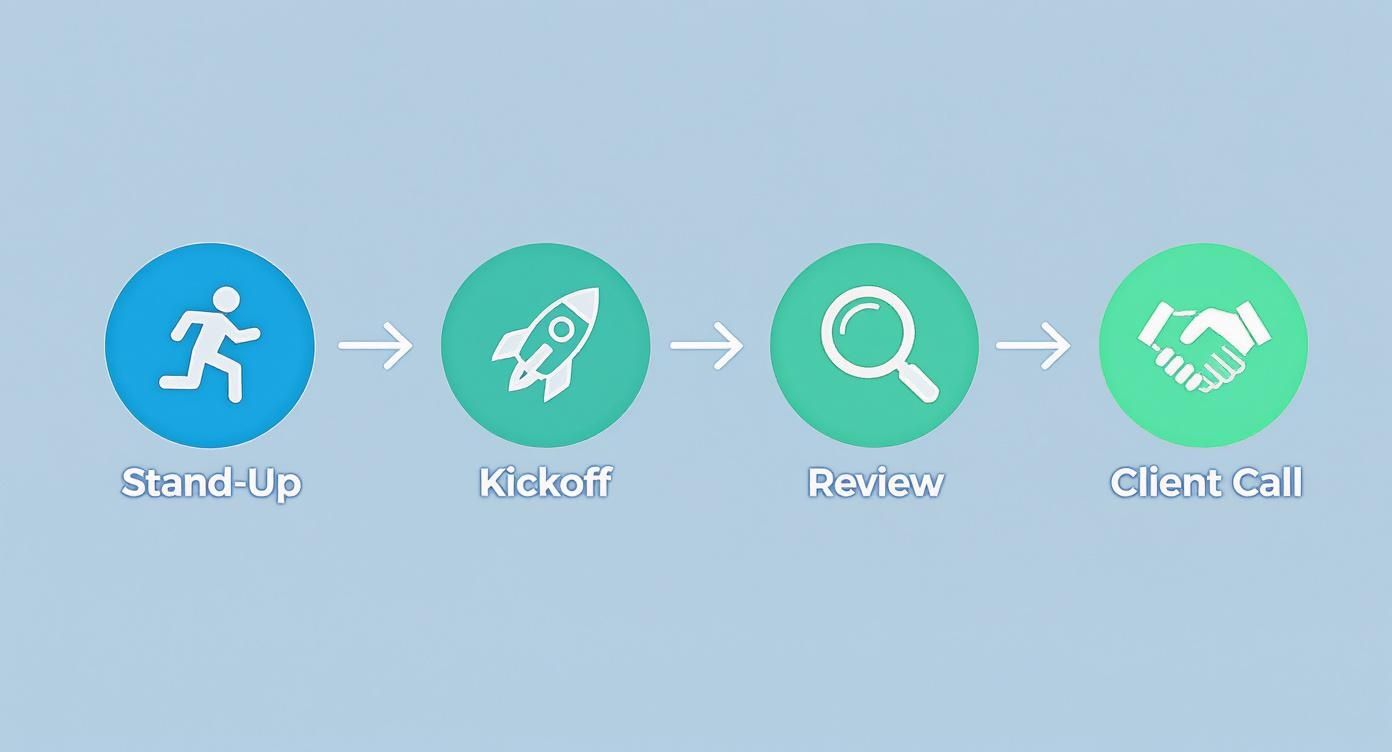
From quick check-ins to crucial client calls, each stage needs its own documentation style to be truly effective.
The Fast-Paced Daily Stand-Up Recap
Daily stand-ups are all about momentum. The goal is to spot problems fast, so the recap needs to be just as quick. Forget full sentences—think raw, scannable data.
- Focus: Blockers and what’s happening right now.
- Format: A simple bulleted list, maybe grouped by team member.
- Alex: UI mockups done. Blocked by a lack of final copy from marketing.
- Brenda: Pushed the database fix to staging. Testing this morning.
- Carlos: Starting the API integration. No blockers.
This format takes seconds to write and even less time to read. It puts the most critical information—the blockers—front and center.
The Detailed Project Kickoff Recap
The project kickoff sets the stage for weeks or even months of work, so its recap is a foundational document. This isn't just a summary; it's the project's constitution, the single source of truth everyone can refer back to.
A solid kickoff recap is your best defense against scope creep. Weeks later, when a "small" new request comes in, you have a clear, agreed-upon document to point to. It protects your team's focus and timelines.
Your kickoff recap needs to include:
- Project Vision & Goals: A sharp, concise statement explaining what you're building and why it matters.
- Confirmed Scope: Be brutally clear about what's in scope and, just as important, what's out.
- Key Milestones & Dates: List the major phases and their target deadlines.
- Identified Risks: Note any potential problems you discussed and any early ideas on how to handle them.
- Action Items: Assign those crucial first tasks for project setup and discovery.
The Strategic Quarterly Review Recap
Quarterly reviews are for zooming out. You're looking at the big picture, assessing what worked, and planning what's next. The recap should mirror this high-level thinking, focusing on insights, strategic decisions, and the major priorities for the coming quarter.
It needs to clearly connect the dots between past performance and future goals. Think of it as a narrative that tells the story of the last quarter's results and how they inform the next quarter's ambitions. It gives leadership everything they need to see progress and direction at a glance.
The Client-Facing Discovery Call Recap
When you’re sending a recap to a client, it’s doing double duty. Internally, it gets your team aligned. Externally, it shows the client you were listening and that you're a professional. This is more important than ever, as many corporate clients are becoming more selective about the meetings they attend. According to recent industry analysis, there's a growing demand for meetings to prove their value, and a well-crafted recap is tangible proof. You can learn more about how the meetings industry is evolving on simpleviewinc.com.
A great client-facing recap should emphasize:
- Understanding of Their Needs: Reiterate their challenges and goals, ideally using their own language. This shows you get it.
- Agreed-Upon Deliverables: List exactly what your team committed to providing. No ambiguity.
- Next Steps & Timeline: Tell them precisely what will happen next and when they can expect it.
Using AI to Create Better Recaps in Less Time
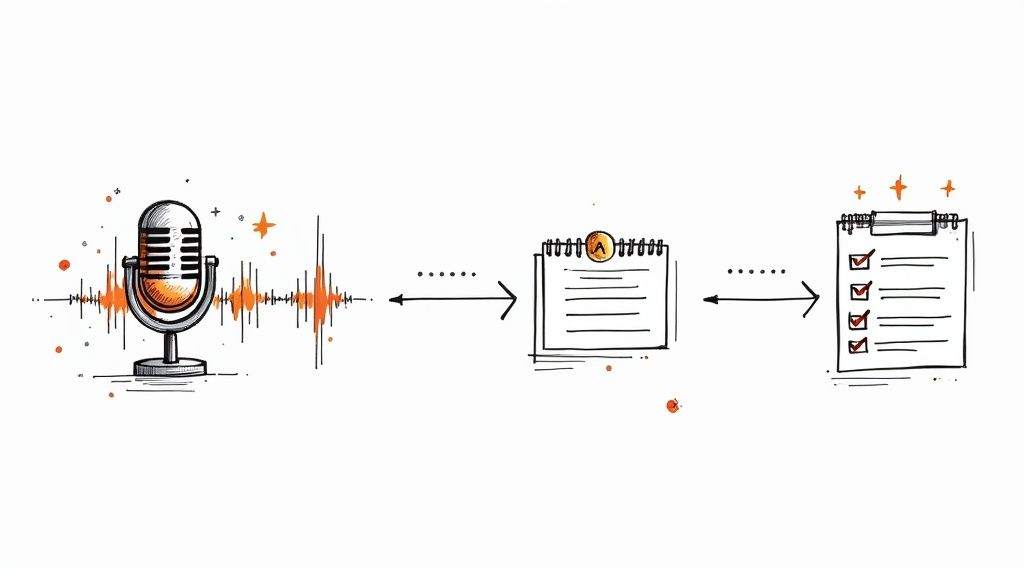
Let’s be honest: creating a detailed recap of a meeting by hand is a total slog. You have to listen back to the recording, type out notes, and try to remember who said what. It's the kind of task that can easily swallow an hour of your day.
This is exactly why so many important recaps never get written. We tell ourselves we'll get to it later, but "later" never comes, and key decisions or action items get lost in the shuffle.
But what if you could knock out a high-quality, actionable recap in just a few minutes? That's where AI tools are completely changing the game. They turn a tedious manual chore into a quick, nearly automatic process. Think of them less as a replacement for your brain and more as a super-efficient assistant handling the grunt work, leaving you to focus on the final polish.
From Audio to Accurate Transcript in Minutes
The whole process starts with a flawless transcript. This used to be the most painful part, but now tools built on tech like OpenAI's Whisper can take your meeting’s audio or video file and spit out a surprisingly accurate text version in minutes.
This isn't just a neat trick; it's becoming a fundamental part of how we work. As businesses look for ways to be more effective, AI is seen as a crucial piece of the puzzle. In fact, about 50% of professionals are already making these tools a priority for content creation, which tells you everything you need to know about the push for better efficiency.
Once the AI processes your audio, it doesn't just hand you a huge block of text. It adds essential context right away:
- Speaker Detection: The tool can figure out who was talking and neatly label each person's contribution. No more guessing games.
- Timestamps: Every line is time-stamped, so if something sounds off or you need more context, you can jump straight to that exact moment in the recording.
Getting a clean, organized transcript is a huge win for accuracy and saves a tremendous amount of time.
The Real Magic: Summarization and Action Items
A transcript is great, but the real power comes from what the AI does next. Instead of you needing to read through ten pages of dialogue, you can just ask the AI to boil it all down into a concise, useful summary.
Think of the AI as your most efficient team member. It can listen to an hour-long discussion, pick out the three most important decisions and five action items, and hand them to you for a quick sanity check. The amount of mental energy this saves is incredible.
You can give the AI specific instructions based on the transcript, like:
- "Write a one-paragraph executive summary of this meeting."
- "List all the key decisions we made."
- "Pull out every action item, suggest who should own it, and propose a deadline based on what was said."
This is how a raw transcript becomes a polished recap of a meeting that’s practically ready to send. For a broader look at how AI (like ChatGPT) can impact internal communication, that's a great read. Your job shifts from being the writer to being the editor, which not only saves a ton of time but also makes your follow-ups more consistent and reliable.
How to Distribute and Archive Your Meeting Recap
You've crafted a brilliant meeting recap. That's a huge win, but the job isn't quite done. A recap is only as good as its reach. If it never gets to the right people or gets lost in some forgotten folder, all that work was for nothing. Getting the distribution and archiving right is what makes a recap a genuinely useful tool instead of just another document.
Think about it: how you share the recap is just as critical as what's inside. You have to slot it into your team's existing workflow. If you make people hunt for it in a new, unfamiliar place, they just won't read it.
Choosing the Right Distribution Channel
Every team has its own rhythm and preferred way of communicating, so there's no magic, one-size-fits-all answer here. The key is to make finding and reading the recap feel completely effortless.
- Email: This is the old standby for a reason. It’s perfect for more formal announcements or when you’re looping in people outside your immediate team, like clients or partners. Everyone has email, which is its biggest strength.
- Slack or Microsoft Teams: For teams that live in chat, this is the obvious choice. Dropping the recap into a relevant project channel keeps the conversation going and makes it easy for people to ask quick follow-up questions right where they’re already working.
- Project Management Tools (Asana, Jira, Trello): My personal go-to for project-specific meetings. Attaching the recap to the actual project board or a specific task keeps all the context, decisions, and action items right next to the work itself.
Don't overthink this. The best channel is simply the one your team already uses all day, every day. Consistency beats complexity. Your number one goal is to make it ridiculously easy for people to find.
Once you’ve picked your spot, a little polish on the delivery goes a long way. Use a subject line or message header that clearly states the purpose, like "Recap & Actions: Q4 Marketing Strategy Meeting." That simple step tells everyone exactly what it is and why it's worth their time to open.
Building a Searchable Recap Archive
A recap helps everyone get on the same page today. But its real power unfolds over time when it becomes part of a searchable knowledge base. A good archive stops valuable knowledge from walking out the door every time someone leaves the team.
When you create a central, organized home for these recaps, you ensure that anyone can find the history behind a key decision or project months—or even years—down the line.
Here are a few practical ways I’ve seen this work well:
- Shared Drive (Google Drive, OneDrive): The simplest effective method. Just create a main folder for all recaps and enforce a consistent naming system. Something like
YYYY-MM-DD_Meeting-Topic_Recapmakes everything instantly sortable and searchable. - Wiki or Intranet (Confluence, Notion): This is where things get really powerful. A dedicated space in a tool like Notion lets you tag recaps by project, team, or topic. You can even link directly between related meeting notes, creating a true web of your team's collective brain.
- Dedicated Project Management Space: If you’re running a long-term project, just keep all the related recaps inside that project’s space in Asana or Jira. This keeps the entire history of the project—from kickoff to completion—all in one place.
Ultimately, a solid archiving habit turns your recaps from disposable updates into a permanent, high-value library of your team's journey.
Answering Your Top Questions About Meeting Recaps
Even with the best template in hand, you’re bound to have some practical questions when you start writing meeting recaps. It can be tricky to nail the timing, length, and format right out of the gate. Let’s clear up some of the most common hurdles people face.
How Soon After the Meeting Should I Send the Recap?
The golden rule is: the sooner, the better. I always try to get my recaps out within a few hours, and never later than the end of the same business day.
When you send it quickly, the conversation is still fresh in everyone's mind. This keeps the project's momentum going and shows you’re on top of things. If you wait a day or two, you’d be surprised how quickly that energy fades and crucial details get fuzzy.
What’s the Real Difference Between Meeting Minutes and a Recap?
This is a fantastic question, and the distinction is critical. Meeting minutes are the official, formal record of a meeting. Think of them as a legal or procedural document—a chronological log of who said what, motions passed, and votes taken.
A meeting recap is completely different. It's a short, sharp, action-focused summary. Its only job is to highlight the important stuff—key decisions, next steps, and who owns what—to keep the work moving forward. It’s all about clarity and alignment, not exhaustive documentation.
I like to think of it this way: minutes are the court transcript, while a recap is the executive summary you'd give to your boss.
Who's Actually Supposed to Write the Recap?
There's no single answer here, but it’s often the person who organized the meeting or a designated note-taker. In project teams, this task usually falls to the project manager by default.
A great practice for recurring team meetings, like weekly syncs, is to rotate the responsibility. This not only shares the workload but also helps everyone on the team get better at identifying and summarizing key outcomes.
The most important thing? Make sure the role is clearly assigned before the meeting begins. This avoids the awkward "I thought you were doing it" moment later on.
How Long Should a Recap Be?
Keep it short. Seriously. A great recap is as concise as it can possibly be without losing essential information. It needs to be scannable.
Here’s my personal test: someone who wasn't in the meeting should be able to read your recap and understand the main outcomes and their own responsibilities in under five minutes.
To pull this off, you have to be ruthless with your formatting:
- Use bullet points for every decision and action item.
- Bold people's names, deadlines, and important takeaways.
- Break it up with clear subheadings like "Decisions Made" and "Next Steps."
Whatever you do, avoid big, dense paragraphs. The goal here is quick communication, not writing a novel.
Ready to stop spending hours transcribing and summarizing your meetings? Whisper AI uses advanced AI to automatically generate accurate transcripts, identify speakers, and create concise, actionable recaps in minutes. Join over 50,000 users who are saving time and creating better follow-ups. Try it for free at whisperbot.ai.


























































































