
10 Different Styles of Note Taking to Master in 2026
In a world overflowing with information-from hour-long podcasts and team meetings to online lectures and viral video clips-simply capturing content isn't enough. The real challenge lies in transforming that raw information into organized, accessible, and actionable knowledge. Many of us stick to the same note-taking habits we learned in school, unaware that a more effective system could unlock deeper understanding and greater productivity.
Choosing the right method for the right context can be a game-changer. The linear, unstructured notes you jot down during a client call might not be the best format for brainstorming a new YouTube series or studying for a complex exam. The structure you impose on your notes directly impacts how well you can recall, connect, and apply the information later. This is why exploring different styles of note taking is a crucial step toward working smarter, not just harder.
This guide explores 10 powerful methods, each tailored for specific needs, from academic study and creative brainstorming to professional project management. We'll dive into how each system works, its unique pros and cons, and provide actionable tips on how to supercharge them using AI transcription tools, turning passive listening into an active, organized process. As we delve into these different styles, it's also useful to explore practical applications; for those who prefer a tablet, here are 10 Practical Note Taking Strategies That Make Life Easier on Your iPad for digital learners. Whether you're a student, a content creator, or a project manager, this comprehensive roundup will equip you with the tools to find the perfect note-taking style for any situation.
1. Cornell Note-Taking System
The Cornell Method is a renowned organizational system for capturing, condensing, and reviewing information. Developed by Cornell University professor Walter Pauk, this style of note taking divides a single page into distinct sections, creating a powerful tool for active recall and study. Its structured layout makes it one of the most effective different styles of note taking for anyone needing to digest and retain complex information.
How It Works
The Cornell layout splits your page into three main areas:
- Main Notes Column (Right): This is the largest section, where you capture notes during a lecture, meeting, or while reading. The focus here is on getting the information down, not on perfect organization.
- Cue Column (Left): After your note-taking session, you pull out key ideas, questions, or keywords from your main notes and place them in this narrower left-hand column. These cues act as prompts for later review.
- Summary Section (Bottom): At the bottom of the page, you write a one or two-sentence summary of the information on that page. This forces you to synthesize the material, which significantly aids comprehension.
Best Use Cases
This method excels in structured learning environments where retention is key. It's ideal for students in lectures, researchers organizing interview data, or professionals attending detailed presentations. If your goal is to study or easily reference specific points later, the Cornell system provides an unparalleled framework.
Actionable Tips with Whisper AI
Pairing the Cornell Method with AI transcription tools like Whisper AI automates the most time-consuming part of the process.
- Transcribe First: Use Whisper AI to get a complete, accurate transcript of a lecture video, podcast, or meeting.
- Structure the Transcript: Paste the transcript into the main notes column of a digital document or template.
- Create Cues with Timestamps: Review the transcript and pull out key concepts for your cue column. Add timestamps provided by Whisper AI next to your cues for instant reference back to the original audio or video.
- Generate AI Summaries: Ask a follow-up AI tool to "Summarize the key points from this section of the transcript" and use the response to craft a concise summary for the bottom section. This ensures you've captured the core message accurately.
2. Outline Method
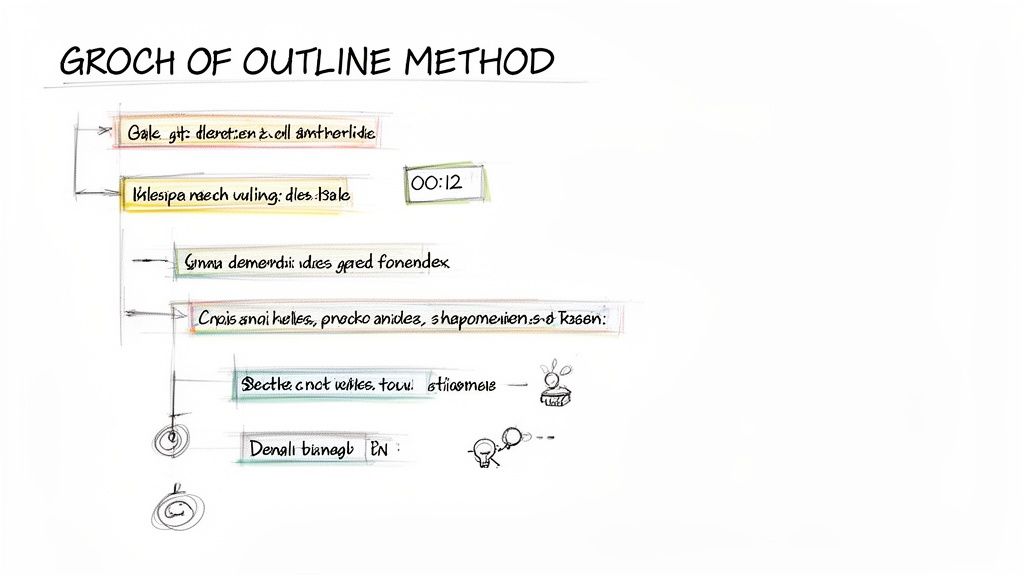
The Outline Method organizes information hierarchically, using main topics, sub-topics, and supporting details distinguished by indentation. This linear, logical structure makes it an incredibly intuitive and scannable format, especially for content that already has a clear, sequential flow. As one of the most classic different styles of note taking, it excels at capturing the relationships between different pieces of information at a glance.
How It Works
This method uses a system of headings and bullet points to create a clear informational architecture. You establish a logical flow from general to specific.
- Main Topics: These are your primary ideas or themes. They are placed at the far left and are often designated with Roman numerals (I, II, III).
- Subtopics: These points elaborate on the main topics. They are indented below their corresponding main topic and might be marked with capital letters (A, B, C).
- Supporting Details: Further details, examples, or data that support a subtopic are indented even further, often using numbers (1, 2, 3) and then lowercase letters (a, b, c).
Best Use Cases
The Outline Method is perfect for organizing information that is naturally structured, like a well-organized lecture, presentation, or meeting agenda. It is a favorite among YouTubers scripting videos, content marketers organizing webinar notes, and journalists structuring interview transcripts by theme. If your goal is to create a logical, easy-to-read summary, this method is highly effective.
Actionable Tips with Whisper AI
Whisper AI’s transcription and AI features align perfectly with the Outline Method, helping you turn unstructured audio into a well-organized document.
- Generate an Outline Starter: After transcribing your audio, ask Whisper AI to "identify the main topics and key points from this transcript and organize them into a bullet-point list." This gives you an instant first draft of your outline.
- Organize by Speaker: Use Whisper AI's speaker detection to structure your outline. For an interview, you can create a main topic for each person and list their key points as subtopics underneath.
- Refine and Deepen: Paste the initial AI-generated points into your notes. Listen back to the audio, using the transcript's timestamps to add deeper supporting details and examples under each subtopic.
- Export for Structure: Export the final notes as Markdown. This format preserves the indentation and heading structure, making it easy to paste into other applications like scriptwriting software or project management tools without losing your formatting.
3. Mind Mapping
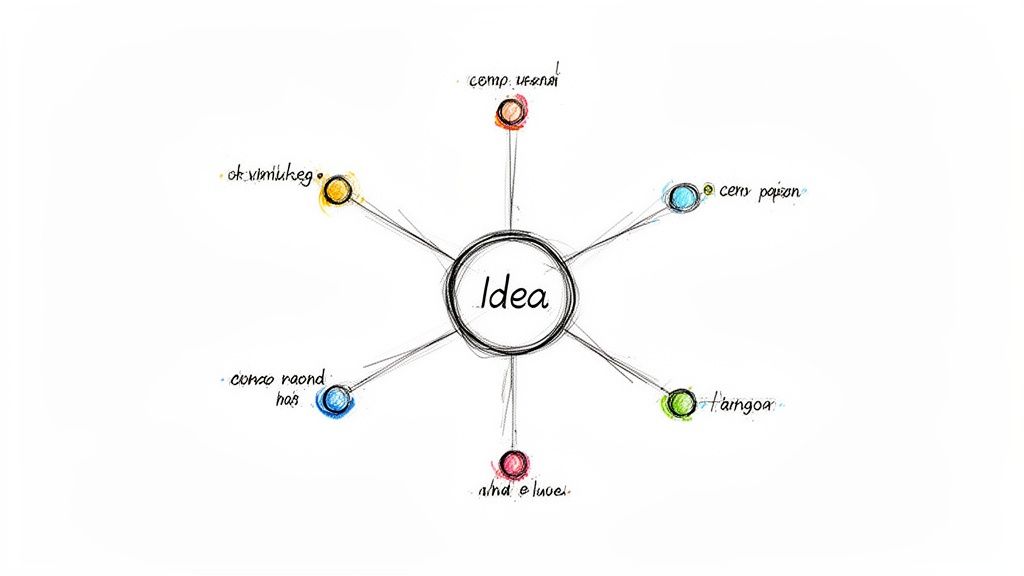
Mind Mapping is a highly visual and non-linear system for capturing and organizing ideas. Popularized by author and psychologist Tony Buzan, this style of note taking places a central concept at the core and branches out to related topics, keywords, and tasks. The resulting diagram mirrors the brain's natural way of making associations, making it one of the best different styles of note taking for brainstorming, creative thinking, and exploring complex relationships between ideas.
How It Works
Mind mapping starts with a single, central idea written in the middle of a blank page. From there, you draw branches outward for each main sub-topic or theme. Each of these main branches can then sprout smaller, secondary branches for more detailed points, creating a radiant, tree-like structure.
- Central Idea: The main subject or focus of your notes (e.g., "Q3 Marketing Campaign").
- Main Branches: Key themes or primary categories that radiate from the center (e.g., "Social Media," "Email," "Video Content").
- Sub-Branches: Specific details, tasks, or ideas related to each main branch (e.g., "Post Daily on X" under "Social Media").
Best Use Cases
This method is unparalleled for creative sessions, strategic planning, and outlining complex projects. It's ideal for content creators mapping out a video series, marketing teams visualizing campaign elements from a client interview, or students creating concept maps to connect different lecture topics. If your goal is to generate ideas rather than just record them linearly, mind mapping is the superior choice.
Actionable Tips with Whisper AI
Whisper AI can transform unstructured audio from creative sessions into the organized raw material for a powerful mind map.
- Transcribe Brainstorming Sessions: Use Whisper AI to transcribe a team meeting, creative discussion, or interview. This captures every idea without interrupting the creative flow.
- Identify Key Themes: Paste the transcript into a follow-up AI tool and ask it to "Identify the main themes and sub-topics from this transcript." Use these identified themes as your main branches.
- Color-Code by Speaker: Use Whisper AI's speaker detection feature to understand who contributed which ideas. Assign a different color to each speaker's branches on the mind map to visually track contributions.
- Build from Keywords: Export a list of keywords identified in the transcript. This keyword list serves as an excellent prompt for creating new sub-branches and exploring connections you might have otherwise missed.
4. Charting/Table Method
The Charting Method organizes information into a structured table or spreadsheet, using columns and rows to categorize and compare data. This visual approach is excellent for breaking down dense subjects into their core components, making it easy to spot relationships, patterns, and differences. For those who need to analyze information across multiple categories, this is one of the most systematic and efficient different styles of note taking.
How It Works
This method transforms a blank page into a grid. You predefine the categories you need to track and create a column for each. As you absorb the information from a lecture, meeting, or text, you fill in the corresponding cells with concise notes.
- Define Columns: Before you begin, identify the key categories you want to compare or track. For example, if analyzing historical events, your columns might be "Event," "Date," "Key Figures," and "Impact."
- Create Rows: Each row represents a new item or instance. For example, a new historical event would get its own row.
- Populate Cells: As you encounter relevant information, you place it directly into the appropriate cell, keeping entries brief and to the point.
Best Use Cases
The Charting Method is invaluable when you need to compare and contrast multiple subjects or track recurring themes. It’s perfect for researchers analyzing interview data, business teams tracking competitor features, or students studying different theories. If your primary goal is to organize data for direct comparison, the clarity of a table is unmatched.
Actionable Tips with Whisper AI
Whisper AI’s structured output, especially with speaker diarization, is a perfect foundation for building detailed charts.
- Transcribe Group Content: Use Whisper AI to transcribe a panel discussion, focus group, or multi-person interview. The tool’s ability to detect and label different speakers is crucial.
- Set Up Speaker-Based Columns: Create a chart where each speaker gets their own column. Use rows to represent different questions or themes discussed.
- Extract and Chart Data: Review the transcript and pull direct quotes or summarized points from each speaker, placing them in the appropriate cell. Use the timestamps from Whisper AI to quickly reference the original audio.
- Automate Data Extraction: Use a follow-up AI to process the transcript with a prompt like, "From this transcript, extract every action item assigned to 'Speaker 2' and list them." Paste the results into a dedicated "Action Items" column.
5. Sentence Method
The Sentence Method is a linear and straightforward approach where each new piece of information is captured as a complete sentence. Unlike hierarchical systems, this style of note taking focuses on sequentially documenting thoughts, facts, and concepts as they arise. Its simplicity makes it incredibly effective for fast-paced environments where speed is more critical than complex organization, offering a clear, chronological record of information.
How It Works
This method is perhaps the most intuitive of all the different styles of note taking. You simply write down each new idea or fact on a new line, expressed as a complete sentence.
- Sequential Capture: As you listen or read, write down each distinct point as its own sentence.
- Numbering: Assign a number to each sentence. This creates a simple structure that makes it easy to reference specific points later.
- Focus on Content: The goal is to capture the essence of the information in a clear, self-contained statement, rather than worrying about connections or hierarchy during the initial capture phase.
Best Use Cases
The Sentence Method is ideal for situations where information is delivered quickly and linearly, such as lectures, meetings, or interviews. Podcasters capturing key takeaways, students taking notes from a dense presentation, or journalists documenting an interview will find this method highly efficient. It excels when you need to get a high volume of information down accurately without pausing to organize. For more details on adapting this and other styles, you can explore various note-taking formats.
Actionable Tips with Whisper AI
Whisper AI’s transcription capabilities make the Sentence Method incredibly powerful by handling the initial information capture for you.
- Generate a Transcript: Start by transcribing your audio or video source with Whisper AI to get a complete, verbatim record.
- Refine into Sentences: Review the transcript and pull out the core ideas. Use the transcript as your raw material and rewrite the key points into your own numbered, concise sentences.
- Use AI for Summarization: Ask a follow-up AI tool to "Identify the 10 most important statements from this transcript." Use this output as a starting point for your own sentence-based notes.
- Add Timestamps for Context: Next to each numbered sentence you create, add the corresponding timestamp from the Whisper AI transcript. This allows you to instantly jump back to the original audio to hear the full context.
6. The Feynman Technique
The Feynman Technique is less a note-taking system and more a powerful mental model for deep learning, framed as a note-taking process. Popularized by Nobel Prize-winning physicist Richard Feynman, this method forces you to truly understand a topic by explaining it in simple, plain language. This approach stands out among different styles of note taking because its primary goal is not just to record information, but to achieve genuine comprehension and identify knowledge gaps.
How It Works
The technique follows a straightforward four-step cycle designed to deconstruct and rebuild your understanding:
- Choose Your Concept: Start by writing the name of the concept you want to learn at the top of a blank page.
- Teach It to a Child: Write out an explanation of the concept as if you were teaching it to someone with no prior knowledge, like a child. Use simple words and avoid jargon.
- Identify Gaps and Review: As you explain, you will inevitably hit points where your understanding is weak or you rely on technical terms. These are your knowledge gaps. Go back to your source material to fill them in.
- Simplify and Refine: Reread your explanation and simplify it further. Replace complex terms with analogies and clear language until your explanation is smooth and intuitive.
Best Use Cases
This method is unparalleled for anyone needing to master complex, abstract, or technical subjects. It's ideal for students preparing for exams, educators refining their lesson plans, or professionals trying to internalize new industry concepts. If your objective is true understanding rather than simple memorization, the Feynman Technique is an essential tool. Learning how to improve note-taking skills with methods like this can transform your study habits.
Actionable Tips with Whisper AI
Whisper AI can act as your unbiased audience, capturing your explanations for objective review.
- Record Your Explanation: Instead of writing, record yourself explaining the concept out loud. Use Whisper AI to transcribe your spoken words instantly.
- Analyze the Transcript: Read the transcript. It will clearly show where you hesitated, used filler words, or relied on jargon you couldn't simplify.
- Pinpoint Jargon: Use the search function on your transcript to find technical terms. For each one, ask yourself if you successfully defined it in simple language.
- Refine and Repeat: Edit the transcribed text directly, simplifying the language and clarifying the flow. Record yourself explaining this refined version and repeat the process until the transcript is clear, simple, and accurate.
7. The Boxing Method
The Boxing Method is a visual and non-linear approach to note-taking where related information is grouped together inside boxes on a single page. This style is designed to compartmentalize individual topics, ideas, or categories, making it easy to see the relationships between different concepts at a glance. It's one of the most flexible different styles of note taking for visual learners or for sessions where information is presented in a disjointed or multi-threaded manner.
How It Works
The Boxing Method organizes content by theme rather than chronologically.
- Identify Main Topics: As you listen or read, identify a core idea, topic, or theme. Draw a box on your page and give it a title.
- Add Notes to the Box: All notes, details, and data related to that specific topic go inside its corresponding box.
- Create New Boxes as Needed: When a new, distinct topic emerges, you simply start a new box elsewhere on the page. The size and position of the boxes can be adjusted based on the topic's importance or its relationship to other ideas.
Best Use Cases
This method is exceptionally effective for capturing information from dynamic, free-flowing discussions like brainstorming sessions, interviews, or podcasts. It's ideal for content creators organizing talking points from a long transcript, marketers grouping customer feedback from focus groups, or designers capturing different facets of a creative brief. If the information doesn't follow a neat, linear progression, boxing provides the perfect structure.
Actionable Tips with Whisper AI
Whisper AI’s ability to process and structure unstructured audio makes it a perfect partner for the Boxing Method.
- Transcribe the Source: Start by generating a full transcript of your meeting, podcast, or interview with Whisper AI.
- Identify and Box Topics: Ask a follow-up AI to "Identify the main topics discussed in this transcript." Use this output to create a separate box for each theme on your digital canvas or notebook page.
- Populate Boxes with Speaker Insights: Use Whisper AI's speaker detection to pull quotes or key points from different individuals. You can create smaller boxes within a larger topic box to segregate perspectives.
- Add Timestamps for Context: For each key point you add to a box, include the corresponding timestamp from the transcript. This allows you to instantly jump back to the original audio to hear the full context or tone.
8. The 2-Page Notes Method (Dual-Page Method)
The 2-Page Method, also known as the Dual-Page Method, expands your note-taking canvas across two facing pages to create a comprehensive learning and action system. This style dedicates one page for capturing raw information and the adjacent page for synthesis, reflection, and planning. It’s one of the most powerful different styles of note taking for those who need to deeply process information rather than just record it, making it popular among researchers, dedicated students, and strategic planners.
How It Works
This method uses a two-page spread in a notebook or a side-by-side digital document to separate initial capture from deeper analysis:
- Page One (Capture): This page is used for taking initial notes during a lecture, meeting, or while reading. It’s where you record raw data, direct quotes, and key facts as they are presented.
- Page Two (Synthesis & Action): The facing page is reserved for post-session activities. Here, you can summarize key themes from Page One, draw mind maps, list questions for follow-up, outline action items, or reflect on the material's significance.
Best Use Cases
The 2-Page Method is ideal for situations where a simple transcription isn't enough and deeper engagement is required. Researchers can use one page for interview transcripts and the other for thematic analysis. Business teams can dedicate one page to meeting minutes and the other to assigned action items and deadlines. Students can use the second page to create study guides or practice questions based on lecture notes.
Actionable Tips with Whisper AI
Whisper AI’s versatile export and analysis features make implementing the 2-Page Method digitally seamless and efficient.
- Transcribe to Page One: Generate a transcript of your audio or video source using Whisper AI. Export it as a text file and paste it onto the first page of your digital two-page spread.
- Organize with Timestamps: Use the timestamps and speaker labels from the Whisper AI transcript to organize Page One. This allows you to quickly reference specific moments in the original recording.
- Generate Content for Page Two: Ask a follow-up AI to analyze the transcript. Use prompts like "Create a list of action items from this meeting transcript" or "Generate key questions based on this lecture" to populate your second page.
- Synthesize and Plan: Use the AI-generated content on Page Two as a starting point. Add your own reflections, connect ideas, and plan your next steps, transforming raw information into a strategic asset.
9. Live Blogging and Real-Time Transcription Method
The Live Blogging Method transforms note-taking from a private activity into a dynamic, public process of real-time documentation. It integrates immediate capture with instant sharing, making it essential for roles that require broadcasting information as it happens. This modern approach is one of the most interactive different styles of note taking, perfect for journalists, streamers, and event managers who need to maintain accuracy while engaging an audience.
How It Works
This method leverages technology to capture, organize, and publish information simultaneously.
- Real-Time Capture: As an event unfolds, audio or video is fed directly into a transcription tool. The primary goal is to create an immediate, accurate log of what is being said.
- Live Organization and Annotation: The note-taker, or a team, reviews the incoming transcript. They pull out key quotes, add commentary, correct any errors, and format the content for clarity.
- Instantaneous Publishing: The organized notes and highlights are pushed to a live blog, social media feed, or other public platform. This creates a living document that is updated moment by moment for the audience.
Best Use Cases
The Live Blogging Method is unparalleled for situations where speed and audience engagement are critical. It is ideal for journalists covering press conferences, social media managers live-tweeting a product launch, or streamers providing accessible, real-time captions and transcripts for their viewers. If your objective is to document and disseminate information to a live audience, this method is the gold standard.
Actionable Tips with Whisper AI
Whisper AI can serve as the engine for your real-time documentation, providing the speed and accuracy needed for live coverage.
- Set Up a Live Feed: Configure Whisper AI to process a live audio stream from a microphone or a direct feed from a virtual event. Many third-party tools can help pipe audio directly into the API for transcription.
- Use Timestamps for Live Updates: As the transcript generates, use the timestamps to create a dynamic, updating log. You can publish snippets with timestamps, allowing your audience to reference specific moments.
- Identify Speakers in Real-Time: If the audio features multiple speakers, use Whisper AI's speaker diarization capabilities to automatically label who is speaking. This adds crucial context to your live blog without manual effort.
- Export and Share Highlights Instantly: Pull impactful quotes directly from the live transcript and share them immediately on platforms like X (formerly Twitter) or LinkedIn, driving engagement back to your main coverage.
10. Zettelkasten (Slip-Box/Atomic Note) Method
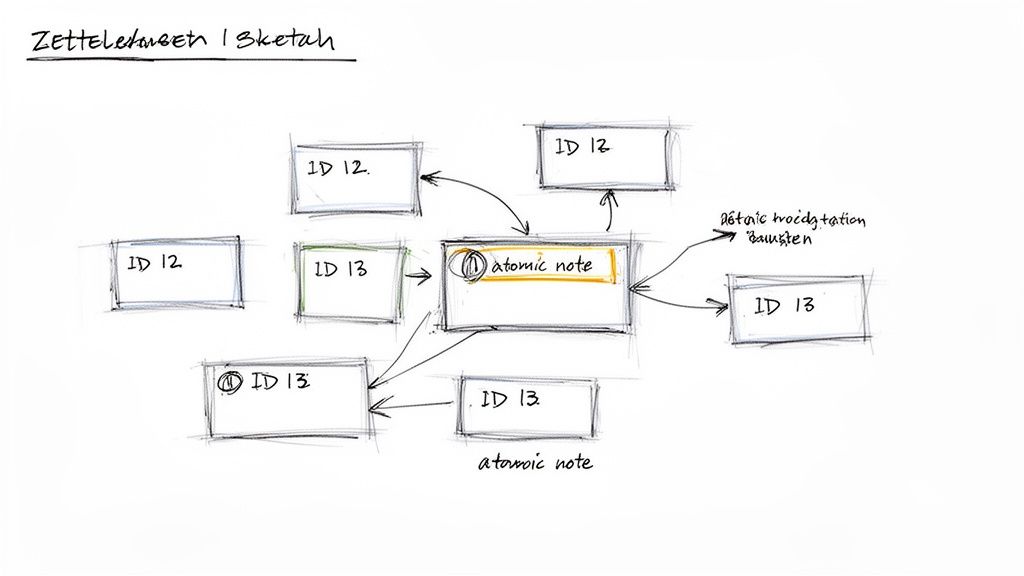
The Zettelkasten method, German for "slip box," is less a note-taking style and more a comprehensive knowledge management system. Popularized by sociologist Niklas Luhmann, this approach transforms your notes from static entries into a dynamic, interconnected web of ideas. It's one of the most powerful different styles of note taking for long-term thinking, research, and creative work, as it focuses on building a network of atomic, single-idea notes.
How It Works
The Zettelkasten system is built on a few core principles that encourage non-linear thinking and discovery:
- Atomic Notes: Each note contains only one single, self-contained idea. This atomicity makes it easy to link ideas from different contexts without having to rewrite or disentangle them.
- Unique IDs: Every note is given a unique identifier (like a timestamp or sequential number) so it can be referenced precisely from any other note in the system.
- Linking: The true power lies in creating explicit links between related notes. When you create a new note, you actively look for connections to existing ones, building a web of knowledge that grows over time.
Best Use Cases
This method is unparalleled for academics, researchers, writers, and anyone whose work involves synthesizing information from multiple sources over a long period. It’s perfect for content creators building a series, academics managing years of research, or writers developing complex story worlds. If your goal is to generate novel insights by connecting disparate ideas, Zettelkasten is the system for you. A dedicated AI note taker app can significantly streamline this process.
Actionable Tips with Whisper AI
Whisper AI is an exceptional tool for feeding your Zettelkasten, turning spoken knowledge into structured, atomic notes.
- Transcribe All Sources: Use Whisper AI to transcribe lectures, interviews, documentaries, and podcasts. This creates a searchable text database of all your source material.
- Distill into Atomic Notes: Go through the transcript and pull out individual concepts, insights, or key arguments. Create a separate atomic note for each one in your Zettelkasten software.
- Link Back with Timestamps: In each atomic note, cite the original source. Use the timestamps from the Whisper AI transcript to create a direct link back to the exact moment the idea was mentioned.
- Clarify with AI: If a concept from the transcript is unclear, ask a follow-up AI to "Explain [concept] from this transcript in simple terms." Use the refined explanation to craft a more precise atomic note.
Side-by-Side Comparison of 10 Note-Taking Styles
Choosing Your Method and Making It Stick
We've journeyed through ten distinct and powerful approaches to capturing information, from the rigid structure of the Cornell Method to the free-flowing creativity of Mind Mapping and the intricate network of the Zettelkasten. The most critical takeaway is that there is no single "best" note-taking style. The search for a one-size-fits-all solution is futile; the real power lies in building a versatile toolkit of different styles of note taking that you can deploy based on the specific situation.
The ideal method is always contextual. Are you trying to deconstruct a complex philosophical argument from a lecture? The Feynman Technique is your ally. Are you trying to compare the features of three competing software products during a demo? The Charting Method will bring immediate clarity. Or are you trying to build a long-term personal knowledge base for your research? The Zettelkasten is purpose-built for that.
From Theory to Action: Your Next Steps
Knowing about these methods is one thing; integrating them into your workflow is another. The key is to move from passive learning to active experimentation. Don't feel overwhelmed by the options. Instead, view this as an opportunity to consciously upgrade how you interact with information.
Here’s a simple, actionable plan to get started:
- Identify a Pain Point: Where does your current note-taking process fall short? Do you struggle to review notes? Are your notes disorganized? Do you fail to see connections between ideas? Pinpoint one specific problem you want to solve.
- Select a Method: Based on that pain point, choose one new method from this article that seems like a good fit. If your notes lack structure, try the Outline or Boxing Method. If you struggle with recall, experiment with the Cornell Method.
- Commit to a Trial Period: Give your chosen method a fair shot. Commit to using it exclusively for one week for a specific task, like a recurring team meeting or a particular university course. This consistency is crucial for moving past the initial awkwardness of a new system.
- Review and Reflect: At the end of the week, ask yourself: Did this method solve my problem? What worked well? What was frustrating? This reflection will help you decide whether to adopt it, adapt it, or try a different approach.
For those who need a system that blends daily planning with long-term goals, exploring the benefits of bullet journaling can provide a powerful framework for personal organization that complements any of these note-taking styles.
The True Goal: Beyond Transcription
Ultimately, effective note-taking isn't about creating a perfect, verbatim record of a conversation or lecture. That’s the job of transcription, a task now easily automated. The true purpose of engaging with different styles of note taking is to process information, not just collect it.
When you actively decide whether to use a mind map or a chart, you're already engaging with the material on a deeper level. You're forced to think about the relationships between concepts, identify key hierarchies, and distill core ideas. This active processing is what transforms fleeting information into lasting knowledge. By leveraging a tool like an AI transcriber to handle the raw capture, you liberate your cognitive resources to focus entirely on this value-added work of understanding, synthesizing, and creating. You move from being a simple scribe to an active thinker, which is where the real breakthroughs happen.
Ready to automate the tedious part of note-taking so you can focus on what matters? Try Whisper AI to get instant, accurate transcriptions from your meetings, lectures, and interviews, freeing you to apply these powerful note-taking methods with ease. Get started with Whisper AI today and transform your relationship with information.


























































































