
How to Write a Summary of a Meeting People Will Actually Read
A well-crafted meeting summary is the crucial link between discussion and action. It’s the official record that captures the key decisions, highlights the most important conversation points, and, most critically, lists the specific next steps each person committed to. My experience in managing countless projects has shown me that this simple recap is essential for ensuring clarity and accountability long after the meeting ends.
Why a Great Meeting Summary Is a Productivity Power Tool
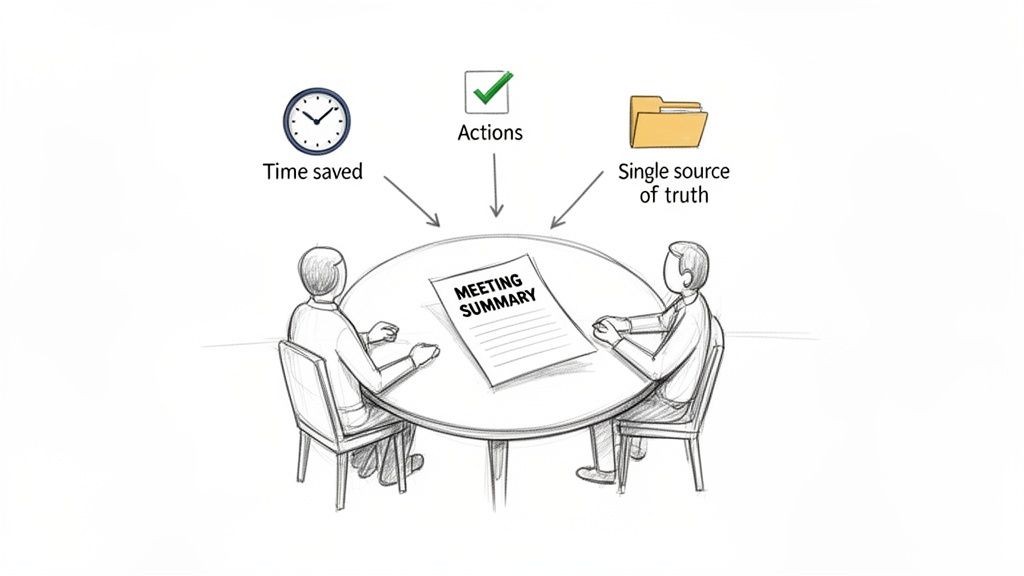
We've all sat through meetings that felt like a complete waste of time. A powerful summary is your best method for reclaiming those hours and ensuring that discussions lead to tangible progress. This isn't just an administrative chore; a well-written recap is a strategic tool that actively drives your projects forward.
The cost of ineffective meetings is staggering. In the United States alone, they are estimated to drain $37 billion from the economy annually, primarily due to poor planning and unfocused conversations. For many executives, it's not unusual to spend up to 23 hours a week in meetings—that's nearly half of their work time.
This issue has only intensified. Since February 2020, Microsoft users have experienced a massive 192% increase in Teams meetings. We are meeting more than ever, but not always more effectively.
Turning Vague Conversations into Concrete Actions
Have you ever had a brilliant idea or a verbal commitment completely vanish the moment the call ends? Without a clear written record, that’s precisely what happens. A summary serves as the official log, transforming abstract dialogue into a concrete list of what needs to be accomplished.
This document becomes the single source of truth for your team, eliminating the dreaded "I thought you were doing that" confusion. It guarantees that everyone leaves with a shared understanding of the decisions made and who is responsible for the next steps.
Think of a great meeting summary as the bridge between discussion and execution. It provides the clarity and accountability needed to ensure that time spent meeting actually translates into meaningful work.
Aligning Your Team and Building Knowledge
For remote and hybrid teams, keeping everyone aligned is a constant challenge. A consistently shared summary of a meeting acts as a lifeline for team members who couldn't attend or are working across different time zones.
It also becomes a vital part of your team's collective memory. By documenting key decisions and project milestones, you build a historical record that informs future work and helps new hires get up to speed much faster. This is a fundamental practice for building organizational knowledge. If you're focused on creating a more informed team, you might find our guide on knowledge management best practices useful.
The Essential Components of an Effective Meeting Summary
Before you even start typing, it's important to have a clear mental model of what a good meeting summary looks like. Think of it less like a transcript and more like a highlight reel—a structured, scannable document that a busy manager can digest in under two minutes. Without a solid framework, you risk creating a wall of text that gets ignored, rendering the time spent in the meeting useless.
This isn’t just about being organized. It's a direct response to the meeting fatigue we all feel. Unproductive meeting time has doubled to five hours a week since 2019, and the total number of meetings has tripled since early 2020. A well-structured summary proves the meeting was worthwhile by clearly presenting takeaways and next steps. This is particularly important now that nearly one-third of all meetings span different time zones. To learn more, you can explore the full findings on modern meeting challenges.
Start With the Basics: The Header
Every summary should begin with a clean, simple header that provides immediate context. It tells anyone who opens the document what it's about, who was present, and when it happened, without them needing to read a single paragraph. Much like an email subject line, it makes the summary easy to find and reference later.
Don’t overcomplicate it; just be sure to include:
- Meeting Title: Be specific, like "Q3 Marketing Campaign Kick-off."
- Date and Time: Use the full date to prevent any mix-ups.
- Attendees: A quick list of everyone who participated.
- Absentees: It's also helpful to note who was invited but could not join.
This small organizational step at the top instantly makes your summary a more professional and complete record.
Clarify the "Why" With a Brief Overview
Directly below the header, add a sentence or two explaining why the meeting was held in the first place. This is your "summary of objectives." Was the purpose to approve a new budget, brainstorm ideas for a product launch, or resolve a critical project blocker?
Stating the purpose upfront provides a frame for the entire document. It immediately reminds everyone of the shared goal and gives crucial context for the decisions and action items that follow.
A well-defined objective acts as a north star for your summary. It immediately tells the reader what was at stake and helps them understand the significance of the outcomes discussed.
To help you get the structure right every time, here’s a quick-reference table.
Meeting Summary Structure at a Glance
This table breaks down the core components that every effective meeting summary should contain. Following this simple layout ensures your notes are consistently clear, actionable, and easy for anyone to understand.
Using a consistent structure like this not only saves you time but also makes your summaries more effective. People know exactly where to find the information they need.
Document Key Decisions and Action Items
This section is the core of your summary, where conversation turns into concrete progress. To maintain clarity and ensure nothing is overlooked, it's best to separate what was decided from what needs to be done.
Key Decisions Made: Use a simple bulleted list to outline the main conclusions. Be direct and leave no room for misinterpretation.
- Example: "The team approved the final design for the new homepage."
Action Items: Now, create a separate list for the to-do items. For this to be effective, every single action item must have an owner and a deadline. There are no exceptions to this rule.
- Example: "[Action] Sarah to send the final design mockups to the development team. [Owner] Sarah C. [Due Date] EOD Friday."
Separating these two elements makes it incredibly easy for people to scan the document and see what was agreed upon versus what they (or their colleagues) are now responsible for. If you omit owners and deadlines, you can almost guarantee those tasks will be forgotten, and the meeting's momentum will be lost.
How to Transform Raw Notes into a Polished Summary
You’ve just left a meeting with a page full of notes. What's next? This is where you transform that raw material into a clean, actionable summary of a meeting that drives progress. This process isn’t just about typing up what you wrote down; it begins with how you listen and take notes during the meeting.
My advice is to stop trying to be a court reporter who captures every single word. Your real job is to be a filter. After years of running projects, I’ve learned to listen for just two things: decisions and actions. When the team agrees on a path forward, I write it down. When someone says, "I'll take that," I capture their name and the task. Everything else is just supporting detail.
Synthesize While the Details Are Still Fresh
The golden rule of meeting summaries? Write them immediately after the meeting concludes. The longer you wait, the more the crucial context and subtle nuances of the conversation fade. I make it a habit to block off 30 minutes right after a meeting to complete the summary while the details are still sharp in my mind.
This is your synthesis step. You’re taking your raw notes—those key decisions and action items—and organizing them into a logical structure. It's about translating conversational shorthand into clear, professional language that someone who wasn't even in the room can understand.
Stick to the facts. It can be easy to accidentally inject your own opinions, but a great summary is objective. If a specific phrase or decision was critical, don't be afraid to quote it directly. This level of precision can prevent a world of confusion later.
This simple flow chart breaks down the process visually, showing how to distill your notes into the most important components.
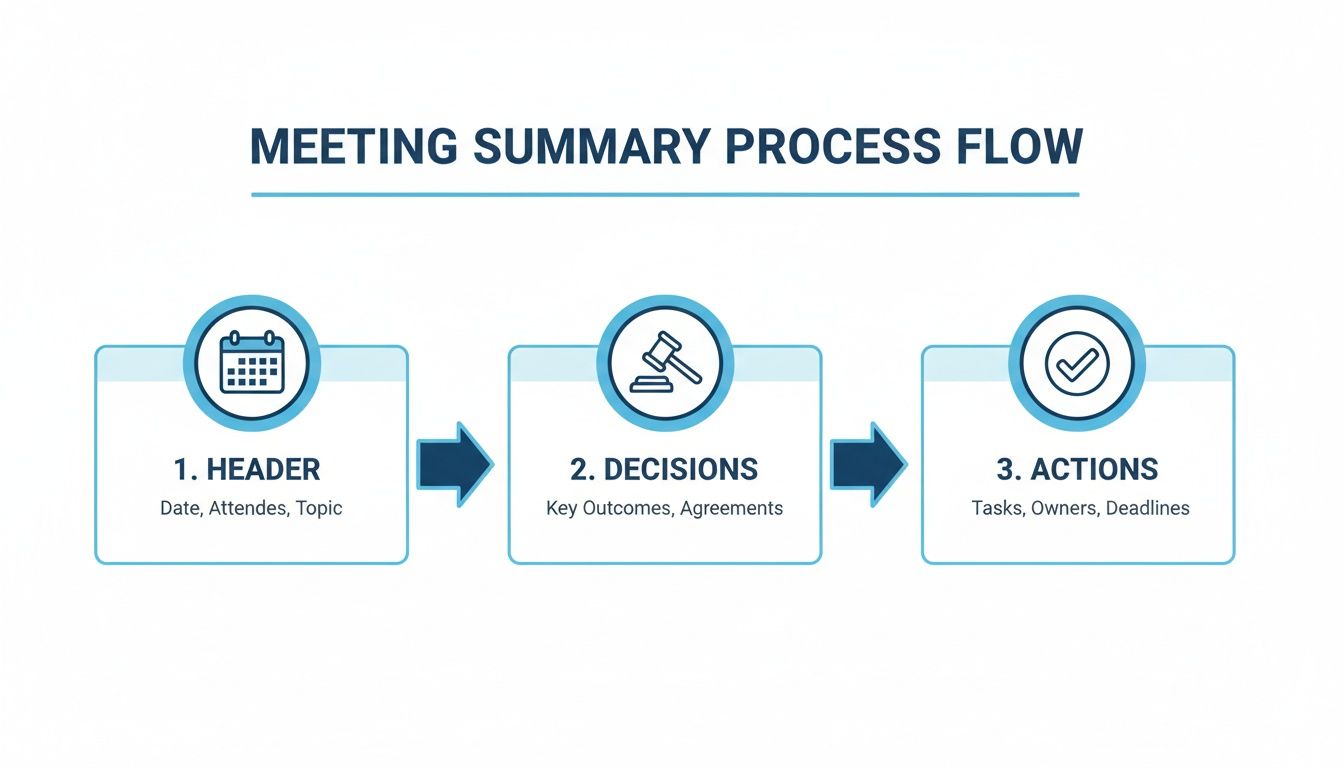
As you can see, it's a straightforward funnel: start with the high-level context (the header), then narrow down to the concrete outcomes everyone needs to know (decisions and actions).
Write for Scanners, Not Readers
Let's be realistic: no one is going to read your meeting summary like a novel. They will scan it for their name and their tasks. You should design it with this behavior in mind.
Use clear headings, bullet points, and bold text to make the important information stand out. Keep your paragraphs short; a large wall of text is an instant deterrent. The goal is to create a document that delivers its core message in 60 seconds or less.
Here are a few techniques I always use to improve readability:
- Lists Over Paragraphs: Instead of writing a long sentence describing a decision, break it down into a simple bulleted list. It's much easier to digest.
- Prioritize Important Information: The most critical decisions and urgent action items should always be placed at the top of your summary.
- Highlight the Who and When: I always bold the names of people assigned tasks and their deadlines. It makes accountability impossible to miss.
Think of it this way: your summary is competing for attention in a crowded inbox. Making it incredibly easy to scan is the best way to ensure your message gets through and people actually act on it.
Getting good at this takes practice. If you want to go deeper into building a system that works for you, check out these tips on how to organize meeting notes. Ultimately, a well-written summary is more than just a record of a conversation—it's a tool that maintains momentum and proves the meeting was time well spent.
Using AI Tools to Automate Your Meeting Summaries
Let's be honest: trying to actively participate in a meeting while also taking meticulous notes is a recipe for doing both tasks poorly. You're either fully engaged in the conversation or your head is down, frantically typing. It's tough to find a balance. This is exactly where AI assistants are making a huge difference, transforming a tedious manual chore into a simple, automated process.
Imagine finishing a call and, instead of facing a page of cryptic notes, you simply upload the audio or video file. In a few minutes, an AI tool like Whisper AI delivers a surprisingly accurate transcript, complete with speaker labels. That alone is a massive time-saver, but the real magic is what happens next.
These tools don't just transcribe; they understand. They can extract bullet-point highlights, identify key decisions, and generate a concise summary of a meeting. They intelligently spot action items, saving you from having to scrub through an hour-long recording just to find that one to-do item you vaguely remember.
From a 1-Hour Kick-off to a 2-Minute Action Plan
Consider a typical project kick-off call. You have an hour scheduled with multiple stakeholders, all contributing ideas and requirements. In the past, you would likely spend another 30 to 45 minutes after the call deciphering your notes, organizing the information, and drafting a coherent summary.
The modern approach? You just upload the Zoom recording.
The AI takes over from there. It processes the conversation, identifies who said what, and then analyzes the entire discussion to pinpoint the core topics and decisions. The result is a clean, drafted summary with the main highlights and a neat list of action items, ready for your review.
This is what that can look like in practice—a clear transcript side-by-side with a summary.
What you get is often 90% of the way there. All it typically needs is a quick human review to add context or adjust the phrasing. A task that used to consume the better part of an hour can now be completed in just five minutes.
This isn't just about convenience; it’s about keeping pace. The meetings industry continues to grow. A recent Cendyn report found that 65% of planners anticipate more attendees at their events, and 63% are increasing their technology budgets. As we rely more on virtual and hybrid meetings, manual note-taking is becoming impractical. You can learn more by reading the full Cendyn report on the state of the meetings industry.
Integrating Summarization into Your Workflow
Using an AI assistant is step one. The real benefit comes when you integrate it into your team's daily operations. Thinking about the broader picture of workflow automation for small business can help you see where automated summaries fit in.
For example, you could set up a system where every recorded team meeting is automatically sent to your transcription service. The summary and action items could then be automatically posted in a dedicated Slack channel or added as a comment to a task in your project management tool. This creates a seamless flow of information with zero manual effort.
By automating the creation and distribution of meeting summaries, you ensure consistency and free up valuable time for your team to focus on the actual work discussed in the meeting, not the administrative tasks that follow.
This kind of setup guarantees that important information is captured and shared reliably every single time. It's a simple change that can dramatically improve how your team communicates and moves projects forward. If you're looking to explore this further, our post on the benefits of an AI meeting note taker has more insights.
How to Distribute Your Summary and Follow Up Effectively
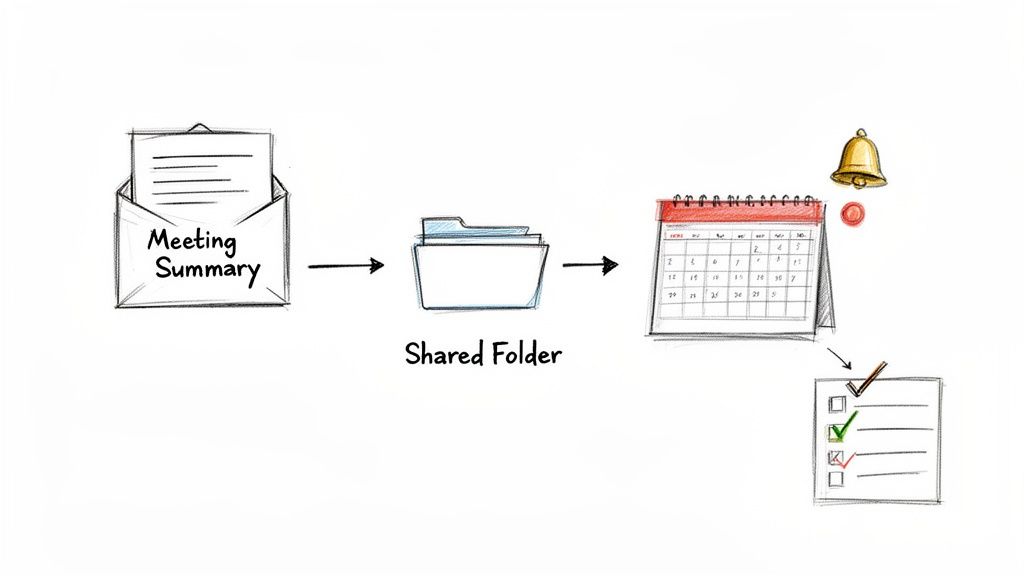
Writing a great meeting summary is a solid start, but it’s only half the battle. If that summary just sits in your drafts folder, it provides no value. The real impact comes when you deliver it to the right people and ensure the action items are completed. This is how your summary transforms from a static document into a dynamic tool for progress.
The first rule is to act quickly. You should aim to send out the summary within 24 hours of the meeting. Any longer, and people start to forget important details, causing the momentum from the discussion to fade. When the summary is sent promptly, the context is still clear and the commitments feel more urgent.
Nailing the Distribution
Your email subject line is more important than you might think. A vague title like "Meeting Notes" is likely to be archived and forgotten.
You need a clear, searchable format that gives people context at a glance. I’ve found a simple formula works wonders:
- Try This: Meeting Summary & Action Items: [Project Name] - [Date]
- For example: Meeting Summary & Action Items: Q4 Website Redesign - Oct 26, 2023
This small change makes it incredibly easy for anyone to find the summary weeks or even months later. Inside the email, keep it brief. A quick line like, "Here's a recap of our discussion today with the key decisions and next steps," is all you need. Let the attached summary do the talking.
Here's a pro tip I've learned: don't just email the summary and hope everyone saves it. Store it in a central, shared location. This could be a specific Google Drive folder, a Confluence page, or a channel in Slack or Teams. Having a single source of truth is non-negotiable—it prevents confusion before it can start.
How to Follow Up Without Being Annoying
Following up requires a delicate balance. You want to hold people accountable without becoming the team micromanager. The summary is your best tool for this.
When a deadline for an action item is approaching, you can send a friendly reminder by simply replying to the original summary email. This keeps the context readily available for everyone to see.
Something like, "Hi [Name], just a friendly reminder that your action item to draft the new copy is due this Friday. Let me know if you need anything from my end!" works perfectly. It’s helpful, not pushy.
This directly ties back to the commitment they made in the meeting. If you're looking for inspiration on crafting professional follow-ups, looking at examples like follow up sales email sample templates can offer some great phrasing ideas.
Ultimately, the best way to ensure follow-up happens is to build it into your team's workflow. Use the action items from the last summary of a meeting as the starting point for the next meeting's agenda. This creates a natural, continuous loop of accountability and makes sure conversations always lead to action.
Meeting Summary FAQs
Even with the best templates, you'll encounter tricky situations when tasked with summarizing a meeting. Here are answers to some of the most common questions that arise, so you can handle them confidently.
Who should be taking the notes?
It’s always best to decide this before the meeting begins. Too often, this task defaults to the project manager or an administrator, but I’m a big advocate for rotating the responsibility among the team. It’s a fantastic way to ensure everyone gets practice and shares the workload.
The person taking notes doesn't have to be the most senior person in the room. In fact, it's often better if they aren't. You want someone who can actively listen for outcomes and action items without being pulled too deeply into every debate.
The best note-taker isn't just a recorder; they're a filter. Their job is to separate the signal (decisions and actions) from the noise (general discussion).
How long should a meeting summary be?
Think clarity over quantity. A busy stakeholder should be able to scan your summary in under two minutes and know exactly what happened. My personal rule of thumb is to keep it to one page, maximum.
If you’re not sure what to cut, focus on these three things:
- What we decided: The final calls that were made.
- What we're doing next: Clear action items with names and deadlines.
- Why it matters: Just enough context on key discussion points to make the decisions understandable.
If it’s longer than that, you risk it being put in the “read later” pile, which often means “read never.”
What if the meeting was all talk and no decisions?
It happens. Some meetings are for brainstorming, and that's perfectly fine. When no concrete decisions are made, your summary simply has a different purpose.
Instead of listing action items, focus on capturing the big ideas, the main themes of the conversation, and any lingering questions that were raised. This way, all that creative energy doesn't just disappear. You're creating a starting point for the next meeting—the one where you will turn that great discussion into action.
Ready to stop manually transcribing and start creating perfect meeting summaries in minutes? Whisper AI uses advanced AI to turn your meeting audio into accurate text, complete with speaker labels, bulleted highlights, and a concise summary.


























































































