
What's the Difference Between Subtitles and Closed Captions? A Practical Guide
At their core, the difference between subtitles and closed captions comes down to one thing: purpose. They were created for two completely different audiences.
Subtitles are designed for people who can hear the audio but don't understand the language being spoken. Think of them as a direct translation tool. In contrast, closed captions (CC) are for viewers who are deaf or hard-of-hearing, providing a full textual representation of everything happening in the audio track—dialogue, sound effects, and all.
A Clear Look at Subtitles vs. Closed Captions
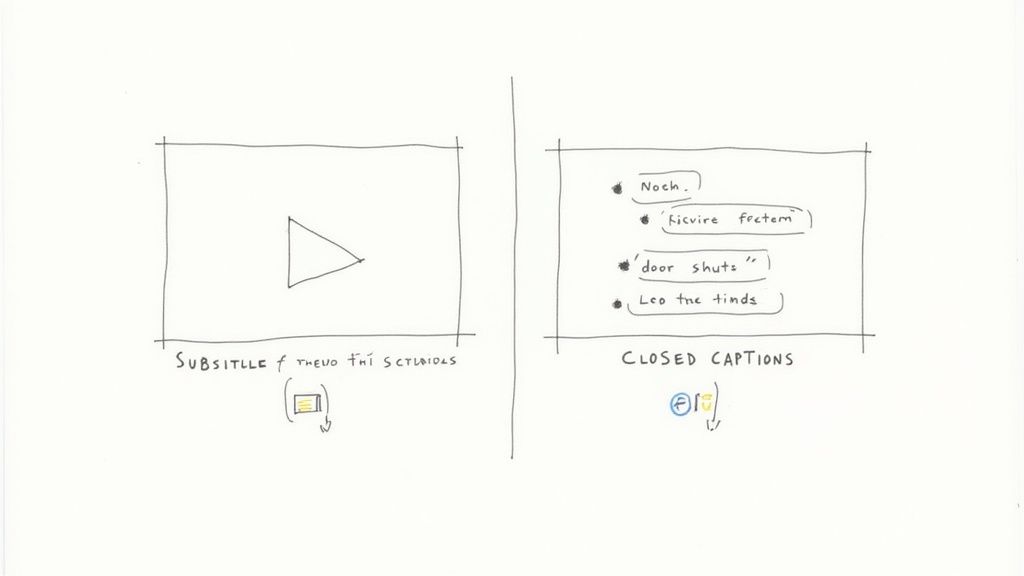
While people often use the terms interchangeably, subtitles and closed captions are fundamentally different tools. In my experience as a content creator, knowing which to use is key for reaching a global audience and making your content truly accessible.
Subtitles simply bridge a language gap. They assume the viewer can hear just fine and only need the spoken dialogue translated into their native language.
Closed captions, on the other hand, are built from the ground up for accessibility. The core assumption is that the viewer cannot hear the audio at all. To deliver an equivalent experience, captions have to describe every important sound, not just the words.
A simple way I remember it is: Subtitles translate language, while closed captions translate the entire auditory experience. This core difference shapes every other aspect, from what's included on-screen to who benefits from it.
For example, a crucial non-dialogue sound like [tense music playing] or [glass shatters] would be described in closed captions because it provides vital context. A subtitle file would leave this out entirely, assuming a hearing viewer doesn't need it pointed out.
Subtitles vs. Closed Captions: A Quick Comparison
This table breaks down the essential differences in a nutshell, highlighting how their distinct purposes influence their content and audience.
Ultimately, understanding this distinction isn't just a technicality—it's about ensuring your message lands effectively and inclusively for every potential viewer.
The Role of Subtitles in Global Content Strategy
So, we've covered the basics of what separates subtitles from captions. But let's be clear: subtitles aren't just text on a screen. From my own work, I see them as a powerful engine for taking content global. Their real job is to be a linguistic bridge, letting your message cross borders and connect with people everywhere.
Just look at the massive international success of shows on streaming platforms. A series filmed in Spain or South Korea can become a global hit overnight. That's not just because the story is great—it's because high-quality subtitles made it immediately understandable to millions of people who speak other languages. This approach shatters geographic and cultural barriers, turning a local show into a worldwide asset.
It's More Than Just Translation
Creating subtitles that actually work is an art. It goes way beyond a simple word-for-word translation. The real goal is localization—adapting the dialogue to keep its original meaning, humor, and cultural flavor intact.
A direct translation might get the words right, but localization gets the intent right. That's the secret to making sure a joke lands, a cultural reference makes sense, and an emotional scene hits just as hard, no matter where someone is watching.
This takes a real feel for both the source and target cultures. For instance, a common American pop culture reference might need to be swapped for an equivalent in Japan to get the same laugh. Slang and idioms almost never translate directly, which means the subtitler has to get creative to find a phrase that captures the same spirit.
Subtitles are a Key Part of Your Distribution Plan
If you're a content creator who wants to reach a wider audience, you can't treat subtitles as an afterthought anymore. They need to be a core part of your distribution strategy from the get-go.
By offering your content in multiple languages, you dramatically increase your potential market size. This doesn't just bump up your view count; it also makes your work more discoverable on platforms like YouTube. In fact, adding multilingual subtitles can directly improve your video's performance, which is a big piece of smart YouTube SEO.
To learn more about expanding your reach, it's also worth checking out general strategies for translating content to reach global readers. At the end of the day, whether you're making films, YouTube videos, or corporate content, subtitles are your passport to connecting with audiences around the world.
How Closed Captions Make Video Truly Accessible
While subtitles are built to cross language barriers, closed captions (CC) have a different, more essential job: they’re a pillar of digital accessibility. The whole point is to create an experience for people who are deaf or hard-of-hearing that’s just as rich as it is for everyone else.
Unlike subtitles, which just transcribe spoken dialogue, closed captions aim to replicate the entire audio experience in text. This means capturing not only what people say, but also how they say it and all the other sounds that give a scene its meaning.
More Than Just Words
To really deliver an equivalent experience, captions have to describe every important piece of audio. That includes all the non-speech sounds that build context, create emotion, and move the story forward.
For example, captions will specify:
- Sound Effects: Essential cues like
[glass shatters]or[tires screeching]let the viewer know about key events happening off-screen. - Ambient Noises: Sounds that establish the mood, like
[wind howling]or[tense music playing], are described to convey the scene's atmosphere. - Speaker Identification: When it’s unclear who’s talking, captions clarify with labels like
(Sarah)or(Narrator), especially if the speaker isn't visible.
This is what really sets captions apart from subtitles. They don't just translate words; they translate the entire soundscape. This ensures viewers who can't hear don't miss out on crucial information.
This focus on accessibility has deep roots. A major milestone was hit on March 16, 1980, when PBS aired the very first show with closed captions, encoding them directly into the television signal. Fast forward to today, and the global captioning and subtitling market is expected to hit US$350.1 million by 2025, largely thanks to streaming services and a growing commitment to accessibility.
Legal and Ethical Mandates
In many countries, providing captions isn't just a good idea—it's the law. Regulations like the Americans with Disabilities Act (ADA) require that broadcast and online media be accessible, and that almost always means providing accurate closed captions. These laws exist to guarantee everyone has equal access to news, entertainment, and education.
For anyone creating content, this is a big deal. On platforms like YouTube, adding accurate captions isn't just about avoiding legal trouble; it’s about opening up your content to a much wider audience. Our guide on how to caption YouTube videos walks you through the process step-by-step.
Ultimately, making your videos accessible is about more than just checking a box. To make sure your work connects with everyone, it's worth digging into broader web accessibility best practices. By making closed captions a priority, you’re not just being compliant—you’re building a more inclusive and loyal community.
Comparing the Technical and Functional Differences
Beyond their primary purpose, the real story of what's the difference between subtitles and closed captions is found in their technical details. These differences shape everything, from how they're created and displayed to the actual files you'll handle in your video workflow.
One of the first things to understand is the distinction between open and closed text tracks. Closed captions are what you're most familiar with on platforms like Netflix or YouTube; they're a separate data stream that the viewer can turn on or off at will. Open captions, on the other hand, are "burned" right into the video frames, becoming a permanent part of the picture that you can't disable.
File Formats and On-Screen Presentation
The file format you use is a big deal—it dictates both what the text looks like and how it behaves. While there are a ton of formats out there, a few key players dominate the scene.
- .SRT (SubRip Text): This is the workhorse of the web. It's a plain text file containing numbered entries, timecodes, and the text itself. Its simplicity and broad compatibility make it the go-to for both subtitles and closed captions online.
- .SCC (Scenarist Closed Caption): Think of this as the broadcast-level professional format, common in TV and on DVDs. It’s a much richer format than SRT, carrying specific data about where to place the text on the screen, which is essential for not covering up important graphics or on-screen text.
- .VTT (WebVTT): Built for the modern web, VTT is basically an upgraded version of SRT. It was designed for HTML5 video players and supports more advanced styling, like changing text color, positioning, and adding metadata.
How they look on screen is another giveaway. Captions traditionally use white text on a semi-transparent black background for maximum contrast and readability. Subtitles, aiming for a more cinematic feel, often just use white or yellow text with a subtle drop shadow or outline.
This graphic really nails down the core principles separating the two, honing in on dialogue, sound cues, and speaker identification.
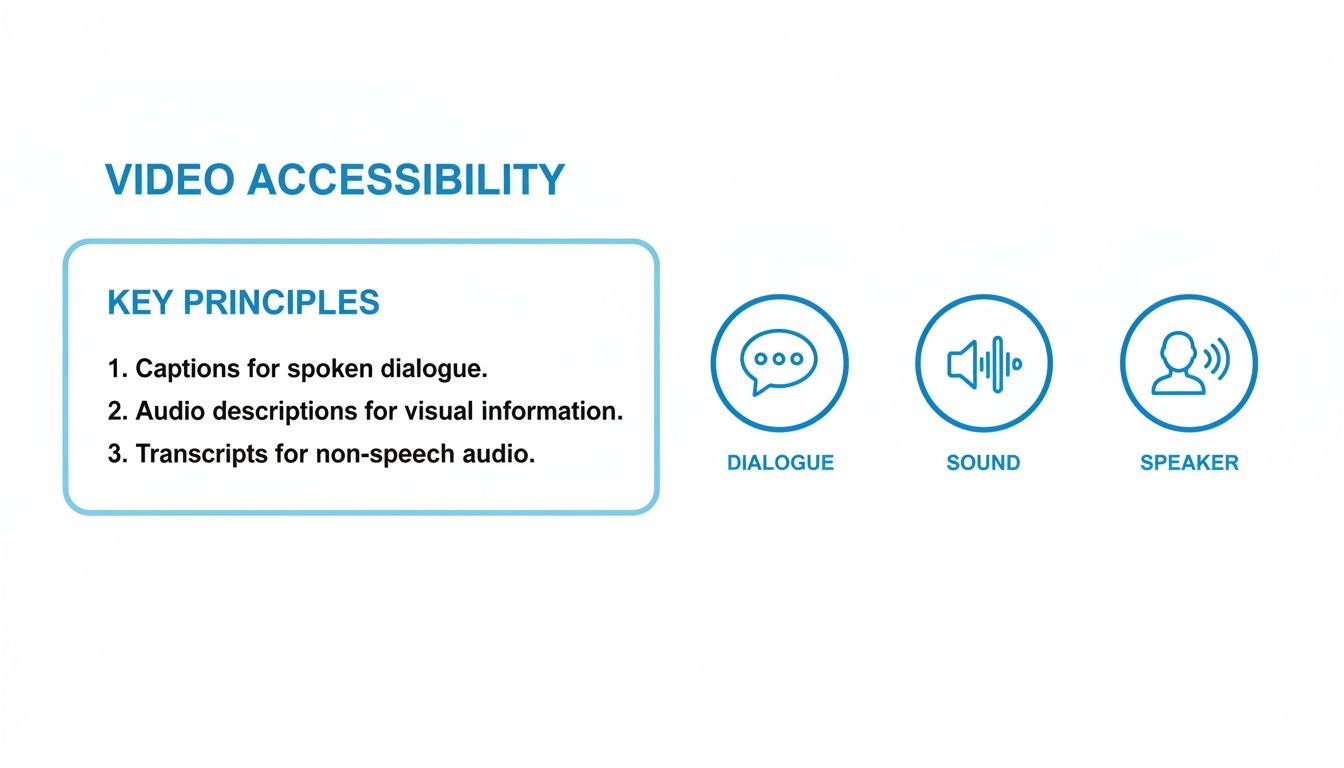
As you can see, it’s the inclusion of non-speech sounds and speaker labels that truly makes captions an accessibility tool, going far beyond simple translation.
Technical Breakdown: Subtitles vs. Closed Captions
To really spell it out, let's break down the technical specs and how each one behaves on screen. This side-by-side comparison should help clarify which is right for your project.
At the end of the day, your choice of format isn't just a technicality; it has real-world consequences for your workflow, platform compatibility, and how many people can actually access your content.
For creators, the takeaway is this: your choice impacts more than just what viewers see. It affects your entire production process and, most importantly, determines how genuinely accessible your content is.
Building these files from scratch is tedious work. Thankfully, that's where modern tools come in. You can now lean on powerful AI-powered transcription services to generate highly accurate, time-coded SRT or VTT files in a matter of minutes. This takes a huge technical burden off your shoulders, letting you focus on making your content great.
How to Choose Between Subtitles and Closed Captions
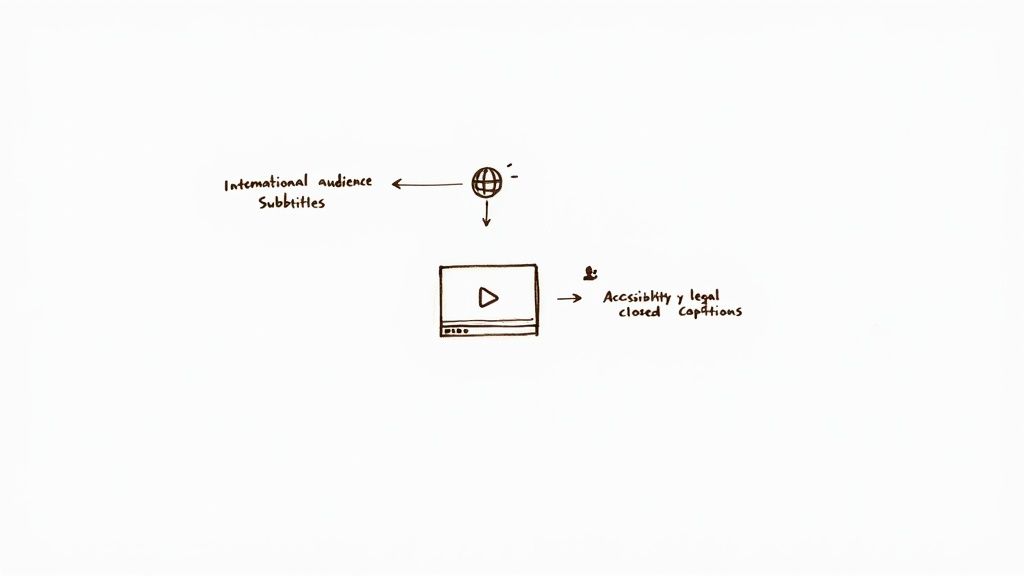
Knowing the technical differences is one thing, but how do you actually decide what your video needs? It really boils down to your audience and what you want to achieve. Choosing between subtitles and closed captions is a strategic move that directly impacts who can connect with your work and how they experience it.
To get straight to the point, ask yourself one simple question: Who am I trying to reach? Your answer will almost always lead you to the right solution and cut through the confusion.
When to Prioritize Subtitles
Think of subtitles as your passport to a global audience. They exist purely to break down language barriers. If your goal is to take your content international, subtitles are the tool for the job.
Go with subtitles if your project fits any of these molds:
- International Film Distribution: Submitting a film to an overseas festival or planning a theatrical run in a foreign market? Translated subtitles aren't just a good idea—they're a requirement.
- Global YouTube Channel: If you’re a creator looking to grow beyond your home country, offering subtitles in a few key languages can dramatically expand your potential viewership.
- Foreign Language Media: When you're sharing a powerful documentary, a compelling interview, or a foreign-language series, subtitles are the only way to make it understandable for those who don't speak the original language.
This isn’t just speculation; viewing habits back it up. A 2023 study found that 54% of internet users in English-speaking countries watched non-English content. That number skyrockets to 66% for viewers aged 18-34, who almost exclusively rely on subtitles to follow along. You can find more about this trend and its impact in TV Technology's insights on global streaming.
When Closed Captions Are Essential
Closed captions, on the other hand, are all about accessibility. Their mission is to create an equivalent viewing experience for people who are deaf or hard-of-hearing, which makes them both an ethical and legal necessity in many scenarios.
You absolutely need to use closed captions for:
- Corporate and Educational Content: To comply with laws like the Americans with Disabilities Act (ADA), all training videos, online courses, and company-wide announcements must be captioned.
- Public Broadcasts and Streaming: Nearly all television broadcasts and videos on major streaming platforms are legally required to provide accurate closed captions.
- Social Media Videos: A huge portion of videos on platforms like Instagram and LinkedIn are watched with the sound off. Captions are critical for getting your message across when someone is scrolling on a crowded train or in a quiet office.
Here's an interesting insight from my experience: while captions were designed for accessibility, 80% of people who use them aren't deaf or hard-of-hearing. They just prefer watching with the sound off. This modern viewing habit makes a powerful argument for including captions on all your content, no matter what.
Frequently Asked Questions About Subtitles and Captions
Even after you've got the basics down, a few practical questions always pop up when it's time to actually create and use subtitles or captions. Let's dig into some of the most common ones I hear from creators.
Getting these details right can make a huge difference in how accessible and professional your videos feel.
What Are SDH Subtitles?
SDH is short for "Subtitles for the Deaf and Hard of Hearing." You can think of them as a hybrid—they're formatted like subtitles but contain all the crucial details of closed captions.
Essentially, SDH translates the dialogue into another language (like a subtitle) but also includes important sound descriptions like [door slams] or [suspenseful music builds] (like a caption). They're the perfect solution for making foreign-language films fully accessible to deaf or hard-of-hearing viewers who wouldn't understand the original audio anyway.
SDH directly answers the question: "How do you make a foreign film accessible to a deaf viewer?" It ensures no one misses out on the full auditory experience, regardless of their language or hearing ability.
Are There Legal Requirements for Captions?
Yes, and this is something you can't afford to ignore. In many countries, captioning isn't just a nice-to-have feature; it’s a legal requirement. In the United States, for instance, several major laws mandate captions to ensure everyone has equal access.
Here are the big ones you should know about:
- The Americans with Disabilities Act (ADA): A landmark civil rights law that requires public accommodations and services—which absolutely includes online video from businesses, schools, and government agencies—to be accessible.
- The Rehabilitation Act: This one applies to any program or organization receiving federal funding. It mandates effective communication, and for video, that means captions.
- Individuals with Disabilities Education Act (IDEA): This law ensures that students with disabilities get a proper public education, which often means that any educational videos used in the classroom must be captioned.
Failing to comply can result in some hefty legal and financial penalties. But more importantly, it means shutting out a huge segment of your potential audience.
Can I Just Use Auto-Generated Captions?
Relying solely on auto-generated captions from platforms like YouTube is a risky move. While the AI has gotten impressively good, it’s far from perfect. It routinely stumbles over punctuation, fails to identify different speakers correctly, and often botches complex or technical terms.
These small errors can add up, creating a confusing or downright frustrating experience for anyone who depends on them.
For any professional content, you should always review and edit your auto-generated captions. An unedited, error-riddled caption file can be just as unhelpful as having no captions at all. The smartest workflow is to let an AI tool generate the first draft, then have a human go through it to clean up the mistakes. You still save a ton of time but end up with a high-quality, genuinely accessible final product.
Should I Use Open or Closed Captions?
The choice between open and closed captions really comes down to your platform and how much control you want your viewers to have.
- Closed Captions (CC): This is the gold standard for platforms like YouTube and Netflix. They are delivered as a separate file, allowing viewers to turn them on or off as they please. It’s the most flexible and widely supported option.
- Open Captions (OC): These are "burned" directly into the video file, so they’re always visible and can't be turned off. You see this all the time on social media platforms like Instagram or TikTok, where videos autoplay on mute. By burning in the captions, you guarantee your message gets across even when the sound is off.
For most long-form video, closed captions are the way to go. For short, punchy social media clips, open captions will almost always give you better results.
Ready to create flawless captions and transcripts in minutes? Whisper AI uses advanced AI to convert your audio and video into accurate, ready-to-use text, supporting over 92 languages. Stop typing and start creating. Try it today at https://whisperbot.ai.


























































































