
How to Time Stamp a Video for Better Engagement: A Complete Guide
Adding a time stamp to a video is a simple but powerful technique that involves adding clickable timecodes, often as chapters, to your video's description. This allows viewers to jump straight to the parts they care about most. From my experience creating and optimizing video content, this single change can dramatically improve how people interact with your videos, especially longer ones like tutorials, interviews, or webinars.
Why Timestamps Are Your Video's Secret Weapon
Adding timestamps isn't just a technical tweak; it's a strategic move that fundamentally improves the viewer experience and boosts your video's performance. Think of them as an interactive table of contents. They transform a linear, long-form video into a user-friendly, skippable resource that your audience will genuinely appreciate.
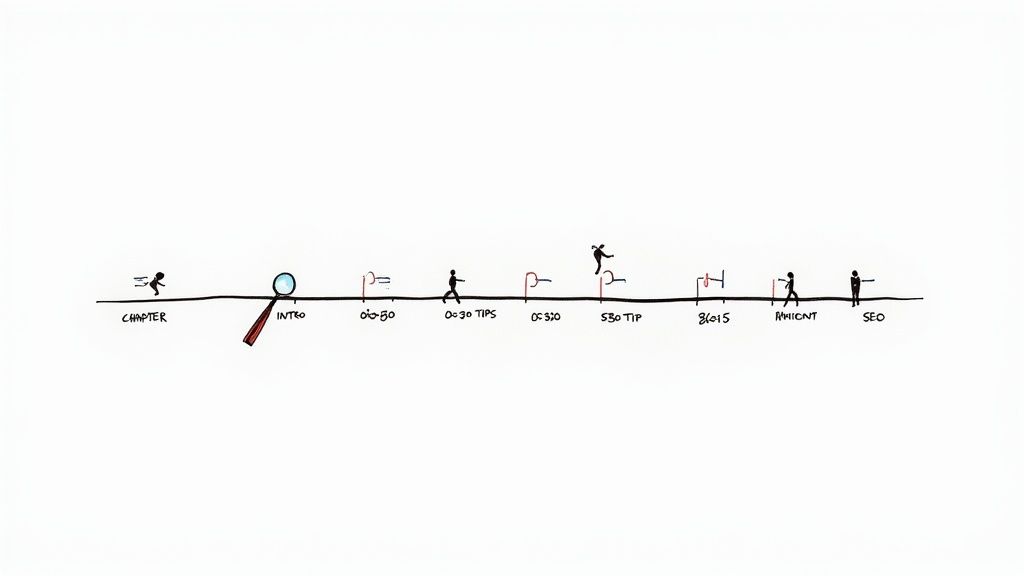
The most significant benefit I've seen is the immediate impact on viewer retention. Instead of forcing people to randomly scrub through a video to find what they're looking for, timestamps let them click directly to the sections that matter to them.
Boost Viewer Engagement and Retention
Imagine you’ve published a detailed tutorial or an in-depth product review. A viewer might only be interested in one specific step or feature. Without timestamps, they're left to guess, dragging the playhead back and forth in frustration. More often than not, they’ll simply click away.
By adding clear chapters, you hand control over to the viewer. They can easily find the exact information they need, which keeps them on your page and actively engaged with your content. In today's world of short attention spans, this is a crucial advantage.
By 2025, video is expected to account for an incredible 82% of all internet traffic. With short-form content taking over, you often have just seconds to grab someone's attention. In fact, 73% of consumers say videos between 30 seconds and 2 minutes are the most engaging. You can dive deeper into these video marketing trends to see what they mean for your strategy.
Gain a Powerful SEO Advantage
Timestamps also offer a significant SEO benefit. When you add chapters to a YouTube video, Google can use that information to feature "Key Moments" directly in its search results. This is a game-changer. Instead of just displaying your video's title, Google can highlight specific, relevant segments that directly answer a search query.
This provides a powerful one-two punch for your visibility:
- It increases your Click-Through Rate (CTR). When people see that your video directly addresses their question, they are far more likely to click on it.
- It helps you rank for more keywords. Your video can start appearing for a variety of long-tail searches related to your chapter titles, greatly expanding its reach.
Enhance Accessibility for All Users
Finally, timestamps make your videos more accessible. For viewers who use screen readers or have other accessibility needs, chapters provide a clear, logical structure that makes the content much easier to navigate and understand.
Taking an inclusive approach not only opens your content to a wider audience but is also simply good practice. It shows that you value your viewers' time and are committed to creating a better experience for everyone.
How to Manually Add Timestamps on YouTube
Adding timestamps to your YouTube videos is a straightforward process you can do directly in your video's description box—no special software is needed. You have complete control over how your content is structured.
First, you'll need to watch your video to identify the key moments or topic changes you want to highlight. Think of it as creating a mini-outline for your viewer. I find it easiest to have a text file open on the side to note the exact time a new section begins, along with a short, descriptive title for it.
Formatting Your Timestamps for YouTube
Once you've mapped out your video's key sections, it's time to format them so YouTube recognizes them as interactive chapters. The platform has a few simple but strict rules you need to follow.
The format is MM:SS (minutes:seconds) for most videos, or HH:MM:SS (hours:minutes:seconds) for longer content. Each timestamp must be on its own line, followed by a space and then the chapter title.
Here are the essential rules to ensure they work correctly:
- Start at the beginning. Your first timestamp must be
00:00. This is what activates the chapter feature on YouTube. If you skip this, none of your timestamps will be clickable. - Keep them in chronological order. The timestamps must be listed in the order they appear in your video.
- Give them some space. Each chapter needs to be at least 10 seconds long.
- Meet the minimum count. You need at least three timestamps (including the
00:00start) for the chapter feature to activate.
A Practical Example of Timestamp Formatting
Let's say you've uploaded a video tutorial on baking a cake. Your list of timestamps in the video description would look like this:
00:00 - Introduction to the Perfect Cake01:15 - Gathering Your Ingredients03:45 - Mixing the Dry Ingredients05:30 - Combining the Wet Ingredients08:10 - Baking Instructions and Temperature12:55 - Frosting the Cake15:20 - Final Results and Taste Test
Once you save the description, YouTube will automatically turn these lines into clickable links and create a segmented progress bar on your video player, making it easy for viewers to navigate.
Pro Tip: Avoid generic titles like "Part 1" or "Next Step." Instead, use descriptive, keyword-rich titles. This not only helps your viewers but also gives YouTube’s algorithm more context about your video, which can provide a nice SEO boost.
Manually creating timestamps is a reliable method, but having a transcript can make the process much faster. If you want an even easier way to map everything out, you can get a transcript of a YouTube video first. This gives you a complete text guide, making it simple to find the exact moment each new topic begins. Taking a few extra minutes to manually time stamp a video provides your audience with a much more organized and user-friendly experience.
Of course, YouTube gets a lot of attention for its video chapter system, but it's often not the only place your content lives. If you also post on platforms like Vimeo, Facebook, or LinkedIn, you'll need to adapt your approach for each one.
Creating a great viewer experience means being consistent wherever your audience finds you. Mastering how to time stamp video content across these platforms is a small detail that shows you’re committed to providing value.
Adding Timestamps and Chapters on Vimeo
Vimeo is a popular platform for creators and businesses seeking high-quality streaming, and its chapter feature reflects that professional feel. Instead of adding timestamps directly into the description like on YouTube, Vimeo provides a dedicated tool for creating an interactive table of contents.
You can find this in your video's settings under "Interaction tools," where you can select "Chapters." Here, you can add a title for each section and input the start time.
- Benefit: The chapters appear in a separate, clean panel, keeping your description uncluttered.
- Limitation: It is a manual process that must be done in the video settings, not in the text editor.
This approach is perfect for longer-form content like online courses, detailed tutorials, or company presentations where clear navigation is essential.
How to Use Timestamps on Facebook
Facebook's support for clickable timestamps is more basic but still effective. You can add them directly into the video's description, just as you would for a YouTube video, using the standard HH:MM:SS or MM:SS format.
When a user views your post, they can click on the timestamp in the text to jump directly to that moment. I find this especially useful for longer videos like webinar replays, live Q&A sessions, or in-depth product demos. For instance, if you hosted a 45-minute live Q&A, you could timestamp the start of each question so viewers can skip to the answers they care about.
Key Takeaway: On Facebook, timestamps serve as a practical navigation tool. While they don't create visual chapter segments on the timeline, they offer viewers a simple way to get to their desired section without frustrating scrubbing.
Timestamping Best Practices for LinkedIn
When it comes to LinkedIn, video timestamps are a different matter. Currently, LinkedIn does not make timestamps in a description clickable. This is a significant difference from other platforms, but it doesn't mean you should ignore them entirely.
You can still provide value by including a non-clickable list of key moments. Think of it as a manual table of contents that gives viewers a quick overview of your video's structure.
Example LinkedIn Timestamp List:
0:45- The Problem with Current Industry Trends2:10- Our Proposed Solution4:30- Case Study: Real-World Results
Even though viewers cannot click these, they can see the video's structure at a glance and manually navigate to the parts most relevant to them. In a professional context like LinkedIn, showing that you respect your audience's time is a significant advantage.
Video Timestamp Feature Comparison by Platform
Each platform handles video timestamps and chapters differently. Some offer robust, integrated features, while others are more basic. This table summarizes what you can expect from the major players.
Ultimately, understanding these platform-specific nuances is key. While YouTube's system is the most advanced, you can still deliver a guided, user-friendly experience on any platform by adapting your strategy to its capabilities.
Automating Timestamps with AI and Whisper
Let's be realistic: manually creating timestamps for every key moment in a long video is a time-consuming process. For hour-long webinars, in-depth interviews, or complex tutorials, this task can take longer than the actual video editing. This is where AI tools can completely transform the workflow for creators.
AI-powered transcription services can analyze your video's audio and generate a full, accurate transcript in minutes. The real advantage, however, is their ability to produce word-level timestamps, pinpointing the exact moment each word is spoken. This detailed data provides the perfect foundation for creating automatic video chapters.
Introducing OpenAI's Whisper
One of the most impressive tools available today is OpenAI's Whisper, a highly accurate speech-to-text model. Unlike basic transcription tools, Whisper was trained on a massive and diverse dataset of audio, enabling it to handle various accents, background noise, and technical jargon with remarkable precision.
The output from Whisper is not just a block of text; it's a structured file where every word is linked to a specific point on your video's timeline. This level of detail makes it an ideal solution for automating the entire timestamping process, saving creators countless hours of manual work. To see its capabilities, check out this guide on how to use Whisper AI.
The flowchart below illustrates how different platforms handle timestamps, highlighting why an automated tool is so essential for a multi-platform strategy.
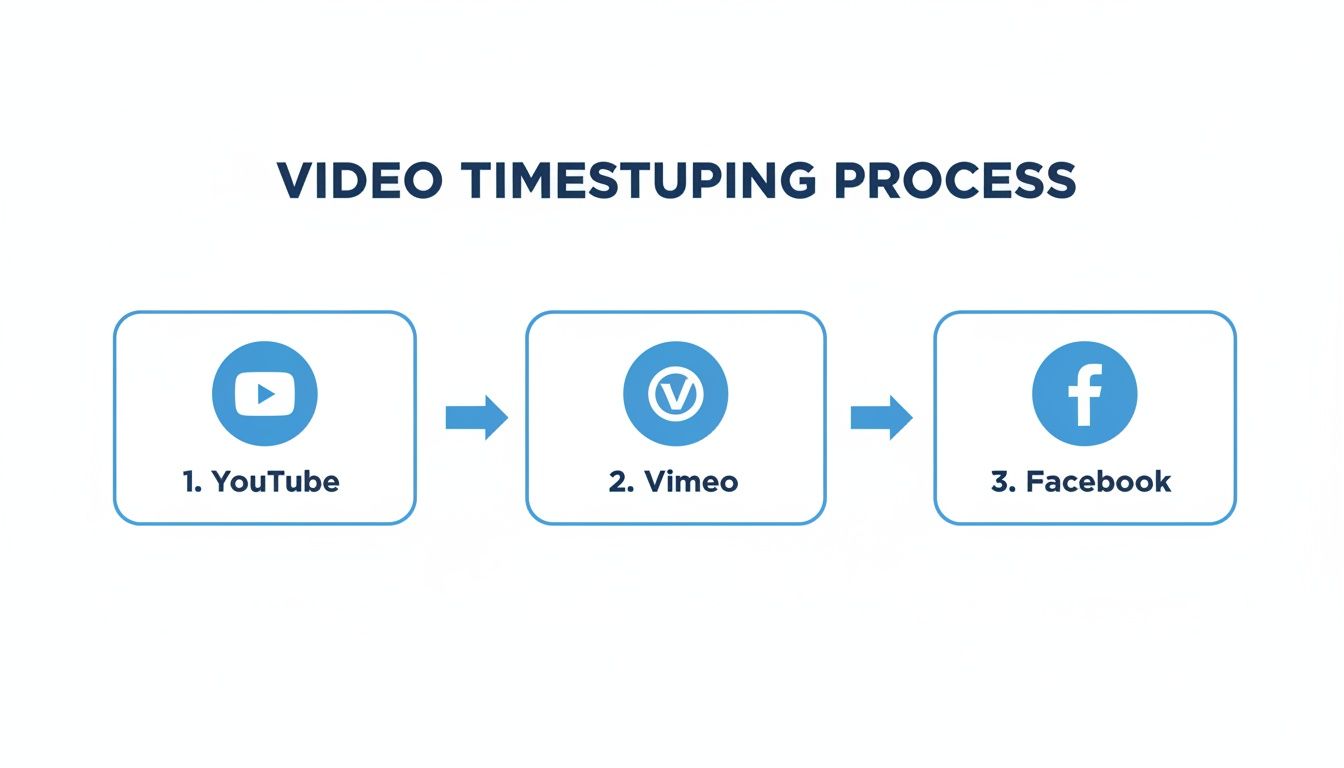
As you can see, major platforms like YouTube, Vimeo, and Facebook each have unique requirements. An automated, adaptable tool helps you manage this complexity efficiently.
From Transcript to Searchable Content
The benefits of using a tool like Whisper extend beyond time savings. Once you have a precise, time-coded transcript, you unlock entirely new ways for your audience to engage with your content.
Imagine a viewer watching a long-form interview. Instead of blindly scrubbing through the timeline to find a specific topic, they could simply search the transcript for a keyword and instantly jump to that exact moment in the video.
Your video is no longer just a passive viewing experience; it becomes an interactive, searchable resource.
This is a massive advantage for educational content, technical tutorials, and corporate training archives. By making your video library searchable, you are building a valuable knowledge base that people can use to find exactly what they need, right when they need it.
Practical Applications for Creators
The time saved is a significant benefit for anyone regularly producing long-form content. Consider these real-world scenarios:
- Podcasters and Interviewers: Automatically generate a full transcript with timestamps. Use it to create detailed show notes, repurpose content into blog posts, and add clickable chapter markers for YouTube and podcast apps.
- Educators and Coaches: Transform long lectures or webinar recordings into bite-sized, digestible modules. Students can easily revisit key concepts without re-watching the entire session.
- Marketers and Businesses: Make product demos and internal meetings searchable. This allows team members or potential customers to find answers to their specific questions in seconds.
By automating the tedious task of creating video timestamps, you can focus on what truly matters—creating great content that resonates with your audience. And because AI models like Whisper are so accurate, the final result is not only created efficiently but is also professional and highly user-friendly.
Optimizing Timestamps for SEO and Accessibility
Adding timestamps to a video is the first step; optimizing them is how you make them work for you. When you strategically craft your timestamps, you’re not just guiding viewers—you’re providing search engines with a clear roadmap to your content, which can significantly improve your video's discoverability.
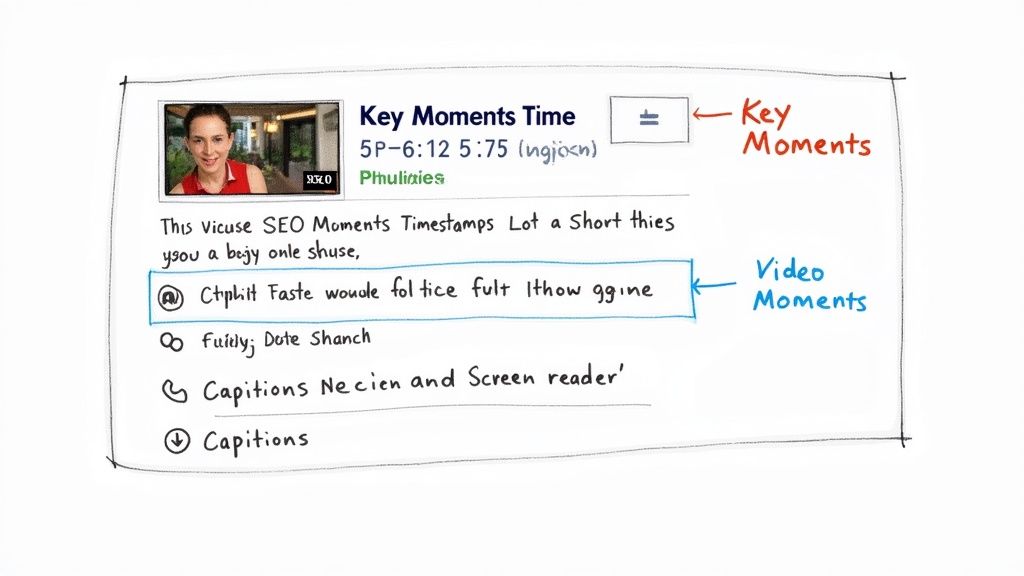
Think of your chapter titles as mini-headlines for each section of your video. By including descriptive, relevant keywords, you feed search engines like Google crucial information. This is how videos earn those "Key Moments" in search results, allowing you to directly answer a user’s specific query and stand out from the competition.
Writing for Search Engines and Humans
The key to effective timestamp SEO is to think from your audience's perspective. What phrases are they typing into the search bar? Instead of a generic title like "Step 2," be specific with something like "How to Mix Dry Ingredients for a Cake." That is a phrase someone is likely to search for.
Here are a few tips I've learned for writing chapter titles that deliver results:
- Be Specific and Descriptive: Vague titles are not helpful for users or search engines. Clearly state what the section is about.
- Incorporate Keywords Naturally: Identify the primary search terms for each segment and weave them into the title without keyword stuffing.
- Keep Titles Concise: Long titles often get truncated in search results. Aim for clarity and brevity to ensure the full meaning is visible at a glance.
Key Takeaway: The goal is to create a scannable outline that a person finds genuinely helpful and a search algorithm recognizes as information-rich. Achieving that balance is at the heart of smart video SEO.
Making Content Accessible to Everyone
Beyond improving search rankings, well-crafted timestamps are fundamental to accessibility. For viewers who use screen readers, these chapters create a navigable structure, similar to how headings work in a blog post.
This allows them to quickly understand the video's layout and jump to the parts that interest them most, rather than having to listen to the entire video from the beginning.
With consumer demand for video on the rise—83% want more brand videos in 2025—it’s clear where the industry is headed. An estimated 3.65 billion people will be watching video content by the end of the year, so making your content accessible isn't just a bonus; it's essential for reaching the widest possible audience.
To further enhance your video’s reach, explore these practical video SEO tips. If you want to delve deeper, our guide on YouTube SEO best practices is the perfect next step.
Solving Common Timestamp Hiccups
Even with a detailed guide, you might still encounter a few issues. It happens to all of us. When it comes to video timestamps, a couple of common problems tend to arise, but fortunately, they are usually easy to fix. Let's address the most frequent questions I hear.
One of the most common issues is when your timestamps aren't clickable. You've typed them all into the description, but they remain plain text. In my experience, this is almost always due to one of two things. First, you must start your list with a 00:00 timestamp. This acts as the trigger that tells platforms like YouTube to enable the chapter feature. Second, you need at least three timestamps for the feature to activate.
So, How Many Chapters Does a Video Need?
This is less about a specific number and more about logically structuring your content. There's no one-size-fits-all answer. A good rule of thumb is to create a new chapter for each main topic or distinct step you cover.
A 10-minute tutorial might only need 4-5 chapters, whereas an hour-long, in-depth webinar could easily have 15-20 well-defined sections.
The goal is to make navigation easier for your viewer, not to overwhelm their timeline. If your chapters are only a few seconds apart, you've likely created too many. Each chapter should represent a meaningful, self-contained segment.
Think from your audience's perspective: what are the key moments they would want to skip to or rewatch? Those are your ideal chapter points.
Can I Edit Timestamps After I've Already Published?
Yes, you absolutely can! This is a major advantage of adding chapters through the video description. You can adjust, correct, or optimize your timestamps at any time without having to re-upload the entire video.
This flexibility is useful for several reasons:
- Fixing mistakes: If you notice a typo in a chapter title or an incorrect timecode, you can simply edit the description. It's a quick fix.
- Adding more detail: If viewer comments reveal you missed a key moment that deserves its own chapter, you can easily add it to your list.
- Boosting your SEO: You can refine your chapter titles over time, experimenting with different keywords to see what performs best in search results.
This means your timestamps are not set in stone; they can evolve with your content strategy. Just go into your video's settings, make the changes in the description box, and save. The player will update automatically with the new chapter markers.
Ready to stop wasting time on manual transcription and timestamping? Whisper AI uses advanced AI to generate accurate, word-level timestamps and searchable transcripts for your videos in minutes. Join over 50,000 creators who are already working smarter, not harder. Get started with Whisper AI.


























































































