
How to Add a Time Stamp on Video to Boost Engagement and SEO
Think of a time stamp on a video like a digital table of contents. It's a simple yet powerful tool that creates clickable links, letting viewers skip right to the good stuff—the parts they really want to see. This one feature can turn a passive viewing session into an active, engaging experience for your audience.
What Are Video Timestamps and Why Do They Matter
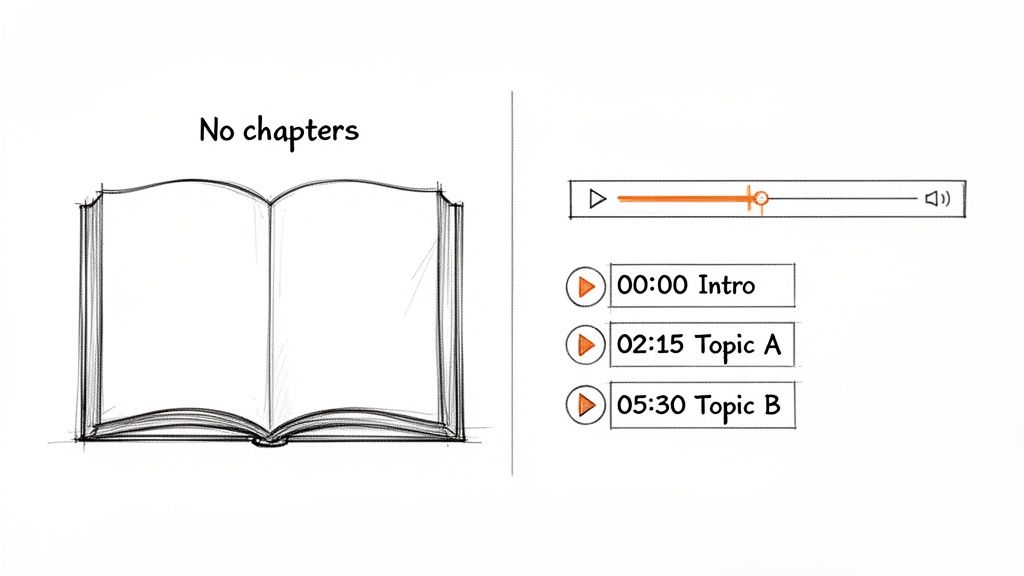
Have you ever tried to find one specific recipe in a cookbook with no chapter list or index? It's a frustrating experience. You end up flipping through page after page, hoping to stumble upon what you need. A long video without timestamps creates that same feeling for your viewers.
Timestamps solve this problem by chopping up your content into logical, easy-to-navigate sections. These are essentially bookmarks that appear in your video's description and, more importantly, directly on the video player's progress bar. You'll often hear these referred to as "video chapters."
Empowering the Modern Viewer
Let's be honest: people are busy, and attention spans are short. When someone clicks on your video, they are often looking for a specific answer or a particular piece of entertainment, and they want it quickly. Timestamps show respect for their time by giving them control over their viewing journey.
Instead of aimlessly scrubbing through a 20-minute tutorial to find that one two-minute tip, they can simply click a link. From my experience, this small convenience makes a huge difference in how people perceive your content, turning potential frustration into genuine appreciation.
This shift from a passive "sit and watch" model to an interactive one is significant. It signals to your audience that you’ve thoughtfully organized your content with their needs in mind.
The Core Benefits of Using Timestamps
Adding timestamps isn't just a minor extra anymore—it's a fundamental practice for any serious creator. The benefits go far beyond simple navigation; they directly impact how well your video performs.
- Improved User Experience: Viewers find what they need, fast. This keeps them engaged with your video longer and makes them more likely to explore your other content instead of leaving.
- Enhanced Accessibility: Timestamps are a game-changer for accessibility. They help users with disabilities, including those who rely on screen readers, to navigate through the different sections of your video.
- Boosted Search Engine Visibility: This is a major advantage. Platforms like YouTube use your timestamp data to feature "Key Moments" directly in Google search results. This gives your video a direct path to ranking for highly specific searches.
By turning a single video file into a structured and searchable asset, timestamps unlock a new level of discoverability. You're essentially handing search engines a map that shows exactly what topics you cover and where to find them.
Ultimately, using a time stamp on a video is a strategic move. It makes your channel appear more professional, keeps viewers watching longer, and gives your content a real competitive edge in a crowded digital landscape.
The Strategic Benefits of Using Timestamps
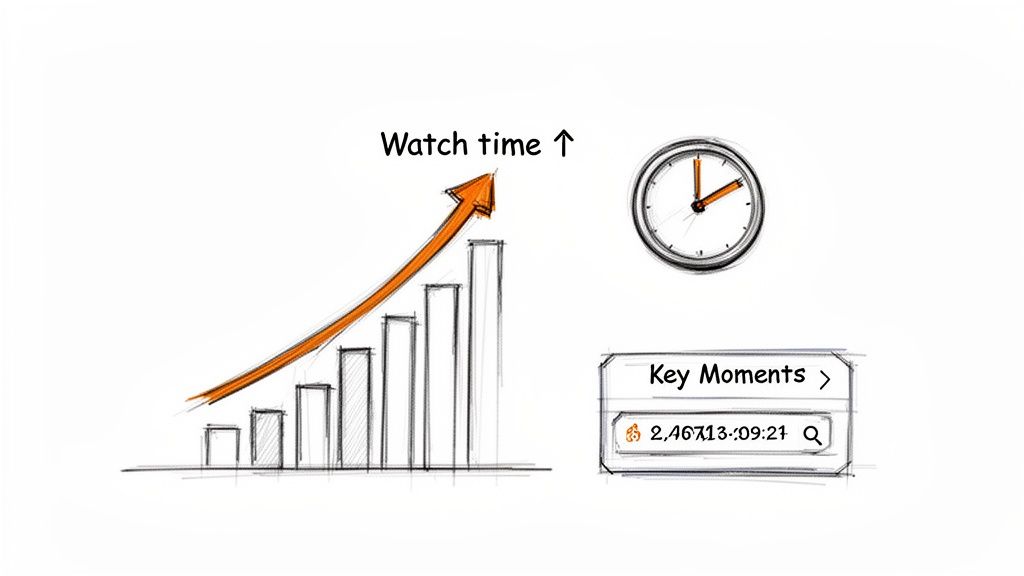
Placing a time stamp on video content is more than just a helpful feature; it's a strategic move with tangible benefits for both you and your audience. For viewers, the advantage is immediate. Timestamps cut through the clutter, allowing them to skip the frustration of scrubbing back and forth to find the specific piece of information they need.
When you respect a viewer's time this way, you build trust. An audience that can easily find what it's looking for is far more likely to subscribe, return for more content, and view you as a reliable expert.
Amplify Your Watch Time and SEO
For creators, the advantages are even more significant. It might seem counterintuitive, but allowing viewers to skip ahead can actually increase your total watch time. Think about it: when someone sees a clear table of contents, they're more likely to jump to a few different sections that catch their interest, rather than clicking away from the video entirely.
The real game-changer, however, is how timestamps supercharge your SEO. Google actively scans YouTube descriptions for timestamps to create "Key Moments" that appear directly in its search results. This is an SEO goldmine. Your video can suddenly rank for very specific, long-tail searches, drawing viewers directly to the exact moment that answers their question.
A well-placed timestamp acts like a direct signpost for Google, telling it, "The answer to a user's specific question is right here, at this exact moment." This visibility can dramatically increase your click-through rates from search.
Supercharge Your Content Repurposing
Timestamps also help you work smarter, not harder. A detailed chapter list serves as a ready-made blueprint for breaking down your longer videos into bite-sized content for other platforms.
Need a quick clip for TikTok? A powerful quote for an Instagram graphic? A sound bite for a promo? Your timestamps point you directly to the best segments.
This makes it incredibly easy to pull high-impact clips and get more value out of the work you've already done. Instead of one long video, you now have a library of micro-content ready to share. In a world where people spend nearly 19 hours per week on social and video platforms, making content easily scannable is essential. Adding a time stamp on video is one of the simplest yet most effective ways to do this. You can explore these trends further in the DataReportal Global Overview Report.
How to Add Timestamps to Your Videos Manually
Adding timestamps to your videos by hand is one of the most direct ways to improve the viewing experience. It's surprisingly straightforward—you're essentially creating a clickable table of contents right in your video's description.
The best way to start is by watching your own video. As you watch, use a notepad or a text file to write down the exact moment you transition to a new topic or section. Think of it like outlining a blog post after it's been written. The first pass doesn't need to be perfect; just focus on identifying the main turning points in your content.
For example, if you're editing a tutorial, you might have sections for the introduction, setting up your tools, the core demonstration, and a final Q&A. Simply note the start time for each one.
Getting the Format Right
Once you have your list of key moments and their corresponding times, you need to format them in a way that platforms like YouTube can recognize and turn into clickable chapters. The format is very specific, so you must follow it precisely.
- Always Start at Zero: Your list must begin with a timestamp for the start of the video, formatted as 00:00 or 0:00. If you skip this, the chapter feature will not work. It's a non-negotiable first step.
- Use the Correct Time Format: For most videos (under an hour), use the MM:SS (minutes:seconds) format. If your video is longer, you'll need to use HH:MM:SS (hours:minutes:seconds).
- Keep it Chronological: Ensure your timestamps are listed in order from beginning to end, with each one on a new line.
- Write Clear Titles: After each timestamp, press the spacebar and write a short, descriptive title for that segment. This is your opportunity to tell viewers exactly what they'll find and is a great place to include relevant keywords.
Here’s what a perfectly formatted list looks like in a YouTube description. It's clean, easy to read, and incredibly helpful for the viewer.
You can see how each timestamp gets its own line, the list starts with 00:00, and every title clearly explains what that part of the video is about.
Pro Tip: Keep your chapter titles brief but descriptive. Something like "02:15 Setting Up Your Camera" is far more useful than a generic title like "02:15 Next Step." For a deep dive into the specific rules for different platforms, you can learn more about how to add timestamps on YouTube and make sure your chapters work every time. This small effort can turn a static description into a powerful navigation tool for your audience.
How To Add Timestamps to a Video: Manual vs. Automated Methods
You have two main options for adding timestamps to your videos: the traditional, hands-on manual approach or the faster, automated method using modern AI tools. Both achieve the same goal, but they cater to different needs and workflows.
Let's break down each one so you can choose what's best for you.
The Manual Method: A Step-by-Step Guide
Doing it by hand gives you complete control and is a great starting point if you're only working on a short video. It’s a straightforward, three-step process based on my own workflow.
- Identify Key Moments: Play through your video and note the exact time (e.g.,
01:15,05:32) for each important topic shift, new section, or key point you want to highlight. - Format Your Timestamps: Write out the list of times, ensuring each is on a new line. Follow the standard
HH:MM:SSorMM:SSformat. - Add Clear Descriptions: Next to each timestamp, write a concise, descriptive summary of what happens at that point. Think of these like mini-headlines for each section of your video.
This approach is simple and requires no special software, but it can become tedious, especially with longer content.
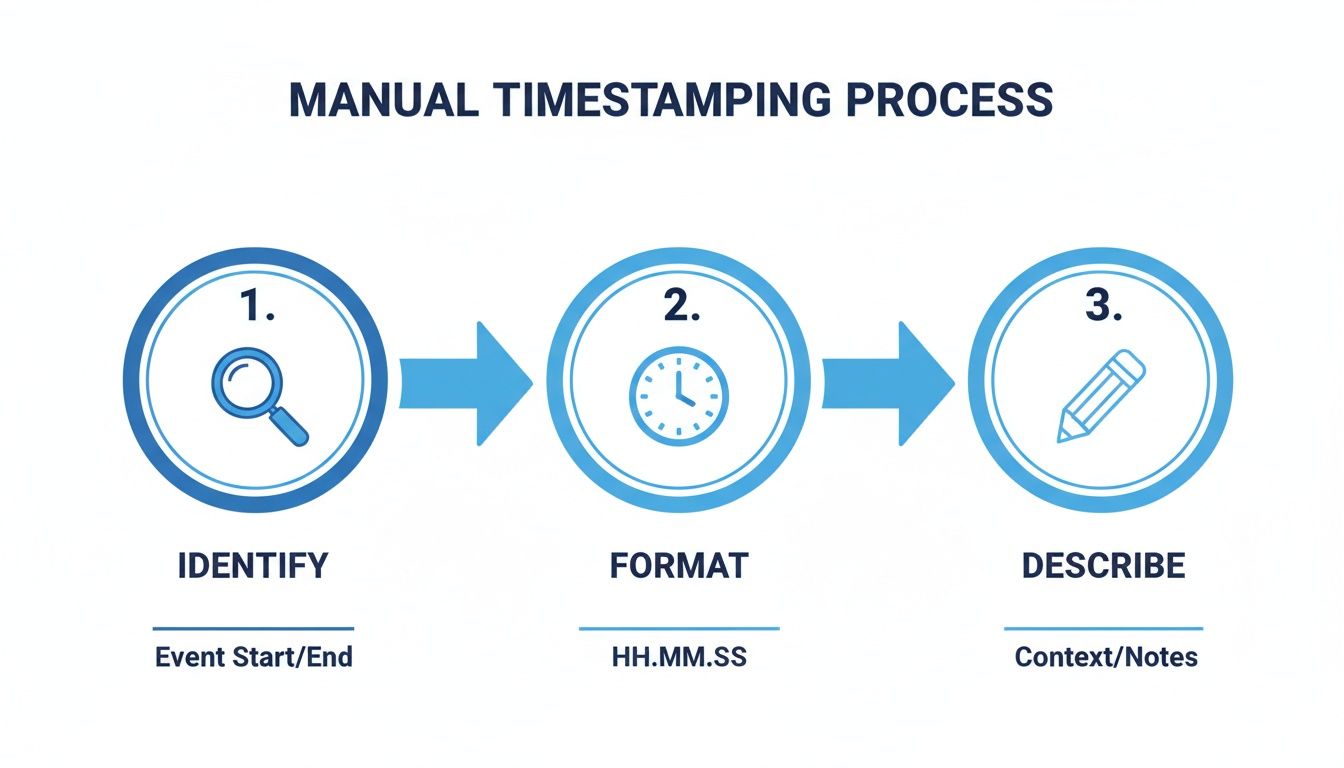
As you can see, the process isn't complex, but it is time-consuming. For anything longer than a few minutes, you’ll likely want to consider a more automated solution.
The Automated Method: Using AI Tools to Add Timestamps
Adding timestamps by hand is like washing dishes—it gets the job done, but it’s not the most efficient use of your time, especially when you have a lot of content to process. This is where AI tools come in, acting as the dishwasher for your video workflow. They automate the entire process with impressive speed and accuracy.
Tools like Whisper AI can generate a complete, word-for-word transcript with timestamps for your entire video in just minutes. The process is simple: you upload your video file, and the AI analyzes the audio. The result is a perfectly formatted transcript with precise timing, drastically reducing the time you would spend manually scrubbing through the footage.
To make the choice clearer, here’s a direct comparison of the two methods.
Manual vs AI-Powered Timestamping
While the manual method offers complete control, the benefits of AI automation—speed, precision, and advanced features—are hard to ignore, especially as you scale your content production.
Why AI-Powered Timestamps Are a Game-Changer
The true value of using AI goes beyond just saving time. While manual timestamps are great for creating broad chapter markers, AI transcription provides word-level timestamps. This incredibly detailed timing allows you or your viewers to jump to the exact moment a specific word was spoken.
This is a huge asset for podcasters, researchers, and anyone conducting interviews. Many AI tools also offer speaker identification, which automatically detects and labels who is speaking throughout a conversation. This transforms a complex dialogue into a neat, organized script, making it easy to pull quotes or analyze how a discussion unfolded. You can see a deep dive into how this works in this guide on transcription with timecode.
Think of AI as a powerful assistant. It handles the tedious work of timestamping, freeing you up to focus on what truly matters: creating your next great piece of content.
This shift reflects how much video consumption has evolved. A timestamp once referred to an on-screen clock for archival footage. But today, with 89% of businesses investing in video, timestamps are essential for helping people navigate the vast ocean of content available. With daily video consumption jumping by over 49% in recent years, AI tools have become critical for turning long webinars and podcasts into searchable, reusable assets.
Understanding how to streamline repetitive tasks is key to scaling your video production. Learning more about AI automation for small business growth can unlock new efficiencies, making your content more accessible, searchable, and ultimately, more valuable.
Best Practices for Timestamps That Win at SEO
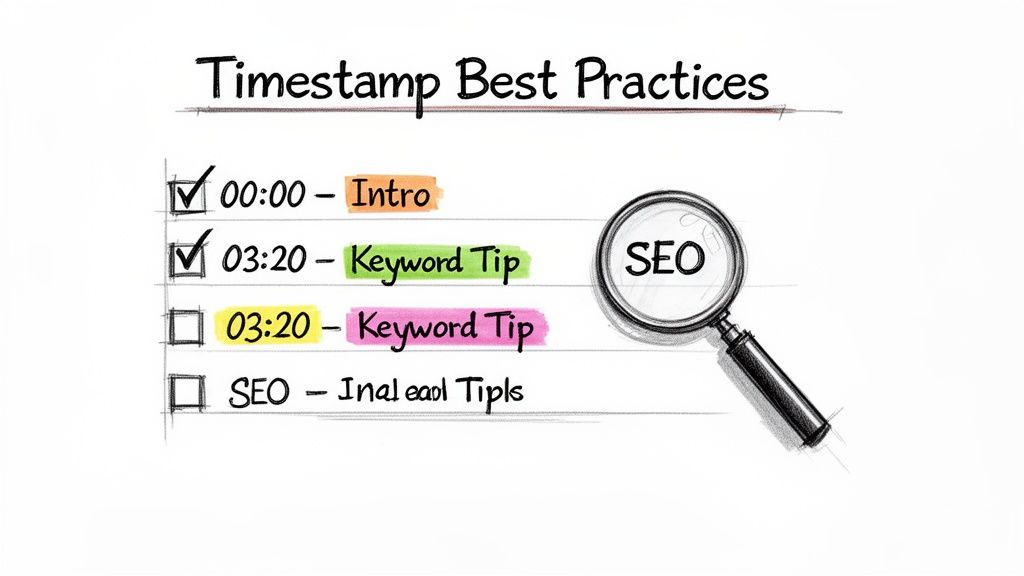
Simply adding a time stamp on video files isn't enough to guarantee results. To truly benefit, you must think strategically—both for your audience and for search engines. I always treat every chapter title like a mini-headline, crafted to grab attention and inform Google about the content of that specific section.
This isn't just a minor detail. There's a direct link between a great user experience and improved search visibility. When your timestamps make it easy for people to find what they need, they stay on your video longer. Search algorithms interpret that engagement as a strong signal of quality content.
Write Keyword-Rich Chapter Titles
This is where the real optimization happens. Avoid generic labels like "Part 1" or "Next Topic," because your chapter titles are valuable SEO real estate. Put yourself in your viewer's shoes: what phrases would they type into a search engine to find that specific piece of information? Use those phrases in your titles.
For example, "03:15 - Camera Settings" is okay, but "03:15 - How to Set ISO for Low Light" is much more effective. That specific, keyword-focused title is exactly what Google looks for when creating "Key Moments" in search results, which can drive highly targeted traffic directly to your video.
Bad Example:
05:22 - Conclusion
Good Example:05:22 - Final Review of Product Features
This small adjustment can make a world of difference in helping your content get discovered. For a deeper dive on this, our guide on YouTube SEO best practices provides more detail.
Structure for a Seamless User Experience
The best timestamps feel like a natural table of contents, guiding the viewer through your video effortlessly. The key is to align your chapters with the logical flow of your content, always keeping the user's journey in mind.
Here are a few ground rules that I always follow:
- Be Descriptive but Concise: Your titles need to be clear and informative without becoming overly long. The sweet spot is typically around 3-7 words.
- Create a Logical Flow: Ensure the chapters follow a natural progression. Start with an introduction, move through your main points, and finish with a conclusion. Avoid jumping between topics randomly.
- Find the Right Chapter Count: More isn't always better. A quick 5-minute video might only need three well-placed chapters. A 60-minute webinar, however, could easily have fifteen or more. The rule is simple: add a new chapter whenever you shift to a distinct new topic.
Ultimately, a time stamp on video transforms a single, monolithic file into a searchable, easy-to-navigate resource. This is crucial in a competitive market, where digital video ad spend is projected to reach US$219.71 billion by 2030. Just as with video, other content formats also depend on optimization for visibility—a well-crafted search engine optimized press release follows similar principles to rank higher and reach the right audience.
How to Fix Common Timestamping Problems
You've spent the time crafting the perfect timestamps for your video, you hit save, and... nothing happens. The links aren't clickable, or the chapters don't appear on the timeline. It’s a frustrating moment, but from my experience, it happens to everyone.
The good news is that the solution is almost always simple. YouTube and other platforms have a few specific rules you must follow. If your chapters aren't showing up, it's likely due to one of these common issues.
My YouTube Chapters Are Not Working
This is by far the most frequent problem people encounter: the chapter markers simply don't appear on the video's progress bar. Before you get frustrated, let's run through a quick diagnostic. The cause is usually one of these small details.
- Did you start at
00:00? This is the number one culprit. Your list of timestamps must begin with a00:00(or0:00) entry. If you forget this, YouTube won't recognize the list as chapters. - Do you have at least three chapters? For the feature to activate, you need a minimum of three timestamp entries. Remember, the
00:00intro counts as your first one. - Is each chapter long enough? Every segment must be at least 10 seconds long. This means you can't have a timestamp at
01:15and another at01:20. There has to be a sufficient gap between them.
Think of it as a checklist: chronological order, starts at zero, at least three entries, and every chapter is over 10 seconds long. Missing just one of these can prevent the feature from working.
Timestamps Appear as Plain Text
What if the timestamps are in your description, but they're just plain text and not clickable? This is almost always a simple formatting error.
Go back and look closely at your list. The correct format is the timecode, a single space, and then the chapter title. For example, 02:45 My First Point works perfectly. Using formats like 02:45-My First Point or putting 02:45 on a line by itself won't create a clickable link. Also, ensure that every timestamp is on its own line. Correcting these minor formatting errors will usually get your chapters working and provide that interactive experience for your viewers.
Got Questions About Video Timestamps? We've Got Answers.
Let's address some of the most common questions creators have about adding timestamps. Consider this your quick-reference guide to clear up any confusion and help you get back to creating.
We’ve sourced these questions directly from common inquiries to provide straightforward answers you can apply immediately.
How Many Timestamps Should I Use?
There's no single magic number—it really depends on the structure of your video. A good rule of thumb is to add a new timestamp for every distinct topic or segment you cover.
For a typical 10-minute video, aiming for 4-6 chapters usually feels right. If you're working with long-form content like a podcast or a detailed webinar, you might end up with 15 or more. The key is that each timestamp should mark a logical break and have a clear, descriptive title. Just remember, YouTube requires at least three timestamps for chapters to appear, and each segment must be at least 10 seconds long.
Can I Add Timestamps After I’ve Already Published a Video?
Yes, absolutely! You can always go back and edit the description of any YouTube video to add or adjust your timestamps. This is an excellent way to refresh your older content, boosting its SEO and making it more user-friendly without needing to re-upload anything.
Simply navigate to your video’s edit page, add the formatted timestamp list into the description box, and click save. The chapter markers should appear on the video's progress bar within a few minutes.
Do Timestamps Help with SEO on Other Platforms Besides YouTube?
While the SEO benefits are most direct on YouTube through Google's "Key Moments" feature, the value of timestamps extends everywhere. For instance, when you embed a video on your website and include a timestamped transcript alongside it, you are effectively making every word spoken in that video indexable by search engines.
This means the actual content of your video can start ranking for relevant search queries, creating new ways for people to discover your work.
The same principle applies to podcasts—timestamped show notes create a much better listener experience and are often used by podcasting apps to improve navigation. No matter the platform, converting your spoken words into searchable, timestamped text is a significant win.
What’s the Correct Format for Timestamps?
The most universally accepted format, and the one preferred by YouTube, is MM:SS (minutes:seconds) for any video under an hour. If your content is longer, you should switch to the HH:MM:SS (hours:minutes:seconds) format.
To ensure they work correctly, your list must follow a few simple rules:
- Start from the top: Your first timestamp must always be
00:00or0:00. - One per line: Each timestamp and its title should be on its own separate line.
- Give it a name: Follow the timecode with a space and a descriptive chapter title.
Here’s a quick example of what that looks like:00:00 Introduction01:15 Key Benefit 103:45 Tutorial Start
Ready to stop guessing and start creating perfectly timestamped videos in minutes? Whisper AI uses powerful AI to automatically generate accurate, word-level timestamps and summaries for all your audio and video content. Try Whisper AI for free and see how easy it can be.


























































































