
12 Best Speech to Text Software Options for 2025 (Reviewed)
Manually transcribing audio and video content—whether it's podcasts, meetings, interviews, or social media clips—is a time-consuming task that's no longer practical in today's fast-paced world. The right speech-to-text software can save you hundreds of hours, unlock valuable insights from spoken words, and make your content more accessible to a wider audience. But with a sea of options available, from creator-focused editors to enterprise-grade APIs, how do you find the one that truly fits your needs?
This guide cuts through the noise. We've personally tested and compared the top platforms, focusing on how they perform in real-world scenarios. We'll explore the critical factors that matter most: transcription accuracy, specific use cases, privacy policies, and pricing structures. My goal is to provide a clear, honest assessment to help you find the best speech to text software. Whether you're a podcaster needing accurate captions, a researcher analyzing interviews, or a developer integrating transcription into an app, this review will guide you to the right solution.
For creators looking for a broader set of audio tools, some of which include built-in transcription, you may also want to check out the best podcast editing software options for a wider view of production suites.
Inside this guide, each platform review offers detailed pros and cons based on our experience, screenshots to show you what it's like to use them, and direct links to get started. We've structured this list to be a comprehensive resource, helping you move from searching for a solution to implementing the right one. Let’s dive into the tools that can transform your spoken words into powerful, searchable text.
1. Whisper AI
Whisper AI stands out as a premier choice for the best speech to text software, combining high-accuracy transcription with a powerful suite of AI-driven workflow tools. It’s an end-to-end platform designed not just to convert audio to text, but to extract meaningful insights with minimal manual effort. The system ingests virtually any audio or video file and can pull content directly from social media links, making it exceptionally versatile for creators and professionals.

This platform excels by automating the most time-consuming aspects of content analysis. Upon processing a file, it automatically detects different speakers, adds precise timestamps, and generates both a concise summary and scannable bullet-point highlights. This feature alone transforms hours of listening into minutes of reading, a significant advantage for anyone working with long-form content like podcasts, interviews, or meeting recordings.
Key Strengths & Practical Applications
The real power of Whisper AI lies in its workflow acceleration. For a YouTuber, this means generating accurate captions and a video description in one step. A journalist can transcribe an interview and immediately ask the AI to "list all action items discussed" or "summarize the key quotes from Speaker B." This interactive capability turns a static transcript into a dynamic, searchable knowledge base.
Its robust multilingual support, covering over 92 languages, makes it a reliable tool for global teams and content creators aiming for a wider audience. The platform’s proven scale, having processed over half a million files for more than 50,000 users, provides confidence in its reliability and performance. Furthermore, its privacy-first approach ensures that user files are processed securely and are not retained beyond the transcription task.
- Best For: Content creators (podcasters, YouTubers), researchers, journalists, and business teams who need fast, accurate transcripts paired with AI-powered summaries and insights.
- Pricing: A free starter plan is available. For heavier usage, users must sign up or contact sales to view paid subscription tiers and usage limits.
- Pros: All-in-one workflow (transcription, speaker detection, summary, highlights), extensive language support, flexible import options including social media links, and strong privacy measures.
- Cons: Pricing is not transparent on the public website. Transcription quality is still dependent on audio clarity and may require minor edits for 100% accuracy.
Website: https://whisperbot.ai
2. Otter.ai
Best for: Real-time meeting transcription and collaboration.
Otter.ai has carved out a powerful niche as one of the best speech-to-text software solutions specifically designed for meetings. Its standout feature is the "OtterPilot," an AI meeting assistant that can automatically join your Zoom, Google Meet, or Microsoft Teams calls. It transcribes the conversation in real-time, identifies different speakers, and generates a concise summary afterward.
This focus on live meetings makes it indispensable for business teams, educators, and journalists who need to capture discussions accurately without the distraction of manual note-taking. The platform’s strength lies in its collaborative workflow; teammates can highlight key points, add comments, and assign action items directly within the transcript, turning a simple recording into a searchable and actionable knowledge base. The user interface is clean and intuitive, making it easy to find and share important moments from past conversations.

Key Features & Pricing
While Otter.ai offers a free Basic plan, its transcription limits (300 monthly minutes, 30 minutes per conversation) are quickly met by active users. Paid plans unlock higher limits and advanced features.
Pros:
- Excellent Meeting Automation: The OtterPilot AI agent is a game-changer for automating meeting documentation.
- Strong Collaboration Tools: Highlighting, commenting, and sharing transcripts is seamless.
- Speaker Identification: Does a reliable job of distinguishing who said what in a meeting.
Cons:
- Meeting-Centric Design: Less suited for high-fidelity, post-production transcription needed by podcasters or video editors.
- Tight Free Tier Limits: The free plan's constraints may push frequent users to upgrade quickly.
Website: https://otter.ai/
3. Rev.com
Best for: Guaranteed accuracy with a combination of AI and professional human transcribers.
Rev.com stands out by offering a hybrid model that few other platforms can match. Users can choose between a fast, affordable automated AI transcription service or opt for their premier human-powered service, which guarantees 99% accuracy. This flexibility makes it a top choice for projects where precision is non-negotiable, such as legal proceedings, academic research, or final-cut video captions.
This dual approach provides a reliable pathway for users who initially need quick AI drafts but can easily upgrade to human-perfected transcripts for critical files. Rev also caters to modern workflows with its automated notetaker for Zoom, Google Meet, and Microsoft Teams. The platform’s user experience is straightforward, focusing on a simple upload-and-order process that makes it accessible for both one-off projects and large-scale enterprise needs.

Key Features & Pricing
Rev.com’s pricing is primarily on a per-minute basis, with subscription options available for frequent users that offer better rates and team features. The distinction between AI and human services is clear in both cost and turnaround time. You can learn more about how Rev stacks up against other AI-powered transcription services.
Pros:
- Unmatched Accuracy: The 99% accuracy guarantee from human transcribers is ideal for professional and compliance-driven use cases.
- Flexible Service Tiers: Easily switch between fast AI and high-precision human services depending on project needs.
- Simple Per-Minute Pricing: The pricing model is transparent and easy to understand for individual projects.
Cons:
- Higher Cost for Accuracy: Human-powered services are significantly more expensive than pure AI solutions.
- Slower Turnaround for Human Service: Guaranteed accuracy comes at the cost of a longer wait time compared to instant AI transcription.
Website: https://www.rev.com/
4. Descript
Best for: Podcasters and video creators who need an all-in-one editing suite.
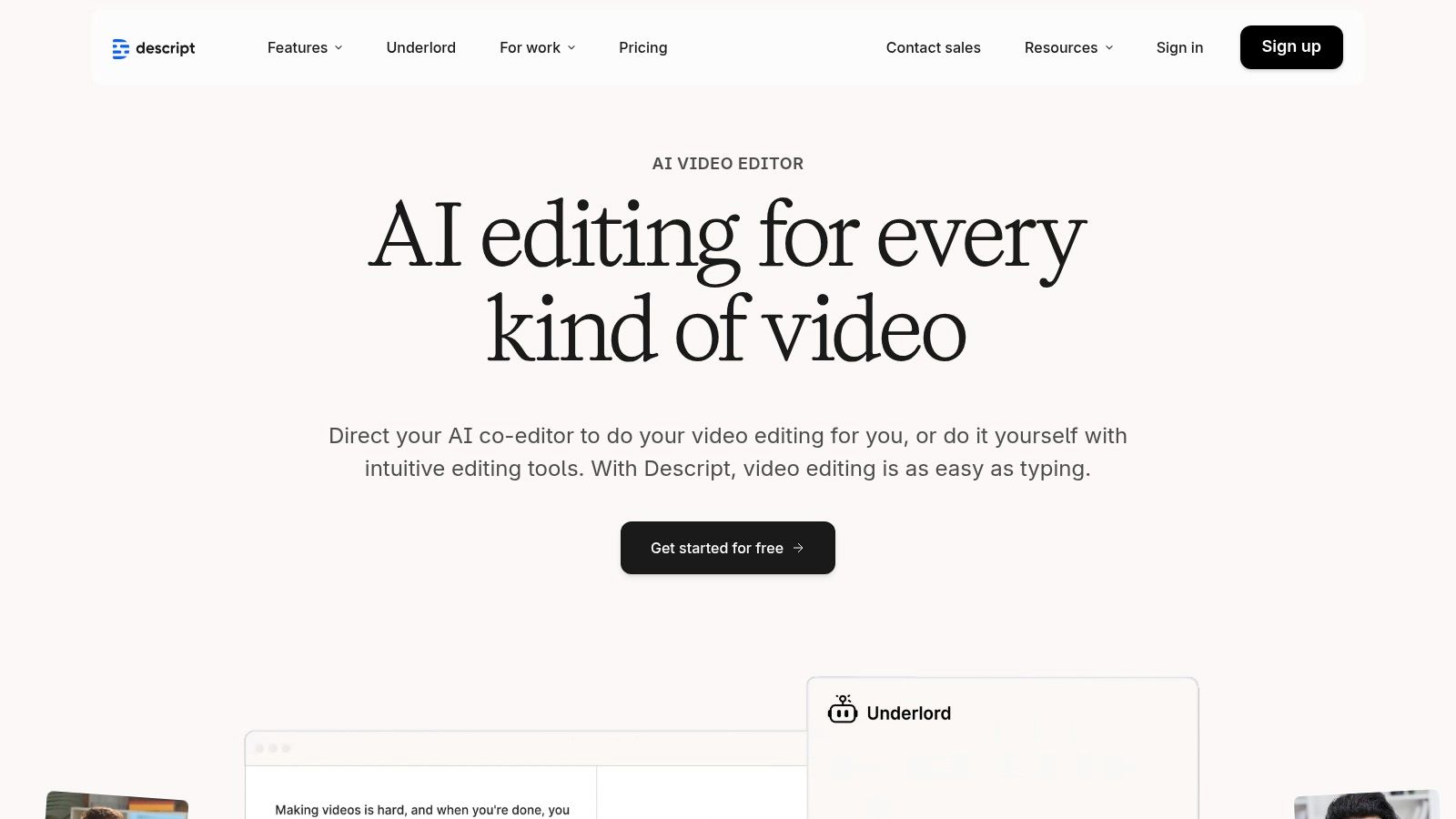
Descript revolutionizes the content creation workflow by treating audio and video as editable text. It stands out as one of the best speech-to-text software options for creators because it combines highly accurate transcription with a powerful, non-linear editor. Instead of scrubbing through timelines, you can edit your video or podcast simply by deleting words or phrases in the transcript. This intuitive approach drastically lowers the barrier to entry for content production.
Beyond its unique editing paradigm, Descript is packed with creator-focused tools. It offers automatic filler-word removal ("um," "uh"), an AI-powered "Studio Sound" feature that enhances voice quality, and even an "Overdub" function to clone your voice for quick corrections. This makes it an end-to-end solution for podcasters, YouTubers, and marketers who want to move seamlessly from raw recording to a polished, final product within a single application.
Key Features & Pricing
Descript provides a free tier to get started, with paid plans offering more transcription hours and unlocking advanced features like Overdub and custom branding.
Pros:
- All-in-One Workflow: Seamlessly combines transcription, audio/video editing, and publishing tools.
- Intuitive Text-Based Editing: Radically simplifies the editing process for video and audio content.
- Powerful AI Features: Studio Sound and filler-word removal save significant post-production time.
Cons:
- Steeper Learning Curve: Can be complex for users unfamiliar with editing software concepts.
- Transcription Hour Caps: Paid plans have monthly limits, requiring top-ups for high-volume users.
Website: https://www.descript.com/
5. Trint
Best for: Newsrooms, media organizations, and production teams needing a collaborative workflow.
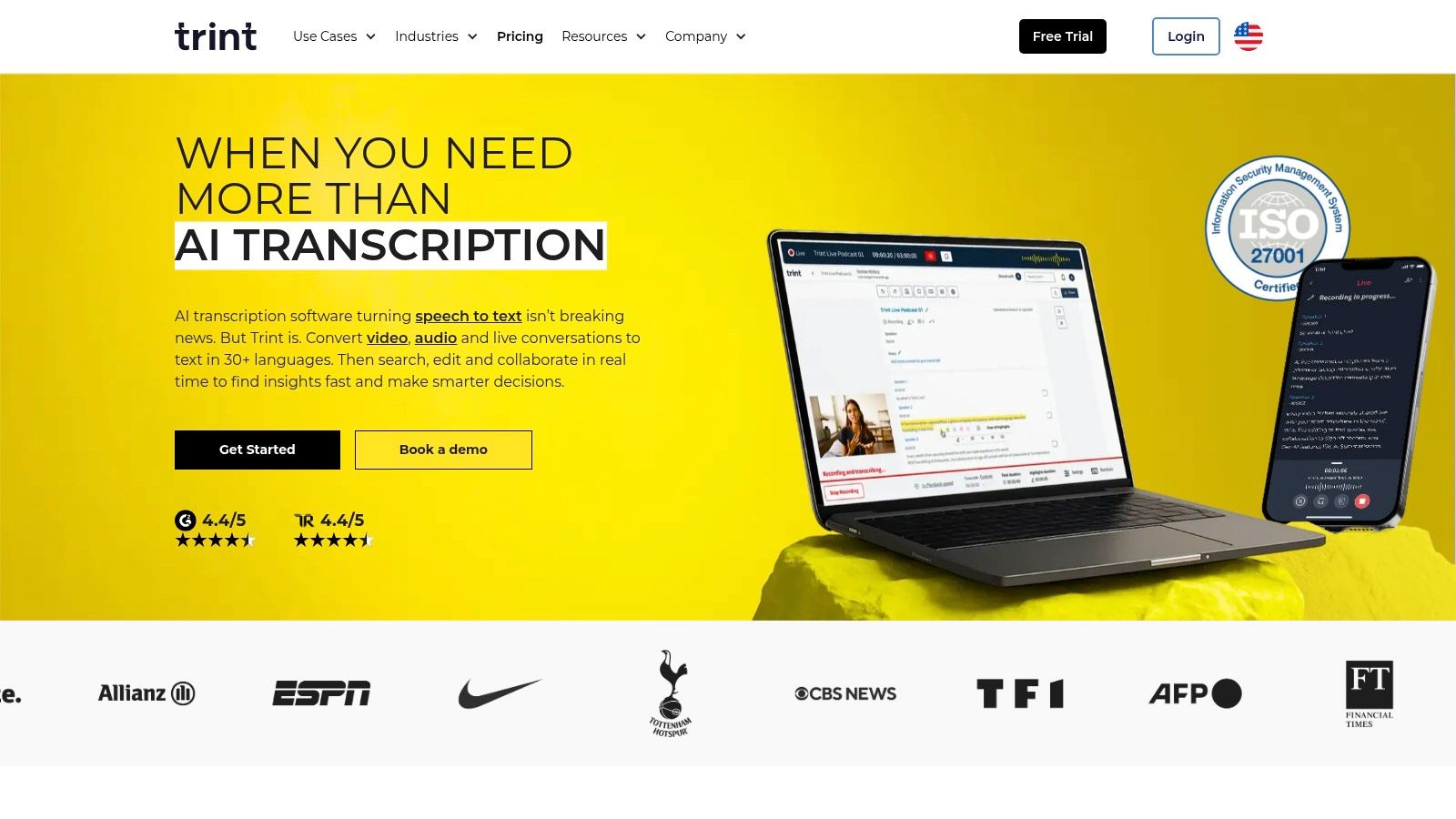
Trint positions itself as a newsroom-grade platform, making it one of the best speech to text software choices for journalists, researchers, and media production teams. Its core strength is its powerful, collaborative environment designed for turning raw audio and video into structured narratives. Users can transcribe interviews or footage, and then colleagues can instantly access, verify, and comment on the text, streamlining the editorial process significantly.
The platform goes beyond simple transcription by integrating tools for content creation. You can highlight key quotes, assemble them into a rough cut or script, and even add captions to videos directly within the Trint ecosystem. This focus on a complete production workflow, from initial recording to final output, is what distinguishes it from more general-purpose transcription services. For teams that need to quickly find and repurpose soundbites, Trint offers a uniquely efficient solution.
Key Features & Pricing
Trint's pricing is built for professional and team usage, with seat-based plans that provide robust features. While there is no free plan, a free trial is available to test the platform.
Pros:
- Built for Editorial Workflows: Excellent tools for highlighting, commenting, and assembling content.
- Strong Collaboration: Shared workspaces make it easy for teams to work on transcripts together.
- Translation Features: Can translate transcripts into over 50 languages, great for global teams.
Cons:
- Expensive for Individuals: The pricing model is clearly aimed at professional teams and organizations.
- Fair-Use Policies: The "unlimited" plan may have usage policies that affect very high-volume users.
Website: https://trint.com/
6. Dragon (Nuance) — Dragon Professional v16 & Dragon Anywhere
Best for: Professional dictation and hands-free computer control for accessibility.
Dragon by Nuance is a veteran in the speech recognition space, offering one of the best speech-to-text software solutions for individual dictation. Unlike cloud-based transcription services focused on meetings, Dragon excels at high-accuracy, real-time dictation for creating documents, emails, and reports. Its strength lies in its ability to learn your voice and specialized terminology through custom vocabularies, making it a top choice for professionals in legal, medical, and academic fields.
The software also offers powerful command and control features, allowing users to navigate their computer, open applications, and format text entirely by voice. This makes it an indispensable tool for accessibility, empowering users with physical limitations to maintain high levels of productivity. The ecosystem includes Dragon Professional for Windows desktops and Dragon Anywhere for continuous dictation on iOS and Android mobile devices, ensuring your personalized voice profile is available wherever you work.

Key Features & Pricing
Dragon's pricing model is based on one-time purchases for desktop software and subscriptions for its mobile app. Note that direct US sales can be intermittent, with many users purchasing through authorized resellers.
Pros:
- High Dictation Accuracy: Learns your voice for exceptional accuracy in single-speaker scenarios.
- Strong Customization: Create custom vocabularies and voice commands for specialized workflows.
- Excellent for Accessibility: Enables comprehensive, hands-free control of your computer.
Cons:
- Not for Meetings: Designed for dictation, not for transcribing multi-speaker audio files.
- Windows-Only Desktop Version: The latest professional version is not available for macOS.
- High Upfront Cost: The one-time license fee is a significant investment.
Website: https://www.nuance.com/dragon/dragon-anywhere.html
7. Microsoft Azure AI Speech (Speech to Text)
Best for: Developers and enterprises needing scalable, high-accuracy transcription integrated into custom applications.
Microsoft Azure AI Speech is a powerful, developer-focused service that provides one of the best speech-to-text software engines for building custom solutions. Rather than being an out-of-the-box application, it’s a foundational API that organizations can use to power everything from contact center analytics to voice-enabled apps. Its strength lies in its deep integration with the Azure ecosystem, offering enterprise-grade security, global scalability, and extensive compliance certifications.
The service supports both real-time streaming and batch processing of audio files, complete with speaker diarization and automatic language identification. For businesses with specific needs, Azure allows for the creation of custom speech models trained on unique acoustic data or industry-specific vocabulary, such as medical terms or product names, to achieve superior accuracy. This level of customization makes it an ideal choice for large-scale, specialized transcription tasks where precision is non-negotiable.

Key Features & Pricing
Azure AI Speech uses a pay-as-you-go model, which can be complex but offers flexibility. Pricing is based on audio hours transcribed, with different rates for standard, custom, and real-time models.
Pros:
- Enterprise-Grade Security: Backed by Microsoft's robust security and compliance standards.
- Highly Customizable: Train custom models on specific jargon and acoustic environments.
- Flexible Deployment: Can be used in the cloud or deployed on-premises using containers.
Cons:
- Developer-Centric: Not a user-friendly tool for individuals; requires technical expertise to implement.
- Complex Pricing: Pay-as-you-go model can be difficult to forecast for large-scale usage.
Website: https://azure.microsoft.com/en-us/pricing/details/cognitive-services/speech-services/
8. Google Cloud Speech‑to‑Text (v2)
Best for: Developers building applications with scalable, high-volume transcription needs.
Google Cloud Speech‑to‑Text is a powerhouse API designed for developers and businesses that need to integrate transcription capabilities directly into their products or workflows at scale. Unlike consumer-facing apps, this is an infrastructure-level service offering immense flexibility. It excels at processing large archives of audio or handling real-time audio streams, making it a go-to choice for companies building call center analytics tools, voice-controlled applications, or content cataloging systems.
The platform stands out with its specialized models tailored for different audio types, such as phone calls, video, or medical dictation, ensuring higher accuracy for specific use cases. With its robust documentation and mature tooling, it provides a reliable foundation for developers. It is one of the best speech to text software solutions for those who require granular control and are comfortable working within a cloud environment to process massive volumes of audio data efficiently.

Key Features & Pricing
Google Cloud offers a complex, usage-based pricing model that becomes highly cost-effective at scale. The v2 API bills by the second with a free tier for initial usage.
Pros:
- High Scalability: Built to handle enterprise-level transcription volumes with reliability.
- Specialized Models: Offers pre-trained models for specific domains, improving accuracy.
- Mature Documentation and Tooling: Extensive resources for developers to integrate the API.
Cons:
- Requires Technical Expertise: Not a user-friendly app; requires Google Cloud setup and coding knowledge.
- Potential for Hidden Costs: Additional Google Cloud Platform costs for data storage or egress may apply.
Website: https://cloud.google.com/speech-to-text/
9. Amazon Transcribe (AWS)
Best for: Developers and businesses needing a scalable, API-driven transcription service integrated into the AWS ecosystem.
Amazon Transcribe is not a standalone application but a powerful, managed speech-to-text service within Amazon Web Services (AWS). It is designed for developers to integrate high-quality transcription capabilities into their own applications and workflows. Its key differentiator is its deep integration with other AWS services like S3 for storage and Lambda for processing, allowing for robust, automated pipelines.
This makes it an ideal choice for organizations already invested in the AWS cloud. It excels at both batch processing of large audio archives and real-time streaming transcription for live events or call centers. The service also offers advanced features critical for enterprise and regulated industries, such as automatic PII (Personally Identifiable Information) redaction and custom vocabulary lists to improve accuracy for industry-specific terminology. This positions it as one of the best speech to text software options for technical teams requiring control and compliance.

Key Features & Pricing
Amazon Transcribe operates on a pay-as-you-go model, with pricing varying by region and specific features used. It also includes a generous free tier for new AWS customers.
Pros:
- Deep AWS Ecosystem Integration: Seamlessly connects with S3, Lambda, and other services for powerful automation.
- Enterprise-Grade Features: PII redaction, custom vocabularies, and HIPAA eligibility are crucial for compliance.
- Pay-As-You-Go Flexibility: Per-second billing means you only pay for what you use, making it highly scalable.
Cons:
- Requires Technical Expertise: Designed for developers, not end-users, and requires API knowledge to implement.
- Complex Pricing: Overall cost can be hard to predict as it depends on other AWS services like data storage and transfer.
Website: https://aws.amazon.com/transcribe/
10. OpenAI Whisper API & GPT‑4o Transcribe
Best for: Developers and businesses needing high-quality, scalable transcription integrated into custom applications.
For those who need to build transcription capabilities directly into their own software or workflows, the OpenAI Whisper and GPT-4o Transcribe APIs are the gold standard. Instead of a standalone application, OpenAI provides powerful models that developers can call upon to transcribe audio files or streams. This approach offers unparalleled flexibility, allowing for seamless integration with other AI functions like summarization or question-answering using models like GPT-4.
This makes it an ideal choice for tech companies, startups, and enterprises that require a robust and cost-effective transcription engine powering their products. While it demands technical know-how to implement, the trade-off is superior accuracy and the ability to create highly customized solutions. For a deeper dive into its practical application, you can learn more about how to use Whisper AI.
Key Features & Pricing
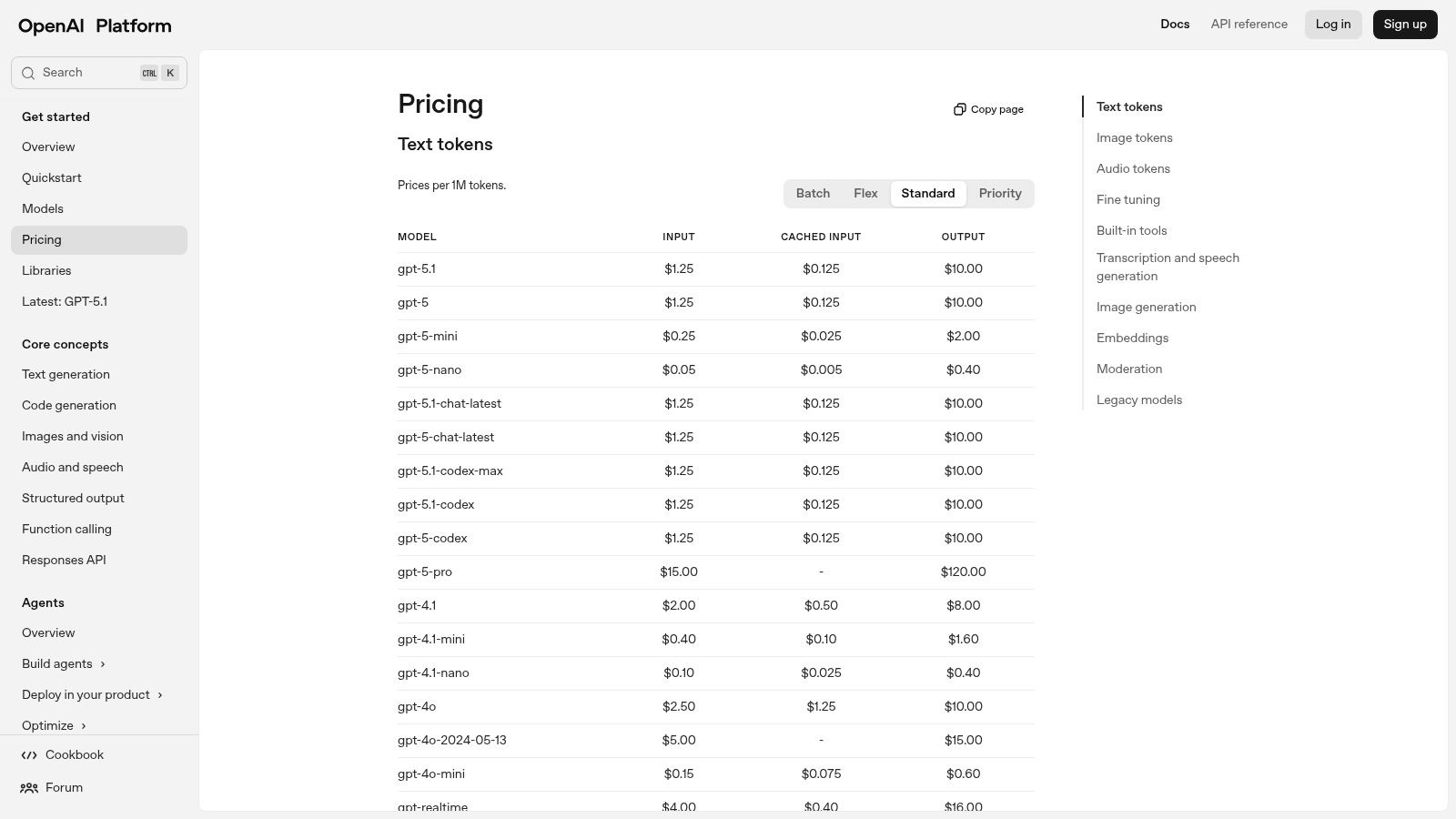
Pricing is based on a pay-as-you-go model, making it incredibly affordable for both small-scale projects and high-volume operations. Users are billed for the amount of audio they process.
Pros:
- Extremely Low Cost: The per-minute pricing is among the most competitive in the market.
- High Accuracy: Built on OpenAI's state-of-the-art models for reliable transcription quality.
- Seamless LLM Integration: Easily chain transcripts with other OpenAI models for summarization, analysis, or Q&A.
Cons:
- Requires Technical Skill: Not an out-of-the-box solution; it requires API integration and development work.
- API Usage Monitoring: Users must manage their own billing and monitor usage to control costs.
- Compliance Responsibility: Data handling and privacy compliance must be configured and managed by the user.
Website: https://platform.openai.com/pricing
11. Deepgram
Best for: Developers and enterprises needing highly accurate, scalable, and customizable transcription APIs.
Deepgram is a powerful speech-to-text software platform built for developers who require speed, accuracy, and control. Unlike many all-in-one consumer tools, Deepgram provides access to various specialized speech models, like "Nova-2," which are tailored for different use cases and offer a superior accuracy-to-cost ratio. This focus on the underlying technology makes it a top choice for businesses that need to integrate high-quality transcription directly into their own applications, products, or internal workflows.
Its API-first approach allows for both real-time streaming transcription and processing pre-recorded audio files. The platform is highly regarded for its performance, offering some of the fastest turnaround times in the industry. Advanced features like diarization, keyword boosting, and multichannel audio support give developers the granular control needed to build sophisticated voice-enabled experiences, from customer service bots to large-scale media analysis tools. The generous free credit for new users provides a substantial sandbox for experimentation.
Key Features & Pricing
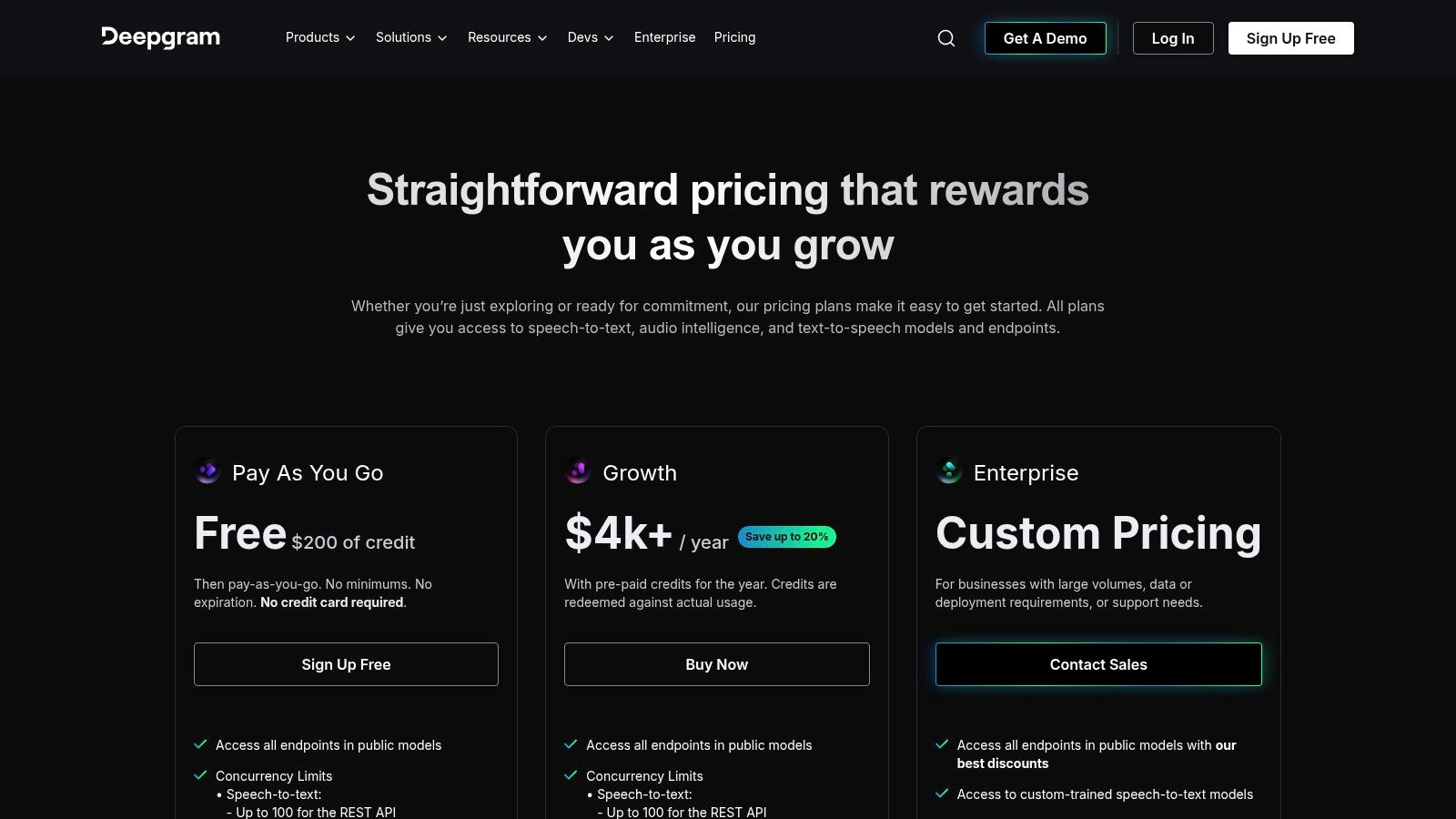
Deepgram's pricing is primarily pay-as-you-go, offering different rates for its transcription models. New users get $200 in free credits to start.
Pros:
- High Accuracy & Speed: Industry-leading performance with specialized models.
- Developer-Friendly API: Robust documentation and tools for seamless integration.
- Generous Free Tier: $200 in credits allows for extensive testing and development.
- Scalable Infrastructure: Built to handle enterprise-level transcription volumes.
Cons:
- Developer-Centric: Not a simple, out-of-the-box tool for casual users without technical skills.
- Complex Pricing: The variety of models and add-on feature pricing can be initially confusing.
Website: https://deepgram.com/pricing
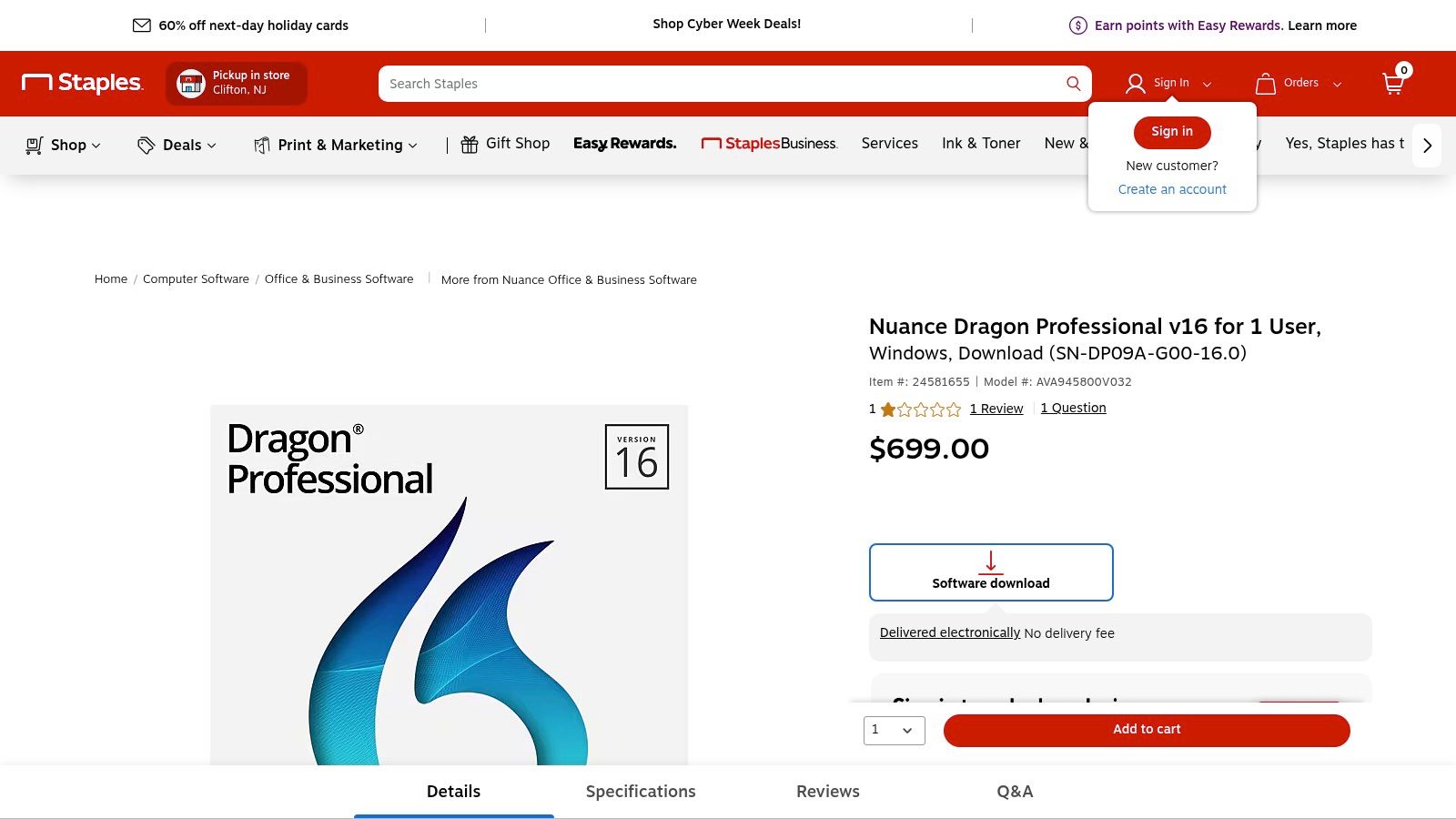
12. Staples (authorized US retailer for Dragon Professional v16)
Best for: Securely purchasing an official Dragon Professional v16 license for Windows.
For users seeking the power of Dragon Professional v16, one of the most established names in dictation, navigating Nuance’s own website can sometimes be challenging. Staples provides a reliable and straightforward alternative as an authorized US retailer. They offer an official single-user digital license with electronic delivery, ensuring you get a legitimate product key and download link without hassle. This is particularly useful for professionals and businesses that require clear invoicing and a simple purchasing process from a trusted national vendor.
The primary role of Staples here is fulfillment, not software development. They provide a secure and familiar e-commerce experience for acquiring this high-end speech-to-text software. This route is ideal for individuals or small businesses who prefer buying software through established retail channels, especially when direct manufacturer sales channels are in flux or seem less user-friendly.
Key Features & Pricing
Staples sells the perpetual license for Dragon Professional v16 at a fixed, one-time price. As a retailer, pricing is generally stable and reflects the manufacturer's suggested retail price (MSRP).
Pros:
- Reliable Purchasing: A trusted, major US retailer with secure payment processing and clear invoicing.
- Official License: Guarantees you receive a legitimate, fully-supported version of the software.
- Simplified Fulfillment: Straightforward electronic delivery of your product key and download instructions.
Cons:
- No Trial Available: You cannot test the software before purchasing through Staples.
- Typically Non-Returnable: Downloadable software purchases are usually final.
- Limited Discounts: Pricing is often fixed at MSRP with fewer promotional deals compared to other channels.
Top 12 Speech-to-Text Software Comparison
Making the Final Cut: From Transcription to Action
Navigating the crowded landscape of transcription tools can feel overwhelming, but as we've explored, finding the best speech to text software ultimately hinges on your specific, day-to-day needs. The era of manual, painstaking transcription is over. Today's tools offer more than just text; they provide intelligent summaries, speaker identification, and seamless integrations that transform raw audio into valuable assets.
Our deep dive into platforms—from user-friendly apps like Whisper AI and Otter.ai to the powerful APIs of Google Cloud and AWS—reveals a clear trend: specialization is key. There is no single "best" tool for everyone, but there is a perfect tool for your workflow. The challenge is to accurately identify what you need to accomplish and match it with the software designed to excel in that specific scenario.
How to Choose Your Ideal Transcription Partner
To distill this comprehensive guide into a practical decision-making framework, consider your workflow through these three critical lenses: your role, your content, and your technical requirements.
- For the Content Creator (Podcasters, YouTubers, Marketers): Your world revolves around efficiency and repurposing. You need a tool that does more than just transcribe. Look for platforms like Whisper AI or Descript that offer an all-in-one ecosystem. Features like AI-powered summarization, chapter generation, speaker detection, and direct export to formats like SRT captions or blog posts are not just conveniences; they are workflow accelerators that multiply the value of every audio or video file you create.
- For the Professional & Corporate User (Journalists, Researchers, Teams): Accuracy, security, and collaboration are paramount. When transcribing sensitive interviews or critical team meetings, you need unwavering precision. Otter.ai shines with its live meeting transcription and collaborative features. For those requiring the highest level of accuracy for legal or academic purposes, services like Rev.com (with its human-powered option) and dedicated software like Dragon Professional offer industry-leading results and compliance features like GDPR and HIPAA.
- For the Developer & Innovator: Your focus is on building custom solutions. Scalability, flexibility, and robust API documentation are your top priorities. The powerful infrastructure offered by Google Cloud Speech-to-Text, Amazon Transcribe, and Microsoft Azure AI Speech provides the building blocks for integrating transcription into your applications. For cutting-edge performance and open-source flexibility, the OpenAI Whisper API and specialized models from providers like Deepgram offer unparalleled opportunities for innovation.
Beyond the Transcript: Implementation and Workflow Integration
Choosing a tool is only the first step. True value is unlocked when you integrate it seamlessly into your existing processes. Consider how your chosen software will handle your source files. Can it ingest a YouTube link directly, or do you need to download and upload an MP3? How does it organize your transcriptions? Can you easily search your entire library of conversations?
For creative professionals, the transcript is often the starting point, not the end product. Understanding the broader landscape of AI integration in post-production can reveal new ways to streamline everything from video editing to content distribution. The right tool should feel less like a separate task and more like a natural extension of your creative or professional workflow.
The most effective way to make your final decision is through hands-on testing. Take advantage of the free trials offered by nearly every platform on our list. Upload a challenging audio file, one with multiple speakers, background noise, or technical jargon specific to your field. This real-world test will reveal more about a tool's capabilities than any feature list ever could. The goal is to find the software that not only saves you time but fundamentally enhances how you capture, analyze, and share spoken information.
Ready to transform your audio and video content into organized, searchable, and actionable assets? Whisper AI offers a powerful, all-in-one platform designed for creators and professionals who need more than just a transcript. Experience best-in-class accuracy, AI-powered summaries, and seamless workflows by trying Whisper AI today.


























































































