
Your Practical Guide to a Meeting Synopsis Template That Works
A great meeting synopsis template is deceptively simple: it’s a structured way to capture the most important outcomes of a discussion. In my experience, it's the tool that transforms a messy brainstorm or a chaotic check-in into a clear, scannable record of what actually matters—the decisions and the action items.
Why Your Team Needs a Synopsis Template Now
How many times have you left a meeting only to spend the next hour trying to decipher your own cryptic notes? We've all been there. You're scrolling through Slack and email, trying to recall who agreed to what, which deadline was set, or if that critical task was even assigned. It's a massive, and all-too-common, drain on productivity.
This is where a standardized template becomes a game-changer.
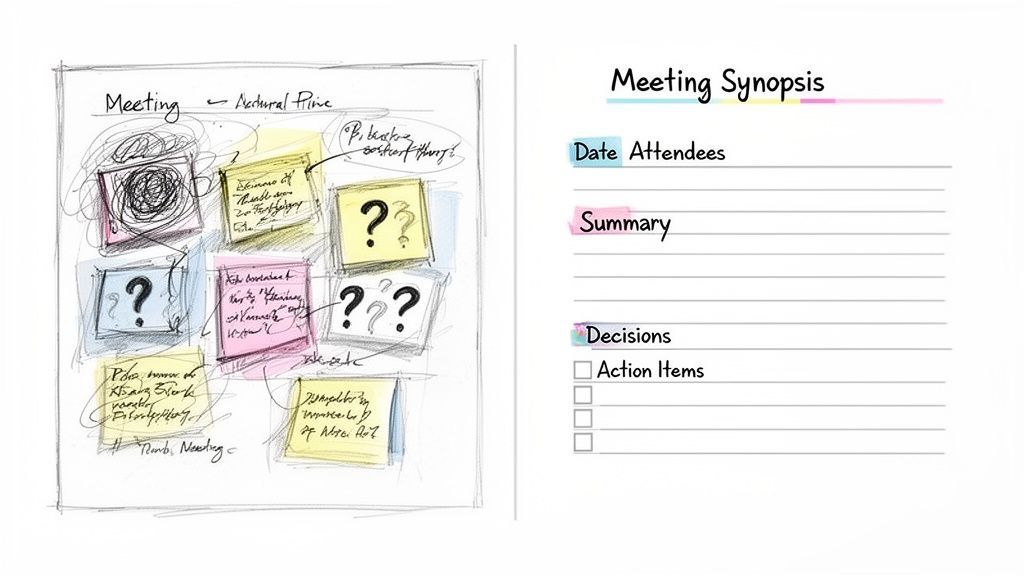
A meeting synopsis template isn't just more paperwork; it’s a core productivity tool. By giving every discussion the same consistent structure, it forces you to focus on clarity and creates an official record that leaves no room for debate.
It’s All About Accountability and Clarity
Let's face it: without a shared format, everyone’s notes are different. The project manager might capture high-level strategy, a designer might sketch out UI ideas, and an engineer might only jot down their own to-dos. This inconsistency is a recipe for confusion and dropped balls. A template fixes this by creating a universal system everyone can read and understand in seconds.
This move toward structured recaps isn't just a fleeting trend. As our calendars fill up, the demand for clear, actionable outcomes has skyrocketed. From my direct experience helping teams implement this, those that adopt a structured template see a dramatic improvement in follow-through. It’s not uncommon to see a 28–30% faster turnaround on action items simply because everyone knows exactly what’s expected of them. You can find more insights on effective meeting documentation that back this up.
A simple template creates a powerful framework that helps in a few key ways:
- It creates a single source of truth. No more "I thought we decided..." arguments. The synopsis is the final word.
- It forces accountability. When action items are listed with owners and deadlines, there’s no ambiguity about who is responsible.
- It saves a ton of time. Team members can find what they need instantly instead of wasting time hunting for information.
The real power of a meeting synopsis template is its ability to transform conversations into commitments. It's the bridge between discussion and execution, ensuring that every meeting pushes work forward instead of just filling the calendar.
Ultimately, bringing a template into your workflow is about shifting your team's entire meeting culture. You stop focusing on just talking about the work and start zeroing in on tangible outcomes. Every meeting becomes an opportunity for clear, decisive action.
What Goes Into a Great Meeting Synopsis Template?
A good template is a starting point, but a great meeting synopsis template is built for a reason. Every single piece of it has a job to do, pointing the reader straight to what matters. We're not just taking notes here; we're creating a scannable, actionable record that actually moves work forward.
The best ones I've used all start with the absolute essentials—the who, what, and when. This basic info grounds the entire document.
- Meeting Title: Something clear and specific, like "Q3 Marketing Campaign Kickoff," gives instant context.
- Date & Time: You'll be glad you have this for tracking down discussions weeks or months later.
- Attendees & Absentees: This simple list clarifies who was in the room for key decisions and, just as importantly, who needs a quick catch-up.
The High-Level Overview
Right after the basic details, you need a quick, punchy summary. Think of it as the "executive summary"—a couple of sentences that nail down the meeting's purpose and its main outcome. A busy manager who only has 30 seconds should be able to read this part and get the gist.
If you want to get better at writing these tight, impactful summaries, exploring some effective meeting summarization strategies is a great next step. Honing this skill is what makes your synopsis truly valuable to everyone, from the project lead deep in the weeds to the VP just checking in.
You'll notice most modern templates follow a pretty consistent formula, and for good reason. It works. Nearly every guide for remote teams starts with these same meeting details, then dives into the agenda, a brief summary, and clearly defined sections for decisions and next steps. You can learn more about how to structure your notes effectively in our guide.
The Heart of Accountability: Decisions and Actions
This is where the synopsis earns its keep. A truly useful recap separates what was decided from what needs to be done. These two sections are absolutely essential for creating real accountability and clarity.
Decisions Made
Keep this part clean and simple. A bulleted list of final agreements is all you need. This isn't the place to rehash the debate; it's just for the final call.
For example:
- Decision: The Q3 campaign will focus on video content for social platforms.
- Decision: Project budget for initial ad spend is approved at $15,000.
Action Items
This is, without a doubt, the most important part of the entire document. A well-organized action items table is what turns a conversation into a productive outcome.
An effective meeting synopsis template doesn't just record what happened; it dictates what happens next. The 'Action Items' section is the bridge between conversation and execution, making it the most valuable part of the document.
A simple table is the clearest way to present this information:
A format like this leaves zero room for confusion. Everyone can see exactly what they're responsible for and when it's due. It’s that simple.
How to Capture Notes That Drive Action
A great meeting synopsis template is just the start—its real value comes from the quality of the information you fill it with. The goal isn't to create a word-for-word transcript. It's about distilling a conversation into a focused, actionable document that actually moves work forward. This process starts before anyone even joins the call.
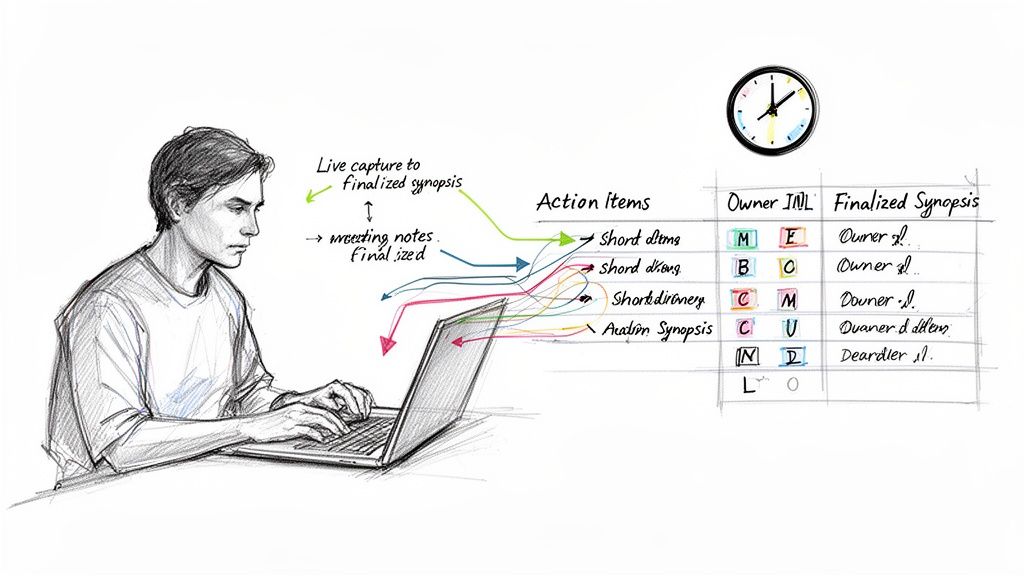
Think of effective note-taking as an active process, not a passive one. By prepping your template beforehand, you're essentially building a framework that guides your listening during the meeting. Go ahead and populate the agenda items and objectives in advance. That way, you can focus all your attention on capturing outcomes, not just rehashing discussion points.
Mastering Real-Time Note Taking
During the meeting, your main job is to listen for decisions and commitments. It’s so easy to get bogged down trying to write down every single detail, but that's a surefire way to miss the most critical information. Instead, train your ear to perk up at specific trigger phrases that signal a key outcome.
A few phrases I always listen for:
- "So, we've agreed to..." – That’s a clear Decision.
- "I can take that on." – Bingo. That’s an Action Item.
- "What's the next step for this?" – This usually leads directly to an Action Item.
- "Let's circle back on this later." – A perfect candidate for a Parking Lot section.
Using a simple shorthand can be a game-changer for keeping up with the conversation. I often just jot (D) for a decision or (AI) for an action item right next to my notes. It makes scanning and organizing everything later so much faster.
The most effective meeting notes aren't a transcript of what was said, but a blueprint for what comes next. Focus on capturing outcomes and commitments, not just conversations.
Finalizing and Distributing the Synopsis
The work isn’t over when the meeting ends. In fact, the final step is the most important: cleaning up, clarifying, and sending out the synopsis quickly—ideally within a few hours. The longer you wait, the more context gets lost in the ether.
Go through your raw notes and transfer the key points into the formal template. This is your chance to expand on your shorthand, make sure action items are crystal clear with owners and due dates, and write a tight summary. This also creates a single source of truth; it's one of the best strategies to prevent crucial work information from getting lost in endless email and chat threads.
When you're finalizing, give the action items extra attention. A vague task like "Follow up on marketing" is practically useless. Be specific: "Sarah to send the final Q3 marketing report to the leadership team by EOD Friday." For a deeper dive, our article on how to properly document action items on meeting minutes is a great resource to ensure nothing falls through the cracks. This level of clarity is what turns a forgettable document into a powerful tool that drives real progress.
Tailoring Your Synopsis to Different Meeting Types
A one-size-fits-all meeting synopsis just doesn’t work. The real magic of a good template is how easily you can adapt it. A quick internal huddle needs a different approach than a formal client presentation or a confidential interview debrief. Learning how to tweak your synopsis for the occasion is what turns it from a simple document into a genuinely useful tool.
The meeting's purpose should always drive the format. For your internal team, the focus is usually on getting everyone on the same page and defining clear next steps. But for a client, the summary needs to be more polished. It's about cementing decisions and building confidence by showing you’ve captured everything accurately.
Example 1: The Weekly Team Sync
For a fast-paced weekly sync, your synopsis needs to be lean, direct, and all about action. You’re not trying to write a novel; you’re trying to capture the crucial takeaways that keep the project moving. An informal tone is fine, and using internal team shorthand is perfectly acceptable.
Here’s how I would adjust the focus for this kind of meeting:
- High-Level Summary: Nail it in one sentence. Something like, "Quick check-in on Project Phoenix; all workstreams are green, with two new action items to address the latest design feedback."
- Key Discussions: A few bullet points are all you need. Focus on blockers or major updates. The goal is speed, not a word-for-word transcript.
- Action Items: This is the most important part. Make it painfully clear who owns what and when it's due. This section is the entire reason the document exists.
When it comes to internal meetings, think action over archives. Your synopsis should be a springboard for getting work done, not a detailed historical record.
Example 2: The Client Project Review
Summarizing a client meeting is a different ball game. Here, the synopsis acts as a formal record of what was agreed upon and helps manage everyone's expectations. You need to be crystal clear, professional, and use a slightly more formal tone. This document could be pulled up weeks or even months later, so there’s no room for ambiguity.
The focus shifts to documentation and alignment:
- Decisions Made: This part is non-negotiable. List every single decision the client signed off on to create an official paper trail. For instance, "Client approved the final wireframes for the user dashboard."
- Next Steps: Don't just list your team's to-dos. Frame this section collaboratively by including any action items the client is responsible for. It reinforces the sense of partnership.
- Parking Lot / Open Questions: Writing down questions that still need answers shows the client you were paying close attention and are committed to resolving every last detail.
Example 3: The Candidate Interview Debrief
After an interview, the hiring team needs to get together and make a decision—fast. In this case, the synopsis is a confidential tool used to make a structured, fair, and defensible hiring call. The goal isn't just to capture what everyone thought, but to benchmark those thoughts against the job description.
A debrief synopsis is all about structured evaluation:
- Key Takeaways: Get each interviewer to summarize their assessment of the candidate’s strengths and weaknesses, tying everything directly back to the core competencies for the role.
- Red Flags/Concerns: Have a dedicated space to call out any potential issues or areas where the candidate seemed to fall short. This helps standardize how everyone on the panel evaluates the tough stuff.
- Final Decision/Next Steps: This is the bottom line. Is it a "hire," "no hire," or "hold"? The synopsis should state the final verdict and outline the immediate next steps, like who's responsible for getting back to the candidate.
Let AI Do the Heavy Lifting: Automating Your Meeting Summaries
We've all been there—trying to type notes furiously while also trying to actively listen and contribute to a conversation. It's a recipe for missing crucial details. This is exactly where AI tools have become a game-changer, turning the manual chore of creating a meeting synopsis into a quick, automated process.
Instead of trying to be a stenographer, you can let an AI transcription and summarization platform handle the grunt work. These tools record your meeting, create an incredibly accurate transcript, and then spit out a tight summary, often with key points already bulleted. This frees you up to actually be in the meeting, confident that the details are being captured.
From Raw Conversation to a Polished Synopsis
The real magic happens when you use these tools to populate your synopsis template fields almost instantly. Think about it: you finish a client call, upload the recording, and an AI gives you a full transcript in minutes. And it’s not just a wall of text. Modern AI can distinguish between speakers, so you know exactly who said what.
Once you have the transcript, you can ask the AI to do the rest:
- "Give me a one-paragraph summary of this entire discussion."
- "Pull out all the final decisions we made into a bulleted list."
- "List every action item and tell me who it was assigned to."
This process works for virtually any kind of meeting you can think of.
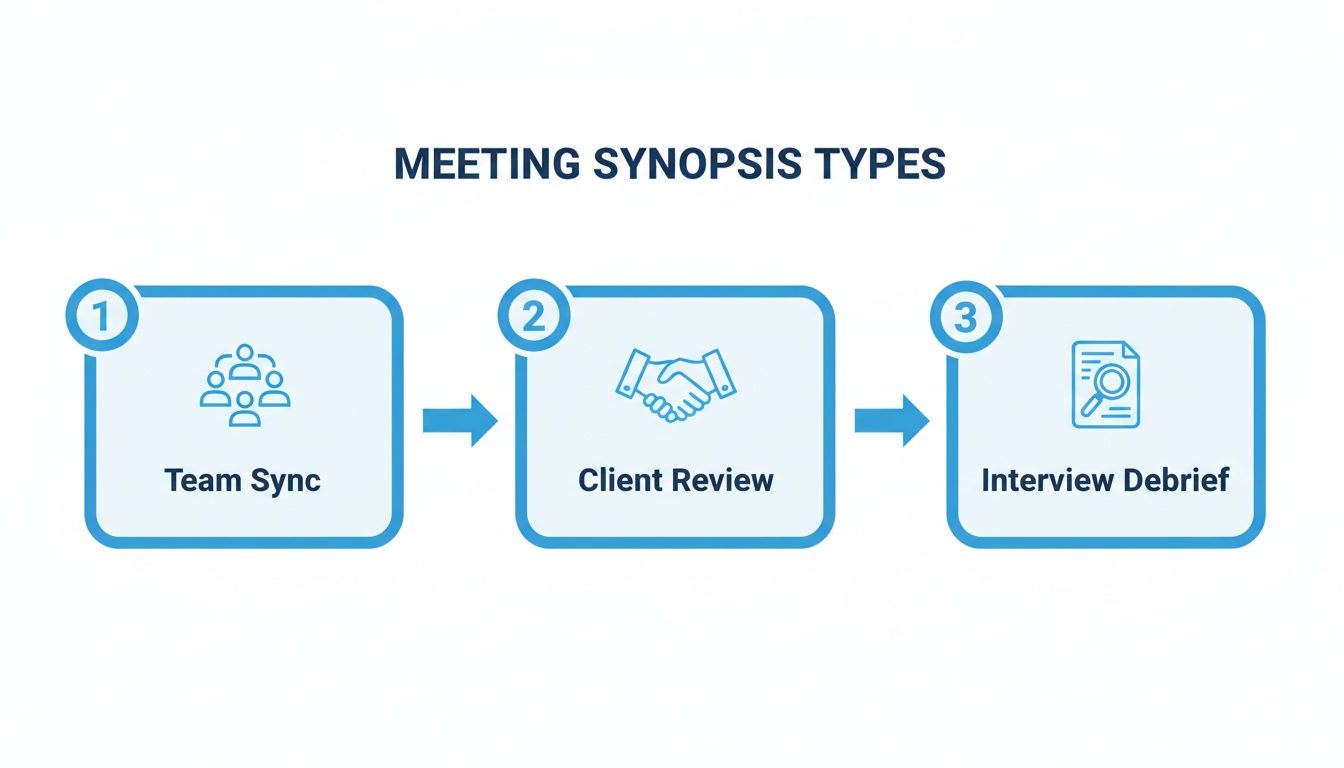
Whether it’s a quick team sync or a formal client review, the path from conversation to a structured, useful summary is the same. AI just gets you there faster by handling the most tedious parts.
How to Fit AI Tools Into Your Current Workflow
Getting started with a tool like Whisper AI is much easier than you might think. Typically, you just upload the audio or video file from your meeting, and the platform takes it from there. In a few minutes, you’ll have a complete transcript and a draft summary ready to copy and paste right into your synopsis template.
Expert Tip: By automating the transcription and initial summary, you're doing more than just saving time. You're building a more accurate and consistent record of your meetings. AI doesn't get distracted or have biases, ensuring every key decision and action item is captured exactly as it happened.
This completely changes the dynamic. The synopsis is no longer a dreaded task you put off until the end of the day. It becomes something you can finalize and send out almost immediately after a meeting ends. This keeps the momentum going and makes sure everyone is on the same page before they've had a chance to forget the details.
If you’re curious about which tool might be right for you, our guide on choosing the best AI meeting summary tool is a great place to start. It breaks down the options to help you find a perfect fit.
Got Questions About Meeting Synopses? We've Got Answers.
So you've got the template, but now what? It's one thing to have a great tool, but actually weaving it into your team's daily rhythm is where the real questions start to surface. Let's walk through some of the common sticking points I see teams run into.
The whole point is to make this process feel second nature, not like another piece of administrative busywork. These aren't textbook answers; they come from years of helping teams turn messy, scribbled notes into summaries that actually get things done.
How Long Should a Meeting Synopsis Be?
This is the big one, isn't it? The best answer I can give you is this: as short as possible, but as long as necessary.
A good rule of thumb is to aim for a single page. That constraint forces you to be ruthless about what really matters—the decisions made and the tasks assigned. For a quick 30-minute team huddle, a few sharp bullet points might be perfect. But for a two-hour client strategy session, you're obviously going to need a bit more detail.
No matter the length, the real test is this: can a busy stakeholder scan it in less than two minutes and walk away knowing exactly what happened and what's next?
A synopsis is about clarity, not a word-for-word transcript. If your summary is so long that nobody reads it, it’s failed. Brevity is your best friend here.
Who's on the Hook for Sending It Out?
To avoid confusion, one person should always "own" the synopsis for any given meeting. This usually ends up being one of a few people:
- The Meeting Host: They have the most context and are already in the driver's seat. It's a natural fit.
- The Project Manager: For anything project-related, the PM is the logical choice since these summaries feed directly into their tracking and follow-up work.
- A Designated Scribe: Some teams rotate this role, which is a fantastic way to get everyone comfortable with the process and share the load.
The trick is to decide before everyone hangs up. A simple, "Awesome, Alex, you've got the recap?" is all it takes to eliminate any ambiguity.
When Should the Synopsis Hit Everyone's Inbox?
Timing is everything. You need to get that summary out within a few hours of the meeting ending. Don't let it slide past the end of the workday.
If you wait more than 24 hours, you've lost the magic. Details get fuzzy, conversations are forgotten, and all that great momentum you built up just evaporates. Sending it out quickly keeps the discussion fresh and makes it way easier to get quick feedback on action items so the work can keep moving.
Ready to stop wasting time on manual notes and start creating perfect meeting synopses in minutes? Whisper AI uses advanced AI to transcribe, summarize, and identify action items from your meetings automatically. Join over 50,000 users and turn your conversations into clear, actionable outcomes. Try Whisper AI for free today!


























































































