
How to Use a Video with Timestamp to Boost Engagement
Adding timestamps to your videos isn't just a technical tweak anymore—it's a critical strategy for improving your content's performance. From my experience, think of them as a clickable table of contents that lets your audience jump directly to the sections they care about most. This simple change can be the difference between a passive viewer and an engaged, loyal subscriber.
Why Timestamps are a Game-Changer for Your Videos
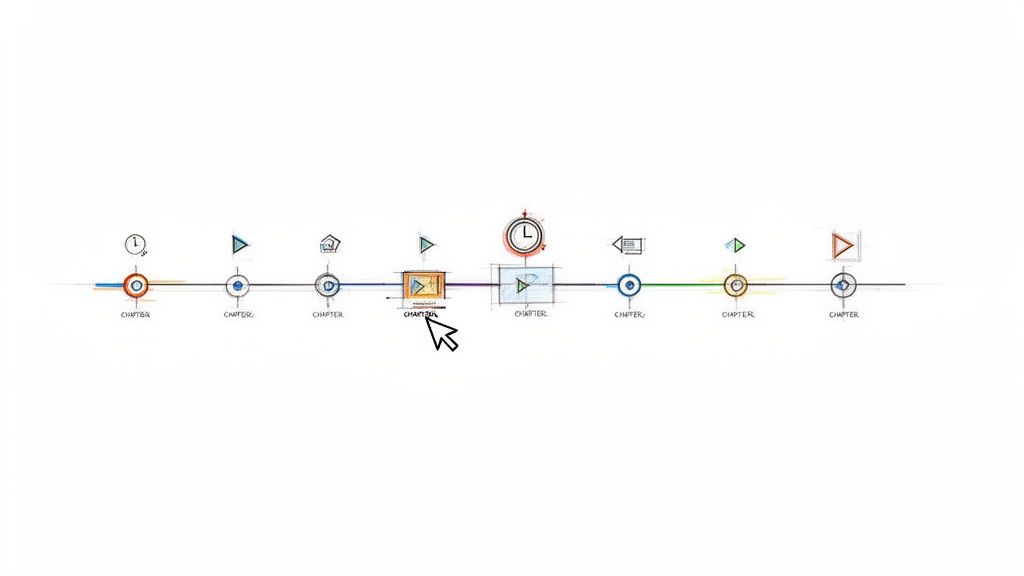
We're all swimming in a sea of video content, making it tougher than ever to capture and hold someone's attention. Timestamps, or "chapters" as YouTube calls them, are an essential tool for any creator who understands and respects their audience's time.
When you break down a long video into smaller, clearly labeled chunks, you empower your viewers. This simple act makes your content feel less like a daunting time commitment and more like an accessible, user-friendly resource. This is particularly effective for detailed tutorials, long interviews, or sprawling podcasts. Viewers no longer have to scrub randomly through the timeline to find that one specific piece of information they need.
Keep Viewers Watching Longer and Happier
The most immediate benefit I've seen from using timestamps is the significant boost in viewer retention. When people can see a clear outline of your video and jump to the parts that matter most to them, they're far less likely to get frustrated and click away.
This improved experience creates a positive ripple effect. A satisfied viewer is much more likely to:
- Watch more of your content: They begin to trust that you'll provide a clear, easy-to-navigate experience every time.
- Subscribe to your channel: A great user experience is fundamental to building a loyal community.
- Share your videos: They can easily send a link to a friend and say, "You have to check out this specific part at 5:32."
Based on my experience, making content scannable with timestamps transforms long-form videos from a commitment into a resource. This shift in perception is key to retaining viewers who might otherwise feel overwhelmed by a lengthy timeline.
What the Data Says About Engagement
The numbers speak for themselves. YouTube videos that use timestamps consistently see 12% higher engagement rates. Even more impressively, watch time can increase by up to 25%, according to Google's own analytics. That's a massive advantage, especially when you consider that over 500 hours of video are uploaded to YouTube every single minute.
For anyone managing podcasts or social media, tools like Whisper AI can automatically generate timestamps from your audio, turning hours of raw content into a goldmine of easily repurposed clips. To understand how we got to this point, it's interesting to explore the history of streaming media.
Let's break down how this strategy works across different platforms.
How Timestamps Improve Content Performance
This quick overview shows how timestamps deliver tangible value, whether you're a YouTuber, a podcaster, or a course creator.
Ultimately, implementing timestamps is a simple yet powerful way to show respect for your audience's time, which is the fastest way I've found to earn their loyalty and attention.
Manually Adding Chapters to Your YouTube Videos
If you're like me and enjoy having precise control over your content, adding chapters directly in YouTube Studio is the best approach. It’s a hands-on method that lets you dictate exactly where each segment starts and what it’s called, ensuring the final result perfectly matches your video's flow. The good news is you don't need any special software—just a bit of your time and a keen eye for detail.
My personal workflow involves doing this right after my video has finished uploading. I keep the video's description box open while I do one final watch-through. As I watch, I jot down the exact time a new topic begins, which makes building the final chapter list incredibly efficient.
Getting the Timestamp Format Just Right
This next part is crucial, as it's where most people get tripped up. For YouTube to recognize your list and create those nice, clickable chapters, the format has to be perfect. Even a tiny mistake can cause the entire feature to fail.
Here are the absolute must-follow rules I've learned to live by:
- Always Start at Zero: Your very first timestamp must be
00:00. This is the non-negotiable signal that tells YouTube to activate the chapter feature. - One Per Line: Every timestamp and its title must be on its own separate line.
- Keep it Chronological: The list must be in ascending order, following the video’s timeline from start to finish.
- A Minimum of Three: You need at least three timestamps in your list (including the
00:00start) for the chapters to appear.
The single most common mistake I see creators make is forgetting that
00:00timestamp. Without it, YouTube just sees a plain text list in your description, and you won't get any of those valuable interactive chapters on your video player.
For example, if you were making a cooking video, your chapter list would look something like this in the description box:
00:00 - Introduction to the Recipe01:15 - Preparing the Ingredients04:30 - Mixing and Kneading the Dough08:55 - Baking Instructions12:10 - Final Plating and Tasting
Pro Tips for Crafting Effective Chapter Titles
Think of your chapter titles as more than just labels; they are a golden opportunity for better SEO and viewer engagement. You want to be descriptive but also concise. I always try to put myself in my viewer's shoes—what search terms would they use to find a specific part of my video?
So, instead of a vague title like "Part 2," opt for something specific like "Choosing the Right Camera Lens." This not only guides your audience but also feeds crucial context to Google and YouTube's algorithms, helping your video rank for very specific search queries.
For a more in-depth look, our complete guide on how to add timestamps to YouTube videos breaks down even more strategies to get the most out of your chapters. When you thoughtfully create a video with timestamp markers, you instantly make your content more professional and accessible.
Let AI Tools Handle Your Timestamp Workflow
Manually adding timestamps is manageable when you're just starting out or only uploading a video occasionally. But let’s be realistic—if you’re creating content consistently, that manual process quickly becomes a significant drain on your time.
For anyone juggling multiple videos, long-form podcasts, or in-depth interviews, the hours spent scrubbing through a timeline to find the perfect chapter break really start to add up. This is exactly where AI transcription tools come in and completely revolutionize your workflow.
Instead of hitting pause and rewind countless times, you can simply upload your file and let the AI do the heavy lifting. Tools like Whisper AI don't just produce a wall of text; they generate a complete transcript with precise timestamps already integrated. Many can even detect and label different speakers automatically. From my own experience, it's a massive time-saver.
Once you have that AI-generated list of timestamps, creating YouTube chapters is a simple copy-and-paste job.
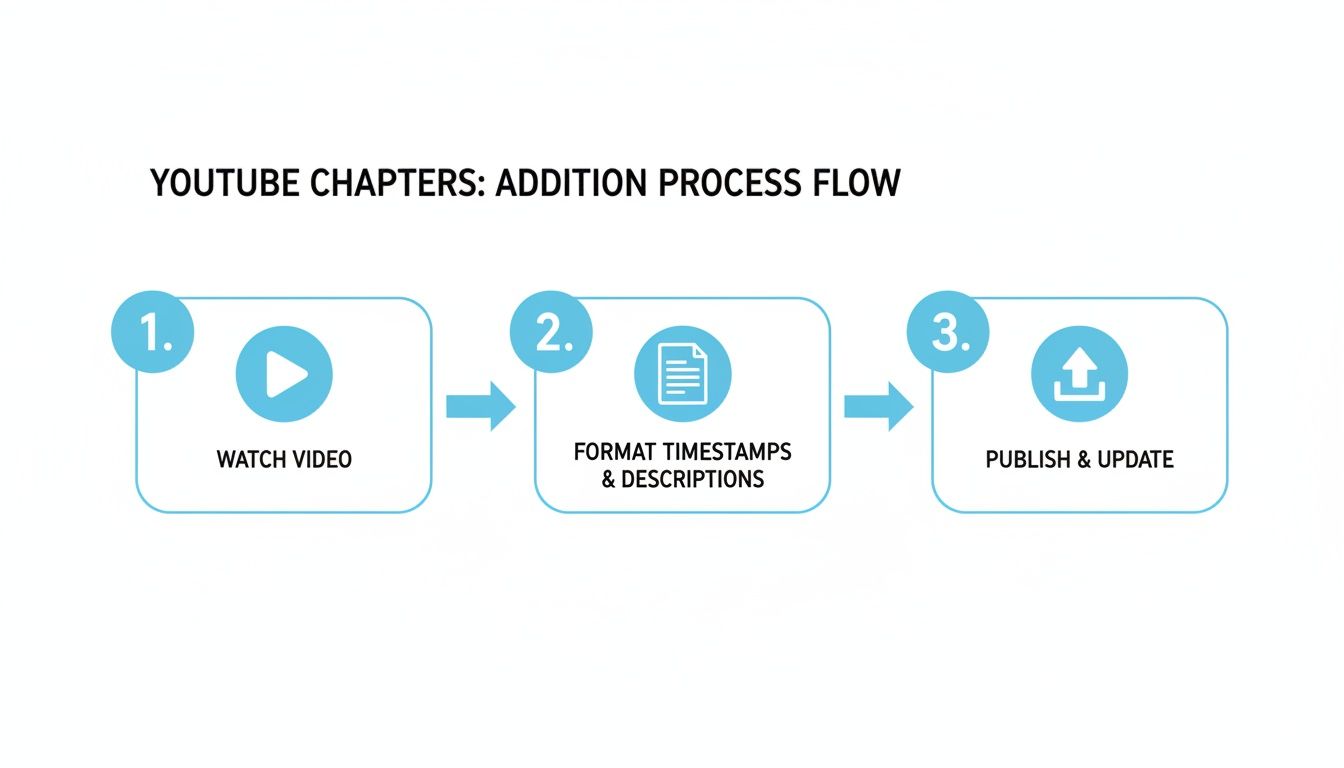
When the initial tedious work is automated, you can focus on what matters: crafting great chapter titles and publishing your content faster.
More Than Just a Timesaver: Unlocking New Content
An automated transcript does more than just give you back a few hours. It’s a content roadmap that opens up a ton of new possibilities.
- Create detailed show notes: A podcast transcript can be quickly converted into a comprehensive summary, complete with speaker references and links to resources.
- Repurpose content with ease: Scan the transcript for the best quotes or key takeaways, then use the timestamps to quickly find and clip those moments for social media.
- Keep accurate records: For interviews, webinars, or meetings, you now have a searchable, time-coded document of the entire conversation.
The impact here is significant. We've seen that videos with timestamps can pull in 2x more views. YouTube itself has stated that chapters can increase the average watch time by 20%. In an educational context, a platform like Khan Academy sees completion rates jump by 35% just by adding timestamps to lectures.
Think of an AI-generated transcript as a creative accelerator. In my workflow, it turns one long-form video into dozens of potential content pieces—from blog posts and quote graphics to social media clips—all linked back to the original with a precise video with timestamp.
Getting Started with AI Transcription
Jumping in is surprisingly simple. Most modern AI tools, including Whisper AI, are built with a straightforward drag-and-drop interface.
You upload your media file, and the AI goes to work. In just a few minutes, you’ll have a full transcript where every sentence or paragraph is marked with a specific time. Some of the more advanced platforms also offer speaker diarization, which automatically labels who is talking—a lifesaver for anyone producing interviews or podcasts with multiple hosts.
These tools are designed to streamline your workflow by integrating seamlessly with your media.
To really cut down on manual effort, it’s worth exploring different AI solutions that can automate the timestamping process. For anyone looking to build out their toolkit, checking out the best AI tools for business growth is a great next step for streamlining all sorts of creative and administrative tasks.
How Timestamps Boost Your Video SEO and Reach
Adding timestamps to your video isn't just a small housekeeping task; it’s one of the smartest things you can do for your content's visibility and search performance. Think of timestamps as a detailed map you hand directly to search engines, showing them exactly where the most valuable moments in your video are.
When you break your video into chapters, you’re feeding structured data to Google and YouTube. They use that data to create Key Moments that show up right in the search results. This is a huge advantage. It gives people a snapshot of your video's structure on the search page and lets them click straight to the part that answers their question.
Getting an Edge in Search Results
That direct integration into search results is a game-changer. Let's say someone Googles "how to fix a leaky faucet," and your tutorial pops up. If you've added timestamps, Google can show a direct link to the 04:15 mark titled "Stopping the Drip." The user gets the exact solution they needed, instantly.
This creates a win-win situation for you:
- You attract highly motivated viewers. Someone clicking a Key Moment link isn't just browsing; they have a specific problem, and you’re providing the immediate answer.
- Your click-through rate (CTR) gets a serious boost. Videos with Key Moments simply look better and more authoritative on the results page, which encourages more clicks.
Search engines are all about user experience. They want to give people the best, fastest answer. When you create a video with timestamp markers, you're signaling to Google that your content is organized, high-value, and ready to solve a user's problem on the spot.
This kind of precision is exactly what search algorithms love. By dicing up your video into clear, topic-based chapters, you’re perfectly aligning your content with how people actually look for information. To really nail this, it’s worth exploring a full suite of YouTube SEO best practices to round out your strategy.
Turning One Video into a Content Factory
Beyond the SEO benefits, a timestamped transcript is your ticket to effortless content repurposing. That time-coded text file is a blueprint you can use to squeeze every last drop of value out of a single video. Suddenly, that hour-long interview isn't one piece of content; it's a dozen pieces of micro-content just waiting to be made.
This is where your workflow gets a lot smarter. No more scrubbing through a long video trying to find that one perfect soundbite.
Here’s how a timestamped transcript transforms my process:
- Spot Viral Clips Instantly: Just scan the transcript for a memorable quote or a shocking statistic. The timestamp tells you exactly where it is.
- Create Social Media Shorts: Use the timestamps to slice out 15- to 60-second clips for TikTok, Instagram Reels, or YouTube Shorts.
- Make Quote Graphics: Pull a powerful sentence from the transcript and turn it into a shareable image for Twitter or LinkedIn.
- Build Out Blog Posts: Each chapter from your video can serve as a subheading for a blog post, with the video embedded right there for anyone who wants to watch.
Following this approach means the hard work you put into one big video pays off across all your channels. You can reach different audiences on different platforms, all from a single recording.
Taking Timestamps to the Next Level with Interactive Content
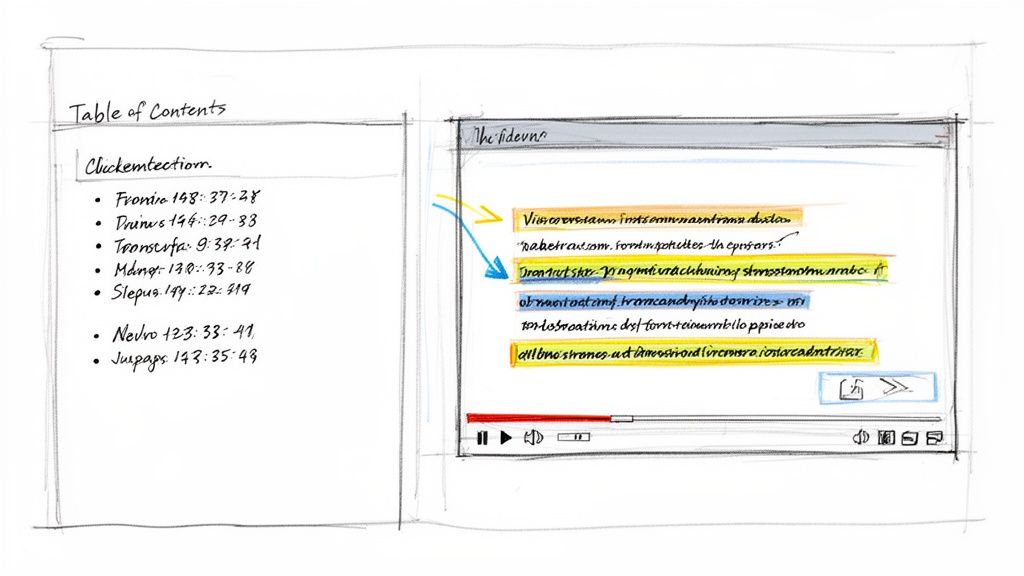
While YouTube chapters are a fantastic start, the real magic happens when you use timestamps to build rich, interactive experiences right on your own website. This is how you transform a simple embedded video from a passive watch-along into a dynamic resource that pulls your audience deeper into your content.
Instead of just dropping a video link and calling it a day, imagine building a custom "table of contents" right there on your blog page. Each item on the list is a hyperlink that jumps the viewer to a specific moment in your embedded video, all without them ever having to leave your site. It's a game-changer for detailed tutorials or long-form interviews where you want to provide extra context alongside the video.
Building a Clickable Table of Contents
So, how do you actually do this? It's all about making a small tweak to the video’s embed URL. By adding a simple time parameter to the end of the link, you can tell the video player exactly where to start.
A standard YouTube link, for example, looks something like this: https://youtube.com/watch?v=your_video_id
To have it start playing at the 2-minute and 15-second mark, you just add &t=135s to the end. The "135s" is simply the total time in seconds.
You can get really creative with this:
- For interviews: Create a link for every single question you ask.
- For tutorials: Make each major step in the process a clickable link.
- For webinars: Link directly to different speaker segments or the final Q&A.
This simple strategy puts you in the driver's seat, turning a passive viewing session into an active, engaging experience that perfectly complements your written content.
When you embed a video with timestamp links on your own site, you're building a content hub. You're telling your audience that your website, not just YouTube, is the best place to get the full story.
The Power of Interactive Transcripts
If you want to take things even further, you can create a fully interactive transcript that syncs right up with your video player. As the video plays, the corresponding text in the transcript gets highlighted. Better yet, users can click on any word or sentence in the transcript to jump to that precise moment in the video.
This approach offers an incredible boost to both accessibility and user control. It caters to every learning style—some people are readers, others are watchers, and this method gives them the best of both worlds, simultaneously.
Why Timestamps Matter for Professional Documentation
Timestamps aren't just for user experience; they carry serious weight in professional and legal fields where accuracy is everything. In legal proceedings, for example, precise timestamps can corroborate witness statements with 95% reliability when analyzed frame-by-frame. This kind of detail is essential in 70% of criminal investigations that rely on video evidence.
For creators, this verifiable accuracy is a powerful tool against deepfakes, helping to prove the originality of your content. It’s no surprise that platforms like YouTube have seen content disputes drop by 50% since making chapters a more prominent feature.
This is where automated tools like Whisper AI really shine, as they can auto-detect different speakers and insert precise timestamps as they transcribe. If you're interested in the forensic applications of this technology, you can read more on the topic.
Got Timestamp Questions? I've Got Answers
Even with the best tools in your corner, you can still hit a few bumps in the road when working with timestamps. Let's walk through some of the most common questions and hiccups I see creators run into.
These are the same issues I've wrestled with myself or helped others solve in community forums, so you can bet these solutions are tried and tested.
What's the Right Way to Format YouTube Timestamps?
Getting the format right is everything. If you don't nail this, YouTube simply won't recognize your list as interactive chapters. You have to follow a specific structure right in your video's description box.
The format you need is either MM:SS (minutes:seconds) or HH:MM:SS if your video is longer. Here are the hard-and-fast rules:
- Always start at zero. Your very first timestamp must be
00:00. This is the trigger that tells YouTube to activate the chapter feature. - Keep them in order. The timestamps have to be listed chronologically, from the beginning of the video to the end.
- One chapter per line. Each timestamp and its title gets its own separate line. No exceptions.
- You need at least three. For the chapters to show up on the video player, you must have a minimum of three entries in your list (and that includes the required
00:00start time).
So, for a quick tutorial video, your list would look something like this:
00:00 Introduction02:15 Diving Into the Main Topic05:30 Final Thoughts & Wrap-Up
My YouTube Timestamps Aren't Working. What Gives?
It's a classic moment of frustration: you've carefully added your timestamps, but the chapters are nowhere to be seen. Don't worry, the fix is usually pretty simple.
Nine times out of ten, the culprit is a missing 00:00 timestamp at the very beginning of the list. Without that starting point, YouTube just sees a bunch of numbers and text in your description, not a list of chapters.
A couple of other things to check: make sure you have at least three timestamps listed and that they're all in chronological order. Sometimes, overly long chapter titles can cause issues too, so try to keep them concise. If you've triple-checked everything, just give YouTube a few minutes to catch up. The update isn't always instant.
Honestly, just running through a quick mental checklist—starts with
00:00, has at least three chapters, and they're in order—solves about 99% of timestamp issues. It's the first thing I look for when helping other creators troubleshoot.
Can I Add Timestamps to My Facebook or Instagram Videos?
This is a great question. While platforms like Facebook and Instagram don't have a built-in, clickable "chapters" feature like YouTube, you can still guide your viewers. The old-school method of manually typing out a timestamp list in the post description or in a pinned comment still works.
But for these platforms, a better approach is to think differently. Instead of just listing times, use your timestamped transcript to identify the absolute best, most shareable moments. Then, create short, punchy clips from those highlights. That strategy fits the fast-scroll nature of social feeds way better.
Just How Accurate Are AI-Generated Timestamps?
The accuracy you can get from modern AI tools is pretty incredible, often getting it right down to the specific word. The tech is smart enough to analyze the audio waveform to find the exact moment speech starts and stops. Some of the more advanced systems can even tell different speakers apart.
Sure, you might want to nudge a timestamp here or there to get the timing just right for dramatic effect, but the automated results from a tool like Whisper AI are remarkably solid. They give you a fantastic starting point for any video with timestamp project and save you a ton of tedious manual work.
Ready to stop wasting time on manual transcription? Let Whisper AI handle the heavy lifting. Get accurate, speaker-labeled transcripts with timestamps in minutes so you can focus on creating. Try Whisper AI for free and see how it transforms your workflow.


























































































