
What Is Closed Captioning? A Complete Guide for Creators
You’ve likely seen the "CC" icon on your video player. That's the gateway to closed captioning, the on-screen text that translates a video's entire soundscape—not just the spoken words.
Think of it as a complete audio transcript brought to life on your screen. It captures everything from a quiet whisper to crucial non-speech sounds like [dramatic music] or [phone ringing]. The "closed" part simply means you have the choice to turn this text layer on or off.
What Does Closed Captioning Mean for Modern Video?
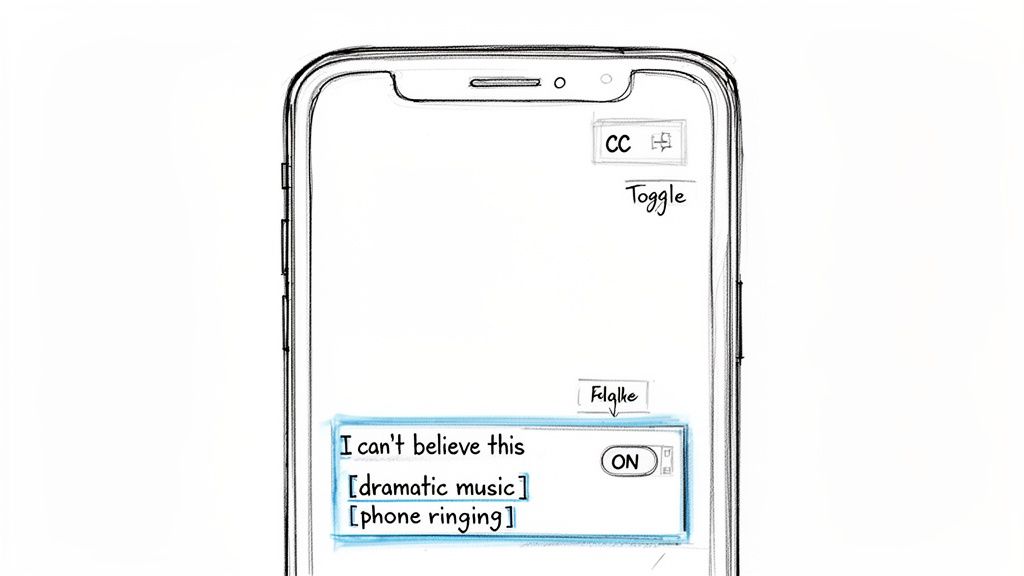
At its core, closed captioning was created to make video accessible, particularly for people who are deaf or hard of hearing. It’s a common mistake to confuse captions with subtitles, but they serve very different purposes. Subtitles assume you can hear the audio but don't understand the language, so they only translate dialogue.
Captions, on the other hand, assume you can't hear the audio at all. They aim to provide the full auditory experience in text form, which is vital for understanding the true context of a scene.
Imagine a horror movie. A character jumps, but the scare isn't just their gasp—it's the [sudden loud noise] that accompanies it. Or maybe it’s the [suspenseful music intensifies] that builds the tension. Without captions describing those sounds, viewers who can't hear the audio would miss the entire emotional beat of the moment.
More Than Just an Accessibility Feature
While captions started with accessibility, their use has expanded far beyond that single purpose. Today, they're a massive driver of engagement in a world where most social media videos are watched on mute.
Think about your own experience. You're scrolling through your feed on the bus, in a quiet office, or late at night. You aren't going to turn the sound on. Captions are what make it possible for you to understand the message without ever touching the volume button.
What was once an accommodation has become a smart, strategic tool for any creator. Captions now serve a huge range of viewers and situations:
- Silent Viewers: People on social media in a library or on public transit.
- Noisy Environments: Anyone trying to watch a video at a loud restaurant or a concert.
- Language Learners: People using captions to connect spoken words with their written form, boosting comprehension.
- Enhanced Focus: Viewers who find that reading along helps them concentrate and retain information better.
In short, closed captioning has moved from the margins to the mainstream. It’s no longer a niche tool but a universal feature for modern video. If you want to reach the widest possible audience and make sure your message hits home, getting your captions right isn't just nice to have—it's essential.
The Journey of Captions: From Broadcast TV to AI
Closed captioning might feel like a modern, digital feature, but its roots actually go back decades, long before streaming platforms or even the internet were part of our daily lives. The story starts with a simple, powerful goal: making broadcast television accessible to everyone. Tracking this evolution from a specialized broadcast tool to a standard feature on every screen shows just how essential captions have become.
Believe it or not, the real push for this technology began in the 1970s. Before captions, TV was a silent world for millions of people. It took a lot of technical innovation and passionate advocacy to change that.
From Broadcast Innovation to Digital Standard
The idea of closed captioning really started taking off in the early 70s. After a public demonstration in 1971, a huge milestone came in 1976 when the FCC officially set aside Line 21 of the analog TV signal just for caption data. Think of it as creating a dedicated highway for text to travel to television sets.
The first live, real-time captions made their big debut at the 1982 Academy Awards. By 1993, new laws made built-in caption decoders a standard feature in most new TVs, cementing their place in every living room.
As video moved from analog broadcasts to the digital world, the challenges changed. The slow, manual process of transcribing and timing every single line was expensive and just couldn't scale with the explosion of online video. Content creators desperately needed a faster, more affordable way to make their work accessible.
The core problem shifted from delivery (how to get captions onto the screen) to creation (how to produce accurate captions quickly and affordably). This new challenge set the stage for the next major leap.
The Rise of AI in Modern Captioning
Today, artificial intelligence has completely changed the game. Instead of relying only on human transcribers, we can now use powerful AI models to generate incredibly accurate captions in a matter of minutes. This is the technology that powers the automatic captions you see everywhere, from YouTube to TikTok.
AI tools work by analyzing the audio, converting speech into text, and even adding the necessary timestamps automatically. This makes captioning faster, cheaper, and available to anyone creating content. The innovation doesn't stop there, either. In the wider world of video production, tools like AI script-to-video tools are also streamlining the entire creation workflow, which goes hand-in-hand with caption generation.
This modern automation is a direct descendant of that pioneering work done for broadcast television. AI builds on that foundation, making it possible to produce high-quality captions at a scale that was unimaginable just a decade ago. If you want to dive deeper into the tech behind this, our guide on how AI transforms audio to text breaks it all down.
Captions vs. Subtitles: Understanding the Difference
It’s a common mix-up, but using “captions” and “subtitles” interchangeably isn't just a simple mistake. They’re built for entirely different purposes, and choosing the wrong one can leave parts of your audience completely in the dark.
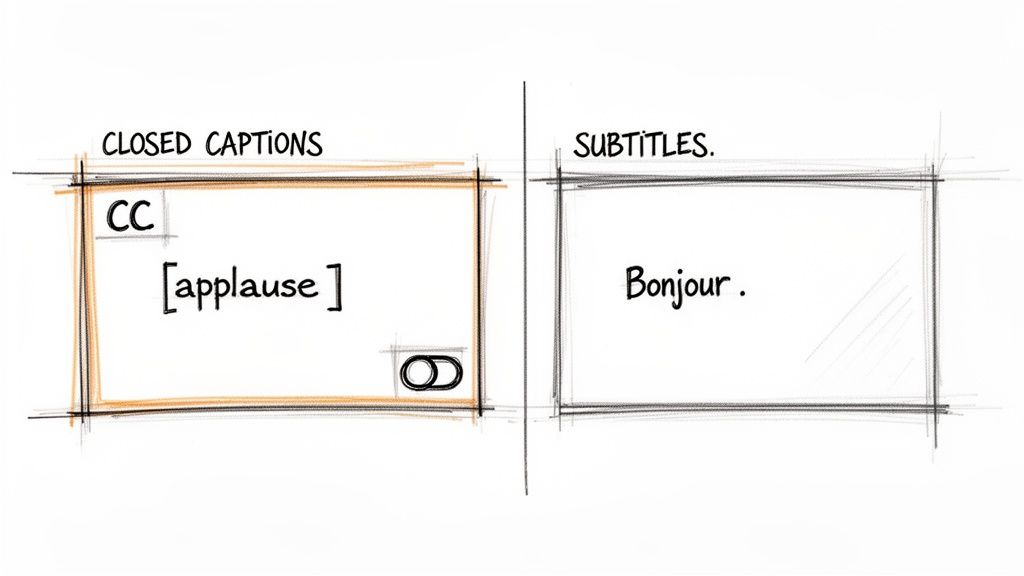
The easiest way to get it right is to think about who you're trying to help.
Captions are for people who can't hear the audio.Subtitles are for people who can't understand the language being spoken.
This single distinction changes everything about what information they need to contain. Because captions are designed for accessibility, their job is to recreate the entire auditory experience in text. This means they go beyond just dialogue to include crucial sound effects like [phone rings], mood-setting cues like [suspenseful music], and identifying who is speaking, especially if they're off-screen.
Subtitles, on the other hand, have a much narrower focus: translation. They assume the viewer can hear everything just fine—the music, the sound effects, the tone of voice—but they need the spoken words translated into a language they understand.
Captions vs Subtitles At a Glance
To make this even clearer, let's break down the key differences in a simple table. This helps creators quickly see how closed captions, open captions, and subtitles serve distinct needs.
Ultimately, knowing when to use captions versus subtitles is about providing the right tool for the job. If your goal is to be truly inclusive and reach the widest possible audience, the best practice is to offer both: high-quality closed captions in the video's original language and subtitles for your key international markets.
How Captions Transform Your Content's Performance
So, we've covered the what and the why. But the real question is, what do captions actually do for your content? Thinking of captions as just another box to check at the end of production is a huge mistake. It's a powerful strategy that directly boosts your video's performance in three key areas: accessibility, engagement, and search engine optimization (SEO).
These aren't just separate benefits; they all work together to widen your reach, connect with viewers on a deeper level, and make sure your content gets found. Honestly, skipping captions means leaving a massive amount of potential on the table.
Unlocking Your Content Through Accessibility
First things first: captions are fundamentally an accessibility tool. They tear down barriers and open your video content to a massive global audience that might otherwise be completely locked out.
Consider this: over 430 million people worldwide live with disabling hearing loss. Without captions, your message, your story, your product demo—it's all invisible to them. Providing accurate captions is a direct invitation, telling this huge community that your content was made for them, too.
This isn't just about the numbers, though. Committing to inclusivity builds incredible goodwill and shows that your brand genuinely cares about accessibility. That's how you build real community trust and loyalty.
Driving Engagement in a Sound-Off World
Let's face it, most videos today are watched without sound. This is especially true on social media, where videos silently auto-play as you scroll through your feed.
A staggering 85% of social media videos are watched on mute. Without captions, your silent video is just moving pictures, and people will scroll right on by.
Captions are your secret weapon here. They grab attention immediately, letting you get your message across even when the audio is off. This has a direct impact on the performance metrics that platforms use to decide which content to show more people.
- Increased Watch Time: Viewers are far more likely to stick around and finish a video if they can follow along with captions.
- Better Message Retention: When people both see and read your message, it sticks in their memory more effectively.
- Higher Completion Rates: Captions keep viewers hooked, dramatically cutting down on how many people drop off after a few seconds.
By designing for the silent-viewing majority, you’re making sure your content actually works in the environment where it lives.
Boosting Your Video SEO and Discoverability
This is the one most people miss. Captions give your videos a major SEO boost that can make a huge difference in how many people find you. Search engines like Google can't "watch" your video to understand what it's about, but they are absolute experts at crawling and indexing text.
When you upload a caption file (like an SRT), you’re essentially handing the search engine a complete, time-stamped transcript of your entire video. Every word you say becomes a searchable keyword that helps your video show up in relevant search results.
This simple act turns your audio into a powerful asset for discovery. When you improve performance and accessibility with captions, it can really elevate your larger marketing strategy, and professional content marketing services can help take those results even further. At the end of the day, captions make the audio in your video readable and indexable, which is a game-changer for getting found.
Why Captioning Laws and Accessibility Standards Matter
Adding captions isn't just a nice touch to boost engagement—in many situations, it's the law. While legal compliance can sound intimidating, the principle behind it is straightforward: everyone deserves equal access to information. For any creator today, it's crucial to know when captions stop being a helpful feature and become a legal necessity.
This is especially true if you work in certain sectors. Videos produced for government agencies, universities, or public-facing companies almost always fall under laws that require accurate captions. These rules exist to ensure people with disabilities can access digital content just like everyone else.
The Key Laws and Standards You Need to Know
A few key laws and guidelines are the bedrock of digital accessibility. They aren't just a list of rules; they provide a clear framework for building a more inclusive internet.
In the United States, accessibility requirements have expanded over time. It started with the landmark Americans with Disabilities Act (ADA) and grew with telecom laws that pushed captioning from broadcast TV right onto the devices we carry every day. As video moved online, laws like the Telecommunications Act and the Twenty-First Century Communications Act followed, mandating captions for content on tablets and phones. You can read more about this fascinating legal history from TIME.
Another critical framework you'll hear about is the Web Content Accessibility Guidelines (WCAG). Think of WCAG as the international gold standard for making websites accessible. It offers a detailed, technical roadmap for making all kinds of web content, including video, usable for people with a wide range of disabilities.
Following these standards isn't just about avoiding a lawsuit. It's about showing you're committed to reaching your entire audience. Compliance protects your brand, expands your reach, and turns a legal duty into a real opportunity.
Turn Compliance into a Competitive Edge
It’s easy to see accessibility laws as a chore, but that's a huge missed opportunity. A better way to look at it is as a guide to connecting with more people and building a brand that people trust.
When you make captioning a priority, you're doing more than just ticking a legal box—you're making an active choice to include every single person who might want to watch your content. If you want a deeper look at the different types of captions and subtitles that help meet these standards, you can check out our guide on subtitles and closed captions. By embracing these standards, you make your content more discoverable, more engaging, and ultimately, more valuable to everyone.
A Practical Workflow for Creating Accurate Captions
So, we've covered the what and the why of closed captioning. Now let's get into the how. Creating great captions doesn’t have to be a headache or a budget-buster. With the right approach, it can become a smooth, efficient part of your regular content routine.
You really have three main options when it comes to getting your videos captioned:
- Do It Yourself (DIY): This is the hands-on, no-cost route. You'll be the one transcribing every word, noting all the important sound effects, and painstakingly syncing everything to the video's timeline. It's free, sure, but it's also incredibly time-consuming and just not practical if you're producing content regularly.
- Hire a Professional: For top-tier accuracy, nothing beats a human transcriptionist. These services often guarantee 99% accuracy or higher. The trade-off is the price; they usually charge by the minute, and those costs can add up quickly.
- Use an AI Tool: This is the sweet spot for most people. Modern AI tools give you a fantastic blend of speed, affordability, and high accuracy. You get a nearly-perfect transcript in minutes that just needs a quick once-over from a human.
For the vast majority of creators, the AI-powered workflow strikes the perfect balance. It takes what used to be a tedious chore and turns it into a quick final check before publishing.
A Modern AI-Powered Workflow
Let's walk through what this actually looks like using a tool like Whisper AI. The whole process can be boiled down to four simple steps, designed to get you a professional result with minimal effort.
First, you upload your media file or just paste a link from a platform like YouTube. The system takes care of the rest, getting the file ready for processing. Then, the AI engine kicks in and generates a full, time-coded transcript—often in just a few minutes.
The real magic is in the refinement. No AI is perfect, but a good one gets you 95-98% of the way there. The crucial third step is a quick human review to catch any specific jargon, names, or unclear phrases.
This final polish is what takes your captions from good to great. Once you’re happy with the text, you just export the file in a standard format like SRT or VTT. It’s then ready to be uploaded directly to your video host. If you're a YouTube creator, our guide on how to caption YouTube videos breaks this down even further.
Following a workflow like this doesn't just make your life easier; it also helps you stay aligned with major accessibility standards. The legal landscape around digital content has evolved significantly, and captions are a huge part of that.
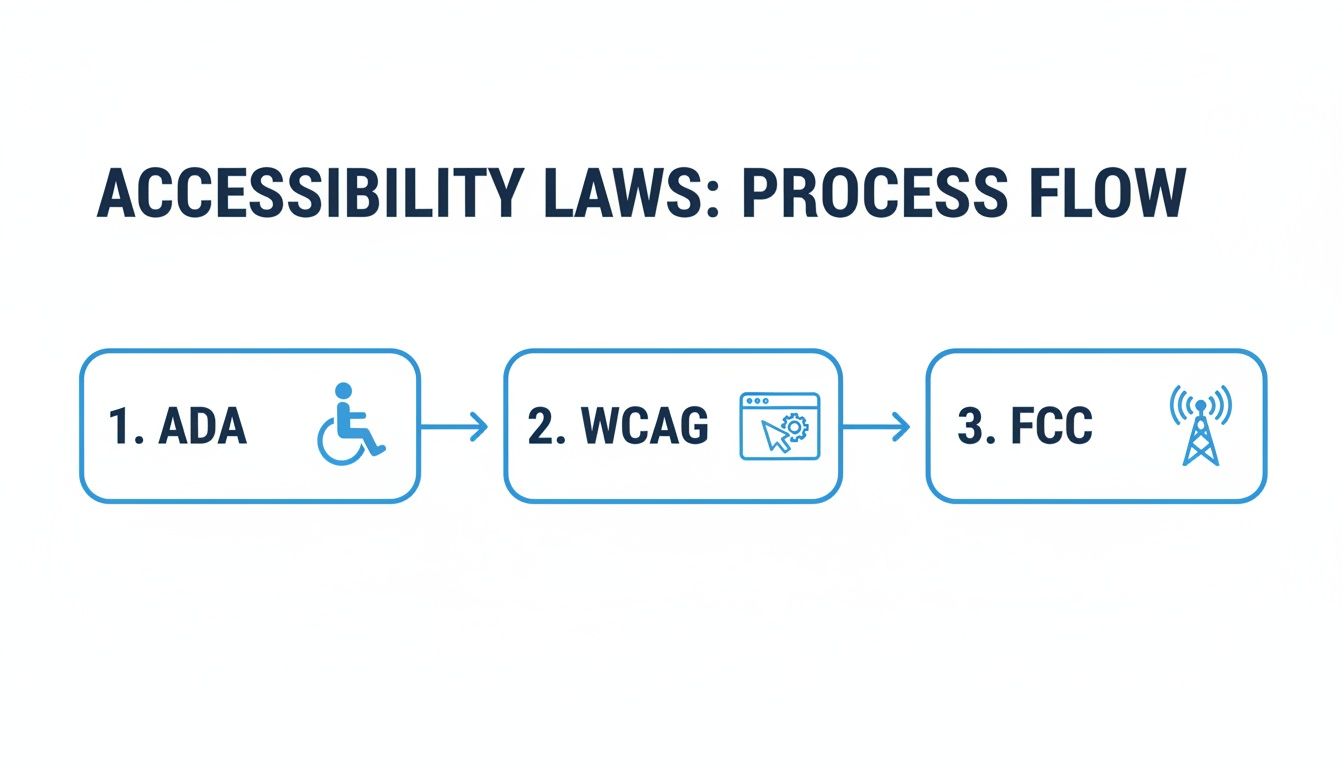
This flow shows how frameworks like the ADA, WCAG, and FCC regulations all point toward making content more accessible. By adopting a solid captioning process, you're not just checking a box—you're making sure your content can be understood and enjoyed by everyone.
A Few Lingering Questions About Closed Captioning
Even after mapping out a solid workflow, a few questions always seem to pop up. Let's tackle some of the most common ones that creators run into when they start getting serious about captioning.
Getting these details right is what separates amateur content from a professional, accessible, and polished final product.
Are YouTube's Auto-Generated Captions Good Enough?
YouTube's auto-captions are a great starting point, but that's all they are—a start. Think of them as a very rough first draft. They often get tripped up by accents, background noise, or technical jargon, which can lead to confusing and sometimes hilarious errors.
Relying on them as-is can look unprofessional and even sabotage your SEO by inserting the wrong keywords. The best practice is to always, always review and edit them. Your goal should be 99% accuracy, whether you achieve that by cleaning up YouTube's draft or by using a more powerful AI tool to generate a better one from the get-go.
What Exactly Is an SRT File?
An SRT (or SubRip Subtitle) file is just a plain text file that acts as a script for your captions. It contains the text itself, broken down line by line, with precise start and end timestamps for each one. This little file tells the video player—whether it's on YouTube, Vimeo, or somewhere else—exactly when to show and hide each caption to keep it perfectly synced with the dialogue.
It's essentially the instruction manual for your captions. Without it, the video platform has no idea how to time everything. The SRT file is the simple but critical piece that makes it all work seamlessly.
How Much Is This Going to Cost Me?
The cost of captioning really runs the gamut, and it all comes down to what you value more: your time or your money.
- Doing It Yourself: This is the "free" option, but you pay for it with your time. It can be incredibly tedious and slow, especially for longer videos.
- Hiring a Pro: A professional human transcriptionist will give you near-perfect accuracy, but it comes at a premium. They typically charge by the audio minute, and the costs add up fast.
- Using AI Tools: This is the sweet spot for most creators. AI-powered services deliver incredibly accurate results in a fraction of the time and for a fraction of the cost of manual services.
For creators looking for a scalable, budget-friendly solution, modern AI tools are almost always the most practical choice.
Ready to create accurate, professional captions in minutes? Whisper AI uses advanced AI to transcribe your video and audio files with incredible speed and precision. Stop spending hours on manual transcription and start making your content more accessible and engaging today. Try Whisper AI for free and see the difference.


























































































