
Best Free Transcription Software: Tested and Reviewed for 2024
Manually transcribing audio is a tedious, time-consuming task that drains hours from your day. Whether you're a podcaster creating show notes, a journalist reviewing an interview, a student capturing lecture details, or a marketer repurposing video content, the process is painfully slow. Modern AI has made this manual effort obsolete, but navigating the crowded market to find the best free transcription software can be just as frustrating.
This guide cuts through the noise. We've tested and evaluated the top free tools to give you a clear, hands-on resource that helps you reclaim your time. Instead of generic marketing descriptions, you'll find an honest breakdown of each platform's real-world performance. We analyze critical factors like transcription accuracy, language support, file compatibility, privacy policies, and export options.
You will learn exactly which tool is right for your specific needs. We cover everything from powerful open-source models like OpenAI's Whisper to user-friendly cloud services like Otter.ai and specialized apps for different operating systems. We also clarify what "free" actually means for each service, highlighting usage limits, minute caps, and feature restrictions so you can avoid surprise paywalls.
Each review includes direct links, screenshots, and practical, experience-based recommendations to help you make a quick, informed decision. This list is designed to be your definitive guide to finding the perfect free transcription solution, whether you're transcribing a 10-minute YouTube clip or a two-hour podcast episode. Let’s find the right tool for you.
1. Otter.ai
Otter.ai is one of the most well-known names in the transcription space, and for good reason. It excels at turning live conversations and audio files into searchable, collaborative notes, making it a staple for students, journalists, and teams. The platform’s strength lies in its user-friendly interface and cloud-based ecosystem, which syncs seamlessly between its web and mobile apps.
Its real-time transcription feature is particularly useful for virtual meetings or lectures, capturing dialogue as it happens. Based on our experience, the free tier is generous enough for casual users, offering a solid entry point into what AI-powered transcription software can do. Speaker identification is fairly reliable, and the ability to highlight key points and generate basic summaries saves significant time on post-meeting wrap-ups.
Key Features and Limitations
Otter.ai’s free plan is a great starting point, but it's important to understand its boundaries before committing to a workflow.
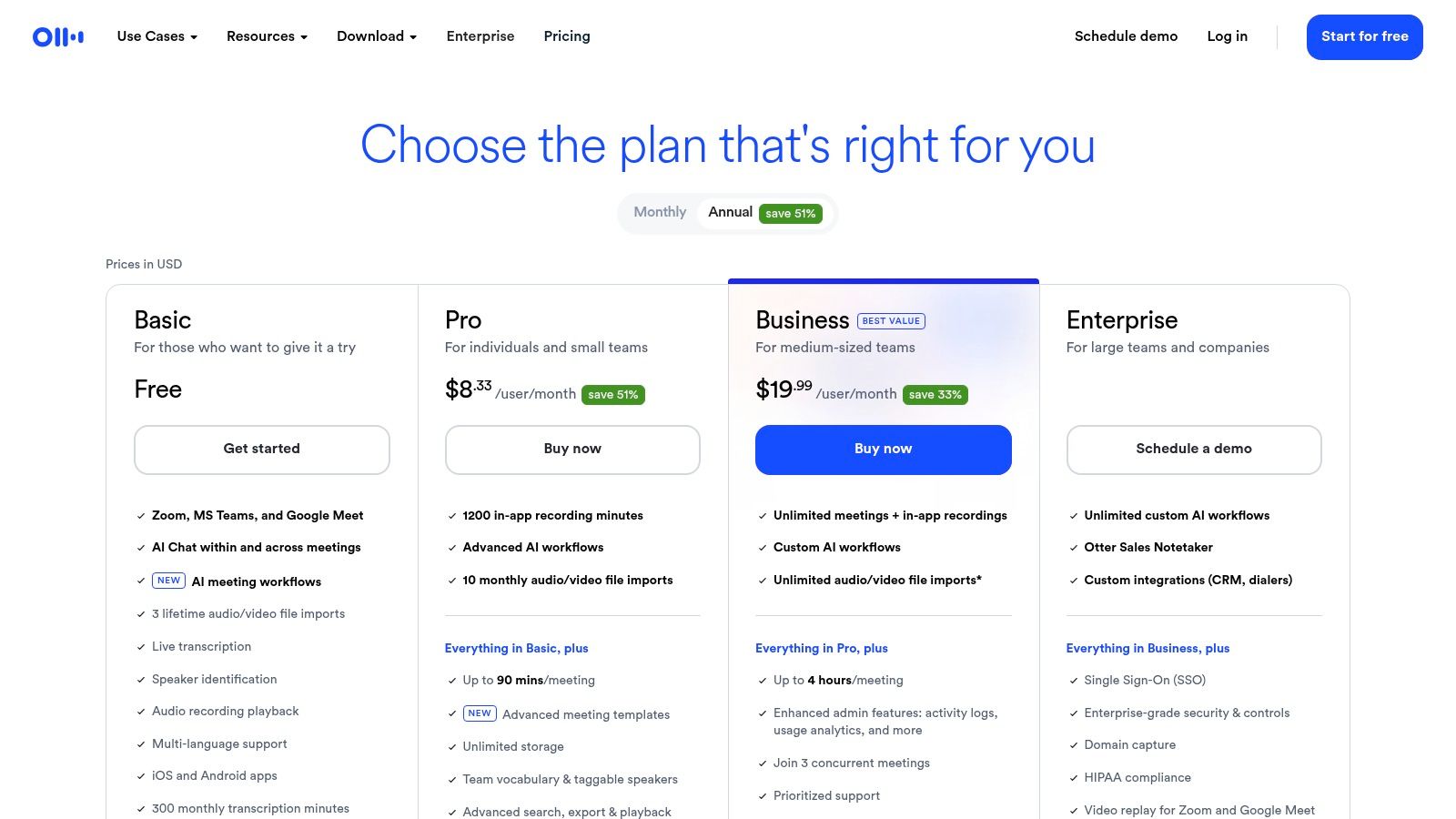
- Free Plan Limits: Users get 300 monthly transcription minutes, with a cap of 30 minutes per conversation. You can also only import three audio or video files in your account's lifetime on this plan.
- Live Transcription: Works directly in your browser or through the iOS and Android apps, perfect for capturing notes on the go.
- Speaker Identification: The software automatically detects and labels different speakers, which is a huge help for interview and meeting transcripts.
- Search and Collaboration: Transcripts are fully searchable, and you can share them with team members to comment or edit.
Best Use Case: Otter.ai is ideal for students recording lectures, journalists transcribing interviews, and teams needing automated notes for their internal meetings.
While its free offering is robust, users needing to transcribe longer files like full-length podcasts or wanting advanced features like Zoom integration will need to upgrade.
Website: https://otter.ai/pricing
2. OpenAI Whisper
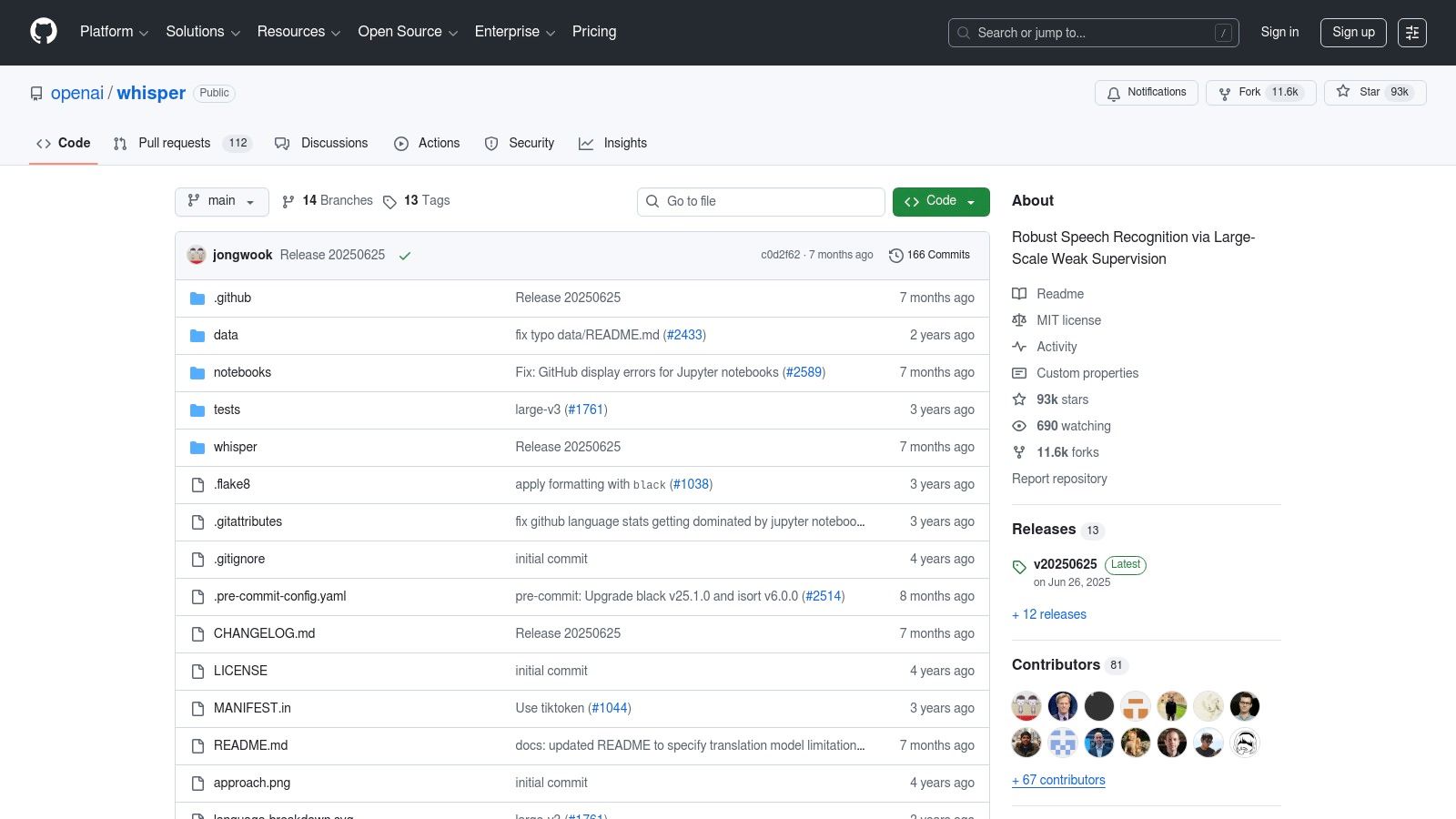
OpenAI Whisper represents a different approach to transcription, offering a powerful, open-source model rather than a polished software-as-a-service platform. This makes it a top choice for developers, researchers, and privacy-conscious users who want maximum control and accuracy. Because it runs locally on your own hardware, your data never leaves your machine, providing a level of security that cloud-based services cannot match.
Its state-of-the-art accuracy across over 90 languages sets it apart from many other free transcription software options. Since it's a model, not an application, it requires some technical setup via the command line or integration into other tools. However, for those comfortable with a bit of code, the results are exceptionally precise, especially with challenging audio containing background noise or diverse accents. For a deeper dive into its capabilities, you can learn more about how OpenAI Whisper works.
Key Features and Limitations
Whisper is completely free, but its power comes with the trade-off of needing your own computer resources and technical knowledge.
- Free Plan Limits: The model is free to use under the MIT license with no time limits, but performance depends entirely on your computer's CPU or GPU power.
- Offline Operation: Runs entirely on your local machine, ensuring complete data privacy and the ability to work without an internet connection.
- High Accuracy & Multilingual Support: Delivers some of the most accurate transcripts available and robustly handles dozens of languages, even offering translation to English.
- No Built-in UI: Requires using a command-line interface or a third-party application that has integrated the Whisper model.
Best Use Case: Whisper is perfect for developers building transcription features into their apps, researchers analyzing sensitive audio data, and anyone needing high-accuracy, private transcription for long-form content.
While it's arguably the most powerful free transcription engine available, its lack of a user-friendly interface means it isn't a simple plug-and-play solution for non-technical users.
Website: https://github.com/openai/whisper
3. whisper.cpp
For users who prioritize privacy, speed, and offline access, whisper.cpp offers a powerful, developer-centric solution. This is a highly optimized C/C++ port of OpenAI's Whisper model, designed to run directly on your own hardware without needing a cloud connection or Python dependencies. It’s built for performance, excelling on everything from modern Apple Silicon MacBooks to standard x86 desktops running Windows or Linux.
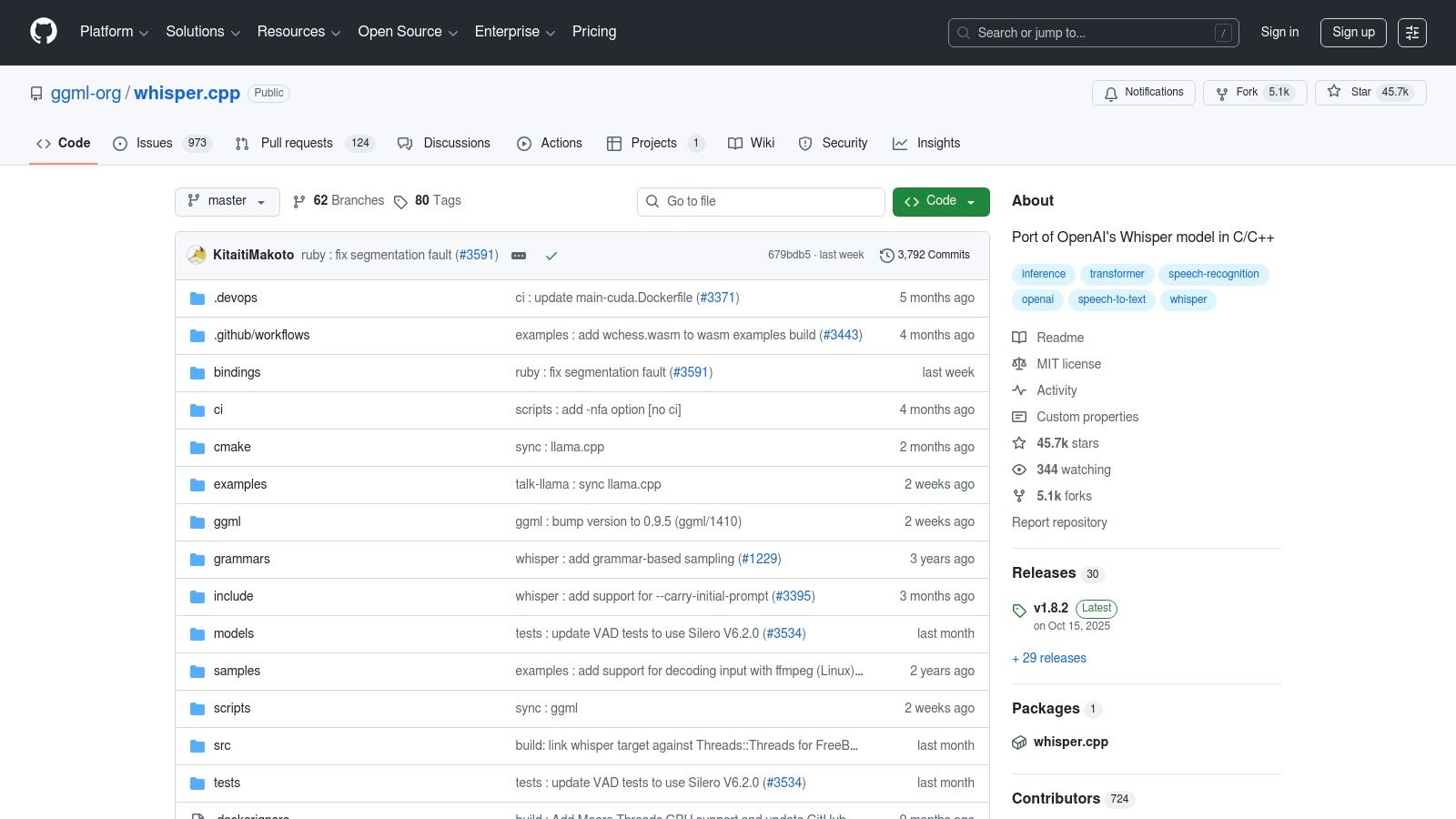
The primary appeal of whisper.cpp is its complete local operation, making it one of the best free transcription software options for handling sensitive data. Since it runs on your machine, there are no file upload limits, minute caps, or privacy concerns associated with third-party servers. It leverages quantized models to reduce memory usage and increase speed, delivering impressive results even without a high-end GPU. However, its command-line interface means it's best suited for those comfortable working in a terminal.
Key Features and Limitations
whisper.cpp is entirely free and open-source, but its technical nature presents a different set of trade-offs compared to polished web applications.
- Completely Offline and Private: All transcription happens on your device, ensuring your data never leaves your computer.
- High Performance on CPU: It's optimized to run efficiently on standard consumer hardware, making it accessible without specialized equipment.
- No Usage Limits: Transcribe as much audio as you want for as long as you want, with no monthly caps or file size restrictions.
- Technical Barrier to Entry: Requires using the command line to operate and involves downloading large model files (from hundreds of MB to several GB). There is no official graphical user interface (GUI).
Best Use Case: Developers, researchers, and tech-savvy users who need to batch-process large volumes of audio files or integrate high-accuracy transcription into custom scripts and applications.
Its power and flexibility are unmatched for local processing, but beginners seeking a simple point-and-click tool should look elsewhere.
Website: https://github.com/ggml-org/whisper.cpp
4. Vosk
For developers and tech-savvy users seeking a free transcription software solution that runs entirely offline, Vosk is a powerful open-source toolkit. Unlike cloud-based services, Vosk is designed for privacy and performance on local machines, including modest hardware like a Raspberry Pi. This makes it an excellent choice for projects requiring embedded speech recognition or where data cannot be sent to third-party servers.

Vosk stands out because it puts control directly into the user's hands. Its models are lightweight and can be integrated into various applications using bindings for popular programming languages like Python, Java, and C++. While it requires more technical know-how to set up compared to a web-based tool, its flexibility and offline capabilities are unmatched for specific use cases where internet connectivity is unreliable or data privacy is paramount.
Key Features and Limitations
Vosk's open-source nature means its features are powerful but require some setup and understanding of its architecture.
- Offline Operation: The entire transcription process runs locally on your device, ensuring complete data privacy and security.
- Multi-Language Support: It supports over 20 languages and dialects with downloadable models of varying sizes and accuracies.
- Developer-Friendly: Provides bindings for Python, Java, Node.js, C#, C++, and Go, making it highly versatile for custom projects.
- Technical Barrier: Requires command-line knowledge or programming skills to implement; it is not a simple upload-and-transcribe website for non-technical users.
Best Use Case: Vosk is ideal for developers building custom applications with voice features, researchers processing sensitive audio data, or anyone needing reliable offline transcription on edge devices.
While its community-driven models are impressive, accuracy can vary by language, and achieving top-tier results may require fine-tuning or customization.
Website: https://alphacephei.com/vosk/
5. YouTube Studio (automatic captions)
While not a dedicated transcription service, YouTube Studio’s built-in automatic captioning feature is an incredibly powerful and accessible tool for video creators. Integrated directly into the platform, it automatically generates captions for most uploaded videos, making it an essential first step for improving accessibility and search engine optimization (SEO) without any third-party software.
The primary advantage is its seamless integration; if your content is already on YouTube, this is the most convenient option available. The platform provides a simple in-studio editor to correct inaccuracies, adjust timing, and refine the auto-generated text. Our tests show its accuracy can vary depending on audio quality and accents, but it serves as a fantastic, no-cost baseline for anyone needing a transcript of their video content.
Key Features and Limitations
YouTube’s captioning is designed for accessibility and discoverability, which shapes its capabilities and constraints.
- Free Plan Limits: Completely free with no limits on the number or length of videos you can caption. However, auto-captions aren't always generated instantly and may take time to process.
- Built-In Editor: The editor allows you to easily review and correct the auto-generated text directly alongside your video, making the workflow intuitive for creators.
- File Support: You can upload your own transcript or caption file (.srt, .vtt) and use the auto-sync feature to align it with your video’s audio.
- Variable Accuracy: The quality of the transcription heavily depends on audio clarity, speaker accents, and background noise. It often struggles with punctuation and speaker differentiation.
Best Use Case: YouTube Studio is perfect for video creators who need a quick and free way to make their content more accessible and searchable directly within the platform.
For those serious about reaching a wider audience, learning more about how to caption YouTube videos is a great next step. Additionally, creators focused on audience growth may also benefit from exploring strategies for creating effective marketing videos that drive conversions.
Website: https://studio.youtube.com/
6. Google Recorder (recorder.google.com)
For users with a Google Pixel phone, the built-in Recorder app is a powerful and surprisingly private piece of transcription software. Its standout feature is that all transcription happens directly on the device, meaning your audio never has to be sent to the cloud for processing. This makes it an incredibly fast, secure, and reliable tool for capturing thoughts, interviews, or personal notes without needing an internet connection.
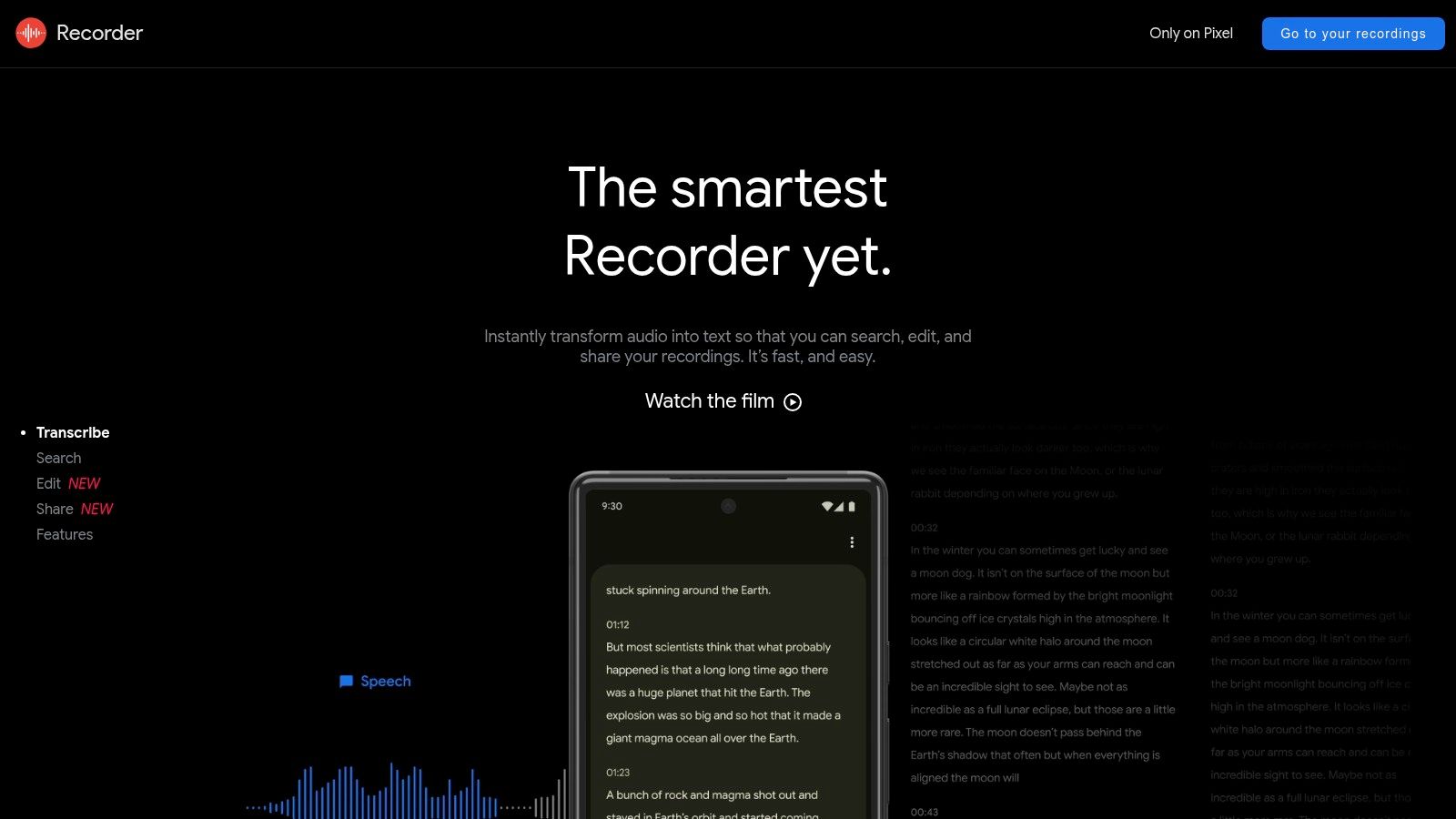
While the app itself is mobile-only, your recordings and transcripts automatically sync to its web interface at recorder.google.com, where you can search, play back, and export your text. The real-time transcription is highly accurate for a free tool, and newer Pixel models even support automatic speaker labeling in English. For a completely zero-cost solution integrated directly into your phone, it’s hard to beat.
Key Features and Limitations
Google Recorder is a fantastic free option, but its biggest limitation is its hardware exclusivity.
- Free Plan Limits: The service is entirely free with no minute caps, though it does count against your Google Account storage.
- Offline and Private: All transcription is performed on-device, ensuring privacy and functionality without an internet connection.
- Web Sync and Search: Recordings and searchable transcripts are backed up and accessible via the recorder.google.com web portal.
- Device Exclusivity: This is the major drawback, as the app is only available on Google Pixel phones, limiting its user base significantly.
Best Use Case: Google Recorder is perfect for Pixel users, like journalists or students, who need a quick, private, and offline-capable tool for transcribing in-person interviews and lectures.
The app's simplicity is its strength, but users on other devices or those needing to import existing audio files will need to look elsewhere.
Website: https://recorder.google.com/
7. MacWhisper
For macOS users who prioritize privacy and performance, MacWhisper offers a powerful solution by running OpenAI’s Whisper model directly on your machine. This native desktop application is built for offline use, ensuring your audio files are never uploaded to a cloud server. It’s particularly popular with podcasters and journalists who need fast, secure, and accurate transcription without an internet connection.
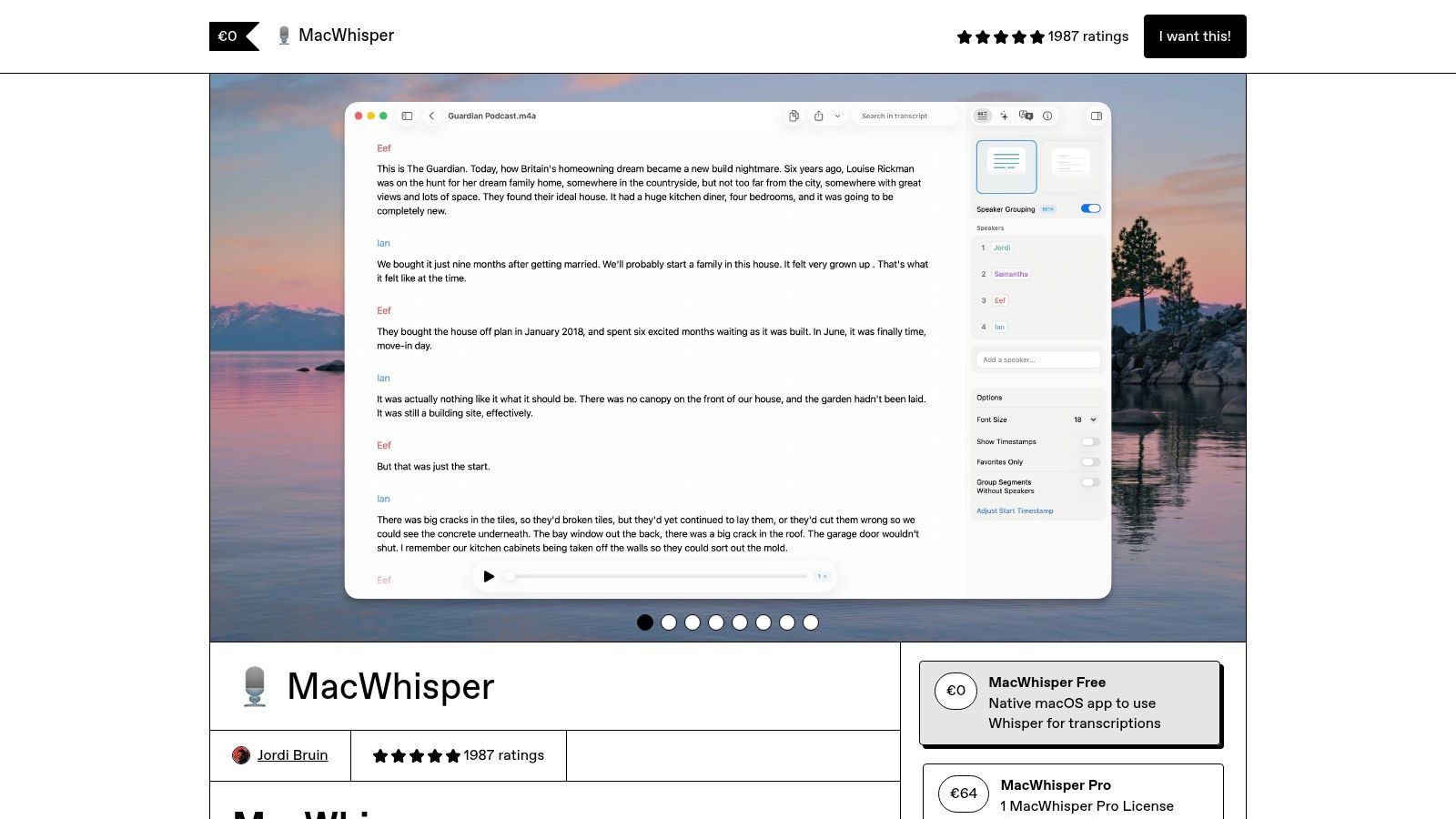
The user experience is clean and straightforward, focusing on drag-and-drop simplicity. By leveraging Apple Silicon’s processing power, MacWhisper delivers exceptionally fast and precise results, especially when using the larger, more capable Whisper models. The free version provides access to the Tiny and Base models, which we found perfect for clear, everyday audio tasks, making it a standout in the realm of free transcription software.
Key Features and Limitations
MacWhisper’s free offering is powerful for local transcription, but understanding its on-device nature and paid upgrades is key.
- Free Plan Models: The free version includes Whisper’s Tiny (English-only) and Base (Multilingual) models, suitable for high-quality audio. Access to Medium and Large models requires a Pro license.
- On-Device Processing: All transcription happens locally on your Mac, offering maximum privacy and offline functionality.
- Export Options: Users can export transcripts as plain text, CSV, or timestamped subtitle files (.srt and .vtt).
- Hardware Dependent: Performance is best on Apple Silicon (M1/M2/M3) chips. Using larger models on older Intel Macs can be slow and resource-intensive.
Best Use Case: MacWhisper is ideal for Mac users like podcasters, video editors, and researchers who need high-accuracy, private transcription for sensitive files and prefer a desktop-based workflow.
For batch processing, speaker identification, and access to the most accurate models, upgrading to the Pro version is necessary.
Website: https://www.macwhisper.com
8. Aiko
Aiko takes a different approach to transcription, prioritizing privacy and offline functionality above all else. Built for the Apple ecosystem, this app for iPhone, iPad, and Mac runs OpenAI’s powerful Whisper model entirely on your device. This means your audio files are never uploaded to a cloud server, making it a secure choice for transcribing sensitive conversations, private journals, or confidential business notes.
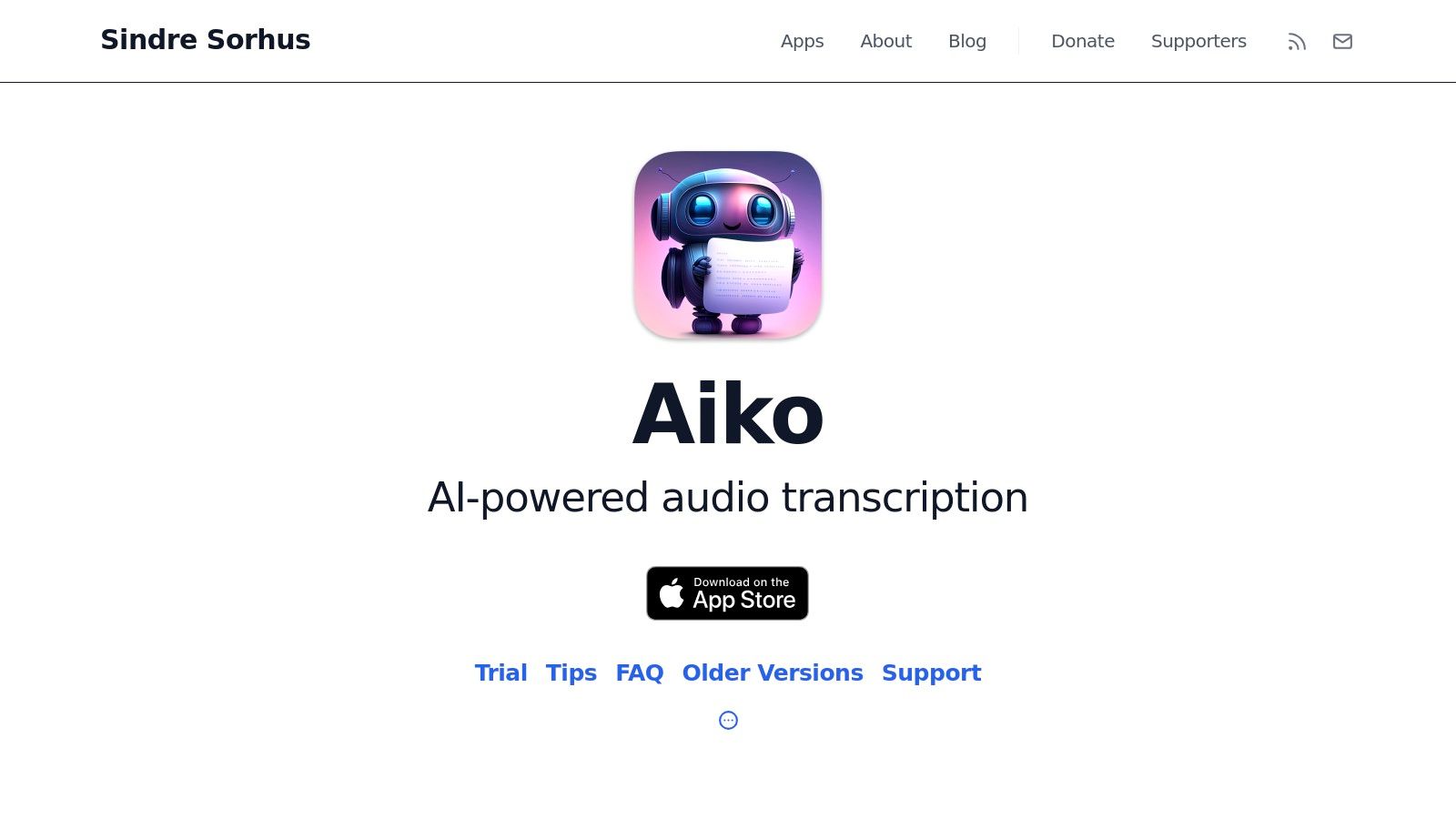
The workflow is straightforward: import an audio file or record a voice memo, and Aiko transcribes it locally. While it’s not technically free transcription software—it requires a one-time purchase—it earns a spot on this list for users who value a “buy once, use forever” model without recurring subscriptions or data privacy concerns. Its simplicity is its strength, offering a clean, no-frills interface focused purely on accurate, on-device transcription.
Key Features and Limitations
Aiko's value lies in its privacy-first model, which comes with a specific set of trade-offs compared to cloud-based services.
- One-Time Purchase: Aiko is a paid app on the App Store. It is not free, but it has no subscriptions, transcription limits, or ongoing costs.
- On-Device Processing: All transcription happens locally using the Whisper AI model, ensuring your audio files remain completely private. It functions entirely offline.
- Broad Language Support: Harnessing Whisper’s capabilities, Aiko supports over 100 languages with impressive accuracy.
- Export Options: You can easily export transcripts as plain text (.txt) or subtitle files (.srt), and it includes a simple word-replacement tool for quick edits.
Best Use Case: Aiko is perfect for journalists, researchers, or anyone in the Apple ecosystem who needs to transcribe sensitive audio without relying on an internet connection or trusting third-party servers.
It's important to note that Aiko does not offer live transcription or advanced speaker identification, focusing instead on processing existing audio files with maximum privacy.
Website: https://sindresorhus.com/aiko
9. Descript
Descript is much more than just a transcription tool; it's a powerful, all-in-one editor for podcasts and videos. Its standout feature is text-based editing, which allows you to edit audio and video files simply by editing the transcribed text. This innovative workflow makes it an excellent choice for content creators who need an integrated solution that combines transcription with production.
The platform is built for a creative workflow, including features like AI-powered audio cleanup, a screen recorder, and dynamic caption generation. While the desktop app has a bit of a learning curve compared to simpler tools, its ability to streamline the entire content creation process from recording to final export is a significant advantage for podcasters, YouTubers, and marketing teams.
Key Features and Limitations
Descript’s free plan is a great way to experience its unique editing capabilities, but the limits are designed to encourage an upgrade for serious creators.
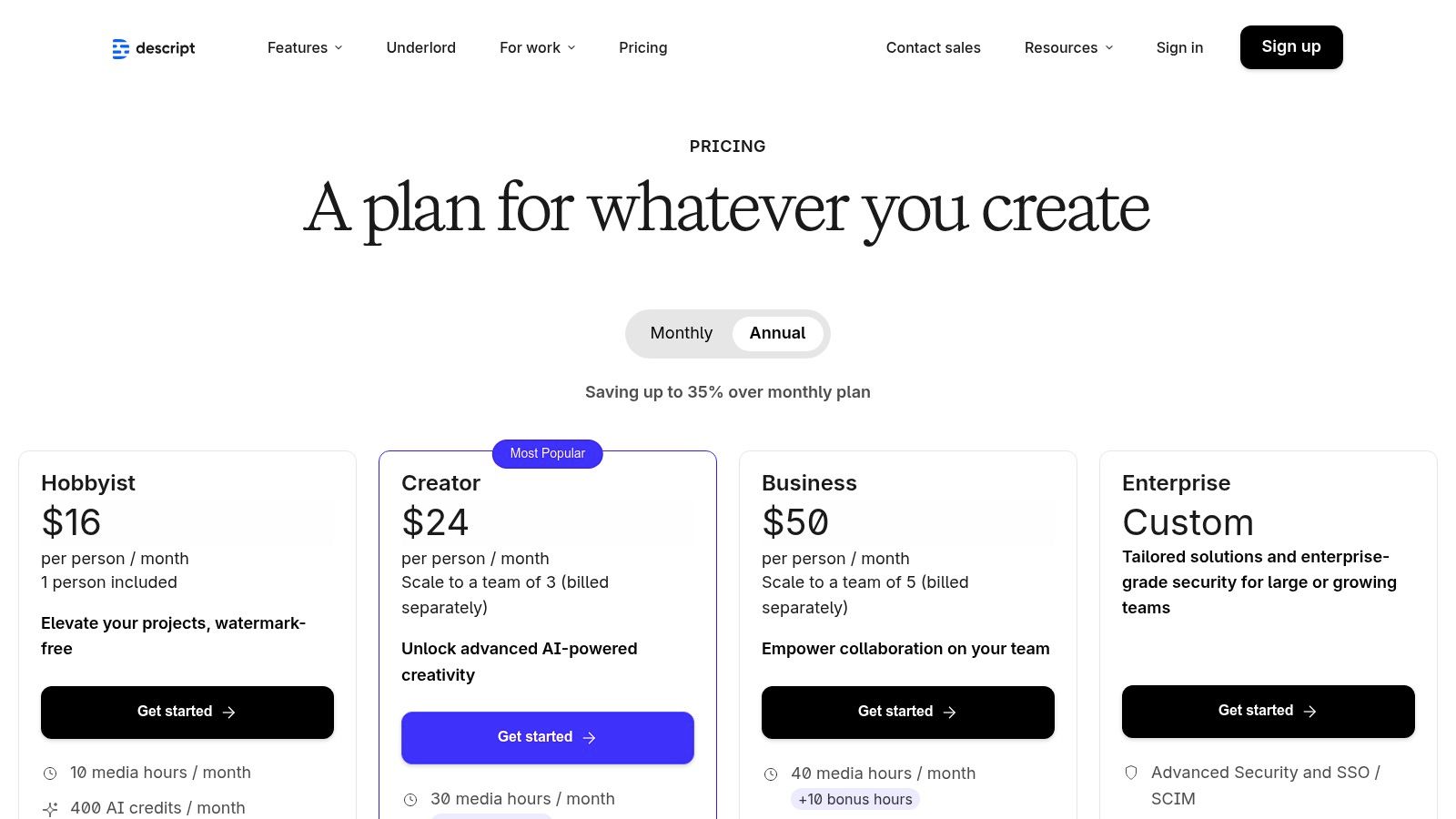
- Free Plan Limits: The free tier includes one hour of transcription per month. It also limits video exports to one watermark-free video per month at 720p resolution.
- Text-Based Editing: Edit your audio or video by simply deleting words or rearranging sentences in the transcript. This is a game-changer for editing efficiency.
- Studio Sound: An AI-powered feature that removes background noise and enhances voice quality with a single click, making amateur recordings sound professional.
- Speaker Detection: The software automatically detects and labels different speakers, which is crucial for editing interviews and podcasts with multiple hosts.
Best Use Case: Descript is ideal for podcasters, video creators, and content teams who want a single application to handle recording, transcription, and editing in a seamless workflow.
While the free plan offers a great taste of its power, users with higher transcription needs or who require high-resolution, watermark-free exports will need to subscribe.
Website: https://www.descript.com/pricing
10. Notta
Notta is a versatile browser-based and mobile transcription tool that shines in its simplicity and generous free offering for everyday tasks. It provides a clean, straightforward user interface for both live transcriptions and file uploads, making it one of the more accessible options for those new to transcription software. The inclusion of a Chrome extension allows for easy capture of audio from any webpage, a handy feature for transcribing webinars or online videos.
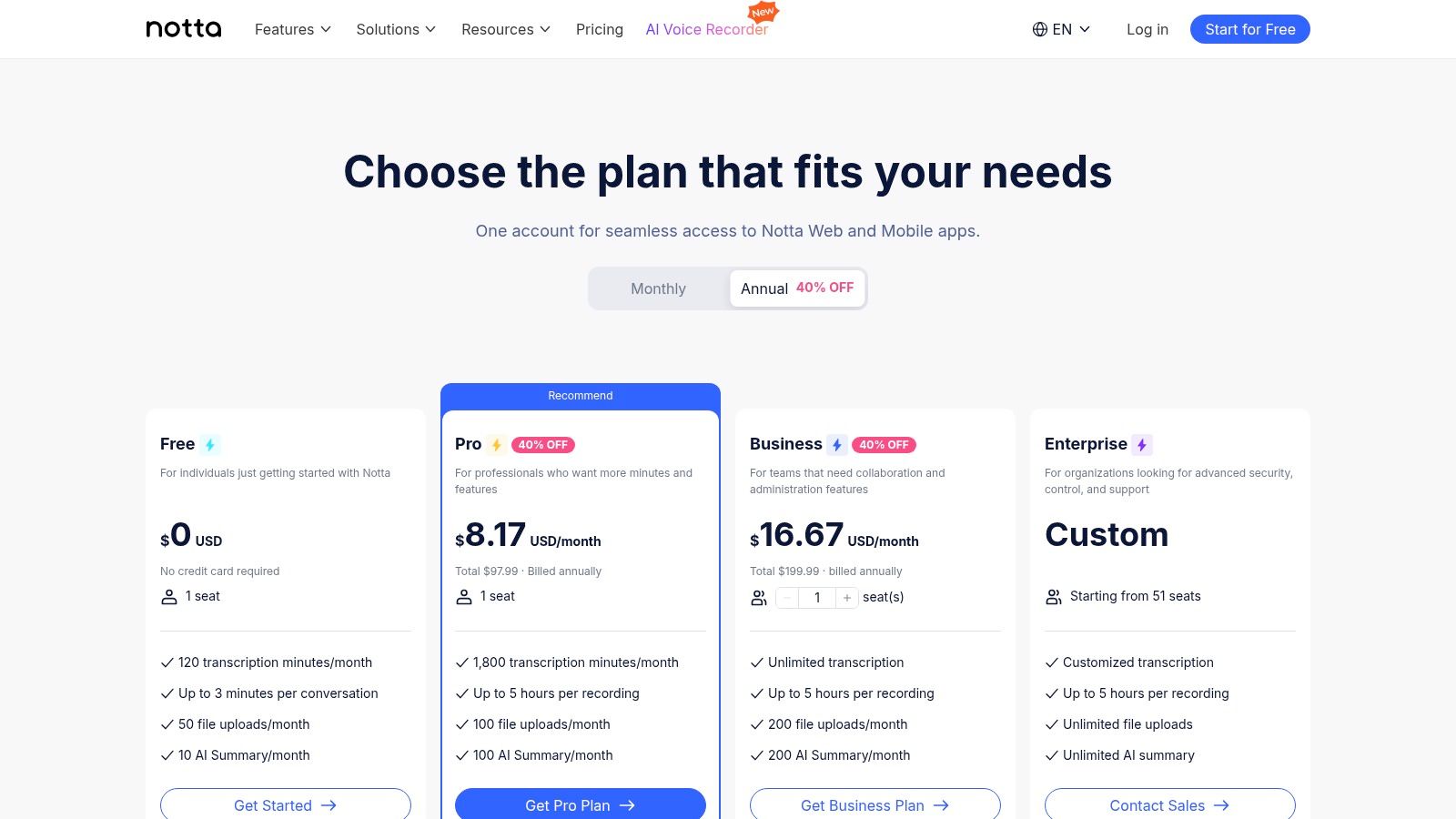
Its combination of live recording, file import, and web capture makes it a well-rounded tool for a variety of users. The AI-powered summaries provide a quick overview of long transcripts, saving time on review. While its free plan has clear limitations, it offers enough functionality to handle short interviews, class notes, or personal voice memos effectively, establishing it as a strong contender among the best free transcription software available.
Key Features and Limitations
Notta’s free plan is designed to give you a solid taste of its capabilities without overwhelming you with complex features.
- Free Plan Limits: Users get 120 minutes of transcription per month. However, there are caps of 3 minutes per live recording and 5 minutes per file upload, which is a key consideration.
- Live and File Transcription: Transcribe directly from your microphone or upload common audio/video file formats.
- Chrome Extension: Easily capture and transcribe audio playing in any Chrome tab, ideal for online content.
- Speaker Identification: The platform can distinguish between different speakers in a conversation, though advanced editing is reserved for paid tiers.
Best Use Case: Notta is perfect for users needing to transcribe short audio clips, YouTube videos via its Chrome extension, or brief personal notes and meetings.
For those requiring longer recording times, advanced export options (like SRT), or integrations with meeting platforms like Zoom and Teams, upgrading to a paid plan is necessary.
Website: https://www.notta.ai/en/pricing
11. Deepgram
Deepgram is a developer-centric transcription service that provides a powerful speech-to-text API for builders and teams. While not a ready-to-use application like others on this list, it stands out by offering a substantial credit for new users to test its highly accurate and fast models. This platform is designed for those who want to integrate top-tier transcription directly into their own software, products, or workflows.
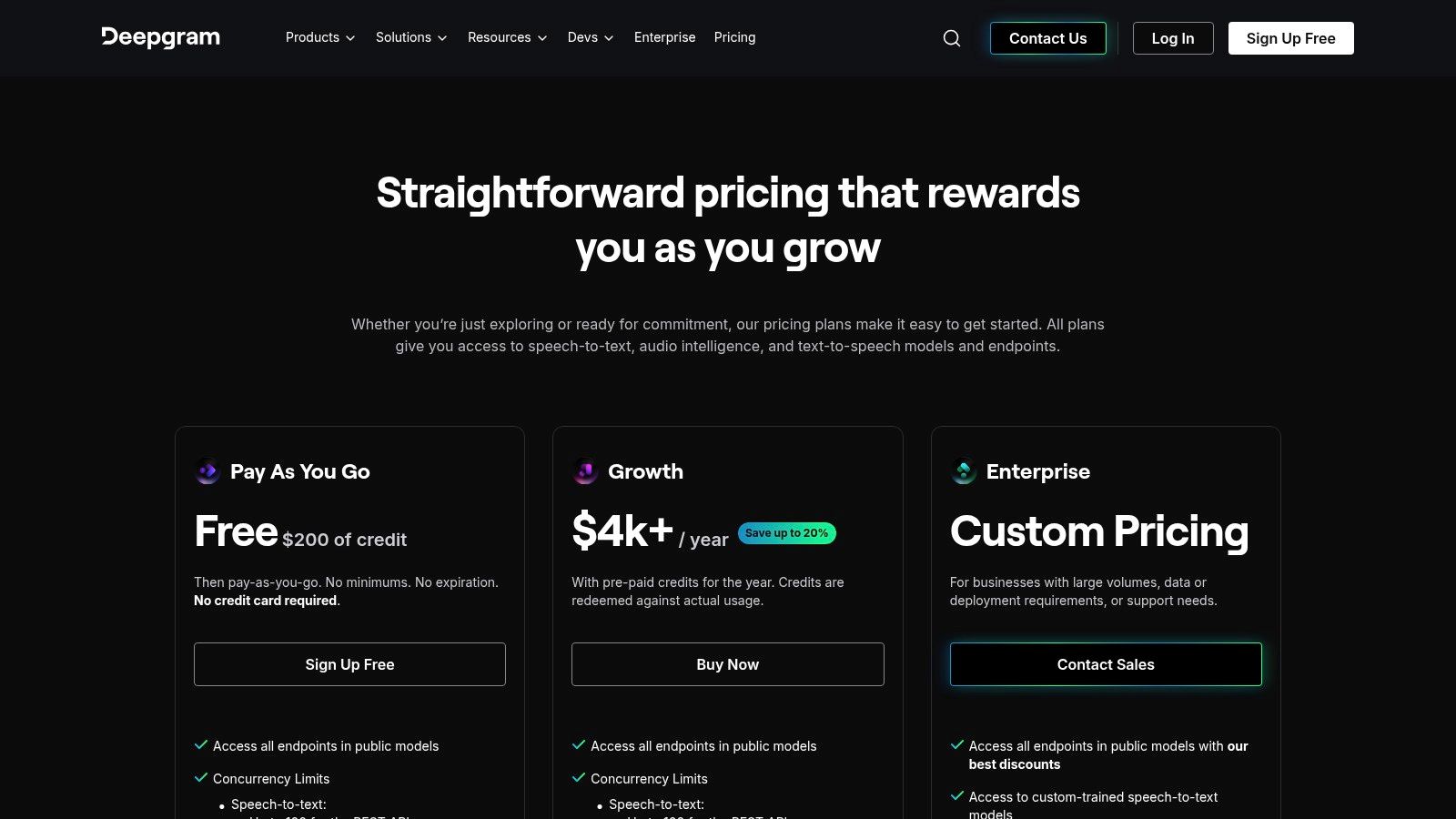
Its strength lies in its flexibility and performance, offering specialized models like Nova and Flux for different needs, from real-time streaming to batch processing of pre-recorded files. The platform's smart formatting, diarization, and keyword-boosting features give developers granular control over the final output, making it one of the most customizable options available.
Key Features and Limitations
Deepgram's approach is API-first, meaning its "free" offering is a credit to be used on its paid infrastructure.
- Free Plan Limits: New accounts receive $200 in free credits, which expire after one year. This provides ample opportunity to test the API's full capabilities without an immediate financial commitment.
- Developer-Focused: This is not a drag-and-drop tool. Using Deepgram requires some technical knowledge to interact with the API.
- Advanced Features: Supports over 30 languages, provides speaker diarization (labeling who is speaking), and allows for real-time streaming transcription.
- High Accuracy: Offers multiple AI models tailored for different audio types, ensuring high accuracy for everything from phone calls to high-fidelity recordings.
Best Use Case: Deepgram is ideal for developers, startups, and businesses that need to build high-quality, scalable transcription features into their own applications or internal systems.
While the free credits are very generous, it’s important to remember that this is a paid service once they are exhausted. It’s the best free transcription software for technical users who need a powerful, customizable engine.
Website: https://deepgram.com/pricing
12. Amazon Transcribe (AWS)
Amazon Transcribe is a production-grade automatic speech recognition (ASR) service from Amazon Web Services (AWS). While not a standalone app like others on this list, it offers powerful, scalable transcription for developers and businesses building applications that need speech-to-text capabilities. It is designed for high accuracy and can handle both real-time streaming and pre-recorded audio files.
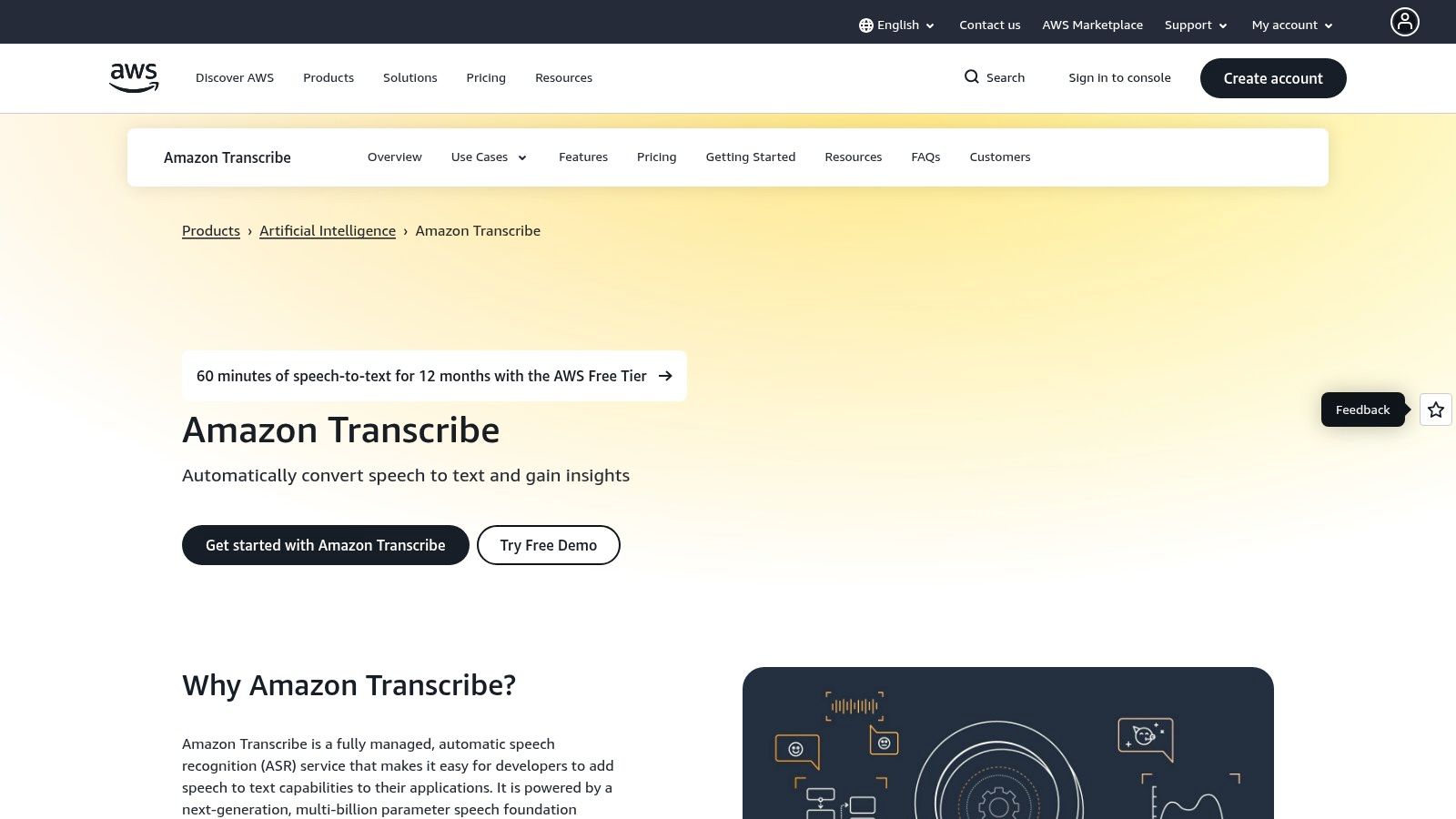
Its inclusion as one of the best free transcription software options comes from the AWS Free Tier, which provides a monthly allowance for new accounts. This makes it an excellent choice for those wanting to test enterprise-level features or integrate transcription directly into a cloud-based workflow. The service supports advanced functions like custom vocabulary to improve accuracy for domain-specific terms and PII redaction to protect sensitive data.
Key Features and Limitations
Amazon Transcribe's free tier is a gateway to its extensive cloud capabilities, but it operates differently from typical freemium software.
- Free Plan Limits: The AWS Free Tier includes 60 minutes of Amazon Transcribe per month for the first 12 months after signing up. After this, usage is billed on a pay-as-you-go basis.
- Batch and Streaming: Supports transcription of both audio files stored in services like Amazon S3 and live audio streams in real-time.
- Advanced Features: Offers powerful tools like speaker diarization (channel separation), custom vocabularies, and automatic content redaction for personally identifiable information (PII).
- Technical Setup: Requires an AWS account and some familiarity with the AWS console or APIs to configure and use, making it less user-friendly for non-developers.
Best Use Case: Amazon Transcribe is ideal for developers prototyping applications, businesses integrating transcription into their services, and researchers processing large audio datasets within the AWS ecosystem.
While incredibly powerful, its complexity and pay-per-minute model after the free tier expires make it better suited for technical users rather than casual note-takers.
Website: https://aws.amazon.com/transcribe/
Top 12 Free Transcription Tools Comparison
Beyond Free: When to Upgrade for Maximum Productivity
Navigating the landscape of the best free transcription software reveals a powerful truth: there is no single "best" tool, only the right tool for your specific job. From the collaborative, real-time prowess of Otter.ai in meetings to the sheer, unadulterated power of a self-hosted Whisper.cpp instance for developers, the ideal choice hinges entirely on your workflow, technical comfort, and privacy requirements.
This guide has equipped you with the critical details to make an informed decision. You’ve seen how tools like YouTube Studio and Google Recorder offer incredible convenience for their specific ecosystems, while dedicated apps like MacWhisper and Aiko bring the power of OpenAI's Whisper model to your desktop with a user-friendly interface. Each free tool offers a gateway into the world of automated transcription, saving you countless hours of manual labor.
However, as your needs evolve, you will inevitably encounter the limitations of "free." Whether it's the strict monthly minute caps on services like Descript and Notta, the lack of advanced features, or the technical overhead of managing open-source models, these barriers can stall your productivity just when you need to accelerate. This is the critical juncture where upgrading becomes not a luxury, but a strategic necessity.
Choosing Your Path: A Quick-Scan Comparison
To simplify your decision-making process, here is a summary of our top contenders, categorized by their strongest use cases. This table provides a high-level overview to help you match your primary need with the most suitable free option.
The Next Step: Unlocking Professional-Grade Transcription
When you consistently hit the ceilings of free plans, spending more time managing limitations than creating content, it's time to consider a dedicated, professional-grade solution. This is where tools built on the most advanced AI models, like OpenAI's Whisper, truly shine. They move beyond basic transcription to offer a suite of productivity-enhancing features designed for serious creators, researchers, and professionals.
Upgrading to a specialized platform means unlocking:
- Unlimited Transcription: No more watching the clock or rationing your monthly minutes.
- Enhanced Accuracy: Access to the largest, most sophisticated language models for fewer errors.
- Advanced Features: Go beyond the text with AI-powered summarization, chapter generation, and social media content creation.
- Robust Security: Gain peace of mind with enterprise-grade privacy and data handling policies.
Ultimately, the goal is to find a tool that seamlessly integrates into your workflow, removing friction and amplifying your ability to produce high-quality work. The free tools listed here are fantastic starting points, but don't be afraid to invest in a premium solution when your projects demand more power and reliability.
When you're ready to move past the limitations of free tiers and experience the full potential of AI-powered transcription, Whisper AI offers a professional-grade solution built for creators and teams. It leverages the cutting-edge Whisper model to provide not just text, but actionable insights like summaries and social posts, all within a secure and user-friendly platform. Try Whisper AI for free and see how a premium tool can revolutionize your workflow.


























































































