
7 Podcast Show Notes Examples That Work in 2026 (With Templates)
For many podcasters, writing show notes feels like a frustrating chore—an afterthought once the real work of recording and editing is done. But this mindset overlooks a massive opportunity. Well-crafted show notes are not just a simple summary; they are a powerful strategic asset for discovery, engagement, and conversion. They act as a critical bridge, turning casual listeners into dedicated subscribers and community members.
This article directly answers the core question: 'What do good podcast show notes look like and how do I create them efficiently?' We will move beyond theory and provide you with a curated collection of concrete, experience-based podcast show notes examples. For each one, we'll break down exactly what makes it effective, complete with annotated templates and actionable workflows you can immediately apply to your own content.
You will learn how to structure notes for different formats, including:
- Short, scannable summaries for quick engagement.
- Long-form, detailed notes for SEO and super-fans.
- Interview, solo-cast, and storytelling-specific styles.
Beyond just informing, show notes can be instrumental in converting listeners into valuable subscribers, prompting them to support your work. For creators exploring monetization, understanding the various platforms available, including alternatives to Patreon for creators, is crucial. We will also explore how modern AI tools like Whisper AI and platforms such as Buzzsprout and Riverside.fm can help you generate, edit, and publish high-quality show notes in a fraction of the time, transforming this task from a burden into a potent growth tool.
1. Whisper AI
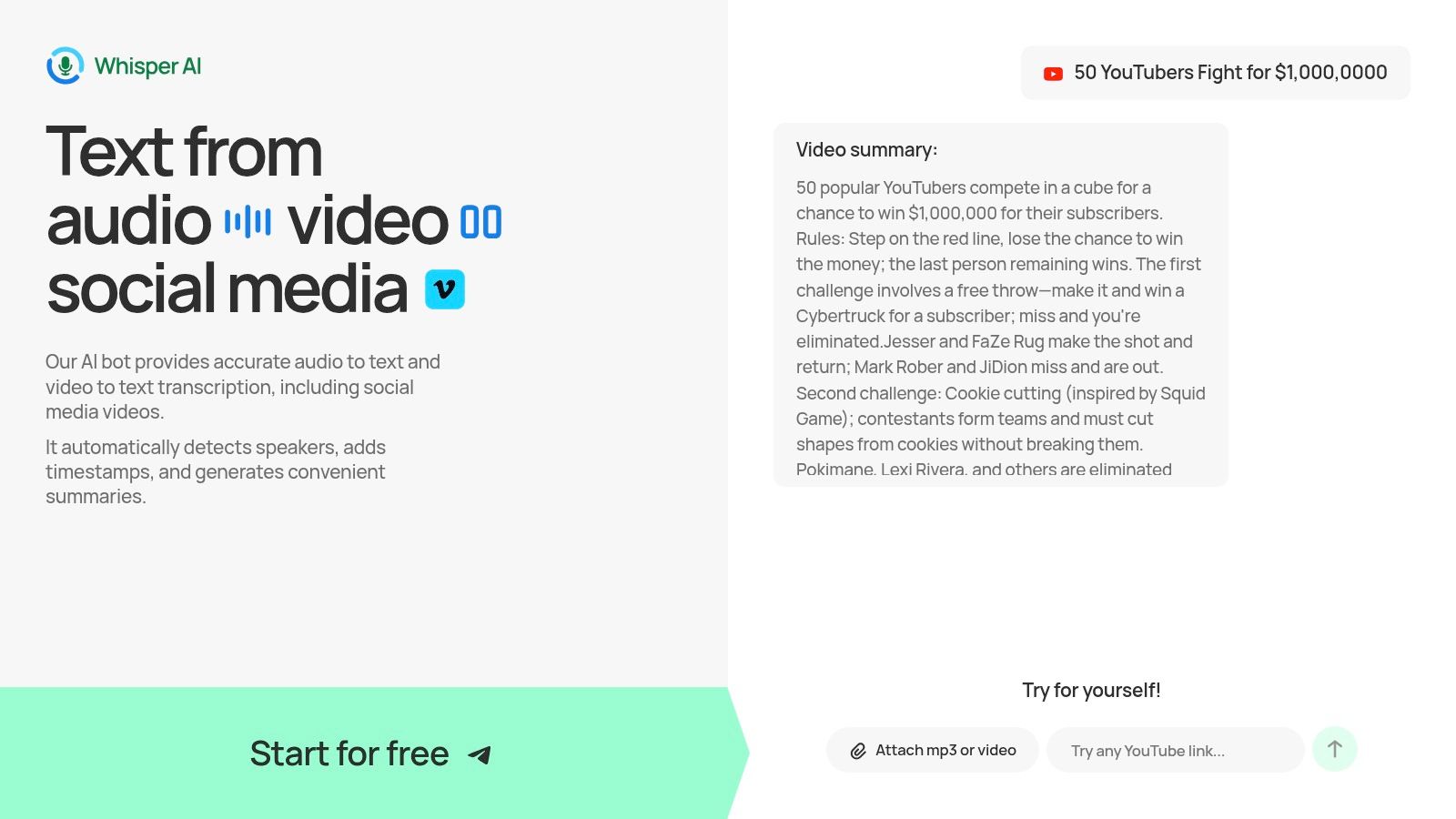
Whisper AI stands out as a powerful end-to-end transcription and summarization assistant, positioning itself as an indispensable tool for podcasters aiming to produce high-quality show notes with maximum efficiency. Instead of just providing raw text, it functions as a content generation engine, turning audio and video files into structured, actionable documents. This makes it a top choice for creators who want to spend less time on manual administrative tasks and more time developing compelling content.
The platform's core strength lies in its multi-model approach, which combines several state-of-the-art AI systems to deliver exceptionally accurate transcriptions. It automatically detects different speakers, inserts precise timestamps, and generates concise summaries and bullet-point highlights. This automation is a significant time-saver, providing a solid foundation for excellent podcast show notes examples right out of the box.
Strategic Analysis: Beyond Basic Transcription
What sets Whisper AI apart is its interactive Q&A feature. After processing your audio, you can "ask" the transcript follow-up questions to generate specific insights, pull key quotes, or create action items. This transforms a static transcript into a dynamic, searchable archive that helps you extract maximum value from every episode.
Key Tactic: Use the Q&A feature to instantly generate a "Key Takeaways" section for your show notes. Ask questions like, "What are the three most important points discussed in this episode?" or "Summarize the main argument made by [Speaker Name]." This provides immediate, high-value content for your audience.
Furthermore, its support for over 92 languages and the ability to ingest links directly from platforms like YouTube make it incredibly versatile. Whether you're transcribing your own podcast or analyzing content from other creators for research, the workflow is direct and hassle-free.
Actionable Takeaways for Podcasters
To get the most out of Whisper AI, start by using its automated summary as the core of your episode description. From there, follow these steps:
- Refine with Timestamps: Use the automatically generated timestamps to create a clickable table of contents, allowing listeners to jump to specific topics.
- Export for Repurposing: Export the full transcript or summary as a Markdown or Google Doc file. This clean format is perfect for creating a blog post, social media captions, or email newsletter content directly from your episode. The platform's blog offers a detailed guide on how to use a podcast show notes template to structure this exported content effectively.
- Verify Key Details: While the accuracy is high, always perform a quick manual review for technical jargon, company names, or heavily accented speech to ensure complete precision before publishing.
Key Details and Access
Whisper AI offers a free starter tier, allowing new users to test its capabilities without commitment. While detailed pricing for paid plans isn't listed publicly on the main site, this initial access provides a clear sense of the tool's value. The company also emphasizes a privacy-first approach, ensuring user files are processed securely and are not stored or accessed beyond the transcription task. This commitment, combined with its robust feature set, makes it a reliable and powerful asset for any serious podcaster.
Website: Whisper AI
2. Buzzsprout
For podcasters seeking practical, copy-and-paste solutions, Buzzsprout's guide to writing show notes is a foundational resource. As one of the largest podcast hosting companies, Buzzsprout has a direct interest in helping creators produce high-quality, discoverable content. This guide moves beyond theory and provides concrete, replicable podcast show notes examples that beginners can immediately put into practice. Updated for 2026, it addresses the latest ways podcast apps like Apple Podcasts and Spotify display information, ensuring your notes look great everywhere.
What makes this resource stand out is its direct, practitioner-focused approach. Instead of abstract advice, it offers five distinct templates tailored to common episode formats. This structure allows you to find a format that matches your show’s style, whether you’re conducting an interview, delivering a solo monologue, or presenting a deep-dive research episode.
Strategic Breakdown & Actionable Takeaways
Buzzsprout's strength lies in its simplicity and immediate utility. The guide explains why certain elements are important and how to implement them for maximum impact.
Template-Driven Workflow: The core of the guide is its collection of copy-ready templates. This is a huge time-saver for new podcasters who might feel overwhelmed by the task of writing show notes from scratch.
Actionable Tip: Choose the template that most closely aligns with your episode type (e.g., the interview template). Use it as a starting point and customize the headings and call-to-action to fit your specific content and goals.
App-Specific Formatting Advice: The guide provides hands-on advice for how your notes will appear in different podcast players. It demonstrates how to use line breaks and bolding to ensure readability on platforms that have different rendering rules.
Actionable Tip: Pay close attention to the formatting suggestions for Apple Podcasts and Spotify. A well-formatted description is more likely to be read by listeners, increasing the chances they will click your links.
SEO-Informed Content: Buzzsprout emphasizes including relevant keywords in your episode title and summary. This focus helps your podcast appear in searches both within podcast apps and on search engines like Google.
Pros and Cons
| Pros | Cons |
|---|---|
| Beginner-Friendly: The guidance is clear, direct, and easy for new podcasters to follow. | Ecosystem Focus: The advice occasionally steers users toward Buzzsprout's own hosting features. |
| Copy-Ready Examples: The templates are designed to be copied and adapted, significantly speeding up the creation process. | Traditional Formats: Examples primarily cover traditional host-read formats and may offer less inspiration for highly narrative or experimental shows. |
| Current Best Practices: Updated content reflects how major podcast apps and SEO work today. |
Access: The guide is available for free on the Buzzsprout blog.
Website: https://www.buzzsprout.com/blog/podcast-show-notes
3. Riverside.fm
For creators who see show notes not just as a summary but as part of a larger content workflow, Riverside.fm's guide is essential reading. As a platform known for high-quality remote recording, Riverside understands that the work doesn't stop when you hit "record." This guide provides a systematic approach, showing how to turn a raw audio recording into polished, effective podcast show notes examples that serve both your audience and your marketing goals.
What sets this resource apart is its process-oriented mindset. It directly connects the act of writing show notes to the tools that make it faster, like AI-powered transcription and summarization. The guide offers side-by-side templates for different needs, such as a short, punchy version for social media versus a long-form, detailed version for your website or blog.
Strategic Breakdown & Actionable Takeaways
Riverside’s strength is in framing show notes as a key step in a content production line. The guide provides clear templates and demonstrates how to build a repeatable system for creating them.
Workflow-First Approach: The guide excels at showing you how to build a process, starting from your recording. It explains how to use transcripts as the foundation for your notes, saving immense time and ensuring accuracy. The detailed instructions on how to transcribe a podcast to text provide a clear path for turning audio into a searchable, editable document.
Actionable Tip: Record your episode on Riverside, generate the transcript and AI summary, and then use the guide's templates to structure the output. This creates a powerful, semi-automated workflow for producing show notes quickly.
Side-by-Side Template Comparison: A major highlight is the presentation of short-form and long-form templates next to each other. This visually demonstrates when to use a brief, scannable summary versus a detailed outline with timestamps and extensive resources.
Actionable Tip: Use the short template for your podcast app description and the long template for your website’s episode page. This gives casual listeners a quick overview while offering dedicated fans a deeper dive.
Standardization for Teams: The guide’s structured format is perfect for teams looking to maintain consistency across different episodes or even entire shows. It provides a clear blueprint for what to include, from guest bios and resources to calls-to-action.
Pros and Cons
| Pros | Cons |
|---|---|
| Practical Workflow Integration: Connects show notes creation directly to transcription and summarization tools. | Tool-Specific Promotion: The guide naturally promotes Riverside's transcription and AI features, which might be redundant if you already have other tools. |
| Excellent for Video Podcasters: The templates translate well to YouTube descriptions, a key benefit for creators on multiple platforms. | Template-Focused Examples: It emphasizes templates over showing a wide variety of live examples from different podcasts. |
| Helps Standardize Production: Ideal for teams or creators who want a consistent format for their show notes. |
Access: The guide is available for free on the Riverside.fm blog.
Website: https://riverside.fm/blog/podcast-show-notes
4. Descript
For podcasters ready to integrate AI into their workflow, Descript’s guide offers a modern, automation-first approach to creating show notes. As an all-in-one audio and video editor, Descript is built around its powerful transcription engine, making it uniquely positioned to help creators turn audio into text-based assets. This guide focuses on discoverability, with examples and templates geared toward search optimization, app-based recommendations, and listener-friendly chapter markers.
What sets Descript apart is its executable AI template, "Draft show notes." This tool moves beyond theoretical advice by allowing users to generate a summary, chapters, and timestamps directly from their episode media with a single click. It's an ideal solution for teams and individual creators who want to automate the first draft and dramatically reduce manual effort, especially when working through a large backlog of episodes.
Strategic Breakdown & Actionable Takeaways
Descript's core advantage is its deep integration of AI-powered tools into the content creation process. The platform provides a clear path from a finished audio file to a complete set of structured, SEO-friendly show notes. For example, tools like Descript streamline the editing process, handling much of the audio post-production that transforms raw recordings into a polished podcast.
One-Click AI Drafting: The "Draft show notes" AI template is the main attraction. It analyzes your episode's transcript to automatically generate a summary, identify key topics for chapters, and create corresponding timestamps.
Actionable Tip: Run the AI template immediately after finalizing your episode edit. Treat the output as a first draft, then review and refine the summary for brand voice and check the chapter titles for clarity and intrigue.
Discovery-Oriented Examples: The guide's podcast show notes examples are structured to perform well in modern podcast apps. They demonstrate how to use chapters and highlights to give listeners a quick overview, which can improve engagement and discovery.
Actionable Tip: Use the chapter-based structure from Descript's examples. Even if your podcast player doesn't support interactive chapters, the list of topics with timestamps is a valuable navigation aid for listeners.
Transcript-to-Notes Workflow: Descript positions show notes as a natural byproduct of its transcription service. This workflow encourages creators to think of their transcript not just as an accessibility tool, but as the source material for all written content. If you're exploring this further, you can find a good overview of AI summarization tools at WhisperBot AI.
Pros and Cons
| Pros | Cons |
|---|---|
| Automation Speed: The AI template provides a fast path from transcript to structured notes, perfect for large backlogs. | Requires Editing: Generated drafts still need a human touch for tone, brand voice, and accuracy. |
| Modern Formatting: Examples reflect how current podcast apps surface chapters and highlights for listeners. | Account Required: Using the executable AI template requires a Descript account. |
| Integrated Workflow: Connects show note creation directly to the audio editing and transcription process. |
Access: The guide is free on the Descript blog. A Descript account is needed to use the AI template.
Website: https://www.descript.com/blog/article/how-to-write-podcast-show-notes-that-hook-new-listeners
5. Hello Audio
For creators who learn best by seeing what works, Hello Audio’s breakdown of real-world show notes is an invaluable case study. Rather than focusing on abstract rules, this guide dissects the strategies of high-profile podcasts like The Tim Ferriss Show, Huberman Lab, and Who? Weekly. This approach allows you to see contrasting styles side-by-side, providing excellent podcast show notes examples from some of the most successful shows in the world. It’s a masterclass in benchmarking, helping you decide whether a minimalist or a long-form approach is right for your audience.
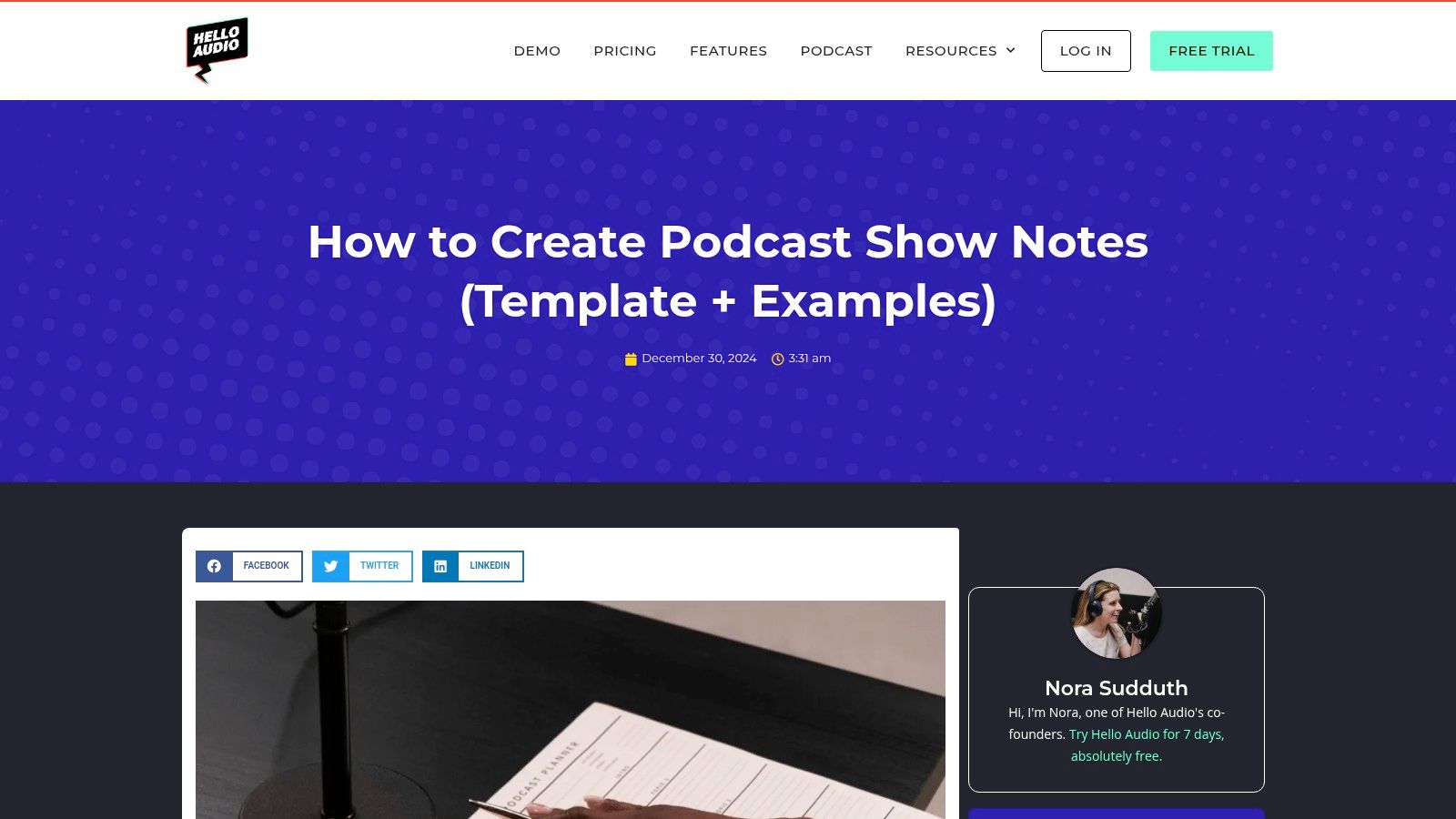
What makes this resource unique is its direct comparison of different real-world tactics. By analyzing the show notes of established podcasters, it reveals the strategic thinking behind their formatting choices, content depth, and call-to-action placement. This reverse-engineering process is perfect for podcasters who want to build their show notes system based on proven models.
Strategic Breakdown & Actionable Takeaways
Hello Audio excels at turning observation into action. The guide explains the "why" behind the "what," giving you patterns and principles you can apply to your own workflow.
Benchmarking Against Top Shows: The guide’s core strength is its use of named examples with screenshots. You can see precisely how a short, punchy summary works for a comedy show versus how a detailed, resource-heavy page serves a science podcast.
Actionable Tip: Analyze the examples that most resemble your podcast's genre and target audience. Note their use of timestamps, link density, and visual formatting. Use these observations to create an A/B test for your own show notes to see what resonates with your listeners.
App Notes vs. Website Pages: The article clearly explains the SEO benefits of creating a dedicated landing page for each episode, a strategy used by shows like Huberman Lab. It contrasts this with the more common practice of only using the in-app description field.
Actionable Tip: Consider creating a dedicated webpage for your most important "pillar" episodes. This gives you more control over formatting, allows for better analytics, and can attract significant search engine traffic over time.
Adaptable General Template: After analyzing different styles, Hello Audio provides a generalized template. This framework is designed to be a starting point that you can customize based on the lessons learned from the case studies.
Pros and Cons
| Pros | Cons |
|---|---|
| Benchmarking Against Top Shows: Extremely helpful for understanding the formats used by successful podcasters. | Limited Format Variety: Less depth on multi-guest or news-roundup formats. |
| Clear Structure for Teams: Accessible breakdown is great for teams new to creating long-form notes. | Marketing Focus: Concentrates on public-facing notes for marketing, not internal episode briefs or production notes. |
| Real-World Contrasting Examples: Shows the practical differences and strategic reasons behind various approaches. |
Access: The guide is available for free on the Hello Audio blog.
Website: https://helloaudio.fm/podcast-show-notes/
6. Sweet Fish Media
For B2B podcasters who view their show notes as a critical marketing asset, Sweet Fish Media's guide offers a masterclass in conversion-focused design. As a B2B podcasting agency, their approach is unapologetically commercial, framing show notes not just as summaries but as powerful tools for driving SEO, AI discovery, and measurable business outcomes. Updated for 2025, their advice is built to align with modern search algorithms and generate qualified leads.
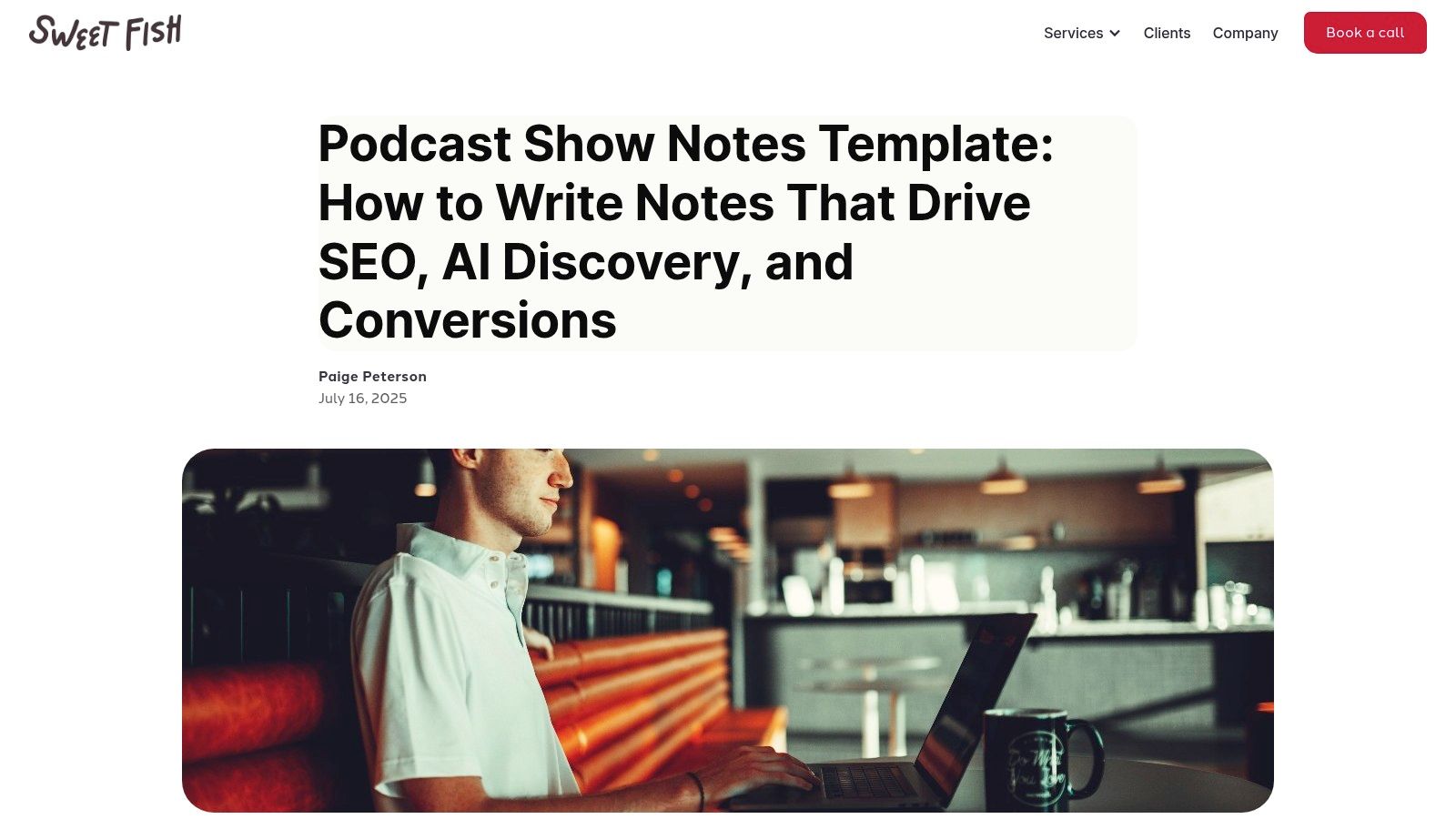
What makes this resource unique is its opinionated, results-driven philosophy. Sweet Fish Media doesn't just offer suggestions; it presents a "winning" template and provides a clear rationale for every element, from the layout to the call-to-action (CTA). This is perfect for brands, agencies, and independent creators who need a repeatable system that prioritizes business growth over creative flair.
Strategic Breakdown & Actionable Takeaways
Sweet Fish Media’s strength is its direct connection between show note structure and marketing goals. It provides a blueprint for turning listeners into potential customers.
Conversion-First Structure: The template is designed around a primary call-to-action. Every part of the notes, from the guest bio to the key takeaways, is engineered to build credibility and funnel the reader toward a specific action, like booking a demo or subscribing to a newsletter.
Actionable Tip: Define one primary conversion goal for your podcast before writing. Place the corresponding CTA link prominently near the top of your notes, as recommended, to capture high-intent readers immediately.
Built-in Consistency Prompts: The guide includes specific prompts and subheadings designed to be used consistently across every episode. This creates a uniform, professional look and makes the content creation process more efficient for teams managing multiple shows or series.
Actionable Tip: Copy their recommended subheadings (e.g., "Key Takeaways," "Guest's #1 C-Suite Challenge") into your own documentation or CMS. This ensures every episode's notes follow the same proven, scannable format.
Marketing-Centric Rationale: Unlike more general guides, Sweet Fish Media explains the why behind its choices from a marketing perspective. This insight is valuable for justifying the structure to stakeholders and understanding how podcast show notes examples can function as effective sales and SEO assets.
Pros and Cons
| Pros | Cons |
|---|---|
| Strong Marketing Perspective: Ideal for brands and agencies focused on lead generation. | Heavy B2B Focus: The tone and structure may feel too 'salesy' for entertainment or narrative podcasts. |
| Actionable Template: The structure is easily adaptable for CMS or internal documentation workflows. | Tied to Agency Services: Some examples and advice subtly promote the agency's own service model. |
| Drives Measurable Outcomes: The entire framework is designed to improve SEO and conversion rates. |
Access: The template and guide are available for free on the Sweet Fish Media blog.
Website: https://www.sweetfishmedia.com/blog/podcast-show-notes-template
7. Castos
For podcasting teams and creators who value process and standardization, Castos offers a unique, worksheet-style approach to show notes. As a podcast hosting and analytics platform, Castos understands the operational challenges of producing consistent content. Their free, downloadable PDF template provides a structured checklist that goes beyond simple examples, serving as a practical tool for planning and execution. It's designed for those who prefer an offline, printable guide to ensure every episode's notes hit the same quality bar.
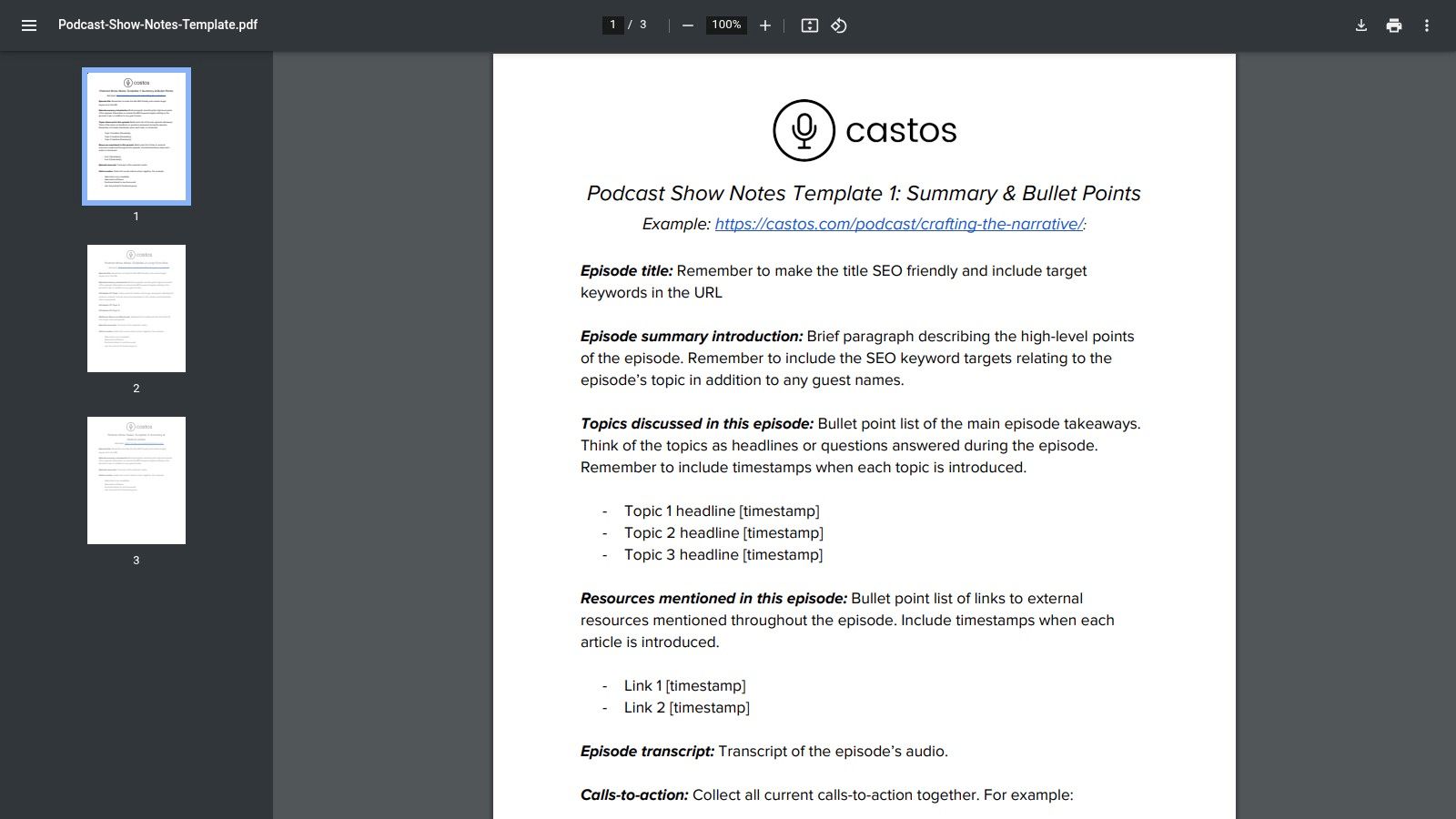
What makes this resource different is its focus on workflow over digital presentation. Instead of a blog post showing finished examples, Castos provides a fillable document that acts as a pre-production asset. This worksheet format is ideal for producers managing multiple shows, hosts who need to brief their team, or anyone looking to build a repeatable system for creating effective podcast show notes examples from the ground up.
Strategic Breakdown & Actionable Takeaways
Castos's strength is its process-oriented design, turning the task of writing show notes into a manageable, checklist-driven activity. It’s built for consistency and collaboration.
Standardized Production Checklist: The PDF is structured like a production worksheet, covering everything from the episode title and summary to guest bios and calls-to-action. This ensures no critical element is forgotten.
Actionable Tip: Print multiple copies of the worksheet or use a PDF editor to create a template. Before each recording, fill out the known sections (like guest info and planned topics) to create an outline that guides both your episode and your final show notes.
Multi-Format Template Suggestions: The worksheet provides distinct templates for different needs, such as a summary-plus-bullets format or a more detailed resource list. This gives you a clear starting point depending on the episode's complexity.
Actionable Tip: Use the "Summary + Bullet Points" format for your standard episodes. For expert interviews or deep-dive topics, switch to the template that emphasizes resource links to provide more value to dedicated listeners.
Collaboration-Focused Asset: A static PDF is easy to share with team members, guests, or virtual assistants. A guest can fill in their bio and links, or a producer can use it to structure the final post, ensuring everyone is aligned.
Pros and Cons
| Pros | Cons |
|---|---|
| Practical for Teams: The standardized, static checklist is excellent for maintaining consistency across a team or multiple shows. | Less Visual Inspiration: The PDF is a functional template, not a gallery of live, styled show notes from real podcasts. |
| Printable & Distributable: Easy to print for offline use or share with guests and producers before an episode. | Requires Adaptation: The formatting is generic; you will need to adapt the raw text to your specific website CMS or podcast player. |
| Comprehensive Structure: Covers titles, summaries, resources, and CTAs with clear guidance and prompts. |
Access: The worksheet is available as a free PDF download.
Website: https://castos.com/wp-content/uploads/2020/03/Podcast-Show-Notes-Template.pdf
7-Tool Podcast Show Notes Comparison
| Tool | 🔄 Implementation complexity | ⚡ Resource requirements | 📊 Expected outcomes | 💡 Ideal use cases | ⭐ Key advantages |
|---|---|---|---|---|---|
| Whisper AI | Moderate — web-based, multi-model flow with optional integrations | Cloud processing; good-quality audio recommended; paid tiers for scale | High-accuracy transcriptions, searchable archives, concise summaries | Podcasters, YouTubers, journalists, teams needing fast transcripts | Multi-model accuracy, 92+ languages, timestamps, flexible exports, privacy-first |
| Buzzsprout | Low — guide and copy-ready templates, minimal setup | None technical; use as a drafting/reference resource | Faster show-note creation and improved app display/SEO compliance | Beginners and solo creators drafting show notes quickly | Clear, copy-ready templates and up-to-date app/SEO guidance |
| Riverside.fm | Moderate — template-driven with transcript/tool integration | Requires Riverside account or transcript imports for full value | Standardized show notes from transcript workflows | Teams using Riverside for recording/transcripts | Side-by-side templates, workflow tips, integration with Riverside tools |
| Descript | Moderate — account + media upload; one-click AI drafting | Descript account and media; AI generation available in product | Fast first-draft show notes, chapters, timestamps for discovery | Teams with large backlogs seeking automated drafts | Executable AI template, discovery/SEO-oriented structures, chapters |
| Hello Audio | Low — example-driven article, easy to consume | None technical; examples and screenshots provided | Clear benchmarking and pattern takeaways for note styles | Teams benchmarking top shows or choosing long vs short formats | Real-world examples with screenshots and adaptable templates |
| Sweet Fish Media | Low–Moderate — opinionated B2B templates needing CMS work | Content/marketing resources to implement conversion elements | SEO- and conversion-oriented show notes with measurable goals | Brands and agencies focused on lead generation and SEO | Conversion-focused layouts, prompts for consistency, B2B marketing focus |
| Castos | Low — downloadable PDF worksheet/checklist, plug-and-play | Printable/static PDFs; minimal technical needs | Standardized, checklist-driven show notes across teams | Producers and teams needing printable templates or guest packets | Ready-to-fill worksheets, checklists, easy distribution to guests/providers |
Your Action Plan for Creating Unforgettable Show Notes
Throughout this guide, we've broken down a wide range of podcast show notes examples, moving beyond simple descriptions to analyze the specific strategies that make them effective. From the detailed, resource-rich notes of Sweet Fish Media to the clean, skimmable summaries generated by tools like Riverside.fm and Descript, a clear pattern emerges: great show notes are built with intention. They are not an afterthought; they are a critical component of your podcast's growth engine.
The core lesson is that there is no single "best" way to write show notes. The ideal format depends entirely on your goals, your audience, and the nature of your content. A narrative podcast will benefit from a different structure than a technical interview, and your approach should change depending on whether you're trying to rank on Google, drive traffic to a product, or simply serve your existing listeners better.
Your Show Notes Success Checklist
To translate the insights from these examples into a practical workflow, use this five-step checklist. This framework synthesizes the best practices we've seen and gives you a repeatable process for creating high-quality show notes for every episode.
- Define Your Primary Goal: Before you write a single word, decide what you want your show notes to accomplish. Is it SEO visibility? In that case, a long-form, keyword-rich blog post format inspired by Castos might be best. Is it listener engagement? Focus on timestamps and key quotes like we saw with Buzzsprout. Or is it conversion? Then, a clear call-to-action and links to resources are your top priorities.
- Choose Your Format: Based on your goal, select a format. Short, punchy notes are great for quick consumption and social media sharing. Long-form notes double as standalone content that attracts search traffic. A hybrid approach, with a brief summary followed by a detailed breakdown, often provides the best of both worlds.
- Start with an Automated Transcript: The most significant shift in modern podcasting workflows is the move away from manual transcription. Use a tool like Whisper AI to generate a fast, accurate transcript of your episode. This file becomes the raw material for everything that follows, from pulling quotes and identifying key topics to creating timestamps. This step alone can save you hours of work.
- Structure for Skimmability: No one reads a solid wall of text. The best podcast show notes examples all have one thing in common: they are easy to scan. Use clear H3 subheadings for different sections, bold key terms, and use bullet points to list resources, guest links, or main ideas. Timestamps are non-negotiable for helping listeners navigate directly to the parts of the episode that interest them most.
- Always Include a Call-to-Action (CTA): Every set of show notes should guide the listener to do something next. This is your chance to grow your email list, promote a product, ask for a review, or direct people to another piece of content. Place your CTA strategically, either at the top for immediate visibility or at the bottom as a final instruction.
Ultimately, your show notes are a bridge between your audio content and the wider digital ecosystem. They make your podcast discoverable, accessible, and more valuable to your audience. By moving from a mindset of "transcription" to one of "strategic content creation," you turn a simple administrative task into a powerful tool for audience growth and engagement. The examples and tools we've explored provide the blueprint; now it's time to build.
Ready to stop manually typing your show notes and start with a fast, accurate foundation? Whisper AI provides near-instant transcription, allowing you to generate the raw material for your summaries, blog posts, and timestamps in minutes, not hours. See why so many podcasters are building their workflow around it and try Whisper AI today to reclaim your time.


























































































