
High Definition Audio: Boost Sound & AI Accuracy
You're probably staring at an export menu right now. WAV or MP3. 44.1 kHz or 48 kHz. 16-bit or 24-bit. Maybe your recorder, DAW, camera, or streaming software offers a “high definition audio” setting, but it doesn't tell you what that choice will change in your work.
For creators, this isn't just an audiophile question. Audio quality affects how your audience hears your work, how much room you have in editing, and how well speech tools turn spoken words into useful text. If you record interviews, podcasts, lessons, meetings, or social clips, better source audio can make the whole workflow easier.
What Is High Definition Audio Really
High definition audio is easiest to understand as sound captured with more detail than basic consumer formats. Think of the difference between a blurry photo and a sharp one. Both show the same subject, but the sharper image holds more usable information. Audio works the same way.
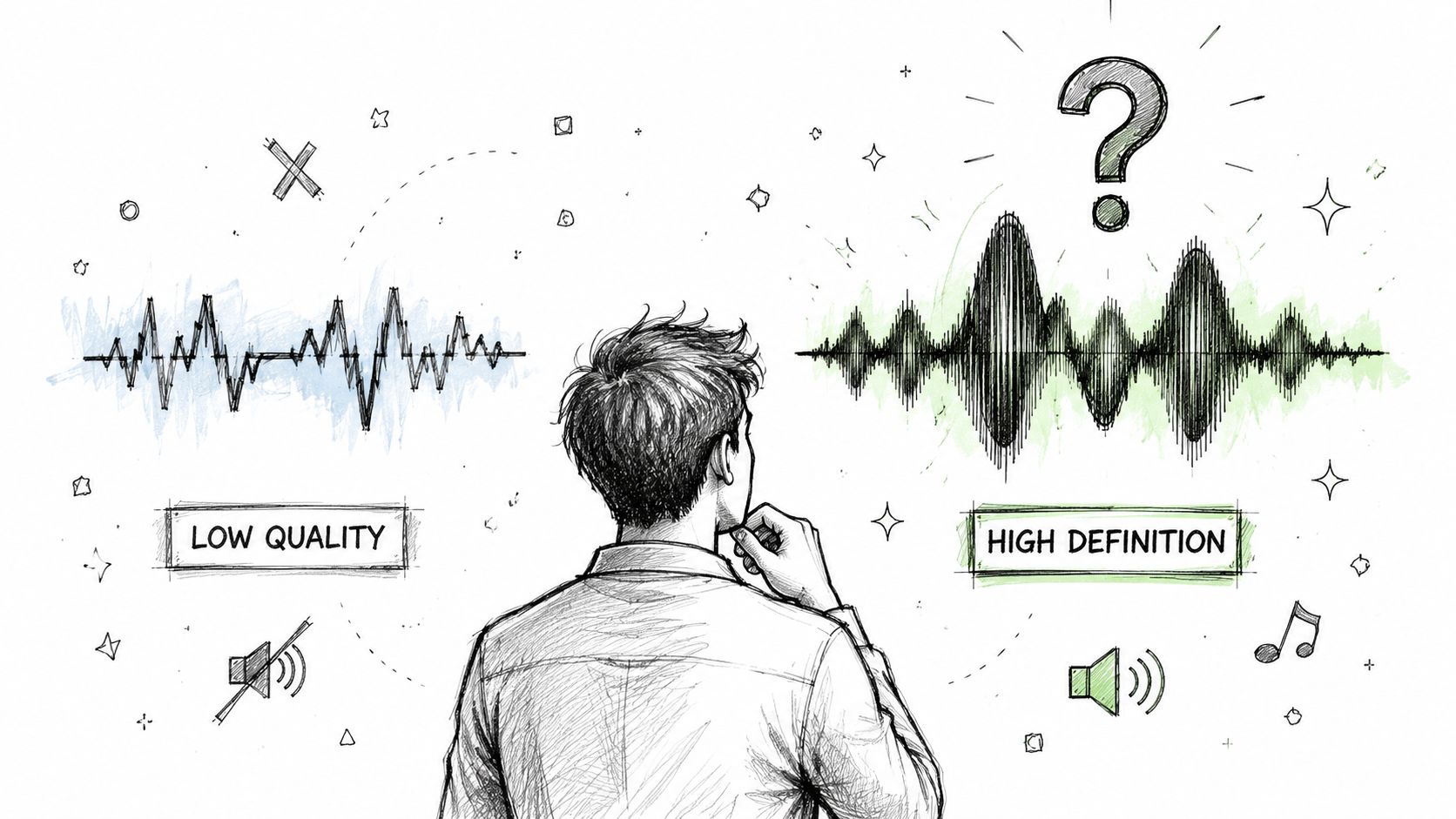
When people say “HD audio” or “hi-res audio,” they usually mean a digital file that captures more sonic information than standard CD quality. The common baseline for hi-res playback is 24-bit and 48 kHz or higher, while CD audio is 16-bit/44.1 kHz, as explained in Sony's hi-res audio guide.
Why the term matters
For years, “high definition audio” floated around as a marketing phrase. It became more concrete in June 2014, when major industry groups worked together on a formal definition of high-resolution audio as lossless audio from sources “better than CD quality,” and organizations such as the Japan Audio Society later used 24-bit/96 kHz as the minimum requirement for the Hi-Res Audio standard, according to Wikipedia's summary of the standard.
That gave creators a practical takeaway. High definition audio isn't just a fancy label on headphones or interfaces. It refers to recordings and playback systems built to preserve more of the original sound.
What that means in practice
If you record a voice, guitar, room tone, or full mix in higher resolution, the file carries finer detail. That doesn't mean every listener will instantly hear a dramatic difference on phone speakers. It means the recording gives you more to work with before the signal gets compressed, uploaded, edited, or transcribed.
Practical rule: High definition audio doesn't magically improve bad sound. It preserves more of good sound.
For a creative professional, that distinction matters more than the label itself.
The Building Blocks of Audio Quality
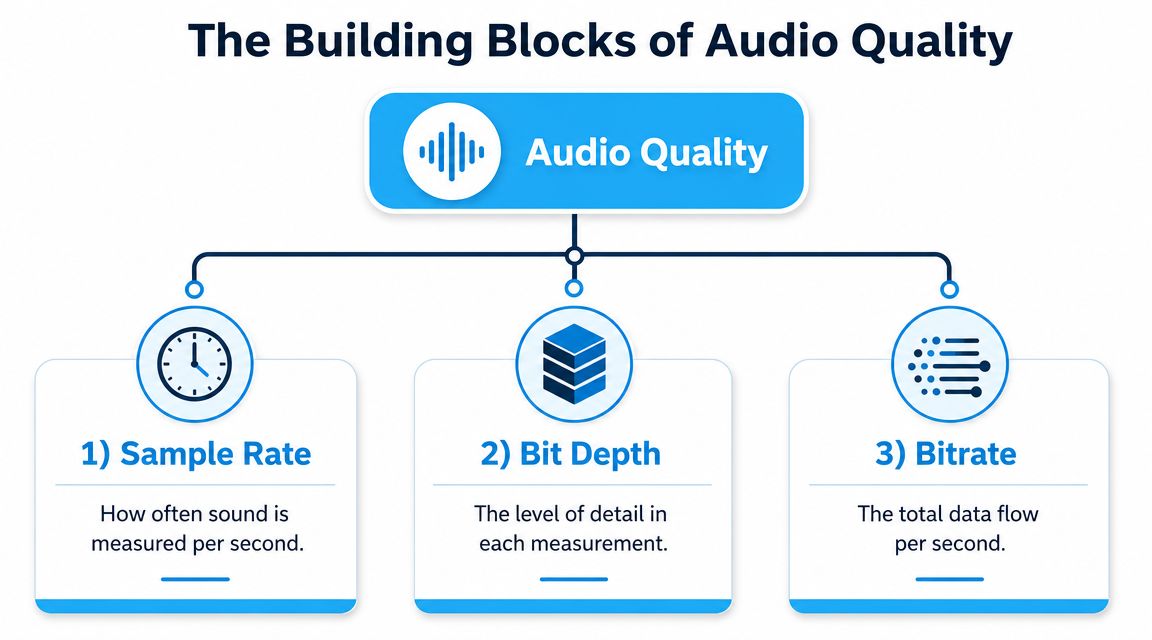
Three settings shape most of what people mean by audio quality in a recording workflow: sample rate, bit depth, and bitrate. If you understand what each one controls, the numbers on your recorder, interface, or export menu start to make sense.
Sample rate
Sample rate measures how many times per second the audio signal is captured.
That matters because sound is always changing. A higher sample rate gives the system more chances to track fast changes in a voice, a pick attack, a snare hit, or the edge of a consonant like t, k, or s. In creative work, those tiny shifts affect intelligibility as much as tone.
For human listeners, this can influence clarity and the sense of precision in the recording. For machines, it can also affect how cleanly speech features are represented before transcription software tries to identify words. If your business depends on captions, interview transcripts, searchable archives, or meeting notes, cleaner capture gives the model a better raw signal to work from.
Bit depth
Bit depth controls how much precision each captured sample contains.
A useful way to think about it is dynamic range. With more bit depth, the recording can describe quieter and louder parts of the signal with finer gradations. That gives you more room to record safely without pushing levels too close to clipping, which is especially helpful with unpredictable speech, live performances, or documentary-style sessions.
This is why bit depth matters in production even when the audience never asks what settings you used. A 24-bit recording usually gives editors more freedom to clean up noise, adjust gain, and process dialogue without the file falling apart as quickly. That same precision can help automated transcription too, because the voice remains more stable after level correction, noise reduction, and other post steps.
Better source detail helps both ears and algorithms.
Bitrate
Bitrate describes how much data the finished file uses each second.
This is the setting people often confuse with recording quality. Bitrate matters most once audio is encoded into a delivery format, especially a compressed one. If you export a spoken-word file as a low-bitrate MP3, the codec may smear delicate consonants, soften room cues, and blur low-level details that help distinguish one word from another.
That has a direct workflow consequence. A file can sound "fine" for casual listening and still give transcription tools a harder job, particularly with multiple speakers, accents, crosstalk, or background noise. For editing and transcription, the safer choice is usually to keep an uncompressed or lossless master as long as possible, then create smaller delivery files later.
A simple way to remember it
| Element | Plain-language meaning | Why creators care |
|---|---|---|
| Sample rate | How often sound is captured | Affects timing detail, transients, and speech clarity |
| Bit depth | How precise each capture is | Gives more headroom and holds up better in editing |
| Bitrate | How much data the final file uses per second | Influences compression quality, file size, and machine readability |
A practical shortcut helps here.
- During recording, focus first on sample rate and bit depth.
- During export, choose the right format and bitrate for the job.
- During transcription prep, protect the cleanest version of the file you have, because AI systems work best when they are not trying to decode compression damage on top of speech.
Choosing Your High Definition Audio Format
File format is where many good recordings get mishandled. You can record clean audio and still choose the wrong export for the job.
The main divide is simple. Some formats keep the audio intact. Others shrink the file by throwing away part of the data.
Lossless and lossy
Lossless formats preserve the recording without discarding information from the encoded file. They're the formats you use when quality matters most, especially for editing, archiving, and mastering.
Lossy formats reduce file size by removing some data. That's often fine for distribution, previews, or fast uploads. It's not ideal when the file still needs heavy editing or machine analysis.
Audio format comparison guide
| Format | Type | Compression | File Size | Best Use Case |
|---|---|---|---|---|
| WAV | Lossless | Uncompressed | Large | Recording, editing, mastering |
| FLAC | Lossless | Compressed without discarding audio data | Smaller than WAV | Archiving, delivery where FLAC is supported |
| ALAC | Lossless | Compressed without discarding audio data | Smaller than WAV | Apple-centered workflows and archiving |
| AAC | Lossy | Discards some data | Small | Streaming, social platforms, mobile delivery |
| MP3 | Lossy | Discards some data | Small | Broad compatibility, quick sharing |
Which one should you pick
The answer depends on the stage of the project.
- For original capture: use WAV when possible. It's simple, widely supported, and common in recorders, cameras, and DAWs.
- For archiving: use WAV, FLAC, or ALAC. You want a file you can return to later without compounding compression losses.
- For client review or publishing: use AAC or MP3 if the platform favors convenience and smaller uploads.
- For transcription-heavy work: start from a lossless master even if you later publish a compressed version.
The mistake to avoid
A lot of creators export to MP3 too early. Then they edit the MP3, send it through noise reduction, and upload another compressed version to a platform that compresses it again. That stack of compromises can blur speech edges, smear room tone, and make voices harder for both people and machines to parse.
Keep one clean master. Deliver copies from that master for each destination.
That single habit prevents a surprising number of quality problems.
The Real-World Impact on Transcription Accuracy
You finish a great interview, drop the file into a transcription tool, and get back a transcript that turns a client name into nonsense, misses half the technical terms, and stumbles on short words like “and” and “for.” The problem often starts earlier than people expect. It starts in the audio itself.
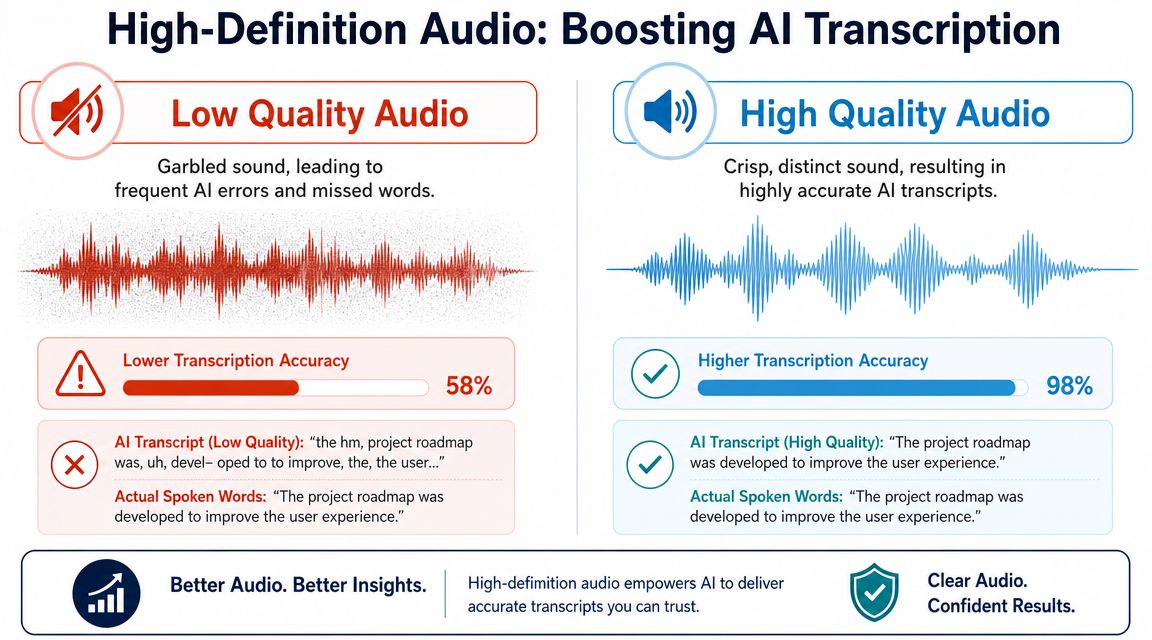
People often frame high definition audio as a listening upgrade. For many creators, producers, and teams, the more useful payoff is clearer input for speech recognition systems.
Those systems do not understand language the way a human listener does. They inspect patterns in the waveform, break speech into tiny acoustic cues, and match those cues to likely words. If the source is smeared by noise, flattened by heavy compression, or damaged by clipping, the software has less reliable evidence to work with. Proper nouns, industry jargon, accented speech, speaker overlap, and quiet responses are usually the first things to fall apart.
Why cleaner audio helps machines
A clean recording gives transcription models sharper edges to read. Consonants are easier to separate. Word boundaries are easier to detect. Low-level speech details stay intact instead of getting masked by hiss, room reflections, or lossy artifacts.
An audio engineer would compare it to reading handwriting. If the letters are crisp, both a person and a machine can follow them. If the page is blurry and parts of the ink are missing, the reader starts guessing. Transcription works the same way.
High-resolution files also help because they usually support better production habits around capture, editing, and export. Higher spec audio does not guarantee a dramatic audible difference for every listener in every setting, but it often gives creators a cleaner working file. That matters when the goal is not only good playback, but reliable machine interpretation.
A practical example
Consider the same interview handled in two different ways.
In the first version, the speaker is recorded in a reflective room, the input clips on louder phrases, and the file is squeezed into a low-bitrate format before anyone transcribes it. The transcript may still be usable, but cleanup takes longer, especially around names, crosstalk, and specialized vocabulary.
In the second version, the recording is controlled, peaks stay safe, and the master stays lossless until transcription is finished. The model gets clearer consonants, steadier tone, and fewer artifacts to misread. That usually means fewer substitutions, fewer dropped words, and less human correction after the fact.
Even if your workflow relies on tools to convert MP3 to text, the starting quality of that MP3 still matters. The container is only part of the story. Accuracy depends on the speech information that survived inside the file.
Better audio improves the whole text workflow
Cleaner transcripts help more than the transcript itself.
- Search gets more reliable: Quotes, topics, and timestamps are easier to find when fewer words are wrong.
- Summaries improve: AI summary tools work better when the source text reflects what was said.
- Repurposing gets faster: Captions, blog drafts, show notes, and social clips all depend on wording you can trust.
- Review time drops: Editors spend less time fixing preventable mistakes and more time shaping the final piece.
If transcription is part of your production pipeline, it helps to understand the main drivers of speech to text accuracy. File format plays a role, but so do noise floor, mic technique, overlap between speakers, and the condition of the source before it ever reaches the model.
Best Practices for Recording and Processing Audio
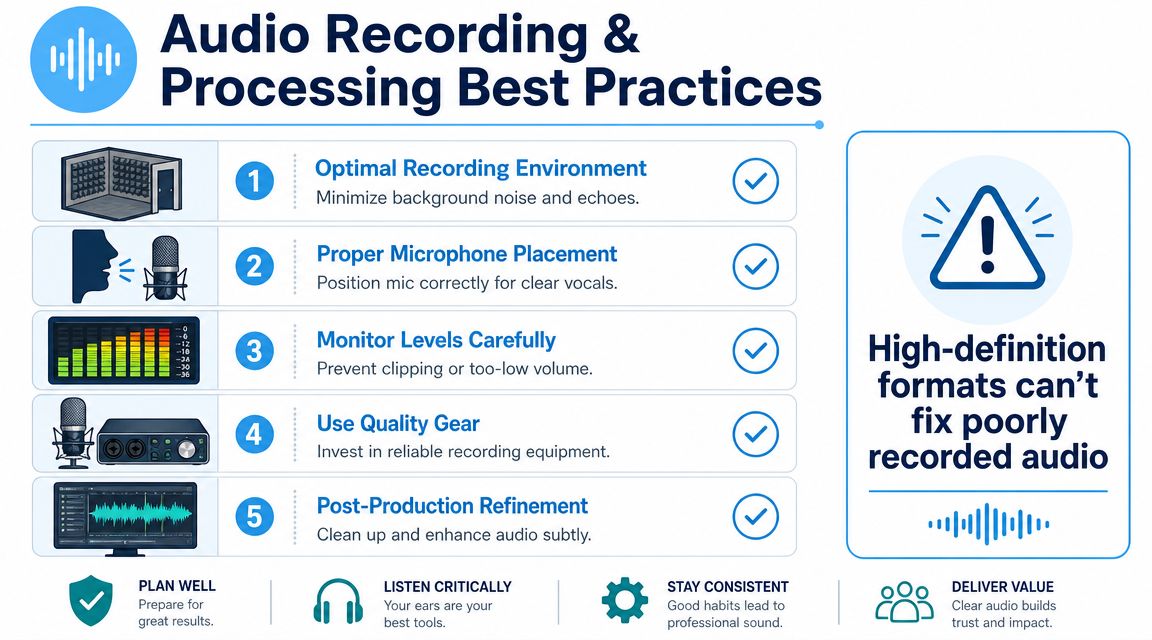
Most audio problems aren't format problems. They start at the microphone.
That's why experienced engineers keep repeating the same principle. The whole chain matters. Benchmark Media and the Audio Engineering Society both warn that low-resolution hardware or poor mastering can cancel out the theoretical benefits of a high-resolution file, as summarized in Benchmark Media's discussion of high-resolution audio.
Start with the room, not the export menu.
Capture a clean signal first
A strong recording chain usually comes down to a handful of habits:
- Pick a quieter space: Turn off fans, close windows, and reduce hard reflective surfaces when you can.
- Place the mic carefully: Keep it close enough for presence, but not so close that plosives and mouth noise dominate.
- Watch input gain: If the waveform clips, that distortion is baked in.
- Use headphones while recording: You'll catch hum, clothing rustle, and HVAC noise before the take is over.
Process with restraint
Post-production helps. It doesn't perform miracles.
If you overdo noise reduction, compression, or EQ, you can make speech less natural and less intelligible. For spoken-word content, the best processing chain is usually the one that solves obvious problems without flattening the life out of the voice.
Good processing removes distractions. Bad processing becomes the distraction.
For educational and video-based workflows, timing also matters. If you're teaching on camera or building tutorial content, this guide to syncing audio for effective video lessons is useful because even clean dialogue loses value when audio and visuals drift apart.
A practical demo helps more than theory alone, so this walkthrough is worth watching before your next session:
A simple production checklist
| Step | What to check | Why it matters |
|---|---|---|
| Before recording | Room noise, mic position, gain | Prevents avoidable problems |
| During recording | Monitor with headphones | Catches issues in real time |
| After recording | Light cleanup and level control | Improves clarity without damage |
| Before export | Keep a clean master | Protects quality for edits and transcripts |
If you regularly need text from interviews, lectures, or podcasts, one practical workflow is to keep a lossless master, create a delivery copy, and then transcribe an audio file from the cleanest source available.
Essential Hardware for Your Audio Workflow
You don't need a giant studio to get strong results. You do need a chain where each piece supports the next one.
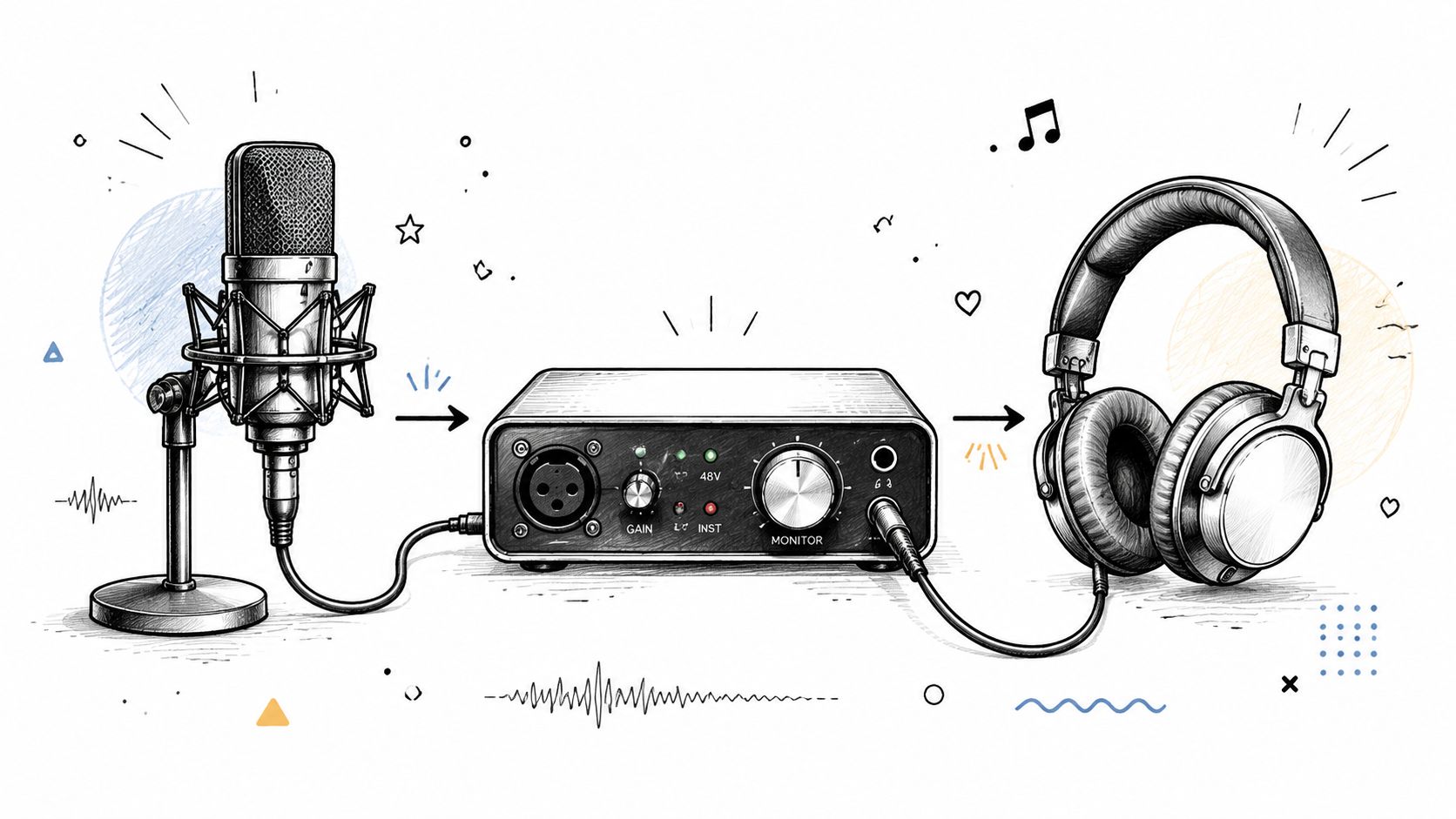
Microphone choice
Your microphone shapes the sound more than almost anything else.
A USB microphone is often enough for solo creators who need a simple setup for voiceovers, streams, and meetings. It combines mic, preamp, and conversion in one device.
An XLR microphone gives you more flexibility because it connects to an external interface. That setup makes more sense if you want better control over gain, monitoring, and future upgrades.
Audio interface role
An audio interface is the bridge between analog sound and digital recording. It handles microphone input, preamp gain, analog-to-digital conversion, and headphone monitoring.
On computers, the plumbing behind audio devices matters too. Intel High Definition Audio is a PC audio bus specification that supports up to 15 input streams and 15 output streams, with up to 16 PCM channels per stream, sample depths of 8, 16, 20, 24, and 32 bits, and sample rates from 6–192 kHz, with some vendor drivers extending playback to 384 kHz, according to Wikipedia's overview of Intel High Definition Audio. For creators, that matters because the platform can support complex codec and channel setups without treating audio as a tiny afterthought.
Monitoring headphones
If you can't hear problems, you can't fix them.
Closed-back headphones are useful during recording because they limit bleed. More neutral monitoring headphones are useful in editing because they reveal hiss, harshness, and uneven tone more accurately than consumer earbuds.
A sensible starter chain
- Solo spoken-word creator: USB mic, closed-back headphones, quiet room
- Podcast or interview setup: XLR dynamic mic, audio interface, headphone monitoring
- Video production team: Multiple mics, interface or field recorder, reliable monitoring, organized file handling
If you want a broader grounding in sound for production work, LesFM's audio production guide is a helpful companion read because it frames audio choices in the context of real video workflows.
For teams reviewing capture setups, logging sources, or deciding what device to record with, this overview of an audio recorder device is also useful. And if you need one tool in the workflow that handles transcription and summaries from uploaded media, Whisper AI processes audio and video files into searchable text with timestamps and exports in common document formats.
Understanding the Trade-Offs and When HD Matters
A simple test helps here. Ask what happens to this recording after capture.
If the file will become a polished episode, paid lesson, interview archive, or transcript you need to trust, higher-quality recording settings usually earn their keep. If the file is a throwaway reminder recorded on a noisy laptop mic, extra resolution mostly gives you a larger version of the same problem.
The trade-off is practical. Higher definition audio creates bigger files, longer uploads, and more strain on storage and collaboration systems. For a production team, that affects backup plans, transfer time, and editing speed, not just sound quality.
A useful way to decide is to sort projects into three buckets:
- Use it by default: podcast masters, voiceover sessions, music recording, paid course content, legal or editorial interviews
- Usually worth it: webinars, lectures, client calls, research interviews, and any recording likely to be transcribed, edited heavily, or archived
- Usually unnecessary: scratch notes, disposable voice memos, and clips captured in noisy, uncontrolled spaces where the room or mic is already the limiting factor
The key question is not whether HD audio is "better" in the abstract. The key question is whether the added detail survives the whole chain, from microphone to room to edit to export, and improves the result you care about.
For creative professionals, that result is often two things at once. Better listening for humans, and cleaner input for speech recognition systems. Clearer source audio gives editors more to work with and gives transcription tools fewer chances to confuse names, jargon, or overlapping speech.
So the rule is simple. Record as well as the project deserves. Keep a lossless master when the material has lasting value. Use lighter files when speed matters more than precision.
If your work depends on turning spoken content into clean, searchable text, Whisper AI is worth considering. It transcribes audio and video, detects speakers, adds timestamps, and creates summaries, which makes it useful for podcasts, interviews, meetings, lessons, and repurposed content workflows.


























































































