
10 Rules for a Meeting That Work (2026 Guide)
Meetings eat more time than is often acknowledged. Employees in the United States attend about 55 million meetings per week, and the average worker spends 392 hours a year in meetings. That’s over 16 full workdays. Worse, many of those hours produce fuzzy decisions, weak follow-through, and a calendar full of repeat conversations.
That isn’t a meeting problem. It’s a rules problem.
Bad meetings usually fail for boring reasons. Nobody defined the outcome. Too many people joined. The loudest person filled the silence. Notes were scattered across notebooks, chats, and memory. Then everyone left with a different idea of what was decided.
The fix isn’t complicated, but it does require discipline. You need a small set of rules for a meeting that people can follow under pressure, on crowded calendars, and across hybrid teams. The old principles still hold up. Clear purpose. Tight attendance. Real decisions. Written follow-up. What’s changed is that modern AI tools can now handle the admin that used to make these rules hard to maintain.
That matters because good meeting behavior often breaks down at the note-taking stage. Someone tries to participate and document at the same time, misses a commitment, and the team pays for it later. Whisper AI changes that equation. It can transcribe, summarize, detect speakers, add timestamps, and pull out action items, which makes it much easier to run disciplined meetings without turning one person into a full-time scribe.
The ten rules below are the ones that consistently work in practice. They’re simple enough to apply this week, strict enough to improve results, and flexible enough for leadership meetings, project reviews, client calls, and team standups. If you want meetings that move work forward instead of interrupting it, start here.
1. Set Clear Meeting Objectives and Agenda
Managers spend a large share of the workweek in meetings. The meetings that produce decisions usually have one thing in common before anyone joins the call: the objective is already clear.
If the invite does not state why the group is meeting, what decision needs to be made, and what attendees need to review first, people arrive with different assumptions. I see this constantly in project reviews and client meetings. Ten minutes disappear into alignment, another fifteen into background, and the actual decision gets pushed out or made badly.
A clear agenda fixes that. It also gives people a fair chance to prepare.
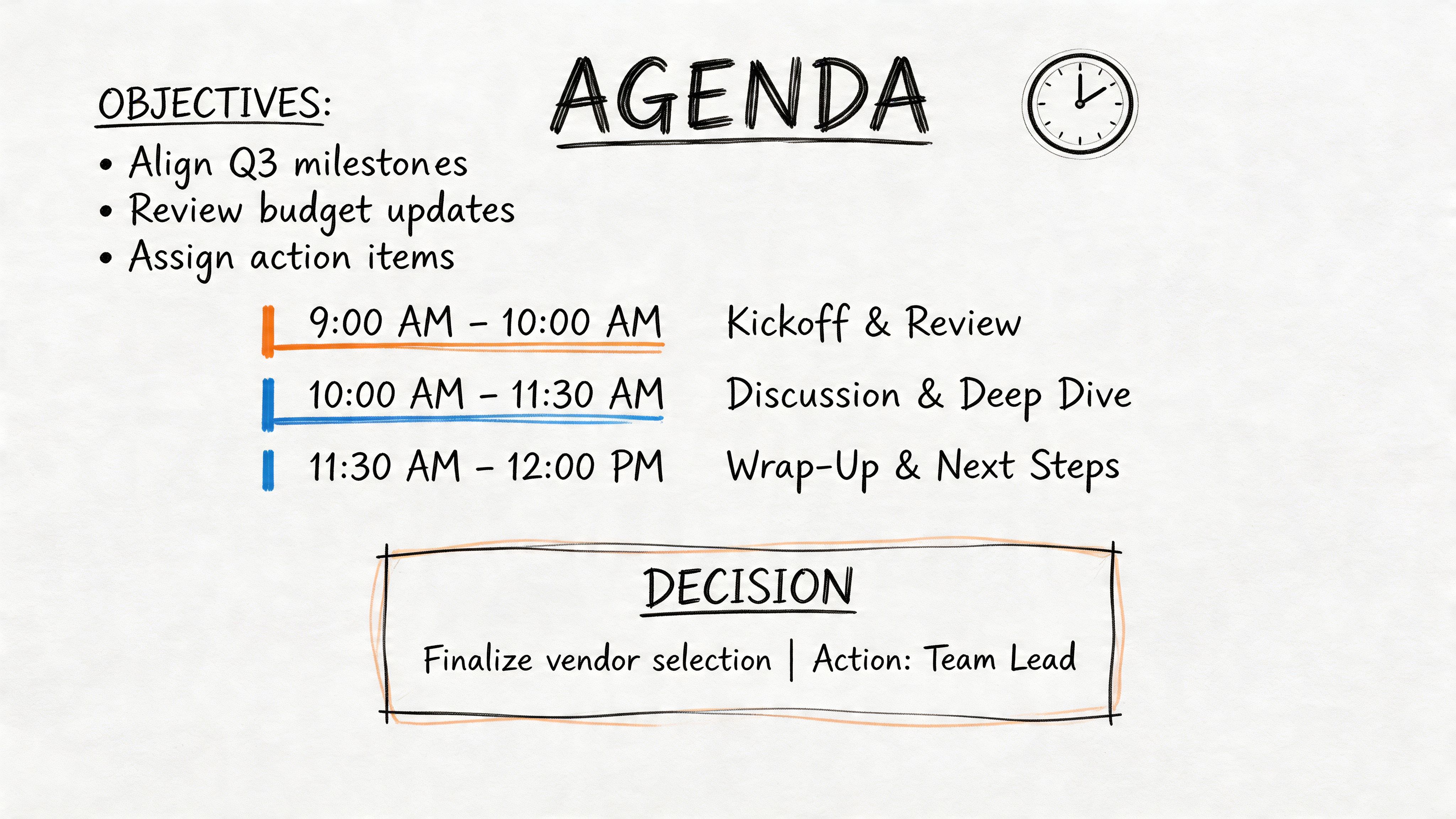
Build the agenda around outcomes
The fastest way to improve a meeting is to stop writing topic-only agendas.
“Budget review” is vague. “Approve Q3 budget changes” tells the room what success looks like. “Marketing update” invites a tour of everything. “Choose one launch channel and assign owners” creates a finish line.
Use a simple structure:
- Objective: What must be true by the end of the meeting.
- Topics: The issues that need discussion.
- Decision points: Where the group must choose, approve, or reject.
- Preparation: What attendees should read or bring.
The sequence matters. If there is no clear decision point, the meeting often turns into an update session that could have been handled in a document or chat. If there is no prep requirement, attendees react in real time instead of contributing informed judgment.
Research from Wevalgo on effective meeting rules and TOP communication supports the same pattern: communicate the theme, objective, and plan in advance, align stakeholders early, and make decision points visible.
Use Whisper AI to check whether the agenda held up
Whisper AI is useful here because it closes the gap between planning and execution. After the meeting, the transcript shows where the discussion drifted, which agenda item consumed the room, and whether the decision point was reached. That gives managers something concrete to improve next time instead of relying on memory.
I use this in recurring leadership meetings. If the transcript shows that thirty minutes went to context everyone already knew, the fix is obvious. Move that context into the pre-read and keep the live meeting for exceptions, debate, and decisions.
Practical rule: If you cannot write the desired outcome in one sentence, cancel the meeting until you can.
A good calendar invite also includes the supporting document, not just the video link. Teams that need help defining sharper outcomes can start with this guide on meeting goals and how to write them clearly.
One more trade-off is worth calling out. A detailed agenda can feel rigid in creative or early-stage discussions. That is true. The answer is not to skip the agenda. The answer is to set the objective appropriately, such as “generate three workable options” instead of “pick the final solution.” Clear structure does not kill discussion. It keeps discussion useful.
2. Start and End Meetings On Time
A meeting that starts five minutes late and ends ten minutes late has already consumed fifteen minutes you did not approve. Multiply that across a leadership team for a quarter and the cost is no longer cosmetic. It shows up as missed prep, delayed decisions, and people arriving to the next call already behind.
Start time and end time are operating rules, not calendar decoration. Teams notice very quickly whether the posted time means something. If it does not, they adjust their behavior. They join late, hold side conversations, and assume every meeting has slack built in.
I treat punctuality as a management choice.
Starting on time rewards the people who prepared and arrived ready. Ending on time proves the facilitator can control scope, cut repetition, and close discussion before it turns into drift. In practice, the biggest mistake is the late recap. Someone joins at 9:08, asks what they missed, and the room pays for it twice.
Whisper AI removes a lot of that friction. If a participant misses the opening, the transcript and summary can catch them up after the meeting instead of pulling everyone backward in real time. That is one of the best uses of AI in meetings. It protects the group’s time without leaving anyone blind.
Shorter calendar blocks also help. A 25-minute meeting forces sharper facilitation than a 30-minute one, and a 50-minute block creates space to document decisions before people jump to the next call. I recommend using full hours only when the work needs them, such as workshops, hiring panels, or cross-functional planning sessions where the trade-off favors more discussion.
A practical setup looks like this:
- Use 25 minutes: Status checks, standups, approvals, and quick issue reviews.
- Use 50 minutes: Decision meetings that need debate and a documented conclusion.
- Protect the final minutes: Confirm the decision, capture open questions, and note what carries forward.
Late attendees should catch up asynchronously. The group should not absorb the cost of one person’s delay.
Meetings usually run over for one of three reasons. The scope was too broad, the facilitator allowed repetition, or nobody wanted to close the conversation. All three are fixable. Whisper AI helps with the cleanup by producing a record of where time went, which is useful in recurring meetings. If the transcript shows that fifteen minutes disappeared into background context for the third week in a row, move that material into the pre-read and keep the live meeting for decisions.
The trade-off is real. Cutting a discussion at the scheduled end can feel abrupt, especially when the topic matters. Still, overrunning by default trains the team to distrust every invite on the calendar. A better rule is simple. End on time, log the unresolved point, and schedule a follow-up only if the remaining issue justifies another block of attention.
3. Ensure Inclusive Participation and Active Listening
In many organizations, the full cost of a bad meeting shows up after the call. The decision gets reopened, the people doing the work were never heard, and the team loses another hour cleaning up a preventable miss.
Inclusive participation fixes that. It does not mean equal airtime for everyone. It means the right people contribute early enough to improve the decision, and the facilitator makes it safe and practical for them to do it.
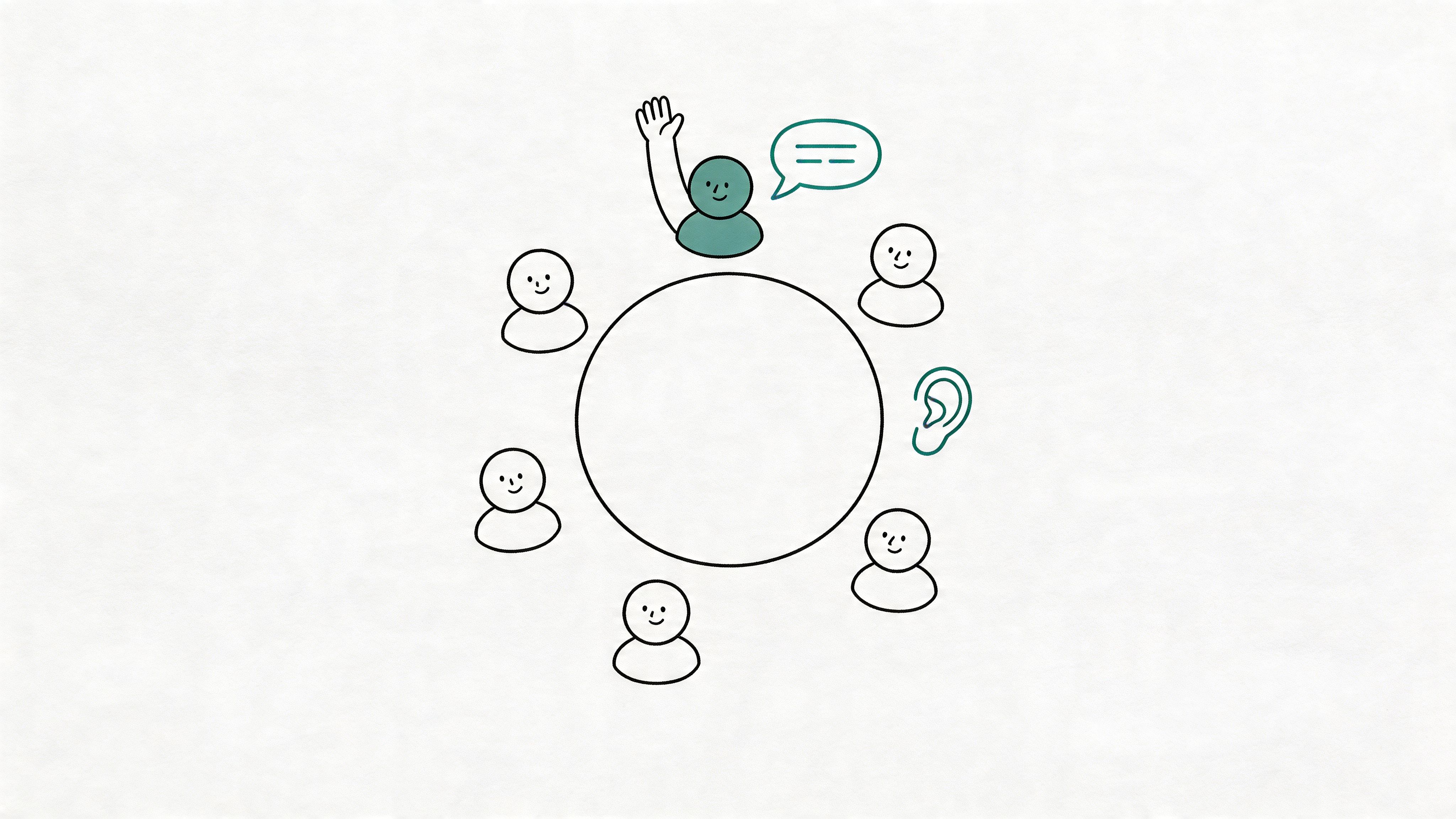
Build participation into the meeting, not as an afterthought
I have seen the same pattern in project reviews, budget discussions, and product meetings. The senior voices speak first, everyone else reacts to the tone in the room, and useful objections arrive too late. The meeting feels efficient in the moment. The outcome is weaker.
A better approach is simple:
- Start with a first pass: Give each relevant attendee a short opening response before debate begins.
- Pull in role-based input: Ask the people closest to execution, customer impact, risk, or delivery to weigh in by function.
- Stop interruptions immediately: If one person keeps cutting others off, correct it in real time.
- Use smaller groups when the topic needs discussion: Large attendance usually lowers participation quality.
This is also where modern tools help. Whisper AI can transcribe the conversation by speaker, which gives managers a usable record of who contributed, who got cut off, and whose input never came. That matters in recurring meetings because vague impressions are hard to coach. A transcript is specific.
Listening has to be visible
Active listening is a behavior, not a slogan. People show it by summarizing what they heard, checking assumptions, and responding to the actual point instead of the easiest version of it.
One line I use often is: “Before we decide, I want to hear from the people who will have to execute this.”
That sentence changes the room because it shifts attention from status to consequences.
Broad prompts usually fail, especially after one person has talked for ten minutes. “Any thoughts?” invites silence. Narrow prompts work better. Ask, “Finance, what risk do you see?” “Support, what will customers struggle with?” “Engineering, what breaks if we do this next week?”
Use AI to catch what facilitators miss
Even experienced managers miss patterns while running the meeting live. They are watching the clock, managing tension, and trying to move the group toward a decision. Whisper AI helps by handling the tedious part afterward. Review a few transcripts and speaker splits, and patterns become obvious. One department speaks in every meeting. Another only appears when something has already gone wrong. A quieter specialist raises concerns, but no one follows them.
That gives you something concrete to fix in the next session.
It also improves follow-through. Good participation usually creates better action items because concerns get surfaced before ownership is assigned. If you want a stronger system after the discussion ends, this guide can help you master your action items list for productivity.
The trade-off is real. More voices can slow a meeting down if the facilitator lets discussion sprawl. The answer is not to default to the loudest person. The answer is structure. Hear from the right people, keep contributions tight, and use the transcript to improve how the next meeting is run.
4. Assign Clear Action Items with Ownership and Deadlines
Teams rarely leave a meeting because they disagreed on everything. They leave because everyone thought someone else was handling the next step.
I see this in project reviews, client calls, and internal planning sessions. The discussion feels productive in the room, then execution stalls because ownership stayed vague. If a meeting produces work, each task needs a name and a date before anyone logs off.
Define action items so they survive after the meeting
A usable action item has three parts:
- Owner: one accountable person
- Task: a clear description of the deliverable
- Deadline: a specific date or milestone
“Sarah will send the revised client response by Thursday at 3 p.m.” is clear enough to track. “We should follow up soon” creates rework, side messages, and missed deadlines.
This is one place where Whisper AI improves an old meeting rule instead of dressing it up. It records the discussion, pulls likely action items from the transcript, and shows the exact moment ownership was assigned. That matters when the last five minutes of a meeting get rushed and the wording of a commitment changes. Teams can push those notes into their task system instead of relying on whoever typed the fastest.
If you want a stronger workflow after the meeting, this guide can help you master your action items list for productivity.
Confirm the task out loud before the meeting ends
Good facilitators do not assume a nod means agreement. They read back the action item and confirm three things in real time:
- Owner check: “Jordan, you own the vendor shortlist.”
- Scope check: “You are comparing options, not choosing the vendor.”
- Deadline check: “You will bring it back by Monday.”
That thirty-second habit prevents half the cleanup work that usually happens later.
I also recommend checking whether the owner has the conditions needed to deliver. If Legal needs to review the draft first, or Finance has to provide numbers, say that in the room. Otherwise, the due date looks clear on paper and slips in practice because the dependency was never named.
Manager’s habit: End the meeting only after every action item has one owner, one scope, and one due date.
Use the recap to track commitments, not recreate them
The recap should document decisions already made, not guess at them afterward. If ownership is still being interpreted from context once the meeting ends, the meeting was not finished.
Whisper AI helps here because the transcript gives you a clean record of what was assigned, and the summary can surface open questions alongside the committed tasks. That frees the facilitator to run the room instead of acting as a court reporter. It also reduces the common dispute a day later: “I thought Priya was taking that.”
One trade-off is worth calling out. Detailed recaps can create the illusion of accountability while hiding weak commitments. Five pages of notes do not help if the task still says “team to discuss” with no date attached. Use the notes to support execution, not replace clear assignment. For teams trying to tighten focus around meeting follow-through and their environment, these tips for reducing distractions are useful too.
5. Minimize Distractions and Eliminate Multitasking
Multitasking usually signals a meeting design problem, not a discipline problem. If people are checking Slack, replying to email, and half-listening, the room has already told you something: they do not believe their full attention is needed every minute.
I see this most often in meetings where attendees feel forced to do three jobs at once. They are expected to contribute, capture notes, track decisions, and monitor follow-ups in real time. That split attention leads to missed objections, repeated questions, and decisions that have to be reopened later because someone important only caught half the discussion.
The cleanest fix is to remove the administrative burden from the participants.
Whisper AI helps by recording the conversation, producing a transcript, and surfacing key points afterward. That changes the behavior in the room. People stop typing every sentence for self-protection and start listening for what matters: the decision, the risk, the trade-off, and the commitment. Teams that want a repeatable documentation process can pair that with a simple template for how to write meeting minutes.
Set the rule before the meeting starts, then apply it consistently:
- Close unrelated tabs and apps: Keep only the material tied to the agenda.
- Keep phones off the table: Use them only if they are needed to verify a fact or join the meeting.
- Work from one shared document or screen: It keeps attention on the same source of truth.
- Assign one channel for side questions: Otherwise chat becomes a second meeting.
- Record the meeting: People can stay present because the details are not at risk of being lost.
There is a trade-off here. Recording and transcription make focus easier, but they can also tempt teams into sloppy facilitation. A transcript does not rescue a wandering discussion. The chair still has to cut side debates, bring people back to the decision, and end topics when the useful part is over.
Environment matters too. If the room is noisy, notifications are constant, or everyone is joining from cluttered setups, attention drops before the agenda even begins. If your team needs help outside the meeting itself, these tips for reducing distractions support this rule well.
Good meetings make focus easier than distraction. That is the standard.
6. Document Meeting Decisions and Distribute Records
A meeting without a written record creates rework. I’ve seen leadership teams leave the same 45-minute discussion with three different versions of the decision, and each version sounded reasonable until execution started.
If you’re asking people to spend time in a meeting, the output has to survive beyond the room. That means capturing what was decided, why it was decided, and what happens next.
Good records prevent the quiet failures
Strong meeting records usually include four things:
- Decisions made: The actual calls, not a recap of the conversation.
- Reasoning: The context behind the decision, especially if trade-offs were discussed.
- Risks or objections: Include dissent when it affects rollout, timing, or stakeholder support.
- Next steps: Confirm the deliverable, owner, and due date.
That level of detail matters because teams rarely fail on memory alone. They fail when Sales heard “pilot,” Product heard “full launch,” and Operations heard “we’ll revisit next quarter.” Clear minutes stop that drift before it turns into missed deadlines or political cleanup.
Whisper AI helps by removing the slowest part of the process. Record the meeting, generate a transcript, and turn it into a clean first draft of the minutes. Speaker labels help when ownership is disputed later. Searchable records also beat hunting through one manager’s notebook or trying to decode scattered follow-up emails.
Send the record while the meeting still matters
Speed matters almost as much as accuracy. Send the notes the same day if possible. Next day still works. After that, people start editing from memory, and memory is usually self-serving.
For teams that want a consistent format, this guide on how to write meeting minutes gives a practical structure you can use right away.
One caution. A raw transcript is not a meeting record.
Transcripts are useful for verification, compliance, and catching exact wording. Minutes are for execution. They should be short, readable, and specific enough that someone who missed the meeting can still act correctly. That’s the right split: AI captures everything, and a manager or meeting owner curates the few points that are necessary to drive work.
7. Limit Meeting Attendance to Necessary Participants
One of the fastest ways to weaken a meeting is to invite people who are not needed for the decision, the discussion, or the follow-through. I see this most often in organizations that confuse visibility with involvement. The result is predictable. More passive attendees, slower discussion, and less accountability because nobody is quite sure who owns the outcome.
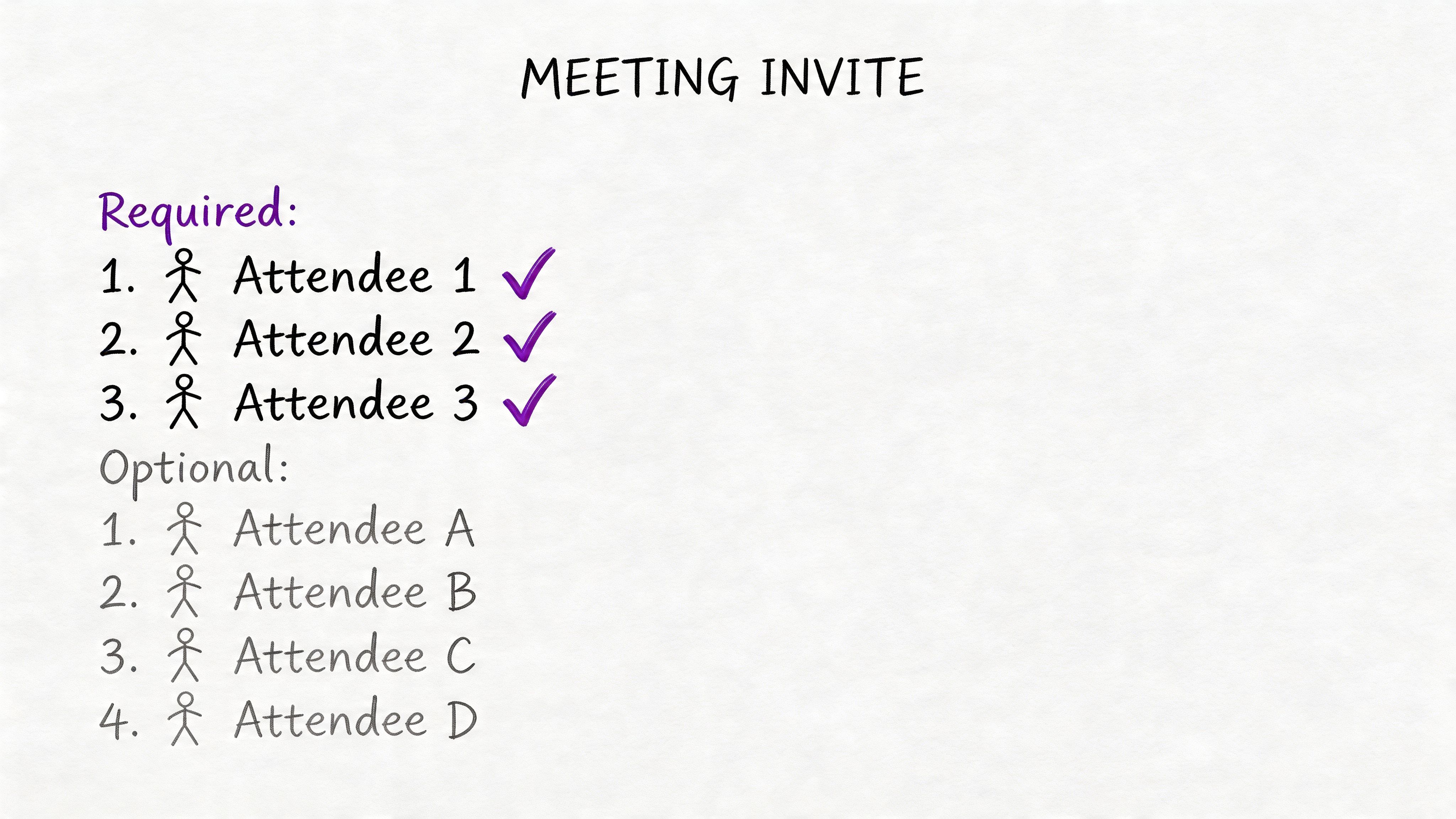
A better standard is simple. Invite people for contribution, not for awareness.
Before sending the invite, sort attendees into four groups:
- Decision-makers: People who must approve, choose, or break a tie.
- Subject experts: People whose input changes the quality of the decision.
- Owners: People responsible for executing what gets decided.
- Observers: People who want context but do not need to shape the meeting live.
That last group causes most of the bloat. Observers often belong on the distribution list, not on the calendar. If someone only needs the outcome, send the summary and recording after the meeting.
Whisper AI makes that easier to do without creating anxiety about exclusion. Record the call, generate a transcript, and share a concise recap with the people who were left off the invite on purpose. That keeps the meeting small while still giving stakeholders a reliable record of what was decided, what changed, and what they need to know. For teams running remote calls, these virtual meeting etiquette tips also help set expectations for who should join live versus who should follow asynchronously.
There is a real trade-off here. Smaller meetings are faster and clearer, but they can fail if a missing stakeholder later blocks execution. The fix is not to invite everyone. The fix is to be deliberate. If a person can veto the outcome, they should be in the room or represented by someone with authority. If they just need visibility, the record is enough.
A common example is the weekly project status meeting with ten or twelve names on the invite because "everyone touches the project." In practice, three people are solving a delivery issue, one manager is making a priority call, and everyone else is listening. That is expensive. A short post-meeting summary does the job for the broader group in a fraction of the time.
Attendance should match the work. If the meeting is for decision-making, keep the room tight. If the meeting is for broad communication, call it that and run it differently. What wastes time is pretending every attendee is necessary when the meeting only needs a few active contributors.
8. Establish Ground Rules for Virtual and Hybrid Meeting Etiquette
A large share of team meetings now includes at least one remote participant, which means bad hybrid habits are no longer edge cases. They are the meeting. If you do not set explicit rules, the people in the room will naturally dominate, the chat will split attention, and remote attendees will miss the cues that drive real decisions.
After running hundreds of hybrid meetings, I have found that etiquette matters most in the first two minutes. The facilitator should state how people will participate, where questions go, how decisions will be confirmed, and what happens if someone drops early. That short setup prevents the usual confusion later.
Write the rules down
Keep the rules short enough to fit on one screen or at the top of the agenda:
- Mute when not speaking: Background noise gets tolerated in the moment and ruins the recording later.
- Use chat for links and clarifying questions: Do not settle decisions in a side channel that half the group will never see.
- Say when you need to leave early: Reassign actions before that person disappears.
- Name the decision channel: Confirm whether approval happens by voice, in chat, or in the shared document.
- Default to one conversation: Side comments in the room need to be repeated for remote participants.
That last rule is the one teams skip. It causes more damage than people expect. A quick exchange between two people at the table can leave remote attendees guessing what changed, whether a concern was resolved, or why the group suddenly moved on.
Older meeting rules were built for people sitting in one room. Hybrid work adds new failure points such as late joins, camera-off participation, unstable audio, and people following asynchronously from the transcript. Teams need operating rules for those cases, not just a general reminder to "be respectful."
Before the main discussion, it helps to align on basic etiquette.
Use AI carefully in recorded meetings
If you are recording, say so clearly at the start. People should know the call is being transcribed and summarized, who will receive the notes, and how the record will be used. That improves trust and usually improves participation too, because people know they will not need to scramble to capture every detail.
Whisper AI helps enforce good hybrid etiquette because it creates a shared record that does not depend on who had the best seat or the strongest connection. Speaker labels, timestamps, and summaries make it easier to confirm what was decided and who volunteered for follow-up. For teams that need a practical baseline, these virtual meeting etiquette tips for remote and hybrid calls are a useful starting point.
There is still a trade-off. Recording and transcription reduce note-taking overhead, but they can make sensitive conversations feel more formal. Handle that directly. Tell the group when the tool is on, pause it when needed, and assign one person to protect the remote experience throughout the meeting. A hybrid call works well when someone is responsible for the people on the screen, not just the people at the table.
9. Encourage Decision-Making and Consensus Building
A large share of meeting time disappears into discussion that never turns into a call. The fix is simple, but teams skip it. State the decision method at the start.
Some meetings exist to collect input. Others exist to reach consensus. Others exist to advise a leader who will decide after hearing the room. If people do not know which mode they are in, they argue about process instead of substance.
Separate exploration from commitment
Good facilitators protect time for both. Early in the meeting, surface context, risks, and objections. In the final stretch, force the group to commit to one of three outcomes: decide, defer with a named missing input, or assign the decision to the accountable owner by a specific date.
I use three questions in almost every decision meeting:
- What decision must be made before we leave?
- Who owns the final call?
- What missing fact would justify deferring this?
That third question matters because it exposes a common failure mode. Teams say they need “more data” when what they really need is the discipline to choose between imperfect options. If the gap is real, name it precisely. If it is not, decide.
Whisper AI makes this easier to run well. The transcript shows where discussion kept circling, and the summary helps separate signal from repetition. After the meeting, the facilitator can review the exact moment the group shifted from debate to commitment, then capture the decision, the rationale, and any stated objections without relying on hurried notes.
Record the rationale, not just the outcome
The decision itself is only half the record. The reasoning is what prevents the same issue from returning next week under a different label.
This matters in real operating environments where priorities change, new stakeholders join, and memory gets selective. A short note that says “approved vendor A” is weak. A stronger record says vendor A was approved because it met the deadline, fit the budget, and carried lower implementation risk than vendor B. That kind of context saves teams from reopening settled ground.
Consensus also needs adult handling. Broad agreement is useful when execution depends on cross-functional buy-in. It becomes expensive when one holdout can stall a decision everyone else is ready to make. In those cases, document the dissent, confirm who owns the final call, and move. Whisper AI helps by preserving that reasoning clearly enough that people can disagree, then still commit.
10. Schedule Regular Retrospectives and Meeting Quality Reviews
A large share of meeting waste hides in recurring calendar holds that nobody questions. The meeting feels normal because it has always been there. The cost shows up later in slower decisions, partial attention, and teams that walk into the same discussion every Tuesday without a clear reason.
Strong managers review the meeting system the same way they review a process, a budget, or a vendor. Put a recurring quality review on the calendar every month or quarter and inspect the meetings that keep consuming time. The goal is simple: keep the meetings that create progress, fix the ones that drift, and remove the ones that survive on habit.
Audit the meeting system, not just individual calls
A useful retrospective focuses on evidence, not opinions from the loudest person in the room. Ask:
- Which recurring meetings still produce decisions or unblock work?
- Which ones could shift to an async update?
- Which meetings generate action items that are completed?
- Where are people attending because they are copied in, not because they are needed?
- Which meetings keep revisiting the same topic without changing the outcome?
This is one place where Whisper AI earns its keep. Over a month of transcripts and summaries, patterns become obvious. You can spot the staff meeting that produces clear owners every week, the project review that keeps repeating status with no decisions, and the cross-functional sync that needs a tighter attendee list.
I have seen teams cut meeting time materially without reducing communication. They did it by reviewing recurring meetings with the same discipline they used for spending. A 30-minute weekly call with 12 people is not harmless. Over a quarter, it becomes a serious operating cost.
Look for patterns across several meetings
One rough meeting is noise. A pattern across six weeks is a management issue.
The right review combines usage data with participant feedback. Ask people whether the meeting helps them do better work, then compare that feedback with what happened in the room. A practical guide from AskCody on meeting software adoption and blended measurement supports that approach. Use both signals. Attendance alone can mislead, and opinions alone usually miss the full picture.
Whisper AI makes the review faster because the record already exists. Instead of relying on memory, you can examine summaries for repeated topics, check whether action items keep stalling, and see which meetings are dominated by updates that could have been written down. That changes the conversation from vague frustration to specific fixes.
A useful audit question is simple: “Would we schedule this again today if it were not already on the calendar?”
Good retrospectives end with changes, not observations. Shorten the meeting. Change the owner. Reduce the attendee list. Turn it into a written update. Cancel it for 30 days and see whether anyone misses it. Those are the decisions that improve meeting quality.
Top 10 Meeting Rules Comparison
| Practice | Implementation Complexity (🔄) | Resources & Time (⚡) | Expected Outcomes (📊) | Ideal Use Cases (💡) | Key Advantages (⭐) |
|---|---|---|---|---|---|
| Set Clear Meeting Objectives and Agenda | 🔄 Low–Moderate (planning required) | ⚡ Minimal, prep 15–30 min, shared docs | 📊 Shorter, more focused meetings; searchable transcripts | 💡 Status updates, client reviews, decision meetings | ⭐ Clear priorities; actionable summaries |
| Start and End Meetings On Time | 🔄 Low (facilitation discipline) | ⚡ Low, timers, calendar settings | 📊 Predictable schedules; less calendar friction | 💡 Back‑to‑back schedules, daily standups | ⭐ Respects time; consistent recordings |
| Ensure Inclusive Participation and Active Listening | 🔄 Moderate (skilled facilitation) | ⚡ Moderate, participation tools, tracking | 📊 More diverse input; richer transcript insights | 💡 Brainstorms, cross‑functional workshops | ⭐ Higher psychological safety; better decisions |
| Assign Clear Action Items with Ownership and Deadlines | 🔄 Low–Moderate (documentation discipline) | ⚡ Low, task tools integration, quick logging | 📊 Higher follow‑through; measurable progress | 💡 Project kickoffs, sprint planning | ⭐ Accountability; reduced duplicated work |
| Minimize Distractions and Eliminate Multitasking | 🔄 Moderate (enforcement challenge) | ⚡ Low, policies, recordings | 📊 Cleaner, on‑topic content; improved comprehension | 💡 Strategy sessions, decision‑critical meetings | ⭐ Better transcript quality; shorter coverage time |
| Document Meeting Decisions and Distribute Records | 🔄 Moderate (documentation effort) | ⚡ Moderate, transcription & distribution workflow | 📊 Audit trail; aligned stakeholders; async catch‑up | 💡 Compliance, stakeholder coordination, legal contexts | ⭐ Organizational memory; compliance support |
| Limit Meeting Attendance to Necessary Participants | 🔄 Low (invite discipline) | ⚡ Low, role definitions, async options | 📊 Shorter meetings; faster decisions | 💡 Tactical meetings, focused discussions | ⭐ Reduced calendar bloat; improved efficiency |
| Establish Ground Rules for Virtual/Hybrid Meeting Etiquette | 🔄 Moderate (policy design & buy‑in) | ⚡ Low, etiquette docs, briefings, brief troubleshooting | 📊 Reduced noise/technical interruptions; fair participation | 💡 Hybrid teams, large distributed meetings | ⭐ Better audio/transcription; equitable experience |
| Encourage Decision‑Making and Consensus Building | 🔄 Moderate (process & facilitation) | ⚡ Moderate, decision frameworks, voting tools | 📊 Fewer re‑discussions; clearer execution paths | 💡 Roadmap planning, product trade‑offs | ⭐ Prevents paralysis; documented decisions |
| Schedule Regular Retrospectives and Meeting Quality Reviews | 🔄 Moderate–High (data collection & follow‑through) | ⚡ Moderate, analytics, surveys, review time | 📊 Eliminates low‑value meetings; continuous improvement | 💡 Org‑level meeting optimization, recurring rituals | ⭐ Data‑driven reductions in wasted time |
From Rules to Rituals Making Great Meetings Your Default
The best rules for a meeting aren’t impressive on paper. They’re repeatable under normal pressure. That’s the standard that matters.
Plenty of teams already know what good meetings should look like. They know they should send agendas, keep attendance tight, end on time, document decisions, and assign owners. The gap is rarely knowledge. The gap is execution. People get busy, meetings stack up, and the discipline slips. Then the old habits come back. Vague invites. Late starts. Too many attendees. No notes. No owner. Same conversation next week.
That’s why the shift has to be cultural, not just procedural.
Start small. Pick two or three rules and apply them to every meeting you run this week. A good starting set is: require an agenda, name action item owners before close, and send a written summary right after the meeting. Those three changes alone fix a surprising amount of waste because they tighten the beginning, middle, and end of the conversation.
Then build from there.
If your team struggles with over-attendance, enforce a required-versus-optional invite standard. If your meetings drift, shorten them and move informational updates to async docs. If hybrid calls feel uneven, set explicit etiquette and assign one person to protect the remote experience. The point isn’t to create a meeting constitution. It’s to choose a few essential behaviors and repeat them until they become normal.
Technology can make that much easier.
Whisper AI aligns well with timeless meeting principles. Historically, one of the hardest parts of maintaining good meeting discipline was the admin burden. Someone had to take notes, track decisions, capture exact wording, identify owners, and distribute follow-up. In many teams, that meant one person became the unofficial scribe and participated less fully as a result.
AI changes that. Whisper AI can transcribe the discussion, identify speakers, add timestamps, generate summaries, and pull out action items. That doesn’t replace management judgment. It supports it. The manager still decides what the meeting is for, who should attend, when to stop debate, and what good follow-through looks like. But the system no longer depends on memory and scattered notes.
That matters even more in hybrid work, where conversations happen across calls, chats, and recordings. A searchable transcript creates continuity. A clean summary reduces rework. A timestamped record cuts down on “that’s not what we agreed” debates. The tool doesn’t make the meeting good by itself, but it removes the friction that often stops good habits from sticking.
One more point is worth keeping in view. The best meeting is often the one you never schedule. If the purpose is information sharing, use an async update. If two people can solve the issue, don’t invite ten. If the outcome isn’t clear enough to define in advance, pause and sharpen the question first.
But for the meetings you do need, run them with intent. Start on time. Keep the group small. Make participation real. Turn discussion into decisions. Turn decisions into assigned work. Capture the record. Review the system regularly.
That’s how meetings stop being a drain and start becoming a tool. Not because people suddenly enjoy meetings, but because the meeting finally earns the time it takes.
Whisper AI helps teams follow good meeting rules without adding more admin work. Record the conversation, get a searchable transcript with speaker labels and timestamps, generate concise summaries, and pull out action items fast. If you want meetings that end with clear decisions and usable records, try Whisper AI.


























































































