
The Ultimate Guide to 12 Essential Blog Post Outline Templates (2026)
Staring at a blank page is the fastest way to kill your content workflow. The difference between a thin, unfocused article and a comprehensive resource that earns backlinks often comes down to one thing: a solid outline. From my experience managing content teams, a great blog post outline template isn't just about structure; it's a strategic blueprint that ensures your content directly answers user questions, integrates keywords naturally, and tells a coherent story from hook to conclusion.
Without a plan, it's easy to create content that misses the mark, failing to engage readers or rank on search engines. A robust outline is a cornerstone of any successful content strategy, helping you to achieve the many benefits of content marketing by creating valuable, well-organized information. This guide moves beyond generic advice and gives you 12 actionable, experience-tested templates and tools.
We've gathered the best resources from platforms like HubSpot, Notion, and SurferSEO to help you build better content, faster. For each option, you'll find:
- Copyable formats (Markdown, Google Docs, etc.) for different post types.
- Real-world examples to show you exactly how to fill them out.
- Quick tips for customization and SEO.
- Direct links and screenshots so you can see each tool in action.
We’ll even show you how to convert audio or video transcripts into a powerful outline, a game-changer for podcasters and YouTubers. By the end, you'll have a complete toolkit to build content that resonates with both readers and search engines, consistently and efficiently.
1. HubSpot – 30 Free Blog Post Templates
HubSpot offers a powerful resource for content teams: a free downloadable pack of 30 blog post templates. These aren't just empty documents; each template provides a ready-to-use structure for common post formats like "how-to" guides, listicles, thought leadership pieces, and case studies. For teams that want to standardize their content creation process without adopting new software, this is an ideal solution. The templates work directly in Google Docs and Microsoft Word, making them immediately accessible.
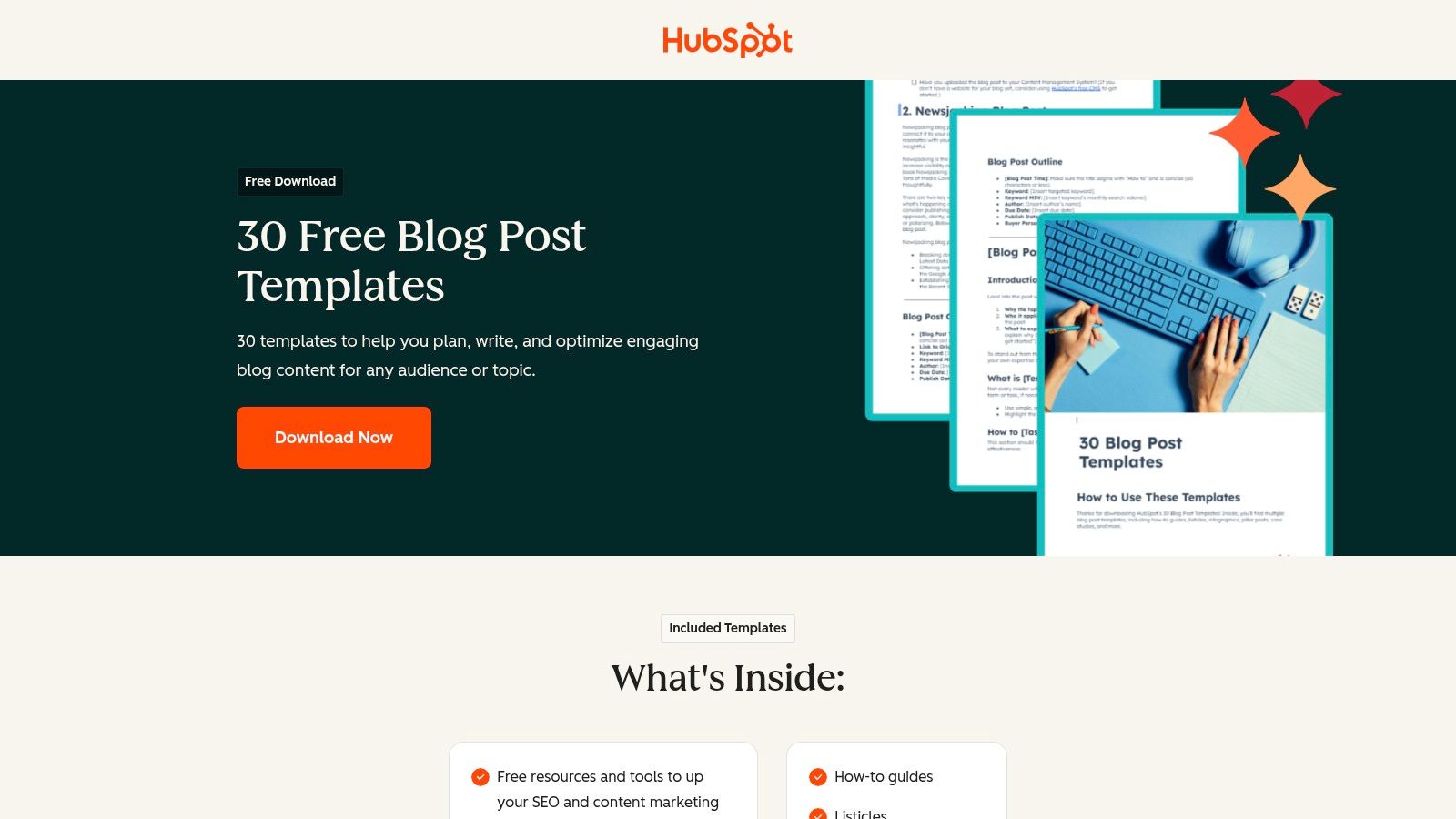
What makes this resource stand out is the built-in guidance. Each blog post outline template includes pre-filled H1, H2, and H3 headings along with prompts for incorporating on-page SEO elements like meta descriptions, target keywords, and internal links. This approach helps writers think about search engine visibility from the very beginning of the drafting process. For organizations leveraging HubSpot's broader tools, these templates integrate smoothly into their existing workflow. For those considering a wider system, understanding the full scope of marketing content management software can provide valuable context.
Access and Use Cases
- Access: The templates are free, but you must fill out a form with your contact information to receive the download link.
- Best For: Marketing teams, freelance writers, and businesses aiming to establish a consistent structure and quality for their blog content. It’s also useful for individuals looking to learn the fundamentals of structuring different article types.
The main limitation is the static nature of the documents. They don't offer any built-in collaboration or workflow features beyond what Google Docs or Word provide. However, their strength lies in providing a solid, repeatable foundation that supports a variety of content creation best practices.
Website: HubSpot – 30 Free Blog Post Templates
2. Notion – Article Outline Template
For writers and content teams already operating within the Notion ecosystem, the free Article Outline template is a simple yet effective tool. Instead of managing separate documents, this template integrates the outlining process directly into a user’s existing workspace. It provides a clean, database-style page with dedicated sections for defining the topic, angle, core structure, sources, and call to action. This approach is perfect for creators who want to centralize their entire content workflow, from initial idea to final draft, within a single platform.
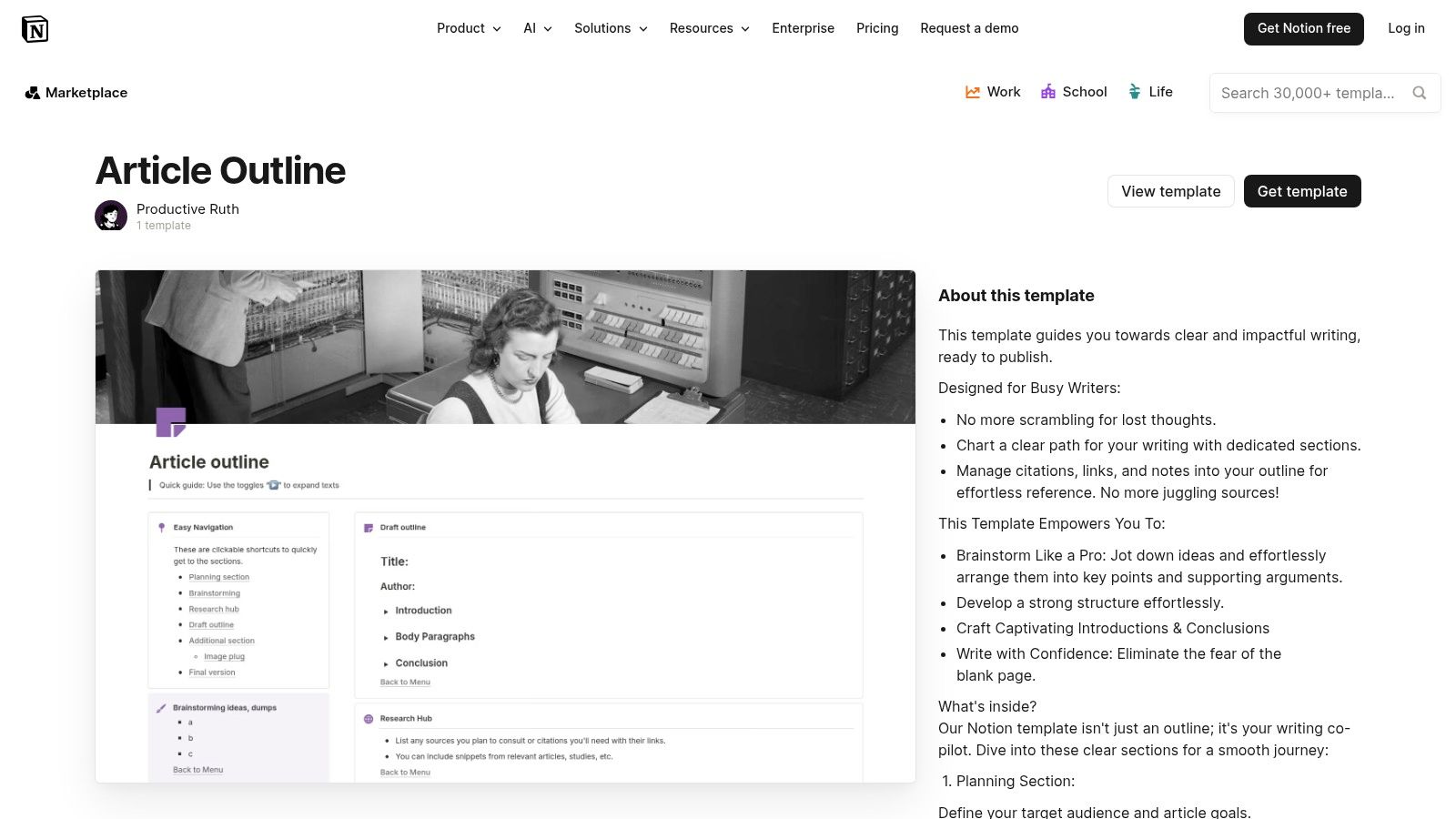
What makes this blog post outline template so practical is its flexibility. Since it’s built with standard Notion blocks, every element is fully editable. You can easily add, remove, or modify sections to fit your specific needs, create linked databases for research, and tag posts by status or category. This makes it more of a dynamic framework than a static document. While Notion is powerful for organization, those exploring various digital tools might also be interested in some of the best note-taking apps that offer different features for capturing ideas.
Access and Use Cases
- Access: The template is free to use and can be duplicated into any personal or team Notion workspace directly from the template gallery.
- Best For: Individuals and teams who use Notion as their primary content hub. It’s ideal for linking outlines directly to research notes, task boards, and content calendars all within the same environment.
The main drawback is that it’s platform-dependent. To use it, you must be a Notion user, and exporting the outline to another writing tool like Google Docs or WordPress requires extra copy-and-paste steps. However, for those committed to the Notion workflow, the benefit of having a connected, all-in-one system far outweighs this minor inconvenience.
Website: Notion – Article Outline Template
3. ClickUp – Blog Template (Doc + Workflow)
ClickUp moves beyond a simple document by integrating a blog post outline template directly into a project management workflow. This free template provides a structured Doc for building your outline and content brief, but its real power comes from connecting that document to tasks, deadlines, and team assignments. It’s designed for content teams that need to manage the entire production lifecycle, from initial idea to final publication, all within a single system.
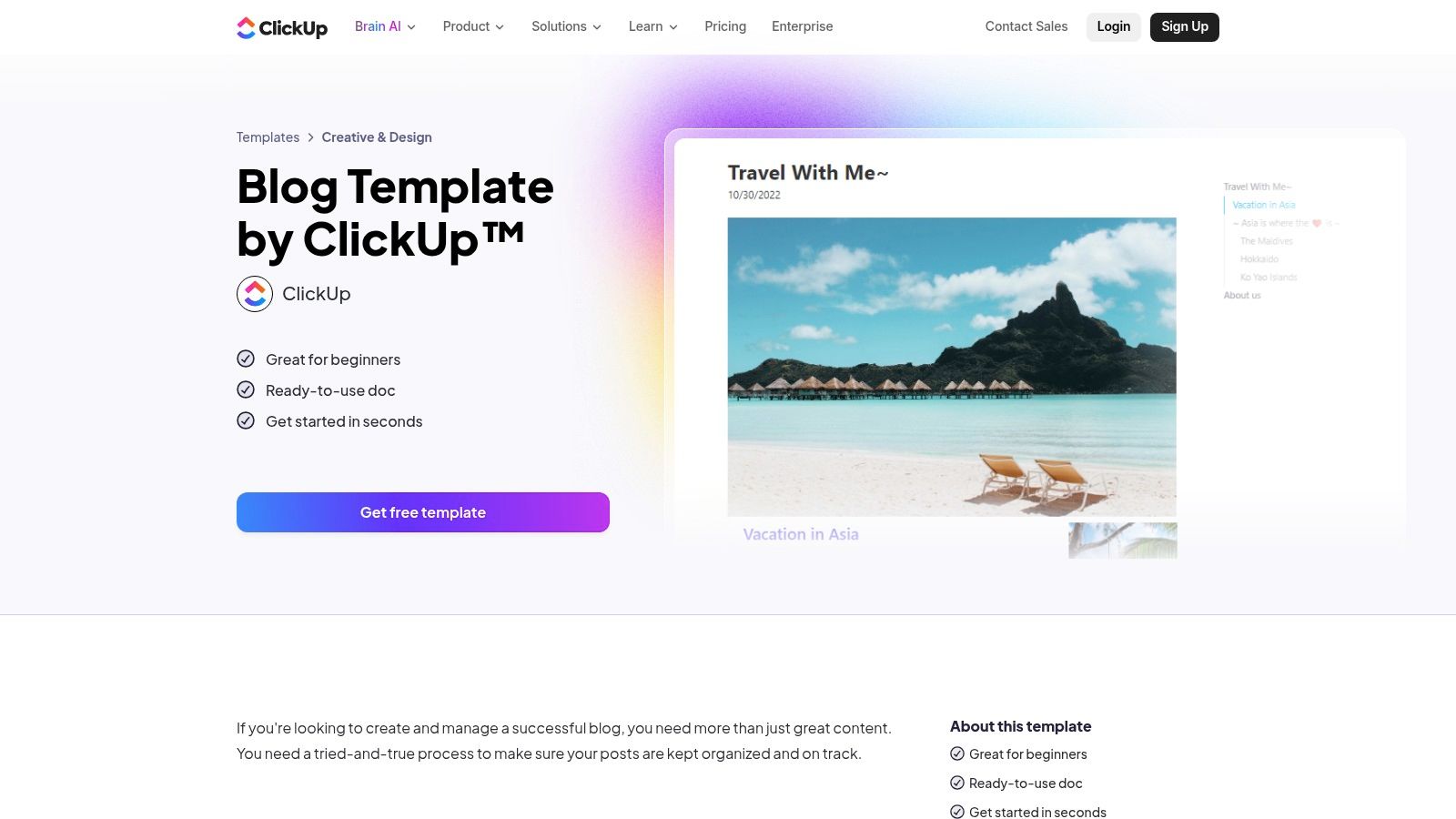
What makes this resource unique is its ability to bridge the gap between creative outlining and operational execution. The template includes pre-built sections for the outline itself, a content brief, and research notes. These elements are then linked to a task board with custom statuses (like "Drafting," "In Review," "Published") and fields for assigning writers and setting due dates. This setup provides accountability and visibility, allowing managers to see progress in Calendar or Gantt views. For teams already using ClickUp, this is a seamless addition; for others, it showcases how a project management tool can directly support content creation.
Access and Use Cases
- Access: The template is free to add to any ClickUp workspace, including free accounts. You need a ClickUp account to use it.
- Best For: Content teams and agencies that require a unified system for outlining, drafting, and managing production workflows. It’s perfect for organizations that need clear accountability, deadlines, and collaborative features tied directly to their content.
The primary limitation is that its full value is realized within the ClickUp ecosystem. While the doc itself is useful, the workflow features are the main draw. Some advanced capabilities, like certain automations or the integrated ClickUp AI assistant for drafting, require a paid subscription. However, even on the free plan, it provides an excellent framework for combining a blog post outline template with serious project management.
Website: ClickUp – Blog Template (Doc + Workflow)
4. Trello – Blog Content Schedule (Editorial Calendar template)
Trello offers a visual-first approach to content planning with its Blog Content Schedule template, which functions as an editorial calendar. While not a direct outline generator, it provides a powerful framework for housing outlines within a broader project management context. Teams can use individual Trello cards for each blog post, creating a standardized blog post outline template with checklists, custom fields, and attachments. This method connects the outlining stage directly to the entire content workflow, from idea to publication.
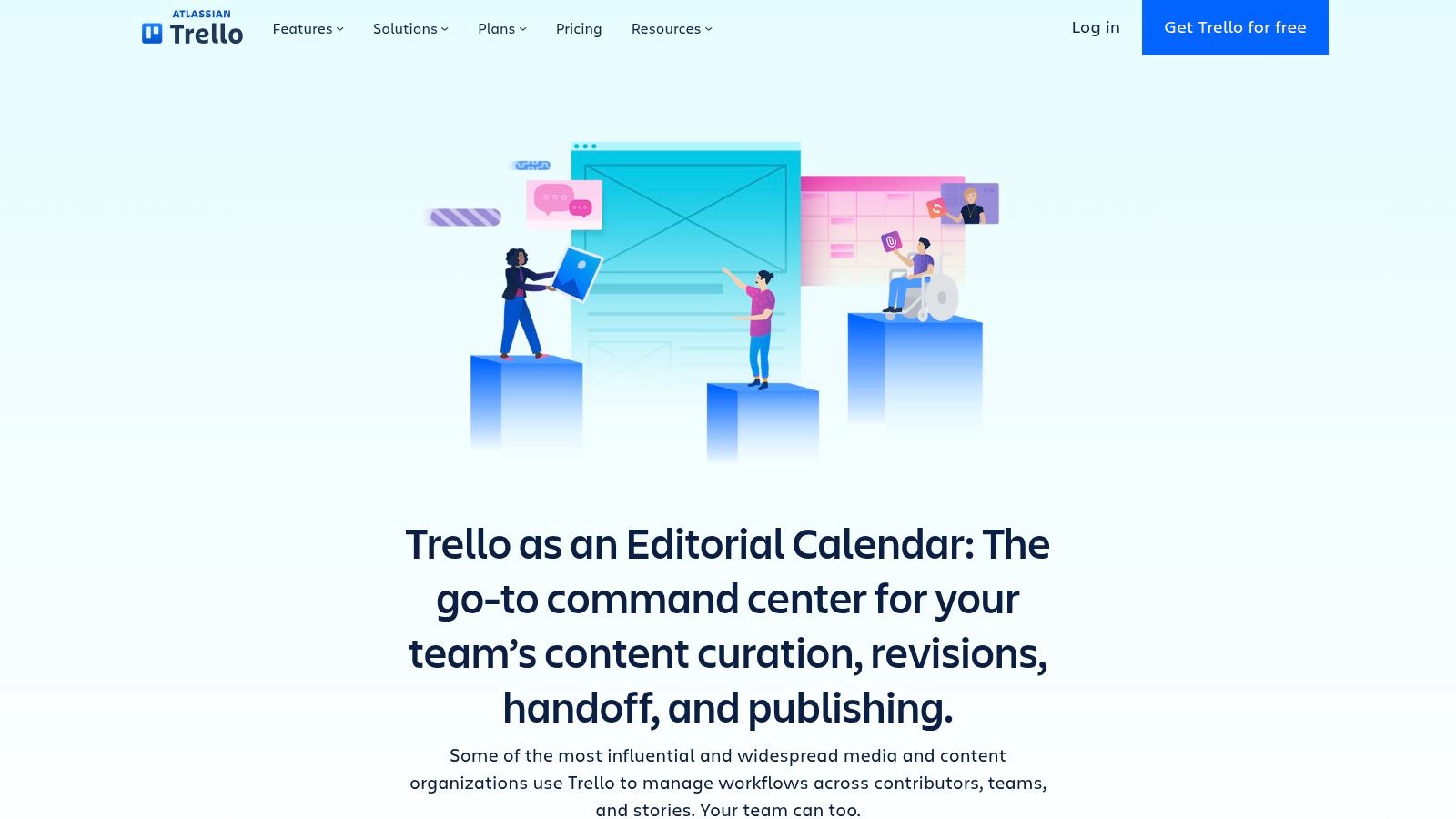
The key strength of this system is its at-a-glance clarity. The Kanban board allows managers and writers to see the status of every article in the pipeline, while the Calendar Power-Up provides a clear view of publish dates. Within each card, a writer can build their outline using the description field or a series of checklist items for H2s and H3s. This setup is perfect for teams that value process visibility over the dedicated features of a writing-specific app, keeping briefs, outlines, and deadlines all in one place.
Access and Use Cases
- Access: The template is free to use with a standard Trello account. Advanced features like the Calendar view are available as free Power-Ups, though some integrations may require a paid plan.
- Best For: Small content teams, freelance writers managing multiple clients, and bloggers who want to combine their content calendar and outlining process in one lightweight tool. It's especially effective for visual thinkers.
The primary limitation is that a Trello card's description field can feel cramped when developing a complex, long-form blog post outline template. The interface is built for brief notes and tasks, not expansive documents. However, for those who prioritize a simple, integrated workflow for planning and tracking content, Trello presents an excellent and highly adaptable solution.
Website: Trello – Blog Content Schedule
5. Jasper – Blog Outline Agent
For teams focused on generating on-brand content at scale, Jasper’s Blog Outline Agent offers an AI-powered solution. Instead of providing static documents, this tool dynamically generates structured H2/H3 outlines based on your specific inputs, including your company's brand voice, style guide, and target audience. It's designed for marketing teams that need a repeatable, strategy-aware scaffolding to kickstart the writing process and ensure consistency across all content.
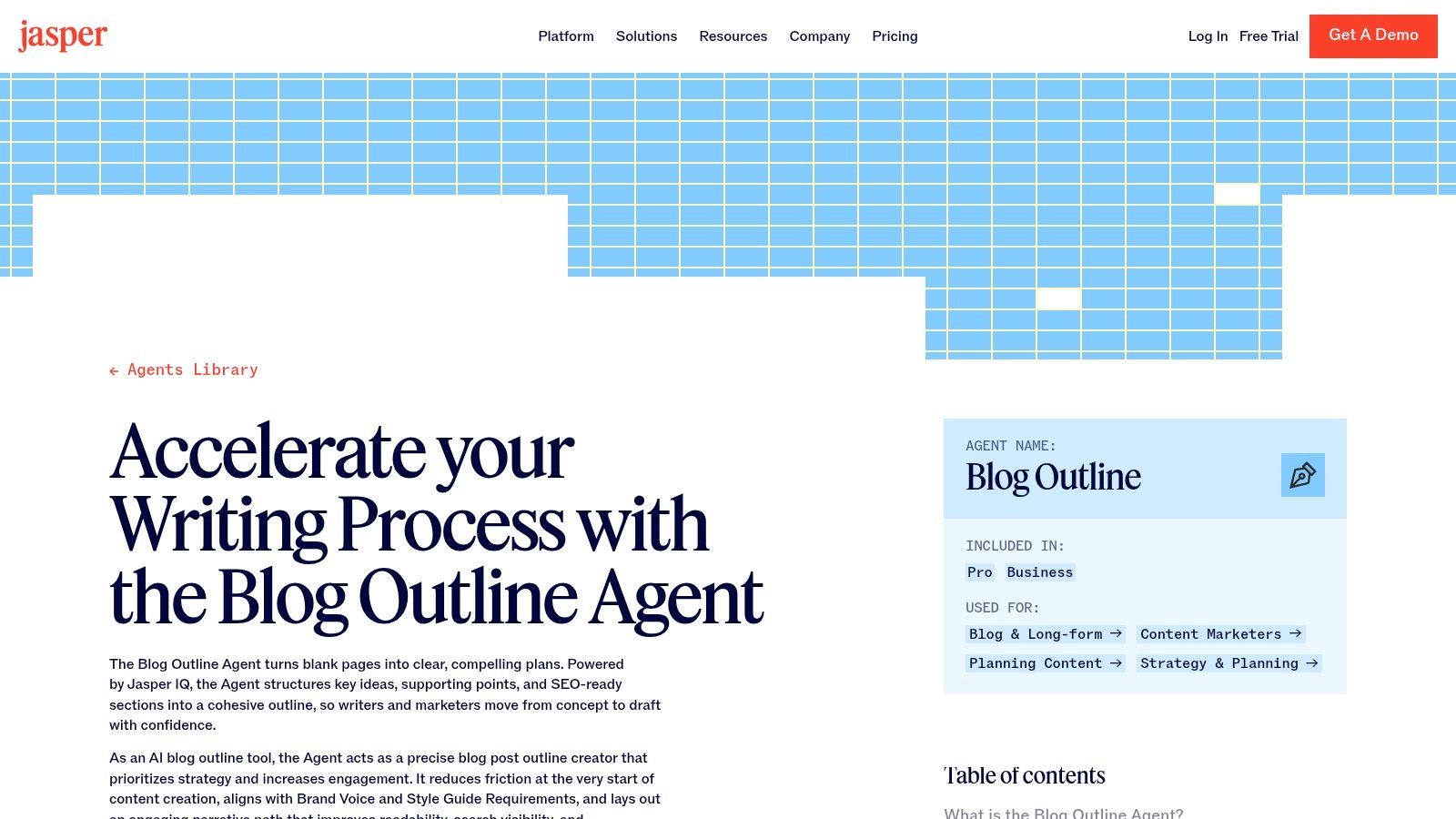
What makes this tool unique is its ability to create a strategy-aware blog post outline template. The agent doesn't just list topics; it suggests placements for hooks, introductions, and calls-to-action (CTAs), aligning the structure with your marketing goals from the start. This reduces the back-and-forth between strategists and writers, as the initial outline is already infused with brand and audience considerations. The output can be directly handed off to other Jasper apps for drafting or expanding into a full content brief, creating a connected workflow.
Access and Use Cases
- Access: This is a paid tool and requires a Jasper subscription to use. The quality of the output is directly related to the quality of the brand information you provide.
- Best For: Content marketing teams and agencies that need to produce a high volume of articles while maintaining a strict brand voice. It is particularly effective for organizations looking to speed up the initial stages of content creation without sacrificing strategic alignment.
The primary limitation is its dependency on a paid subscription and the quality of the initial setup. If your brand voice and audience profiles are not well-defined within the tool, the outlines may be generic. However, for teams invested in the Jasper ecosystem, it provides a fast and intelligent way to build the foundational structure for effective blog posts.
Website: Jasper – Blog Outline Agent
6. SurferSEO – Free AI Outline Generator + Content Editor Outline Templates
SurferSEO offers a dual approach for creating SEO-driven outlines. It provides a free, instant AI article outline generator for quick topic structuring and a more robust system within its paid Content Editor. The Content Editor analyzes top-ranking pages for a target keyword to generate a SERP-informed blog post outline template, complete with recommended headings, word counts, and key terms. This makes it an exceptional tool for content teams focused on search engine performance and ranking.
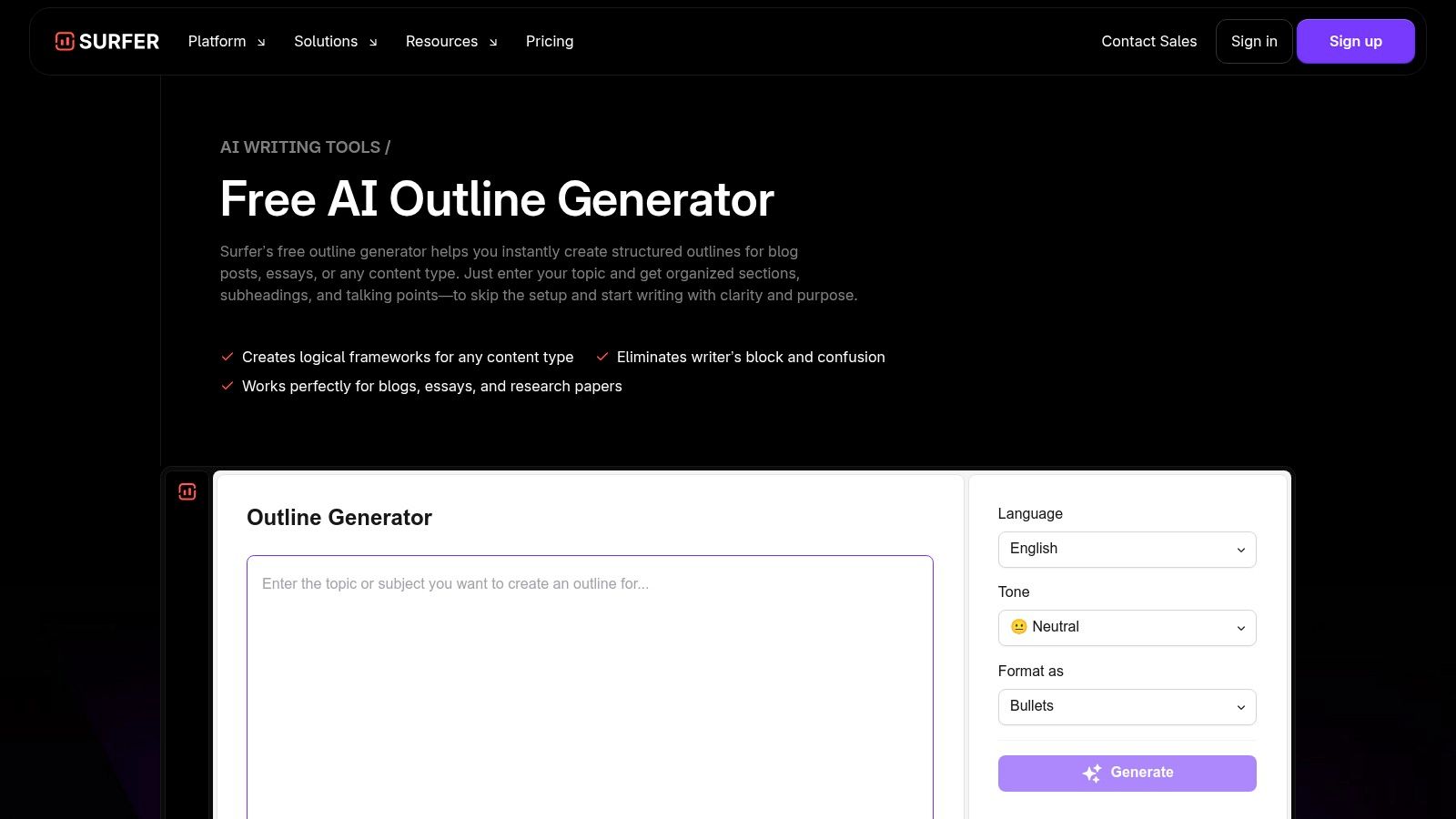
What sets SurferSEO apart is its data-first methodology. The outline isn't based on generic best practices; it's a direct reflection of what Google is currently rewarding for a specific query. The paid version allows teams to save their own custom outline templates, which can then be applied to new articles. This feature is perfect for scaling content production while maintaining a consistent, SEO-optimized structure across a series of posts. For those exploring AI-powered creation, understanding the broader ecosystem of the best AI tools for content creators can provide valuable context for integrating such platforms.
Access and Use Cases
- Access: The AI Outline Generator is free for limited use. The Content Editor, which includes data-driven outlines and the ability to save custom templates, is part of SurferSEO's paid subscription plans.
- Best For: SEO agencies, in-house content teams, and freelance writers who prioritize search engine rankings. It is particularly effective for teams producing multiple articles around a central topic cluster.
The primary limitation is that the most powerful features, including savable templates, are behind a paywall. The free tool is useful for generating initial ideas, but the paid Content Editor is where the true value for creating a competitive blog post outline template lies.
Website: SurferSEO – Free AI Outline Generator
7. Frase – Content Brief & Outline Templates
Frase shifts the concept of a blog post outline template from a static document to a dynamic, AI-assisted content brief. Instead of just providing a structure, Frase generates a complete brief by analyzing top-ranking search results for a target keyword. This approach integrates competitive research directly into the outlining process, producing a data-driven foundation for writers. It’s built for teams where a strategist or SEO manager prepares a detailed blueprint before handing it off to a content creator.
What makes Frase different is its combination of SERP analysis and reusable templates. You can either generate a new outline from scratch based on a keyword or apply a pre-built "master brief" for standardized formats like product reviews or listicles. The platform automatically pulls in relevant H2s and H3s from competitors, People Also Ask questions, statistics, and external link sources. This helps a writer understand the full scope of a topic and address user intent comprehensively from the very first draft.
Access and Use Cases
- Access: Frase is a paid SaaS tool. Full access to its content brief and outline generation features requires a subscription, with pricing based on usage tiers.
- Best For: SEO agencies, in-house content teams, and content strategists who need to create detailed, research-backed briefs for writers. It's particularly effective for scaling content production while maintaining a high standard of SEO optimization.
The primary limitation is its cost, as it’s a premium tool rather than a free resource. Additionally, the quality of the AI-generated outline can vary depending on the niche and the specificity of the keyword, sometimes requiring significant manual refinement. However, for teams prioritizing SEO performance, Frase provides a powerful system for creating a blog post outline template that is already optimized for search.
Website: Frase – Content Brief & Outline Templates
8. Copy.ai – Long-Form Blog Workflow
Copy.ai shifts from static templates to a dynamic, AI-powered workflow for generating entire blog posts, starting with a detailed outline. Its "Write Blog Post" feature is designed for speed, turning a simple topic or brief into a structured blog post outline and then a full first draft. This approach is built for teams that need to produce long-form content consistently and want a repeatable, yet flexible, production system.
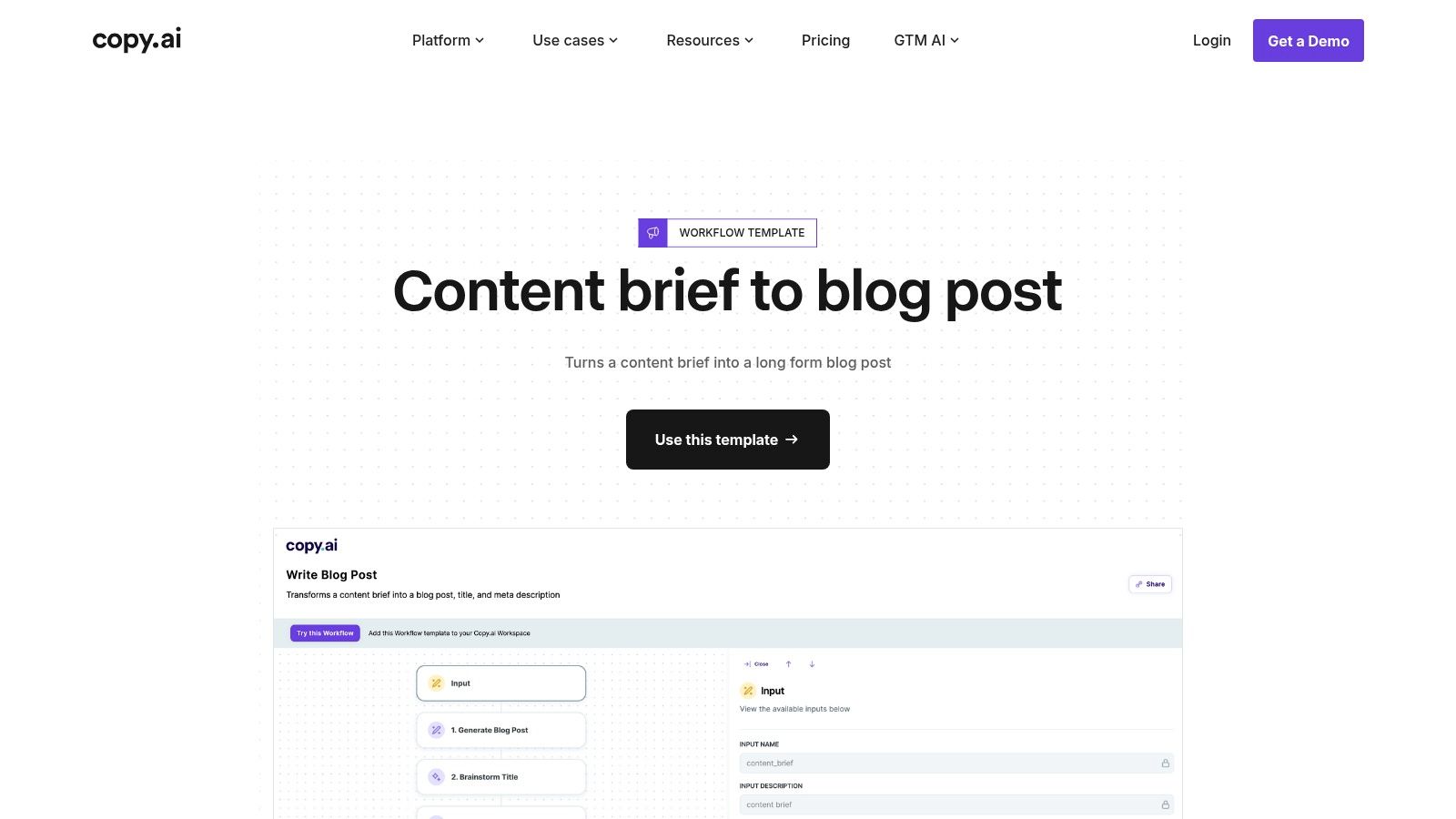
What makes Copy.ai notable is its ability to generate multiple outline variants from a single prompt. This gives content managers options to choose from, refining the direction of a post before committing to a full draft. The workflows are also customizable, allowing teams to insert specific action blocks to enforce brand voice, SEO standards, or internal style guides. This feature helps ensure the initial output is closer to a finished product, requiring less manual editing.
Access and Use Cases
- Access: Copy.ai is a paid product with various subscription tiers. A free plan with limited credits is available for users to test the platform's capabilities.
- Best For: Content teams and agencies focused on high-volume production, solo creators looking to speed up their ideation and drafting process, and marketers who need to quickly generate multiple article variations around a core topic.
The main downside is that achieving high-quality, brand-aligned results often requires a paid subscription and some effort in prompt tuning. Without customization, the output can be generic. However, for those willing to invest time in setup, it provides a powerful system for creating a blog post outline template on the fly and scaling content creation.
Website: Copy.ai – Long-Form Blog Post Generator
9. Smartsheet – Blog Planning Template (PDF/Sheet)
For teams that manage content calendars in a spreadsheet format, Smartsheet offers a simple but effective Blog Planning Template. This resource is a downloadable PDF that lays out a content tracker structure, which can then be recreated in Smartsheet, Google Sheets, or Excel. Its primary function is not as a writing surface but as a high-level organizational tool, perfect for teams needing to track multiple posts across different stages of production.
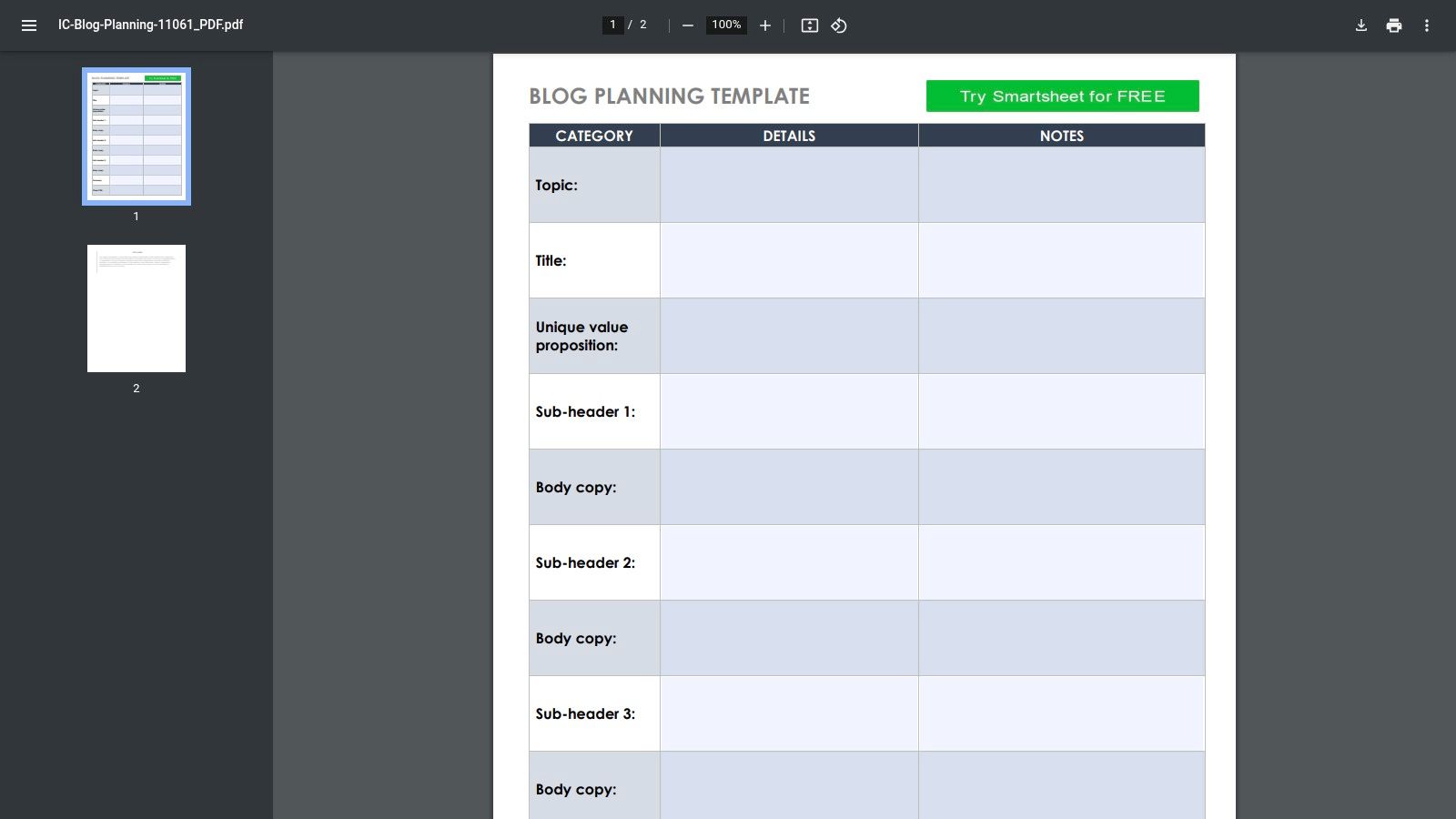
The template's value comes from its familiar, column-based layout. It includes fields for topic, target keywords, status, due dates, and owners, giving a clear overview of the entire content pipeline. While it doesn't provide a rich-text blog post outline template out of the box, it is easily customizable. Teams can add new columns for H2/H3 headings, key talking points, internal link targets, and required assets, effectively building a brief-and-tracker hybrid. This approach keeps all necessary information for a post within a single, shareable row.
Access and Use Cases
- Access: The template is available as a free, direct PDF download with no sign-up required. Using it collaboratively within the Smartsheet platform requires a paid plan.
- Best For: Content managers and small teams who already use spreadsheets to plan their editorial calendar. It excels at providing a simple, cross-functional tracker that centralizes topic ideation and production status.
The main limitation is that it's not a true outlining tool designed for long-form writing; it functions more as a project management dashboard. However, its low learning curve and adaptability make it a practical starting point for teams that want to bring more structure to their content planning without adopting complex new software.
Website: Smartsheet – Blog Planning Template (PDF/Sheet)
10. Airtable – Editorial/Content Calendar Templates
Airtable isn't a direct source for blog post outline templates but serves as a powerful backend for managing the entire content lifecycle. Instead of providing static documents, it offers customizable "bases" that function as dynamic editorial calendars. These templates allow teams to build a centralized hub for planning, assigning, outlining, and tracking every piece of content. You can create fields specifically for outlines, either as long-text entries or as attachments linking to Google Docs or other files.
What makes Airtable special is its flexibility. A content manager can design a workflow from initial idea to final publication, complete with status updates, author assignments, due dates, and SEO checklists. Using its calendar and Kanban views, teams get a clear visual of their content pipeline. This system moves beyond a simple blog post outline template by integrating the outline into a larger operational framework, ensuring that content creation stays organized and on schedule. It's an ideal system for teams managing multi-channel content strategies.
Access and Use Cases
- Access: Airtable operates on a freemium model. The free plan is robust enough for small teams, but advanced features, increased record limits, and more automations require a paid subscription.
- Best For: Content operations managers, marketing teams, and digital publications that need a central source of truth for their entire editorial process. It’s perfect for those who want to track outlines alongside other production variables.
The primary limitation is that Airtable isn't a dedicated writing or outlining tool. The actual creation of the outline is often more comfortable in a separate document editor. However, Airtable’s strength lies in its ability to organize and track these documents within a collaborative, end-to-end content production system.
Website: Airtable – Editorial/Content Calendar Templates
11. Coda – Blog & Social Media Scheduler (Doc Template)
Coda takes the concept of an outline and embeds it within a powerful, all-in-one content management system. This isn't just a static template; it's an interactive document that functions like an app, combining your blog post outline template with a full content database and a social media scheduler. For teams looking to unify their entire content workflow, from ideation to distribution, this template offers a robust foundation. It allows you to manage post ideas, track progress, build outlines, and schedule promotion all from a single, collaborative doc.
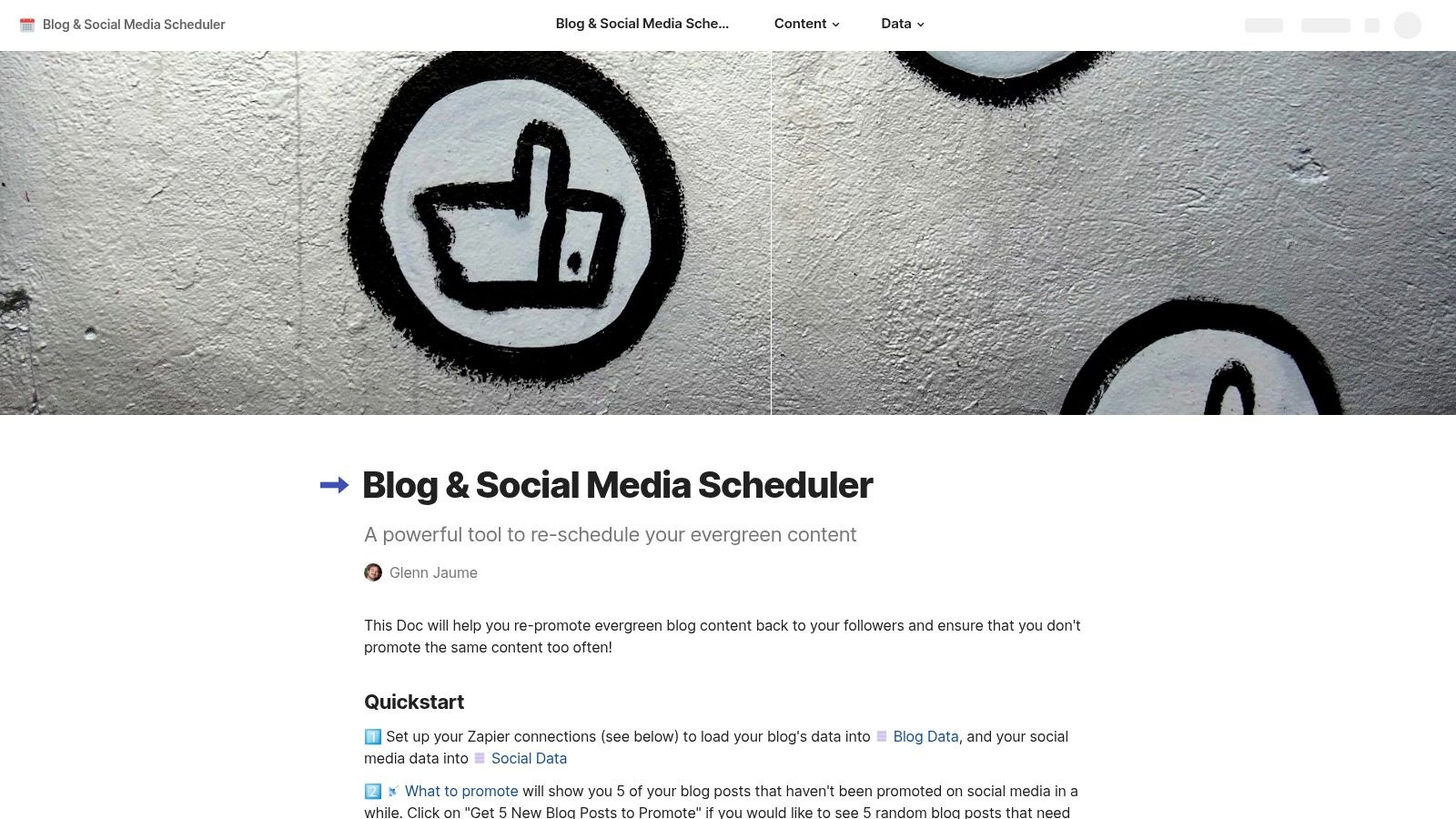
What makes this resource unique is its automation potential. The doc includes customizable sections for your outline, sources, and calls-to-action (CTAs). More importantly, it features integration buttons that can push content directly to platforms like Buffer or Twitter. This means you can write your outline, draft the post, and then trigger a pre-configured social media promotion sequence without leaving Coda. It effectively connects the structural part of content creation with the practicalities of post-publication marketing.
Access and Use Cases
- Access: The template is free to copy into your Coda workspace. Coda offers a free tier, but advanced features or larger teams may require a paid plan.
- Best For: Content marketers and social media managers who want a central hub for planning, outlining, and distributing content. It’s ideal for those comfortable with building and customizing no-code tools to fit their exact workflow.
The main challenge is the learning curve. To make the most of this template, especially its automation features, a basic understanding of Coda's formulas and buttons is necessary. However, for those willing to invest a little time, it provides an exceptional level of control over the entire content lifecycle.
Website: Coda – Blog & Social Media Scheduler
12. Milanote – Marketing Content Plan (Board Template)
For content creators who think visually, Milanote offers a refreshing alternative to traditional text-based outlines. Its Marketing Content Plan template acts as a flexible digital mood board, allowing you to storyboard your blog post rather than just list its sections. This approach is perfect for posts that rely heavily on visuals, data, and external sources. Instead of a linear document, you get a dynamic canvas where you can drag and drop cards for headings, notes, research links, images, and pull quotes, mapping out the flow of your article visually.
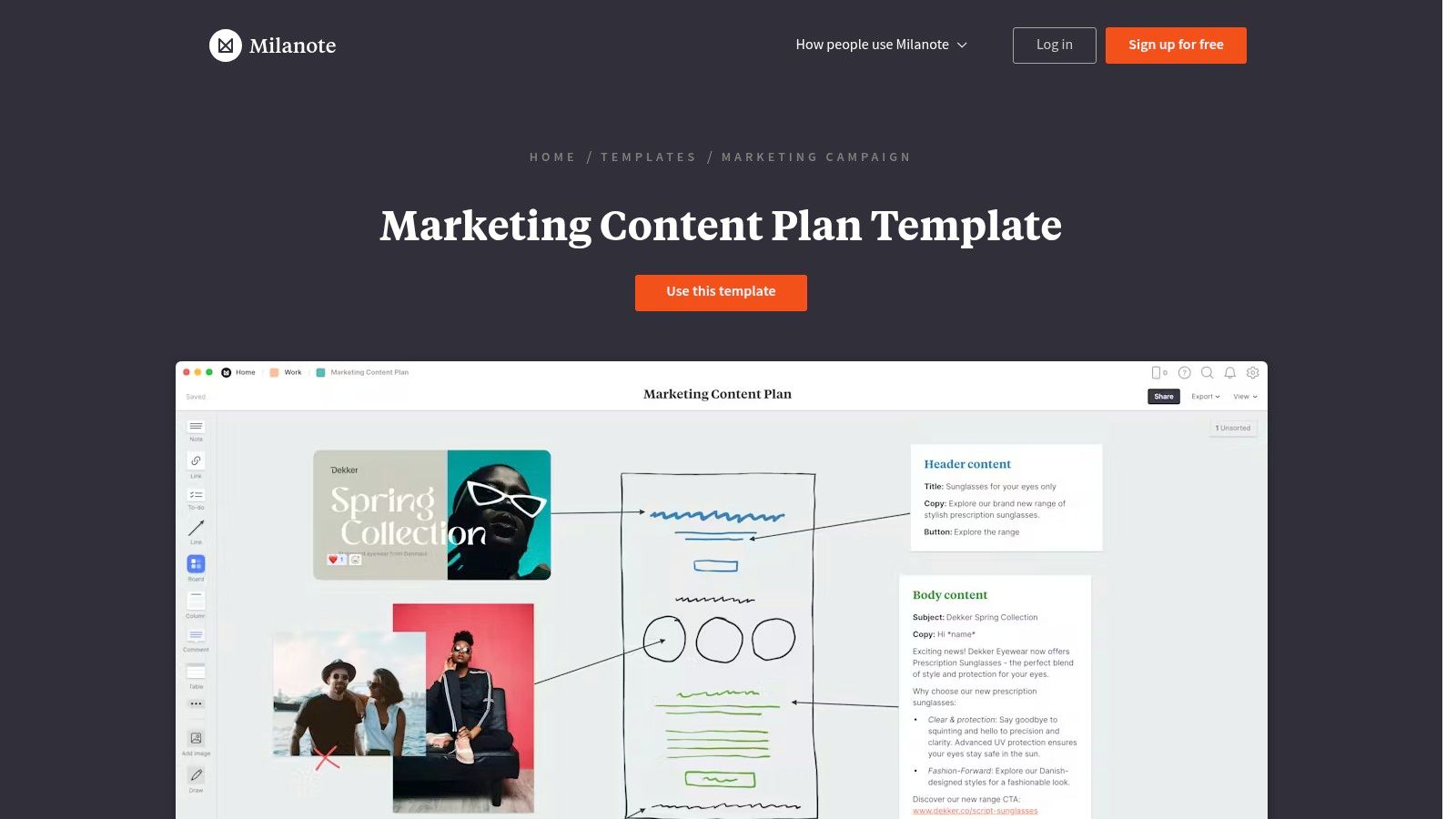
What makes Milanote effective is its ability to centralize brainstorming and structuring in one place. You can gather screenshots, inspiration, and key statistics on the board before arranging them into a coherent narrative. This visual rearrangement makes it simple to experiment with different article structures before committing to the writing process. The tool is great for collaborative brainstorming, as teams can contribute ideas to a shared board. While not a conventional blog post outline template, it excels at building a post’s foundational structure and asset library.
Access and Use Cases
- Access: A generous free plan is available, which includes a limited number of notes, images, and file uploads. Paid plans unlock unlimited storage and additional features.
- Best For: Visual thinkers, content strategists, and teams that need to plan content with multiple media assets. It's especially useful for storyboarding complex articles or mapping out entire content clusters.
The main limitation is that Milanote is not a writing tool. You will need to transfer your finalized structure to a word processor or CMS to begin drafting. However, for those who find linear outlining restrictive, its freeform canvas provides a powerful way to organize thoughts and build a solid, well-researched article foundation.
Website: Milanote – Marketing Content Plan
Top 12 Blog Post Outline Template Tools Comparison
| Tool | Core features | Quality ★ | Price 💰 | Best for & USP 👥✨/🏆 |
|---|---|---|---|---|
| HubSpot – 30 Free Blog Post Templates | 30 H1/H2/H3 scaffolds + SEO prompts; Docs/Word files | ★★★★☆ | 💰 Free (form-gated) | 👥 Teams wanting plug‑and‑play scaffolds; ✨ broad template coverage |
| Notion – Article Outline Template | Topic/angle/structure/sources/CTAs as native blocks | ★★★★☆ | 💰 Free | 👥 Notion users who keep planning in‑app; ✨ simple, editable outlines |
| ClickUp – Blog Template (Doc + Workflow) | Outline + task statuses, Calendar/Gantt, automations & AI | ★★★★★ | 💰 Freemium (adv. features paid) | 👥 Teams needing end‑to‑end production; 🏆 combines outline + workflow |
| Trello – Blog Content Schedule (Editorial Calendar) | Card templates, Kanban workflow, calendar via Power‑Ups | ★★★★☆ | 💰 Freemium (Power‑Ups may cost) | 👥 Freelancers/small teams; ✨ lightweight visual scheduling |
| Jasper – Blog Outline Agent | AI H2/H3 hierarchies using brand voice & style settings | ★★★★★ | 💰 Paid (subscription) | 👥 Marketing teams needing on‑brand outlines; 🏆 fast, strategy‑aware AI |
| SurferSEO – AI Outline Generator + Content Editor | Instant outlines + SERP‑informed editor & saveable templates | ★★★★☆ | 💰 Freemium (editor paid) | 👥 SEO‑focused teams; ✨ SERP‑aligned headings and suggestions |
| Frase – Content Brief & Outline Templates | AI briefs with SERP, PAA, stats and reusable templates | ★★★★☆ | 💰 Paid | 👥 Strategists & SEO writers; 🏆 research‑rich briefs for handoffs |
| Copy.ai – Long‑Form Blog Workflow | “Write Blog Post” workflow: outline → sections → variants | ★★★★☆ | 💰 Paid | 👥 Rapid ideation teams; ✨ multi‑variant drafting workflows |
| Smartsheet – Blog Planning Template | Spreadsheet columns for topic, keywords, status, dates, owners | ★★★☆☆ | 💰 Free PDF / Smartsheet paid | 👥 Cross‑functional teams needing trackers; ✨ familiar spreadsheet format |
| Airtable – Editorial/Content Calendar Templates | Bases with calendar/Kanban views, custom fields, attachments | ★★★★☆ | 💰 Freemium (higher tiers paid) | 👥 Multi‑channel ops & ops teams; ✨ highly customizable tracking |
| Coda – Blog & Social Media Scheduler (Doc Template) | Post DB + outline sections, integrations & automation buttons | ★★★★☆ | 💰 Freemium (adv. paid) | 👥 Teams automating distribution; ✨ integrated automation + doc DB |
| Milanote – Marketing Content Plan (Board Template) | Visual board for sections, assets, quotes & storyboarding | ★★★★☆ | 💰 Freemium (paid pro) | 👥 Visual creators & storyboards; ✨ drag‑drop visual structuring |
Turn Your Blueprint into a Masterpiece
We've explored a wide array of tools and templates, from simple copy-paste documents in HubSpot and Notion to sophisticated AI-powered workflows in Jasper and SurferSEO. Each resource offers a distinct path toward the same goal: transforming a raw idea into a structured, reader-focused piece of content. The central lesson is that a blog post outline template is not a constraint, but a catalyst for creativity and clarity. It’s the architectural blueprint that ensures your final article is sturdy, logical, and serves its intended purpose.
Moving beyond a blank page is often the hardest part of content creation. By adopting a template, you immediately give yourself a starting structure. This framework forces you to think critically about your audience’s questions before you start writing. It pushes you to organize your thoughts, gather your research, and build a narrative that flows from introduction to conclusion without getting lost along the way. You stop just writing about a topic and start building a genuine answer for a real person.
From Good to Great: Applying What You've Learned
The true power of these templates lies in their adaptability. A generic outline is a starting point, not a destination. Your experience, unique insights, and brand voice are the elements that will elevate the content from a simple list of facts to a memorable, authoritative article.
Remember these key takeaways as you move forward:
- Structure Forces Strategy: An outline compels you to consider user intent, keyword placement, and the logical progression of your argument from the very beginning.
- Adapt, Don't Just Adopt: The best content comes from customizing a template to fit your specific expertise and the unique angle you bring to a topic. Don't be afraid to add, remove, or reorder sections.
- The Right Tool for the Job: Your ideal tool depends on your workflow. A solo blogger might find a Notion or Google Docs template perfectly sufficient, while a content team will benefit from the collaborative and project management features of ClickUp, Airtable, or Trello.
- AI as an Assistant: Tools like Frase and Jasper are powerful for generating initial ideas and structuring SEO-driven content. Use them to speed up research and brainstorming, but always apply your human expertise to refine the final product.
How to Choose Your Perfect Outline Starting Point
Feeling overwhelmed by the options? Let’s simplify the decision. Your choice of a blog post outline template should align directly with your immediate needs and technical comfort level.
- For Speed and Simplicity: If you just need to get writing now, grab a ready-made document. The templates from HubSpot or Notion are perfect for this. Copy the format, fill in your points, and you’re ready to draft.
- For Team Collaboration and Workflow Management: If you’re part of a team managing an editorial calendar, you need more than a document. Look to platforms like ClickUp, Airtable, or Trello to integrate your outlining process with tasks, deadlines, and approvals.
- For SEO-Driven Content at Scale: If your primary goal is to rank for competitive keywords, your best bet is an SEO-focused tool. SurferSEO and Frase provide outlines built on competitor analysis, giving you a data-backed structure designed for search engine performance.
Ultimately, the goal is to find a system that reduces friction and lets you focus on what matters: creating high-quality, experience-based content that answers your audience's questions. An outline is your first and most important step in honoring your reader’s time and attention. It’s your promise that the content to follow will be organized, valuable, and worth their while. Pick a tool, select a template, and start building the foundation for your next great piece of content.
Ready to turn your existing audio or video content into structured blog posts? Whisper AI can transcribe your media with remarkable accuracy and then use AI to instantly generate a detailed blog post outline from the transcript. Start transforming your spoken ideas into written masterpieces with Whisper AI.


























































































