
10 Usability Testing Questions to Ask in 2026
You've spent days recruiting participants, writing tasks, cleaning up a prototype, and aligning everyone on the research goals. Then the session starts, and the feedback you get is “it's nice,” “I'd probably use it,” or “that part felt confusing.” None of that helps a product team decide what to fix on Monday.
That usually isn't a participant problem. It's a question problem. Weak usability testing questions produce vague opinions, polite praise, and post-rationalized answers. Strong questions surface where people hesitate, what they expected to happen, what they trusted, and what would stop them from using the product again.
That matters more now because many teams test products that don't just display information. They interpret it. AI tools like Whisper AI transcribe, summarize, label speakers, and answer follow-up questions about content. If you only ask “Was it easy to use?” you miss the true product risk. You miss whether users trust the output, whether they know what the tool exactly does, and whether the workflow fits their job.
The script below is the one I keep coming back to. It's organized by phase so you can lift questions directly into your next study. Each one includes how I'd use it in a SaaS context like Whisper AI, plus what to listen for when participants answer. If you want more formats to compare against your own moderator guide, Uxia's usability script examples are also useful to review before a session.
1. Pre-Test Have you used transcription or summarization tools before
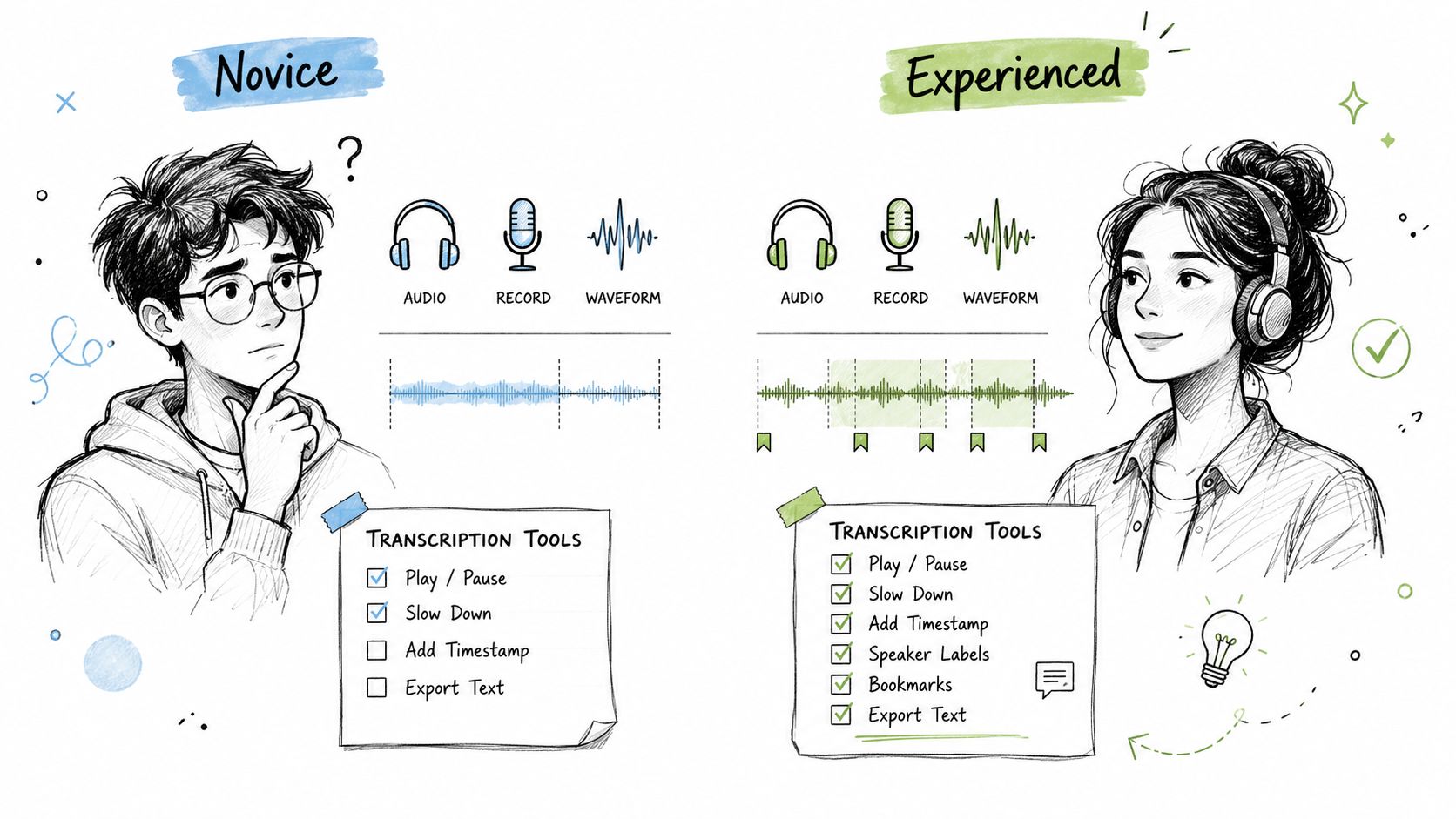
Start with prior behavior, not opinions. If someone has used Otter, YouTube auto-captions, Descript, Rev, or a manual transcription service, they won't approach Whisper AI the same way as a first-timer. They arrive with assumptions about upload flows, speaker labels, export options, and how much cleanup they expect to do after transcription.
That context changes how you interpret every later comment. A podcaster who says “I couldn't find speaker separation” is very different from a student who has never used any transcription product before. One is comparing against a mental model. The other is learning the category in real time.
What to ask and what to listen for
A good version is simple: “Have you used transcription or summarization tools before?” Then follow with, “Which ones?” and “How often do you use them in real work?”
You're listening for specifics, not self-ratings. “I use YouTube captions once in a while for my channel” tells you more than “I'm pretty experienced.” If someone says they use an AI transcription tool every day for client work, I'll usually note them as an experienced workflow user and compare their behavior separately from occasional users.
- Tool names matter: Capture the exact products people mention. Competitor names often explain why they look for certain buttons or expect certain outputs.
- Frequency matters: Daily use signals habit. Occasional use signals recognition without fluency.
- Use case matters: Journalists, creators, researchers, and meeting-heavy teams often care about different parts of the output.
Practical rule: Never treat “experience” as one bucket. Separate category familiarity from workflow depth.
I also like this question because it settles the room. Participants can answer it easily, and it gives you a clean transition into realistic tasks that match their background.
2. Pre-Test What formats of media do you typically work with
Many bad usability sessions fail before the first task because the participant gets a file type they'd never use. Then the team spends the session learning that the task was artificial, not that the interface was good or bad.
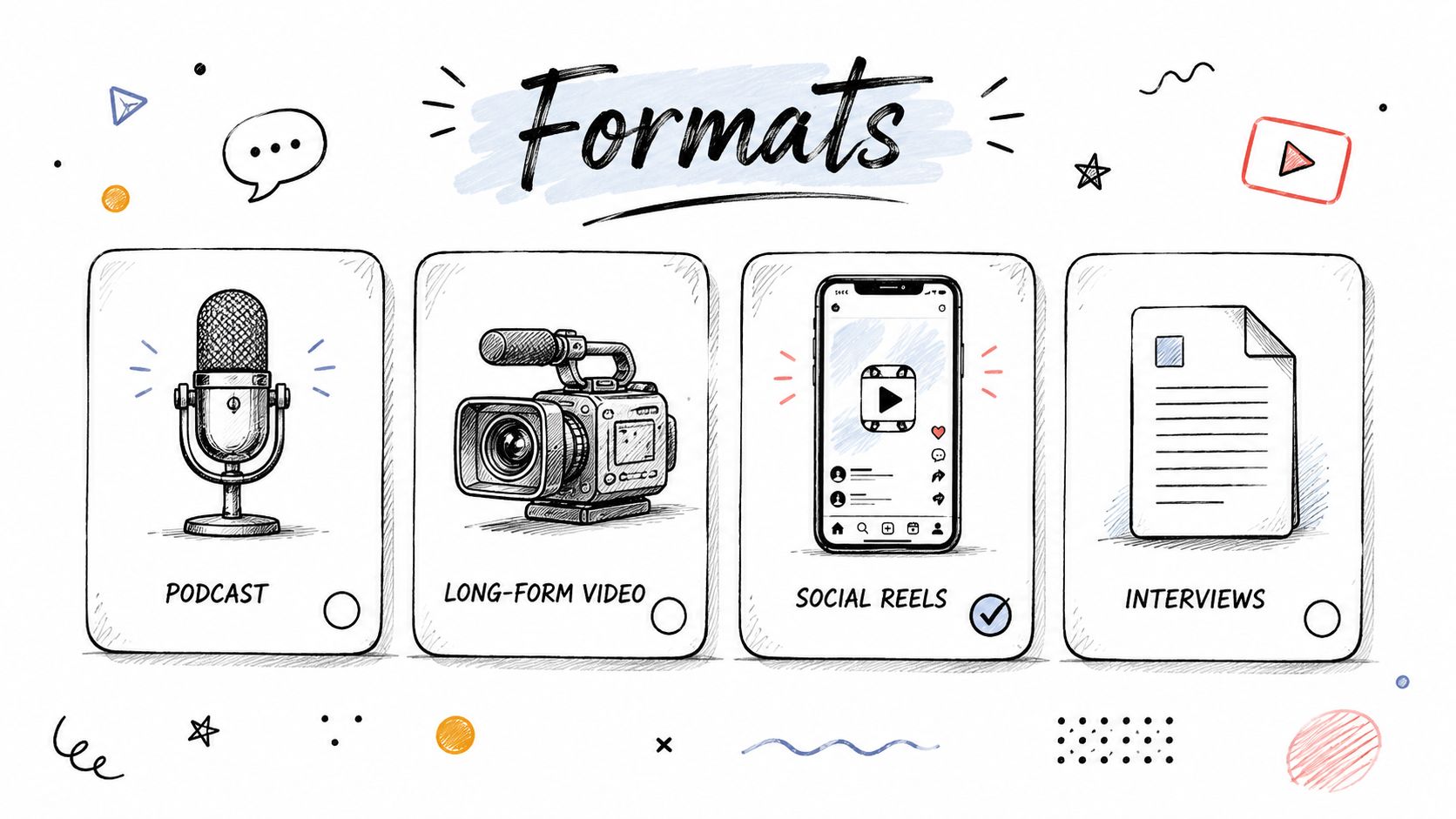
Ask what media formats they handle. A YouTuber might work from MP4 exports. A podcast producer might live in WAV. A researcher might upload MP3 interviews or lecture recordings. A social media manager may care more about short-form clips and links than raw audio files.
Why this question sharpens the rest of the study
When a participant works with their normal content type, their reactions are more trustworthy. They notice issues that matter in real workflows, like whether timestamps are helpful for long interviews, whether summaries are useful for short clips, or whether upload language matches what they expect from a video-first tool.
I usually phrase it like this: “What formats of media do you typically work with?” Then I follow with, “Do you usually need a transcript, a summary, or both?”
A few follow-ups help keep this grounded:
- Primary format: “What do you process most often?” This helps you assign the closest task.
- Typical content length: Long files and short clips create different expectations around summaries and navigation.
- Final output: Some people need captions, some need quotes, some need action items.
If the participant says, “I mostly work with meeting recordings,” don't hand them a social clip test case and expect useful findings.
This question also surfaces downstream jobs. Someone may say they work with video, but what they really need is clean text for a blog post, a caption file, or research analysis. That distinction affects which task you should prioritize later in the session.
3. Task-Based Upload and transcribe a format-specific file in under 5 minutes
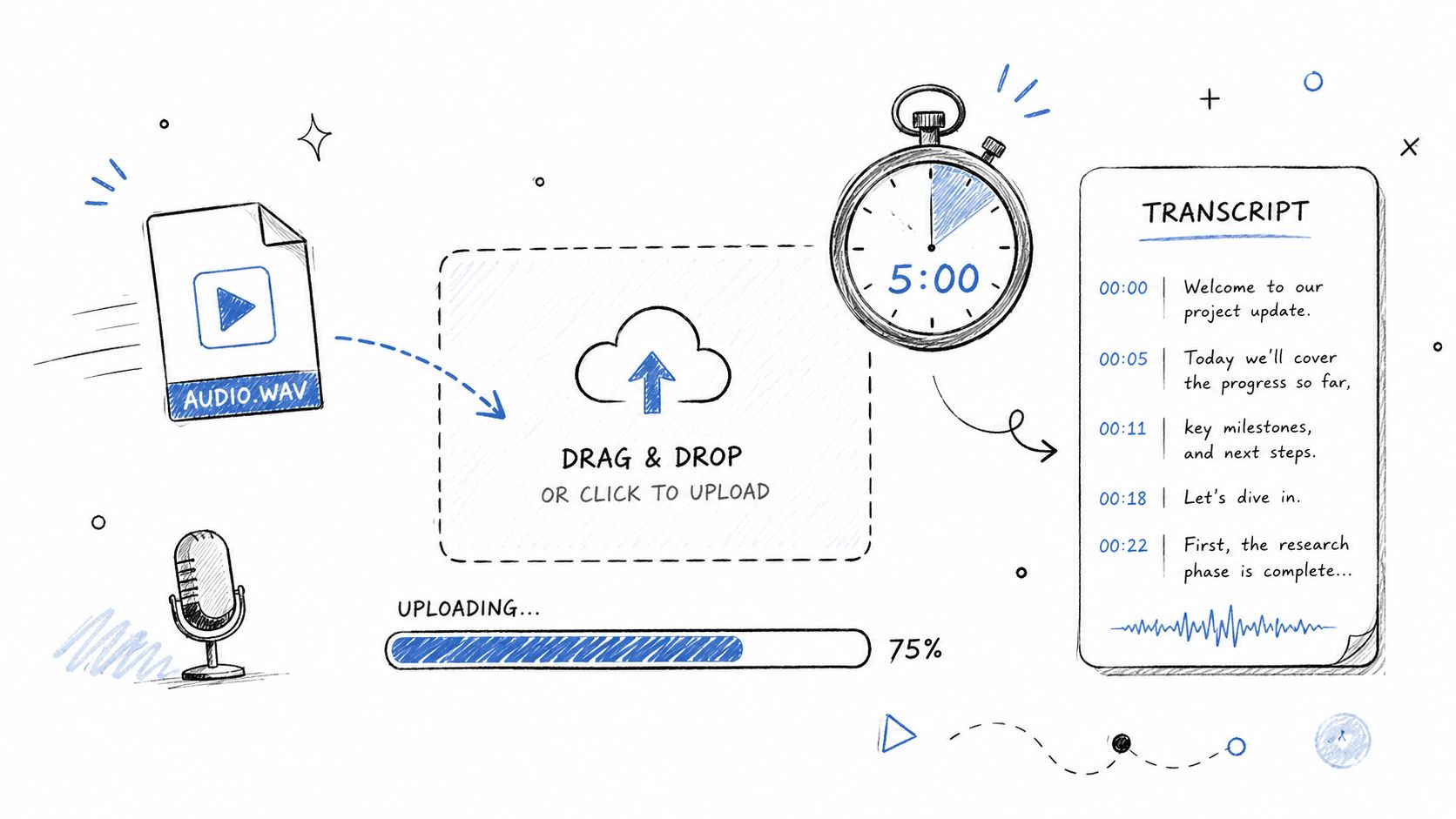
A participant drags in a file they recognize, pauses, and starts hunting for the next step. That moment matters. In Whisper AI, the upload and transcription flow is the product's first promise in action. If people cannot tell how to start, what the system is doing, or how long they need to wait, the rest of the session gets distorted.
I use a five-minute limit for this task because it mirrors real expectations in SaaS. People will tolerate processing time if the interface keeps them oriented. They lose confidence fast when status messages are vague or the product appears frozen.
How to run this without contaminating the result
Control the setup before the session starts. If the participant's Wi-Fi drops or the test file is too large for the environment, you end up measuring connection problems instead of usability. I usually provide a preselected file that matches the participant's normal format, then ask, “Please upload this file and get to a transcript in under five minutes.”
Add one neutral prompt before they act: “Where would you start?” That question exposes whether the page hierarchy is doing its job.
Watch for a few specific behaviors:
- Entry point: Do they go to drag-and-drop, look for an upload button, or assume they can paste a link?
- System status: Can they tell the difference between uploading, transcribing, and an actual error?
- Format assumptions: Do they expect Whisper AI to detect language, speaker count, or file type automatically?
- Recovery behavior: If something looks wrong, do they retry, wait, refresh, or ask for help?
Contextual scaffolding also helps in this task. The goal is to frame the scenario without telling the participant what to click. A good version is, “Upload this interview recording and show me how you'd get a transcript.” A bad version is, “Use the upload box on the left and tell me if it's easy.”
The best findings usually come from hesitation, not failure. A participant who eventually completes the task can still reveal weak labels, unclear progress states, or missing reassurance around file support. Capture the timestamps on those pauses. They often point to the exact UI copy or feedback pattern that needs work.
4. Task-Based Export a transcript to your preferred format and use it in another tool
Transcription products rarely end at transcription. The primary job usually continues in Google Docs, Word, Notion, a CMS, a video workflow, or a class handout. If you stop testing at “the transcript appeared,” you haven't tested the workflow that matters.
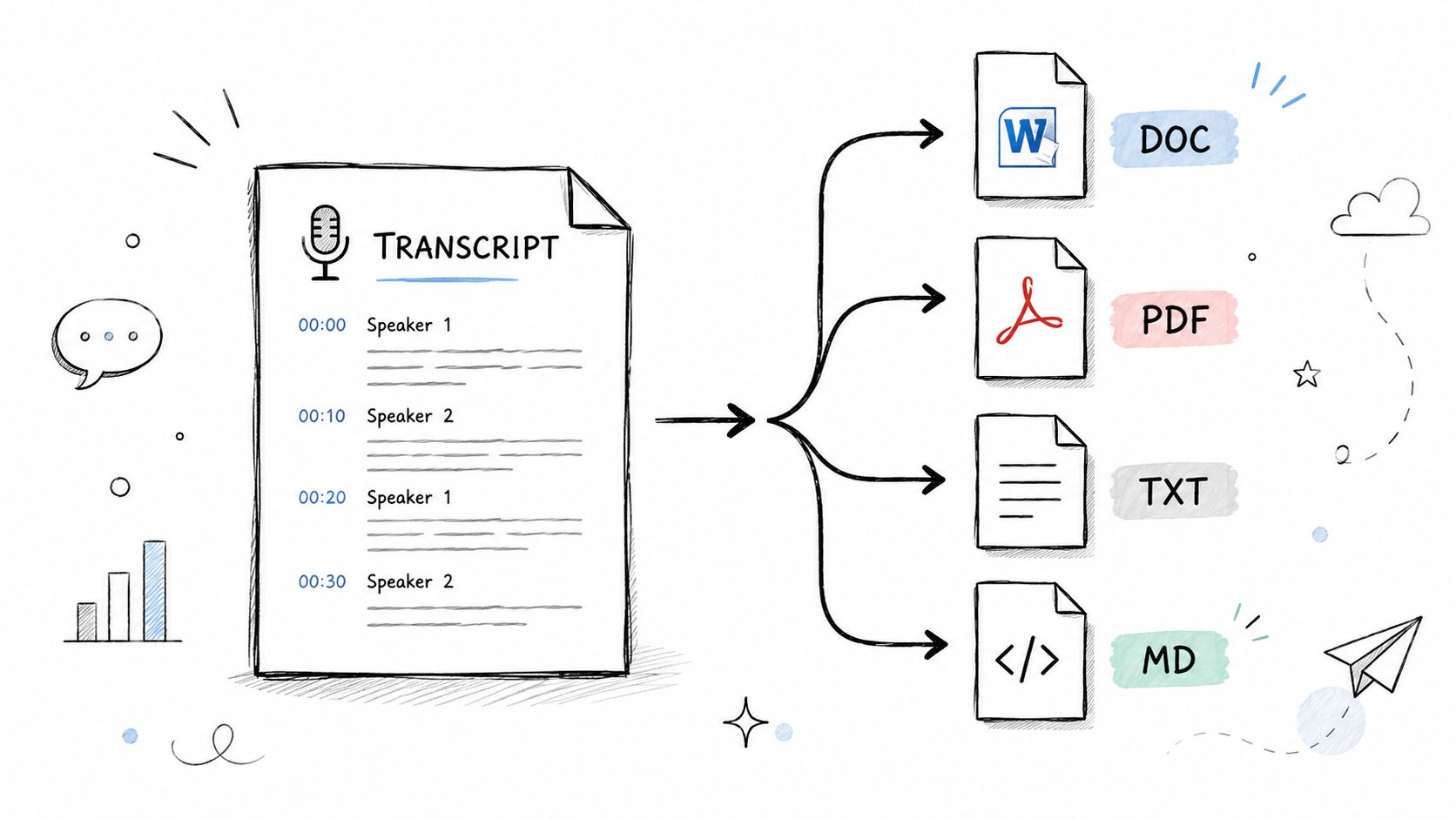
That's why I ask participants to export into the format they'd choose, then open it in the destination tool they normally use. A journalist may want Word for edits and submission. A podcaster may want Markdown for show notes. An educator may want PDF for sharing with students.
Where this task usually gets interesting
Most participants can click Export. The useful findings come one step later. Does the file preserve timestamps? Are speaker labels still readable? Does the formatting create cleanup work before the user can do their real job?
Ask it this way: “Export the transcript in the format you'd normally use, then open it where you'd continue your work.”
Then probe the aftermath.
- Formatting quality: “Would you need to clean this up before using it?”
- Structural usefulness: “Are the timestamps and speaker labels still usable in this format?”
- Workflow fit: “Is this the format you'd pick in real life, or just the easiest one here?”
Export is where “usable” often turns into “almost usable.” That gap is where teams lose repeat usage.
I've seen teams celebrate smooth core tasks while missing that users still spend extra time fixing line breaks, removing junk labels, or reformatting for publication. Export testing catches that immediately.
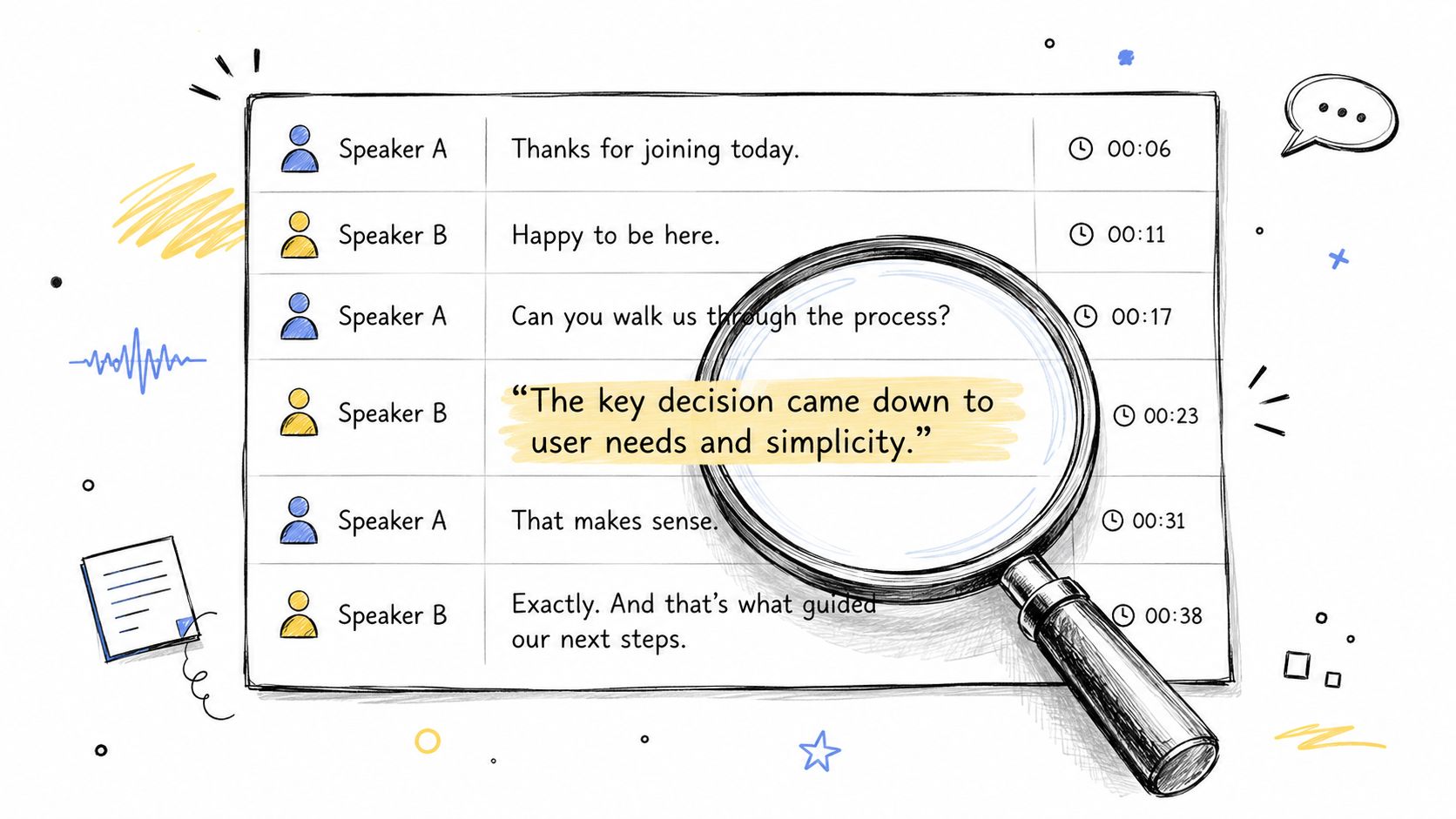
5. Task-Based Use speaker detection and timestamp features to locate a specific statement
Advanced transcript features deserve task-based questions, not opinion questions. Don't ask, “Do you like the speaker labels?” Ask someone to find a quote and watch how they do it.
This is one of the cleanest ways to test whether timestamps, labels, search, and transcript structure are doing useful work. Give the participant a statement that is in the content and ask them to locate it. Journalists often need this for quote verification. Researchers need it for coding interviews. Meeting note-takers need it for decisions and accountability.
What behavior tells you more than the answer
A participant can succeed and still reveal a design problem. If they scroll for a long time instead of using search, maybe search isn't discoverable. If they find the line but can't tell who said it, speaker labeling isn't doing enough. If they copy the quote into another note because they don't trust the timestamp, the feature isn't earning confidence.
Prompt them with something concrete like, “Find the moment where the guest discusses pricing pressure,” or “Find who said the team should delay the launch.” If they ask what the platform is supposed to offer here, resist the urge to explain. See whether the UI itself teaches them.
If your team is working on timecoded transcript navigation, it helps to compare user behavior with the practical expectations described in how to get a perfect transcription with timecode. Not because the article answers the usability test for you, but because it clarifies what users often expect timecodes to support.
- Search vs. scroll: Which route do they choose first?
- Speaker confidence: Can they tell who said the statement without guessing?
- Reference readiness: Would they trust this output enough to use it in published or shared work?
6. Task-Based Ask a follow-up question to refine or clarify transcript insights
AI products need a different layer of questioning after the core task. It's not enough that users can upload and read. You also need to learn whether they know they can interrogate the transcript, and whether the answers help them move faster.
Many teams still stop research at task completion. Yet the verified brief notes a 2024 McKinsey report finding that 68% of usability tests for AI-powered tools fail to capture post-task insight about how users reconcile AI-generated summaries with their own interpretation, and later data in the brief says adding a post-task AI alignment question increased user trust by 40% compared with tests that didn't include one. That's a strong signal to test the AI-user handoff, not just the interface.
A prompt that exposes discoverability and trust
Ask participants to do something natural with the transcript. For a meeting recording, “Ask a follow-up question to identify action items.” For a podcast, “Ask for the guest's top three insights.” For a lecture, “Ask what concepts came up most often.”
Then watch two things at once. First, do they even notice the question input? Second, once they get an answer, do they accept it, verify it, or distrust it?
A useful follow-up is, “How confident are you in that answer?” That question gets at alignment, not just convenience.
Automate YouTube video chapters is a good adjacent example of how people use transcript-derived structure in content workflows. It's helpful for understanding why users ask follow-up questions in the first place. They're usually trying to turn raw media into something publishable or shareable.
AI usability isn't only “Could they click it?” It's also “Did they believe it enough to act on it?”
7. Probing What was unclear or confusing about the upload process
This question works best immediately after the upload task, while the memory is still fresh. Not five screens later. Not in the wrap-up. Right after the participant has felt the hesitation.
The wording matters. “What was unclear or confusing about the upload process?” is neutral enough to invite specifics without telling the participant there must have been a problem. By contrast, “Was the upload process frustrating?” pushes them toward an emotion and narrows the answer too early.
What to pull out with follow-ups
Participants often start with surface descriptions. “I wasn't sure what to click.” That's useful, but it's only the symptom. The next question should be, “What made it feel uncertain?” or “What were you expecting to see?”
In a large NN/g meta-analysis from 2015 covering over 500 usability testing sessions across 25 countries, 47% of test participants struggled to complete tasks without asking for help, and the brief notes that in unmoderated tests participants refrained from asking for help 30% more often than in moderated settings. That's exactly why this kind of probe matters. Confusion often stays invisible unless you ask for it explicitly.
Try listening for these categories:
- Action ambiguity: They didn't know whether to drag, browse, or paste a link.
- System status ambiguity: They couldn't tell whether the upload was still happening.
- Format ambiguity: They didn't know what the product accepted until too late.
I also like asking, “What would have made that clearer?” People often give better design direction when they describe the missing cue than when they label the problem.
8. Probing How would you describe what Whisper AI does to someone unfamiliar with it
Few questions reveal product clarity faster than this one. If users can't explain the product after touching it, the interface, onboarding, and positioning are fighting each other.
Ask this midway through the session or near the end. Don't correct them. Don't rescue them. Let them use their own language. You'll hear whether they think Whisper AI is “a transcription tool,” “an AI note taker,” “a summarizer,” or “something that turns video into text and answers questions about it.”
Why this is more useful than asking about messaging
People are better at paraphrasing than rating copy. If you ask, “Was the homepage message clear?” you'll get soft praise. If you ask them to explain the product to a friend or coworker, you hear what stuck.
That matters in AI tools because the capability stack is broader. Whisper AI handles transcription and summarization, supports many languages, and includes searchable transcript features. But your test should tell you which of those users noticed, remembered, and valued. If participants keep describing only one capability, the others may be hidden in plain sight.
For product context, the Whisper AI overview is useful to compare against participant language after the study. Don't use it as a script. Use it as a reference point for whether your interface is teaching the same product story your company thinks it's telling.
If a participant says, “It uploads files and gives you text,” that's not wrong. But it may mean your differentiators never landed.
9. Post-Test What feature or capability did you find most valuable, and why
By the end of the session, participants have usually seen enough to make trade-offs. This is when I stop asking broad satisfaction questions and ask for value.
“What feature or capability did you find most valuable, and why?” works because it forces prioritization. The answer tells you what earned attention. A podcaster may choose summaries because they shorten show-note work. A journalist may choose timestamps and speakers because they support attribution. A creator may choose broad format support because it removes conversion steps.
Don't stop at the feature name
The first answer is often just a label. “The summary.” “The export.” “The speaker thing.” The useful part comes after “why.”
Push gently with questions like these:
- Underlying job: “What would that help you do faster or better?”
- Relative value: “Was that the most impressive feature, or the most useful one?”
- Workflow consequence: “Would that change how you work today?”
This is also where market context matters. The usability testing tools market is projected to grow from USD 1.51 billion in 2024 to USD 10.41 billion by 2034 at a 21.3% CAGR, with North America holding 32.14% of 2024 revenue, according to Market.us coverage of the usability testing tools market. I read that less as a vanity stat and more as a reminder that teams are investing heavily in structured research. If you're running tests, don't waste the final minutes on generic sentiment when you could be learning what users would come back for.
10. Post-Test What would prevent you from using Whisper AI regularly, and how important is that concern
A session can look successful and still end with zero adoption. The participant completes the tasks, says the product seems useful, then never comes back because one issue breaks fit with their real workflow. That is what this question is built to catch.
I ask it in two parts: “What would prevent you from using Whisper AI regularly?” followed by “How important is that concern relative to the other issues you noticed?” The first question surfaces friction. The second helps separate a passing annoyance from a true adoption blocker.
For a SaaS product like Whisper AI, the blockers are usually specific. Teams raise privacy concerns around uploaded files. Solo users hit missing export formats or weak integrations with the tools they already use. Some users doubt accuracy on messy audio. Others cannot see how the product fits into the routine they already have.
Push past the first objection
The first answer is often too broad to act on. “Privacy.” “Workflow.” “Accuracy.” None of those tells a product team what to fix.
Ask for the condition that would change the answer. What would they need to see, change, or trust before regular use becomes realistic? Clearer file-retention language. Better support for their preferred export format. A stronger first-run explanation of what the summaries and follow-up questions are for.
Sample size discipline also matters here. One participant can point to a risk. Repeated blockers across several sessions deserve attention, especially when they show up for both new and experienced users.
A few follow-ups I use a lot:
- Severity: “Would this stop you from using it, or just make you hesitate?”
- Type of problem: “Is that a missing capability, or do you think the product already does it but didn't make it clear?”
- Threshold to adopt: “What would need to change before this felt worth using every week?”
That last question is the one teams skip too often. It turns general criticism into a decision rule. If a participant says they would use Whisper AI once speaker labeling is more reliable, or once exports work cleanly in their documentation tool, you now have a concrete adoption threshold instead of a vague complaint.
10-Question Usability Testing Comparison
| Item | Implementation Complexity 🔄 | Resource Requirements ⚡ | Expected Outcomes ⭐📊 | Ideal Use Cases 💡 | Key Advantages ⭐ |
|---|---|---|---|---|---|
| Pre-Test: Have you used transcription or summarization tools before? | Very low, single question 🔄 | Minimal, quick yes/no with optional follow-up ⚡ | ⭐ Baseline experience segmentation; informs test tracks 📊 | Participant screening; tailoring task difficulty 💡 | Fast context for interpreting results; simple to administer ⭐ |
| Pre-Test: What formats of media do you typically work with? | Low, multi-select question 🔄 | Low, examples/icons and follow-ups ⚡ | ⭐ Reveals primary formats and workflow patterns 📊 | Recruiting & task assignment for format-specific testing 💡 | Maps product fit to user workflows; prioritizes features ⭐ |
| Task-Based: Upload and transcribe a format-specific file in under 5 minutes | Medium, time-boxed task with success criteria 🔄 | Moderate, test files, real UI, timing tools ⚡ | ⭐ Measures core workflow efficiency and completion rates 📊 | Usability validation of upload/transcribe flow; onboarding checks 💡 | Validates core value proposition; surfaces UI friction points ⭐ |
| Task-Based: Export a transcript to your preferred format and use it in another tool | Medium, multiple export scenarios to evaluate 🔄 | Moderate–high, downstream tool access and format checks ⚡ | ⭐ Assesses export fidelity, timestamps, and integration readiness 📊 | Content production workflows (editors, podcasters, writers) 💡 | Ensures transcripts are actionable across tools; finds format bugs ⭐ |
| Task-Based: Use speaker detection and timestamp features to locate a specific statement | Medium–high, requires labeled audio and search tasks 🔄 | Moderate, annotated files and accuracy criteria ⚡ | ⭐ Tests speaker/timestamp accuracy and navigation discoverability 📊 | Journalism, research interviews, meeting note retrieval 💡 | Differentiates from basic transcription; improves searchability ⭐ |
| Task-Based: Ask a follow-up question to refine or clarify transcript insights | High, evaluates conversational AI and UX flow 🔄 | High, working Q&A features and diverse prompts ⚡ | ⭐ Measures quality of insight extraction and relevance 📊 | Analysts, knowledge workers extracting action items/summaries 💡 | Turns transcripts into actionable insights; high perceived value ⭐ |
| Probing: What was unclear or confusing about the upload process? | Low, post-task qualitative probe 🔄 | Low, interviewer skill and note-taking ⚡ | ⭐ Surfaces specific usability friction and mental-model gaps 📊 | Post-task debrief to diagnose blockers and labeling issues 💡 | Generates actionable fixes for key onboarding friction ⭐ |
| Probing: How would you describe what Whisper AI does to someone unfamiliar with it? | Low, open-ended recall question 🔄 | Low, record verbatim responses ⚡ | ⭐ Tests clarity of value proposition and feature recall 📊 | Messaging validation; onboarding effectiveness testing 💡 | Provides authentic user wording for marketing; reveals gaps ⭐ |
| Post-Test: What feature or capability did you find most valuable, and why? | Low, reflective open-ended question 🔄 | Low, follow-up probes for rationale ⚡ | ⭐ Identifies perceived value drivers and priorities across segments 📊 | Roadmap prioritization; testimonial and pricing research 💡 | Directs product focus and marketing emphasis; surfaces ROI drivers ⭐ |
| Post-Test: What would prevent you from using Whisper AI regularly, and how important is that concern? | Low–medium, requires importance rating and probes 🔄 | Low–moderate, scales and targeted follow-ups ⚡ | ⭐ Reveals adoption barriers and their severity for conversion planning 📊 | Retention and conversion strategy; privacy and integration risk assessment 💡 | Prioritizes fixes that impact churn and paid conversion ⭐ |
Turn Questions into Actionable Insights
Good usability testing questions do two jobs at once. They reveal what happened in the interface, and they reveal how the participant made sense of what happened. That's the difference between hearing “the upload was confusing” and learning that the participant expected a paste-link option, didn't notice the drop zone, and lost confidence because there was no clear progress state.
That's why a phase-based script works so well in practice. Pre-test questions help you segment users before you over-interpret their behavior. Task-based questions expose whether the core workflow is usable under realistic conditions. Probing questions uncover the “why” behind hesitation, misclicks, and abandoned paths. Post-test questions tell you what users valued enough to remember and what would stop adoption even if the demo looked smooth.
The strongest sessions also avoid a common trap. They don't treat all vague questions as neutral and all specific questions as biased. In real testing, broad prompts often produce shallow answers, especially in unmoderated studies or complex tools. Neutral scaffolding usually works better. “Describe your first step” is often more informative than “What do you think?” because it gets the participant into concrete behavior without suggesting the right answer.
I'd also strongly recommend keeping AI-specific trust questions in the script if the product interprets content, summarizes meaning, or answers follow-up questions. In products like Whisper AI, the interface is only half the story. The other half is whether users believe the transcript, summary, timestamp, or extracted insight enough to use it in work that matters. If your test ends the moment the transcript appears, you're stopping too early.
After the sessions, don't jump straight into a list of bugs. Group findings by pattern: expectation mismatch, discoverability, trust, workflow fit, and adoption blockers. That format makes it easier for designers, PMs, and engineers to act on the research. “Three participants missed export” is fine. “Participants understood the transcript but couldn't complete their real downstream task without cleanup” is better.
If you're running interviews at any volume, transcribing and organizing the sessions matters too. A tool like Whisper AI can help convert research recordings into searchable transcripts so you can pull quotes, compare patterns, and revisit exact moments of hesitation without scrubbing through raw video. Used that way, it becomes part of the research workflow, not just the product being tested.
Take these questions, rewrite them for your product, and pressure-test them in one pilot session before rolling them out widely. Small script changes often produce much better evidence.
If you want to test the same workflows discussed here on a real transcription and summarization product, Whisper AI is worth exploring. It supports transcript creation, summaries, speaker detection, timestamps, exports to common document formats, and follow-up questions on content, which makes it a practical product for both usability testing and research ops.


























































































