
Facebook Video Captions A Complete How-To Guide (2026)
Most facebook video captions fail for one simple reason. Teams treat them like cleanup work after the edit, when they should treat them like part of distribution.
That mistake costs reach and retention. 85% of Facebook videos are watched with the sound off, and captions boost average watch time by 12% while increasing the likelihood a viewer finishes the video to 80%, according to Rev’s roundup of closed caption statistics. On Facebook, captions aren’t a nice accessibility add-on. They’re part of how the message gets delivered at all.
A good caption workflow does three jobs at once. It makes the video understandable without audio, keeps the pacing readable on mobile, and gives Facebook more text to interpret and categorize. If you publish video regularly, that workflow needs to be fast enough for volume and strict enough for quality.
Why Your Facebook Videos Need Captions to Succeed
Facebook is a silent-feed platform first and an audio experience second. If the first few seconds of your video depend on voiceover, viewers often won't hear it. They'll judge the clip based on motion, framing, and whether the on-screen text gives them a reason to stay.
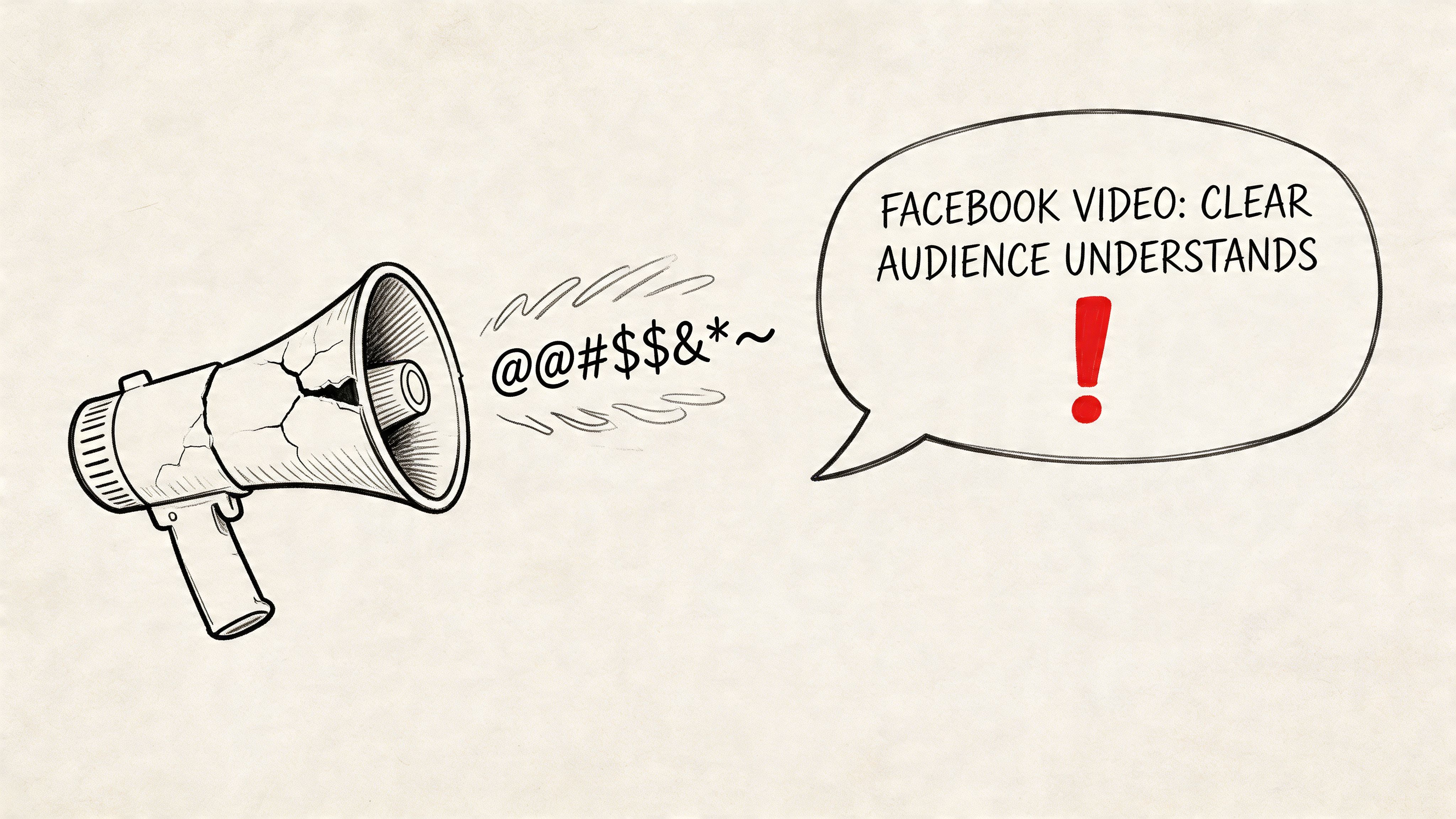
Captions solve the first and biggest problem. They translate spoken value into something a scrolling viewer can understand immediately. That matters for creators, media teams, in-house marketers, and anyone repurposing interviews, webinars, podcasts, or product explainers into short Facebook clips.
Captions change the job of the video
A video without captions asks the viewer for extra effort. A captioned video removes that friction.
That shift holds more significance than is widely understood. Captions help when someone is watching in public, multitasking at work, or skimming a feed with the sound muted by default. They also help viewers who are deaf or hard of hearing, people watching in a second language, and anyone trying to catch a fast point from a dense clip.
Practical rule: If your point isn't visible on screen in the first moments, the algorithm can't save you from a weak hook.
Captions are part of the message, not packaging
The best facebook video captions don't just mirror audio word for word with no thought. They support the way people typically watch social video. Good captions clarify names, product terms, and punchlines. They reduce drop-off caused by unclear speech. They make talking-head content usable in a feed that rewards instant comprehension.
If you're still thinking of captions as a compliance box, it's worth reviewing the basics of what closed captioning actually includes. In practice, strong captioning improves both accessibility and performance because those two goals often overlap on Facebook.
Generating Accurate Captions A Professional Workflow
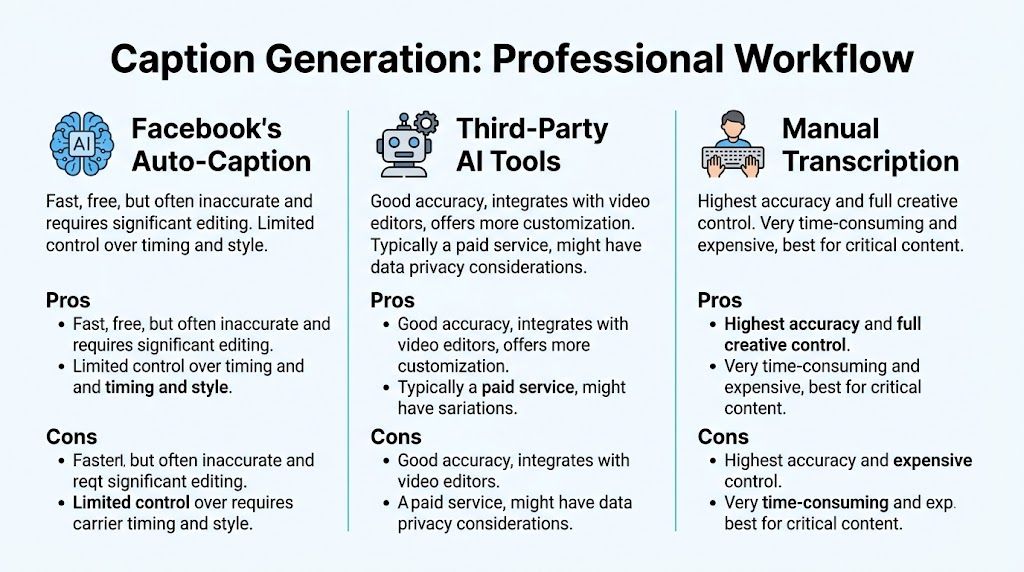
There are three realistic ways to create facebook video captions. You can use Facebook’s native auto-captions, transcribe manually, or run the video through a dedicated AI transcription workflow and then edit the output. Each works. They just solve different problems.
The three methods in real use
Facebook’s built-in captioning is the fastest option when you need a rough draft inside the platform. It’s convenient, but convenience isn't the same as reliability. Accent variation, industry terms, poor room tone, and overlapping speakers can all create extra cleanup work.
Manual transcription gives you full control. If the content is legally sensitive, highly technical, or brand-critical, manual work still has a place. The problem is scale. For a team publishing often, manual-only captioning becomes a bottleneck fast.
Dedicated AI tools sit in the middle. They give you speed, editable transcripts, and a cleaner first pass before export. For most professional workflows, that’s the practical choice because it keeps turnaround short without forcing you to accept Facebook’s draft as final.
What actually determines accuracy
Audio quality matters more than the transcription engine branding. Social Media Today’s summary of Facebook’s captioning tips notes that professional services can reach up to 99% accuracy when they combine AI with human review, and it also notes Facebook’s recommendation to use a dedicated microphone and compress audio before upload. In other words, bad source audio creates expensive editing later.
Clean audio beats clever cleanup. If the speaker is distant, echoey, or buried under music, every caption workflow slows down.
How I’d choose by use case
Here’s the decision table I use with teams that publish regularly:
| Method | Typical Accuracy | Speed | Best For |
|---|---|---|---|
| Facebook auto-caption | Variable and dependent on audio quality | Fastest inside Facebook | Quick drafts, low-stakes uploads, one-off posts |
| Third-party AI tools | Higher than native drafts when source audio is clean, then improved with editing | Fast | Recurring publishing, repurposing long-form content, team workflows |
| Manual transcription | Highest when carefully reviewed | Slowest | Sensitive material, complex terminology, final compliance-heavy assets |
A practical production setup
For most brands, the best workflow looks like this:
- Record with cleanup in mind: Use a dedicated microphone, reduce room echo, and avoid music that competes with speech.
- Transcribe outside Facebook: A dedicated AI caption generator workflow gives you more control over the transcript before anything touches the platform.
- Edit the transcript before timing tweaks: Fix names, product terms, filler, and obvious recognition errors first.
- Export an SRT and test it: Don’t rely on the platform preview alone. Watch the file against the actual edit.
- Upload to Facebook as a finished asset: Native tools are better for checking than for doing the whole job from scratch.
What works and what doesn't
What works is a hybrid approach. Let AI handle the heavy lift, then let a person clean the details that matter to brand perception and comprehension.
What doesn't work is pushing raw auto-captions live because the transcript “looks close enough.” Viewers notice wrong names, broken sentence splits, and captions that lag behind the voice. They may not complain, but they stop trusting the clip.
How to Edit and Export Perfect SRT Caption Files
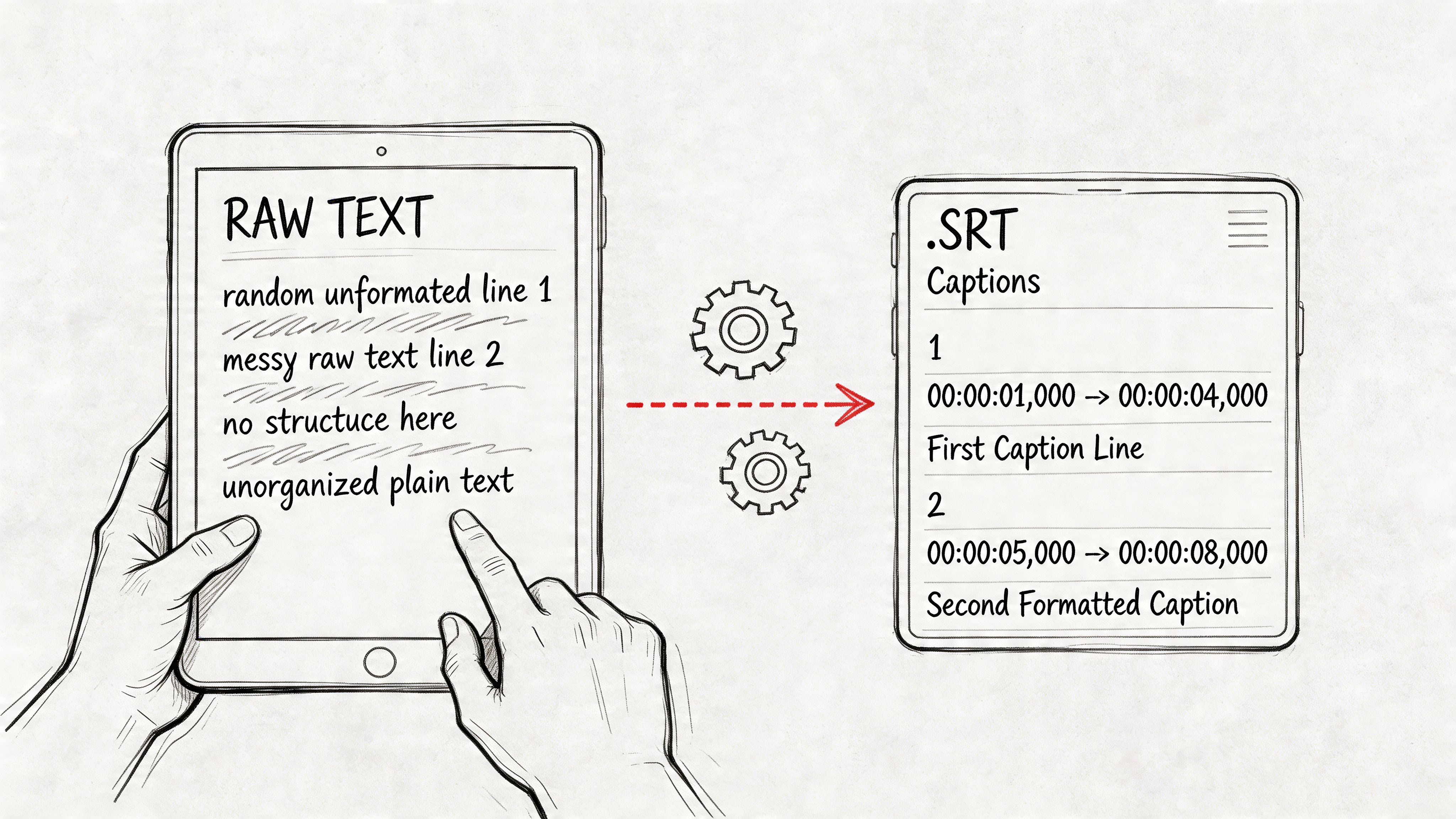
Generating the transcript is the easy part. The main quality gain comes from editing the text into a caption file that reads naturally and stays locked to the speech.
Clean the transcript before you touch timing
Start with language, not timestamps. Correct speaker names, brand terms, URLs spoken aloud, and words the model commonly mishears. Remove filler when it slows readability, but keep it if it changes tone or meaning.
Then split long sentences into chunks people can read in a glance. A caption file isn't a transcript dump. It should feel paced for viewing, not archived for legal review.
If you need a clear technical reference for file structures beyond SRT, A Developer's Guide to Every Major Subtitle File Format is useful because it shows where SRT fits compared with other subtitle formats you might encounter in editing tools.
Check timing with the waveform and with your eyes
An SRT file uses ordered caption blocks with timestamp pairs. If you're brushing up on terminology, this quick explanation of what SRT stands for is a solid refresher. In practice, the important part is sync.
The transcript might be right while the timing is wrong. Captions that arrive early spoil emphasis. Captions that arrive late make the video feel clumsy. Tight timing matters most around punchlines, calls to action, technical instructions, and speaker changes.
Here’s a simple editing routine:
- Read for sense first: Every caption block should express one clear idea.
- Trim overlong blocks: If one screen of text feels crowded, split it earlier.
- Adjust entry points: The caption should appear as the viewer needs it, not after the phrase has passed.
- Watch without sound: This catches pacing problems fast because you’re testing captions the same way many Facebook users will experience them.
A visual walkthrough helps if your team is new to subtitle timing:
A polished SRT file feels invisible. The viewer follows the message and never thinks about the captions at all.
Common export mistakes
Most broken uploads come from simple issues:
- Encoding problems: Save the file in a standard text format your editor supports cleanly.
- Formatting errors: Keep the numbering sequence clean and don’t leave malformed timestamp lines.
- Version drift: Export the SRT from the final video cut, not from an earlier edit with different timing.
- Unchecked line breaks: Bad line breaks make even accurate captions harder to scan on mobile.
Adding Captions Across All Facebook Formats
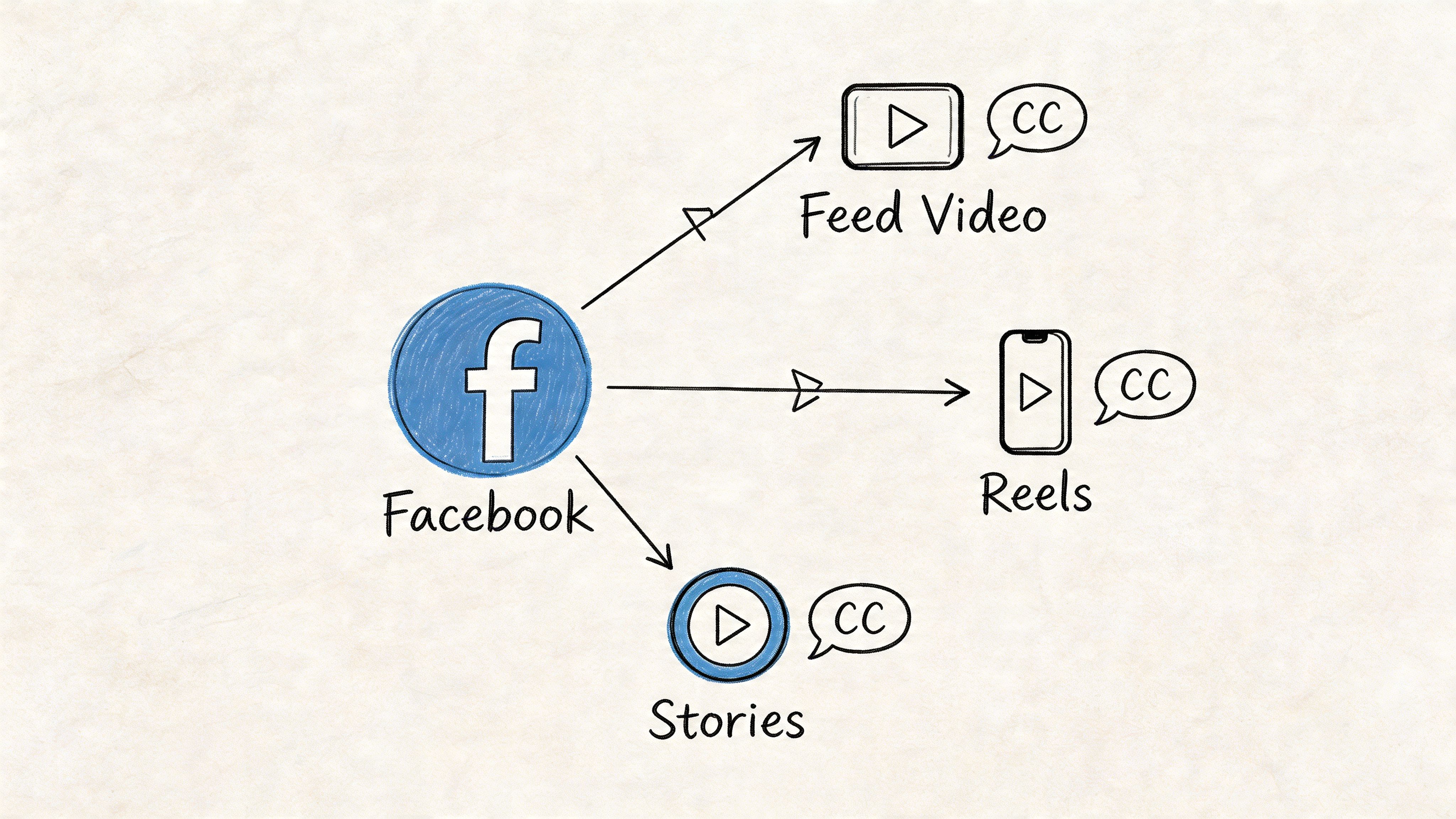
Facebook doesn’t use one identical workflow across every placement. A feed video, a Reel-style asset, a Page upload, and an ad can all feel slightly different in the interface. That’s where teams waste time. They assume the upload path will be consistent, then hunt through menus while a deadline is ticking.
Feed videos and Page uploads
For standard Page publishing, the cleanest method is usually to upload the finished video, then add or upload the caption file in the video settings area rather than trusting auto-generation alone. After upload, preview the video on both desktop and mobile if possible. The same captions can feel readable on one surface and cramped on another.
If the post already exists, edit the video settings instead of re-uploading immediately. That preserves engagement history while letting you replace or add a corrected caption file.
Ads Manager needs extra care
Paid distribution raises the cost of sloppiness. In organic posts, a weak caption file hurts performance. In ads, it also wastes spend.
When uploading video ads, check the preview in the exact placement mix you plan to run. Some placements crop differently, and on-screen design choices can compete with caption placement. If your ad already includes hardcoded text near the bottom, uploaded subtitles can create clutter.
Use this checklist before launch:
- Confirm the final creative version: Ad teams often revise the voiceover at the last minute.
- Review the first lines carefully: Early lines carry the message for muted viewers.
- Check branded terms: Product names and offer language need to be exact.
- Preview placement behavior: Feed, Stories, and other surfaces can present the same asset differently.
Reels, Stories, and short-form cuts
Short-form Facebook placements punish slow reading. If a clip moves quickly, the captions need to move with it. This doesn't mean turning every word into kinetic text. It means respecting pace, spacing, and visibility.
In Stories and short clips, many teams choose between burned-in subtitles and uploaded caption files. Burned-in text gives total styling control. Uploaded files preserve flexibility and accessibility settings. Which one you choose depends on whether design consistency or platform-controlled caption behavior matters more for that asset.
Live video and post-event cleanup
Live content usually needs a second pass after the stream ends. The replay often becomes the long-tail asset, and that version deserves proper caption cleanup.
If a live session is worth replaying, it’s worth captioning properly after the fact.
The practical approach is to export the replay, create a corrected caption file outside Facebook, then update the archived video. That gives the replay a cleaner shelf life and makes clips from the event easier to repurpose later.
Using Captions for Better SEO and Engagement
About 80% of mobile users are more likely to finish watching a video with captions, according to Verbit’s roundup of social video caption research. On Facebook, that viewing lift matters twice. Captions help people follow the message with sound off, and they give Facebook more text signals to categorize the clip.
Opus notes that Facebook’s search and recommendation systems index caption text as searchable metadata. In practice, that means the caption file is part of the performance package. I treat it like production output, not an accessibility afterthought.
Front-load topic clarity in the first spoken lines
Facebook has to classify your video quickly. Viewers do too.
The first caption lines should state the subject in plain language. “How to reduce SaaS churn in Q4” gives stronger context than “Hey everyone, thanks for joining.” The same rule applies to recipes, product demos, interviews, and creator content. If the topic only becomes clear 15 seconds in, both discovery and retention suffer.
Good opening caption lines usually do three things:
- Name the topic directly: Use the words your audience already uses.
- Read naturally: Keep the phrasing conversational, not stuffed with search terms.
- Work on mute: The line should stand on its own without voice, music, or visuals doing the explanatory work.
Clean captions hold attention longer
Readable captions reduce friction. Dense caption blocks force people to choose between watching the visuals and catching up on text. On Facebook’s fast-scrolling surfaces, that usually ends with a swipe.
This is why I edit auto-transcripts aggressively after running them through Whisper AI or a similar speech-to-text tool. The transcript needs to be accurate first. Then it needs to be readable. Those are related goals, but they are not the same job.
Shorter caption units usually perform better because they match how people consume video on mobile. I do not force every line into a strict word count. I split long thoughts, remove filler, and keep one clear idea per caption block whenever timing allows.
Use captions as structured relevance data
A raw transcript often includes false starts, throat clearing, repeated phrases, and side comments. Uploading that file as-is gives Facebook messy text and gives viewers a harder read.
The better workflow is selective cleanup. Keep product names, category terms, problem statements, and any phrase that explains the clip’s topic. Cut verbal clutter that slows comprehension. If the speaker rambles before reaching the point, fix that in the script on the next shoot instead of expecting post-production to rescue weak opening language every time.
Strong facebook video captions help viewers stay with the story and give Facebook cleaner context about the story.
A practical optimization pass before publishing
For repeatable results, review captions with performance in mind, not just accuracy:
- Define the target phrase before editing the transcript.
- Make sure the opening captions say what the video is about.
- Preserve high-intent terms such as product names, use cases, and category language.
- Cut filler words that add time but no meaning.
- Watch the first 10 to 15 seconds on mute and check whether the message still lands clearly.
That final mute test catches more problems than teams expect. If the hook is vague in captions, the video often underperforms in distribution and watch time, even when the edit itself looks polished.
Troubleshooting Common Facebook Caption Errors
Facebook caption problems usually trace back to workflow gaps, not random platform behavior. I see the same pattern repeatedly. Teams generate a transcript, make late edit changes, export fast, and assume the SRT will survive every placement without another check.
Captions are out of sync
Symptom: the words are correct, but they fire too early or too late.
Solution: test against the final exported file. Not the editing timeline, not the review cut, and not the version that was approved before the last trim. A two-second intro cut or a tightened pause can throw off every caption block that follows. If you use Whisper AI or another transcription tool early in the process, regenerate or retime after picture lock. That step saves more time than patching sync issues one line at a time inside Facebook.
Facebook rejects the SRT file
Symptom: the upload fails, or Facebook flags the file as invalid.
Solution: check the structure in plain text. SRT errors are usually simple. Broken sequence numbers, bad timestamp formatting, missing blank lines, or stray notes copied in from an editor are enough to trigger a rejection. A valid caption file should stay boring. Number, timestamp, caption text, blank line. Repeat until the file ends.
Captions show up but are hard to follow on mobile
Symptom: the file uploads correctly, but the video still feels harder to watch on mute than it should.
Solution: shorten the reading burden. Long blocks create friction, especially in Feed where viewers decide quickly whether to keep watching. Split dense sentences into smaller units, trim repeated phrasing, and cut any line that reads like raw transcript debris instead of spoken meaning. The goal is not transcript purity. The goal is clear comprehension at scrolling speed.
Captions conflict with on-screen design
Symptom: subtitles fight with lower thirds, product callouts, or text baked into the video.
Solution: decide which layer carries the message. If the creative already relies on heavy text in the lower third, uploaded captions may become unreadable in the exact area Facebook uses to render them. In those cases, I usually fix the frame first. Move graphics higher, reduce text density, or rebuild the asset with caption-safe spacing. If the design cannot change, hardcoded subtitles may be the cleaner production choice, but they come with less flexibility across placements.
Captions don't appear the same way across placements
Symptom: the post looks fine in one Facebook surface and awkward in another.
Solution: review the live environment before calling the asset finished. Feed, ads, and short-form placements can render text differently, especially once mobile UI elements and overlays enter the frame. For high-value videos, I check the actual destination on a phone, with sound off, before launch. That last pass catches issues that never show up in the editing software.
When captioning breaks, the fix is usually operational. Verify the final cut, validate the SRT, then test the placement where the video has to perform.
From Accessibility to Advantage The Power of Captions
The strongest facebook video captions don't happen by accident. They come from a workflow that starts before upload and ends only after the file has been tested in the place where people will watch it.
That workflow is straightforward. Capture clean audio. Generate a transcript efficiently. Edit for clarity, timing, and readability. Export a clean SRT. Upload with the placement in mind. Then use the caption text as part of the video’s discoverability strategy, not just its accessibility layer.
Teams that do this consistently create videos that communicate faster, feel more polished, and give Facebook better context for distribution. Teams that skip it usually end up with captions that are technically present but strategically weak.
Captions began as an accessibility necessity. On Facebook, they’re also a performance tool. Treat them with the same care you give your hook, thumbnail, and edit, and they stop being admin work. They become part of how the video wins attention.
If you want a faster way to turn raw audio and video into editable transcripts, summaries, and export-ready caption assets, try Whisper AI. It’s built for people who publish often and need searchable, accurate text without slowing down their production workflow.


























































































