
10 Advanced Social Media Manager Tips for 2026
The role of a social media manager has evolved far beyond simply posting and scheduling content. Modern success demands a strategic, data-driven, and highly efficient approach to stand out. This article moves past generic advice to provide ten experience-based social media manager tips that directly address the complex challenges you face every day, from content creation to community management and reporting.
We will explore actionable workflows designed to make your job easier and more impactful. You will learn how to turn a single long-form video or podcast episode into dozens of social media assets, create content strategies backed by real data from audience conversations, and improve your content's accessibility for a wider audience. These are practical methods you can implement immediately to produce better content, prove your return on investment, and elevate your professional skills.
Many of these tips focus on working smarter, not harder. For instance, in the evolving world of digital marketing, mastering social media marketing automation is crucial for social media managers looking to save time and amplify their impact. The strategies in this guide are built on that same principle of efficiency. Let's dive into the specific techniques that separate good social media managers from great ones, helping you build a thriving online presence for your brand.
1. Repurpose Long-Form Content into Multiple Social Formats
One of the most effective social media manager tips for maintaining a full content calendar is to stop creating everything from scratch. Instead, adopt a "create once, publish everywhere" mentality by repurposing a single piece of long-form content, such as a podcast, webinar, or YouTube video, into dozens of smaller social media assets. This approach dramatically increases your content's return on investment and fills your schedule with valuable, related posts.
This strategy is about working smarter, not harder. A one-hour webinar recording can become the source material for an entire week's worth of content across multiple platforms. For example, a webinar can be broken down into:
- Instagram Carousels: Each key talking point or statistic becomes a slide in a visually engaging carousel.
- LinkedIn Posts: A detailed summary of the webinar’s main arguments, complete with a key quote graphic.
- TikToks/Shorts: Short, compelling video clips of the most impactful moments, complete with burned-in captions.
- Tweet Threads: A series of tweets outlining the core concepts, with each tweet building on the last.
Pro-Tip: The key to an efficient repurposing workflow is immediate transcription. As soon as a long-form video or audio file is ready, run it through a transcription tool. This gives you a searchable text document to quickly identify the best quotes, data points, and stories.
Actionable Steps for Implementation:
- Transcribe Immediately: Use a service like Whisper AI to get a full, time-stamped transcript of your video or audio. This text becomes your content goldmine.
- Identify Key Moments: Scan the transcript for the 3-5 most impactful takeaways. Look for surprising statistics, actionable advice, or powerful quotes.
- Create a Clip List: Use the timestamps from your transcript to create a list of short video clips (15-60 seconds) that can be edited for platforms like TikTok, Instagram Reels, and YouTube Shorts.
- Extract and Design: Pull the best quotes and data points to create static graphics or carousels. Tag any speakers or guests mentioned to boost engagement.
By building a system around this process, you create a content engine that feeds all your social channels from a single source. This method allows you to build a robust and sustainable workflow.
2. Create Data-Driven Content Strategies Using Transcription Insights
Effective social media management moves beyond guesswork and into data-backed decision-making. One of the best social media manager tips for gaining a competitive edge is to use transcription not just for repurposing, but for strategic analysis. By converting audio and video content from your brand and your competitors into searchable text, you can uncover patterns, audience questions, and content gaps that inform a truly data-driven strategy.

This method turns qualitative content like webinars, podcasts, and customer interviews into quantitative data. Instead of just listening, you can search, count, and track language. For instance, analyzing transcripts of your last five customer interviews might reveal that the term "integration challenges" appears frequently, signaling a clear need for a tutorial or FAQ series addressing that pain point. Similarly, transcribing a competitor’s product launch webinar allows you to pinpoint the exact features and benefits they emphasize most.
- Audience-Led Content: Transcripts of Q&A sessions or "ask me anything" segments reveal the most pressing questions your audience has, directly fueling your FAQ content calendar.
- Competitive Intelligence: By analyzing a competitor's recorded presentations, you can map their messaging, identify their key value propositions, and find angles they may have missed.
- Topic Clustering: Searching transcripts for keywords helps identify related themes and subtopics, which can be developed into comprehensive content pillars for your social strategy.
Pro-Tip: Use AI summarization tools on your transcripts to get a high-level overview before diving deep. Ask the AI to "list all questions asked by the audience" or "summarize the top three themes discussed" to rapidly extract actionable intelligence from hours of content.
Actionable Steps for Implementation:
- Gather and Transcribe: Collect video and audio files from multiple sources, including your own content (webinars, podcasts), competitor content (recorded keynotes, product demos), and customer feedback (interviews, focus groups). Use a tool to transcribe them all.
- Perform Keyword Frequency Analysis: Search the collected transcripts for industry-specific terms, brand names, and pain points. A high frequency of a particular term signals its importance and relevance to the audience.
- Identify Recurring Questions and Objections: Scan the transcripts specifically for question marks or phrases like "I'm not sure about" or "what if." Group these into themes to create content that directly addresses audience concerns.
- Develop Trend Reports: On a quarterly basis, analyze all transcribed content to spot emerging topics or shifts in audience language. This helps keep your content strategy fresh and ahead of the curve.
3. Optimize Content for Accessibility and Inclusivity with Auto-Captions
One of the most impactful social media manager tips is to make accessibility a non-negotiable part of your content strategy. Adding captions and transcripts to all video content is no longer a "nice to have" but a core expectation. This practice ensures your content is accessible to deaf and hard-of-hearing audiences and significantly improves engagement metrics for all viewers, as many people watch videos with the sound off.
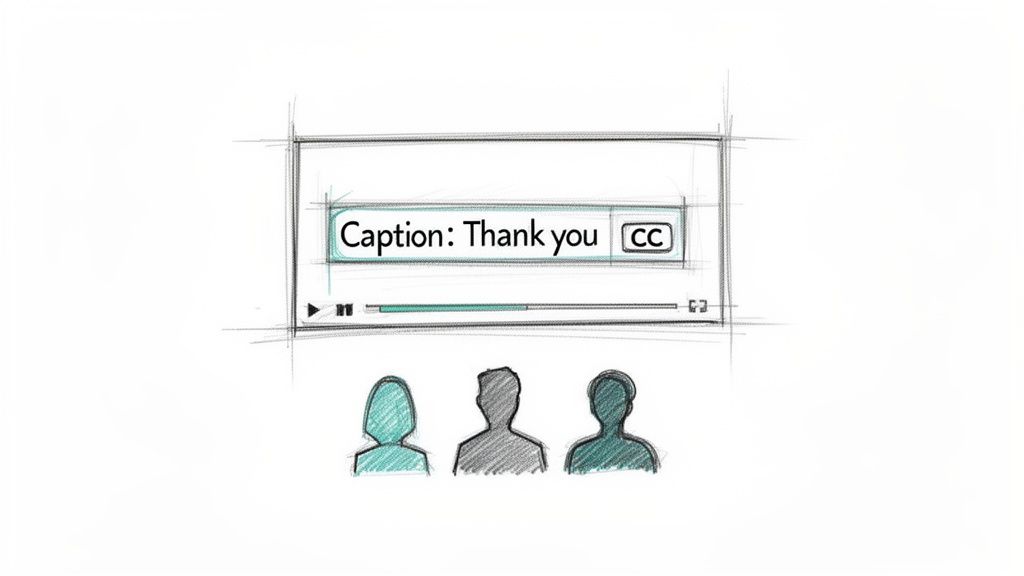
Beyond the direct user benefit, accessible content expands your reach, can improve SEO by making your video content crawlable, and demonstrates a brand's commitment to inclusivity. The rise of auto-captioning features on platforms like TikTok and the high-quality standards set by companies like Netflix have made captions a standard feature that audiences expect. This applies to all video, from Instagram Reels and corporate training videos to news live streams.
Pro-Tip: Burned-in (or open) captions are often better for social media feeds than closed captions. Because they are part of the video itself, they appear automatically without the user needing to toggle them on, grabbing attention instantly from auto-playing, muted videos.
Actionable Steps for Implementation:
- Establish a Captioning Workflow: Make adding captions a standard step in your video production checklist. Use an AI transcription tool to generate captions quickly as soon as a video is edited.
- Review and Refine: Always review AI-generated captions for accuracy. Pay close attention to industry jargon, brand names, and proper nouns that automated systems might misinterpret.
- Use Speaker Labels: For interviews or videos with multiple speakers, add speaker labels (e.g., "[Sarah]:", "[Mark]:") to the captions. This simple addition removes confusion and makes the content much easier to follow.
- Create Portable Caption files: Generate and save standard caption files (like .srt or .vtt) for all your primary video assets. This allows you to easily upload them to different platforms (YouTube, LinkedIn, etc.) without re-creating them each time. This technical knowledge will help you understand the differences between subtitles and closed captions and how they work.
4. Build Email and Blog Content from Social Media Conversations
One of the best social media manager tips is to reverse the typical content flow. Instead of pushing blog content to social media, let your social media conversations guide the creation of your blog posts and email newsletters. Your audience is constantly telling you what they want to know; you just have to listen. Analyzing live stream Q&As, comment threads, and direct messages provides a direct pipeline to the topics your community is most interested in.
This strategy bridges the gap between fleeting social engagement and durable, owned media assets like a blog or email list. It ensures your long-form content is always relevant because it directly answers real questions from your audience. For example, a lively Instagram Live Q&A can be transcribed to become the foundation for a detailed "Frequently Asked Questions" blog post or a series of educational newsletter editions. This experience-based method is effectively used by companies who build their educational content around the precise struggles of their audience.
Pro-Tip: Don't just answer the questions; analyze the language your audience uses. Transcribing social conversations gives you the exact phrasing, pain points, and terminology your community uses. Incorporating this voice-of-customer data into your blog posts and emails makes your content more relatable and improves SEO.
Actionable Steps for Implementation:
- Record and Transcribe Everything: Automatically record all social media live streams (Instagram Live, LinkedIn Live, etc.). Use a transcription service to get a searchable text document of the entire conversation, including all audience questions.
- Extract and Categorize Questions: Go through the transcript and pull out every question asked. Group similar questions together and tag them by topic (e.g., "pricing," "troubleshooting," "feature requests").
- Identify High-Impact Topics: Use the categorized list to spot the most frequently asked questions or the topics that sparked the most discussion. These are your prime candidates for deep-dive blog posts or email content.
- Create and Credit: Write a comprehensive blog post or newsletter answering the top questions. Directly credit your community for the idea by embedding the original post or quoting participants, which strengthens community bonds and acknowledges their contribution.
5. Streamline Influencer and Partnership Vetting with Content Analysis
Choosing the right influencer or brand partner is about more than just follower counts and engagement rates. One of the most critical social media manager tips for mitigating partnership risk is to look beyond surface-level metrics and deeply analyze a potential partner's content for brand alignment. By transcribing and analyzing an influencer’s past videos, podcasts, or interviews, you can gain a true understanding of their values, recurring talking points, and communication style before you ever reach out.
This method moves vetting from a gut feeling to a data-backed process. A shiny profile might hide misaligned values or a communication style that clashes with your brand's voice. Analyzing transcripts allows you to confirm that a creator's long-term messaging is consistent and authentic. For example, a PR team can transcribe a creator’s past ten YouTube videos to ensure their on-camera persona and core beliefs genuinely match the campaign's goals, preventing future brand safety issues. This is how major brands with rigorous standards ensure every partnership strengthens their reputation.
Pro-Tip: Focus on keyword searches within the transcripts. Before starting, create a list of your brand’s core values, non-negotiable topics to avoid (e.g., controversial subjects), and desired themes. Search the transcripts for these terms to quickly flag both positive alignments and potential red flags.
Actionable Steps for Implementation:
- Select Representative Content: Choose 5-10 recent, high-engagement pieces of content (videos, podcast episodes) from the potential partner.
- Transcribe for Analysis: Use a tool like Whisper AI to generate a complete and searchable transcript for each piece of content.
- Search for Keywords and Themes: Systematically search the transcripts for keywords related to your brand values, industry, and topics you need to avoid. Note the context in which these words appear.
- Create a Vetting Checklist: Document your findings. Does the influencer speak positively about topics important to your brand? Do they use language that aligns with your voice? Are there any recurring complaints from their audience in comment sections that are reflected in their content? This documentation is vital for compliance and internal reference.
By integrating transcript analysis into your vetting workflow, you build more resilient and authentic brand partnerships, ensuring collaborators are true ambassadors for your mission.
6. Generate User-Generated Content (UGC) Ideas from Customer Testimonials
One of the most powerful social media manager tips for building brand trust is to let your happy customers do the talking. Instead of creating all your promotional content in-house, turn your existing customer testimonials into a steady stream of authentic social media posts. By transcribing interviews, case study conversations, and testimonial videos, you can mine for genuine quotes, powerful stories, and verifiable results that resonate far more deeply than polished marketing copy.
This strategy shifts the focus from brand-centric messaging to customer-centric proof. A recorded Zoom call with a satisfied client becomes a goldmine for content that builds credibility and provides social proof. Many successful companies excel at this, showcasing real customer success stories that make their value proposition tangible.
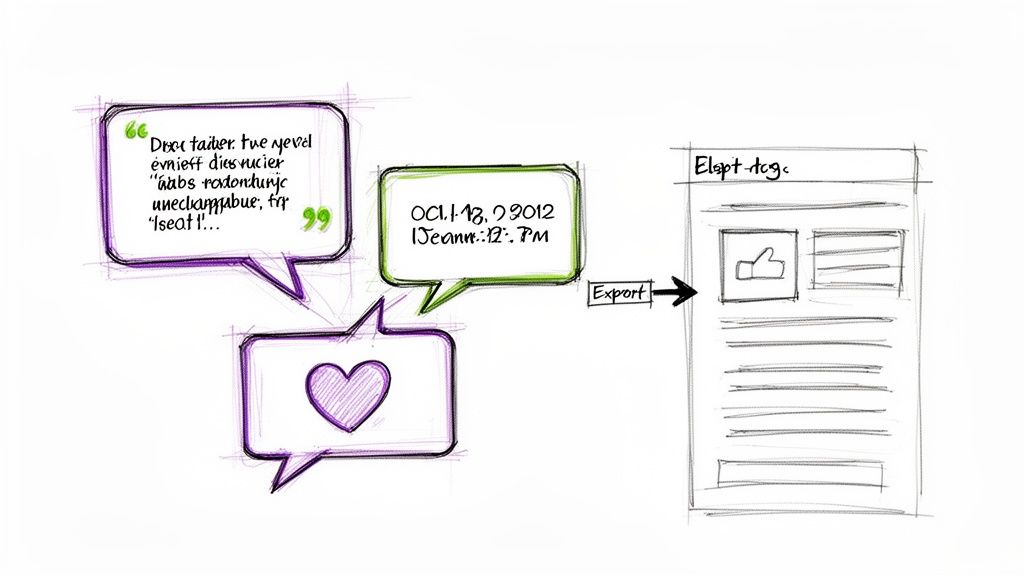
The core idea is to find the authentic, unscripted moments that truly capture the customer's experience. A testimonial video might contain a 10-second clip where a customer’s face lights up as they describe their results, a moment that is perfect for a social media video. Likewise, an hour-long interview transcript can yield several powerful quote graphics for Instagram and LinkedIn.
Pro-Tip: Don't just look for positive statements; search transcripts for "before-and-after" narratives. Phrases like "I was struggling with..." or "Before we started, my main problem was..." are content gold. These stories highlight the specific problem your product or service solves, making the testimonial much more relatable and impactful.
Actionable Steps for Implementation:
- Establish a Recording and Transcription Process: Integrate recording into your customer success calls or feedback sessions. Immediately run the audio or video through a transcription service to get a searchable document.
- Scan Transcripts for Key Themes: Search the text for emotionally charged words, specific data points, and clear outcomes. Look for stories about challenges overcome, surprising benefits, or specific results achieved.
- Create Themed Content Collections: Group extracted quotes and stories into themes. You could create a series of posts on "How Our Customers Overcame [Problem]" or a carousel showcasing "Top 3 Results Our Clients Achieved."
- Get Permission and Give Credit: Always obtain explicit permission from the customer before using their words, name, or likeness. When you post, tag their personal or business profile (if applicable) to show appreciation and expand your reach.
7. Create SEO-Optimized Social Content with Transcript Keywords
A powerful social media manager tip that bridges the gap between social engagement and search visibility is to use transcription data for keyword optimization. By analyzing the full text of your videos or podcasts, you can uncover the exact words and phrases your audience naturally uses. This process turns your raw content into a goldmine for both social media optimization and broader SEO strategy, ensuring your posts are discoverable not just on social platforms but also by search engines.
This approach moves beyond guesswork. Instead of relying solely on external keyword research tools, you are identifying proven terms directly from your own successful content. A detailed transcript reveals high-frequency keywords, long-tail search queries, and recurring themes that resonate with your viewers. For example, a transcript from a popular video can show you:
- YouTube Optimization: Creators can analyze a transcript to find the most-used keywords and then optimize video titles, descriptions, and tags for better search performance within YouTube.
- Hashtag Strategy: Social managers can build data-driven hashtag lists based on the actual keyword frequency found in webinar or interview transcripts.
- Internal Linking: Blog editors can use keywords from podcast transcripts to identify relevant articles to link to, strengthening their site's internal SEO structure.
- Product Keywords: Ecommerce brands can transcribe customer interviews to identify specific, product-related terms and pain points to use in ad copy and social media captions.
Pro-Tip: Focus on identifying "long-tail keywords" within your transcripts. These longer, more specific phrases (e.g., "how to repurpose a webinar for Instagram") often have lower competition and higher conversion intent than broad, single-word keywords.
Actionable Steps for Implementation:
- Generate a Full Transcript: Use a tool like Whisper AI to get a complete, searchable text file of your long-form video or audio content.
- Analyze Keyword Frequency: Scan the transcript for frequently repeated nouns, phrases, and questions. These are the core topics your audience is hearing and engaging with.
- Develop Keyword-Informed Captions: Write social media captions that naturally integrate the keywords and phrases you identified. This helps align your post with user search intent on platforms like Pinterest and YouTube.
- Create Topic Clusters: Use the primary keywords from your transcript as inspiration for a series of related social posts or a blog article. For a detailed guide on using transcript data for video content, you can learn more about how to transcribe a YouTube video for SEO.
By treating transcripts as a source of SEO data, you ensure your content works harder, attracting organic traffic from both social feeds and search engine results pages.
8. Maintain Consistent Brand Voice with Transcription Audits
A consistent brand voice builds trust and recognition, but it's easy for messaging to drift across different platforms, campaigns, and spokespeople. One of the most precise social media manager tips for safeguarding brand integrity is to conduct regular transcription audits. This involves analyzing transcripts of all public-facing content, from executive interviews and podcast appearances to webinars and social media videos.
This process transforms abstract brand guidelines into measurable data. By searching through text transcripts, you can systematically check for brand voice consistency, ensure key talking points are included, and spot deviations from your approved messaging. For example, a major financial services firm can audit transcripts of its advisors' webinars to confirm compliance, while an agency can monitor multiple creators to ensure they are all capturing the client's unique voice.
Pro-Tip: Don't just audit for negative deviations. Use transcript analysis to identify positive examples where a creator or spokesperson perfectly captured the brand voice. Share these clips and transcript snippets with the entire team as a best-practice example to learn from.
Actionable Steps for Implementation:
- Establish a Voice Baseline: Before you audit, ensure your brand voice guidelines are crystal clear. Document key terminology, desired tone (e.g., authoritative but approachable), and phrases to avoid.
- Transcribe All Communications: Use a tool like Whisper AI to create searchable transcripts for all major video and audio content published in a quarter. This includes executive town halls, interviews, and product tutorials.
- Perform Keyword Searches: Scan the transcripts for specific brand values, mission-critical phrases, and approved product terminology. Also search for terms or tones that are explicitly off-brand.
- Create a Consistency Scorecard: Develop a simple scorecard for your team to track brand voice alignment over time. Rate content on a scale for tone, message accuracy, and use of key phrases. This helps document deviations and inform future training.
9. Develop Crisis Management Protocols Using Real-Time Transcription
An effective social media manager tip for navigating difficult situations is to move beyond simple monitoring and integrate real-time transcription into your crisis management workflow. When a crisis hits, speed and accuracy are everything. Using rapid transcription for live streams, brand mentions, and social media video comments gives you an immediate, searchable text record of what your audience is saying. This allows you to identify the core issues, track sentiment, and develop informed responses before a situation spirals.
This approach transforms reactive panic into proactive management. For instance, if a CEO’s live address sparks controversy, transcribing it in real time allows the PR team to pinpoint problematic phrases and prepare a clarifying statement instantly. Likewise, a retail brand can transcribe customer service videos and social media comments during a product recall to spot patterns in complaints and address the most urgent problems first.
Pro-Tip: Set up keyword alerts within your social monitoring tools that trigger automatic transcription. When words like “recall,” “outage,” “unsafe,” or “boycott” spike in mentions, the system should begin transcribing the associated video and audio content. This gives you a head start in understanding the context of a potential crisis.
Actionable Steps for Implementation:
- Integrate Transcription into Monitoring: Connect your social listening tools to a transcription service like Whisper AI. Configure it to automatically process video mentions or live streams that match certain criteria.
- Establish Crisis Keywords: Create a list of trigger words and phrases specific to your industry and brand that indicate a potential crisis. These will be your early warning signals.
- Develop Response Templates: Based on past issues or potential risks, create pre-approved communication templates. Having these ready allows you to respond quickly once a transcript confirms the nature of a problem.
- Transcribe All Live Events: Make it a standard procedure to transcribe every company live stream, webinar, or public address. This creates a real-time log for immediate analysis and a permanent record for post-mortem reviews.
- Document and Analyze: Save all crisis-related transcripts in a central, accessible location. After the event, analyze these documents to identify patterns, improve future responses, and present data-backed insights to leadership.
10. Build Community and Engagement Through Transcribed Q&A Content
Your community's questions are a goldmine for engagement, and one of the best social media manager tips is to systematically capture and repurpose them. Instead of letting valuable insights from live Q&As, webinars, and community calls disappear after the event ends, transform them into a continuous stream of content that shows you're listening and builds a stronger connection with your audience. This method turns passive audience consumption into active community participation.
This strategy is about making your community the star of your content calendar. A single hour-long community Discord Q&A or a customer webinar can fuel your social media for weeks. For example, a transcribed Q&A session can be spun into:
- FAQ Series: Create a weekly "You Asked, We Answered" post series featuring a direct quote from a community member’s question and your detailed response.
- Quote Graphics: Design visually appealing graphics that highlight a poignant question from a customer, along with a concise answer.
- Testimonial Posts: Repurpose positive feedback or success stories shared during community calls into powerful social proof.
- Blog Post Fodder: Group related questions around a single theme to create a comprehensive blog post that addresses your audience's most pressing concerns.
Pro-Tip: Create a searchable library of community questions. After transcribing your Q&A, copy and paste the questions into a spreadsheet or database. Tag each question by topic (e.g., "pricing," "feature request," "troubleshooting") to quickly find relevant content for future posts.
Actionable Steps for Implementation:
- Schedule and Transcribe: Host regular Q&A sessions (weekly or monthly) and use a tool like Whisper AI to automatically transcribe the entire interaction.
- Organize Your Question Bank: Review the transcript and pull every question into your searchable library. Note the topic and the name/handle of the person who asked.
- Prioritize and Plan: Identify the most frequently asked questions or the most insightful ones. Use these to build out your content calendar, creating a dedicated content series from community interactions.
- Create and Credit: When you repurpose a question, create the content (graphic, video clip, text post) and be sure to thank and tag the community member who asked it. This simple act of recognition encourages more participation.
10-Point Comparison of Social Media Manager Tips
Putting These Tips into Action: Your Path Forward
Navigating the demands of modern social media management requires more than just posting schedules and reactive engagement. The journey from being a content creator to a strategic community architect involves a fundamental shift in workflow. The social media manager tips covered in this article are designed to facilitate that exact transition, moving you away from manual, time-consuming tasks and toward high-impact, strategic initiatives that drive measurable growth.
At the core of these strategies is a powerful concept: treating every piece of audio and video content not as a single asset, but as a rich source of data and countless new content opportunities. By integrating AI-powered transcription into your daily operations, you unlock a new level of efficiency and creativity. Instead of struggling to create content from scratch, you can now systematically deconstruct long-form material, like podcasts and webinars, into an entire ecosystem of social assets.
Your Actionable Next Steps
Feeling overwhelmed by all the possibilities is normal. The key is to start small and build momentum. Don't try to implement all ten strategies at once. Instead, create a focused, manageable plan.
- Select Your Starting Point: Choose one high-value piece of existing content. This could be a recent interview, a popular webinar, or a detailed product demo video. Your goal is to use this single asset as a testing ground.
- Apply a Single Strategy: Pick one tip from this article to apply. For instance, focus solely on repurposing that video into five short-form clips for Instagram Reels and TikTok, using transcription to identify the most compelling soundbites. Or, use the transcript to pull out key quotes and statistics to create a series of five static quote graphics for LinkedIn and Facebook.
- Document and Measure: Track the process. How long did it take? What tools did you use? Most importantly, measure the results. Did the repurposed clips get higher engagement than your typical posts? Did the quote graphics spark more comments? Document your findings in a simple report.
- Refine and Scale: Based on your results, refine your process. Maybe you discovered that clips under 30 seconds perform best, or that question-based quotes generate the most discussion. Once you have a repeatable, effective workflow, you can begin to scale it across more content and apply other social media manager tips from this guide.
The Bigger Picture: From Task Manager to Strategist
Mastering these techniques is about more than just saving time. It's about fundamentally changing your role and increasing your value. When you can confidently turn one hour of video into a full week of diverse, high-performing social content, you are no longer just managing accounts; you are directing a content engine. When you use transcription analysis to inform your content strategy, you are making data-backed decisions that connect directly to business objectives.
This approach allows you to build stronger, more engaged communities because your content becomes more accessible, relevant, and conversational. It also frees up your cognitive energy to focus on what truly matters: understanding your audience, fostering genuine connections, and thinking strategically about long-term growth. To effectively implement these advanced strategies, staying updated on the best and most efficient resources, including social media management tools for agencies, is crucial for maintaining a competitive edge. Ultimately, these social media manager tips are your blueprint for becoming an indispensable strategic partner, not just a tactical implementer.
Ready to stop manually scrubbing through videos and start strategically repurposing your content? Whisper AI provides the fast, accurate transcription you need to implement these tips today. Transform your long-form audio and video into a wealth of content ideas, accessible captions, and powerful insights with Whisper AI.


























































































