
10 Essential Virtual Meeting Etiquette Tips for Professional Success
In a world where remote collaboration is the norm, the line between a productive virtual meeting and a chaotic one is razor-thin. It all hinges on a shared understanding of digital decorum. Mastering virtual meeting etiquette is no longer optional; it's a critical skill that defines your professionalism, respects your colleagues' time, and supports clear, effective communication. The ultimate goal is to run effective team meetings, and observing proper etiquette is a foundational step in achieving that.
This guide moves beyond the obvious "don't talk over people" advice. We will provide ten comprehensive, experience-based virtual meeting etiquette tips that address everything from pre-call tech checks to post-meeting follow-ups. Based on my experience participating in and leading hundreds of virtual sessions, I'll share actionable strategies for both hosts and participants, ensuring every meeting you join or lead is efficient, inclusive, and professional. We will also explore how smart tools can assist with note-taking and action item tracking, allowing you to stay fully present and engaged without missing key details. Let's dive into the specific practices that separate a seamless digital interaction from a frustrating one.
1. Test Your Audio and Video Equipment Before Meetings
One of the most foundational virtual meeting etiquette tips is to ensure all your equipment works flawlessly before you join a call. From my experience, nothing derails a meeting faster than technical glitches, such as a malfunctioning microphone or a choppy camera feed. These issues create unnecessary disruptions and signal a lack of preparation. Properly testing your setup shows respect for everyone's time, allowing the meeting to start smoothly and stay focused on its objectives. This is a critical first step for anyone who depends on clear communication, from business teams presenting to clients to content creators recording interviews.
Why Pre-Meeting Checks Are Essential
A quick pre-flight check prevents the all-too-common "Can you hear me now?" dance that wastes valuable minutes at the start of a session. For professionals, this practice is non-negotiable. I've seen client presentations undermined by avoidable tech issues. For instance, a podcaster must verify a guest’s audio quality to ensure a clean final recording, and a sales team cannot afford technical difficulties that erode their credibility.
Key Takeaway: A 5-minute equipment check before a meeting can save 15 minutes of collective troubleshooting during it. It's a small investment that protects the meeting's momentum and your professional image.
Actionable Tips for a Smooth Setup
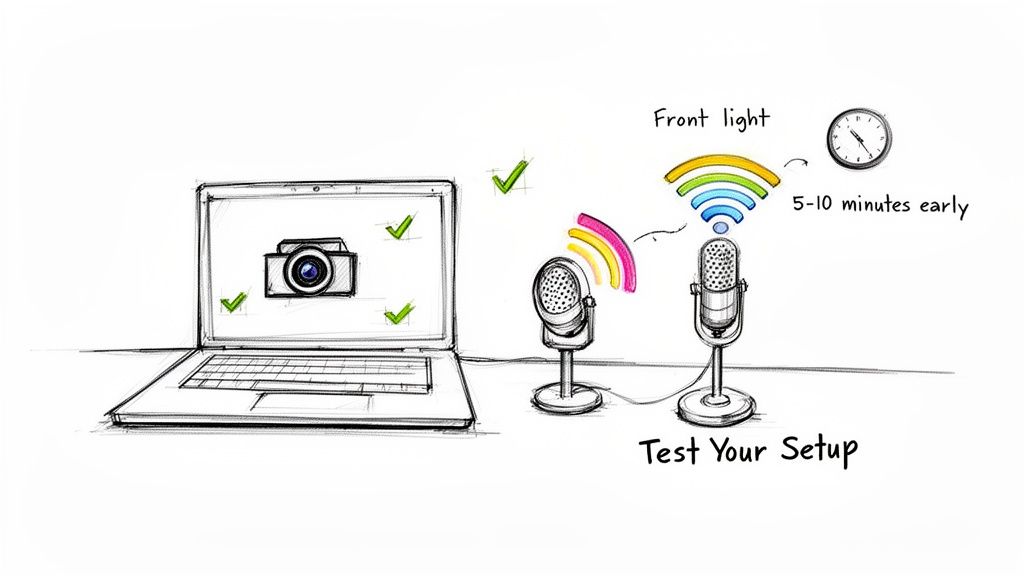
To guarantee you're ready, follow this simple checklist I use 5-10 minutes before every meeting:
- Audio Check: Position your microphone 6-12 inches from your mouth for optimal clarity. Record a short audio snippet and play it back. You can also use a transcription tool like Whisper AI on your test recording; if the transcript is accurate, your audio is clear.
- Video & Lighting: Open your camera application to check your video feed. Position your primary light source in front of you to avoid shadows and backlighting. Look for and minimize any glare from windows or lamps.
- Bandwidth Optimization: Close all non-essential applications and browser tabs. This frees up system resources and bandwidth, reducing the risk of a laggy connection.
- Platform Specifics: If you are using a new meeting platform for the first time, join even earlier to familiarize yourself with its specific audio and video settings.
2. Use Professional Backgrounds and Dress Appropriately
Your visual presence on a video call speaks volumes before you even say a word. Maintaining a clean, professional background and dressing appropriately for the meeting's context are fundamental virtual meeting etiquette tips that build credibility and minimize distractions. I've found that your environment and attire directly influence how others perceive your professionalism, making it a critical consideration for anyone from journalists conducting on-camera interviews to social media managers pitching new clients.
Why Your Visual Presentation Matters
A cluttered or chaotic background can distract participants and detract from your message. Similarly, dressing too casually can signal a lack of seriousness. For an educator leading a virtual class, an organized, simple background helps students focus on the lesson. I’ve seen this firsthand: a well-curated setting reinforces a content creator's brand identity and professionalism, making their content more authoritative and engaging for their target audience.
Key Takeaway: Your on-camera appearance is an extension of your professional reputation. A thoughtfully chosen background and appropriate attire show respect for the meeting and its participants, ensuring the focus remains on the content.
Actionable Tips for a Polished Appearance
To present yourself effectively, consider these simple yet impactful adjustments before your next video call:
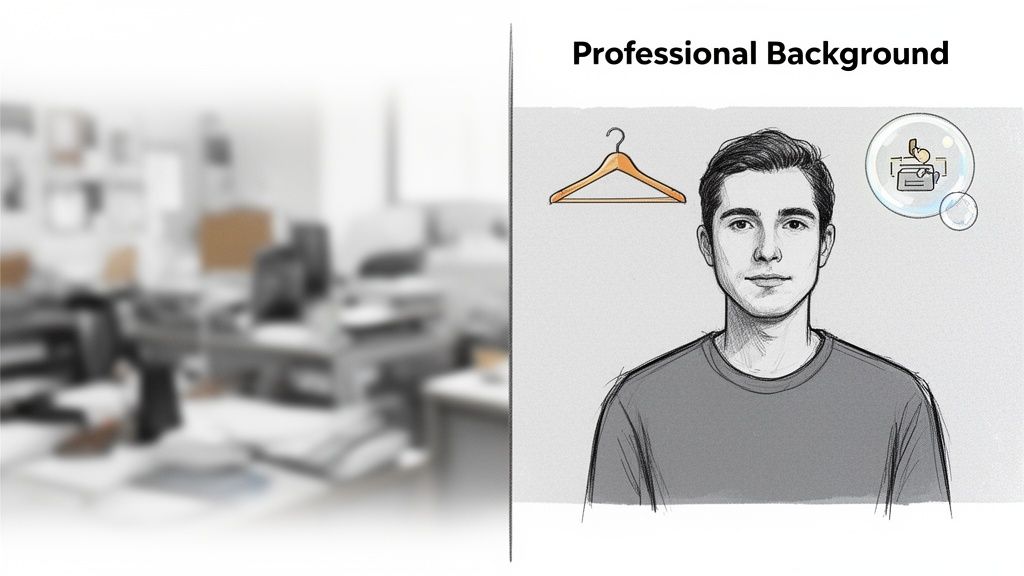
- Choose a Neutral Background: Position yourself in front of a neutral-colored wall, a bookshelf, or a simple piece of art. If your environment is busy, use a platform's built-in blur feature or a professional virtual background.
- Dress the Part: Wear attire that you would choose for an in-person meeting of the same type. Solid colors are generally safer than busy patterns, which can create a distracting moiré effect on camera.
- Master Your Framing: Position your camera at eye level to create a more natural, direct line of sight with other participants. This simple change makes your presence feel more engaging and conversational.
- Check Your Lighting: Ensure your primary light source is in front of you, not behind you. Front-facing light illuminates your face clearly and prevents you from appearing as a silhouette.
3. Mute Your Microphone When Not Speaking
One of the most impactful virtual meeting etiquette tips is to actively manage your microphone. By muting yourself when not speaking, you prevent unexpected background noise from disrupting the call. Everything from a barking dog, a nearby siren, or even the sound of your own typing can derail the conversation, diminish audio quality, and make it difficult for others to focus. In my experience, diligent muting is a sign of respect for every participant's auditory experience and is crucial for maintaining a professional atmosphere.
Why Proactive Muting Is Essential
Consistent muting discipline is non-negotiable for anyone who needs clean audio. For podcasters managing multiple guests, it ensures a polished final recording free of crosstalk and distracting ambient sounds. In large team meetings with over 20 participants, it prevents a cacophony of minor noises from overwhelming the speaker. Journalists also rely on this practice to capture clear interview recordings for accurate transcription and reporting.
Key Takeaway: Unmuted microphones are the number one source of preventable distractions in virtual meetings. Making 'mute' your default state protects the meeting's audio integrity and keeps the focus on the speaker.
Actionable Tips for Effective Muting
To master microphone control, integrate these habits into your virtual meeting routine:
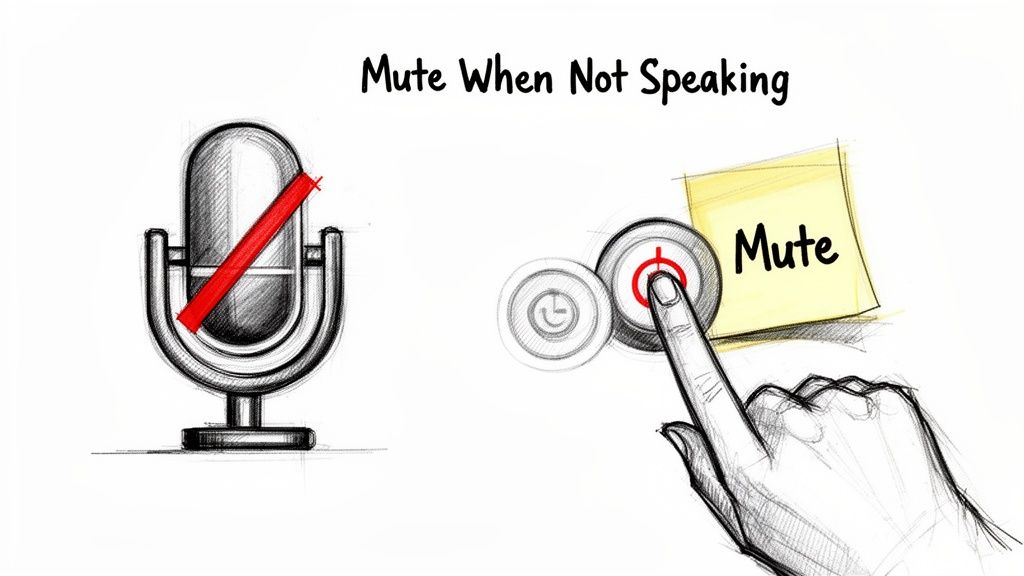
- Make Mute Your Default: Get into the habit of joining meetings with your microphone already muted. Unmute intentionally only when you need to speak.
- Use Keyboard Shortcuts: Most platforms offer keyboard shortcuts (like the Spacebar or Cmd+M) to quickly toggle mute. This is much faster than fumbling for the on-screen button.
- Analyze Your Audio: Use a tool like Whisper AI to transcribe a meeting recording. Review the transcript to pinpoint moments where background noise from your end may have interfered with clarity, helping you improve for next time.
- Place a Visual Reminder: A simple sticky note on your monitor that says "You're Muted" or "You're Live" can help you stay aware of your microphone's status.
4. Eliminate Distractions and Give Full Attention
Giving your complete focus to a virtual meeting is a fundamental sign of respect and a critical virtual meeting etiquette tip. Minimizing distractions ensures you absorb important information and contribute meaningfully. My own experience confirms that when you are fully present, you signal that you value the discussion and the people in it. This is essential for anyone who needs to capture accurate details, from content creators conducting interviews to business teams hashing out strategy.
Why Undivided Attention Matters
Multitasking is a myth; toggling between your meeting and your inbox only ensures you do both poorly. For professionals, the cost of distraction is high. An educator who is checking emails during a virtual lecture loses engagement with their students, while a business team whose members are distracted during a planning session risks misaligned goals and poor decision-making. Paying full attention prevents misunderstandings and demonstrates professionalism.
Key Takeaway: Your presence is your most valuable contribution. Closing distractions isn’t just about politeness; it’s a strategy for better comprehension, stronger collaboration, and more effective outcomes.
Actionable Tips for a Distraction-Free Environment
To maintain your focus and show respect for other participants, implement these simple habits:
- Create a Digital Bubble: Before the meeting starts, close all non-essential browser tabs, your email client, and any chat applications. The fewer notifications you have, the better.
- Manage Your Phone: Put your smartphone in another room or, at a minimum, place it face-down and out of arm's reach. The temptation to glance at a notification can quickly derail your focus.
- Inform Your Colleagues: Set your status to "In a meeting" or "Do not disturb" in your team's communication app. This manages expectations and prevents colleagues from interrupting you.
- Recover with Technology: If you do get distracted and miss a key point, an AI meeting note taker can provide a transcript to help you quickly catch up without disrupting the meeting's flow.
5. Be Punctual and Respect Meeting Times
In virtual environments, punctuality is more than just a courtesy; it's a fundamental sign of respect and professionalism. Joining meetings on time and adhering to scheduled end times demonstrates that you value every participant's calendar. Unlike in-person meetings where a late arrival might blend in, a virtual latecomer is immediately noticeable, often disrupting the flow. This is a vital virtual meeting etiquette tip that reinforces your reliability and consideration for others.
Why Punctuality Is Paramount
Respecting meeting times is critical for maintaining momentum and productivity. For global teams coordinating across different time zones, synchronized start times are non-negotiable for effective collaboration. Likewise, a podcaster scheduling back-to-back guest interviews relies on exact timing to maintain a consistent publishing schedule. I've learned that arriving late can create a domino effect of delays, undermining the meeting’s purpose and frustrating attendees who made an effort to be on time.
Key Takeaway: Punctuality sets the tone for the entire meeting. Arriving a few minutes early signals preparedness, while arriving late communicates disorganization and disrespect for the group’s collective time.
Actionable Tips for Timely Attendance
To ensure you are always on time and prepared, integrate these habits into your pre-meeting routine:
- Set Early Reminders: Configure your calendar to send a notification 15 minutes before the meeting starts. This gives you ample time to wrap up your current task and transition.
- Join Early: Aim to join the virtual room 2-3 minutes ahead of schedule. This buffer is perfect for addressing any last-minute technical snags without making others wait.
- Block Buffer Time: Avoid scheduling back-to-back meetings. Block 10-15 minutes between sessions to decompress, review notes, and prepare for the next call.
- Communicate Delays: If an unavoidable circumstance makes you late, inform the meeting host immediately. A quick message shows accountability and allows the group to decide whether to wait or proceed.
6. Avoid Multitasking and Stay Engaged
Remaining fully present during virtual meetings is a fundamental sign of respect. When you check emails, browse the internet, or work on other tasks, you signal that the meeting and its participants are not your priority. This visible multitasking undermines the meeting's purpose and can often be detected by others, even if you think you are being discreet. True engagement is crucial for effective collaboration, whether you're a student absorbing a lecture or a creative team brainstorming a new project.
Why Full Attention Matters
Giving your undivided attention ensures you don't miss critical information, fostering a more productive and collaborative environment. It shows respect for the speaker and fellow attendees, encouraging open communication. For example, a journalist conducting an interview must remain focused to ask insightful follow-up questions. From personal experience, I know a social media manager needs to be fully present in a strategy session to contribute meaningfully. Distracted participation leads to misunderstandings and weakened team cohesion.
Key Takeaway: Your presence is more than just being logged in. Active listening and visible engagement build trust and lead to better outcomes, preventing the need for repeat meetings to cover missed details.
Actionable Tips for Staying Focused
To maintain your focus and show you are engaged, try these practical virtual meeting etiquette tips:
- Minimize Note-Taking: Instead of typing extensively, which can look like multitasking, use a tool like Whisper AI to generate a full transcript and summary afterward. This frees you to participate actively.
- Use Strategic Body Language: Position yourself directly in front of your camera, make eye contact, and nod to show you are listening.
- Prepare Ahead: Review the meeting agenda beforehand. Knowing the key topics helps you stay mentally invested and ready to contribute.
- Participate Actively: Ask clarifying questions or offer relevant comments. This not only keeps you engaged but also adds value to the discussion.
7. Use the Chat Feature Appropriately and Sparingly
The chat feature in virtual meetings is a powerful tool, but its effectiveness depends on how it's used. Proper virtual meeting etiquette dictates that chat should supplement the main conversation, not derail it. My experience shows that leveraging the chat for relevant links, quick clarifications, or technical support maintains the meeting's flow and professionalism. When used correctly, it prevents verbal interruptions and provides a space for parallel, non-disruptive communication.
Why Appropriate Chat Use is Crucial
An unmanaged chat can quickly become a source of distraction, pulling attention away from the speaker and the meeting's primary objectives. For hosts, an off-topic chat thread can undermine their agenda. For example, a podcaster needs to keep the focus on the interview, so they might use chat only to share a guest's credentials or a link to a resource mentioned. Similarly, an educator leading a virtual class can use chat to share supplementary materials without stopping the lecture. It's about enhancing the experience, not creating a secondary, distracting conversation.
Key Takeaway: Treat the chat as a meeting's sidebar, not its main stage. Its purpose is to support the verbal dialogue with resources and brief comments, ensuring everyone stays focused on the core discussion.
Actionable Tips for Smart Chatting
To make sure your chat contributions add value instead of noise, follow these simple guidelines:
- Keep It Relevant: Use the chat primarily for posting links, sharing documents, or asking for quick, non-disruptive clarifications that don't warrant a verbal interruption.
- Acknowledge Important Comments: If you are the host, verbally acknowledge key questions or points made in the chat to make those participants feel heard and integrate their contributions into the main discussion.
- Save Socializing for Later: Avoid side conversations or off-topic discussions. If a new, important topic arises, suggest discussing it after the scheduled meeting concludes.
- Review Post-Meeting: When reviewing the meeting, use a tool like Whisper AI to get a complete transcript of the verbal discussion. Then, review the chat log alongside it to capture the full context, including all shared links and written questions.
8. Respect Camera Etiquette and Know When to Enable Video
Navigating camera usage is a key part of modern virtual meeting etiquette tips. Knowing when to keep your video on or off demonstrates awareness of social cues, engagement levels, and technical limitations. I've learned that your camera decision should balance the need for personal connection with practical considerations like bandwidth and meeting size, showing respect for every participant.
Why Camera Decisions Matter
Deciding whether to enable your video is not just a personal preference; it impacts the meeting's dynamic. For a content creator interviewing a guest, a visible connection builds rapport and allows both parties to read non-verbal cues. Conversely, in a large webinar, making video optional prevents bandwidth issues for attendees with weaker internet connections and reduces visual distraction. The right choice fosters an inclusive and effective environment.
Key Takeaway: Treat your camera as a communication tool, not just an on/off switch. Keeping it on during small, important discussions signals engagement, while turning it off in large forums can be a sign of courtesy to others' bandwidth.
Actionable Tips for Camera Etiquette
Use these guidelines to make informed camera decisions that respect the context of each meeting:
- Look at the Camera: When you speak, direct your gaze toward your webcam, not just the faces on your screen. This simulates direct eye contact and makes your communication feel more personal and engaging.
- Position for Presence: Place your camera at or slightly above eye level. This creates a more natural and professional-looking angle, avoiding the "looking down" effect that can feel disengaging.
- Know When to Be Seen: Keep your camera on for one-on-one meetings, small team brainstorms, and important presentations to foster collaboration and show you're present.
- Offer Flexibility in Large Groups: For large all-hands meetings or public webinars, state that video is optional. This accommodates those with low bandwidth and prevents a screen cluttered with dozens of video feeds. If you must turn your video off, using a transcription tool like Whisper AI to capture notes can help you stay focused without needing to be on camera.
9. Provide Clear Agenda and Meeting Objectives in Advance
One of the most impactful virtual meeting etiquette tips is to circulate a clear agenda before the call. An agenda acts as a roadmap, ensuring every participant understands the meeting's purpose and what will be discussed. Sharing this document in advance shows respect for everyone's time and encourages focused, productive conversations, preventing the session from derailing. This practice is crucial for anyone coordinating collaborative work, from business teams aligning on project milestones to podcast producers guiding a guest through an episode’s structure.
Why Advance Agendas Are a Game-Changer
An effective agenda transforms a potentially chaotic meeting into a structured and efficient session. It empowers participants to arrive prepared with relevant data, thoughtful questions, and informed opinions. In my experience, for a business team, this means less time spent on background explanations and more time dedicated to decision-making. Similarly, an educator providing a lesson plan ahead of a virtual class allows students to complete pre-reading and formulate questions, leading to a more engaging and interactive learning experience.
Key Takeaway: An agenda is not just a list of topics; it is a contract with your attendees that their time will be used purposefully. It sets clear expectations and holds the meeting accountable to its stated goals.
Actionable Tips for Creating Effective Agendas
To ensure your meetings are focused and productive, follow this checklist when preparing your agenda:
- Timely Distribution: Share the agenda at least 24 hours before the meeting. This gives everyone sufficient time to review it and prepare accordingly.
- Structure and Timing: Clearly outline each topic, assign a speaker, and allocate a specific amount of time for discussion. Be sure to build in a 10-15% buffer for open dialogue or unexpected points.
- Provide Context: Attach any necessary pre-reading materials, reports, or links directly to the agenda so all information is in one accessible place.
- Inform Future Agendas: Use AI tools to transcribe previous meetings. You can then analyze the transcript to identify unresolved action items or recurring discussion points, which helps you build a more relevant agenda for the next session. This practice is also useful for creating accurate records, and you can learn how to write meeting minutes to improve your documentation process.
10. Record Meetings with Consent and Use Transcription Tools Effectively
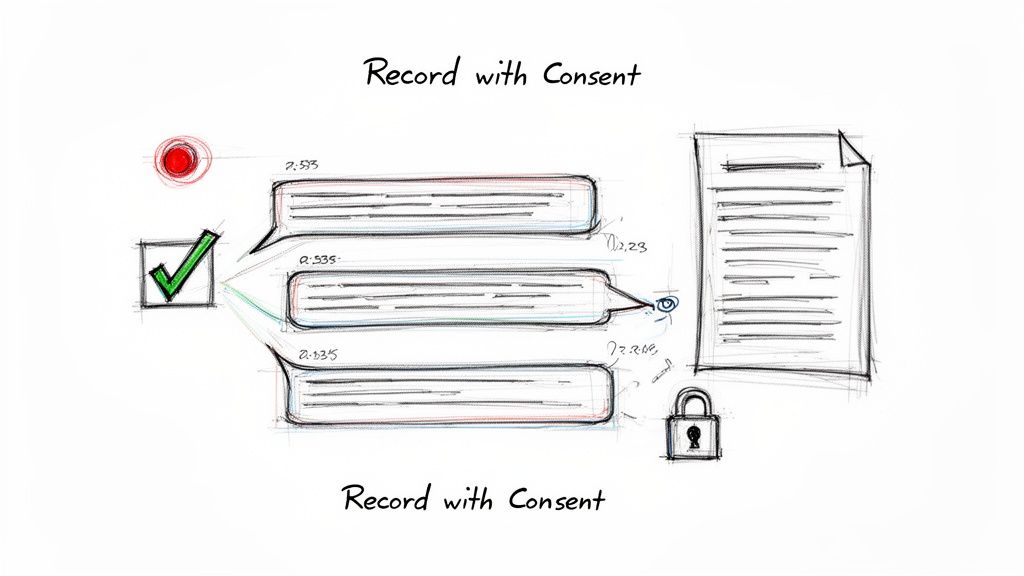
One of the most important virtual meeting etiquette tips involves creating a record of your conversation, but only after getting clear permission. Recording a meeting and using a transcription tool establishes a source of truth, but doing so without consent is a major breach of privacy and trust. Announcing your intent to record and transcribe respects all participants while creating an accurate, searchable document for future reference, accountability, and asynchronous collaboration.
Why Consent and Transcription Matter
This practice is standard for professionals who rely on accurate documentation. Journalists must record interviews to ensure quotes are correct, while educators can record lectures so students have a searchable study guide. Based on my work, business teams use recordings and transcripts from tools like Whisper AI to document decisions, assign action items, and keep absent team members informed. This process eliminates ambiguity and holds everyone accountable for their commitments.
Key Takeaway: Always state that you are recording at the beginning of the meeting and explain why. Transparency builds trust and ensures everyone is comfortable, making the resulting record more valuable and ethically sound.
Actionable Tips for Recording and Transcription
To properly record and transcribe your virtual meetings, follow these clear steps:
- Announce and Explain: Start every recorded meeting by stating, "I'm starting the recording now to create a transcript for our meeting notes." This is a non-negotiable step.
- Get Explicit Consent: For external meetings or sensitive topics, obtain written consent beforehand. A simple email confirmation is often sufficient.
- Generate Actionable Summaries: Use a tool like Whisper AI to automatically create summaries and identify action items from the conversation. This simplifies follow-up communications. You can find more practical advice on mastering Zoom meeting transcription and applying these techniques.
- Share and Verify: After the meeting, share the transcript with participants and invite them to review it for accuracy. This collaborative step ensures the final document is correct.
Virtual Meeting Etiquette: 10-Point Comparison
| Practice | Implementation Complexity 🔄 | Resource Requirements ⚡ | Expected Outcomes 📊 | Ideal Use Cases ⭐ | Key Advantages & Tips 💡 |
|---|---|---|---|---|---|
| Test Your Audio and Video Equipment Before Meetings | Low — short pre-checks (5–10 min) | Basic: mic, camera, stable internet, time buffer | Fewer interruptions; clearer recordings and transcripts | Content creators, client presentations, podcasters | Prevents delays; join early, position mic 6–12" and verify with test transcription |
| Use Professional Backgrounds and Dress Appropriately | Medium — setup and ongoing maintenance | Moderate: lighting, tidy space or virtual background tools | Enhanced professionalism; reduced visual distractions | Client calls, interviews, educators | Use neutral backgrounds and solid colors; front lighting and eye-level camera |
| Mute Your Microphone When Not Speaking | Low — simple habit and platform controls | Minimal: platform mute, keyboard shortcuts | Reduced background noise; cleaner transcripts | Large meetings, multi-guest recordings, webinars | Default to mute; enable shortcuts (Space/Cmd+M); leave visual mute reminders |
| Eliminate Distractions and Give Full Attention | Medium — behavioral and environment control | Low–moderate: dedicated space, notification silencing | Higher retention, fewer errors, better meeting outcomes | Strategy meetings, interviews, lectures | Close apps/phone, schedule focused blocks, use transcripts to recover missed details |
| Be Punctual and Respect Meeting Times | Low — scheduling discipline | Low: calendar sync, reminders, time-zone tools | Full participation and complete records; improved efficiency | Global teams, scheduled interviews, recurring meetings | Set reminders 15 min prior, join a few minutes early, block buffers between meetings |
| Avoid Multitasking and Stay Engaged | Medium — requires sustained attention | Low: minimal tools, pre-prepared agenda | Better comprehension, meaningful contributions | Interviews, classes, collaborative planning | Take brief handwritten notes, prepare agendas, use transcripts to reduce note burden |
| Use the Chat Feature Appropriately and Sparingly | Low — etiquette-focused | Minimal: platform chat and link sharing | Supplemental written record; fewer verbal interruptions | Large meetings, resource sharing, lectures | Reserve chat for links/clarifications, review chat with transcripts, avoid side threads |
| Respect Camera Etiquette and Know When to Enable Video | Medium — situational judgment and setup | Moderate: camera, lighting, bandwidth considerations | Improved non-verbal communication; possible fatigue trade-offs | One-on-ones, brainstorming, webinars (optional video) | Use video for key discussions, look at camera for eye contact, allow optional video for large groups |
| Provide Clear Agenda and Meeting Objectives in Advance | Medium — preparation required | Low–moderate: time to draft and distribute materials | Focused meetings, better preparation, structured transcripts | Weekly status, podcast episodes, lessons | Share 24h ahead, include topics/speakers/times, attach pre-reading and desired outcomes |
| Record Meetings with Consent and Use Transcription Tools Effectively | Medium — consent and compliance steps | Moderate: recording tools, transcription service, consent process | Searchable records, asynchronous review, documented decisions | Interviews, research, training, high-stakes meetings | Announce recording, obtain consent, share transcripts and summaries, use timestamps and exports |
Putting It All Together: From Etiquette to Action
We've explored a detailed collection of virtual meeting etiquette tips, from the technical groundwork of testing your equipment to the human elements of active participation. These aren't just arbitrary rules; they are the building blocks of a productive and respectful remote work culture. Mastering them demonstrates professionalism and a genuine consideration for your colleagues' time and focus.
The journey from a chaotic video call to a genuinely collaborative session is built on conscious habits. It begins with you. By taking ownership of your presence, you directly influence the meeting's atmosphere. A stable connection, a professional background, and appropriate attire set a baseline of seriousness. Muting your microphone when not speaking and eliminating background distractions are small acts of courtesy that have a massive collective impact on the group's ability to concentrate.
From Principles to Practice
The most significant takeaway is that excellent virtual meeting etiquette is not passive. It requires active engagement and preparation.
- Before the Call: It's about more than just showing up on time. It means reviewing the agenda, understanding the objectives, and preparing your technical setup so you can contribute from the very first minute.
- During the Call: It's about staying present. This means resisting the urge to multitask, using the chat feature with intention, and participating thoughtfully when you speak. Your camera etiquette, knowing when video is beneficial and when it’s not, also plays a key role in building connection without causing fatigue.
- After the Call: The value of a meeting shouldn't evaporate once everyone clicks "Leave." This is where effective follow-up and documentation become critical.
Adopting these virtual meeting etiquette tips transforms online interactions from potential time-wasters into powerful opportunities for connection and progress. The key is to turn these principles into ingrained habits. Start small. Pick one or two tips, like consistently muting your microphone or preparing a single talking point before your next meeting, and build from there. Your colleagues, and your future self trying to recall key decisions, will thank you.
Key Insight: The ultimate goal of virtual meeting etiquette is to remove friction. When technology, distractions, and ambiguity are minimized, the focus can shift entirely to the people and the ideas being discussed, leading to better outcomes and stronger team bonds.
By making these practices second nature, you help create an environment where every participant feels heard, respected, and valued. This fosters a more inclusive and efficient digital workplace where ideas can flourish. The effort you put into refining your virtual meeting skills pays dividends in improved collaboration, clearer communication, and more meaningful professional relationships.
Ready to master the follow-up and focus completely on the conversation? Whisper AI transcribes your meetings with incredible accuracy, so you can stop worrying about taking notes and start participating fully. Let our tool capture every word, identify speakers, and deliver a searchable transcript right after your call. See how it works at Whisper AI and make every meeting more productive.


























































































