
Your Guide to the Best YouTube Transcript Generator in 2026
At its core, a YouTube transcript generator is a tool that automatically pulls the spoken words from a video and turns them into text. But thinking of it as just a speech-to-text converter is missing the bigger picture. From my experience, these tools are the key to making your content more accessible, discoverable on search engines, and incredibly easy to repurpose into new formats.
What is a YouTube Transcript Generator (and Why Should You Care)?
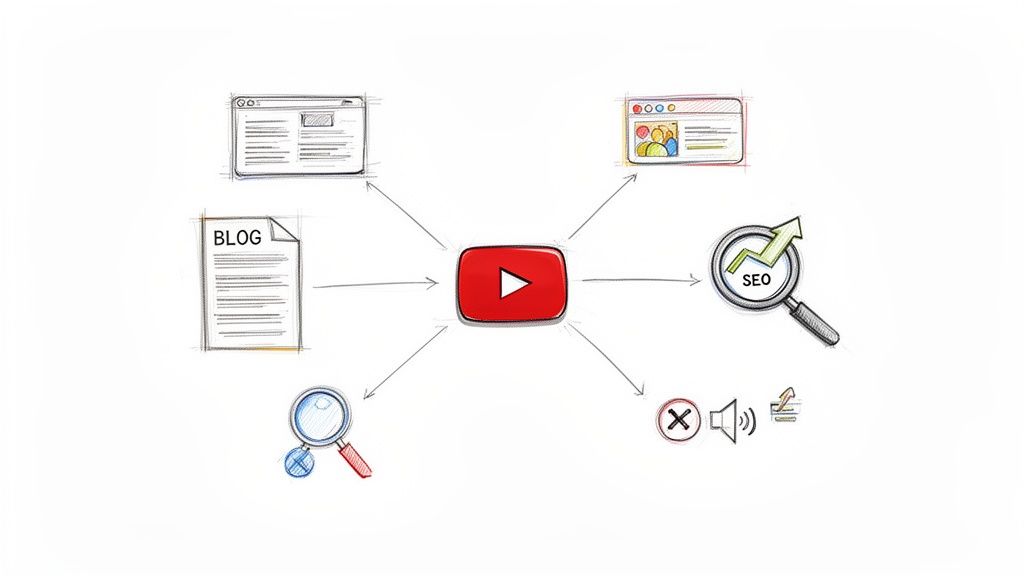
What if you could squeeze more value out of every single video you create? That’s the real power of a transcript generator. I've found that it’s not just a technical process; it’s a strategic move that savvy creators and marketers are using to get ahead.
By generating a simple text file from your video, you’re giving search engines like Google something they can actually read and understand. This instantly helps your video show up for the specific keywords and phrases you talked about, giving your content a serious SEO boost.
How AI Has Changed the Transcription Game
Not too long ago, getting a transcript meant paying a human to listen and type everything out. It was slow and expensive. I’ve seen manual services charge anywhere from $3 to $7 per audio minute. Thankfully, that's history.
Modern AI services have completely changed the game, cutting those costs by up to 90%, with some charging as little as $0.30 per minute. This has made transcription a no-brainer for everyone, not just big-budget production teams. You can get more context on these industry trends and how AI transcription is reshaping content creation.
The global AI transcription market, valued at $4.5 billion in 2026, is projected to skyrocket to $19.2 billion by 2034. Top-tier platforms now claim up to 99% accuracy, matching human performance but delivering in minutes, not hours.
This efficiency means you can build transcription right into your workflow without blowing your budget or waiting days for a file.
How I Use Transcripts to Fuel My Content Machine
A good transcript is a goldmine for content repurposing. The smartest creators I know are using AI to spin a single video into a dozen different assets, maximizing its reach and impact. It’s my secret weapon for a lean and effective content strategy.
Here’s how it works in my practice:
- Instant Blog Posts: Your transcript is essentially a first draft for a full-length article. I just clean it up, add some headings, and I have a detailed blog post ready to go.
- Social Media Gold: I pull out the best quotes, punchy one-liners, or surprising stats from the text. These make for perfect, shareable updates on X, LinkedIn, or Instagram.
- Detailed Show Notes: If you produce podcasts or long interviews, a transcript is the fastest way to create comprehensive show notes. Your audience will love being able to quickly find the exact topics that interest them.
Honestly, using a YouTube transcript generator is no longer optional for a modern content system. It’s all about working smarter, not harder.
How to Choose the Right YouTube Transcript Generator
Picking the right way to get a transcript from a YouTube video isn't about finding a single "best" tool. It's about matching the tool to the task at hand. The real question I always ask is: what am I trying to accomplish? Your answer will guide you toward the right balance of accuracy, cost, and effort.
Let's walk through the main options I've tested, from the quick-and-free to the professionally precise, so you can find the perfect method for your needs.
1. The Free and Fast Option: YouTube's Built-In Transcripts
For many simple tasks, you don't need to look any further than YouTube itself. The built-in auto-caption feature is a fantastic starting point—it's free, instant, and just a few clicks away. If I only need to pull a quick quote or get a rough idea of what a video is about, this is my go-to.
The convenience, however, comes with a big catch: accuracy is often a problem. I've seen background music, accents, fast speech, or technical terms throw the system off, leaving you with a jumble of nonsensical text. Expect to do some heavy editing if you need the transcript for anything more than personal notes.
2. Dedicated AI Transcription Platforms
When accuracy and efficiency are non-negotiable, it's time to turn to a dedicated AI transcription platform. These services are built from the ground up for professional-grade results and pack features that YouTube’s free tool simply can't offer. Based on my usage, here's what you gain:
- Superior Accuracy: These tools use highly trained AI models to deliver accuracy rates that often top 95%, even with tricky audio.
- Speaker Identification: Most platforms can automatically identify and label who is speaking (e.g., "Speaker 1," "Speaker 2"), which is a lifesaver for transcribing interviews or panel discussions.
- Direct Link Ingestion: Forget downloading videos. You just paste the YouTube URL, and the service handles the rest, pulling the audio and transcribing it for you.
When looking at these tools, it's helpful to see how they fit into the bigger picture. Reviewing some of the best AI tools for content creation can give you a better sense of how transcription supports a wider content strategy.
Comparing YouTube Transcript Generation Methods
To make the choice clearer, here’s a breakdown of how the different methods stack up against each other based on my experience.
| Method | Typical Accuracy | Cost | Key Features | Best For |
|---|---|---|---|---|
| YouTube Auto-Captions | 60-85% | Free | Instant, built-in, searchable | Quick quotes, personal notes, getting the gist of a video. |
| Dedicated AI Platforms | 95%+ | Paid (per minute/hour) | Speaker labels, custom vocabulary, multiple export formats | Professional content, journalism, research, creating subtitles. |
| Manual Transcription | 99%+ | High (time or money) | Perfect accuracy, context understanding | Legal/medical records, high-stakes content where errors are not an option. |
As you can see, the trade-offs are clear. Your budget and need for precision will be the biggest factors in your decision.
So, How Do You Actually Decide?
Think about your specific goal. What is the final destination for this transcript?
Based on my experience, a dedicated AI tool is an investment in efficiency. What you might save in money with a free tool, you often pay for with hours of frustrating manual corrections.
For instance, a journalist working on a tight deadline needs a near-perfect transcript of an interview. In this case, a specialized platform is the only practical choice. You can learn more about what to look for in our guide on AI-powered transcription software.
But if you're a student trying to find a specific topic in a two-hour lecture video, YouTube's own searchable transcript is probably more than enough.
The incredible growth of YouTube, with its audience expected to reach 2.85 billion by 2026, has spurred the development of an entire ecosystem of AI tools. The market for AI-powered captioning and transcription is projected to grow at an incredible 36.4% CAGR, which just goes to show how essential these services have become for creators and businesses. Learn more about the AI subtitle generator market growth.
My Step-by-Step Guide to Transcribing a YouTube Video
Alright, let's move past the theory and get into the practical side of things. Knowing about the tools is one thing, but having a solid, repeatable workflow is what really makes a difference. I'm going to walk you through my exact process for getting a clean, accurate transcript from any YouTube video.
First off, my go-to workflow is built around a dedicated AI transcription platform. While YouTube's own transcript tool is fine for a quick glance, it just doesn't cut it for professional content repurposing. For the accuracy and features I need to work fast, a purpose-built youtube transcript generator is non-negotiable.
This diagram pretty much sums up the entire process from start to finish.
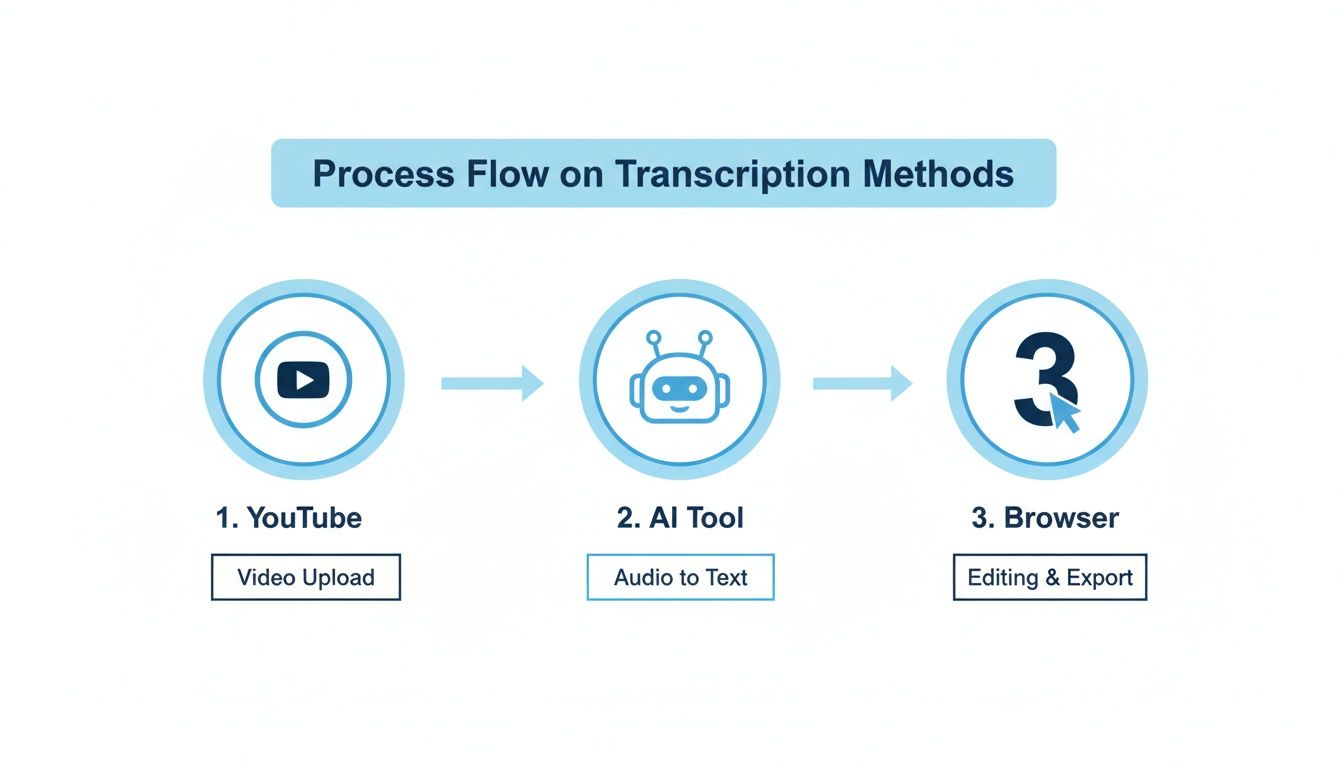
It really is that simple: grab the video, let a specialized AI do the heavy lifting, and then spend a few minutes polishing the final text.
Step 1: Grab the YouTube Video Link
Everything kicks off with the YouTube video's URL. I just copy it straight from my browser's address bar. The best part about modern transcription services is that you don't have to mess around with downloading videos or using third-party converter sites. The tool handles everything.
With the link copied, I pop over to my transcription tool of choice. The user interface is almost always dead simple—just a field waiting for you to paste in the link.
From there, the tool takes over. It automatically pulls the audio from the video in the background and feeds it to its AI models. The turnaround time depends on the video's length, of course. But for a standard 10 or 15-minute video, I usually get the complete transcript back in just a couple of minutes. It's incredibly fast.
Step 2: Clean and Polish the AI-Generated Text
Let's be real: no AI is perfect. The next step is always a quick human review, and this is where you can add a ton of value without a ton of effort. A great AI tool gets you 95% of the way there, often with timestamps and even speaker labels. Your job is just to close that last 5% gap.
Here's my personal checklist for the cleanup phase:
- Check Speaker Labels: The AI does its best, but I always double-check that it correctly identified everyone. For an interview, this means changing "Speaker 1" and "Speaker 2" to the host's and guest's actual names.
- Correct Niche Terms: Industry jargon, unique brand names, and creative spellings can sometimes trip up the AI. I do a quick scan to catch and correct any of these specialized words.
- Zap Filler Words: This is my favorite part. A quick find-and-replace for words like "um," "uh," and "like" instantly makes the transcript more readable and professional.
My pro tip: Do two separate find-and-replace passes for filler words. First, I search for " um " (with spaces on both sides) to catch it mid-sentence. Then, I search for "Um " (capitalized, with a space after) to catch it at the start of a new line or sentence.
Taking just 10 minutes to polish the text is what turns a raw AI output into a genuinely useful asset. This skill of turning a raw YouTube video into polished text is essential for anyone creating content today.
Step 3: Export the Transcript in the Right Format
The final piece of the puzzle is exporting your shiny new transcript. Any good platform will give you several options, and I use different formats for different tasks.
- .SRT File: If I'm creating closed captions to upload back to YouTube or another video platform, .SRT is the gold standard. It contains the precise timestamps needed to sync the text perfectly with the video.
- Google Doc: When I'm working with my team to repurpose a transcript into a blog post, exporting directly to a Google Doc is a lifesaver. It makes collaboration seamless, allowing everyone to jump in with comments and edits.
- .TXT or Markdown: For my own personal notes, or if I'm just pasting the text into another app like Notion or a project management tool, a simple .TXT or Markdown file is perfect. It's clean, lightweight, and works everywhere.
Once you build this simple process into your routine, generating a high-quality transcript stops being a chore and becomes a powerful part of your content creation engine.
Advanced Tips for a Perfect Transcript
So you've got your raw transcript. Great. But let's be honest, that's just the starting line. The real magic happens when you apply a few tweaks that pros use to turn a clunky text file into a genuinely useful asset.
A solid youtube transcript generator does the heavy lifting, but these final touches are what separate a good-enough transcript from a great one—and save you a ton of time down the road.
Give the AI a Cheat Sheet with Custom Vocabulary
Every AI transcription tool has an Achilles' heel: jargon. It chokes on unique product names, company acronyms, or even the slightly unusual spelling of a guest's name. The AI does its best, but its best guess often leaves you with a mess to clean up.
This is where you need to get ahead of the problem. Top-tier transcription platforms have a custom vocabulary feature, and it’s a total game-changer. Before you even upload your video, you can feed the AI a list of tricky words. Think of terms like "MarTech," "omnichannel," or your CEO's name, "Siobhan."
By teaching the AI your specific language before it starts, you sidestep hours of tedious find-and-replace editing. The first draft you get back is cleaner, more accurate, and much closer to the finished article. It’s a five-minute job that pays for itself ten times over.
Nail Down Your Timestamps and Speaker Labels
A transcript without timestamps and clear speaker labels is just a wall of text. It’s a pain to navigate and nearly impossible to use efficiently. Accurate timing and speaker IDs are the scaffolding that makes your content repurposing efforts possible.
Here's how it plays out in my real-world workflow:
- Clip Creation: Need to pull a 30-second soundbite for an Instagram Reel? With timestamps, I'm not guessing and scrubbing through the video timeline. I just find the quote and know exactly where the clip starts and ends.
- Quote Pulling: When I'm writing a blog post or show notes, I can jump directly to the key moments to grab quotes, all without having to re-watch a 45-minute video.
- Readability: For interviews, nothing is more frustrating than a transcript that doesn't say who is talking. Clearly marked speakers ("Host:" and "Dr. Evans:") make the conversation a breeze to follow for anyone reading along.
A transcript without timestamps is an encyclopedia without a table of contents. All the information is technically there, but good luck finding what you actually need.
Untangle Your Multilingual Content
What happens when your guest starts a sentence in English and finishes it in French? For most basic transcription tools, that’s where the wheels fall off, and you end up with gibberish. This is an incredibly common scenario for international teams, podcasters, and educators.
This is a problem that professional-grade services have already solved. The best tools are designed to detect and transcribe multiple languages within the same audio file. Before you process a multilingual video, it’s worth double-checking that your service can handle it. This single feature can prevent a massive editing headache and ensure every word is captured accurately, no matter the language.
Don't Gamble with Privacy and Security
Let’s end with the most important point. What are you transcribing? If it's a confidential client call, an internal strategy meeting, or a discussion about an unreleased product, security isn't just a feature—it's a requirement.
Using a random free browser extension or a sketchy online tool is like shouting your company secrets in a crowded room. You have no idea where that data is going or who has access to it.
Always, always choose a trusted youtube transcript generator with a transparent privacy policy. Look for a service that takes data protection seriously, preferably one that doesn't store your files long-term. For any professional workflow, this is simply non-negotiable.
Turn Your Transcript into More Content
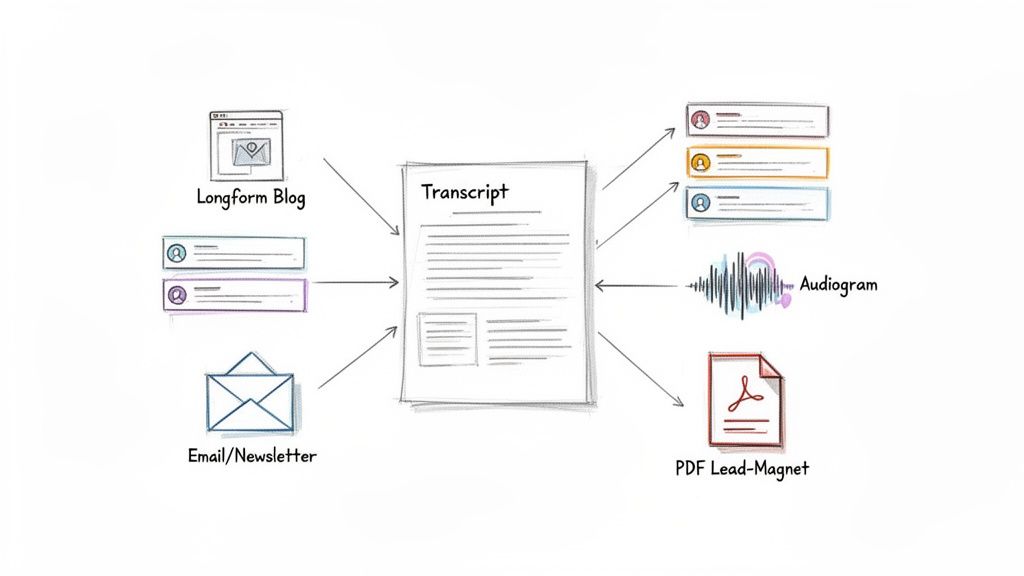
Getting a clean transcript from a YouTube transcript generator isn't the end of the road. In fact, it's just the beginning. Think of that transcript as the raw material for a content engine, ready to be spun into dozens of assets that can reach entirely new audiences.
This is the secret of smart creators and efficient marketing teams. They don't just create content; they multiply it. By repurposing, you squeeze every drop of value out of the effort you put into that original video.
A Marketer's Workflow: From Video to Full-Fledged Campaign
Let's say you just published a 20-minute video breaking down a new industry trend. With that transcript, you're not just holding a text file—you're holding the blueprint for an entire marketing campaign.
Here’s a practical workflow I've used that turns a single video into a massive win:
- The Foundational Blog Post: Your transcript is essentially a first draft. Clean it up, add some H2 and H3 headings to structure the ideas, and pop in a few relevant images. You’ve just built a comprehensive, SEO-friendly article in a fraction of the time it would take to write from scratch.
- A Week's Worth of Social Posts: Scan the text for punchy quotes, surprising stats, or a quick, actionable tip. Each one can become a standalone post for X or LinkedIn, all pointing back to the original video or the new blog post.
- Your Next Email Newsletter: Pull out the three most critical takeaways from the transcript. Frame it as an exclusive preview for your subscribers, and include a link to the full video for those who want to go deeper.
- A Simple Lead Magnet: Condense the video’s main points into a handy checklist or a one-page guide. Offer it as a free PDF download on your blog post in exchange for an email, effectively turning your video content into a lead-generation machine.
The Researcher's Secret Weapon
This approach isn't limited to marketers. If you're a student or researcher, a transcript of a long academic lecture is an incredible tool. Forget scrubbing through a two-hour video to find that one specific point.
With a text file, a simple Ctrl+F (or Cmd+F) is all you need. You can instantly find key definitions, pull direct quotes for a paper, and review complex arguments without having to rewatch hours of footage. It transforms passive viewing into active, efficient research.
A transcript transforms your video from a linear story into a searchable database. You give your audience the power to find exactly what they need, when they need it.
To really get the most out of this, you should explore a variety of content repurposing strategies to see what fits your audience best.
Podcasters can get in on this action, too. Episode transcripts can be polished into detailed show notes, complete with timestamps for listeners who want to jump to a specific segment. You can even lift short, powerful audio clips and pair them with animated captions to create shareable audiograms for social media. For more ideas on expanding your reach, check out our guide on content repurposing strategies.
No matter how you slice it, the ROI from one high-quality transcript is huge.
Your YouTube Transcription Questions, Answered
Once you start exploring transcript generators, a few key questions almost always come up. From my experience helping creators and teams get started, these are the hurdles people most often need help clearing. Let's get them sorted out.
Can I Transcribe a YouTube Video That Isn't Mine?
Absolutely. This is actually one of the most powerful uses for these tools. Most dedicated transcription platforms don't require you to own the video; they just need a public URL. Simply paste the link to any public YouTube video, and the tool will get to work.
That said, you need to be smart about how you use the transcript. If it’s for personal research, studying a lecture, or just making content more accessible for yourself, you're in the clear. But if you're thinking about republishing or repurposing that text, you’ve got to tread carefully and respect the original creator's rights and fair use policies.
Just How Accurate Are AI Transcripts in 2026?
The leap in AI accuracy over the last few years has been staggering. As of 2026, the best AI services can hit up to 99% accuracy. That's especially true for videos with clean audio and a single, clear speaker. This level of precision rivals what you’d get from a human transcriptionist but is delivered in a fraction of the time and for a much lower cost.
Of course, the golden rule still applies: garbage in, garbage out. The single biggest factor influencing accuracy is the audio quality of the source video.
Even with a top-tier youtube transcript generator doing the heavy lifting, I always recommend a quick human proofread. It’s the best way to catch industry jargon, fix proper nouns, or correct speaker names to get that final text 100% perfect.
What's the Best Way to Handle Multiple Speakers?
Tackling a video with multiple speakers—like an interview, a podcast, or a panel discussion—can turn a transcript into a confusing mess without the right feature.
What you're looking for is a service that offers "speaker diarization" or "speaker detection." This is a game-changer. The AI automatically detects when the speaker changes and labels each one (e.g., Speaker 1, Speaker 2). From there, all you have to do is a quick find-and-replace to swap those generic labels with the actual names. It makes the final document infinitely more readable and professional.
Ready to turn your videos into valuable text assets? Whisper AI offers a fast, accurate, and secure YouTube transcript generator that handles everything from speaker detection to multilingual content. Paste a link and get a polished transcript in minutes. Try Whisper AI for free today.


























































































