
The 12 Best AI Tools for Content Creators in 2026
Staying on top of your content creation workflow is a constant battle. From brainstorming and scripting to editing and repurposing, the process demands significant time and energy. This is precisely where artificial intelligence can fundamentally change your approach, automating tedious tasks and unlocking new creative possibilities. This guide is built to help you find the best AI tools for content creators by providing a detailed, experience-based look at the most effective platforms available today.
We've moved beyond surface-level descriptions to give you practical, in-depth analysis. Instead of just listing features, we'll show you how to actually use these tools. You'll find specific workflow examples, honest pros and cons, and clear pricing information for each platform. Whether you're a YouTuber needing accurate transcriptions, a podcaster looking to generate audiograms, or a social media manager trying to repurpose a single video into a dozen engaging clips, you will find a solution here.
This resource is structured to be your go-to reference. We've categorized tools for different creative needs, including:
- Transcription & Summarization: Featuring an in-depth look at Whisper AI.
- Generative Writing & AI Assistants: For scripting, brainstorming, and research.
- Video & Audio Editing: Platforms that automate complex editing tasks.
- Social Media & Repurposing: Tools that turn long-form content into short, viral clips.
Each entry includes screenshots and direct links to help you evaluate the options quickly. Our goal is to cut through the noise and provide clear, actionable insights so you can choose the right AI tools to improve your efficiency and elevate your content. While this article focuses specifically on AI-powered solutions, a broader perspective on your overall toolkit is also valuable. For a comprehensive look at the broader landscape of tools available to creators, check out this guide on the best tools for content creators to see how they fit into a complete production system. Let's dive in.
1. Whisper AI
Whisper AI solidifies its position as one of the best AI tools for content creators by offering a robust, end-to-end solution for turning any audio or video content into actionable text. It moves beyond simple transcription, integrating intelligent summarization and analysis that directly addresses the core workflow of creators who need to repurpose, analyze, or archive spoken content. This platform is built for speed and efficiency, allowing users to ingest files from virtually any source, including direct links to social media videos, and receive a complete package of transcripts, speaker labels, summaries, and key takeaways.
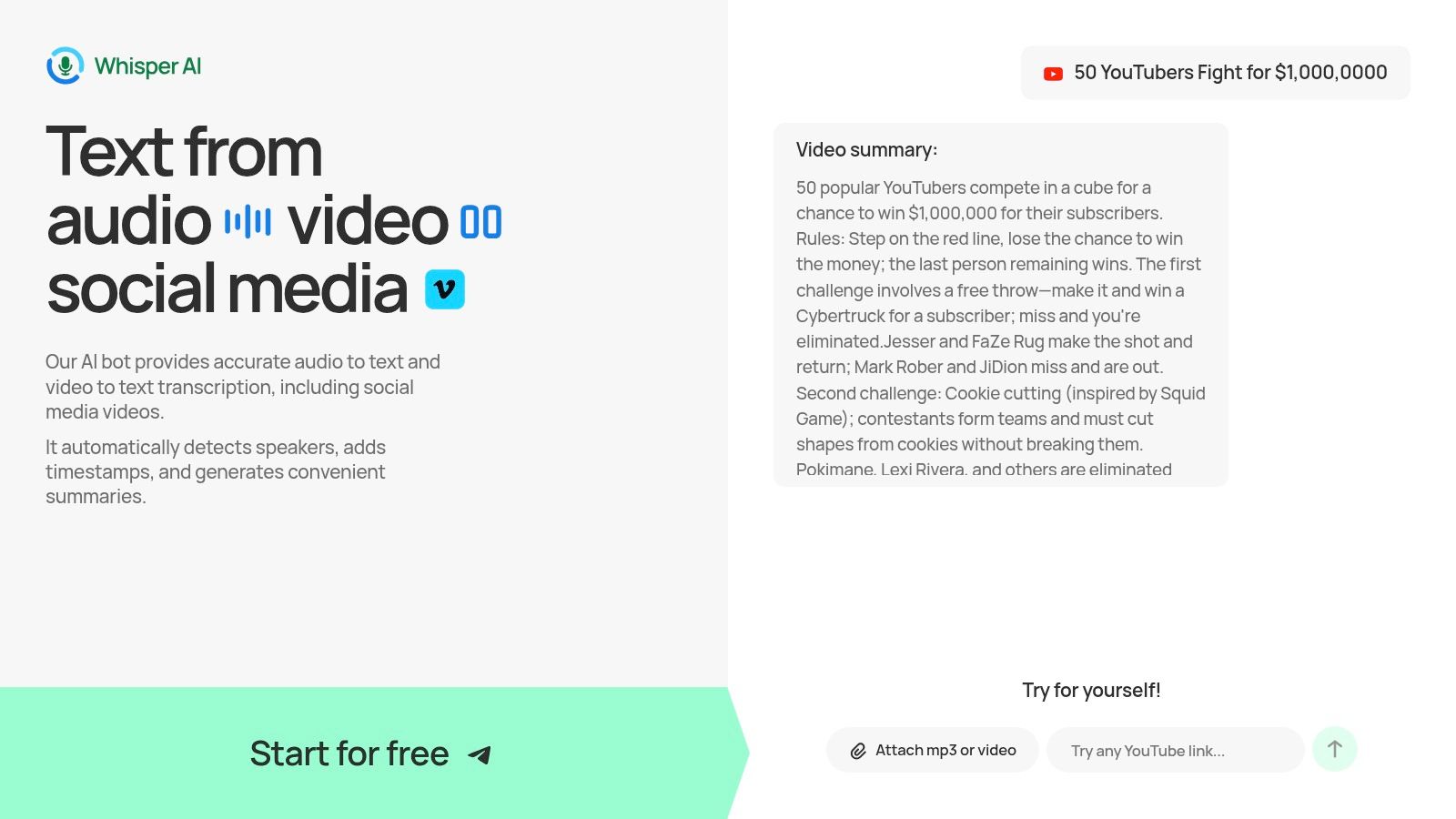
The service’s strength lies in its comprehensive output. Instead of just a wall of text, creators get a structured document complete with timestamps, automatic speaker detection, and concise bullet-point highlights. This makes it incredibly practical for podcasters creating show notes, YouTubers writing video descriptions and blog posts, or marketing teams extracting key quotes from customer interviews. The platform's ability to support over 92 languages also makes it a powerful asset for global content teams.
A standout feature is the interactive Q&A function. After receiving the initial summary, you can ask follow-up questions to probe deeper into the content, generate specific action items, or refine insights without having to re-read the entire transcript.
Key Features & Use Cases
- Multi-Format Ingestion: Upload audio/video files directly or simply paste links from platforms like YouTube or Twitter. This eliminates extra steps in your content repurposing workflow.
- Intelligent Summarization: Automatically generates concise summaries, bullet-point highlights, and potential action items from your content.
- Interactive Q&A: Ask questions about your transcript to quickly find specific information or generate new content angles. For example, after transcribing an hour-long interview, you can ask, "What were the main three points about Q4 strategy?"
- Speaker Identification & Timestamps: Transcripts are automatically labeled with different speakers and timestamps, which is essential for editing podcasts, creating video subtitles, or referencing specific moments.
- Broad Export Options: Easily export your finished transcript and summary to Google Docs, Word, PDF, TXT, or Markdown for immediate use in other applications.
Pricing
Whisper AI offers a free trial to get started. However, specific details about pricing tiers and usage limits are not clearly displayed on the main site, so you may need to sign up or contact their sales team for a full breakdown of costs for higher-volume needs.
Pros & Cons
Website: https://whisperbot.ai
2. Descript
Descript offers a fundamentally different approach to audio and video editing, making it one of the best AI tools for content creators who are more comfortable with words than timelines. Instead of manipulating complex visual tracks, you edit your media by simply editing a text transcript. Deleting a sentence from the transcript automatically cuts the corresponding audio and video, a workflow that dramatically speeds up post-production for podcasters and YouTubers. This text-based method removes a significant barrier for those intimidated by traditional video editing software.
The platform is an all-in-one production house. You can record remote interviews, automatically transcribe them, clean up background noise with the Studio Sound feature, and even remove filler words like "um" and "uh" with a single click. For corrections, its Overdub feature lets you create a clone of your voice to generate new words or fix misspoken phrases without re-recording. This consolidation of tools is its main strength, replacing separate applications for recording, transcription, and editing.
Pricing & Key Features
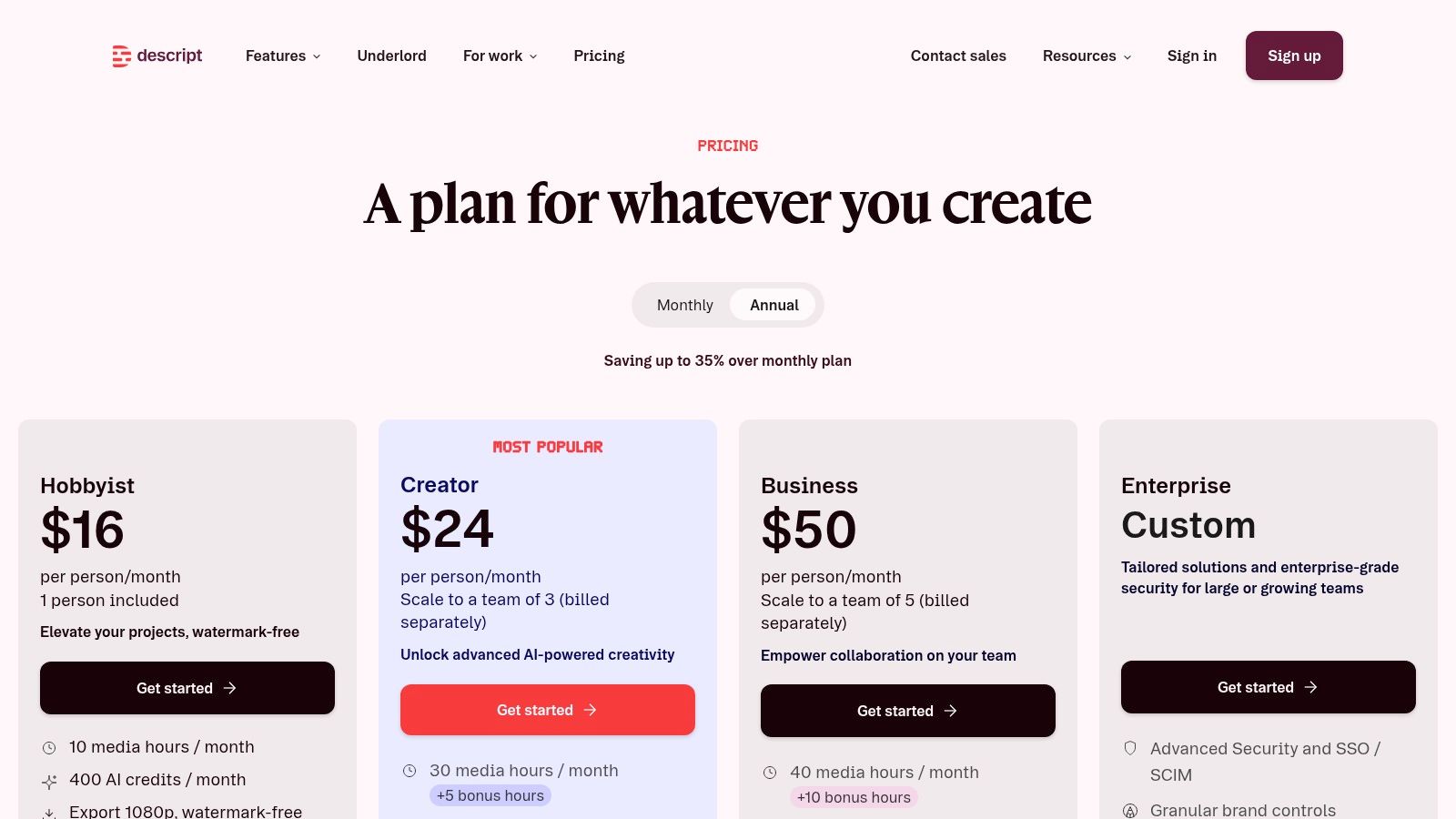
Descript provides a tiered pricing model, including a free plan that’s great for trying out the core features.
- Free Plan: Includes 1 hour of transcription and limited access to Studio Sound and filler word removal.
- Creator Plan ($12/month): Offers 10 hours of transcription and full access to AI features.
- Pro Plan ($24/month): Provides 30 hours of transcription and advanced features like unlimited Overdub.
The main downside is that AI features, especially Overdub and filler word removal, consume monthly credits on paid plans. Projects with heavy effects can also become sluggish on computers with less processing power. Even so, for creators focused on narrative content, the efficiency gains are immense.
Website: https://www.descript.com/pricing
3. Runway
Runway stands out as a web-based creative suite for creators focused on generative video and rapid visual experimentation. It allows you to produce video clips from simple text prompts, making it one of the best AI tools for content creators needing unique B-roll, social media content, or conceptual animations without complex software. The platform’s strength is its accessible interface, which combines powerful generative models with a timeline editor, letting you iterate on ideas quickly. This is ideal for short-form content where speed and visual novelty are key.
Beyond simple text-to-video with its Gen-2 model, Runway offers an entire production toolkit. You can use its Motion Brush to add animation to specific parts of a still image or use its image-to-video function to bring existing visuals to life. The built-in editor also includes practical tools like background removal and masking, which are helpful for compositing different AI-generated elements. The active model updates and a growing library of templates support continuous experimentation, which is perfect for creators looking to push visual boundaries.
Pricing & Key Features
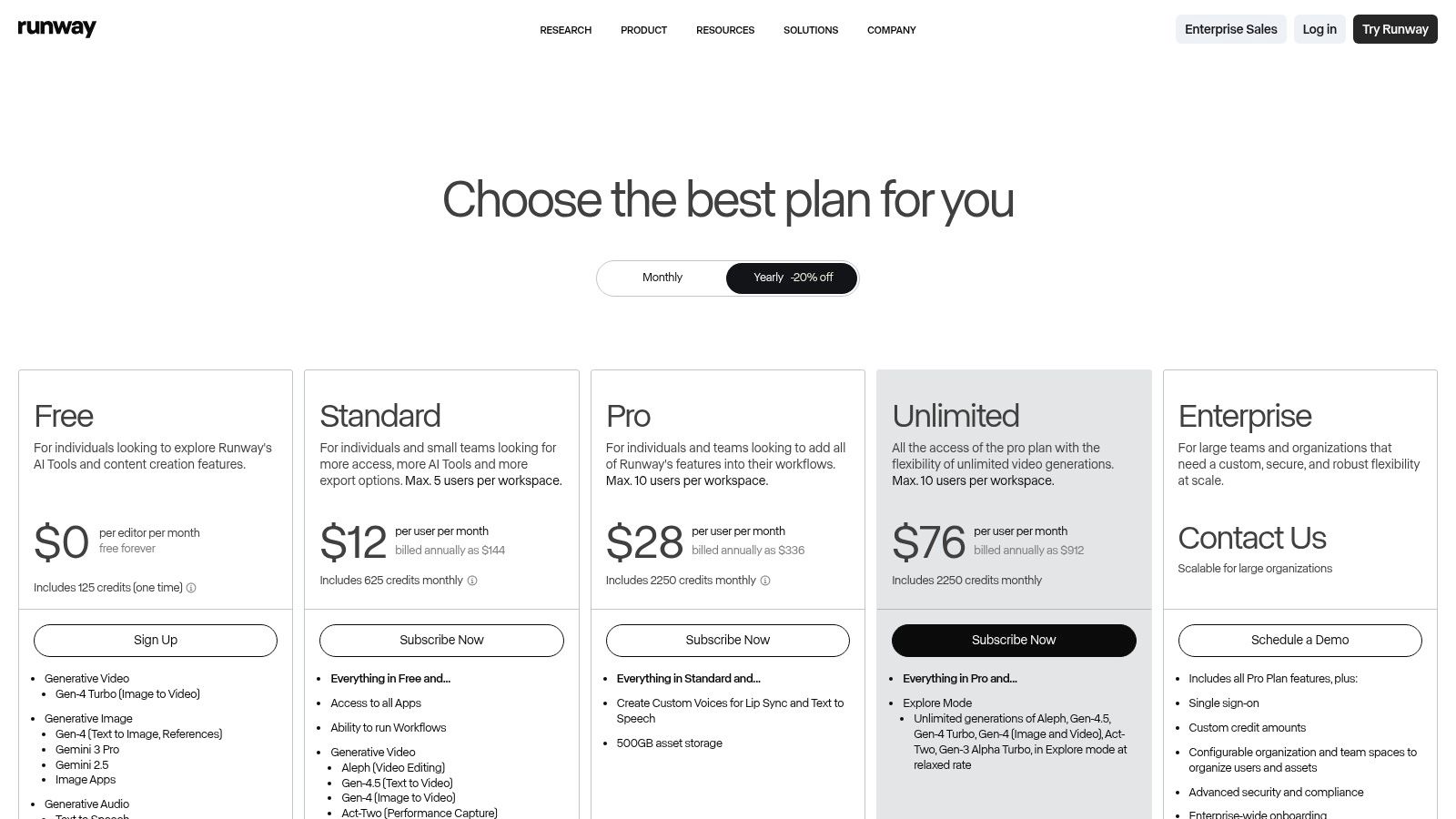
Runway operates on a credit-based system within its tiered plans, where generating content consumes credits.
- Free Plan: Includes 125 credits to start, with limited access to Gen-2 video generation and other AI tools.
- Standard Plan ($12/user/month): Provides 625 credits per month and unlocks more export options and the ability to upscale resolution.
- Pro Plan ($28/user/month): Offers 2250 credits and provides access to the full suite of features and faster processing times.
The main challenge is managing the credit system, as generating multiple video variations can burn through your monthly allotment quickly, especially for longer clips. Additionally, the final output quality can vary based on prompt complexity and the current state of the model. Despite this, for creators who need to produce experimental visuals or short social clips at a fast pace, Runway is an indispensable tool.
Website: https://runwayml.com/pricing
4. Adobe Firefly
Adobe Firefly brings generative AI directly into the established Adobe Creative Cloud ecosystem, making it a powerful choice for creators already invested in professional applications like Photoshop, Illustrator, and Premiere Pro. Instead of exporting assets from standalone AI tools, you can use features like Generative Fill in Photoshop to expand images or remove objects seamlessly within your existing workflow. This deep integration is Firefly’s main advantage, creating a fluid and efficient production process without leaving the Adobe environment.
The platform is designed with commercial use and brand safety in mind. Firefly is trained on Adobe Stock’s licensed library and public domain content, which means the assets you generate are designed to be commercially safe. Beyond its web app for image generation, its AI extends to vector recoloring in Illustrator and generating text effects. For teams and professional creators, this focus on production-ready, brand-safe assets is a significant reason to consider it among the best AI tools for content creators.
Pricing & Key Features
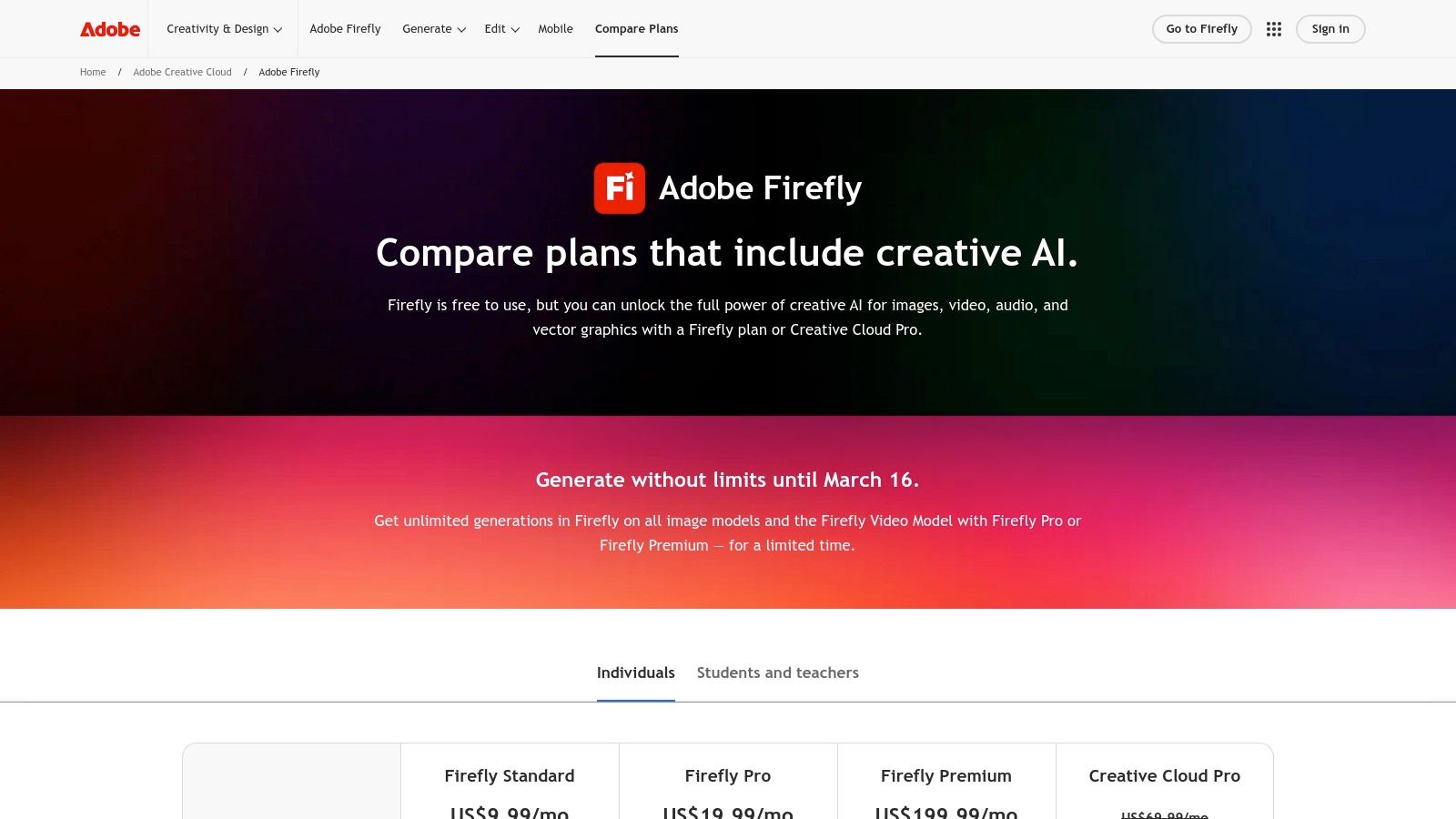
Adobe integrates Firefly into its Creative Cloud plans using a "Generative Credits" system. A free plan is available for basic access.
- Free Plan: Includes 25 generative credits per month for standard-resolution image generation.
- Premium Plan ($4.99/month): Provides 100 credits per month, no watermarks, and access to Adobe Fonts.
- Creative Cloud Plans (starting at $19.99/month): Include a higher monthly credit allocation (e.g., 500 for Photoshop) for use across the integrated apps.
The main drawback is the credit system, which can be confusing and may feel limiting for heavy users. The tool provides its greatest value to those already subscribed to Creative Cloud. Despite this, its tight integration and focus on commercially safe output offer a level of workflow convenience and security that third-party tools cannot match.
Website: https://www.adobe.com/products/firefly/plans.html
5. Canva (Magic Studio)
Canva has become a go-to platform for quick and easy graphic design, and with the integration of its Magic Studio suite, it's now one of the best AI tools for content creators who need to produce a high volume of visual assets. It bundles generative AI for text, images, and design layouts directly into its user-friendly, drag-and-drop editor. This makes it ideal for producing social media graphics, YouTube thumbnails, and simple videos without a steep learning curve. The AI can instantly generate entire design templates based on a text prompt, saving immense time.
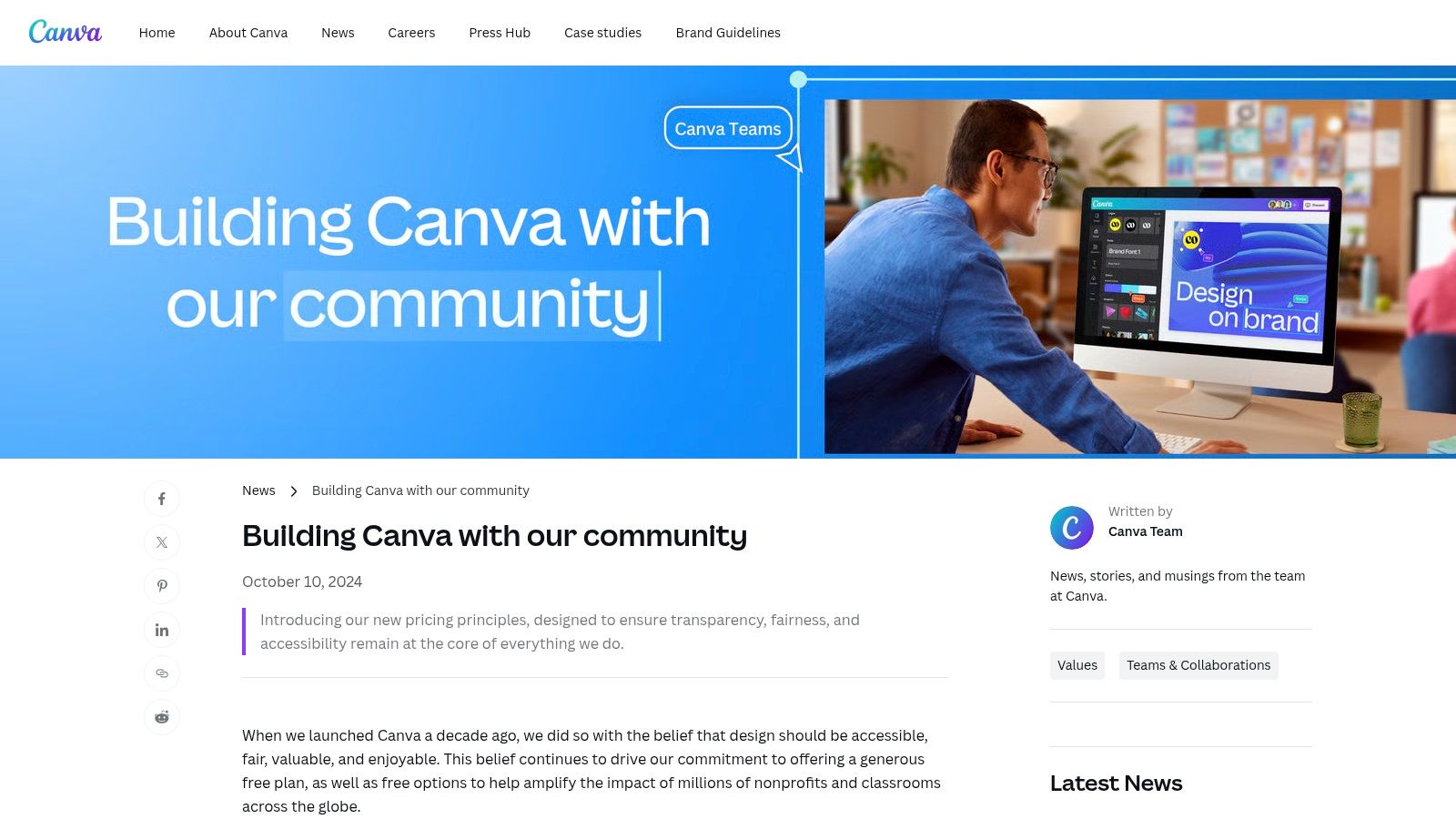
The platform’s strength lies in its template-driven workflow combined with AI. You can use Magic Write to draft social media captions or video scripts and then have Magic Design create corresponding visuals in seconds. For teams, Canva offers brand kits to maintain consistency, while real-time collaboration allows multiple users to work on a design at once. These features are particularly useful for social media managers who need to produce consistent, on-brand content quickly, which is a key factor in learning how to increase social media engagement.
Pricing & Key Features
Canva offers a robust free tier, but most of the powerful Magic Studio features are part of the paid plans.
- Canva Free: Includes limited access to AI tools (e.g., 50 lifetime Magic Write uses).
- Canva Pro ($14.99/month for one person): Provides significantly more AI credits, a massive stock library, Brand Kits, and premium templates.
- Canva for Teams ($29.99/month for first 5 people): Adds collaboration features, brand controls, and shared workspaces.
The primary advantage is speed and accessibility for non-designers. However, for complex video editing or advanced graphic manipulation, you will still need dedicated professional software. The pricing for teams and access to certain AI features can also vary by plan, so it's important to check the details before committing.
Website: https://www.canva.com/newsroom/news/pricing-promise/
6. Kapwing
Kapwing serves as a powerful, browser-based video editor designed for speed and accessibility, making it one of the best AI tools for content creators who need to quickly repurpose content for social media. Its entire workflow is built around creating platform-specific videos without requiring powerful hardware or software installation. This is a major advantage for creators using Chromebooks, older machines, or those who simply want to avoid the complexity of traditional desktop editors like Premiere Pro or Final Cut Pro.
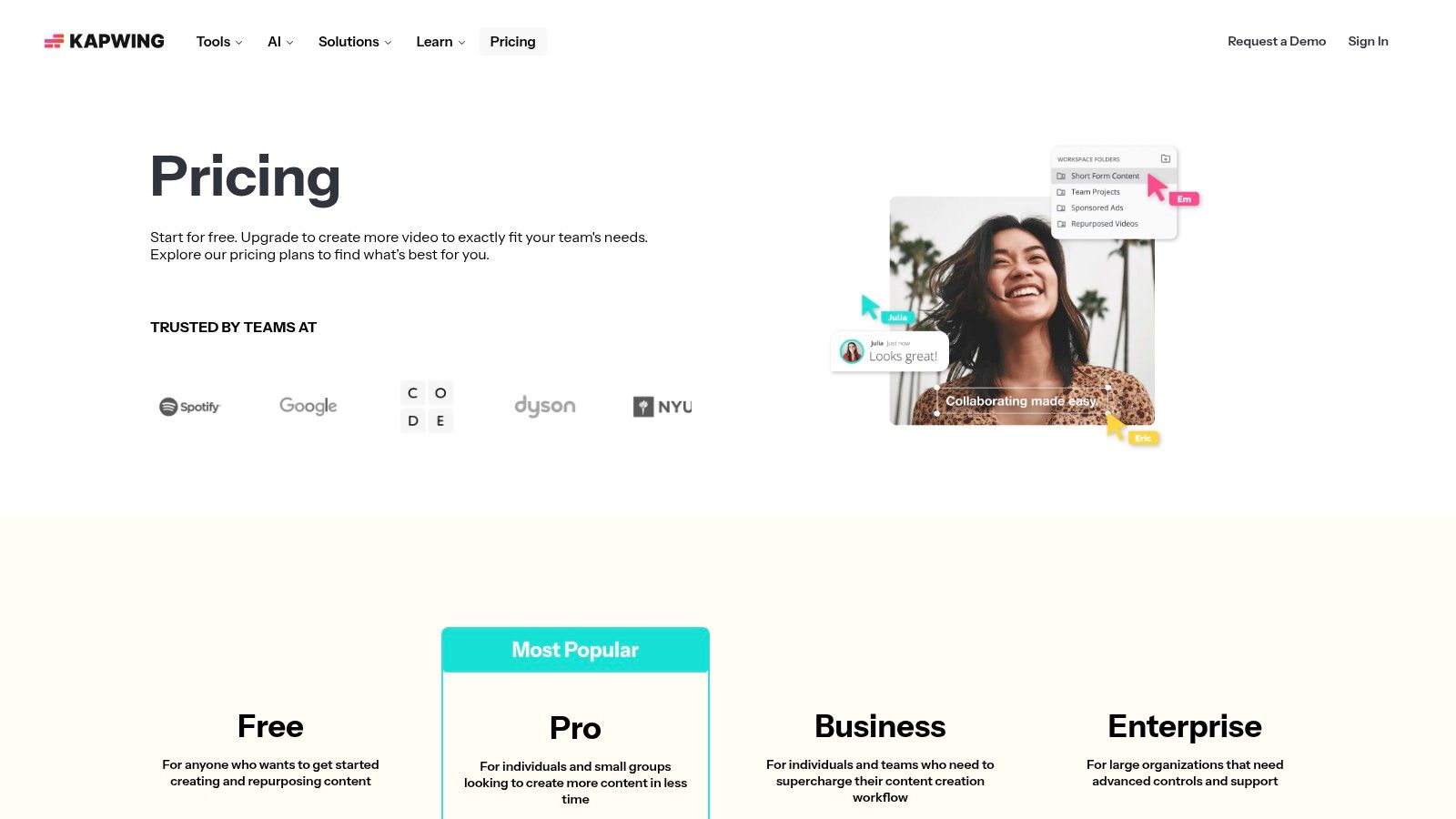
The platform excels at social video workflows. You can upload a long-form video and use Smart Cut to automatically remove silences, then apply the Resize tool with presets for TikTok, Reels, and Shorts. Its AI-powered auto-subtitling feature generates accurate captions that can be styled and animated, which is critical for engagement on mobile platforms. Because all projects are cloud-based, collaboration is simple, allowing team members to jump into a project and make edits from anywhere.
Pricing & Key Features
Kapwing offers a straightforward pricing structure with a functional free tier for testing its core capabilities.
- Free Plan: Includes exports up to 4 minutes long with a watermark and 10 minutes of auto-subtitling per month.
- Pro Plan ($16/month): Removes watermarks, extends export length to 2 hours, offers 300 minutes of subtitling, and unlocks features like Smart Cut and Brand Kits.
- Business Plan ($50/month per user): Adds collaborative tools, increased storage, and consolidated billing for teams.
The main drawback is that essential AI features and watermark-free exports are locked behind the Pro plan. While perfect for quick social clips and subtitling, it isn't a replacement for a full-fledged editor for complex, long-form projects. However, for social media managers and creators focused on short-form video, Kapwing provides an extremely efficient and user-friendly solution.
Website: https://www.kapwing.com/pricing
7. Jasper
Jasper is a powerful AI writing assistant designed for creators and marketing teams who need to produce high-quality, on-brand content at scale. It moves beyond simple text generation by learning a specific brand voice, tone, and style. This makes it one of the best AI tools for content creators focused on maintaining consistency across blogs, video scripts, ad copy, and social media captions, ensuring every piece of content sounds like it came from the same source.
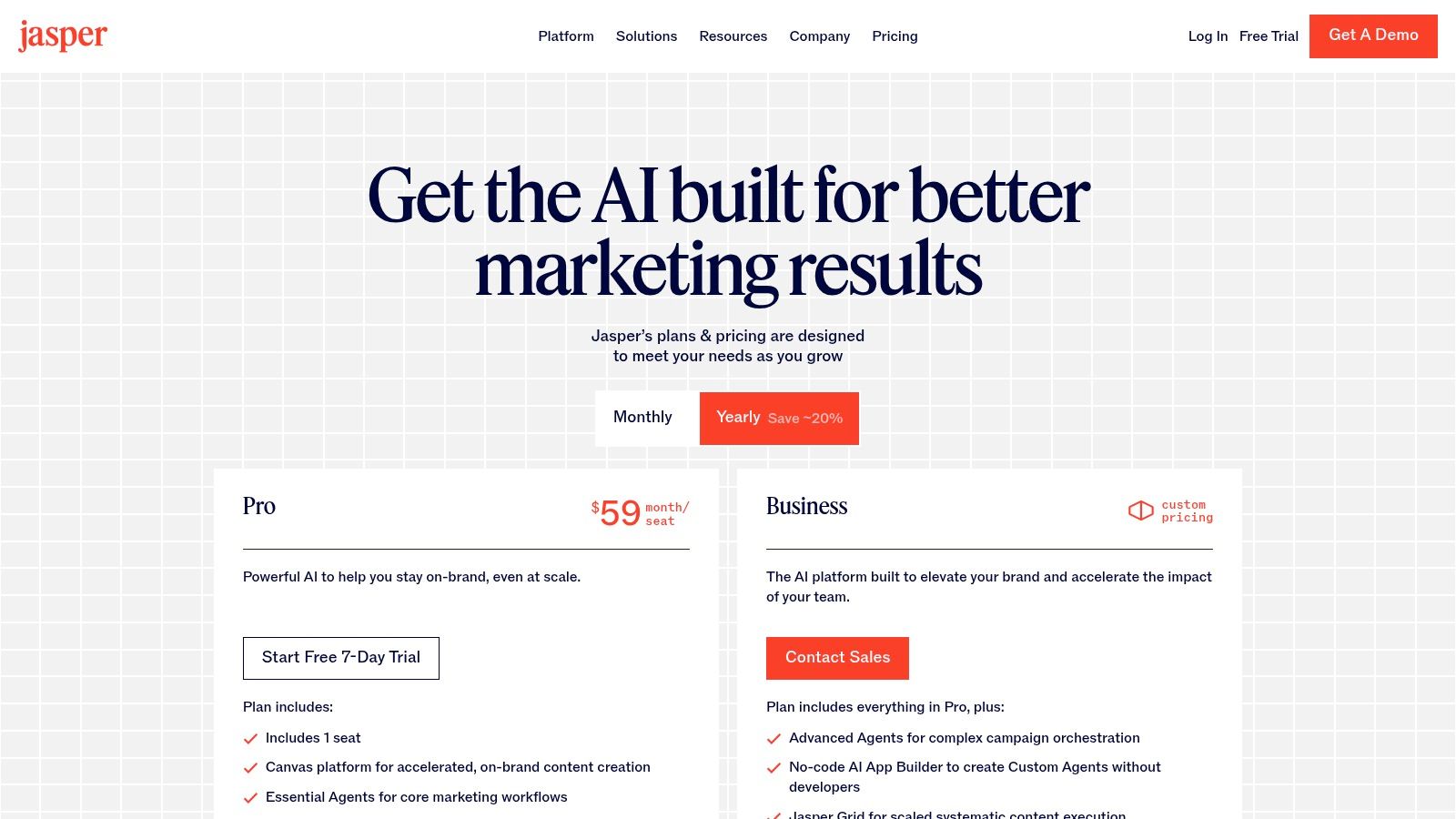
The platform’s strength lies in its "Knowledge Base" and collaborative features. You can feed it style guides, product catalogs, and company information, which the AI then uses to inform its writing. For teams, this centralized hub offers project tracking and approval workflows, replacing scattered documents and emails. With a wide range of templates for specific formats like YouTube video descriptions, ad headlines, and email newsletters, Jasper provides a structured starting point for nearly any content task. This approach is key to developing solid content creation best practices within a team.
Pricing & Key Features
Jasper’s pricing is geared towards individuals and teams, with plans scaling based on user count and feature access.
- Creator Plan ($39/month): Designed for individual creators, it provides access to the brand voice and knowledge base for one user.
- Pro Plan ($59/month): Unlocks collaboration for up to 5 users and adds more advanced features like asset creation.
- Business Plan (Custom Pricing): Offers advanced security, analytics, and dedicated support for larger marketing organizations.
The main limitation is that Jasper can be more than what a solo creator needs, and its outputs still require a human touch for fact-checking and refining nuance. However, for teams aiming to produce consistent marketing and brand content across multiple channels, its governance and brand voice features provide significant value.
Website: https://www.jasper.ai/pricing
8. Notion with Notion AI
Notion evolves beyond a simple note-taking app by integrating AI directly into its versatile workspace, positioning it as a central nervous system for content operations. It combines documents, wikis, and databases, allowing creators to manage everything from initial research and scriptwriting to complex content calendars and asset tracking in one place. The AI assistant can summarize long research documents, brainstorm ideas, rewrite copy for different tones, or even generate action items from meeting notes, making it one of the best AI tools for content creators focused on organization and planning.
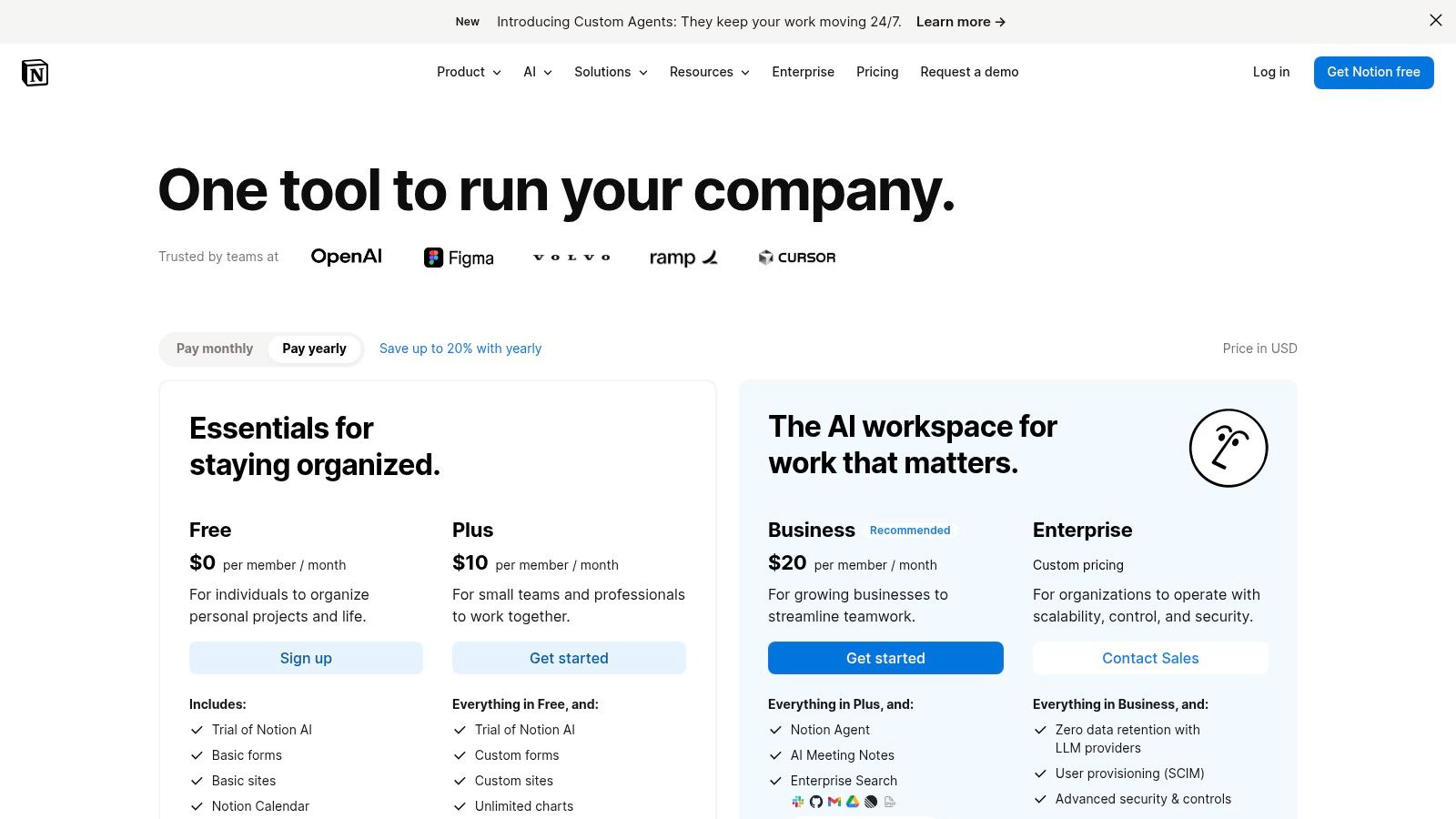
The platform's true power lies in its database functionality fused with AI. A creator can build an editorial calendar where the AI helps draft social media posts for each blog entry or a database of video ideas where the AI can expand a simple concept into a structured outline. This blend of structured data and generative AI turns Notion into a proactive content-creation hub rather than just a passive storage space. The ability to create custom page templates for repeatable workflows, like video scripts or podcast show notes, saves significant administrative time.
Pricing & Key Features
Notion offers several tiers, with AI features available as an add-on to any plan, including the free one.
- Free Plan: Build a personal workspace with unlimited blocks for individuals. AI is available as an add-on.
- Plus Plan ($8/user/month): Adds unlimited file uploads and a 30-day page history, ideal for small teams.
- Notion AI Add-on ($8/member/month): Provides access to Q&A, autofill, and writing assistance across the workspace.
The main drawback is that its flexibility can lead to a steep learning curve; complex setups require careful upfront planning. While excellent for ideation and organization, heavy video or audio production tasks must still be handled in specialized software.
Website: https://www.notion.com/pricing
9. Opus Clip
Opus Clip is purpose-built for one of the most tedious tasks in content creation: turning long-form videos into viral-ready vertical shorts. It ingests content from YouTube, Zoom, or direct uploads and uses AI to identify the most engaging segments, a process it rates with a "viral score." For podcasters, streamers, and YouTubers, this makes it one of the best AI tools for content creators looking to systematically repurpose their work for platforms like TikTok, Reels, and YouTube Shorts without spending hours manually finding and editing clips.
The platform automates the entire short-form creation workflow. It generates dynamic captions, adds relevant emojis, applies layouts that keep the speaker in focus, and can even insert b-roll to make the final video more visually interesting. Its core strength lies in its ability to process content in batches, creating a consistent look and feel across all shorts. This is a massive time-saver for anyone managing a content series or channel brand. The automatic transcription at the heart of its clipping feature is a key component, and for those interested in the underlying technology, you can explore more about video transcription AI.
Pricing & Key Features
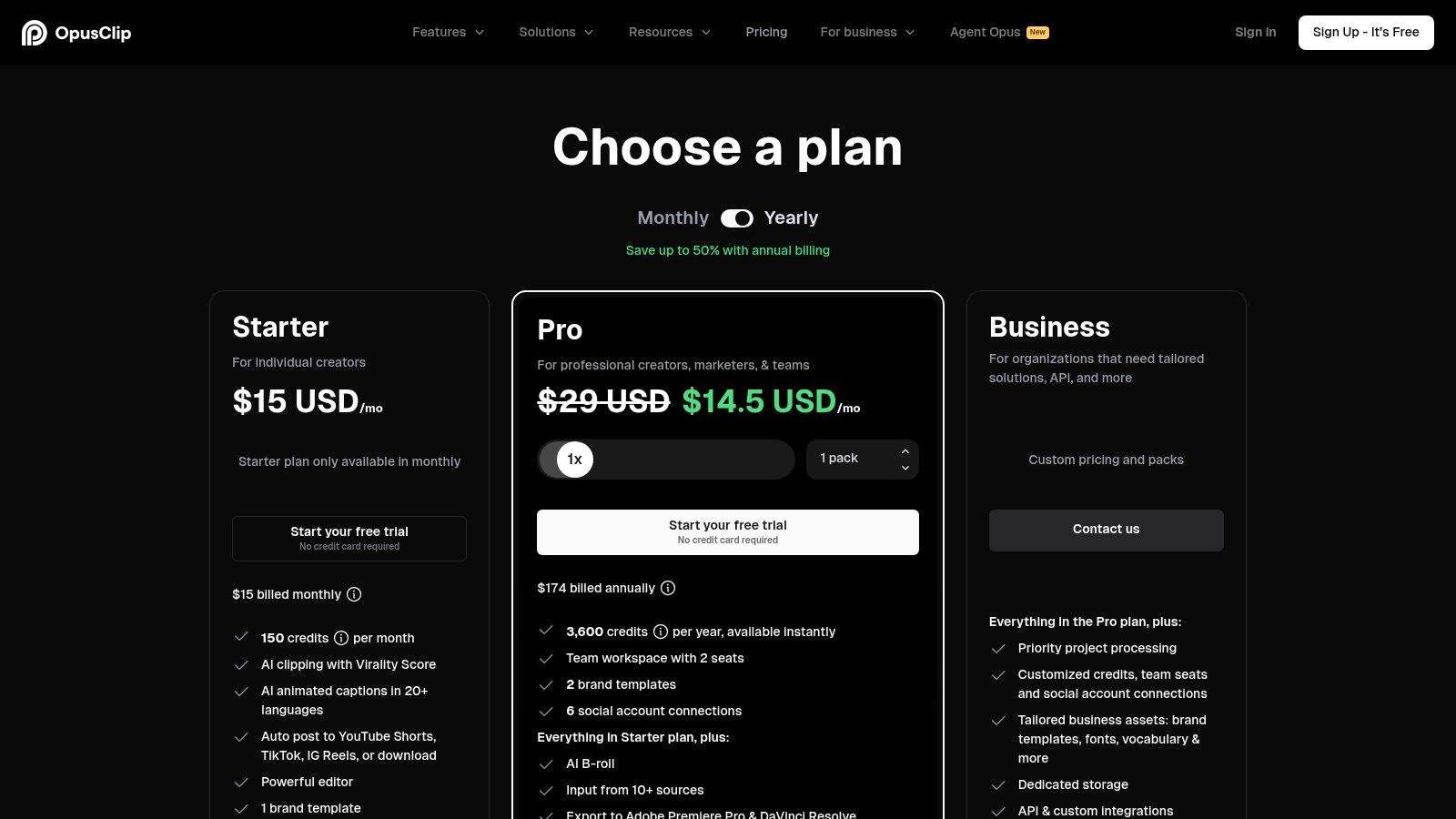
Opus Clip offers a free plan to test the service, with paid plans unlocking more processing credits and features.
- Free Plan: Provides 90 minutes of free processing credits per month.
- Starter Plan ($9/month): Includes 150 minutes of credits and removes the watermark.
- Pro Plan ($19/month): Offers 300 minutes of credits, social media scheduling, and multiple brand templates.
The main limitation is its focus on dialogue-driven content; it performs best with talking-head videos and may struggle to find compelling clips in non-dialogue footage like gaming montages or travel vlogs. However, for creators whose content is built around conversation, the efficiency it brings to a short-form strategy is significant.
Website: https://www.opus.pro/pricing
10. ElevenLabs
ElevenLabs sets the standard for high-quality, AI-generated audio, making it one of the best AI tools for content creators needing realistic text-to-speech and voice cloning. It excels at producing natural-sounding voices that can be used for YouTube narration, podcast intros, or even dubbing entire videos into different languages. The platform’s ability to capture emotional nuance and intonation sets its output far apart from robotic, monotone text-to-speech services, giving creators a powerful tool for audio production without needing a microphone.
Its core strengths are its Voice Cloning and Multilingual Speech Synthesis capabilities. You can create a digital replica of your own voice from just a few minutes of audio, allowing you to generate new content in your voice by simply typing text. For creators expanding their reach, the AI dubbing feature automatically translates and respeaks your content in another language while preserving the original voice's characteristics. This is a game-changer for reaching a global audience with minimal production overhead.
Pricing & Key Features
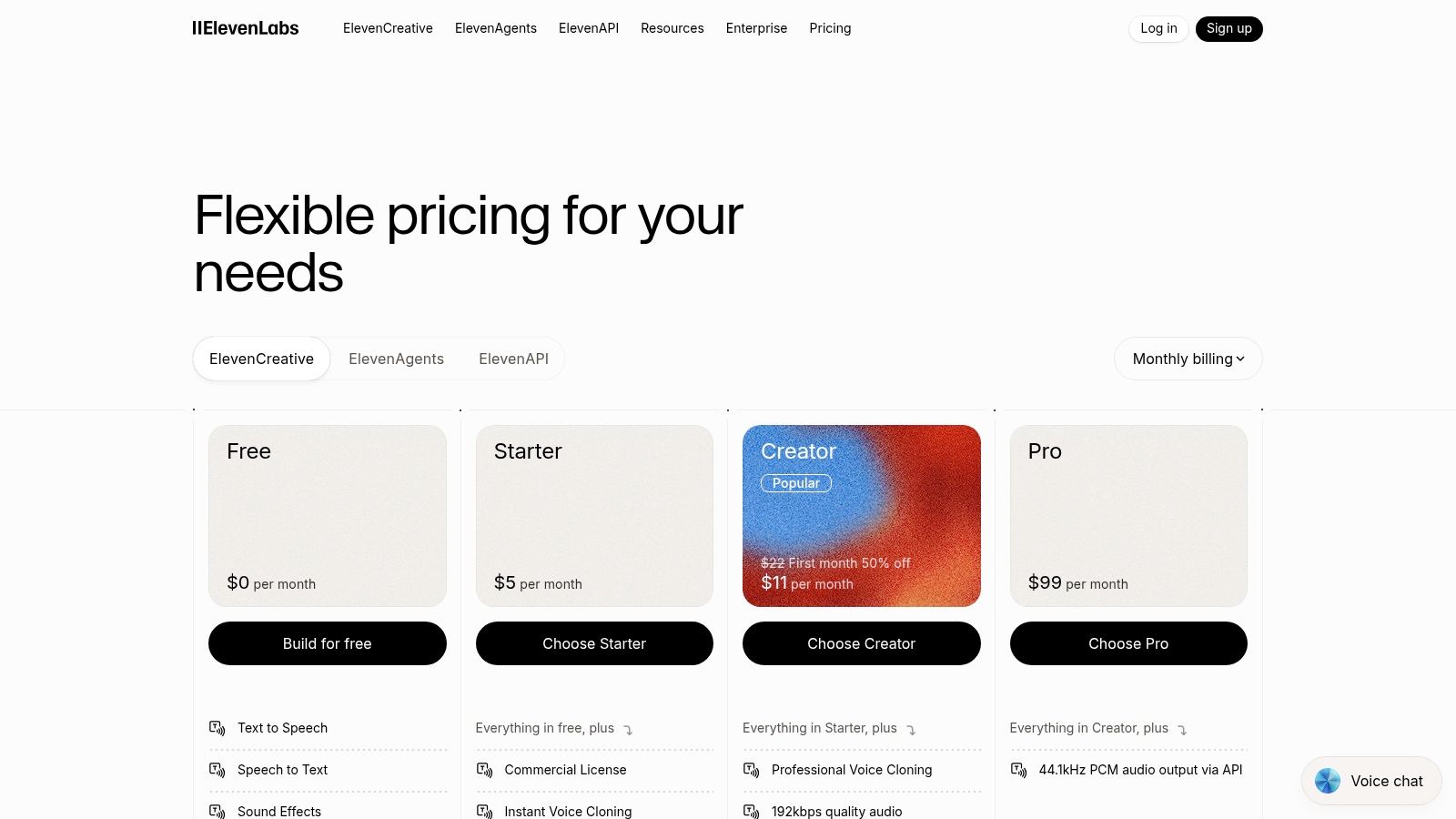
ElevenLabs uses a character-based credit system across its subscription tiers, which scales from casual use to enterprise-level integration.
- Free Plan: Provides 10,000 characters per month, allowing you to create up to three custom voices.
- Starter Plan ($5/month): Includes 30,000 characters and the ability to clone your voice from a one-minute sample.
- Creator Plan ($22/month): Offers 100,000 characters and access to professional voice cloning for higher-quality results.
The main limitation is the character-based system, which requires careful planning for long-form content like audiobooks or lengthy videos to avoid running out of credits. However, for creators who need premium voiceovers, automated dubbing, or a scalable API for custom applications, the audio quality provided by ElevenLabs is difficult to match.
Website: https://elevenlabs.io/pricing
11. Riverside
Riverside is purpose-built for podcasters and video creators who need pristine remote recordings without the usual technical headaches. Its core strength lies in its local recording technology, which captures up to 4K video and uncompressed 48 kHz WAV audio directly on each participant's computer. This method avoids the glitches and quality drops common with internet-based recordings, ensuring every track is clean and stable, regardless of connection issues. For creators conducting interviews, this reliability is a game-changer.
The platform integrates AI to streamline the journey from recording to distribution, making it one of the best AI tools for content creators focused on efficiency. After a session, you get an automatic transcription which you can use for text-based video editing. Its Magic Clips feature is a standout, automatically identifying engaging moments and generating vertical clips ready for social media. It also produces AI-powered show notes, saving hours of post-production summary work. The guest experience is seamless, requiring only a browser link with no software to install.
Pricing & Key Features
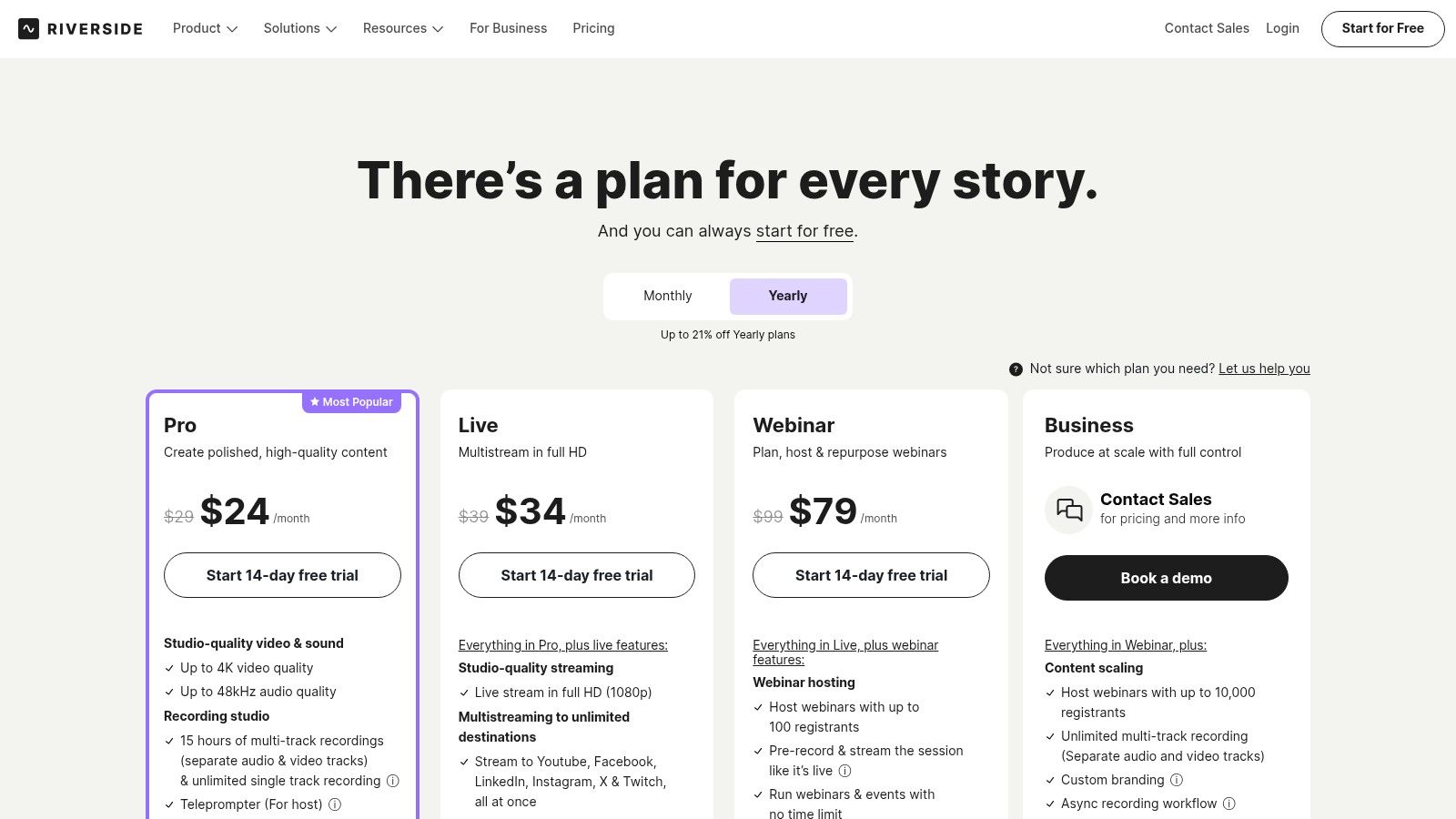
Riverside’s plans cater to different levels of production needs, with a free option to test its core recording functions.
- Free Plan: Offers up to 2 hours of separate track recording (with a watermark) and limited access to the text-based editor and AI Magic Clips.
- Standard Plan ($15/month): Provides 5 hours of recording per month, removes watermarks, and offers unlimited AI transcriptions.
- Pro Plan ($24/month): Includes 15 hours of recording per month, live streaming capabilities, and accepts live call-ins.
The primary limitation is that its editor, while great for basic cuts and clip creation, doesn't replace a traditional non-linear editor (NLE) for complex post-production. However, for podcasters and interviewers wanting to capture high-quality content and quickly repurpose it for social channels, Riverside offers an end-to-end solution that's hard to beat.
Website: https://riverside.com/pricing
12. VEED
VEED is a browser-based video editor that puts speed and accessibility first, making it one of the best AI tools for content creators focused on social media. Its core strength lies in its AI-powered subtitling and translation features, which allow you to generate, style, and burn eye-catching captions into your video in minutes. This makes it ideal for producing shareable content for platforms like TikTok, Instagram Reels, and YouTube Shorts, where accessibility and engagement are critical.
The platform has expanded beyond simple captions to offer a suite of quick-edit tools. You can automatically remove silences to tighten up pacing, use text-based editing to cut sections, and access a stock media library to add B-roll. For teams, its cloud-based nature allows for seamless collaboration, with shared brand kits and project folders. While it lacks the timeline complexity of a desktop editor, its focus on fast, social-ready exports is what makes it a go-to for marketers and creators who need to batch and repurpose video content efficiently.
Pricing & Key Features
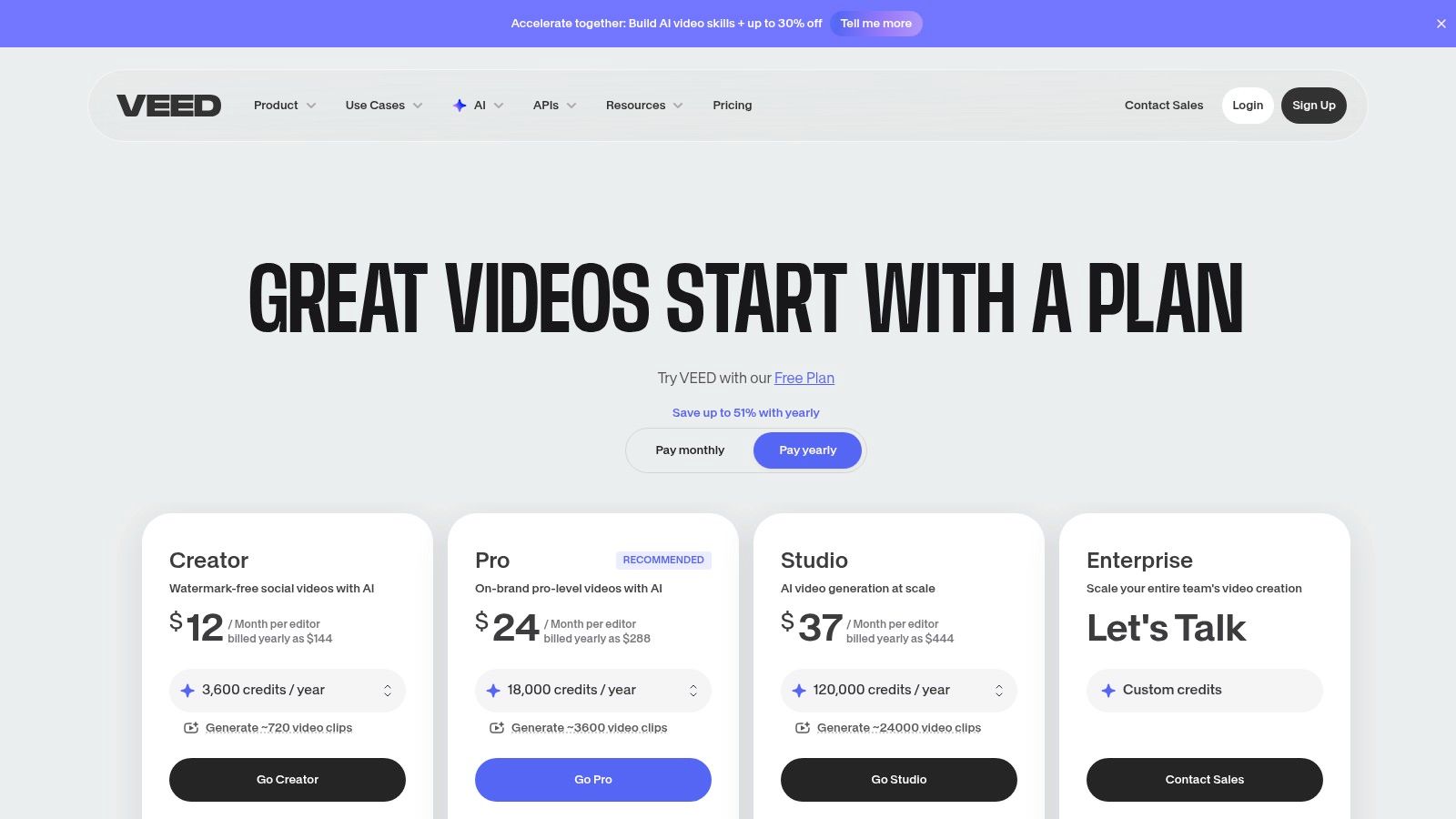
VEED offers several plans, including a free version for small, watermarked projects.
- Free Plan: Exports with a watermark, limited to 10 minutes and 250MB uploads.
- Basic Plan ($12/month): Removes the watermark and provides 25-minute exports.
- Pro Plan ($24/month): Includes auto-subtitling, translation, and stock content access.
- Business Plan ($59/month): Adds team collaboration, brand kits, and analytics.
The primary limitation is that more advanced AI features and export lengths are tied to higher-tier plans. While it’s not built for complex cinematic editing, its performance in generating accurate captions and resizing videos for multiple platforms is excellent.
Website: https://www.veed.io/pricing
12 AI Tools for Content Creators — Feature Comparison
Final Thoughts
Navigating the world of AI tools can feel like a full-time job in itself, but the rewards for integrating the right software into your workflow are substantial. As we've explored, the best AI tools for content creators aren't about replacing human creativity; they are about augmenting it, automating tedious tasks, and freeing up your valuable time to focus on the ideas and stories only you can tell. From Whisper AI’s exceptional transcription accuracy to Runway’s all-in-one video creation suite, the common thread is efficiency. These tools are designed to handle the heavy lifting, whether it's generating a clean transcript, brainstorming blog post outlines, or repurposing a long-form video into dozens of social media clips.
The key takeaway is that a strategic, modular approach is often more effective than searching for a single, mythical "do-it-all" application. Your ideal toolkit will likely be a combination of several specialized programs that excel at specific tasks. A podcaster might combine Riverside for pristine recording, Whisper AI for flawless transcription, and ElevenLabs for creating audio ad reads. A YouTuber could use Descript for editing, Canva’s Magic Studio for thumbnails, and Opus Clip for generating viral shorts. The goal is to build a personalized ecosystem that directly addresses your biggest production bottlenecks.
How to Choose Your AI Toolkit
Selecting the right tools from this list, or any other, requires a clear understanding of your specific needs and workflow. Before committing to a subscription, consider the following steps to ensure you make a smart investment:
- Identify Your Biggest Time Sinks: What is the single most time-consuming, repetitive task in your content creation process? Is it transcribing interviews, editing "ums" and "ahs" from audio, designing graphics, or writing show notes? Start by looking for a tool that solves your most significant pain point first.
- Define Your Core Medium: Are you primarily a video creator, a podcaster, a writer, or a social media manager? While many tools are versatile, some are built with a specific medium in mind. A video-first creator should prioritize tools like Descript, Runway, or VEED, while a blogger might get more immediate value from Jasper or Notion AI.
- Evaluate Integration Potential: The most powerful workflows come from tools that work well together. Consider how a new tool will fit into your existing process. For instance, can you easily export a transcript from Whisper AI and import it into Descript for editing? Does your image generator export files that are compatible with your video editor? Seamless integration saves time and prevents frustration.
- Start with Free Trials: Nearly every tool we've discussed offers a free tier or a trial period. Use this opportunity to test the software with a real project. This hands-on experience is the only way to truly know if a tool’s interface, features, and output quality meet your standards.
Final Encouragement
The true power of these AI assistants lies in their ability to remove friction between an idea and its final, published form. They help you produce more content, experiment with new formats, and maintain a consistent presence without burning out. For creators focused on visual assets, especially authors aiming to produce their own marketing materials, exploring niche tools can also be very productive. To explore specialized AI tools for visual content creation, particularly for authors, consider reviewing resources like the Best AI Book Cover Generator.
Ultimately, the best AI tools for content creators are the ones that you actually use. Don't feel pressured to adopt every new piece of tech. Instead, be intentional. Find one or two that solve a real problem for you, master them, and then watch as your creative output and efficiency reach new levels.
Ready to eliminate the tedious task of manual transcription? Start with Whisper AI, the foundation for many content repurposing workflows, and experience the accuracy that sets the industry standard. Get your first transcript in minutes and see how much time you can save. Try Whisper AI today


























































































