
How to Secure Send Email: A Practical Guide for 2026
You send the email, attach the contract, and then pause for half a second longer than usual before closing the window. That pause is the signal. You know the file mattered. You know regular email was built for delivery first, not confidentiality first. And if the message included personal data, financial details, legal language, or internal plans, “sent” doesn't automatically mean “safe.”
That's why secure send email practices have moved from niche IT policy to everyday operational hygiene. The hard part isn't learning the names of encryption methods. It's choosing the right one for the situation, then making sure the recipient can effectively use it without breaking the security chain.
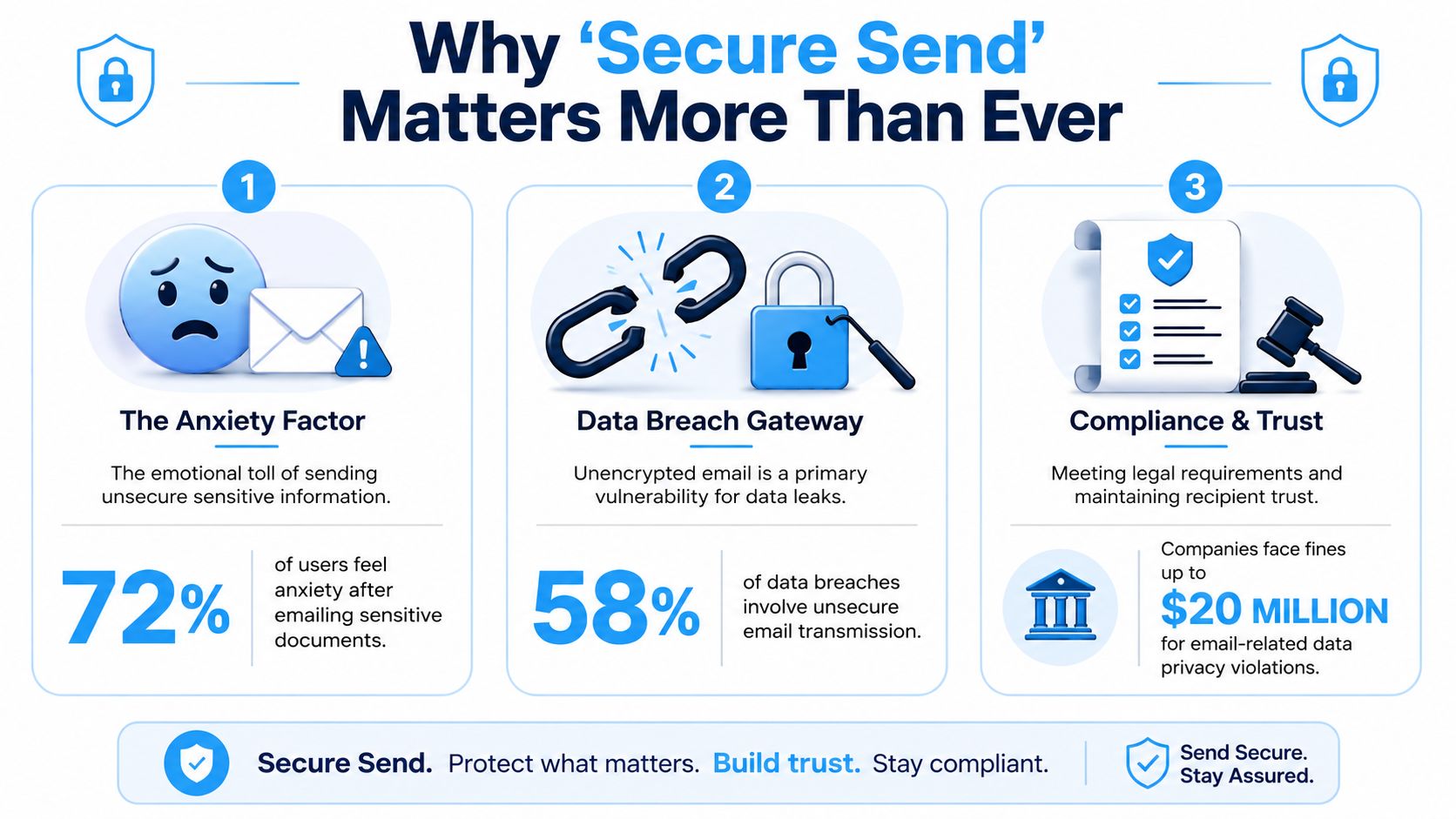
Why Secure Send Matters More Than Ever
Teams don't typically start caring about email security out of an affinity for protocols. They become concerned when sending sensitive material and confronting the simultaneous trust placed in multiple elements: the mail provider, the network path, the recipient's arrangement, and their own conduct when under tight deadlines.
There's also a practical distinction that gets missed. Some protection secures email in transit, meaning the message is protected while it moves between servers. Other protection secures the content itself, so only the intended recipient can read it. If you handle regulated data, contracts, identity documents, or HR records, that difference matters.
The business signal is impossible to ignore. The global email encryption market was valued at USD 9.29 billion in 2025 and is projected to reach USD 49.6 billion by 2034, with a 20.45% CAGR, while enterprise spending on messaging security already exceeded USD 3.9 billion in 2024 according to Fortune Business Insights on the email encryption market. Organizations don't spend at that level unless the risk is real and recurring.
What secure sending actually means
Secure email isn't one setting. It's a stack of decisions:
- Transport protection: Good for routine mail moving between modern mail servers.
- Message protection: Better when the content itself needs stronger control.
- Identity protection: Critical so users know the message really came from you.
- Recipient experience: Easy to overlook, but poor access workflows cause real failures.
Practical rule: If you'd be uncomfortable attaching the file to a public ticket, don't rely on default email behavior.
Privacy also extends beyond the message itself. If you're reviewing broader exposure around browsing, traffic visibility, and online habits, the Throughwire privacy guide is a useful companion read because it clarifies what network observers can and can't see. For teams that coordinate sensitive conversations outside inboxes, secure messaging tools also matter, which is why some organizations compare email workflows with options like encrypted WhatsApp communication.
When regular sending stops being enough
Use stronger protection when the message includes:
- Personal data: Anything tied to identity, health, payroll, or customer records.
- Commercially sensitive material: Contracts, pricing, M&A notes, or renewal terms.
- Legal or regulatory exposure: Content that creates GDPR, HIPAA, or audit obligations.
- High-impact attachments: PDFs and spreadsheets often carry more risk than the email body.
The goal isn't to encrypt every lunch invite. The goal is to know when default sending is acceptable, and when it isn't.
Understanding Your Email Encryption Options
The mistake I see most often is treating all email encryption as interchangeable. It isn't. Each method solves a different problem, and each comes with trade-offs in setup, user friction, and actual protection.
A useful shortlist of options includes TLS, S/MIME, PGP, and provider-managed end-to-end encrypted services such as Proton Mail style workflows. The right choice depends less on ideology and more on the type of message, the recipient, and whether you need enforceable policy.
The practical difference between the main options
TLS is the default protection widely used without conscious thought. It protects mail while it travels between supporting servers. That's fine for ordinary business communication, but it doesn't give you the same control over message confidentiality once the email is delivered or relayed through mixed environments.
S/MIME is where things get serious for regulated work. It's widely used in enterprise settings because it supports encryption and signing in a way that fits managed corporate environments. According to FTAPI's explanation of email encryption methods, S/MIME is the gold standard for regulated industries, while TLS only provides routine transport protection, and organizations using automated S/MIME can reduce data breach incidents by up to 78% compared with relying on TLS alone.
PGP appeals to technically confident users who want strong user-controlled encryption. It can work very well, but key exchange, trust management, and support overhead often make it a poor default for broad business rollout.
Integrated end-to-end encrypted services are convenient when both sides use the same ecosystem. They're simple inside that environment. They get less simple when you send to recipients on standard email platforms.
Email Encryption Method Comparison
| Method | Best For | Security Level | Ease of Use |
|---|---|---|---|
| TLS | Everyday business email with low to moderate sensitivity | Moderate for transport | Easy |
| S/MIME | Regulated industries, contracts, personal data, corporate environments | High | Moderate |
| PGP | Privacy-focused users who can manage keys | High | Difficult |
| Integrated E2EE services | Closed ecosystems or secure-provider-to-secure-provider messaging | High within the same service | Easy to moderate |
How to choose without overcomplicating it
Use this decision logic:
- Choose TLS when the content is routine and your main goal is basic transport security.
- Choose S/MIME when policy, compliance, or sender identity assurance matters.
- Choose PGP if both parties are technically capable and willing to manage keys properly.
- Choose an integrated encrypted service when both sender and recipient are already inside that provider's environment.
The strongest method on paper isn't the best one if your recipient can't use it correctly.
If your team needs a quick refresher on public-key concepts before choosing between S/MIME and PGP, this RSA primer helps explain the cryptographic model in plain language.
What usually works in real teams
For internal corporate use, S/MIME plus policy enforcement is usually the most workable answer. For ad hoc secure exchanges with external recipients, secure portals or encrypted file delivery can be better than trying to make advanced email standards fit every edge case.
For everyday low-risk communication, don't force high-friction encryption where it isn't needed. Security that users bypass is worse than a simpler control they'll use.
Configuring Secure Email on Common Clients
Users generally don't need another lecture about encryption theory. They need to know where to click and what result they should expect.
The first habit to build is simple: before sending, decide whether you're protecting the message body, the attachment, or both. In many business emails, the attachment is the primary asset.
Outlook is the easiest place to start
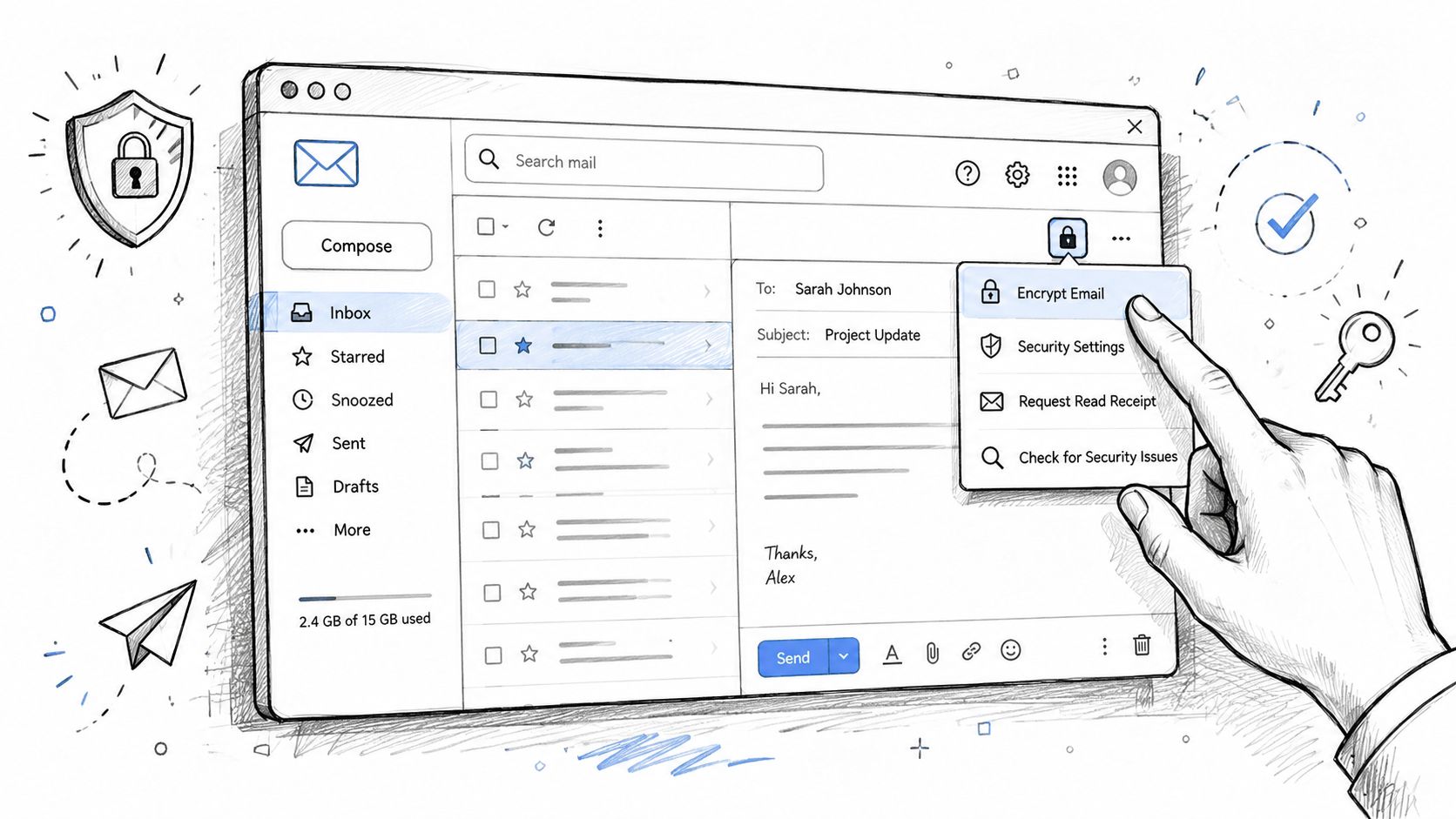
If your organization uses Microsoft 365, Outlook already gives you practical built-in controls. EuroDNS guidance on emailing sensitive data recommends encrypting all attachments and messages and specifically points to Outlook's “Encrypt Only” and “Do Not Forward” options under the Options tab in the Encrypt menu.
That matters because these controls are close to the compose window. Users don't need separate software or awkward workarounds.
A simple Outlook workflow looks like this:
- Open a new message.
- Add recipients and attach the file.
- Go to Options.
- Open Encrypt.
- Choose Encrypt Only when you want protected access.
- Choose Do Not Forward when you also want to restrict onward sharing.
Use Encrypt Only for standard confidential exchanges. Use Do Not Forward for pricing, legal drafts, HR communication, and other messages where redistribution creates risk.
Gmail works differently
Gmail's native experience is more uneven because what's available depends on the account type and admin configuration. In standard consumer use, people often rely on Confidential Mode, which helps with access control and message handling but isn't the same thing as full end-to-end encryption.
That distinction matters. Confidential Mode can reduce accidental exposure, but it doesn't replace stronger enterprise encryption for regulated material. In managed Google Workspace environments, some organizations enable S/MIME, which is a stronger fit when they need formal message protection.
If you're using Gmail, ask three questions before sending sensitive content:
- Is this just reducing casual access, or is it encrypting content strongly?
- Will the recipient be able to open it without confusion?
- Does this message belong in email at all, or should it be sent as a secure file link instead?
Don't confuse “extra controls in the compose window” with “end-to-end protected content.” They're not the same thing.
Apple Mail and certificate-based setups
Apple Mail supports S/MIME when certificates are installed correctly. In practice, that means the setup work happens before the message is written. Once configured, the sending experience is clean, which is one reason certificate-based encryption remains attractive in managed fleets.
What breaks Apple Mail deployments isn't usually the compose flow. It's certificate lifecycle management, expired credentials, and recipients who don't have a compatible setup.
Here's a useful walkthrough before you change client settings at scale:
Secure providers are convenient, but only inside their own lane
Services like Proton Mail simplify secure messaging when both users are inside the same system. That's the best-case scenario. The hard part begins when the recipient uses Outlook, Gmail, or another standard mailbox.
At that point, the provider usually falls back to a protected-message or portal-style experience. That can still be secure, but it adds friction. If the recipient is external, unfamiliar with secure portals, or using a locked-down work device, test the experience before making it your default.
A workable client strategy usually looks like this:
- Outlook in Microsoft environments: Lean on built-in encryption controls and policy.
- Gmail in mixed environments: Treat confidential mode as limited. Use stronger methods when required.
- Apple Mail in managed fleets: Good when certificate administration is mature.
- Secure-provider ecosystems: Excellent for same-platform exchanges, mixed results outside them.
The best configuration is the one your users can repeat accurately under deadline pressure.
Securing Attachments and Large Files
In many real incidents, the email body is harmless and the attachment is the problem. A short note saying “please review” doesn't create much exposure by itself. The attached PDF with account details, the spreadsheet with payroll information, or the signed agreement does.
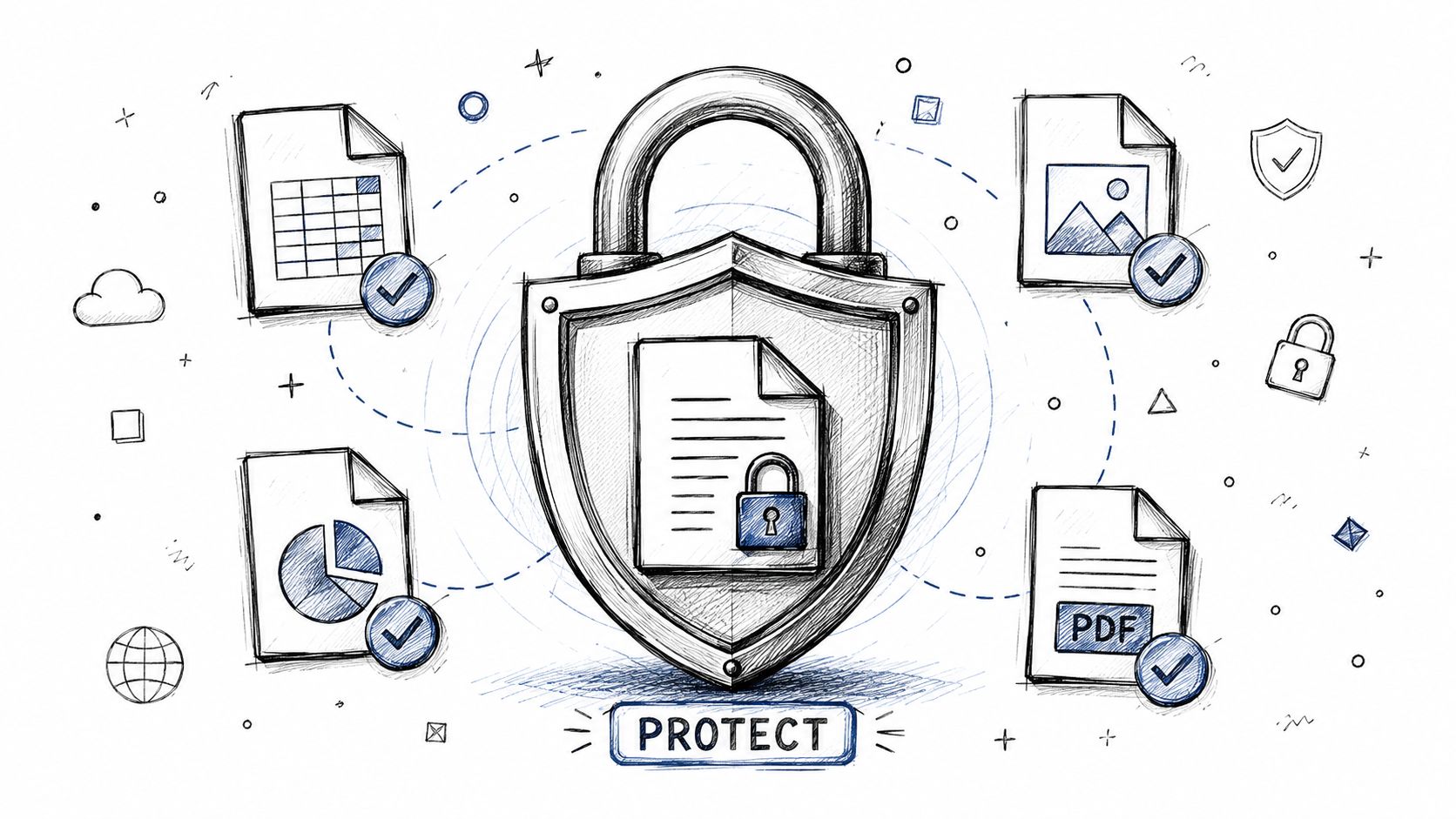
That's why attachment handling deserves separate thinking. If the file contains the actual sensitive data, protect the file, not just the message wrapper.
Attach less, link more
For large files or high-sensitivity material, a secure file-sharing link is often better than a raw attachment. It gives you more control over access, expiration, and revocation. It also reduces the chance that copies spread into unmanaged inboxes, forwarded threads, and personal archives.
That doesn't mean attachments are always wrong. It means you should be selective.
A practical rule set:
- Use encrypted attachments for smaller files when the recipient needs a straightforward email-based workflow.
- Use password-protected archives or encrypted PDFs when you need a simple extra layer and the recipient can handle a separate password exchange.
- Use secure file-sharing links when the file is large, highly sensitive, or likely to need access control after delivery.
What usually fails
The common failure pattern is sending a protected file and then putting the password in the same email thread. That defeats most of the benefit.
Another weak pattern is assuming the attachment inherits whatever trust the sender feels about their mail platform. It doesn't. Once the file lands in the recipient's environment, its protection depends on the controls applied to the file itself and the access path around it.
If the attachment matters more than the message, secure the attachment first and treat the email as the notification layer.
For recurring document exchange, secure portals and managed file links are usually easier to govern than endless encrypted attachments. They also create fewer version-control headaches.
Essential Best Practices Beyond Encryption
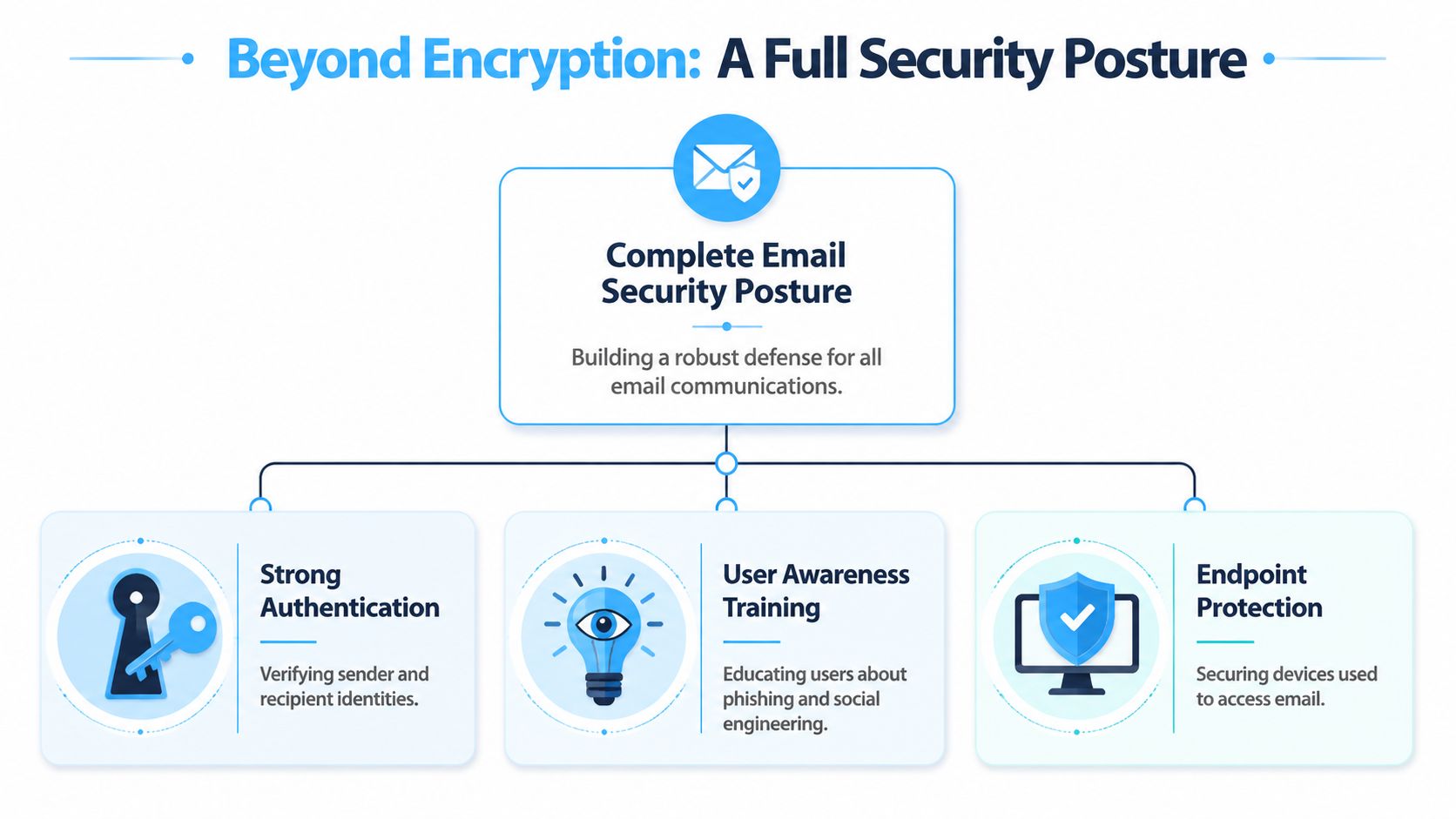
Encryption is only one part of email security. You can encrypt a message perfectly and still lose control if the recipient was spoofed, the sender account was compromised, or the user clicked through a phishing prompt before the message was even sent.
The stronger model combines content protection, identity checks, and user discipline.
Authentication stops a different class of problem
Encryption protects confidentiality. Authentication protects trust. Both matter.
Canada's cyber guidance identifies SPF, DKIM, and DMARC as core email security practices for preventing spoofing and unauthorized access in its email security best practices guidance from Cyber.gc.ca. In plain terms:
- SPF helps receiving systems check whether a sender is allowed to send on behalf of a domain.
- DKIM helps verify that the message wasn't altered in transit.
- DMARC tells receiving systems what to do when those checks fail.
If you skip these, you're focusing on secrecy while neglecting sender legitimacy.
The human layer breaks more than the crypto
Many secure email rollouts fail for boring reasons. Settings are optional. MFA isn't enforced. Users guess which messages need protection. Training happens once and is never refreshed.
According to Abusix guidance on email encryption pitfalls, common problems include weak encryption choices, failure to automate protection, and skipping MFA. The same source says 42% of secure email failures stem from employees not recognizing phishing attempts.
That tracks with what IT teams see in practice. People don't usually defeat encryption directly. They route around it by mistake.
The controls worth enforcing
Don't leave these as recommendations if the data matters:
- Automate encryption where possible: Users are inconsistent under pressure.
- Require MFA for mailbox access: A protected message doesn't help if the account is taken over.
- Train on phishing and misdelivery: Staff need to verify recipients, not just attachments.
- Review key and certificate handling: Expired or mismanaged credentials undermine secure workflows.
For a broader operational angle on handling devices and data safely outside the inbox, this guide for managing sensitive IT data is worth reading, especially if your email risk intersects with remote hardware returns and endpoint custody. Teams that document security calls, verbal approvals, or compliance conversations should also understand legal boundaries around recordings, which is why this call recording legality overview is relevant in adjacent workflows.
Strong email security is a system. Authentication verifies who's talking. Encryption protects what's said. Training keeps users from sending it to the wrong person.
Answering Your Toughest Secure Email Questions
Does sending from a secure provider protect every recipient automatically
No. A secure provider helps most when both sender and recipient are inside the same protected environment. Once the message leaves that ecosystem for a standard mailbox, protection depends on what method is used for that specific delivery.
A lot of users assume the sender's platform guarantees privacy end to end. It doesn't. In mixed-recipient scenarios, always check what the recipient will receive and how they'll access it.
Can recipient friction create a compliance problem even if I sent it correctly
Yes, and this is one of the most overlooked failure points. According to MailHippo's discussion of encrypted email access issues, 42% of healthcare emails fail compliance because recipients do not activate secure portals.
That means the sender may have followed policy, but the workflow still failed in practice. If the recipient can't complete the access process, the communication can stall, be rerouted insecurely, or trigger workarounds that undo the original protection.
What should I do when recipients struggle with secure portals
Reduce friction before you send the first message.
A few habits help:
- Warn recipients in advance: Tell them what the secure message will look like.
- Use the least-friction secure method that still fits the risk: Don't force a cumbersome portal for routine content.
- Have a fallback process: For example, move the file to a secure link workflow if inbox-based access fails.
- Test with non-technical users: If they can't open it, your process isn't finished.
Why does an encrypted email still land in spam
Because encryption doesn't fix sender reputation, content filtering, or authentication issues by itself. Receiving systems still look at the broader trust picture. If your domain practices are weak or the message pattern looks suspicious, protection alone won't guarantee inbox placement.
That's why secure send email isn't just about turning encryption on. It's about sending confidential content in a way that the recipient can trust, access, and use safely.
If your team also needs a clean way to turn interviews, meetings, security briefings, or policy discussions into searchable notes, Whisper AI is a practical option. It transcribes audio and video, identifies speakers, adds timestamps, and creates summaries fast, which makes it easier to document security decisions without drowning in manual notes.


























































































